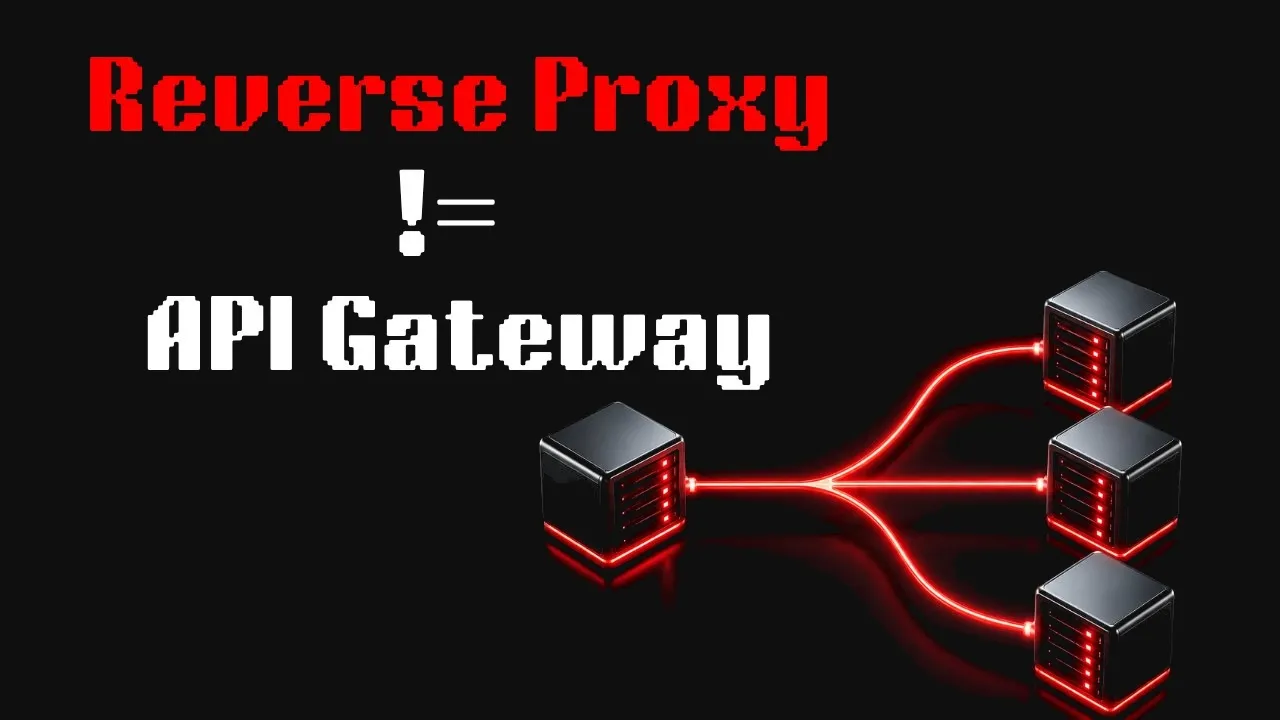
Reverse Proxy vs Load Balancer vs API Gateway: The Real Difference ? transcript
CsMadeEz · @CsMadeEz
Words
4,396
Runtime
29:50
Speaking pace
147wpm
Reading time
18min
147 words per minute, below the 160 25th percentile of 349 measured videos. That distribution comes from the 349-video hook study.
Opening (first 30 seconds)
Here's a question that separates engineers who can build systems from engineers who can actually design them. You have a back-end server. It handles requests perfectly in development. It even survives a few hundred users without breaking a sweat. Then one day, your app gets picked up on social media. Suddenly, 10,000 requests hit your server at almost the exact same second. And everything starts falling apart. Connections start piling up. Requests begin timing
74 words, the words spoken in the first 30 seconds at 147 words per minute.
Sentence shape
| Measure | This transcript |
|---|---|
| Sentences | 338 |
| Average words per sentence | 13.0 |
| Longest sentence | 40 words |
| Questions asked | 11 |
| Sentences containing a number | 12 |
Most used terms
- api40
- end40
- load36
- proxy35
- traffic34
- requests29
- service29
- reverse27
- request26
- gateway25
- server25
- servers24
Filler phrases
48 in total: like 27 · actually 15 · basically 3 · kind of 2 · literally 1.
A literal whole-word count of the same phrase list the Prepublish browser extension uses, so a phrase inside another word is not counted and a phrase used in its ordinary sense still is. It is a count and not a judgement.
What this transcript is
Every word below is the caption track YouTube publishes for this video, pulled from the video itself and reproduced unchanged. It is not Prepublish's writing, not a summary, and not a re-transcription: it is the video's own published captions. English captions, generated automatically by YouTube, in the video’s original language. Source: the video on YouTube. A channel that would rather this page did not exist can ask for its removal through the contact page, and it is removed.
Transcript
Here's a question that separates engineers who can build systems from engineers who can actually design them. You have a back-end server. It handles requests perfectly in development. It even survives a few hundred users without breaking a sweat. Then one day, your app gets picked up on social media. Suddenly, 10,000 requests hit your server at almost the exact same second. And everything starts falling apart. Connections start piling up.
Requests begin timing out. CPU usage spikes. And your users, they're staring at loading screens. Or worse, a 502 error page. Now, most engineers know the obvious answer here. Add more servers, or put something in front of the back-end. But what exactly goes in front? Because the moment you enter system design, you keep hearing the same three terms again and again. Reverse proxy, load balancer, API gateway. And honestly, a lot of engineers, even experienced ones, mix them up.
Because on the surface, all three seem to do the exact same thing. They sit between users and servers. But they exist for completely different reasons. Each one solves a different scaling problem. Each one protects your system from a different kind of failure. And understanding where they fit is what separates someone who has used these tools from someone who actually understands distributed systems. By the end of this video, you won't just memorize definitions.
You'll understand why reverse proxies exist, what load balancers actually balance, why API gateways became essential in microservice architectures, and how all three layer together in real production systems serving millions of users every single day. So, let's start from zero and build the architecture step by step. The simplest version of the web is straightforward. A client sends a request and a server sends back a response.
No extra layers, no fancy infrastructure, just a direct connection between the user and your application. And honestly, that works. Until it doesn't. Because there's a problem most people don't notice until production starts hurting. Your server is exposed. It's sitting directly on the public internet handling everything itself. SSL encryption, static files, traffic spikes, malicious requests. All of it lands on the same machine that's supposed to run your application.
Think about what's happening behind the scenes. Every HTTPS request starts with a TLS handshake. That's expensive cryptographic work. At the same time, your server is running application logic, fetching database data, serving images, and compressing responses. It's doing too much at once. It's like asking a surgeon to perform surgery while also managing patient intake, sterilizing equipment, answering calls, and handling billing.
Eventually, the surgery suffers. And then there's security. Your server's IP address is public. It's sitting right there in DNS. Anyone can discover it, scan it, probe it, or attack it directly. There's no real buffer between your application and the chaos of the internet. So, engineers put something in front. A protective layer that handles the messy edge of the internet before requests ever reach the application server.
This is a reverse proxy. And before we talk about what it actually does, let's first understand why it's called that. Most people hear the word proxy and immediately think of VPNs or privacy tools. That's called a forward proxy. A forward proxy works on behalf of the client. Your company VPN, an IP masking service, those sit in front of you and make requests on your behalf. The server doesn't really know who the original client is.
A reverse proxy is the exact mirror image. It works on behalf of the server. It sits in front of your back-end infrastructure and clients never directly talk to your actual servers. They send requests to the proxy's address and the proxy decides what happens next. Now, the moment you place a reverse proxy in front of your back-end, something interesting happens. You can start offloading work from your application servers.
For example, SSL termination. TLS handshakes are surprisingly expensive. Encryption, key exchange, certificate validation, all of that costs CPU. Instead of making your back-end handle it thousands of times per second, the reverse proxy handles it once at the edge. Your back-end simply receives plain HTTP internally over a trusted private network. The most CPU-heavy part of every connection, gone from your application server.
Then comes caching. Imagine your API returns the same product catalog to a thousand users. Without a proxy, your back-end generates the exact same response a thousand times. With a reverse proxy, the first request hits the back-end. The proxy stores the response in memory and the next 999 requests are served instantly from cache. Your back-end never even wakes up for them. Then there's compression. Before responses leave the proxy, it compresses them using things like gzip or Brotli.
Smaller payloads, lower bandwidth usage, faster response times. And again, your back-end spends zero CPU cycles doing any of it. Then security. Your actual server's IP address stays hidden behind the proxy. Attackers only see the proxy layer and that means you can filter malicious traffic before it ever reaches your application. Rate limiting, header enforcement, blocking suspicious patterns, rejecting malformed requests, all of that can happen at the proxy layer itself.
Tools like Nginx, HAProxy, Caddy, or Envoy, when configured in front of your application, are acting as reverse proxies. But here's the really important insight. A reverse proxy is general-purpose. It operates mostly at the connection and routing level. It doesn't actually understand your business logic. It doesn't know what /users means versus /orders. It doesn't know whether a request is authenticated. It doesn't understand permissions, API versions, or user identities.
It simply forwards traffic based on rules you configure. And that's both its biggest strength and its biggest limitation. Because the next scaling problem your architecture is about to face, a reverse proxy alone can't solve it. Your reverse proxy is already handling SSL, caching, compression, and security. That's great, but there's still one huge problem underneath all of this. Your actual application, the code running your business logic, is still running on a single machine.
And a single machine always has limits. It has limited CPU power, limited memory, and only so many network connections it can keep open at once. So when traffic suddenly doubles, then triples, your reverse proxy keeps faithfully forwarding every request to that one back-end server, and eventually, the back-end starts struggling under the load. At that point, the obvious answer is simple. Add more servers. So now, instead of one back-end machine, you have three.
But the second you do that, you create a completely new problem. Your proxy now has multiple back-end servers behind it. How does it decide which server should receive each request? Because if it accidentally sends most traffic to server one, the other two servers stay mostly idle while one machine gets overwhelmed. And if requests are distributed randomly, you can still end up in situations where one server receives a bunch of expensive requests while another server has plenty of free capacity left.
And then there's an even bigger issue. What happens if one of those servers crashes? How does the system know to stop sending traffic there? This is the exact problem a load balancer is designed to solve. And here's the part that surprises a lot of people. A load balancer isn't some completely separate thing from a reverse proxy. In many ways, a load balancer is a reverse proxy. It's just a reverse proxy that evolved one very specialized skill, intelligent traffic distribution.
Its job is to sit in front of a pool of back-end servers and continuously decide where each incoming request should go while also keeping track of which machines are healthy, overloaded, or completely unavailable. The simplest strategy is something called round robin. The first request goes to server A, the next to server B, the next to server C, and then the cycle will repeats again from the beginning. It's simple, predictable, and works pretty well when all your servers are equally powerful and all requests take roughly the same amount of work.
But real systems usually aren't that clean. Some requests finish instantly because they hit a cache. Others might trigger a heavy database query or some expensive computation that takes much longer. So instead of blindly rotating traffic, many load balancers use something smarter called least connections. In that approach, the load balancer constantly checks which back-end server is currently handling the fewest active requests and sends the next request there.
That way traffic naturally shifts toward less busy machines. And sometimes the servers themselves aren't equally powerful. Maybe one machine has 64 GB of RAM while another smaller instance only has 16. In that case, you can assign weights so the stronger machine intentionally receives more traffic because it can handle more load. There's also something called IP hashing where the client's IP address is used to consistently route them to the same back-end server every time.
That can be useful for session affinity, although modern systems usually prefer stateless architectures because they scale much more cleanly in the long run. Now, there's another distinction here that becomes extremely important in production systems. Layer 4 versus Layer 7 load balancing. A Layer 4 load balancer operates at the transport level. It understands things like TCP connections, IP addresses, and port numbers, but it doesn't actually understand HTTP itself.
It can't inspect URLs, read headers, or look at cookies. It simply distributes raw network connections. That makes it incredibly fast and efficient, but also completely blind to application-level logic. A Layer 7 load balancer is much smarter because it actually understands HTTP traffic. It can inspect the URL path, read request headers, examine cookies, and make routing decisions based on the content of the request itself.
That means you can do things like send all {slash} {dash} API {slash} {dash} users traffic to one back-end cluster, while routing {slash} {dash} API {slash} {dash} payments traffic to a completely different and more secure set of servers. If you've used AWS before, this is basically the difference between their network load balancer and application load balancer. One is optimized for raw speed at Layer 4, while the other operates at Layer 7 and understands application traffic.
But, the feature that truly makes load balancers critical for reliability is health checking. The load balancer continuously pings back-end servers asking, essentially, are you still alive? Can you still handle requests? And if a server stops responding, the balancer immediately removes it from the traffic pool. Requests automatically get rerouted to healthy machines without any human intervention. No engineer needs to wake up at 3:00 in the morning to manually reroute traffic.
The system adapts on its own. And when the failed server eventually recovers, it can automatically rejoin the pool again. So, by this point, the load balancer has solved two massive infrastructure problems. First, horizontal scalability. You can now handle more traffic simply by adding more machines. And second, high availability. Your system can survive individual server failures without the entire application going down.
Which sounds perfect. We've solved scaling. We've solved traffic distribution. We've solved failover. Everything should finally be stable now. Except, your architecture is about to become a lot more complicated. As your application grows, something eventually starts happening to the code base. The monolith that once felt simple and clean slowly starts becoming difficult to manage. Deployments become risky. Small changes unexpectedly break unrelated features.
And teams begin stepping on each other's work because everyone is touching the same giant application. So, naturally, the engineering team decides to split the system into microservices. Now, instead of one massive back end, you suddenly have a user service, an order service, a payment service, a notification service, and a bunch of others. Different teams own different services. They deploy independently, and each service can scale separately depending on traffic.
In theory, this sounds perfect. But, in practice, it creates a completely different kind of headache at the front door of your system. Because now every single service suddenly has to deal with the exact same infrastructure problems. Every request needs authentication. Every service now has to validate JWTs, verify API keys, check permissions, and decide whether the user is allowed to access that endpoint. And before long, you realize you've duplicated the same authentication logic across a dozen services.
Then there's rate limiting. What happens if one client suddenly starts sending thousands of requests per second? Maybe it's a bug, maybe it's abuse, maybe it's an attack. Either way, you need to throttle them. But where should that logic live? If every service implements rate limiting independently, different teams end up creating different rules, different limits, and inevitably different bugs. And then debugging becomes painful.
One team tracks latency one way, another logs errors differently, and a third service barely exposes metrics at all. When production issues happen, nobody has a complete picture of the system anymore because every service behaves slightly differently. Things get even messier once request transformation enters the picture. Maybe your mobile app sends clean JSON requests, but some old internal payment system still expects XML.
Maybe one back end returns internal debug fields that should never be exposed publicly. Suddenly, every service starts writing little bits of translation logic on top of its actual business logic. And over time, something strange happens. You think you have 12 separate services, but what you actually have is 12 separate copies of the same infrastructure code maintained by 12 different teams, all slowly drifting apart from each other.
This is the exact problem an API gateway is meant to solve. At its core, an API gateway is still a reverse proxy, but unlike a traditional reverse proxy, it actually understands your APIs. It doesn't just blindly forward HTTP requests. It knows which endpoints are public, which require authentication, which clients belong to which tier, and how requests are supposed to flow through your system. Instead of every service independently validating tokens and checking permissions, the gateway handles authentication once at the edge.
Invalid requests are rejected immediately before they ever reach your back-end services. That means your actual services can focus almost entirely on business logic instead of repeatedly solving the same infrastructure problems. The same thing applies to rate limiting. Rather than every team implementing its own throttling logic, the gateway becomes the single place where limits are enforced consistently. Free users might get 100 requests per minute, pro users get 1,000, and enterprise customers get even more.
All controlled centrally without back-end services needing to know anything about billing tiers or subscription logic. API gateways also become incredibly useful for request and response transformation. Your mobile app might send requests in one format, while an older legacy service expects something completely different. The gateway can translate between the two without either side even realizing it. Clients continue using modern APIs, while old systems quietly keep functioning behind the scenes.
This becomes especially important during migrations. Imagine moving from version one of your API to version two. Without a gateway, that migration can become extremely messy. But with an API gateway, you can simply route {slash} {dash} V1 requests to the older back-end, while newer clients automatically hit the newer service. Older applications continue working without breaking, while newer clients gradually migrate over time.
And because every request flows through one central entry point, the gateway also gives you something incredibly valuable. Visibility. You can finally see which endpoints receive the most traffic, which clients generate the most errors, where latency spikes happen, and how your entire platform behaves under load. That information becomes critical for debugging, scaling decisions, and maintaining reliability as your system grows.
This is why tools like Kong, AWS API Gateway, Apigee, Tyk, and modern Envoy based gateways became such a huge part of cloud architecture. Because an API gateway isn't just another proxy. It's the layer that prevents API related infrastructure concerns from leaking into every single service in your system. Without it, every team slowly starts rebuilding the same authentication, logging, monitoring, transformation, and rate limiting logic over and over again.
And eventually the architecture becomes inconsistent, fragile, and incredibly difficult to maintain. So, if reverse proxies, load balancers, and API gateways are supposed to be three different concepts, why does everyone constantly mix them up? Because the tools themselves don't really respect the boundaries. Take Nginx for example. Originally, Nginx was basically a reverse proxy. Its main job was handling incoming traffic, terminating SSL, caching responses, and forwarding requests to back-end servers.
But then you add multiple back-end servers with health checks and traffic distribution, and suddenly Nginx is acting like a load balancer. Then you start adding authentication plugins, rate limiting, request transformation, and API level routing through something like OpenResty, and now the same tool is doing API gateway work, too. So, people naturally get confused because they're looking at one piece of software wearing three different hats at the same time.
Kong is another great example. Kong calls itself an API gateway, which is true. But underneath the hood, Kong is actually built on top of Nginx. That means it's still using reverse proxy behavior and load balancing internally. The API gateway capabilities are layered on top of that foundation. Even cloud providers blur the lines. AWS has a product literally called application load balancer and another separate product called API gateway.
But if you look closely, the boundaries overlap a lot. The application load balancer can already do content-based routing because it understands HTTP Meanwhile, API gateway also distributes traffic and forwards requests to back-end services. So, the product names make it sound like these are completely separate worlds, but conceptually, they overlap heavily. And this is where the mental model becomes really important.
These aren't three completely isolated categories. They're more like a spectrum of capabilities. At one end of the spectrum, you have the core reverse proxy responsibilities, forwarding traffic, terminating SSL, caching responses, compressing payloads, and hiding back-end servers behind a single entry point. Then, as you move further along the spectrum, you start adding intelligent traffic distribution, health checks, failover handling, and back-end awareness.
That's the territory of load balancing. And then further beyond that, you add API-specific concerns like authentication, authorization, rate limiting, request transformation, API versioning, analytics, and developer policies. That's where API gateways live. So, in reality, these concepts build on top of each other rather than existing separately. Every tool simply sits somewhere different on that spectrum. Some tools stay narrowly focused.
HAProxy, for example, is extremely focused on high-performance load balancing. Other tools span almost the entire range. Kong can behave as a reverse proxy, a load balancer, and a full API gateway all at once, which means the real question is usually not what category does this tool belong to. The real question is, what capabilities does my system actually need? In real production systems, you usually don't choose just one of these components.
You layer them together. Because each layer is solving a completely different problem. So, let's walk through what actually happens when a real user opens your app. The moment a user opens your website or mobile app, their browser sends an HTTPS request across the internet. But before that request even reaches your infrastructure, it usually hits a CDN first. Something like Cloudflare, CloudFront, or Fastly. And if you think about it, a CDN is basically a huge globally distributed network of reverse proxies.
Instead of making every user connect directly to your servers, the CDN places edge servers all around the world closer to users geographically. Static assets like images, JavaScript files, CSS, and even cached API responses can be served directly from those nearby edge locations. That means lower latency for users and much less traffic reaching your origin infrastructure. The CDN also handles SSL termination at the nearest edge location, which reduces load on your back-end servers even further.
And during sudden traffic spikes, the CDN absorbs a huge amount of the load before your origin servers even notice anything happened. Now, not every request can be served from cache. If the request is dynamic, maybe it's fetching user-specific data or hitting an API endpoint, then the CDN forwards that request to your actual back-end infrastructure. And this is where the API gateway usually enters the picture. The gateway becomes the main entry point into your back-end system.
It validates authentication tokens, checks whether the client is within its allowed rate limits, applies security policies, and then decides which internal service should handle the request. Maybe requests going to {slash} {dash} API {dash} {slash} {dash} users are routed to the user service. Maybe payment-related requests go somewhere completely different. The gateway acts like the intelligent control layer sitting at the edge of your architecture.
But even after the request reaches the correct service, there's usually another layer behind it. Each service often has its own load balancer. The user service might be running on four instances. The order service might be running on six. Another service might automatically scale up and down depending on traffic patterns. The load balancer sitting in front of those instances continuously distributes traffic across healthy machines, monitors instance health, and reroutes requests away from failed servers automatically.
And even deeper inside the system, you'll often still find reverse proxies like Nginx or Envoy running alongside individual services themselves. Sometimes they handle internal TLS encryption between services. Sometimes they compress responses, serve static files, or manage internal service-to-service communication. So when you step back and look at a real production architecture, you realize something important. These layers are not redundant.
They're complementary. Each layer exists because it solves a different category of problem. But there's also an important caveat here that gets ignored in a lot of system design discussions. Not every application actually needs this level of complexity. If you're building a relatively simple web application with a couple of back-end servers, then a load balancer or even just Nginx acting as a reverse proxy is often perfectly enough.
If you're building a large public API with external developers, authentication rules, usage tiers, quotas, analytics, and versioning requirements, then an API gateway starts making a lot more sense. And if you're simply running a monolith that mainly needs SSL termination, caching, and basic routing, then something lightweight like Caddy or Nginx may already solve your problem beautifully. The important thing is to design architecture based on actual requirements.
Not based on what looks impressive in a system design diagram. So, at this point, the obvious question becomes, how do you actually decide which one you need? And honestly, the easiest way to think about it is by starting from the problem you're trying to solve. If you have a single back-end server and your main concern is things like SSL termination, caching, compression, or basic security, then what you're really looking for is a reverse proxy.
Something like Nginx, Caddy, or HAProxy can sit in front of your application and handle those responsibilities extremely well without adding unnecessary complexity. But, once your application grows beyond a single machine, the problem changes. Now, you're no longer worried only about SSL or caching. You're trying to distribute traffic across multiple back-end instances reliably. That's where load balancing becomes important.
At that point, tools like Nginx with upstream blocks, HAProxy, or cloud-managed solutions like AWS Application Load Balancer or Network Load Balancer start making a lot more sense because their main job is traffic distribution, failover handling, and health-aware routing. Then, there's another level entirely. The moment you start exposing APIs publicly, especially to external developers, mobile clients, or third-party integrations, infrastructure concerns become much more API specific.
Now, you care about authentication, API keys, rate limiting, quotas, analytics, request transformation, and versioning. And that's where an API gateway becomes valuable. Tools like Kong, AWS API Gateway, Apigee, or Tyk are specifically designed for that layer of responsibility. And once you move into large-scale microservices architectures, the need becomes even stronger because you want consistent policies across dozens of independently deployed services.
You don't want every team implementing authentication, throttling, and monitoring differently. You want one centralized layer enforcing those rules consistently across the platform. And in really large distributed systems, this sometimes extends even further into service meshes that manage internal service-to-service communication as well. But here's the important thing. In real-world systems, you often end up using multiple layers together.
An API gateway might sit at the edge handling authentication and API policies. Behind it, load balancers distribute traffic across service instances. And inside individual services, tools like Nginx or Envoy may still exist for internal proxying, compression, caching, or TLS handling. Each layer exists because it's optimized for different responsibility. And that's really the key insight behind all of this. These tools aren't competing with each other.
They're cooperating. Each one does a specific job well, and production architectures are usually built by combining them together thoughtfully instead of trying to force one tool to solve every problem. So, when you zoom out, the difference actually becomes pretty simple. A reverse proxy sits in front of your servers and handles general traffic concerns like SSL termination, caching, compression, and security. A load balancer takes that idea further and focuses specifically on distributing traffic across multiple servers so your system can scale and survive failures.
And an API gateway goes one layer higher by handling API specific concerns, like authentication, rate limiting, versioning, analytics, and request transformation. They're not competing technologies. They're different layers solving different problems as systems become more complex. And the reason people mix them up so often is because modern tools blur the boundaries. One tool might act like all three, depending on how it's configured.
But once you stop thinking about product names and start thinking about the actual engineering problems being solved, the distinctions become much clearer. Hopefully now these terms feel less like infrastructure buzzwords and more like logical building blocks that naturally appear as systems scale. If this breakdown helped, subscribe. I'm building more system design videos focused on intuition instead of memorizing definitions.
And if there's another concept you want me to break down next, drop it in the comments. See you in the next one.
The words are the caption track's own and nothing is reworded or re-transcribed. Paragraph breaks are placed between sentences so the text reads as prose.
Use this transcript
Three free tools that work on the material around a video like this one. No signup, no login.
Hook Analyzer
Paste the first 30 seconds of your own draft for a hook score and rewrites.
Policy Pre-Flight
Check your draft against YouTube's advertiser-friendly guidelines before you record it.
Channel Skill Generator
Read this channel's public videos and transcripts, and download a writing brief for it.