Getting the transcript
Reading the captions from YouTube. A video nobody has opened here before takes 10 to 30 seconds; this page fills in on its own.
Getting the transcript
Reading the captions from YouTube. A video nobody has opened here before takes 10 to 30 seconds; this page fills in on its own.
9x · @go9x
Where viewers went back to watch this video again, from YouTube's public Most replayed graph, lined up with what was said at that moment.
Most replayed moment #1
8:163.8x the video's typical replay level
Google AI Studio. And everything you see here is completely free for you to use. You just need to head to a studio.google.com. But I'm not going to be going into this chat section, but rather here on the lefth hand side, we're going to be going into the build section because that's for this next use case is building a
Said at 8:09
Most replayed moment #2
9:033.8x the video's typical replay level
product photo into a highquality studio style image. And here I'm using the rest of the prompt that I used before in Gemini. So I can just hit run prompt. And what's going to happen before our eyes, Google AI Studio is actually going to build our very own image editing app.
Said at 8:55
Most replayed moment #3
10:083.6x the video's typical replay level
can save and share with our team. So if this is something that you need to do on an ongoing basis, this is perfect for just with one simple prompt that you saw up here. Create a fullyfledged app that you can use to do this on demand. All right, for our next use case that is creating social media ads at scale. So
Said at 10:01
The graph counts replays. It does not show where viewers stopped watching.
Words
3,195
Runtime
15:36
Speaking pace
205wpm
Reading time
13min
205 words per minute, above the 201 75th percentile of 349 measured videos. That distribution comes from the 349-video hook study.
Opening (first 30 seconds)
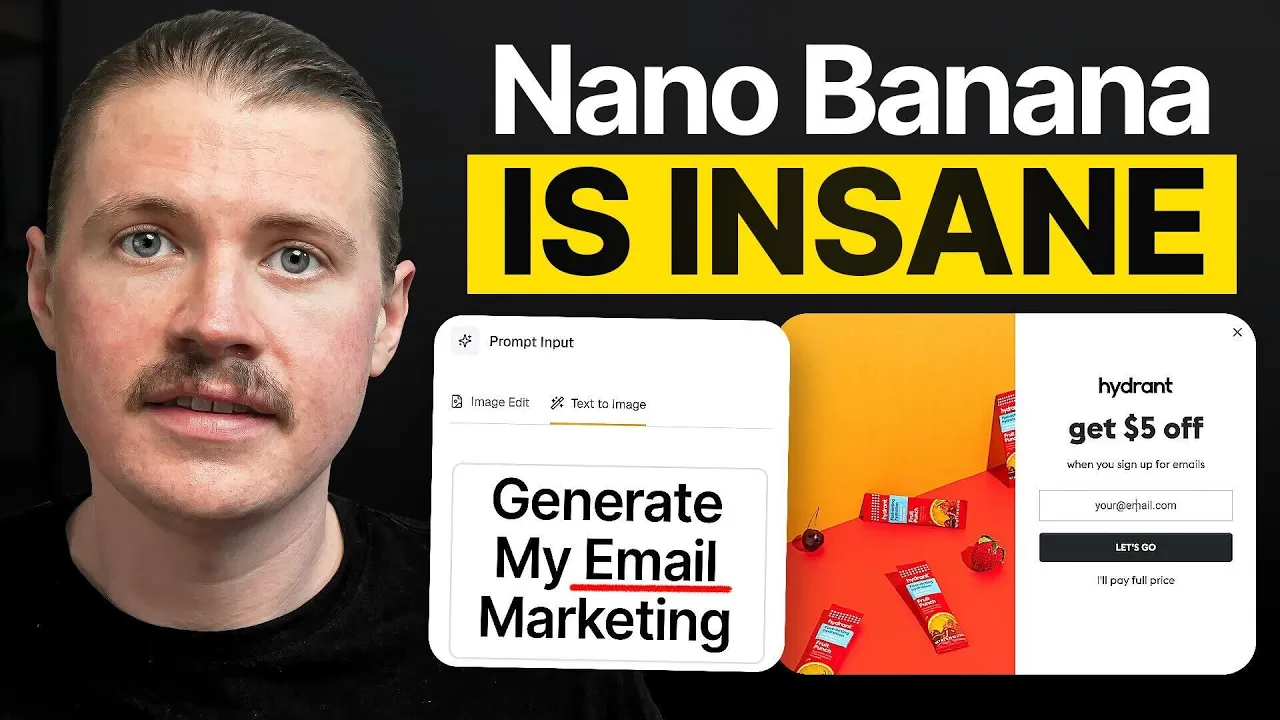
Google just changed the image editing world forever with their brand new nano banana model. And in this video, I'll be walking you through eight of the best use cases for it. This model is literally going to change the way that companies and professionals work with images and visuals. So, we're going to break it down and look at how this new image model can be used for all areas of a business from product and e-commerce to sales and marketing, even HR. Let's dive in. All right. So, first things first, let's open up Gemini. And here under the tool section,
103 words, the words spoken in the first 30 seconds at 205 words per minute.
Free, no signup. See how the first 30 seconds hold attention, with rewrites.
What this transcript is
Every word below is the caption track YouTube publishes for this video, pulled from the video itself and reproduced unchanged. It is not Prepublish's writing, not a summary, and not a re-transcription: it is the video's own published captions. English captions, generated automatically by YouTube, in the video’s original language. Source: the video on YouTube. A channel that would rather this page did not exist can ask for its removal through the contact page, and it is removed.
Google just changed the image editing world forever with their brand new nano banana model. And in this video, I'll be walking you through eight of the best use cases for it. This model is literally going to change the way that companies and professionals work with images and visuals. So, we're going to break it down and look at how this new image model can be used for all areas of a business from product and e-commerce to sales and marketing, even HR.
Let's dive in. All right. So, first things first, let's open up Gemini. And here under the tool section, I want to look for here this create images. And you'll notice this little banana emoji. So I'm going to select that one. And now it's time for our first use case. And that is generating consistent high quality product images. So what I'm going to do is I'm just going to click here on this add files and then upload files.
And what I've got I've just basically taken a photo of my drink bottle on my floor uh at home. So you can see a very rough. This is definitely not something that you would want to publish on your e-commerce store. So, I'm just going to upload this one to Gemini and then add in the following prompt. Transform this product photo into a highquality studio style image. Use soft, balanced lighting. Remove any background distractions.
Apply subtle color correction and give it a clean, modern look suitable for an e-commerce catalog. Keep the product shape, texture, and colors true to life. So, let's send this one off. And we can see here in just a matter of seconds, Gemini has created this perfect product photo. Here's your studio style image of the product ready for an e-commerce catalog. You can see they've totally changed the angle but kept everything, the proportions, the color, the texture, everything is on point.
This looks like it was a real photo taken in a photo studio. And why this is gets me so excited. I previously worked for a startup that did B2B food delivery. We' basically work with local restaurants to deliver food to companies. and we had to take a bunch of these product photos of the different dishes that we offered on our platform in every restaurant. The lighting was different, the setup was different, and now this is something that can be given to AI in just a matter of seconds.
Now, and just to test out that this wasn't a fluke, I even took a photo, which I'm quite ashamed of, of my very used and old uh Birkenstock sandals. Um, and let's see with that exact same prompt, transform this into a high quality product photo. And just look at the results. This is absolutely insane. You can still see that these are a used pair of sandals, but just the lighting and everything is absolutely perfect. Now, for this next use case, I want to highlight probably the most impressive functionality of this new image model, and that is the fact that it can keep the character the same, the person in the photo, while changing the scene around them.
So, here I asked Gemini to take this photo and make it look like I'm in a school classroom. We can see it absolutely nailed it. This is me in a school classroom. I asked it to take this picture and make it look like I'm in a professional podcast studio. And here you can see what it came up with. And here I asked it to take this photo and make it look like I'm working from the Google office. And we can see it absolutely nailed it with the Google logo in the background all the way to those famous Google colors in the chairs.
Now, this is going to be especially useful if you're doing any sort of personal branding. Whether you're creating YouTube videos, posting on LinkedIn, often you have an idea. So maybe it might be the top five things I'd do if I'd go back to school. I don't have a picture of me in a classroom. I can easily take a picture of me now and make it look like I'm in a classroom. Or what are the five things I'd do if I start working at Google and now I have a perfect picture to accompany that post.
All right, for the next use case, let's look at how we can use Nano Banana to create hyperpersonalized images that we can use in sales outreach. So imagine I want to do business with the company Make.com. Um, they're based in Prague. I can see here their logo is purple. Maybe I want to sell them some of our training courses or maybe we want to work together on a webinar. So, again, in Gemini, I'm going to make sure we've got our nano banana model set up.
I'm just going to upload an image. And it's going to be this photo of me here holding this uh coffee cup. And in this use case, what I'm going to show you is what I call prompt chaining. So, I'm actually going to give it multiple instructions to edit this image step by step. So, the first thing I'm going to ask it to do is make the entire coffee cup purple. Perfect. So, now we have a purple coffee cup. Now, this is where the personalization goes even further.
What I'm going to do is I'm going to upload another image. And here, what I've done, it's quite hard to see, but I've basically created a frame with the make logo inside. So, this is using white text. So, I'm going to add this one. And the reason why I've put this in a frame, what I've noticed about working with the nano banana model, when you are working and you want to merge two images together, it's best if those images have the same ratio.
If I were to upload this logo and maybe it was a square image size, the next image will probably be cropped to a square. And I don't want this. So here I've created a frame which is the same size as this image. And I'm just going to say add the make logo to the coffee cup. And we can see this personalization going even further. We now have a make onbrand coffee cup in my hand. Pretty insane. But let's take this all the way.
So now I'm going to add one more prompt. And remember the make team are based in Prague. So I'm just going to say make it look like I'm sitting at an outdoor cafe in the main square in Prague. And now pretty insane. And in just the matter of a few seconds, we've gone all the way up from just a basic image of me here in my uh studio having a cup of coffee all the way down to a personalized picture of me in Prague where the team at Make are based holding a make coffee cup.
Now, you might be thinking like, what is the point of this? You can use this for endless use cases. If you're a person in sales and you want to make an impression, maybe add this to the email where you want to ask if they want to meet up for a cup of coffee. Maybe I'm going to be visiting the make team in Prague to give an AI workshop. And this is something I want to include in the email to get the team excited. Now, for the next nanobanana use case, that's creating insane product placements and mock-ups.
So, to test this out, basically every week here at 9x, we run these live workshops. And this is an example of the image that we use on social media, also on the Luma page to advertise the workshop. You can see here it's quite simple. So, I wanted to spruce this one up a bit. So, I went into Gemini and had Nano Banana on. I said, "Take the following event image that we have for one of our upcoming live webinars and make it look like it is being advertised on the most famous part of Time Square in New York." And here you can see the image that was created in just a matter of seconds.
And now this is something that I can post on social will probably create a lot more buzz and attention than just posting the original image. And in the same vein, imagine if you were running an event space and here you took a a picture of your event space all set up with some different chairs. What you could simply do is look up what are all the conferences in my area that were run last year and reach out to them. Here what I've done, I've simply grabbed uh the logo of our builder club conference that we run here in Berlin and provided the simple prompt saying can you update this image attached of an event conference space and replace the logo that is shown on the screen with the logo of our conference also attached.
And here you can see in a matter of seconds Gemini has updated that and now we have this beautiful builder club conference being brought to life in this location. Taking it a step further, the next prompt I can simply say, can you also add some more banners either side of the stage with the same logo and now you can see this is fully decked up for the Builder Club conference. So, you can think about extending this if you're selling merchandise.
If you are doing any sort of uh custom logos on any products you are selling, you could send this out on uh to potential customers like in the case here. If you're running an event space, rather than just sharing pictures of your event space, why not take it further and already include the customer's logo that you're talking to? Now, apart from inside Gemini, we can also access and use this nano banana or Gemini 2.5 flash image model inside Google AI Studio.
And everything you see here is completely free for you to use. You just need to head to a studio.google.com. But I'm not going to be going into this chat section, but rather here on the lefth hand side, we're going to be going into the build section because that's for this next use case is building a custom image app. So when we click on build, what we can do here at the top is just describe the type of app that we want to build.
And you can see here there are a bunch of example apps and you can see the ones that are using this Gemini 2.5 flash image. So I'm going to use a similar example that we already saw and that's creating high quality product images. But here I want to see if we can do it a bit more at scale. So I'm simply going to add the prompt create an app which uses Gemini 2.5 Flash image to take one or more uploaded product images and transform each product photo into a highquality studio style image.
And here I'm using the rest of the prompt that I used before in Gemini. So I can just hit run prompt. And what's going to happen before our eyes, Google AI Studio is actually going to build our very own image editing app. And what's happening right now is the code is actually being written for our app right in front of our eyes. We can see what's happening here. On the left hand side, we see our original prompt and on the right hand side, our app is being created and coded for us.
And just a couple of minutes later, our app is finished and we can preview it here directly in AI Studio. So, we've got this app created, studio shot AI, transferring product photos into professional studio quality images with a single click. So, I'm going to test out those same images I did before, but this time we can do it in bulk. So, you could imagine this could be 20 30 product shots that you would be uploading here.
I'm just going to say enhance two pending images. And we can see in just seconds, Gemini was able to enhance both of these product images. We can view them, we can download them. This is a fully running app that also we can save and share with our team. So if this is something that you need to do on an ongoing basis, this is perfect for just with one simple prompt that you saw up here. Create a fullyfledged app that you can use to do this on demand.
All right, for our next use case that is creating social media ads at scale. So what I've done is I've again created a little mini app here inside AI Studio and this one's super flexible. All it does is it takes an image, in my case an image of a social media ad, and then I can add several prompts. And for each prompt that I add, it's going to create a new variation of that social media asset. So, what I've done, I'm going to just upload an image.
And this is one that I actually found currently from the Facebook ad library. So, this is one from uh Uber Eats, which has a $15 off with a certain coupon. Currently, it has burger and fries. But, let's create different variations of these with different food types so that we can test out which is the most popular. So, I'm simply here going to add the prompt which says update this Instagram ad and swap out the burger and fries for pizza.
So, that's the first prompt and I can just add this one. I'm going to add another one and this time it's going to be for tacos. Swap the burger and fries for a poke bowl. Swap the burger and fries out for sushi. And finally for pad tie. So here we have five variations uh of that prompt. And now I can simply hit generate edits. And what this is doing now, this is going to create those five different versions. And we can see absolutely insane.
Here we already have the first version for the pizza. It's kept the code exactly correct and same with the $15 off. Here we have the tacos, the poke bowl, sushi, and pad thai. It's even added a nice little steaming effect here. uh over that pad thai dish. And this was done in a matter of seconds. And again, this is leveraging the API. So you could provide a list of 30, 40, 50, 100 different food types and in a matter of minutes generate all of these different ad variations.
Now, if you also want to test this out and set up your very own Gemini image multi-editor uh app or something that you can even adapt and adjust even further, in the description below, you'll find a written tutorial where I actually show you the prompt that I used to set this ad up. All right, for our next use case, let's look at using Nano Banana for generating dynamic illustrations. So again, here I've created a very simple app in AI Studio.
You can even see my prompt here on the left hand side. build an app that is a dynamic illustration generator when I can simply upload an image of an illustration or an avatar and then use the Gemini 2.5 Flash image model to create variations of that illustration. And so what I've done here is I've just uploaded here an illustration or an avatar. In this case, it's my Dualingo uh avatar. Let me know in the comments if you think uh there is a little bit of resemblance here.
And I've already added some variation prompts. So I've said happy face, enraged expression, sad expression, laughing, crying, drunk. I can even add another one here. So let's say reading a book. And so you can add any number of variations to this illustration. And then I can simply hit generate variations. And here we can see in a matter of seconds I've got happy, enraged, sad, laughing, crying, drunk, and here I am reading a book.
This is absolutely insane. So if you are using illustrations at all in your marketing con in your emails in your social ads you can basically generate an illustration once take some varied care and time in the first illustration but then use nano banana to create many many variations for whatever situation you need. Now for our final use case and this is one if you're working in the HR or people team or just working on employee branding in general for your company.
Imagine you have a team company page and you want to make sure that all the images on that team page look the same, but maybe your employees are sending you pictures that look quite different. So, I've created another little app here in the uh Google AI studio called the employee photo standardizer. Uniformly enhance your team's head shot with AI. So, what I'm going to do is I'm going to upload a couple of photos. And here I have one photo of me and one photo of my co-founder PIV.
And you can see this is in quite different backgrounds. So I've got like a concrete background. PIV has a glass background. This will probably be the case if you have a remote team. But here I can simply click standardize photos. And we can see now this is much more uniform. Basically in the prompt behind this, what I've told it to do is make this look like it was created in a professional photo studio with a light neutral background.
So now no matter which team member sends in their photo, we're going to have a nice light neutral background. And you could optimize these prompts even further. You could upload pictures of 30, 40, 50 employees and update all of them in a single go. Now, Google aren't the only ones that recently released a massive AI update. OpenAI also just released their new ChatGBT agent mode, and its use cases are equally impressive.
But you might not know where to start. So, click here to learn eight incredible use cases that you can use ChatGBT agents to take advantage of that you can start using as soon as today. Over there, you'll learn how to do anything from using it to do your lead generation to creating amazing presentations all the way to fun ones like creating a personal dinner ordering assistant. I'll see you in the next one.
The words are the caption track's own and nothing is reworded or re-transcribed. Paragraph breaks are placed between sentences so the text reads as prose.
Free tools for your own script. No signup, no login.
Paste your draft and see where viewers are likely to drop off, with a rewrite for each weak line.
Paste the first 30 seconds of your own draft for a hook score and rewrites.
Check your draft against YouTube's advertiser-friendly guidelines before you record it.
Read this channel's public videos and transcripts, and download a writing brief for it.
Sentence shape
| Measure | This transcript |
|---|---|
| Sentences | 196 |
| Average words per sentence | 16.3 |
| Longest sentence | 56 words |
| Questions asked | 2 |
| Sentences containing a number | 11 |
Most used terms
Filler phrases
42 in total: uh 14 · like 12 · basically 6 · actually 5 · sort of 2 · um 2 · literally 1.
A literal whole-word count of the same phrase list the Prepublish browser extension uses, so a phrase inside another word is not counted and a phrase used in its ordinary sense still is. It is a count and not a judgement.