Getting the transcript
Reading the captions from YouTube. A video nobody has opened here before takes 10 to 30 seconds; this page fills in on its own.
Getting the transcript
Reading the captions from YouTube. A video nobody has opened here before takes 10 to 30 seconds; this page fills in on its own.
Chris Raroque · @raroque
Where viewers went back to watch this video again, from YouTube's public Most replayed graph, lined up with what was said at that moment.
Most replayed moment #1
13:454.7x the video's typical replay level
This cleaning cycle happens every single night, and the reason I'm doing that is because it is egregiously expensive to run this. I am using my Claude Max subscription to power this, so I'm not paying the API pricing, but I do have a tracker running, and it costs me about $50 every time this thing runs. This is
Said at 13:37
Most replayed moment #2
1:432.7x the video's typical replay level
They're shipping like 20 updates a day, the codebase is only getting more complex, and I do have some real concerns about security. I also had a bad experience where I hooked up iMessage, and it started randomly texting people some authorization code for no reason. After that experience, I lost all trust and just
Said at 1:36
Most replayed moment #3
9:482.5x the video's typical replay level
I'll leave a link in the description if you want to go check them out. Now, the third big piece that I ended up rewriting is the memory architecture. This is an area I spent a lot of time trying to get right because memory really does make or break an agent. If you saw the last video, I had a pretty good memory system
Said at 9:40
The graph counts replays. It does not show where viewers stopped watching.
Words
4,173
Runtime
17:11
Speaking pace
243wpm
Reading time
17min
243 words per minute, above the 201 75th percentile of 349 measured videos. That distribution comes from the 349-video hook study.
Opening (first 30 seconds)
A few weeks ago, I built a custom AI agent on this channel. It could read my iMessage, do scheduling for me, and even help me manage my iOS apps through App Store Connect. It was a super powerful agent. But, I have learned a ton of things about building a good agent since then, and I basically scrapped the entire thing and rebuilt it from scratch. This is what it looks like. There is no more app. I only interact with it through iMessage. On the surface, it looks really simple, but what's going on behind the scenes is actually really complicated. There is a super powerful and pretty complex memory system, specialized sub-agent spawning in real time, an automation system,
122 words, the words spoken in the first 30 seconds at 243 words per minute.
Free, no signup. See how the first 30 seconds hold attention, with rewrites.
Sentence shape
| Measure | This transcript |
|---|---|
| Sentences | 241 |
| Average words per sentence | 17.3 |
| Longest sentence | 55 words |
| Questions asked | 8 |
| Sentences containing a number | 10 |
Most used terms
Filler phrases
60 in total: like 26 · actually 12 · basically 10 · kind of 10 · literally 2.
A literal whole-word count of the same phrase list the Prepublish browser extension uses, so a phrase inside another word is not counted and a phrase used in its ordinary sense still is. It is a count and not a judgement.
What this transcript is
Every word below is the caption track YouTube publishes for this video, pulled from the video itself and reproduced unchanged. It is not Prepublish's writing, not a summary, and not a re-transcription: it is the video's own published captions. English captions, generated automatically by YouTube, in the video’s original language. Source: the video on YouTube. A channel that would rather this page did not exist can ask for its removal through the contact page, and it is removed.
A few weeks ago, I built a custom AI agent on this channel. It could read my iMessage, do scheduling for me, and even help me manage my iOS apps through App Store Connect. It was a super powerful agent. But, I have learned a ton of things about building a good agent since then, and I basically scrapped the entire thing and rebuilt it from scratch. This is what it looks like. There is no more app. I only interact with it through iMessage.
On the surface, it looks really simple, but what's going on behind the scenes is actually really complicated. There is a super powerful and pretty complex memory system, specialized sub-agent spawning in real time, an automation system, it's connected to all of my tooling. All of this combined makes for one of the most powerful and useful agents that I have ever used. Today, I'm going to walk you through my updated agent architecture, techniques I used for my improved memory system, and all of the mistakes that I made along the way.
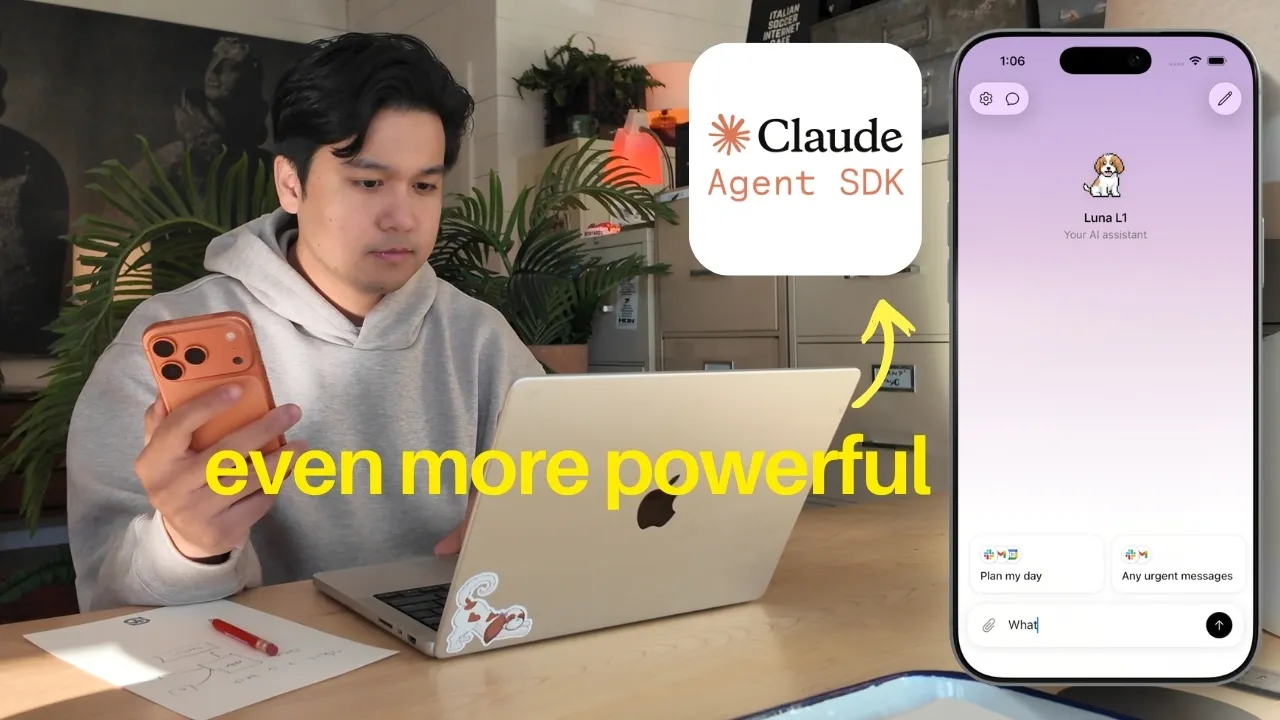
So, if you're building your own agent, you can take these things and apply it. If you're new here, welcome to the video. My name is Chris, and I build productivity apps. But, today we're going to be focusing on a custom AI agent that I built in less than a week. Quick context, the first version of the agent was a native iOS app, and to power the agent, I was using Anthropic's agent SDK. It's basically the same thing that powers Claude Code, which is arguably the best coding agent on the market right now.
Anybody can take this SDK and basically build a very powerful agent in like less than an hour. If you want a deep dive on the agent SDK, how it works, how you can use it, I highly recommend checking out the first video. It's a great foundation for everything we're about to talk about here. Okay, so if it was working so well, why did I decide to scrap it? As I was using my own agent, I was studying other agent architectures to see if there was anything interesting I can pull from them.
I obviously checked out Open Claw, but one of the concerns I had was the codebase was pretty massive. They're shipping like 20 updates a day, the codebase is only getting more complex, and I do have some real concerns about security. I also had a bad experience where I hooked up iMessage, and it started randomly texting people some authorization code for no reason. After that experience, I lost all trust and just stopped using it.
There were a bunch of other agents I tried, but the one that caught my attention was a service called Poke. And the primary reason I liked it was the form factor. Poke is an iMessage based assistant. There's no app to download. You just text it to use it. I took a page from their book and added iMessage texting to my assistant. So, in addition to the iOS app, I could also send messages through iMessage. What ended up happening though was after a week, I just completely stopped using the iOS app and just primarily was using it through iMessage.
The convenience of iMessage was a huge unlock for me. It's very addicting because I can message it on my phone. I can message it from my watch. It's even making me consider the form factor for my other app. Like, I'm genuinely considering adding iMessage support to my calorie tracking app. What if you can just text it what you ate and it'll just input it into the app. And this is the first insight that led me to rebuilding this from scratch.
Agent form factor is something that I'm starting to see other people talk about. You're seeing Telegram agents. You're seeing Slack agents. And I think that the form factor and the UX of the agent is going to become a very big deal in the future. We're already seeing companies adopt this in an interesting way. For example, anything.com, which is an AI app builder, they introduced iMessage. So, now you can just text anything.com to build your app instead of having to go to their website.
If you're building your own agent and haven't tried this form factor, I highly recommend it. Now, let's get into how I set this up because it's actually pretty interesting. To be clear, there is no iMessage API. That does not exist. Now, there are a bunch of unofficial iMessage providers that do exist and the way that they work is actually kind of crazy. They literally have a fleet of iPhones and Macs working in the background.
And this fleet is how they are sending and receiving this amount of messages. To be honest, I don't know how long that's going to last. Apple might just crack down on this one day and force them to stop doing this. But, this is how most of these services operate. I did find the provider that Poke uses and it's a service called Link. They charge a ton of money. I think it's like minimum $500 a month in spend. So, that was just out of the question for my personal agent.
One of the other things that I tried doing was taking an old MacBook and just running iMessage off of this, which kind of simulated what these providers were doing. But, the problem with this was it was kind of buggy and it was just generally annoying to deal with. And then And I discovered a service called Send Blue. Now, they weren't originally built for agents. I think they were built to work with Salesforce or something, but they very recently released an agent plan which lets you use them to power iMessage based agents.
And they do have a free tier where you can send unlimited messages to yourself, which is perfect for a personal agent like this. So, I hooked it up and that's what's powering the iMessage portion of my agent and it's completely free. I have no idea how long that pricing's going to last. I am not affiliated or sponsored by them at all. It's just the best service that I found for my use case. So, the way that it works is I send an iMessage, SendBlue receives it and forwards it to my agent's back end.
The agent processes it and then it sends a response back to SendBlue, which then sends the iMessage directly to me. It's actually really straightforward with their API. Now, the biggest con with an iMessage assistant is you don't have multiple chats. You're limited to a single conversation thread. This is unlike ChatGPT or Claude where you have multiple conversations so you can separate out different topics. And this limitation is what caused me to rethink the architecture from the ground up and I came up with this sub-agent architecture, which we'll talk about.
And I'm kind of glad I was forced to do this because I learned a ton and it's actually a really cool architecture. Because there's only one chat thread, the agent has to be very smart about how it's going to handle multiple requests. Because one minute I'm talking about drafting a support email and then the next minute I'm asking it about the weather in San Francisco. And then two seconds later I'm asking it to help me write a YouTube script.
So, the way my previous agent worked, and this is how most agents are built, you have one agent and you give it access to a ton of tools. Calendar, email, Slack, and then it decides what tool to use for the task. And typically, you only have one of these agents running at a single time. But that wasn't going to work for me because I was constantly asking it to do two or three things at once. The old single agent architecture that I had couldn't handle it.
I spent so long trying to figure out this architecture and this is what I settled on. I now have this parent agent and this is the main agent that receives every single message through iMessage. But the key thing is the parent agent is not allowed to do anything. It's only allowed to do two things. Respond to the user or spawn a specialized sub-agent. That's it. So, the parent is basically a router. So, when I send a message like, "Hey, can you draft a response to the support email?" The parent agent's going to look at the request and spawn a specialized sub-agent.
And this sub-agent gets created with a very specific set of tools and very specific set of instructions. It basically only knows how to do that one thing, and which in this case it's drafting support emails. It has access to my emails. It also has the ability to pull in memories, which we'll talk about, not have access to other tools that it doesn't need to do the job. So, it can't access my calendar, meeting notes, Slack, all of that.
It doesn't even know those tools exist. And then if I follow up and say, "What's on my calendar tomorrow?" the parent agent is going to spawn a completely different sub-agent. And this one has access to my calendar, but nothing else. So, instead of one agent with 30 tools trying to figure out what to do, I have a parent agent that creates these tiny specialized agents on demand, and each one is laser-focused on the task.
It's kind of like hiring one person to do everything at a company versus specialists who are very good at a specific task. A specialist is usually going to be able to execute that task better than the generalist. And I have found that this system does perform a lot better at tasks. And the reason is because these sub-agents are way less distracted. They don't have to waste context maintaining tools that they don't need or specific instructions or skills that they don't need.
They have exactly what they need, and they're able to do the job a lot better. And by the way, all of this is powered by the Agent SDK. Again, if you want to know the basics of the Agent SDK, please take a look at the first video. The Agent SDK handles a lot of this out of the box. So, spawning these sub-agents and giving it these specific set of tools, it literally just only takes a few lines of code. The Agent SDK handles a lot of the complex stuff like the life cycle, the tool injection, how it does the loop, all of it.
Again, check out the first video. I explain it really well there. I actually built this dashboard so I can visualize and see all of the sub-agents running. So, this is what it looks like when I send a request, it's going to spawn a sub-agent, and then you can see the tools that it's been given. I can watch it use the tools, and then when it completes the request, it sends a response back to me, which is then sent through iMessage.
So, whenever I send an iMessage, there's so much complicated stuff going on in the background, but I don't have to see any of it if I don't want to. But, I did build a dashboard, and it is really nice just for debugging purposes, so I can drill down on a specific request and figure out why did it respond this way, what tools did it have access to, and then I can make changes to the system. At a very high level, that's the sub agent architecture that I set up, and again, it's using the agent SDK.
But, in terms of the back end in storing stuff like the conversation history, the logs, I am using Convex to power all of that. And a huge shoutout to them for actually sponsoring this video. Convex is an incredible database provider. You guys were telling me for so long to try it out, and I'm really glad I did for this project because it has made life so much easier. It's how I'm storing the conversation history, the logs, the memory.
There's a bunch of reasons why I chose it, but here are the highlights. First, it's completely real-time out of the box. So, that dashboard I just showed you where you can see all the sub agents spawning and the messages coming in, all of this is powered by Convex. So, as I'm texting through iMessage, everything updates instantly. I don't need to refresh, there's no polling, it just works. And as someone has used a bunch of database providers, real-time is really annoying to get right, and Convex handles it really well out of the box.
The second thing I love is it has built-in cron jobs. I have automations running, so if I tell my agent, "Check and tell me any important Slack messages every morning," this is all happening through Convex with their built-in cron jobs. And we're about to talk about the memory system, but there's a background process that runs every night to clean memories, that's also using Convex cron jobs. I usually have to spin up a separate back end for this and have a scheduler, so having this out of the box with Convex was really convenient.
The third thing I want to highlight is that everything in Convex is code. I didn't need any MCPs or external connectors to connect to Convex and look at my schema, for example, it all just lives in code. And as someone that used Cloud Code in Cursor to build this entire thing, that was really convenient because it was able to execute it really well. It also makes the deployment process so easy because the AI understands what's going on there, too.
I highly recommend checking them out, especially if you have a project that requires real-time data or if you're using LLMs for coding. Convex has a very generous free tier and I'll leave a link in the description if you want to go check them out. Now, the third big piece that I ended up rewriting is the memory architecture. This is an area I spent a lot of time trying to get right because memory really does make or break an agent.
If you saw the last video, I had a pretty good memory system working, but there were a couple things that I decided to enhance. Again, I tried a ton of different things to get to this point, but let me summarize where I'm at right now. It's basically a two-part memory system. The first part, which carried over from the first version, is I gave the model specific tools to be able to update and retrieve memories whenever it feels like it.
This technique was actually sponsored from a talk I heard from Boris, who is the creator of Claude Code. He basically said one of the things that makes Claude Code so great is that they lean on the model to do a lot of the heavy lifting. And that's something I wanted to try here, so I basically just gave the model, which is Opus in this case, a bunch of tools and it can just use it at its discretion. But, I did tweak the system, so we actually put memories into three tiers.
And all of these memories have a decay function, so they slowly become less important over time unless they're accessed again. There's short-term memories, which decays pretty quickly, things like current context, things I'm working on right now, transient stuff. And then there's long-term memory, which decays more slowly and is importance-weighted. Because of this, more important facts stick around longer. And then there's permanent memory, which never decays.
That's core identity stuff like my name, where I live, key relationships. And these memories can move between the buckets. The memories always start in short-term and long-term memory, and for them to be promoted to permanent memory, it has to have been accessed multiple times, be at least a few days old, and have a very high importance score. And within these tiers, each memory gets classified into one of seven segments.
And each of these segments has a different default importance and decay rate as well. One of the most important segments to me personally is preferences and corrections. For example, if I told an agent, "Don't do X, do Y instead," it's going to mark that as a correction, and in my system, the way that I built this is I weigh the corrections very heavily among all of the buckets. It's just personal preference. I've noticed that it makes a huge difference in how useful the agent is to me when it learns from these corrections.
So, that's part one and it's the agent discretion on where to put the different memories. Now, part two of the memory system is something that happens in the background and this is where it actually gets kind of crazy. The problem is if you let an agent just store memories freely, it's going to get pretty bloated over time. You can have thousands of memories being collected every single week. So, I ended up building a self-cleaning memory system that runs every single night.
There's an interesting architecture I landed on and I'm still honestly tweaking it, but this is how it works. Every night, three separate agents are going to go through all of my memories and try to clean them up. The first is a consolidator agent. Its job is to look at the memory and decide should I delete it? Should I promote it to a higher tier bucket? Is this a permanent memory now? Or should I merge it with another memory that's kind of similar?
Because this constantly happened where I had four or five of the same memories. They were just worded a little differently and it was super wasteful to try to store all of that. The second agent is an adversarial agent. It's supposed to push back. So, if the consolidator agent wants to delete a memory, the adversarial agent has to advocate for why the memory should be kept. So, for example, if there's a memory that says, "Chris lives in Dallas." and the consolidator agent says, "Okay, that's not really relevant." the adversarial agent will probably push back and say, "No, we should definitely keep this.
What if you ask for the weather or local restaurant recommendations or what time zone he's in?" And they basically have this mini conversation and the consolidator might agree or disagree with the adversarial agent. But if they can't sort it out after like two rounds, then we bring in the third agent, which is a judge. And the judge has to be the tiebreaker and choose which one to side with. The first two agents are using Sonnet as the model and the judge is using Opus.
So, it can think a little bit more critically about these tiebreaker decisions. Now, one of the coolest things about this approach is I was trying to kind of simulate how humans operate. One of the best things that we do as humans is purposely forgetting things and freeing up our own memory. And so, this was a way for me to kind of achieve something similar. Obviously, this is definitely not how human brains actually work, but this is the best thing that I can come up with in terms of like a self-cleaning system.
This cleaning cycle happens every single night, and the reason I'm doing that is because it is egregiously expensive to run this. I am using my Claude Max subscription to power this, so I'm not paying the API pricing, but I do have a tracker running, and it costs me about $50 every time this thing runs. This is absolutely unscalable, and this is probably a huge reason why no other system implements something like this.
But, I personally didn't care because I just wanted to build the best memory system possible if money was no object. And again, I'm using the Claude Agent SDK, which is allowed to pull from my existing Claude subscription instead of using API-based pricing. And so, I have it timed to run at 3:00 a.m. when I'm sleeping, and so it can consume from my Claude subscription when I'm not actively using it. Form factor, this parent-subagent architecture, and this two-part memory system, these are the big changes that I made that made a difference in this agent.
But again, I wanted to point out that the underlying thing I'm using to power this is the Claude Agent SDK. I feel like I've said this like 10 times in the video, but please check out the first video if you're interested to see how does this thing work, what are the pros and cons. Obviously, the pro is you can build an incredibly powerful agent with very little code. Like, they basically handle all of the complex stuff for you.
But, there are some real cons that I did want to bring up in this video. The first is that you are building on someone else's platform. If Anthropic wants to, they can just shut the whole thing down, cut off your access, and you really can't do anything about it. You're also limited to use Anthropic's models, so you have to use Haiku, Sonnet, and Opus if you want to use this thing. Now, there are some workarounds where you can use other models, including local models, but again, they're just workarounds, so who knows how long that's going to last, too.
If you think about building a company or service on top of it, this is 100% something you need to know. But, if you're using it for personal use like I am, then honestly, I don't think there's really a problem with it. If I had to build my own agent without this thing, I think it would have taken me a few months and it probably wouldn't even be as good. Now, the second biggest issue is it is extremely expensive because as good as the Agent SDK is, where it gives you all this stuff out of the box, it consumes tokens compared to other agent frameworks.
This thing was consuming so many tokens that I even added a guardrail in my case where a sub agent can only use up to $40. One expensive mistake I made was early on I allowed sub agents to spawn other sub agents and there was a case where I had a sub agent spawn a sub agent with spawn a sub agent and it had this infinite loop and it blew through $500 in like 2 minutes. So, if you're doing anything with agents and especially if you're using the API-based pricing, be very, very careful cuz it can get expensive.
I mentioned this in the other video, but this is also why I have no intention of releasing this as a service. This is one of the most powerful agents I've ever used. It is incredibly helpful to me and I wish I could release it, but it just doesn't make any sense financially. On the dashboard that I made, I do track my own usage and this thing costs like $500 a month for me to if I was to release it, I would probably have to charge over $500 per month to each user and I just don't see a world where anyone would pay that amount.
But, I am debating open-sourcing it. So, if you want to see that happen, please leave a comment below. I just need to remove a bunch of the personal stuff that I did here. So, if you guys are interested, I am actually open to it. If you're interested in agents or thinking about building your own, you should just do it. There's no reason not to, especially with the Agent SDK. I seriously believe specialized custom-built agents will always outperform the general ones like OpenClaw if it's tailored to your workflow.
But, that's where my agent is at. I have a suspicion that in a few months I'll probably make another update video, but hopefully this was really fun for you guys to watch. If you like this kind of content, check out my Instagram and TikTok. I post almost every other day about building productivity apps and obviously if you like this content, don't forget to subscribe. But, thank you guys so much for watching and I will see you guys in the next video.
The words are the caption track's own and nothing is reworded or re-transcribed. Paragraph breaks are placed between sentences so the text reads as prose.
Free tools for your own script. No signup, no login.
Paste your draft and see where viewers are likely to drop off, with a rewrite for each weak line.
Paste the first 30 seconds of your own draft for a hook score and rewrites.
Check your draft against YouTube's advertiser-friendly guidelines before you record it.
Read this channel's public videos and transcripts, and download a writing brief for it.