Getting the transcript
Reading the captions from YouTube. A video nobody has opened here before takes 10 to 30 seconds; this page fills in on its own.
Getting the transcript
Reading the captions from YouTube. A video nobody has opened here before takes 10 to 30 seconds; this page fills in on its own.
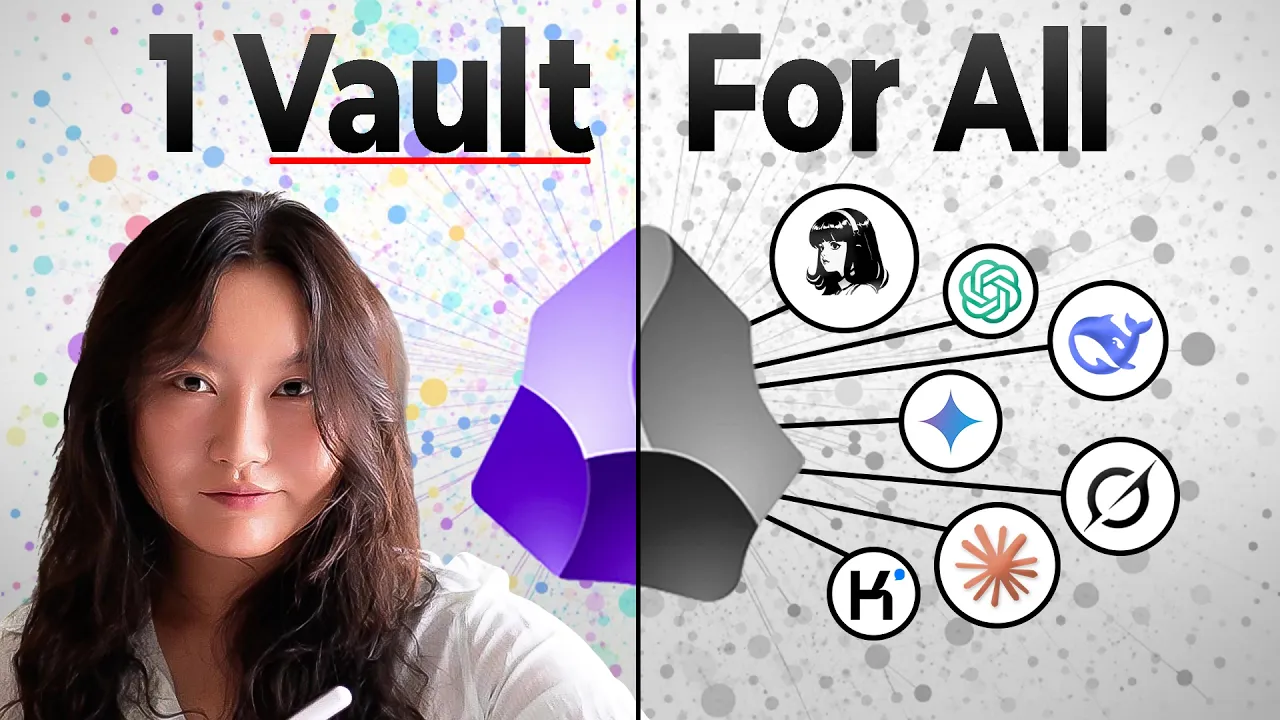
Tina Huang · @TinaHuang1
This video has no Most replayed graph yet: YouTube shows one only once a video has enough views. These are the moments viewers replayed most in Tina Huang's most watched videos.
Most replayed moment at 3:27
3.1x that video's typical replay level
the ey stands for I'll I'll put it on screen but I do have one that I made which I can remember a lot better so I don't know maybe this will help you as well uh which is Tiny crabs ride enormous iguanas a lot more memorable in my opinion anyways whatever it is that you need to do uh just figure out some way to
Said at 3:19
The graph counts replays. It does not show where viewers stopped watching.
Words
5,469
Runtime
24:37
Speaking pace
222wpm
Reading time
23min
222 words per minute, above the 201 75th percentile of 349 measured videos. That distribution comes from the 349-video hook study.
Opening (first 30 seconds)
I learned Obsidian for you. So, here's a cliff notes version to save you the hours and hours that I have spent building with Obsidian and AI tools. You see, Obsidian has been a very popular note-taking tool since it launched in 2020, but it really skyrocketed in popularity in recent years because the way that it's organized, the way that it's built is just so perfect for AI integrations. You can use it to make an AI second brain, AI databases, LLM wikis. So, in this video, we will first speedrun the Obsidian app with all of its major features. Then we'll talk about and I will demo three levels
111 words, the words spoken in the first 30 seconds at 222 words per minute.
Free, no signup. See how the first 30 seconds hold attention, with rewrites.
Sentence shape
| Measure | This transcript |
|---|---|
| Sentences | 359 |
| Average words per sentence | 15.2 |
| Longest sentence | 66 words |
| Questions asked | 16 |
| Sentences containing a number | 11 |
Most used terms
Filler phrases
122 in total: like 75 · actually 24 · literally 9 · basically 5 · kind of 3 · right? 3 · you know 3.
A literal whole-word count of the same phrase list the Prepublish browser extension uses, so a phrase inside another word is not counted and a phrase used in its ordinary sense still is. It is a count and not a judgement.
What this transcript is
Every word below is the caption track YouTube publishes for this video, pulled from the video itself and reproduced unchanged. It is not Prepublish's writing, not a summary, and not a re-transcription: it is the video's own published captions. English captions, generated automatically by YouTube, in the video’s original language. Source: the video on YouTube. A channel that would rather this page did not exist can ask for its removal through the contact page, and it is removed.
I learned Obsidian for you. So, here's a cliff notes version to save you the hours and hours that I have spent building with Obsidian and AI tools. You see, Obsidian has been a very popular note-taking tool since it launched in 2020, but it really skyrocketed in popularity in recent years because the way that it's organized, the way that it's built is just so perfect for AI integrations. You can use it to make an AI second brain, AI databases, LLM wikis.
So, in this video, we will first speedrun the Obsidian app with all of its major features. Then we'll talk about and I will demo three levels of AI integrations. And pay attention because at the end of this video, there will be a little quiz that will help you retain all of this information. Now, without further ado, let's go. A portion of this video is sponsored by Jan Spark. All right, let's start off with the fundamentals of Obsidian as a note-taking app.
At its very core, it's all about just a single local folder, like this one for example. If I click into it, there are a lot of different folders and different files. And I will open that folder in Obsidian. And there you have it. This is called an Obsidian vault that contains everything in that folder. We can also open up one of those files and you can literally look at them. Amazing. Now, I'm going to speedrun all of the major features of Obsidian.
And as I'm going through these, see if you can guess the three major features that make Obsidian so perfect for AI. >> [music] >> Starting off with number one. If you open up one of these files, you can see that it's really easy to read. The format of these files is what is called .md files, markdown files. It's a very standard format that's easy for you to read and pretty much any software can open it. You can also sync it with third parties if you want, like Dropbox, Google Drive.
They also have their own thing called Obsidian Sync, which lets you sync up your vault with any existing remote vaults. This is actually one of the only paid features of Obsidian. Pretty much everything on it is free. And it guarantees end-to-end encryption. In fact, Obsidian is also one of the most secure apps out there. To the point, actually, in which they don't even know how many people have actually downloaded the Obsidian app?
Although their CEO estimates about 5 to 10 million. Okay, now let's actually do something. Let's create a new note. We can call it stuff about my life. And let me type some stuff. My name is Tina Huang and I am an entrepreneur, content creator, and run an AI education company called Lonely Octopus. I used to be a software engineer and data scientist. But for the past 6 years have been doing my own things with an amazing team of people.
Very normal stuff. Now, what originally made Obsidian very famous is the fact that you can do something like this. You can do it two brackets with Lonely Octopus for example, and you can click into it and you can actually start another note. And if you open the sidebar over here, you can see the links for these notes that we just created. And we can say that Lonely Octopus is an education company that specializes in teaching ambitious people about AI and tech.
And let's also do this data scientist one. Data scientists are people who analyze data and build machine learning models for a living. Great. This is what originally made Obsidian really popular. The fact that you can link notes to each other. And you can actually visualize this if you do command P or control P on a Windows computer, you can click open local graph. Let's hide this. We can see here that the stuff about my life is linked to the notes called a Lonely Octopus and data scientist.
And what's really cool is that you can even do this. I have created what's called a stub. So a note that I have put here which I haven't actually created yet. Pretty cool, right? You can see that the notes that have been created are in this dark gray and the one that hasn't been created yet is in this light gray. Of course, this is only just this local graph view. You can also open up this full graph view which is of all of the different notes in my Obsidian vault.
You click the anime button and it will show you how everything is being created. Very beautiful. You can also click the filter button. There's a lot of ways that you can filter, search for different things, a lot of ways that you can do displays as well, grouping things together. Honestly, mine is like a very vanilla version of this, but some people do like very aesthetic graph views of their Obsidian vaults. Obsidian also has a great search functionality.
You can match by path file, tag, lot of different things. For example, if I want to look at when I reference the word salmon, I can see that oh, this is probably in reference to my food tracking. >> [laughter] >> Yes, my food tracking. Obsidian also has a lot of different community plugins that allows you to integrate it with loads of different third-party tools. There's also a lot of different custom themes, too, if you want to make your vault be very pretty.
Another very attractive feature of Obsidian is the ability to embed pretty much anything that you want. You can embed images, JPEGs, PNGs, PDFs, audio recordings, >> related to AI video generation and >> tables, tweets, code blocks, pretty much anything you can think of. It's also very flexible when it comes to meta formatting and metadata. You can add tons of different types of metadata and transform them in all sorts of different ways.
You can even transform your notes into different formats like tables, Kanban boards, dashboards. And finally, Obsidian has a lot of different hotkeys and shortcuts. If you do command P, it would open up a palette and you can see that there are tons of different shortcuts that allows you to zoom through Obsidian with your note-taking needs. All right, those are just some of the basics of Obsidian. There is so much more to this app and I will leave you to figure that out if you're interested in the note-taking aspects.
However, right now, I have a confession to make. Come a little bit closer. You see, I actually personally rarely take notes. I am not a note-taking kind of person. I only take notes when I'm learning something and when I do that, I actually just do it with a massive Google Doc and I just like chuck things into the Google Doc. I know, I know, how disorganized and un-aesthetic of me, alas. But, I do know some people who are really into taking notes, and they are really into taking notes through Obsidian, like extensive notes and their diaries about their day and all the things that they do.
Let me know in the comments where you are in the note-taking scale. Are you like 1 to 10? One being like never take notes about anything, or 10 being meticulously taking notes about everything. I would be like a three, probably. But, so you may be asking now, "Tina, so why are you into Obsidian?" Well, the reason why I got into Obsidian is actually because of how compatible it is with AI. So, I want to show you guys that now.
Before we go on though, I want to ask, did you catch the three major features of Obsidian? Of all the features that I just covered that make Obsidian so compatible with AI. Write down your guess in the comments, and you will get a cookie. Virtual cookie. Okay, let's move on now to Obsidian with AI. And there are three levels of this. Level one is just pointing your AI at Obsidian. Literally what its name suggests. You have your Obsidian vault that holds your notes and data about whatever topic it is that you have, and you just point an AI [music] to the Obsidian, mush them together, and voila, you get what is called an AI second brain.
And this is an example of what it looks like. This is my AI second brain. It contains all types of different notes. A lot of it is related to how to make YouTube videos the way I make them. All stored in Obsidian as these markdown files. Now, to access this, I just gave Claude Co-work access to the second brain, and then I can ask it questions like, "How do I come up with a video concept?" Co-work queries it, and then it says, "I read the whole vault before answering." Says, "Your notes say that you don't have a concept generation problem." Great, thank you.
And it says, "The process your notes already describe includes coming up with a candidate, filtering it by six different criteria in this file that is listed in this note over here, and then it got to build it based upon this note over here." Great. And then it just goes on to talk about more stuff, and then I can like have full-on conversations with the notes that I have. You, of course, are not just limited to using Cohere.
When I want to build something based upon my notes, I actually like using Codex. I can ask Codex, "Build me a checklist of all these signals to determine if a video concept is worth making or not." It would also read through my entire second brain, and it would eventually build me something like this checklist: Is this worth filming? And I can check things off to ultimately decide if I want to build a video or not. Amazing.
[music] Great. So, how does this all work under the hood? Let me go into more details. So, in a traditional second brain, which is more recently popularized by Tiago Forte, is that your brain is good at thinking, not for storing information. So, you are meant to write down all the information that you have in your brain, and then retrieve it when you want to. Like, for example, maybe when you met Bobby, Bobby told you his favorite color was yellow.
So, you wrote, "Bobby's favorite color is yellow," and you put that into your second brain, your Obsidian vault. And one day, maybe you want to buy a gift for Bobby, and you would you maybe you like search through your second brain, and you what's Bobby's favorite color, and you find out that it's yellow. You're like, "Ah, yes, yellow," and you can go buy a gift, right? That's the concept. Sorry, it's a little trivial.
That is like the concept of having a traditional second brain. Now, in AI second brain, you're still writing these notes. However, you have the AI go and retrieve it for you. Not only can it retrieve it, it can also interpret it and analyze the information, too. And because of the way Obsidian's structured, it's basically just a bunch of markdown files, right, in this local folder. You can point the AI at it, and it's able to understand this information and analyze it and interpret it and answer the questions that you want.
You can actually use all sorts of different types of AI. For me, I like to go with Claude Cohere. It is a local AI agent, Anthropic's version, that's like very simple and has a nice UI. But sometimes I would also use Codex if I want to use the data programmatically. For example, if I want to do something more like analysis on it, build like an app, a dashboard, something like that, I would use a coding agent like Codex or Claude Code.
Or if I wanted to be super duper completely private, I would use an open source agent harness like Hermes with a local model or deep seek harness or open code. Not going to go into much more detail about how these harnesses work and how local AI agents work. If you want more details about this, please do check out this video over here which I go into more details. Anyways, another way that you can connect your AI is through the extensive network of Obsidian community plugins.
Stuff like smart connections and co-pilot. They can plug directly into your Obsidian vault and be able to do stuff and answer questions for you. So, like I said earlier, I am not a note taker kind of person, especially not about like my personal life. I guess I prefer to live each day in a way in which I don't remember what happened the day before or the week before. But for those of you who are note takers, I would have to say I am really really jealous of you cuz you probably have a bunch of notes, this whole corpus of notes about so many different types of things from years and years and years.
And I think you can probably learn some really cool insights about your life, yourself, other people, whatever you take notes on, by putting your notes into an Obsidian vault and connecting your choice of AI to it. Not going to go into too much more implementation detail about this. But I will put on screen now a summary slide including specs of how to build an AI second brain. You can take a screenshot. Or you can check it out in the free resource that I have linked in the description, just like my other videos.
In the resource, I also link some additional resources. If you do want to implement the AI second brain. Big shout out to Tiago Forte Forte and Nick Milo who I learned a lot from about second brains in general. Now, all these notes and data that I have in Obsidian probably make me look like I am a very in control person. But what I definitely do not have in control is my raw email inbox. I am low-key scared of my inbox.
Like right now, I have 17,000 emails in my work inbox. I get hundreds of inquiries every day. All of this buried under newsletters and things that I apparently signed up for and I don't remember. But now I'm using Genmail by GenSpark to handle all of this. It's an email agent that handles your inbox like 10 times faster and it learns how you write. Genmail sorts everything by priority, so I only see what actually needs my attention.
Like the brand reach out from yesterday and the invoices that I'm handling. These are on top, while everything else is nicely tucked away. What used to take me like an hour of scrolling only takes me 5 minutes now. Jan mail also learns from my past replies, my tone, the way that I talk to different people. Every draft that I generate increasingly sounds like me, not just a template. Of course, I still always do the final review, maybe tweak things a little bit, and then just press send.
I also set up one rule. Any invoice email gets auto forwarded to my finance folder. This way I don't have to think about it again. This is so small me so much time and money during tax season. And because Jan mail is part of the entire Jen Spark ecosystem, I can take a long email thread and turn it into a doc or a slide outline without leaving the app. You can download Jan mail for free in the link in the description.
Thank you so much Jen Spark for sponsoring this portion of the video. Now, back to the video. Moving on to level two, which I call the AI database. You see, for the AI second brain, when you point AI at your city vault, you are the one that writes the notes, while AI is the one that retrieves these notes and interprets it, analyzes and answers your questions from these notes. [music] For level two, it's the other way around.
This is about AI writing notes into your Obsidian vault, which is actually much more suitable for people like me who don't like writing notes. Our company documentation system and my personal productivity system is based upon this structure. Let me show you what it looks like. This is my AI database. Woah, see, it has so much data in it. Life Bot, who is my AI productivity and health coach, writes stuff to it. For example, I can give it this picture and say, "Log this for me." It's just this picture of a green tea that I just had.
Trying to log more of my food and drinks, and it's able to log it for me. It's an unsweetened green tea with zero calories. Trying to do [music] OMAD, by the way. Let me know in the comments if anybody else is doing OMAD. There is also Taco Bot, who is my AI assistant and COO, and I can say, "Create doc on how YouTube topics engine works." It is doing its thing, and it wrote the process documentation to the Obsidian vault.
I also have these little desktop widgets that write these Pomodoro [music] logs and my to-do lists all to this Obsidian vault. And there are a lot of other things I write [music] to this vault as well. So, you may be wondering though, what is the purpose of having all this data in this vault? Well, I guess one thing is just nice to have these notes that are here, like logs about my life and the company, cuz I'm not going to take these notes myself.
But, on top of that, I do give access to my AI agents like my spot here. And because it has access to this AI database, I can ask it questions like how do I improve my productivity, deep work sessions based on my personal data. And we can see that it's accessing this data, and it can give me very specific tips like protecting when it is that I should be working because it has data about when I've been working, how to sequence what I'm working on, like knowing that scripting is my hardest task and doing tasks where operations is my easiest task, when to take breaks, etc., etc.
This is so incredibly powerful. I have an entire other video explaining my entire productivity system. If you want more details about that. Same story when it comes to our work dynamics and our work productivity, too. Having this data has allowed the team in general to be much more productive, as [music] well. So, how does this work under the hood? Well, the concept is that there are a lot of AI agents and AI systems that are all writing into this Obsidian vault.
You can think about this Obsidian vault as becoming this database where all these AI tools are logging information into. I also do have the Obsidian sync, if you remember what that is from earlier, which allows me to have machines be able to simultaneously access the Obsidian vault at the same time. And it's all like end-to-end encrypted. So, I have AI agents running on my personal computer that's writing to the vault.
There are AI agents on my Mac Studio that's writing into the vault. And there's also AI agents on my VPS that is writing to the vault, as well. And the vault is synced across these different machines. My favorite AI models that I use to do all of this writing is Gemini Flash, Deep Seek V4 Pro. And if I want a completely local private option, I use the Qwen 3.6 36B model that runs locally on my Mac Studio. That is like super duper complete privacy.
I also track my health data originally, which is using Apple Health, but I actually recently got this Aura ring. So, I'm literally just trying out with it. This is like my third day of using it. So, hopefully it gives me even more health information. Thank you to everybody who suggested this to me. I was debating between the Aura ring, Apple Watch, and Whoop, and ultimately went with the Aura ring cuz some of you guys said that it was very good.
Too early for me to tell right now, but I will let you guys know. Anyways, so yes, I have all these AI agents, all these different softwares and tools writing into this Obsidian vault to create this database. So, I can read this through like with my human eyes if I want and pretty much do whatever I want with it, edit it, anything that I like. I personally also like connecting my Hermes agents into this database, so I'm able to like query the database and get a lot of information.
So, there you have it. AI writing to a database and you doing whatever you want with the notes. I will put a summary slide and specs of my AI database on screen right now if you want to check it out right now. Would recommend trying out this level first if you are someone who's interested in gathering like a rich database of data and notes. Finally, let's move on to level three, the LLM Wiki. So, level three is the full complete AI managed infrastructure turned by Andre Karpathy, who is like a superstar AI thought leader and engineer as an LLM Wiki.
This is when you have AI write the notes for you, manage all of it for you, and retrieve it, analyze it, interpret it for you, too. You literally don't even touch your Obsidian vault. As Andre Karpathy puts it, Obsidian is treated as the IDE, the LLM acts as the programmer, and the vault itself is the code base. You're just like a observer. Let me show you a demo of this with my Hermes LLM Wiki, which I have been slowly building and using as I deep dive into Hermes cuz I'm like really into building my Hermes out.
This is my LLM Wiki about Hermes. It has different notes and resources that I've collected in the past few months. For example, I come across this really cool resource that talks about how to do a Hermes Kanban board. So, I can copy this and give it to my Wiki Bot, which is a Hermes AI agent. It ingests and processes information and saves it. Here it is. I can also ask the LM Wiki questions like, "How do I use a Hermes Kanban board?" And it would read through my Wiki and then give me a step-by-step based upon what is stored inside the Wiki.
It has an index of everything that's contained inside the Wiki and keeps a log of everything that it does. >> [music] >> Periodically, you can also ask it to please do a health check. And it would go in there and just check through everything, running any stale notes, and deal with any contradictions that are there, too. Honestly, so cool. It's completely managed by an AI. So, this seems pretty magical, right? It literally just operates itself.
But, you can actually set up something like this in less than 5 minutes, which I will tell you how in just a little bit. But, let's actually first take a look under the hood of how this works. So, this is the original LM Wiki gist that Karpathy wrote. It says it's a pattern for building personal knowledge bases using LMs. The core idea is that the LM incrementally builds and maintains a persistent Wiki. You never or rarely write the Wiki yourself.
The LM writes and maintains all of it. You're in charge of sourcing, exploration, and asking the right questions. The LM does all the grunt work to summarizing, cross-referencing, filing, and bookkeeping that makes a knowledge base actually useful over time. In practice, the way that he does it is that I have the LM agent open on one side and Obsidian open on the other, where he stores all of his notes. Blah, blah, blah.
Okay, and he also says that this can apply to a lot of different contexts. For example, personal is like for tracking your own goals, health, psychology, self-improvement, research, going deep on a topic over weeks or months is what I did with my Hermes LM Wiki, reading a book, filling out chapter as you go, building up pages for characters, themes, plot threads, and how they connect. Business and teams, having internal Wiki maintained by LMs fed by Slack threads, meeting transcripts, project documentations, and customer calls.
I am currently exploring this option taking our team documentation management, which is at level two right now, having the AI database and bring it up to level three, having it as an LLM wiki. And another option is having competitive analysis, due diligence, trip planning, course notes, and hobby deep dives. Anything basically where we're accumulating knowledge over time and want it organized rather than scattered. So, here is the three layers of it.
You have your raw sources, which is your curated collection of source documents, your articles, papers, images, and data files. So, these are immutable. The LLM reads these but never actually modifies them. This is your source of truth, your notes. Then you have the wiki, which is a directory of LLM generated markdown files, summaries, entity pages, concept pages, comparisons, and overview, a synthesis. So, the LLM owns this layer completely.
It creates these pages and documents it and updates it as new sources arrive. Then you have the schema, which is a document like a cloud.md for cloud code or agents.md for codex that tells the LLM how the wiki is structured. So, it explains how it's able to read the corpus. Stay with me here, okay? I promise you that it's simpler than it seems. So, you basically just have these three layers. [music] Your raw sources is the only layer in which the LLM doesn't touch.
These are just like everything that you put into it. Like in my demo, it's all of these articles that I found in documentations and videos, as well as my own notes about Hermes. Then he explains there are three operations that your AI does in your LLM wiki. The first one is ingesting. When you drop a new source into the raw collection and tell the LLM to process it. So, in my case, I use Telegram as my kind of port in which I would tell my AI, in this case it was a Hermes agent, to process the sources that I would give it and then it would store this information.
Then the next one, the next operation is querying. This is when you want to get information from your wiki. So, you can ask questions against the wiki in which the LLM will search for relevant pages and information, reads them, synthesizes them, and tells you stuff. Like when I ask my wiki, "How do I build a [music] Kanban dashboard?" It's able to query the documentations and all the articles that I have about Kanban dashboards for Hermes and it gives me information about how I can implement this.
And finally, it has the lint operation. This is when the LLM health checks the wiki. It looks for contradictions between pages, stale claims that newer sources have superseded, orphan pages, no inbound links, basically cleaning it up and maintaining it. It's like pruning the wiki. This keeps the wiki healthy as it grows. And finally, there are two special files that helps the LLM and you to navigate the wiki as it grows.
The first one is an index.md file. The MD is a markdown file is content-oriented. So, this is the catalog of everything in the wiki. For example, this is for my Hermes wiki. Each page is listed and it has information about it with a link, one-line summary, and even like metadata like date or source counts. And things are organized by categories. The LLM updates this [music] by itself on every ingest of additional sources.
This is what helps your AI, your LLM, be able to navigate your wiki to figure out where is the right places to look to get the information that you want. This becomes increasingly more important as your wiki gets bigger and bigger. And then finally, there is the log.md, which is chronological. This is the one that I have for my Hermes wiki. It is literally an append-only record of everything that happens in the wiki.
What sources are being ingested, what queries are being done, lint passes. This is just a log to be able to document everything that is happening within the wiki. It gives you a timeline of the wiki's evolution and is also a way for you to know what's happening. And if something goes wrong, it's also a way for you to go in there and to figure out what happened. And literally, [music] that's it. There are like, you know, a bunch of tips and tricks that he suggests and, you know, more information and things like that and people like discuss a lot about it as well.
Which you can dive deeper into later. But basically, that is like the full concept of it. And remember what I told you earlier, how this may sound like a lot, but it's actually really easy to implement these days. Well, that is because so many people have actually implemented this. For me, I use Hermes to do this and there is literally a skill called LLM wiki. All I did was I created a new profile, a new Hermes agent, I invoked the LLM wiki skill, and I attached a Telegram bot, which is how I I along these sources to my wiki.
And that's it. And that's how I started building my wiki about Hermes and a bunch of other topics, too. You also don't need to use Hermes for this. You can use all sorts of different types of AIs. The best documented is actually with Claude code. There are so many GitHubs that you can just get clone, follow the steps, and have a wiki running, and start doing stuff with it using Claude code. You can also use like Codex, open code, pretty much like any type of AI.
The whole point, as Karpathy states, is that this is actually kept generally vague. His description of it is generally vague. So, you could literally just like copy-paste this and give it to any AI and tell it to implement it, and it should be able to come up with some way of doing this. This is a pattern that can be implemented with any type of AI. Actually, any type of database, too. But, you know, this is an Obsidian video, so that's how we implemented using Obsidian.
And honestly, Obsidian is the go-to for making these LM wikis. Even Karpathy himself uses Obsidian. Because Obsidian is so good for integrating with AI. All right, I'm going to put now the summary slide on screen with the specs for the LM wiki and implementation details. Please take a screenshot or check out the free guide that I put in the description, which I will also add in additional resources that you can check out if you're interested in implementing this.
And that's it. Yay! Thank you so much for watching until the end of this video. As promised, here is a little quiz. Please answer these questions in the comments. Because research shows that immediately reviewing information is the best way to retain that information. And you don't want all of that information to be going to waste, do you? Especially since we're talking about things like second brains and memory databases and storing information.
In the end, your brain is the smartest. Thank you so much for watching. I hope this is helpful for you and inspires you to try Obsidian, do more stuff with it, and I will see you guys in the next video or livestream.
The words are the caption track's own and nothing is reworded or re-transcribed. Paragraph breaks are placed between sentences so the text reads as prose.
Free tools for your own script. No signup, no login.
Paste your draft and see where viewers are likely to drop off, with a rewrite for each weak line.
Paste the first 30 seconds of your own draft for a hook score and rewrites.
Check your draft against YouTube's advertiser-friendly guidelines before you record it.
Read this channel's public videos and transcripts, and download a writing brief for it.