Getting the transcript
Reading the captions from YouTube. A video nobody has opened here before takes 10 to 30 seconds; this page fills in on its own.
Getting the transcript
Reading the captions from YouTube. A video nobody has opened here before takes 10 to 30 seconds; this page fills in on its own.
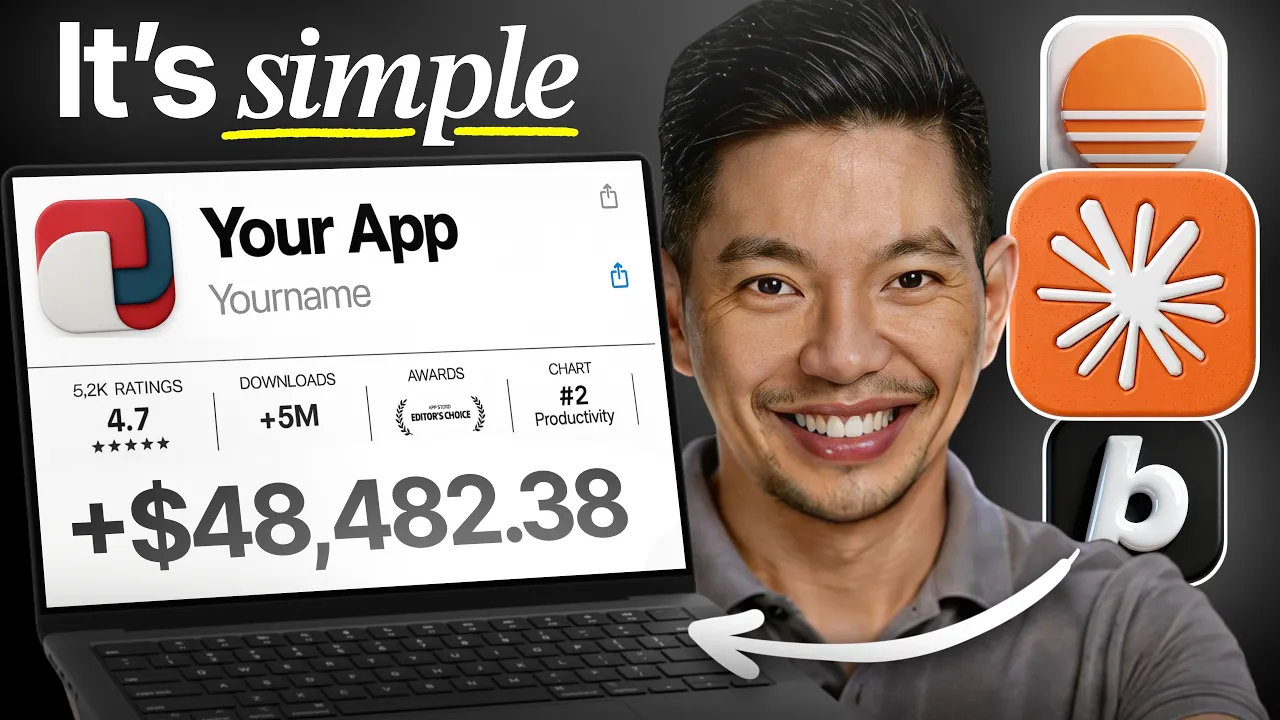
Mikey No Code · @mikeynocode
Where viewers went back to watch this video again, from YouTube's public Most replayed graph, lined up with what was said at that moment.
Most replayed moment #1
11:483.5x the video's typical replay level
The nice part is how fast the whole process moves. The moment the app is published, you can already start sending it to real users, you can collect feedback and you can start improving it from there without waiting for approvals or dealing with [music] complicated deployment steps. There are a few habits
Said at 11:40
Most replayed moment #2
5:183.2x the video's typical replay level
and even the overall design style in a single message. So, the more complete the request is from the beginning, then the better Base 44 can structure the app on the first build. So, for this project, I'm using this exact prompt. Build a calorie tracker app where users
Said at 5:11
Most replayed moment #3
1:582.4x the video's typical replay level
connecting multiple services together before you can even start working on the actual product. Well, Base 44 already includes all of that out of the box, so there's nothing extra [music] to install or connect just to get a basic app running. And the entire app workflow is
Said at 1:51
The graph counts replays. It does not show where viewers stopped watching.
Words
2,813
Runtime
15:07
Speaking pace
186wpm
Reading time
12min
186 words per minute, between the 181 median and the 201 75th percentile of 349 measured videos. That distribution comes from the 349-video hook study.
Opening (first 30 seconds)
The simplest way to build an app with AI in 2026 and I [music] mean genuinely simple here is something most people still don't believe is real because building an app used to take months. Yeah, you needed a development team, thousands of dollars, and maybe enough coding knowledge to just make your head spin. And most people had a great idea and then just never built it because we couldn't. And that's not the world we live in anymore. In 2026, complete beginners are launching real working apps without writing a single
93 words, the words spoken in the first 30 seconds at 186 words per minute.
Free, no signup. See how the first 30 seconds hold attention, with rewrites.
What this transcript is
Every word below is the caption track YouTube publishes for this video, pulled from the video itself and reproduced unchanged. It is not Prepublish's writing, not a summary, and not a re-transcription: it is the video's own published captions. English captions, generated automatically by YouTube, in the video’s original language. Source: the video on YouTube. A channel that would rather this page did not exist can ask for its removal through the contact page, and it is removed.
The simplest way to build an app with AI in 2026 and I [music] mean genuinely simple here is something most people still don't believe is real because building an app used to take months. Yeah, you needed a development team, thousands of dollars, and maybe enough coding knowledge to just make your head spin. And most people had a great idea and then just never built it because we couldn't. And that's not the world we live in anymore.
In 2026, complete beginners are launching real working apps without writing a single line of code. And that gap between having an idea and actually shipping a product has never been smaller. The biggest advantage you can have right now isn't knowing how to code. It's knowing how to use AI the right way. And that's exactly what this video is all about. A step-by-step walk-through of the simplest method to take an idea that you have right now and then turn it into a real functioning app using AI from scratch.
No experience needed at all. [music] And the AI tool that will help build the entire app for us is Base 44. They are one of the best AI app builders at this moment. [music] And I added a special link in the description down below so you can check them out, too. Now, if you want to master AI tools, and you do really want to learn how to build profitable SaaS apps, and websites, and AI agents, and mobile apps with AI, I've created a complete masterclass that shows you exactly how [music] to do it all step-by-step.
And this masterclass normally costs $499 to join, but since you are watching this video, thank you, you can join completely free, too. So, check out that link in the description below to get free access to my masterclass and you can start building your AI-powered business today. Let's go ahead and get into it now. What makes Base 44 stand out so quickly is how much it handles for you automatically. Normally, building an app means piecing together a database, setting up hosting, and configuring authentication, and connecting multiple services together before you can even start working on the actual product.
Well, Base 44 already includes all of that out of the box, so there's nothing extra [music] to install or connect just to get a basic app running. And the entire app workflow is built around plain language. You describe the app you want, you explain the features you need, and Base44 turns that into a working product. There's no drag and drop builder to learn, there's no templates to spend hours adjusting, and there is no back-end setup happening [music] manually in the background, either.
And the platform just handles the technical side, while it allows us to stay focused on our ideas. [music] And that's a huge difference compared to a traditional development. Building an app the normal way usually takes a team of developers, a long timeline, and a serious budget. Even older no-code tools still expect you to manage databases and connect third-party integrations and configure a lot of the things yourself before the app even feels complete.
[music] And Base44 just removes all of that complexity. And it just compresses the process down into a single prompt. And it is that simplicity that makes it approachable for almost anyone. Founders can validate ideas faster, freelancers can build tools for clients without hiring developers, small business owners can create internal apps for their workflow, and complete beginners can finally build something real without needing a technical background first at [music] all.
Before even opening up Base44, let's go ahead and take a minute to define your app idea in one clear sentence. Because keeping it simple makes the entire process easier, because the AI understands exactly now what you're trying to build from the very beginning. [music] So, for this video, the idea is pretty straightforward, a calorie tracker where users can log their meals and see their daily calorie intake [music] and track their progress over time.
So, starting simple is almost always the smartest move for a first app. A focused version with only the core features just builds faster, uses fewer credits, and gives you something functional that you can improve upon later. Trying to pack in every single feature right away usually just creates more problems, especially early on when you're still figuring out what the app actually needs. And a lot of great app ideas come from small problems you already deal with yourself.
If you're constantly using spreadsheets, for example, or notes apps, or some manual system to keep track of something, then there's a good chance a simple app could solve that problem just a bit better. And usually if it's useful for you, other people probably need the same thing, too. And once the idea is clear, we can narrow it down to only the features that are absolutely necessary for the app to work. So, for this calorie tracker, that means users need to log their meals, see their daily calorie total, and have a calorie goal to track against.
And that's enough for a strong first version here. Everything else can just always be added later on once the foundation is working properly. Now that the idea is clear, it's time to write the first prompt, and this part matters more than most people think because the quality of that first generation depends heavily on how much context we give up front. A strong prompt explains what the app does, who it's for, the core features it needs, and even the overall design style in a single message.
So, the more complete the request is from the beginning, then the better Base 44 can structure the app on the first build. So, for this project, I'm using this exact prompt. Build a calorie tracker app where users can log meals by entering the food name and calorie [music] count. The app should show a daily summary of total calories consumed, a list of all logged meals for the day, and a simple progress indicator showing how close the user is to their daily calorie goal.
Use a clean, minimal design with a light color scheme. Include user authentication so each user tracks their own data. But before generating the app, I am going to turn on plan mode first. Now, this is one of the most useful features here because it lets you just review exactly what Base 44 plans to build before spending any credits. The platform lays out the app structure, it explains the pages and features it needs and it tends to create, and it gives you a chance to catch anything missing before the build starts.
After reviewing the plan and confirming everything that everything looks right, I'll go ahead and hit build. Now, Base 44 will then start generating the entire app in real time, as you can see. You can actually watch the interface, the database structure, the authentication system, and the hosting all set up come together automatically without you configuring anything manually. Now, within a few minutes, the calorie tracker turns from [music] a simple prompt into a full working app.
But here's the thing, Base 44 is incredibly powerful, as you've seen, but most people still don't know how to use it properly. They end up building basic apps that don't make any money or websites that can't even convert. [music] And that's exactly why I created my own complete Base 44 master class. Inside my course, I'm going to show you step-by-step how to build profitable SaaS businesses and high-converting websites and mobile apps, all using AI, of course, with zero coding required.
You're going to learn how to build AI agents that solve real problems and generate recurring revenue, along with the exact prompts and the strategies I use to create professional websites in 10 minutes, and how [music] to clone successful apps and then add your own profitable twist, along with my proven system for turning Base 44 projects into actual income streams. Now, this is not just theory. I'm going to walk you through real builds.
I'm going to show you my exact process, and I'm going to give you the templates and the frameworks that have already [music] helped plenty of my students launch successful AI-powered businesses of their own. And again, this master class normally costs $499 to join, but only for the people that are watching this video, thank you very much, you can join completely free. So, if you're serious about building something profitable with AI in 2026, click that link in the description below to join my Base 44 masterclass.
Your future self will thank you for taking action today instead of just watching another tutorial. All right, so after the first version is generated, we can now refine what we have. The foundation is already there, so now it's really just about improving the experience and cleaning up the smaller details step by step. Making one change at a time keeps everything easier to manage and usually gives a much more reliable results than throwing multiple large requests into a single prompt.
So, for smaller design adjustments, I'm going to switch over to the visual editor here, and this makes quick edits much faster because I can just click directly on parts of the interface and then update them instantly. In the footage here, I'm changing the background to a [music] darker style to make the overall design just feel a bit cleaner and more polished. And once the visual tweaks are done, we can move back into the chat for the larger feature updates.
Now, the first thing I want to add is a more dynamic feeling around the calorie goal, so I'm going to send over this prompt. Add a short motivational message below the daily progress indicator that changes based on how much of the calorie goal has been reached. After a few seconds, Base 44 updates the app automatically and adds the new behavior into our interface. Now, next, I want our users to be able to find meals more easily once they start logging more entries, and for that, I'm going to use this. >> [music] >> Add a search bar to the meal log so users can quickly find a previously logged meal by name.
It's a simple feature here, yes, but changes like this make the app feel far more usable in day-to-day use. I also want to give users a little bit more flexibility when logging meals, so I'm going to send one more prompt. I'd a notes field to the meal logging form, so users can optionally add a short note to each meal entry. So, that addition gives people just more room to include extra details without making the interface cluttered.
So, after all the updates are applied, I'm going to test everything out just in case using the full screen preview. And this gives us the closest experience to how someone else would actually use the app after it goes live, so it is a good way to catch [music] awkward spacing, broken flows, or pretty much anything that doesn't feel right yet. So, right before publishing, I'm also going to run the built-in security scan.
[music] And Base 44 checks the app for vulnerabilities and permission issues automatically, which helps [music] just make sure that everything is working properly before real users start accessing it. And once everything looks good, then the last step is simply publishing the app and making it accessible to real users. >> [music] >> Base 44 keeps this part extremely simple. Now, from the editor here, just click the publish button in the upper right corner, and within seconds, the app goes live on its own shareable URL. >> [music] >> So, there's no deployment process to manage, no servers to configure, and no extra setup happening in the background.
All right, after publishing, the calorie tracker is now fully live and working in the browser. I can open it immediately. I can test the login flow. I can add meals. I can use the app exactly the same way any user would. >> [music] >> And Base 44 handles the hosting automatically, too. So, the transition from development to a live product feels almost instant. You also have control over who can access the app. If you want anyone with the link to use it, well, you can keep it public.
If the app is still private or only meant for certain users, you can lock it down and then control access directly from the settings. >> [music] >> For branding, Base 44 also lets you connect a custom domain through the dashboard. And what that means then is you can replace the default base 44 subdomain with your own domain name and then make the app just feel much more professional when sharing it publicly. The nice part is how fast the whole process moves.
The moment the app is published, you can already start sending it to real users, you can collect feedback and you can start improving it from there without waiting for approvals or dealing with [music] complicated deployment steps. There are a few habits that make the entire process a lot smoother, especially if this is your first time building an app with AI. Now, the biggest one is putting as much useful information as possible [music] into the very first prompt.
A lot of beginners just keep the first request too short then spend extra credits correcting things that could have been explained from the start. So, it's just much better to describe the full app idea clearly up front including the core features, the design style, how users will interact with the app and the overall experience you want it to have. So, the more direction base 44 has early on then the more accurate the initial build usually becomes.
Another thing that helps a lot is using plan mode before making major changes. I know it's tempting to immediately hit generate every single time you think of a new feature, but really reviewing the plan first gives you a chance [music] to see exactly how and what base 44 intends to change before credits are actually spent. [music] And that extra review step can prevent a lot of the unnecessary rebuilding later on, especially once the app starts just becoming more complex.
So, small adjustments are usually fine directly in chat, but also bigger structural changes are much safer when you look through the plan first. Also, keeping the first version simple is extremely important. A basic app that [music] works properly is always more valuable than a large unfinished project filled with half-working [music] features. So, for the calorie tracker, the important part then was getting meal logging, calorie totals, and progress tracking working [music] first.
Features beyond that can always be added later once people actually start using the app. >> [music] >> Real feedback is usually far more useful than trying to predict every feature users might want before launch. It also helps to approach improvements one step at a [music] time. When too many changes are packed into a single prompt, then the results just can become inconsistent and [music] much harder really to troubleshoot.
Making one update, reviewing the results carefully, and then moving on to the next improvement just keeps our process more controlled and easier to manage. And that kind of approach also makes it easier to spot what actually improved the app and what still might need adjustment. A lot of the speed comes from treating the app like an evolving product rather than something that has to be perfect immediately. So, get the core experience working first, publish it early, and then let real users interact with it, and then continue improving from there.
So, [music] that workflow is usually what leads to the best results with tools like Base 44. And honestly, [music] that's really all it takes to get something real out into the world now. Because a few years ago, building an app like this would have meant learning to code and hiring developers and or spending weeks trying to connect a bunch of different tools together. And now, you can go from an idea to a working product in a single afternoon.
And the biggest mistake is usually overthinking the first [music] version. So, let's start simple, build the core idea, and then improve it as you go. And that's [music] how most useful apps actually happen anyway. So, thank you for watching and investing your time with me today. I'll catch you at the next one.
The words are the caption track's own and nothing is reworded or re-transcribed. Paragraph breaks are placed between sentences so the text reads as prose.
Free tools for your own script. No signup, no login.
Paste your draft and see where viewers are likely to drop off, with a rewrite for each weak line.
Paste the first 30 seconds of your own draft for a hook score and rewrites.
Check your draft against YouTube's advertiser-friendly guidelines before you record it.
Read this channel's public videos and transcripts, and download a writing brief for it.
Sentence shape
| Measure | This transcript |
|---|---|
| Sentences | 137 |
| Average words per sentence | 20.5 |
| Longest sentence | 62 words |
| Questions asked | 0 |
| Sentences containing a number | 26 |
Most used terms
Filler phrases
13 in total: actually 8 · like 4 · kind of 1.
A literal whole-word count of the same phrase list the Prepublish browser extension uses, so a phrase inside another word is not counted and a phrase used in its ordinary sense still is. It is a count and not a judgement.