Getting the transcript
Reading the captions from YouTube. A video nobody has opened here before takes 10 to 30 seconds; this page fills in on its own.
Getting the transcript
Reading the captions from YouTube. A video nobody has opened here before takes 10 to 30 seconds; this page fills in on its own.
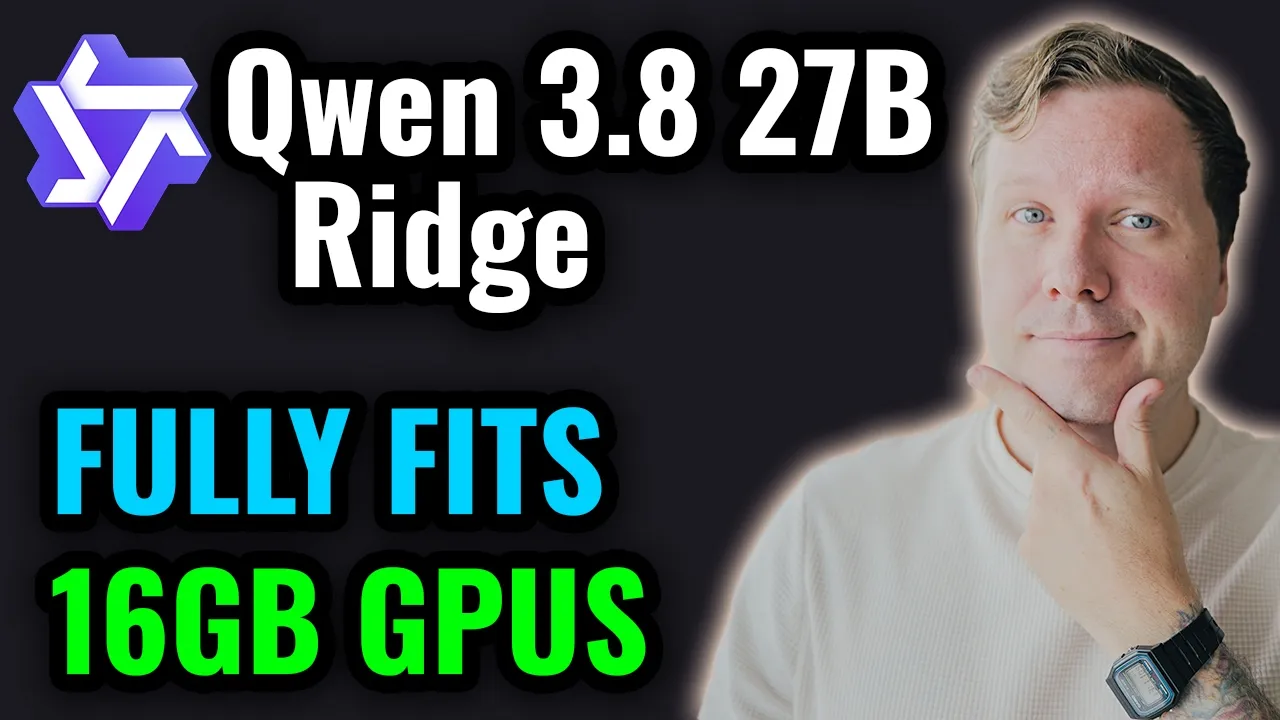
Luke's Dev Lab · @lukesdevlab
Words
2,980
Runtime
15:27
Speaking pace
193wpm
Reading time
12min
193 words per minute, between the 181 median and the 201 75th percentile of 349 measured videos. That distribution comes from the 349-video hook study.
Opening (first 30 seconds)
Hey, welcome to Luke's DevLab. Great to have you here. In this video, we're going to be looking at the Ridge fine-tune of Qwen 3.8 27B. So, this is the model in question. This is Qwen 3.8 27B Ridge, and this is from Impero AI. So, a lot of you have been asking me to check this one out because this one, if we go into the files tab, can fit in a 16-gig GPU in its entirety with a decent amount of context. So, that's why we're going to be looking at this one today. So,
97 words, the words spoken in the first 30 seconds at 193 words per minute.
Free, no signup. See how the first 30 seconds hold attention, with rewrites.
Sentence shape
| Measure | This transcript |
|---|---|
| Sentences | 226 |
| Average words per sentence | 13.2 |
| Longest sentence | 64 words |
| Questions asked | 5 |
| Sentences containing a number | 37 |
Most used terms
Filler phrases
31 in total: like 14 · actually 5 · uh 5 · sort of 4 · kind of 2 · you know 1.
A literal whole-word count of the same phrase list the Prepublish browser extension uses, so a phrase inside another word is not counted and a phrase used in its ordinary sense still is. It is a count and not a judgement.
What this transcript is
Every word below is the caption track YouTube publishes for this video, pulled from the video itself and reproduced unchanged. It is not Prepublish's writing, not a summary, and not a re-transcription: it is the video's own published captions. English captions, generated automatically by YouTube, in the video’s original language. Source: the video on YouTube. A channel that would rather this page did not exist can ask for its removal through the contact page, and it is removed.
No Script X-ray for this video: YouTube shows a Most replayed graph only once a video has enough views.
Hey, welcome to Luke's DevLab. Great to have you here. In this video, we're going to be looking at the Ridge fine-tune of Qwen 3.8 27B. So, this is the model in question. This is Qwen 3.8 27B Ridge, and this is from Impero AI. So, a lot of you have been asking me to check this one out because this one, if we go into the files tab, can fit in a 16-gig GPU in its entirety with a decent amount of context. So, that's why we're going to be looking at this one today.
So, we'll run the model through our usual test suite today. Performance, where we test the prefill and the decode speed. Memory, where we fill up the context and ask the model to find pieces of data throughout to see if it gets lost. Our agency benchmark for a quick simple tool calling exercise. We'll move on to the OpenAI Human Eval, which is 164 Python challenges. We'll then do Kanban, which is a good test of front-end web development capabilities.
After that, we'll do Sam Physics and Dungeon Crawler, which will be a good test of the model's algorithmic and mathematical capabilities. And then, finally, we'll move on to our MCP challenges with Blender and Godot. So, we'll get the model to create an asset in Blender, and then we'll get it to create a simple game in Godot. And a quick look at system specs. So, for performance-related benchmarks, I'll be using an RTX 2000 Ada generation.
So, this has got 16 gigs of VRAM, and then I've got 32 gigs of DDR4 RAM, but we won't be needing it in this video. All right, so let's jump into our benchmarks, and we're going to start with our performance benchmark first. So, we've got about 130K context on this test. So, we're going to look at the prefill speed of the model. We've got cached and uncached. So, prefill will be the speed at which the model can ingest tokens, such as your prompt or a code base you're working in.
So, we start off with a very small prefill. We're getting 196 uncached, 1,470 cached, right the way up to 32K pre-fill, and we're getting 227 tokens a second un-cached, 52,000 cached. And then coming down to our decode, which is going to be our token generation speed, I'm getting 10.8 tokens a second on my RTX 2000. So, as 16-gig cards go, this is actually quite a slow one. If you're on a gaming GPU, you can potentially be getting double this.
And then I want to compare the performance of this model with some of the quantizations of the base model. So, keep in mind I've got 10.8 here. Then if we go on over to the Q4 on the base model, I do get 6.4, and I am using MTP for all of this. If we come down to Q3, I get 10.7, which is right in line with the speed we get on Ridge. And then down to Q2, I'm getting 11.4. So, in terms of performance, in terms of speed, Ridge is right in line with our Q3 KXL.
And some of the tests we'll be doing in this video, such as the Blender Lantern, Kanban, Moving Platforms in Godot, were done in my quantum comparison video. So, you could reference how the Q3 performs against this model in that video. So, we'll move on to our memory test now. This is where I fill up the context 256K, insert a piece of data at either 0, 25, 50, 75, or 100% depth. We ask the model to find that piece of data, and we do it three times over per depth.
And what this is showing us is the model has found the data every time at every depth. So, the memory recall is great on this. If we look at the outputs, they're fairly clean, not perfectly clean. Like this is a perfectly clean example. This one's less clean, but overall the model's done quite well on its memory. Moving on over to our agency benchmark, so this is a simple tool calling exercise just to see how the model does initially before we move on to more advanced tool calling in our MCP challenges.
So, 46 out of 49, 94% pass rate. The model has done not too bad. It's sort of in line with other models in this weight class and quantization, I would say. And then finally, we'll move on to our OpenAI HumanEval. I will be retiring this benchmark soon because it could be in training data. It almost certainly is in training data. But for now, this is 164 handwritten Python challenges by the people over at OpenAI. So, I'll have this link down below if you want to read up on this more or write it yourself.
Jumping into our results, so the model has actually done pretty well here. So, we've got a really good answer rate of 92% and then overall pass rate is 83 of the ones it's answered and not answered. And then if we look at the pass rate of the questions only that it answered, 90%. So, overall the model has done quite well on this test, I would say. So, let's move on into our coding challenges now. We're going to start with Kanban, which is our front-end web development test.
So, what you see here is what the model has done in a one-shot. So, I have gone ahead and tested everything in here and it is fully functional. So, we can move everything around. The UI is decent. It's pretty intuitive the way things work. It's done a pretty good job. So, jumping into the code, as you can see, the session compacted one time and we're at 49.4% of our context used out of our 130K. So, quite a lot of work coming from the model here to get this done.
You can see we had our compaction here from 127,000 tokens and then working away, testing, usual Qwen 3.8 behavior of writing [snorts] tests. You can see here in the root of my computer in the temp folder, it's writing tests, it's running those tests. So, it's it's the standard behavior that we get from this model. So, the fine-tune also exhibits the same behavior. But that's our result for the Kanban. So, quite a lot of tokens, but it did get it without any intervention from me.
So, not too bad. So, moving on to our sand physics simulator now. So, this one I had a bit of a strange issue with the model. So, when the it was coding, it was working away. And then let me see if I can find it. Here we are. So, the model got into a loop here. So, you can see this canvas size is being repeated here. So, the model started looping. And I wasn't at the computer when this was happening. I'd stepped away for a minute.
So, I came back. And what I saw was the model had just entirely stopped. There was no warning, no error that it had reached its token limit or anything like this. It it just stopped. That was it. So, I decided to rerun this whole prompt because I thought maybe there was an issue with my GPU or a connection to my local server or something. So, I figured, okay, probably not a fair test if there's been a connection issue.
Let's start again. And I ran it again. And it stopped at the exact same point right here. So, this happened twice. Was repeatable. So, this time I just said, "Continue." And then the model did continue. And I think it happened again. So, it looks like the model's looping again here. Yep. So, the model's looping again. But then, aha, yes. So, here we go. So, after looping for a long time again, it did the same thing. So, it seems the model can get into a loop and then just stop once it's been in a loop for a while.
So, usually if my harness reaches the context like the token limit for a single output, there'll be a warning. We didn't reach that here. So, not too sure what's happened. But after I told it to continue this time, it continued to a completion state. So, we are at 46.8% of our context used. And this is what it's delivered. So, it's actually done a really great job in what it's delivered here. So, this is demo content.
So, if I refresh the page, this is what you get immediately. So, we've got our brush size. We can place everything. Everything works. So, we've even got uh an eraser here. And it paused. So, functionally, it's it's great. The output's really good. But, yeah, there was some problems with looping and the model just stopping mid-generation with this. So, we're moving on to our dungeon crawler now. And on this one, 56% of our context used and no such issues with looping or the model stopping midway.
So, yeah, no such issues on the dungeon prompt. And then, if we look at the output, so this is uh one and done. This is what it came back with the first time. And it's it's done a really good job. The ray casting is working. Uh fog of war, the dungeon generation, god mode, it's all there. And it looks nice, as well. I like the UI. So, for this one, it it did a great job. So, moving on to our MCP challenges now, this is where things get a bit more tricky for the model.
So, we're in Blender here. And this is where I asked the model to create a starlight lantern asset, which we've been introducing in recent videos. So, for this one, it came back 85.6% context used, no intervention from me. I just prompted it, left it to do its thing, and it came back with this. So, there was no looping issues or stopping issues here, either. So, at this point, I kind of figured, oh, maybe I did really have some connectivity issues with my home computer on the sand physics test.
But, at the time, I didn't realize the looping was happening cuz I was away from the computer. So, this is what we have in Blender. Now, initially, I thought, oh, wow, it's done a variation of the default cube. But, if you zoom inside here, there we go. There's our asset. So, it's created sort of a box environment around it. Now, part of the prompt here is we ask it to generate some screenshots from different angles so that we can see what the rendered design looks like.
And here it is. This is our render of our lantern. So again, you can go back to my quant comparison video if you want to see lots more versions of this particular prompt being done. But overall, I think this looks quite nice. So we've got a close-up here of it. So not too bad. You can see through the glass, so that's good. There are some gaps around the edges, but yeah, maybe that's a manufacturing defect, so I'd let that pass.
Now curiously, when it takes this shot from the opposite side, at first I thought there's something wrong with the hook here because if you look here, it's a full circle, but then over here, it's not. And then when it takes this angle, we realize that for some reason it's cut the asset in half. I do quite like this light coming through the sort of the mist here. I think that looks really cool. But it's a strange choice that it cut the model in half for this screenshot and for this one, too.
Maybe it's trying to optimize for the render. I'm not really sure why this decision was made. If there anyone here who knows about Blender, maybe you can say why this may or may not have been done on purpose. I'm not sure. But you can also see this sort of divider here where it's been done as well. So it's interesting, but overall, I'd say the model did a pretty good job on this challenge. So yeah, it's a decent result.
So we're moving on to our Godot challenge now, which is a game engine, and this is definitely the most difficult task and it's been made even more difficult because now instead of a simple 3D platformer, it's the same prompt, but the platforms have to be moving. So even more difficult now. And again, we had this prompt in the quant comparison video if you'd like to reference back how the base model does on this one at various quantizations.
So initially, the model got to about 73% of our context used and it was stuck in a loop. And when I checked on the game, as soon as you tried to move forwards with the character, and the game would immediately crash. So, I told the model this, prompted it, and then it worked through, it did a compaction, and fixed the issue after a tremendous amount of tokens used. We got into our second compaction, and once it was 27% into the second compaction, I noticed looping behavior from the model.
So, I told the model it was looping. I said, "Try to fix the error." It got to 31% context used. It was looping again. So, again, I jumped in, told it, "You know, you're in a loop. Let's try and move on with getting this working." And then, I checked in at about 36, 37% of context used, and everything seemed to be okay, but moving backwards and forwards was reversed, which is a common thing we see. So, I told the model this, and then we got up to 41% after our second compaction, and at this point, the game was in an okay state, but we'd been going at this for such a long time, I just wanted to review what we've got at this stage, because after this much context used, a base model can get this done, too.
So, if we jump over into our game here, and I will hit play on this, and then let me just enlarge this window for you guys. Okay, so, I can move around. I can look left and right, but I cannot look up and down. And I also I can collect a key for that one, but then this key cannot be collected for some reason. Like, I cannot get this one. And then, I can't remember if this one is collectible. What just happened? Oh, also, when you die, you respawn exactly above the point you die.
So, I will just keep respawning there until this lift comes and collects me. Or rather, I'm spawning here, even though I just died at the other side. So, yeah, the respawn behavior is not ideal, as well. And uh yeah, I'm going to restart this. So, yeah, let's see if we can get this key here. All right. Okay, you can get that key. But yeah, for some reason this key is uncollectible. Like I've tried. I've tried this before making this video, too, so yeah, cannot get this key, cannot finish the game.
So, the issues are you can't get the final key, the respawn behavior is not ideal, and you can't look up and down. You can only look left and right. So, uh it's done an okay job here. So, that brings us to the end of this video on Quen 3.8 27B Ridge from Impero AI. So, what did you guys think of this one? I'm going to put some numbers here for the benchmarks because a lot of you have been asking for numbers at the end instead of just me waffling on, which makes sense.
So, there you go. And then for our coding tests, I'll also put a little bit of information as well here. And then my thoughts would be on Kanban, it actually did a decent job, but it did use quite a lot of tokens. And then on our Sand Physics, it was a good result, but we had looping issues, and the model just stopped working a couple of times after looping for a long time. Then on the Dungeon Crawler, again, it's a good result, and this one the token burn wasn't too bad.
Then moving on to Blender, I actually thought the result in Blender was quite good, and the token burn was not too bad, kind of in line with like quantizations of the base model. And then in Godot, I think it did worse than some of the quantizations like Q4, Q3, maybe even Q2. So, my opinion on this model is or this fine-tune, rather, I would just stick with the base model and go with Q3 or even Q2 if you're really constrained or you want a big context, depending on the task.
If you're not doing complicated stuff like Godot and Blender, Q2 will do you. Otherwise, yeah, I'd probably just choose Q3 KXL on the base model over this, to be honest. So, yeah, what do you guys think? Have you tried it? Is it better for you in some instances? So, let me know in the comments down below. So, big thanks to my supporters here on YouTube and Patreon. Huge thanks to you for getting to the end of the video, really appreciate it.
Give it a thumbs up if you liked it, and subscribe if you want to see more content like this. Bye.
The words are the caption track's own and nothing is reworded or re-transcribed. Paragraph breaks are placed between sentences so the text reads as prose.
Free tools for your own script. No signup, no login.
Paste your draft and see where viewers are likely to drop off, with a rewrite for each weak line.
Paste the first 30 seconds of your own draft for a hook score and rewrites.
Check your draft against YouTube's advertiser-friendly guidelines before you record it.
Read this channel's public videos and transcripts, and download a writing brief for it.