Getting the transcript
Reading the captions from YouTube. A video nobody has opened here before takes 10 to 30 seconds; this page fills in on its own.
Getting the transcript
Reading the captions from YouTube. A video nobody has opened here before takes 10 to 30 seconds; this page fills in on its own.
Bill Vidal · @thatphotoboothdude
Words
2,697
Runtime
15:03
Speaking pace
179wpm
Reading time
11min
179 words per minute, just under the 181 median of 349 measured videos. That distribution comes from the 349-video hook study.
Opening (first 30 seconds)
Stop wasting money on photo booth softwares you do not need. If you're starting a photo booth business or even upgrading your setup, this is the video you don't want to miss. Today, I'm breaking down the 10 most popular photo booth software in 2026. I'll tell you what I personally like about each software, what hardware is supported, and the basic monthly fee. I've been in the industry for four full years now, tested pretty much 10 to 20 softwares out there, and trust me, this is one of
90 words, the words spoken in the first 30 seconds at 179 words per minute.
Free, no signup. See how the first 30 seconds hold attention, with rewrites.
Sentence shape
| Measure | This transcript |
|---|---|
| Sentences | 181 |
| Average words per sentence | 14.9 |
| Longest sentence | 38 words |
| Questions asked | 2 |
| Sentences containing a number | 30 |
Most used terms
Filler phrases
23 in total: like 17 · literally 3 · actually 1 · kind of 1 · you know 1.
A literal whole-word count of the same phrase list the Prepublish browser extension uses, so a phrase inside another word is not counted and a phrase used in its ordinary sense still is. It is a count and not a judgement.
What this transcript is
Every word below is the caption track YouTube publishes for this video, pulled from the video itself and reproduced unchanged. It is not Prepublish's writing, not a summary, and not a re-transcription: it is the video's own published captions. English captions, generated automatically by YouTube, in the video’s original language. Source: the video on YouTube. A channel that would rather this page did not exist can ask for its removal through the contact page, and it is removed.
No Script X-ray for this video: YouTube shows a Most replayed graph only once a video has enough views.
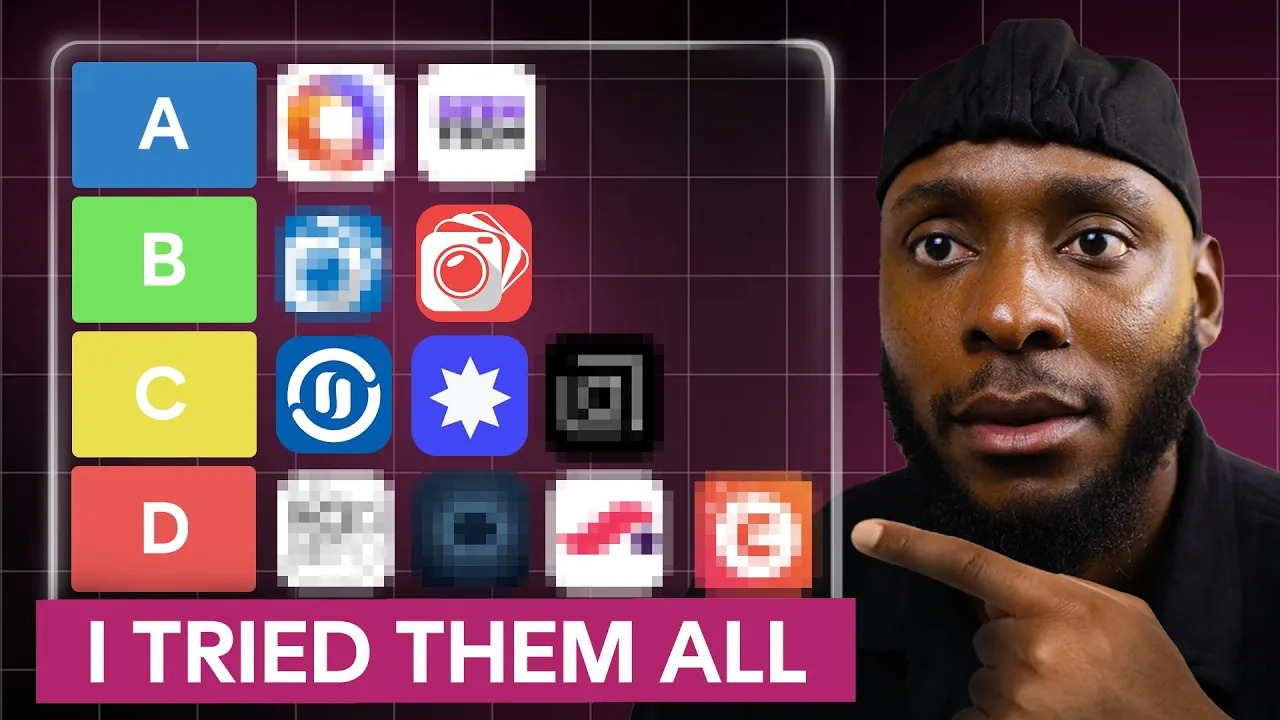
Stop wasting money on photo booth softwares you do not need. If you're starting a photo booth business or even upgrading your setup, this is the video you don't want to miss. Today, I'm breaking down the 10 most popular photo booth software in 2026. I'll tell you what I personally like about each software, what hardware is supported, and the basic monthly fee. I've been in the industry for four full years now, tested pretty much 10 to 20 softwares out there, and trust me, this is one of the most, if not the most important part of your business.
And some of you are paying some egregious amounts of money for software and you're not even using 1% of the features. I believe after this video, you'll find the most cost-effective one based on the type of events you do. I'm going to list them from my least favorite to the ones I absolutely love. So, you want to stay till the end to make sure you don't miss out on any crucial information that could literally save you thousands of dollars.
So, software number 10, Simple Booth. I didn't know about this software, but it seems like it's an iOS-only software-based company. Their CEO approached me about making a video about their software a couple of months ago, but I don't [snorts] think I would be a good fit since I'm not a fan of iPad quality. Their target is mostly people looking for a very simple and minimal setup to add to their venue, store, or campaign just to have fun, you know, nothing crazy.
He showed me how they set up templates, and I was very impressed. It looked fun, intuitive, and very easy. But, I've never used it, so I cannot fully back up the software. But, feel free to try it out. Monthly price starting at $29. Now, software number one, PicPic. I hear this one a lot, especially from Chris Myer on Facebook groups. So, I did some research on it and it looks like it's an iOS-based software that allows you to use DSLR camera to run your events.
Their AI looks interesting, but I've never tried it. It made the list today just because I believe there is no smoke without fire. Oh, they also have Paywall, which seems to be a payment solution that you can add to your photo booth using Stripe. This is interesting. Monthly price starting at $49. Software number eight, Curada. This one seems to be a complete photo booth software solution. Once again, iOS-based. I don't know why everybody's shifting toward iPad solutions when the most reliable printing solution seems to be a direct cable from PC to printer.
If someone knows why, please let me know. The starting price is $69 per month and they also run 360s. They've got AI stuff and even an audio guest book option. Now, software number seven, LA Photo Party. These guys have been around for a while now and what caught my eye is the fact that they are the only software, to my knowledge, that is able to make lenticular prints on site. And since this is something I'm working on, I shot them a message and I was amazed how fast they replied to me.
And that was on a Sunday. They also sell photo booths. They have software solution for iOS users as well as Windows and Mac users. But I met them at PBX and it seems like they would discontinue the iPad software and focus on the Windows and Mac one. They also run events and that's important because they know what running events feels like and you want your software company to know what it feels like to be out there, live.
Kudos to them and I'm looking forward to testing it. For the software and based on the infos on the website, you're looking at a $300 price per month. Pretty pricey. Software number six, SnapPic. Now, this is a very popular software here in the US. This is a photo booth software that allows you to use your iPad alone or with a DSLR camera. And they also support 360 photo booth. And in that case, you can record with an iPhone, a GoPro, or even a DSLR camera.
They also seem to have a lot of cool features when it comes to AI and effects. It looks like their printing solutions are also on point. Pricing starts at $69 per month. I personally do not use it because the last one I will talk about is my personal favorite. And he has pretty much everything that Snappic offers and more. Now, look. I know I'm throwing a lot of information at you right now, and we're only halfway through.
But if this video is helping you so far, if you're taking notes, if you're comparing prices, do me a favor. Hit that like button right now. Literally takes 1 second, and it tells YouTube to show this to more people who need it. And subscribe to the channel because I drop videos like this every single time. I do not gate keep at all. Also, share this with a fellow booter. And if you want to see the exact photo booth I use for all my events, it is always Star Booth.
So, head over to bookahand.com. There you also find plenty of other resources that will make your life easier. I'm talking templates, tutorials, guides, and all that good stuff. I'll put the link in the description. All right, back to the video. Now, for the top five. At fifth position, you have Breeze. I always make sure to include this software because people say it can do a lot, but it's kind of complicated. Well, we had an event where I was shadowing my boy Devin last week, and the software really seemed straight to the point to me.
The first thing you see is photo booth solutions for iPad when opening their website, but I believe they also run on Windows because what we had at that event was a Windows-based computer. And that one, I believe, is called Remote Pro. The iPad one is Breeze Booth. They also have a sharing station software just like most other photo booth companies. Their promise is that you can customize pretty much everything. So, I'm looking forward to testing the software myself one day.
Pricing starts at $349 per license for Remote Pro, which is great because it seems like a one-time payment. They also can run without internet at all, which makes it a very interesting solution for permanent installs. And Breeze Booth, the iPad iPhone solution, starts at $49 per month. Software number four, LumaBooth and DSLR Booth. I'm putting these two together because they are the same company. DSLR Booth is for Windows-based photo booths, and LumaBooth is for iOS iPad iPhone-based photo booths.
Both are very affordable solutions and very reliable, as well, for all basic photo booth jobs. I use LumaBooth for all basic photo booth work. And one feature I love is the ability to create your own personal photo preset. We call it a lot for a lookup table in photography language. You can add one to your event to get the look you want. Other softwares can replicate that using AI prompts, but the beauty with this one is you don't have to use the internet, and rendering is faster.
I also used DSLR Booth on my first photo booth that was Windows-based, and it worked really great. But one thing I tried, and it was a complete disaster, was DSLR Booth with my GoPro for 360 videos. I had so many connection issues that I was forced to give up. But 360 videos on iPhone with LumaBooth works well. I met them at PBX, and they just launched AI on their software. They are way behind in that area, but I believe they are working on it.
Also, something I didn't like about DSLR Booth and LumaBooth is you cannot set up an event on your computer and make it just synchronize with your photo booth. You have to do it on the booth. I believe they are trying to change it. Pricing starts at 19 per month for Lumabooth and 17 per month for DSLR booth if built annually. And I heard they will combine both softwares into just one. More information on their website.
Software number three, booth.events. Let me start by saying I love Tim and I love his dedication and his passion for his product. Now we can start. I discovered booth.events in 2024 and I gave it a try for this exact reason. I was looking for a very good AI built-in background removal solution and booth.events just delivered. They are an iPad-based photo booth software with reliable printing solutions and I believe they recently added the 360 photo booth option.
The software is user-friendly and very easy to operate. They are one of the top players when it comes to AI because they are constantly making updates, which means they are actively listening to user requests and working hard to make sure everyone is satisfied. Pricing starts at $49 per month and you can use up to four devices at the same time for the same price. Software number two, ZenTech. This one is rarely mentioned, but these people are very good.
I believe it's a Russian company and I've been using their software called Spinner 360 for four years now with zero issues. I use it for my 360 photo booth and this has been a game-changer for me because the communication with the GoPro, which is the only compatible camera, is wireless and surprisingly very reliable when set up correctly. They have a one-time license payment. It's a license that you set up on your laptop to be able to make it work.
I paired it with a router and it will run 100% without the internet. People can scan a QR code to join my private network and get their videos on the spot. I use another software called Media Share for sharing, but it seems like ZenFone now has the ability to produce and share, so no need for another third-party software for sharing. That license cost me $1,000, and honestly, this was the best thousand I spent at that time.
I'm excited to get back to Paris and pick up where I left with that software, but they discontinued that software. Their new solution now is called Mixup, and it runs both photo booth and 360 gigs. But, it looks like the software only works with Windows devices, so no iPads or iPhones. Now, number one, Touch Pix, the giant, the winner. Oh boy, where do I start with Touch Pix? You've seen those AI trading cards that I did?
It was with Touch Pix. My 360 videos, when I want to record my iPhone, I call Touch Pix. This one to me is the most complete photo booth software company out there. And yes, this is the primary photo booth software I use with my photo booth, Star Booth. But, they just don't run on iOS devices. They also work on Android devices, as well as Mac OS and Windows OS. In other words, whatever you need to do in this business, I'm pretty sure you can do it with Touch Pix.
But, these are the features that really made a huge difference for me. Number one, the ability to add personal information to your results, just like how I added my name on my trading cards demo. And there's no limit to the amount of info you can add. This is a game-changer for corporate and social events. Feature number two, the ability to add random picture in your active gallery and being able to print them. This is a rare feature that a lot of us need sometimes after events, and even if we want to print samples to show to our conventions, our customers, our our people, I don't know.
Feature number three, the ability to reprocess your image or video if for whatever reason you didn't add the right song or the right overlay. This is a game-changer. Feature number four, the wired iPad printing solution called Print Pics. That box, that little box that only works with Touch Pics, is powerful, man. I was able to print just one 2 by 6 strip, which I've never been able to do using Aircast Pro and WCM or even with direct laptop printing.
Now, imagine how much money you can save if you use this option. I could go on for hours about Touch Pics and their amazing support team that replies to every one of your questions in minutes without making you look dumb. But, I'll cut it here because I value your time. I've added a link down below for you to try them out and literally transform your business and provide whatever experience the customer wants. Whatever.
They can do it. Their pricing starts at $60 per month, and you can try them out for free before you decide to make a purchase. Now, a lot of you are using expensive software when you are out there doing simple events. I hope this video will help you save some money and make informed decisions in a market where a lot of people gatekeep. I know some of you are watching this and thinking, "Bill, I'm so overwhelmed. I just need someone to tell me exactly what to do." That's exactly why I do one-on-one consultations.
And if you're serious about what you do and you want to learn something specific, whether it's lighting, contracts, social media, software setup, or whatever, I'm here for you. A lot of you struggle with those exact things, and I believe there are a couple of resources on my website ready for you to purchase and make your life easier. This is also a way of supporting the channel to make sure I keep uploading quality content like this because let me be real with you.
I also run a affordable business. I also want to be booked like crazy. And making all these videos is actually taking time away from building my actual real business. But I do it because I love it and I want to see it succeed. My photo booth Starbooth comes with a 1-hour call with me so I can show you my exact settings and get you ready for your first event. I do all my photo booth gigs with Starbooth and I cannot think of a photo booth experience that Starbooth cannot achieve.
So head over to bookcanya.com. Link will be in the description. Also, I've decided to move back to France at the end of this year. And my goal right now is to automate every part of my photo booth business within 2 years and run at least 150 events per year. I do not really enjoy the US and I cannot build where I don't feel happy. I'm planning on making a video about how crucial the CRM is to your business and show you everything I set up on OnlyBook.
But I don't know if I should do it since my systems are just partially automated and I'm looking to change and use another CRM that supports EUR as a currency since I will be serving France. Let me know if I should do that tutorial before I build on another CRM. And tell me in the comments what software you currently using and what you love and hate about it. This can really help us as a family to keep elevating and grow as a community.
I read every single comment and your feedback helps me make better videos for you. So drop a comment right now even if it's just great video, Bill. It helps the algorithm push this to more people who need it. I love you and I know 2026 is your year. Let's get it.
The words are the caption track's own and nothing is reworded or re-transcribed. Paragraph breaks are placed between sentences so the text reads as prose.
Free tools for your own script. No signup, no login.
Paste your draft and see where viewers are likely to drop off, with a rewrite for each weak line.
Paste the first 30 seconds of your own draft for a hook score and rewrites.
Check your draft against YouTube's advertiser-friendly guidelines before you record it.
Read this channel's public videos and transcripts, and download a writing brief for it.