Getting the transcript
Reading the captions from YouTube. A video nobody has opened here before takes 10 to 30 seconds; this page fills in on its own.
Getting the transcript
Reading the captions from YouTube. A video nobody has opened here before takes 10 to 30 seconds; this page fills in on its own.
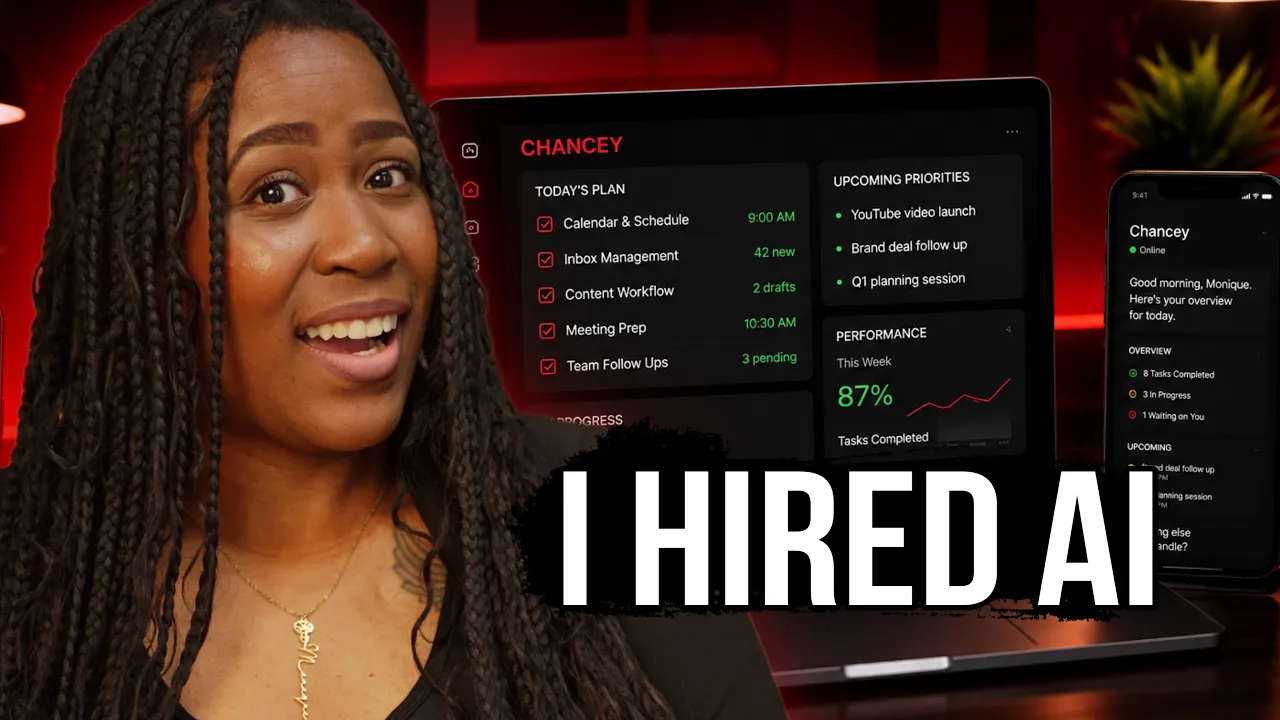
Journey With The Hintons · @Officialjourneywiththehintons
This video has no Most replayed graph yet: YouTube shows one only once a video has enough views. These are the moments viewers replayed most in Journey With The Hintons's most watched videos.
Most replayed moment at 8:13
4.1x that video's typical replay level
video, including a natural sounding voice over script. And then I'm going to take the prompt that it just gave me. Head back over to Vo 3. We use one of our three generations we get. This is the second one. Hit enter. And after a minute, here's the pastor.
Said at 8:06
Most replayed moment at 6:48
2.4x that video's typical replay level
spell everything out. And I will give you this prompt down below so that you can copy and tweak and use it yourself. But once we hit enter, it will ask you a few more questions to make sure it's getting it right. And for the audience, we definitely want it to be a toddler and it has the timing and the platform
Said at 6:42
The graph counts replays. It does not show where viewers stopped watching.
Words
2,224
Runtime
10:43
Speaking pace
208wpm
Reading time
9min
208 words per minute, above the 201 75th percentile of 349 measured videos. That distribution comes from the 349-video hook study.
Opening (first 30 seconds)
So, last night while you were sleeping, my AI agent was working helping me create content faster. It built digital products I can start selling today, and it helped me to uncover new ways to make money. And before you think I have completely lost my mind, which I have not, let me show you what I'm talking about. Welcome to Axiom work. And what this is is an AI agent platform, and it's very different from things like Chat GPT or your new best friend called because what this can do is operate your computer and browser like a real digital worker. It
104 words, the words spoken in the first 30 seconds at 208 words per minute.
Free, no signup. See how the first 30 seconds hold attention, with rewrites.
Sentence shape
| Measure | This transcript |
|---|---|
| Sentences | 135 |
| Average words per sentence | 16.5 |
| Longest sentence | 54 words |
| Questions asked | 7 |
| Sentences containing a number | 4 |
Most used terms
Filler phrases
16 in total: like 10 · actually 2 · you know 2 · basically 1 · literally 1.
A literal whole-word count of the same phrase list the Prepublish browser extension uses, so a phrase inside another word is not counted and a phrase used in its ordinary sense still is. It is a count and not a judgement.
What this transcript is
Every word below is the caption track YouTube publishes for this video, pulled from the video itself and reproduced unchanged. It is not Prepublish's writing, not a summary, and not a re-transcription: it is the video's own published captions. English captions, generated automatically by YouTube, in the video’s original language. Source: the video on YouTube. A channel that would rather this page did not exist can ask for its removal through the contact page, and it is removed.
So, last night while you were sleeping, my AI agent was working helping me create content faster. It built digital products I can start selling today, and it helped me to uncover new ways to make money. And before you think I have completely lost my mind, which I have not, let me show you what I'm talking about. Welcome to Axiom work. And what this is is an AI agent platform, and it's very different from things like Chat GPT or your new best friend called because what this can do is operate your computer and browser like a real digital worker.
It can build and manage an online store for you. It can create content. It can engage with your audience. It can take a raw idea that you have of a random product in your hand, and it can turn it into what is called factory ready specs that you can send off and have created all from your thoughts. All of that sounds cute, but let me show you how I am using this to make me some money. Today, what we are going to do is create a new agent.
And in here, there are many more actions like [music] you can have them to do drop shipping for you. And if that's something you want me to show you how you can have an AI agent completely drop shipping over here, drop it down in the comments. But what I want is a daily assistant, and I am going to pretty much make this assistant my chief of staff. So, I will have to give it a name. I'm thinking we need something chief sounding, and the first thing that's popping in my head is Chauncey.
Why? I don't know, but we'll go with it. And then you can pick an AI avatar here or upload a custom image. And if you know me by now, I do not do anything basic. And so, what I did was went over to Chat GPT, told it what I'm doing, and asked it to create an avatar for me. And this is what it created, and I love everything about this. So, for the vibe is like how do you want to interact with your agent? And I'm definitely going with creative over friendly because I don't need a friend.
I need someone that's going to get the job done because that's what I need. And the next thing we're going to have to set up is the tools. These are the things that it will be able to use. And so now it's going to be able to search the web. It'll be able to generate images, but we'll also see skills. We have to give it skills to be able to carry out some of the tasks. It can create and edit word documents for us, and those are important especially when you are trying to get into creating digital products.
So we definitely want to keep all of these skills selected, and we're going to move on to the next thing, which is the user profile. That is basically our persona, what we want it to call us, what we're teaching it about us from jump. So of course I'm going to say call me Monique, but if you out here feeling like Rick Ross, you can have it call you boss. Now as far as the notes, we want to give it a quick little summary about who we are.
And that's just a summary, but right here as far as background, we can expound a little bit more on what we just gave it. We could tell it about the projects we're working on, any other work or preferences that we have for it. included who my audience is, who I'm trying to reach so when it is giving me things, it can always have that in mind. Don't just create no anything for me. And after this we hit finish and launch, and everybody, let's go ahead on and welcome Chauncey to the payroll.
Now she will not be getting any benefits or PTO, but she's definitely going to get a lot of work today. So we're going to give Chauncey her first job, but in order for her to do it right, I want to quickly head to plugins and connectors, which allows us to connect our real accounts. So you're giving it access to actually work on your behalf. And I'm talking about connecting to things like Gmail, Instagram, or whatever else fits your workflow.
And connecting it is as simple as hitting that connect button, signing into your account, and approving it. Now for the type of task we're about to give her, listen, if you've been on YouTube lately, you've probably seen all these videos about people making money with digital products. I'm talking $7,000, 32 million, 23,000, and someone said they accidentally found a digital product that makes >> [music] >> 18,000 a month.
So, if they finding it accidentally, guess what we going to have our agent to do? Find it on purpose. So, I'm going to type in this chat and say, "Research three beginner-friendly digital product ideas with strong demand that solve a real problem. Choose the strongest idea, create the first draft of the digital product as a PDF, write the sales copy, and create a complete Instagram launch package with post, caption, hashtags, and call to action.
I want it all." And so, when we hit enter, it is going to show the entire workflow. So, you can back and check to see what your employee, your agent is doing at any given time. And I'm telling you it's showing all of research and everything. But, once it has completed it all, it is definitely going to give you the full rundown. And if we look at that right there, wouldn't you believe this thing is telling us that the best digital product to sell right now is about teaching people how to sell digital products.
But, what I like about this, it doesn't just tell us what to do, it's going to do it for us. And so, we can click on each of these files right here that it made for us, >> [music] >> and you can see that it has broken this thing down. They have worksheets in here to help people discover their skills, [music] and this looks really good. But, it shows us the research, it shows us why this is the best thing to sell. And again, it made that entire launch kit for Instagram. >> [music] >> Because, where are people selling digital products?
Online. And Instagram, Facebook, YouTube, all of these are great places for you to sell digital products. You can even go places like Pinterest. But, if we look closely at what it has given us right now, this is just words and directions we need to take. >> [music] >> But, I wanted to take this and turn it into something that is post-ready. So, what I'm going to do next is tell Chonzie using a digital product you just created, design the complete Instagram launch carousel.
Generate all eight finished slides because that's what it gave us, eight. And we want it to look like a real Instagram carousel that we can post today. Give us a caption, hashtags, and the call to action. And guess what she did? Clapped back and then went to work. And after only a couple of minutes, it is completed. And look at that, the very first carousel is something that catches attention. You know you only have a short amount of time to get somebody's attention and it does that right away saying, "You don't need 100 side hustle ideas, you need one clear money map." That hits the pain points.
It gives value. This is giving them that call to action that we need and that's what's going to help to get your sales. So, this thing is ready. The only thing that's left to do is post and guess what? You do not even have to do that. We can let Chonzie do that as well. And all I'm telling her to do is post this carousel to my Instagram account. I'mma sit back and let her work her magic and of course we want to check to make sure it actually went over there.
And look at that, it is live. [music] And it looks really good. It looks professional. And I can literally have it create 30 days of content and schedule it to post for me while I'm somewhere looking at the ocean. But there are a few more things that I want to show you that your agent is able to do for you and I think that you are going to enjoy it. And what it's called is scheduled task. So, these are the things that will get done without you having to ask for it.
You can have it to monitor things, report things. You can have it automate things. But me personally, I am going to set up a morning brief so that it can send me something every morning. And I'll name it daily content brief. And I'm going to have it sent to Chonzie because she's at the top of the chain for agents. [music] So, make sure the right agent is selected here. And now we need to give it a prompt to tell it what we want that daily brief to be.
So I'm just going to ask it to give me a daily morning briefing with important AI news, creator economy updates. I want viral content inspiration, business opportunities, the top three priorities of the day. And don't worry, I will leave these prompts that I am using down in the description. I want to make it Monday through Friday. Why? Because we don't work weekends and we not going to make Chauncy do it this weekend.
And I'll choose 7:00 and that's that. And now every day we can expect the report that we just requested from Chauncy, which I'm telling you this is a game changer. It has honestly put me in a position to be able to generate more revenue and it also saves me a lot of time because I don't have to get up every morning and hop on the internet and I'm searching through all the news or scrolling on social media to see what's happening.
It's reporting it to me every day. And again, I am just showing you this through my lens as a content creator amongst other things, but you can personalize it to fit your life. If you are into stocks, you can have it send you daily briefings on what's going on in the market, trends and updates before the rest of the world catch on. If you are a teacher, you can have it to organize lesson ideas for you and plan them out.
So aside from that daily content brief that I had it to create, another thing that I wanted it to focus on was monitoring trends. And so what I called this one is hot take. And I'll send it to Chauncy again. And for this prompt, I'm going to tell it to monitor trending topics, viral conversations. And on top of that, I am going to tell it to generate two strong content or video ideas that align with my brand around financial freedom, AI, lifestyle, mindset, faith, and digital business.
So now we have some scheduled tasks and you can see all your tasks right here. So now the last thing under capabilities that I want want you is how to set up a channel. and a channel just means that you can talk to your agent from anywhere. You don't have to just come to your computer. You can do it from your phone. And right now, the options are going to be with Telegram, Discord, WeChat. You can choose whichever one you prefer.
To me, the easiest one is going to be with Telegram. You can create yourself a free account, and right here, it'll tell you how to connect. It is pretty simple. You'll just open Telegram, search for BotFather, and then you'll send new bot, and then pretty much follow all the instructions it tells you to create a bot. And then after you created that bot, you'll have to go ahead and send a message to it or DM so that you can pair it and then connect.
So, when I told you this is going to be a game-changer that you do not want to miss out on, I meant every word of it. And I tried to cram as many use cases with this as I can in this one video, but if you are interested in seeing more, then comment down below. Also, let me know what you would like to see me set up and build out for you. Go ahead and download Axie Infinity work desktop using a link in the description.
So, I hope that this has helped you out, and the only thing that's left to do is go be great.
The words are the caption track's own and nothing is reworded or re-transcribed. Paragraph breaks are placed between sentences so the text reads as prose.
Free tools for your own script. No signup, no login.
Paste your draft and see where viewers are likely to drop off, with a rewrite for each weak line.
Paste the first 30 seconds of your own draft for a hook score and rewrites.
Check your draft against YouTube's advertiser-friendly guidelines before you record it.
Read this channel's public videos and transcripts, and download a writing brief for it.