Getting the transcript
Reading the captions from YouTube. A video nobody has opened here before takes 10 to 30 seconds; this page fills in on its own.
Getting the transcript
Reading the captions from YouTube. A video nobody has opened here before takes 10 to 30 seconds; this page fills in on its own.
9x · @go9x
This video has no Most replayed graph yet: YouTube shows one only once a video has enough views. These are the moments viewers replayed most in 9x's most watched videos.
Most replayed moment at 11:14
2.9x that video's typical replay level
Anthropic blocking OpenAI's API access and Google launching their new Deep Think feature for $250 a month. Now, obviously, this is something that just ran once. For me to turn this into my daily agent, what I want to do is I'm going to click on this little schedule button. What's going to
Said at 11:06
Most replayed moment at 7:29
3.7x that video's typical replay level
Studio. So, over in Google AI Studio, a studio.google.com. Um depending on where you land you might see a different first interface but what you want to do is on the left hand side if you head to playground and then here I can select images and then we see here Nano Banana Pro new so I can just click
Said at 7:22
Most replayed moment at 6:13
2.7x that video's typical replay level
when you start using AI inside automations, you quickly realize that nailing your prompts becomes more important than ever. This is where the anthropic prompt generator comes in. It's a tool that I use so I never have to write a prompt from scratch. All you need to do is give it a highlevel one or
Said at 6:07
The graph counts replays. It does not show where viewers stopped watching.
Words
7,148
Runtime
35:10
Speaking pace
203wpm
Reading time
30min
203 words per minute, above the 201 75th percentile of 349 measured videos. That distribution comes from the 349-video hook study.
Opening (first 30 seconds)
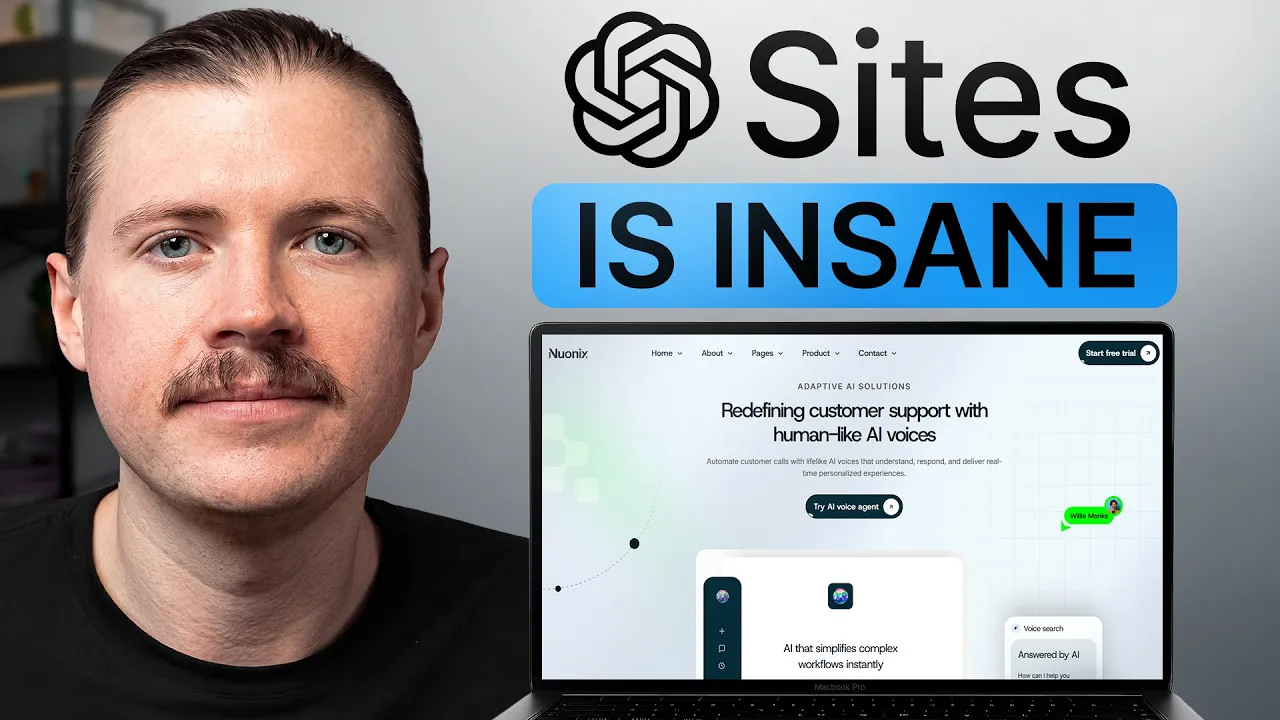
In this video, I'm going to walk you through eight of the best use cases for chat GBT sites. This is OpenAI's new website builder built directly into Chat GBT work and codecs. You just describe what you want and it goes ahead and builds it, hosts it, and hands you back a live link that you can use right away. So, today I'm going to show you just how far you can take it. looking at everything from launching a new business site in a matter of minutes and actually start taking bookings to creating interactive dashboards using your real business
102 words, the words spoken in the first 30 seconds at 203 words per minute.
Free, no signup. See how the first 30 seconds hold attention, with rewrites.
Sentence shape
| Measure | This transcript |
|---|---|
| Sentences | 399 |
| Average words per sentence | 17.9 |
| Longest sentence | 61 words |
| Questions asked | 9 |
| Sentences containing a number | 28 |
Most used terms
Filler phrases
136 in total: actually 41 · uh 32 · like 24 · basically 17 · um 16 · literally 2 · sort of 2 · you know 2.
A literal whole-word count of the same phrase list the Prepublish browser extension uses, so a phrase inside another word is not counted and a phrase used in its ordinary sense still is. It is a count and not a judgement.
What this transcript is
Every word below is the caption track YouTube publishes for this video, pulled from the video itself and reproduced unchanged. It is not Prepublish's writing, not a summary, and not a re-transcription: it is the video's own published captions. English captions, generated automatically by YouTube, in the video’s original language. Source: the video on YouTube. A channel that would rather this page did not exist can ask for its removal through the contact page, and it is removed.
In this video, I'm going to walk you through eight of the best use cases for chat GBT sites. This is OpenAI's new website builder built directly into Chat GBT work and codecs. You just describe what you want and it goes ahead and builds it, hosts it, and hands you back a live link that you can use right away. So, today I'm going to show you just how far you can take it. looking at everything from launching a new business site in a matter of minutes and actually start taking bookings to creating interactive dashboards using your real business data all the way to building a full AI powered app with login and its own database.
Make sure you stick around for that one if you're serious about learning AI. Let's get started starting with use case number one, launching a business website. I want you to imagine that you have an idea for a new business that you want to launch or a new side hustle and you want to be able to quickly validate that idea. Now, we can just open up chatgbt work in the desktop app and what we're going to do is create a new project.
We're going to be working here in the local mode, so we're working on the computer. Create a new project. Then, we'll add in a project folder. So, I'm just going to create a new one. In this case, I'm going to be coming up with an idea for a B2B uh office plant service. So, I'll just call this one B2B plant company and hit create and open up this empty folder. We'll also give it a project name. So, we've actually come up with the name of the company that I want to test out which is called Leaf it to us.
Quite an apt name. So I'll create the project and now all I want to do inside the prompt box I'm going to tag at sites and you can see here the sites plug-in build and deploy websites and now I've prepared quite a detailed prompt. So telling chat GBT work exactly what site we want to build. We want to create a polished MVP for a new office plant maintenance business called Leafit to us. I've provided what the goal of the website should be.
So the purpose should be to explain the business idea clearly, make the proposed service feel tangible, and then find out where the companies in Berlin, which is the area that we're going to be starting in are actually interested in this service. Also then provide some more details about the business idea itself. Some core values, also what the brand and logo should look like. We're going to have ChachiBT create everything including the logo.
So you can see here quite a detailed prompt also covering the site structure. I'll share with you a little bit later on how you can grab this prompt and also all the prompts that I'm using uh in this video. But let's fire this one off to chat GBT work. And now jumping ahead, we can see that chat GBT worked for 15 minutes and we already have a live website. I was running this on the um fast mode, but you can see just how quick this can all get set up.
Let's actually open this up in our browser and take a look. And we can see we already have here a live hosted website. Every site you create will get its own unique URL here at chatgbt.site. But I'll show you in a minute exactly how we can also customize this ourselves. But you can see here this is a full running website. I'll just scroll through it once and then maybe go through a few sections in detail. This is looking very professional and very crisp.
We can see that it's actually created our very own logo. Really stuck to the brief there as well as well as all of the images on this page. I didn't provide any of these images ahead of time. Chat GBT came up with everything. What I really like about it is that it's already created like a call to action for the user so we can see if people are actually interested. So companies can get their free plant plan. If I click on this one, this basically drops us down to this form where we can collect any information about potential customers in our area.
And what was very cool about this one is it didn't only just create the main website, it also created a separate site called the private inquiry inbox. So if I open this one up, it even said here that this one will only be available to my chatbt user. I actually went ahead and filled out that form on the test page. So we can see here if we publish the page make it live, they've also given us a way where we can see any companies that actually inquire.
So, here I created a fake one uh from Sam Alultman on behalf of OpenAI, but you can see just how quick it is to get started and actually uh capture leads. If we head back over to the main website, I think this section is the one that probably blew me away the most. They've actually created this really nice before and after section where I have like this little uh slider image here where I can see, okay, this is the before section, just a quite empty bare office without any plants whatsoever.
And then you can see with a plant plan from Leafit to us just how it transforms this offer space. And this is obviously using chatbt's builtin image generation model. But honestly, it has never been easier to get something up and running so quickly. Now, if we head into the settings of um this site, you can obviously see here the um live hosted site is at this URL, but we also have the ability to add our very own custom domain.
So, I could just now go and purchase a Leaf it to us maybe.de um domain. It's probably going to cost me like five or 10 bucks um for the year. I can just add my custom domain here and then the site is live at my own domain and all of the hosting is taken care of by chatbt and covered in my chatbt plan. Now, this feature is still in beta and there are limits in terms of how many visitors you can have um to your site. But what I really like here and this is why I mentioned earlier at the start that you should be creating a project and working in a local project.
If we open up here on the right hand side the files of this project. You can see here what chatb has created is the full website but we get actually access to all of the website files that were created. Meaning that if we actually get traction with our new business idea they have everything here which makes it super easy to migrate to a different hosting platform later. So, that is a live business site that's actually able to take inquiries and capture leads all set up within a matter of minutes.
And this is obviously perfect, as I said, if you're testing out a new idea or side hustle. But I know a lot of you work in larger companies with an already established brand and style guide. So, how do you make sure the sites that you create are aligned with an already existing brand? That takes us on to use case number two, generating onbrand landing pages. And this is actually a use case I needed to set up for ourselves here at 9x.
So we already have a live website. You can check this out at gox.com. We have a very specific style of how we want our website to look. And right now our homepage, what this really speaks to is for companies looking to train their teams. You can see here they can book a call with us. We have a reference section about other companies that we've worked with, an overview of the different training programs that we offer and also some testimonials from clients that we've worked with in the past.
But on top of that, we also have a community for individuals. And right now, whenever anyone wants to join our community, this is the page they uh land on, our community signup page. And because of the tool that we're using to manage our community, unfortunately, we cannot customize this whatsoever. So it is lacking quite a lot of detail about hey what's involved in the community, who should join the community and why you should join the community.
So what I want to do is create a dedicated landing page for our community that matches the full style guide of our existing website. And that's exactly what I did here using sites in chat GBT work. This prompt was structured a little bit uh differently. Obviously still tagging chat GBT sites. I gave it the overall goal that I wanted to create a productionready single page landing page for our free 9x community. But rather than putting everything inside the prompt, I gave it two separate markdown files.
So, first of all, a brief.md. And all of this was inside the project folder, you'll see now it's actually already gone ahead and created the site. So, we have the full um like let's say app already here. But what this was was just an empty folder with these two markdown files. So, first of all, we have this brief.md. And this one contains all the information about what the site should do and also what information it should contain.
So first of all, I got a few different rules here that actually we only want to accept uh business email addresses since we are a community for business professionals. So they can only sign up if they have a company email. And then I also give it the instructions that after someone fills out this form on this landing page that they basically get redirected to that sign up form on our community with that email address already filled in.
And then I'm providing the structure of the page. So we want a hero section. And then most importantly, we always want to promote our upcoming live session. Every week inside the community, we run a free AI workshop. And so this one should dynamically pull that from our community platform and always update that on the page. And then we have a few different uh sections. So that's in terms of how it should behave and what is included.
And then we also provide a design.md which teaches the agent which teaches chatbt work exactly how to design this site according to our style guide. And if you're using agents whether that's chatb work claude coowork claude code to create designs for you. I definitely recommend that you create a design MD for your company. I'll also um share this one in the community alongside this video which I'll explain a little bit um later on.
This is basically optimized in a way for an agent to understand exactly how it should design things according to our specification. So now we can take a look at that landing page that it created for us according to our exact style guide. And so here is our landing page. You can see with the very strong headline learn AI live every week. We have a simple email form that they can fill in. It's successfully pulled in our next upcoming live workshop.
So maybe if you check this page out um at the time of our releasing this video, this should be updated always to our next session. We have an overview of um what you get when you do join the free community. Some testimonials here as well. This is all looking very nice. And comparing that back to our main website, you can really see how it just took our exact style guide to make sure that both the landing page and our website are on brand.
Most importantly though, if we test out the signup flow. So, let me just try with an address that should not be allowed. You can see if I'm entering a Gmail here. It says, "Please use your work email." That's how we keep the community operators only. And if I try now with my work email and click join the community, we see that I'm successfully redirected here with my email prefilled. And I just need to set my name password and I'm good to go.
And for this branded landing page, this one is actually live and we have people signing up through it every day. I went ahead and added a custom domain to this one so that it's not only according to the 9x brand but also living on our domain. And if you do want to test out this page live for yourself, I've left a link in the description below. Of course, you can also sign up and actually join our 9x community. Inside the community, you'll find every brief prompt and skill that I'm using for these eight use cases, including that designd that I just showed earlier.
So join via the link in description and you can basically carry these directly into your chatbt work and use them today. But for now, let's get into the next use case. This is one that I think can potentially have the biggest impact in terms of how companies, whether that's small businesses or large corporates, can get insights from their data, and that's using chatbt sides to build interactive dashboards. So, for this example, I'm actually going to work on a dashboard that I've needed to set up to help me better understand the performance of our own 9x YouTube channel.
And what I got my hands on from a YouTube agency based here in Berlin is their YouTube performance dashboard, which contains all the best practices of what metrics we should be looking at when we want to understand how our channel is performing. So, we have like the top level uh metrics up here, some graphs to understand how the channel is performing over time. All the way down, if I scroll uh to the bottom of this page, we also have some very useful retention charts.
And these ones let us identify exactly what moments in our videos are people dropping off to help us make better videos in the future. And you can even see this broken down into like different categories. How many people are still watching after the hook, how many after the intro, and how many in the body. So what I went ahead and did, I actually grabbed the link to this dashboard. Then in my prompt to chat GBT work, I basically asked it to open up that dashboard in its browser.
So in its very own in-built browser, it was able to open up this dashboard. Gave it then some more details in the prompt saying, "Hey, this dashboard was created by a YouTube agency, follows all the best practices. I want you to identify every single metric, graph, chart, report in the dashboard." And then I let it know that it has access to our own YouTube channels data via the API which I have created in this YouTube skill.
I'll also let you know exactly how you can grab this one for yourself if you are running a YouTube channel. Thoroughly read the API documentation and then finally use sites to create this interactive dashboard for our 9x channel and make it then fit also to our brand. Now if you're doing this for yourself, of course this does not only need to be YouTube. There are some great plugins for chat tobt work like Big Query where a lot of companies have all of their data.
If you're running a small business and selling through Stripe, you can connect your Stripe account and have it pull in dashboards for Stripe. Pretty much whatever system you're working in, connect it to ChatBT work and then have it pull in the numbers and create a dashboard. And here we can see after Chat TBT finished working, it was successfully able to pull out and identify every single metric and graph in that report and then finally built our very own YouTube dashboard.
So let's open this one up. And here we now have our very own YouTube performance dashboard. This one took around 15 minutes for ChatBT to actually reverse engineer the other dashboard and then go ahead and create this one. If we take a look, we have all of our key metrics here at the top. On the design side, we can definitely still uh improve some things, but this is a fully interactive dashboard. You can see here we can hover over the numbers in the chart.
Also click between uh the different time breakdowns and see how our channel is performing. And even those more complicated uh retention graphs that it was able to create where I can just click between the different videos that I want to compare. This is very, very impressive. Now, what I also went ahead and did was have Chat GBT create an automated task for itself. So, every day at 10:00 a.m., it's actually going to run these numbers again and refresh this dashboard.
That way, I can share this link with my team, make sure I only give access to the people in my team that I want to have access to, and I know they're always looking at the up-to-ate numbers. Now, the beauty of this is all of that number crunching isn't inside some black box where you don't know how it was uh calculated. what chatbt actually does, we can see here inside the project folder of this uh dashboard site, all of that number crunching is saved here as Python scripts.
And if we want to then update the dashboard over time, it will basically just update these scripts so we know exactly how those numbers are calculated. And as I said earlier, having the ability to create dashboards in this detail and crunch so many numbers and get real business insights, this work would have easily taken a BI team weeks to get done in the past. And now you can set this up yourself in a matter of minutes.
Onto our next use case, using Chatubtt Sites to create smart dynamic forms. Now, I'm sure most of you have needed to use some sort of form builder in your work. Whether that's simple ones like Google forms or the more expensive ones like Type Form. With the more expensive ones, you can actually create dynamic forms where depending on what one person answers in one question, you show them different questions later on.
And this can be used for a ton of use cases, not just for sales, but also for HR, for recruiting, for internal surveys that you need to send to your team or to your users. Having the ability to change questions depending on previous answers is super powerful, but it also takes a ton of work to set this up manually inside these platforms. And these form builders are ridiculously expensive sometimes for what they are. So instead, what I've done here is prompted this to chatbt work to actually build this as a site for me.
So in my demonstration, I'm asking it to create a smart online form for our 9x training programs and depending on what type of training the person is after, we will route them in different directions. Now instead of needing to build this manually, I can simply provide this in the prompt. So giving details about what I wanted to build again, what the design looks like. And now here we get to the different questions that we want to ask.
So I just list out here in plain language. Again, I had AI actually help me write this prompt. What are all the conditions? What are all the questions that I want to ask in which way they should go? It's much quicker for me to get this up in a prompt like this than to actually manually click this around inside a form builder. And then I also gave it our scoring mechanism. So based on what they answer, um, if they're an individual, we want to route them towards the pro membership of our community.
And otherwise, if they are a company, depending on what they answer, they'll either be able to book a call with us uh directly or they just leave their contact details and we'll get in touch with them. Again, this was no problem for chat GBT work. Just over 20 minutes to set up this full dynamic form. Let's go and take a look. And here we have our live chat GBT site. Tell us a little bit about your team and what you want to achieve and we'll help you find the right next step.
So, first of all, very important, ask them, hey, you just looking for training for yourself or for your team. Here is where it already gets dynamic. If they click just for themselves, this is where we share our community offer, how they can become a pro member. And then if they're interested in training for their team, we obviously have some follow-up questions. And all of these will then be used whether they can book a call with us directly.
So, let's say it's a company of 50 plus people. Now, next up, we're asking what team is the training for? And this is where it gets quite cool. Depending on which team they select, we then have a follow-up question highlighting some key use cases for that department. So you can see marketing has a few different use cases. These are then different if you select sales or if they're from the people in HR team. Here we have onboarding, internal communication, learning and um development.
So I'm just going to select operations for now and then say they are looking for uh help with their admin tasks. Now, I've just skipped forward a few questions, and this is also where it gets interesting. We're asking what budget are they considering for training. So, let me just say maybe between the 5 to 15k range. And right now, I'm just uh researching. And here we can see they land on a page where they provide their contact details to us and then we're going to get in touch with them.
But let's say now we go back and we say it is a 15k budget and I am the one that approves the decision. We can see now we get immediately redirected to our booking form. They can book a call with us to discuss our training. Now, setting a form like this up manually where you need to literally piece together all of these different questions and all of the logic would easily take a couple of hours. And now you can see here it's done, including the hosting in a matter of minutes.
Now, for the next use case, this one's going to be particularly useful if you're working in an agency or maybe you're a freelancer and handling several clients or even if you're just working in a larger B2B um sales team, and that's building personalized client pages. The fact that Chatbt sites makes it so incredibly easy, but more importantly, fast to get pages up and running makes this a really viable use case. So, what I asked Chat GBT sites to do for this example is to create a reusable client portal for our 9X training program.
So, any company that signs one or more of their teams up to our training programs, we can create a dedicated page for them. And the way that I structured this one is the project folder that I gave it access to. So, this one has already created the site everything inside portal. This is what chat GBT created. But what I basically started it off with was again our design style guide. I also provided a folder of different 9X assets like our 9X logo, images of me and my co-founders.
But most importantly, what's really needed here is this clients folder. So what I've done, I've created a dedicated clients folder. And the idea then would be for every single one of your clients, you're creating a subfolder. So I've got a demo client here, Northstar Mobility. And inside that then you have all of the information for that specific client. So what was the proposal that they agreed to any sales call transcripts?
What is their program schedule in our case because it is a training program and you would just set up one for each client or you could actually have chatgbt pull this indirectly from your CRM. If all this information lives in HubSpot or a tool like Atio, you could just have it read directly from there. And now if we take a look, we can see this whole thing took just 15 minutes to build. We have our site up and running.
But obviously very important because this is a client portal. We get a unique link per client. So, it's already giving us the direct link for Northstar Mobility. Let's open that one up. And here we go. Again, according to our exact style guide, we have our client portal 9X for Northstar Mobility. They're taking the AI co-work program, the first big task that they need to do. We have directly here in the hero section that they should upload the participant list for the training.
And then we have a few different sections on the page nicely tabbed up here. So, first of all, we have the proposal. what was the agreed scope of the training program and they can just in one click also view their signed contract. We have the current open tasks. Again, if you are a freelancer, this is where you could be managing all of your client communication. And in our case, since we are delivering a training program, we have a dedicated section for the schedule.
And now, as I said, because this whole thing is built on each client having its own folder. If we now want to add more clients to our portal, we need to onboard new clients. It's as simple as creating those new folders, telling Chat GBT you've added new clients and asking it to create their dedicated portals. Now, for our next use case, cloning software that you already pay for. And for this example, I'm going to be cloning a tool that I need to use quite regularly, which is this one here called Tiny PNG.
Basically, this lets me upload images and then it will uh optimize and compress them. I need to use this a lot whenever we're preparing images for our website or images to use in our emails to make sure that our website loads fast and also to make sure that our emails don't get blocked because the file sizes are too big. So, in tiny png, I just need to upload uh images here and then it compresses them and basically I need to do the extra step of downloading them again and then I can use them.
However, one issue is that on the free version, I am limited to only 20 images per day and then I do get blocked. So, sometimes I have to basically wait before I can do any more or I would have the option to go up to a paid plan. But why not have ChatbTt sites create this functionality for us? And on top of having chatbt just create this functionality for us, I do also want to even improve this experience by not having to actually download the images that I compress again, but rather when I give images to optimize that they automatically get saved to our Google drive.
So here is the prompt that I gave to chatgbt work. I'm asking it to use not only the sites plugin but also its inbuilt browser and basically is the very first thing that it needs to do is open up uh tiny png which it did here in its browser and actually test out the full flow. So what chat GBT went ahead and did on its own was open up tiny PNG in its browser actually uploaded some images to see exactly how this app works and understand how it works under the hood so that it can recreate it itself.
In the prompt I also asked it to come up with its own brand for this app not to copy the existing brand from tiny PNG. And then I also laid out here the full business workflow in terms of how I actually want to improve this by having the files sync to Google Drive. And as I mentioned, you'll be able to grab this full prompt. Now, let's take a look at the results. We can see this one worked for just over half an hour to actually build out this full site.
One additional step that I needed to do, and I'll show you exactly where we can do this before we take a look at the site itself, is provide that connection to Google Drive. So, over on the left hand side in the sites section, this is where you can see all of your existing sites. And then if we click into the site settings, this is where I showed you earlier that you can add a custom domain. But what you're also able to do is add any environment variables that you need.
So here I've given it the exact Google Drive folder that it can access. This one I haven't made a um secret even though I probably will still blur this for the video. And then we have what's known as a Google service account JSON. All you need to know here is this is all of the details, all of the keys that uh Chat GBT needs to be able to save these files that we upload directly to our Google Drive. And now we can take a look.
This was the site that it created. I think a very sleek and uh nice design. We have our Pixel Ferryy app. That was the branding that it chose with its own logo. We have all of our settings here in terms of how we want the compression to be, what should be the output of the image, what should be the largest size. So, I'm just going to select these three images here, which are the thumbnails of our last YouTube video. You can see they are around a megabyte each.
I'm going to open up all of these. We have three images cued for compression. And in one click, I can convert and save to drive. And there we have it. It's telling us that all three have now been optimized. You can see just how much smaller all of these images uh have been made. Let's take a look at our Google Drive. And perfect. Here we can see inside our dedicated folder that we set up optimized images. All of those optimized files are here now with the smaller file size.
And of course you can fully customize this if you need certain files put in certain folders. You just need to tell chat GBT the workflow. Next use case and again this is a huge unlock especially for companies and that's building internal tools. And in fact, this is actually one of the main use cases showcased here in OpenAI's showcase page for sites that you can be creating. So you can see here under internal apps and these internal tools are incredibly useful in all aspects of the business.
Maybe you're working in HR and you want to create a dedicated tool for onboarding new employees or for training them. You could be creating an enablement hub or maybe you're working in operations and you want to create a dedicated hub for a process. Now I know what some of you might be thinking. Hey, this is very very similar to dashboards, but the one key difference with dashboards, you're only consuming information.
And here with internal tools, you're actually able to take action. So, let's take a look at an example. And what I want to highlight here is a process that comes up all the time in sales, especially if you're selling B2B software, and that's coming up with some sort of way to have your whole sales team being able to make quotes for your customers. And what typically happens, I've seen this in many, many sales teams, you end up with a very uh ugly and complicated Excel or Google sheet like this one where you have some fields that your sales team can fill in and then based on what they fill in, it spits out a calculation on what they can offer a customer.
Typically, you need to create several tabs for each of your salespeople. And when it comes to you changing your pricing, this is an absolute pain because you end up having people using different versions of this spreadsheet. and it is a complete mess. So, let me see if I can take this one and use chatbt sites to come up with an internal tool that solves this problem. And what I've done with this prompt, because all of the logic for this fictional company's quoting system lives inside that Excel spreadsheet, I don't want to have to re-explain how the pricing calculation is done.
I've just attached that spreadsheet here alongside my prompt and then given it some detailed instructions about how I want the user behavior to be for the internal tool that we're building. So, I'm asking it to build an internal tool web app called the Relayes quote studio and it's got to build a working application for the sales team of this customer support SAS company to use. ChatBT then got to work. It's actually able to open up that spreadsheet and see all of the formulas.
Basically reverse engineer all of the calculations and then it has gone ahead and created our very own app. Let's open this up and take a look. And amazing. Basically now we have a fully functioning web app that the team can use. Every sales agent or account executive will be logged in with their own account. So you know exactly who is basically creating these quotes. And this can be applied as I said to many many functions.
If we take a look here, we can change the uh terms, whatever the agent puts in here, it's then updating the prices live. What I also really like as well, so for this company, they obviously give their sales team the ability to offer discounts. But let's say if I want to put in a discount of 70%. I am not able to proceed with that. And you can see here that this has been blocked because it's not matching the rules of our offer.
So you can make this really customized and easy to use for your team. What I love as well, Chacht's gone one step further. I can even click here straight to the customer preview. And then I can see the actual PDF proposal that we would be sending to the customer. I can print, I can save it as a PDF. And you can really take this further. You can also have internal tools that write back into systems. Imagine if I want to use this for making the quote, but then I want to save that in a CRM like HubSpot or Atio. you would just basically be able to connect the two.
And for me again, the key part is just how quickly you can get a first version up and running. Literally just handing chatbt the Excel file with yes, a detailed prompt, which as I said, you'll be able to uh download in our community. But then in half an hour, you have a first version up and running that you can maybe share with one or two members of your team and get immediate feedback. All right, we've made it to our final use case and that's building an AI powered web app complete with logins and a database.
And this one I want to jump straight in to the demo because I've actually got this one running on my phone. What I've had chatbt sites build for me is my very own app to manage my expenses. Whenever I have some expenses that I need to make sure my accountant gets, I can simply here just take a photo of the receipts. I've got my very own app. You can see here complete with login and the way this works this uses the chatbt login but we have our very own users database which I will show you in a second.
You can see it's also saving I can even like refresh this page and it's saving the past receipts that I've logged and this is available for me then both on web and mobile. But let me give you an example. I've got a receipt here. I'm just going to uh take a photo of this one. Let's say I've just shouted someone uh an Americano. So there's two Americanos that I need to expense. What's going to happen now is we're actually using OpenAI's AI model to process this receipt, extract the data from that receipt and then log it.
So you can see here receipt is added and checked. And if I click into this one, we can see all of that data is actually extracted from the receipt. Where did I spend it? What was the amount? And what is the category? and AI is doing all of it. Now, in terms of how this one works under the hood, you can see here I am in the chatbt sites settings for this expense management app that I have built. And here we are using again these environment variables.
So, what I'm providing is my own open AI API key. And that is the way that it is able to use AI to process your receipts. So obviously if you plan on building an AI app that you want to share with many people, you need to be careful because then anyone that uses it is basically consuming your uh AI credits. And as I said earlier, this app uses the built-in database functionality of site. So we have our very own database.
I didn't need to configure any of this. This was all a part of the prompt to set this app up. And you can see here we have two tables. One first of all managing the users. As you can see right now, I am the only user in this app. But if I also wanted to invite my colleagues to use this same functionality, we would have a list of users here and each user then only has access to our receipts. And this is all using this inbuilt functionality from chatbt sites where it comes with login builtin.
Now as I said out of the box, the only login functionality is using login with chatbt. We can see here now as well on desktop I am logged in and because I'm logged in I get also access to that same receipt that I just scanned on my mobile phone. If I sign out of this one and I've basically got a homepage where if I want to actually use this app I need to sign in. So you can fully configure it in terms of which users you want to accept.
When I click here now sign in. This now brings me to this signin with chat GBT flow where I can just select my chatbt account. And now I am again logged in with all of my receipts available. Now another option would be is you could um use another tool like Superbase for instance or Zano to handle this authentication. So you could have someone like enter an email and then you would need to build that uh integration or have chat GBT build it that this third party tool would send the person an email with a login code.
That would theoretically be possible but otherwise you can just make use of this builtin functionality of using the signin with chat GBT method. So, those were my best eight use cases for Chat toBT sites. And if there's one thing I want you to take away from this video, then it's this. If you've been waiting on a dashboard, an internal tool, or a page that you're waiting on someone else to build for you, now you can actually go ahead and build that yourself.
So, have a look at what your team is currently waiting on. Pick the smallest one and build that first. Also, just a reminder that everything I used today, all the briefs, all the prompts, they are available for free in the 9x community, just use that link in the description below. And if you are a founder or a CEO watching this thinking your team should be building stuff like this themselves, that's the exact job we do.
We've trained over 20,000 business professionals, and we take teams simply from asking Chat Gibbt questions to shipping their own internal tools [music] and agents in a matter of weeks. Book a call with us. Again, there's a link in the description below. Otherwise, chatbt sites is just one part of chatbt work. If you want the rest of it, the browsing, the plugins, the agents that go and do work while you go and do something else, watch this video next.
Give me the next 45 minutes and you'll understand chatb better than almost anyone [music] in your company. I'll see you over there.
The words are the caption track's own and nothing is reworded or re-transcribed. Paragraph breaks are placed between sentences so the text reads as prose.
Free tools for your own script. No signup, no login.
Paste your draft and see where viewers are likely to drop off, with a rewrite for each weak line.
Paste the first 30 seconds of your own draft for a hook score and rewrites.
Check your draft against YouTube's advertiser-friendly guidelines before you record it.
Read this channel's public videos and transcripts, and download a writing brief for it.