Getting the transcript
Reading the captions from YouTube. A video nobody has opened here before takes 10 to 30 seconds; this page fills in on its own.
Getting the transcript
Reading the captions from YouTube. A video nobody has opened here before takes 10 to 30 seconds; this page fills in on its own.
HarloLabs · @HarloLabs
Words
5,533
Runtime
36:55
Speaking pace
150wpm
Reading time
23min
150 words per minute, below the 160 25th percentile of 349 measured videos. That distribution comes from the 349-video hook study.
Opening (first 30 seconds)
[snorts] What's up, guys? Today I have something, potentially multiple somethings. Uh, there's a box from Dean from Nexus Miners, the guy who makes that. So, uh, I got a nice McDonald's napkin to hide a shipping address. But yeah, I don't actually know what's in here. And, uh, I'm just preparing the video in case it's a cool minor in here. So, let's just see what it is, and then I'll bring in the
75 words, the words spoken in the first 30 seconds at 150 words per minute.
Free, no signup. See how the first 30 seconds hold attention, with rewrites.
Sentence shape
| Measure | This transcript |
|---|---|
| Sentences | 599 |
| Average words per sentence | 9.2 |
| Longest sentence | 52 words |
| Questions asked | 57 |
| Sentences containing a number | 51 |
Most used terms
Filler phrases
350 in total: uh 103 · like 79 · um 76 · actually 23 · kind of 15 · you know 14 · right? 13 · literally 11 · basically 8 · I mean 7 · sort of 1.
A literal whole-word count of the same phrase list the Prepublish browser extension uses, so a phrase inside another word is not counted and a phrase used in its ordinary sense still is. It is a count and not a judgement.
What this transcript is
Every word below is the caption track YouTube publishes for this video, pulled from the video itself and reproduced unchanged. It is not Prepublish's writing, not a summary, and not a re-transcription: it is the video's own published captions. English captions, generated automatically by YouTube, in the video’s original language. Source: the video on YouTube. A channel that would rather this page did not exist can ask for its removal through the contact page, and it is removed.
No Script X-ray for this video: YouTube shows a Most replayed graph only once a video has enough views.
[snorts] What's up, guys? Today I have something, potentially multiple somethings. Uh, there's a box from Dean from Nexus Miners, the guy who makes that. So, uh, I got a nice McDonald's napkin to hide a shipping address. But yeah, I don't actually know what's in here. And, uh, I'm just preparing the video in case it's a cool minor in here. So, let's just see what it is, and then I'll bring in the camera. But it feels like there's two boxes.
So yeah, whatever is in here is gonna get firmware support. So this video might be a little odd. All right, I'm assuming this is Nexus stuff. Uh, whatever it is is very nicely packaged in bubble wrap. So I get this. Let's see. I mean, Dean said he was going to send some units, so I'm just imagining is this. This is This is such an interesting bubble wrap. I've never seen bubble wrap that kind of is like like a box shape.
What the hell? What the Okay, so there are definitely two minors in Okay, Nexus minor. Doesn't say what it is. Nope. So, we're just going to go into one of these boxes and whatever is left over will be the next video. So, yeah, they weigh about the same. Let's just go Let's just go for whatever's in here. I'm going to move the camera and uh we could do our little unboxing. Okay, guys. Let's see. Nexus Miner. There we go.
It's going to move my chair. So, what do we got in here? I have no idea. Wait. Yeah, actually, no. Martins. Let's see. It's I have no idea. What is this? Don't tell me this is a L1. Oh my god. This thing is packed in here. What is this? Oh, okay. Let's go to the power supply first. Uh, the cord. Who cares? Wow. This is a a nicer Yo, dude. What the What the hell is this? Okay. Okay. So, [laughter] it was a uh an XT60, but it came with an adapter for the XT60 to XT um 30.
Okay. Interesting. I've never seen them shipped like that before. Spare fuse. It's a 20 amp fuse. Little fuse here. And yeah, let's get this out. What is this? It's so tightly packaged in here. Like to the point where I have to like rip off the What the Okay, guys. Hold on. Okay, let's toss away this box. What is this? A QX1. Okay. Um, yeah. First impressions. I'm not sure what this cooler is. Is this a thermal right cooler or just a magic minor?
Anyways, uh first impression, this is a heavy unit. Um there's there's ARGB controller here which is connected. So I'm assuming we could program uh this fan, the colors, um two fan headers, the Ethernet ports. I don't know if this is new chip, old chip. Yeah, let's just turn it on. But this fan looks pretty cool. Yeah, just to cool the back. Anyways, let's just turn on and see what it is. Let's bring us in. So, I was going to make firmware for this.
Um, maybe I'll cut the video in two, but let's see. Let's plug in this. We will plug in the Ethernet because I have Ethernet right here, so why not? I mean, overall feels pretty cool. Feels like a good good little unit. Uh, let me just go plug in the internet cable and then let's plug in a power supply. Let's see how much it draws right away before I start messing around with it. I don't know how I feel about this um adapter here, but uh it is what it is.
So, yo, this power supply is so heavy. It It's so heavy to the point where I wonder if there's like just something heavy to make it heavy inside. You know what? I kind of want to open this power supply before I do anything. Okay, I know this is so weird, but just some something feels weird about this power supply. And I'm assuming Oops. Sorry, guys. I'm assuming the screw. Yeah. Okay, let me just do it for the sake of one continuous take.
There could absolutely be nothing wrong with it. It just it it feels extremely heavy for some reason. And I'm not saying it's a bad thing, but I know some, you know, I know Nexus didn't make this power supply, but like just I don't know. Something's weird. Something is weird. What I would expect, or I guess what I don't want to see is like a piece of cement in here or something heavy. But I got to change a screwdriver bit.
Hold on. Where is this? It It's so weird. I know I should be turning on this minor, but yo, just caught my eye. Like, I feel like something is weird in here. Okay, honestly, I could also just use a different power supply if I break this one, but just just for science right now. Let's just see. I love to expose. Let's see. Okay. Yeah, just you never know. You never know. Come on. And then I promise I'll power this on.
One more. It's gonna be the biggest waste of time. Watch. It's like, "Yeah, JD, there's nothing in there." Like, there's nothing. Oh, I didn't even realize it's branded from uh Punkash back here. Anyways, let's see. Is there anything suspicious in here? Oh, I guess that's why it's heavy. Yo. Okay. It's just there's like this big metal case inside that really gives it extra weight. I was like, what is what is going on in here?
Why is this so heavy? Yeah, I'm just going to put the lid on and uh we will just power it on. I'm not screwing that back in right now. Let's hope the power supply still goes on. Okay. Just needed to check. You never know. Uh there we go. [sighs] Okay. Aha. Rainbow land over here. Okay. RGB as hell. So yeah, it should pick up the Ethernet right away. And we're off. So I haven't touched this, right? This is fresh out of the box.
So let me just move this knife. Let me move these little pieces here. I will put together the power supply after. I've lost the screw seemingly somewhere, but whatever. Where is it? Who cares? Yeah. 163 watts for zero terraash. No, no, I'm joking. We'll we'll just wait and see. Let me go to the dashboard. Um, you guys can't see, but trust me, I am opening up my web browser. Okay, it's We go. We'll just bring this here.
Okay. It's uh 192.168 192.168.0.68. The screen is going to drive people crazy being crooked. Oh, I should make sure I'm on the same Wi-Fi network. Of course, I'm on the wrong Wi-Fi network. Let me go to the correct one. All right, let's see. What do we get? What do we get? I'm assuming Nerd OS with Nexus in the corner. There you go. Nerd OS Nexus in the corner. Um, yeah. Let me just change it to Atlas Pool real quick. pool uh settings.
I really don't want Oh, it's already on Atlas Pool. Perfect. Uh I'm just going to put my little test wallet here. I know you guys probably can't see too much. I'm literally just filling up the the pool information. um Nexus Q1X. We'll just save that just so we could see what the um and then we'll restart just to see what kind of the pool hash rate is out of the box just so we have any sort of idea. Um and let's go see how much this costs.
I think it is Nexus Miners. nexusminers.com I think. Uh yeah, I don't actually know his website name. Maybe it's on Halo. Maybe not. QX. Uh there is no Nexus QX on here. I I don't know how much this thing costs. Google Nexus miners crypto. while we wait for it to start up. Um, QX1 not going here, dude. I don't know. It's whatever. Who cares? You guys could figure out the price. check the dashboard. Okay, so QX is here starting up.
So let's go explore the settings uh while we just wait. So I mean I I don't think anyone really really cares exactly of all the settings. Let's just see what you can do with the lights. So def default frequency actually a 1000 meghertz and 2500 on the core voltage. Interesting. Uh, we're set to manual by default. The shutdown 90°. Mhm. Okay. The lights. Let's see. Well, that's it. Come on. Four light options. It's a little I I I guess I was expecting a little bit more.
Um, not on not on Dean. I guess it's just how Nerd West, but let's just see what it looks like. Um, while we wait for it to start up, uh, static. What's this do? Yeah, obviously it's just I wouldn't exactly call that static. That's more like breathe in, but sure. Okay, static and breathe in seem to do the exact same stuff. Okay, what about spin? Okay, nothing's changing. Okay. Um, let's let's try and change the color to uh I'm trying to make it red just so we can see how how do you Okay, clearly the light effects aren't working.
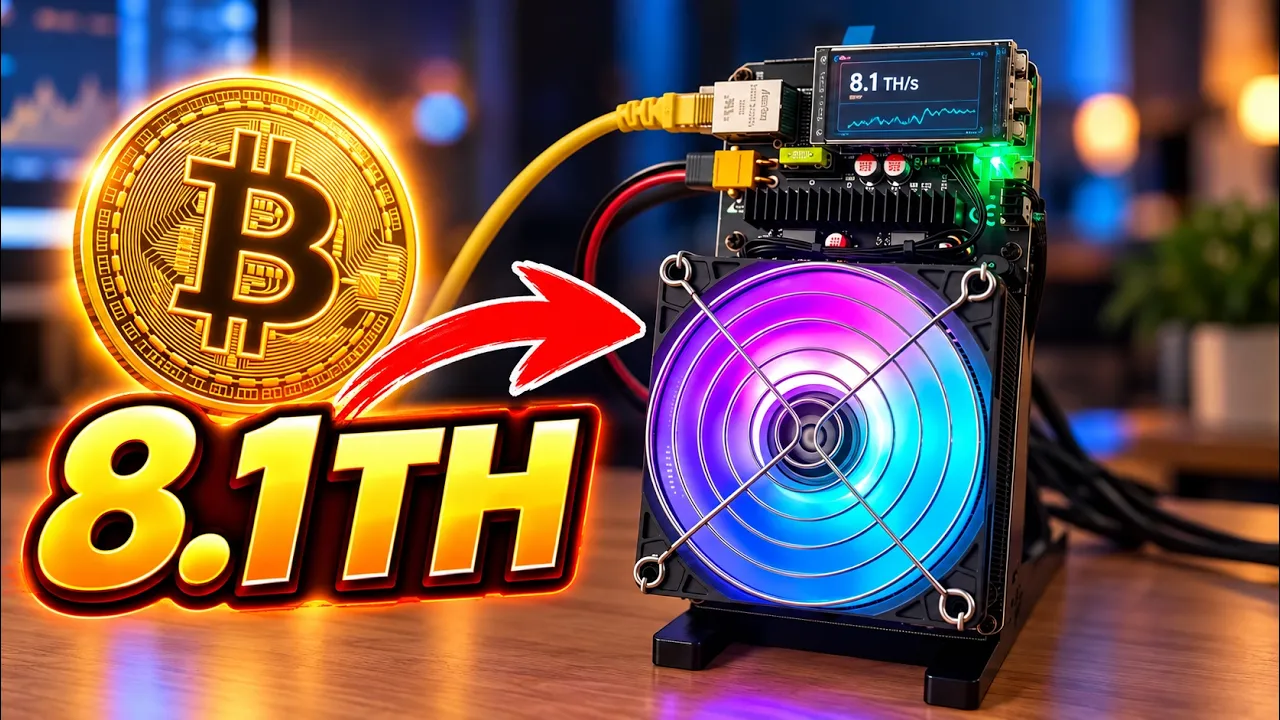
Oh, okay. You got to press save. I get it. Yeah, that's actually a cool mode. This reminds me of like a a radar, which uh I may have to take now. I like this mode. Let's see what this one is. Okay. Just static and breathing. I mean, I think it's what we just saw. Yeah. Yeah. Rainbow, right? Yeah. Okay. Uh let's just get back. Let's see what we see on here. 8.1 terash on the screen. We'll we'll wait a little bit for the pool and uh we'll just explore the default settings, but I like I said, I am going to make a firmware for this really quick.
And um yeah, let's go see. Uh yeah, there's nothing else. I mean, it's N O West there. There's nothing exciting here. Okay, so we're at 4.1 terhat. So, you know what? I'm going to come back after like I don't know 20 minutes or something and we'll see what it hits on the pool here and uh you know, we'll we'll go from there. Okay guys, I'm back. Uh, I don't even know how long I was gone. Let's see. How long was this biter up?
I literally just went to lie down while I was waiting. Um, where's the up time? Up time. Wow. One hour. Perfect. Perfect. Actually, let me refresh. Okay. Yeah, really one hour. Okay, great. Let's see what the pool's saying. Let's see what do we got. Uh QX 9.3. Um I feel like that's a little high. It says 8.1 on the display and 5.3 in the 1 hour average, but then is I'm not waiting all day for this to adjust. So I I guess it's around 8.1.
I'm not really going to uh I I I really don't want to spend more hours waiting for it to average out. There's other people who like to do that stuff, but I mean, if it's saying 8.1 in the machine, 9.3 on here. This is obviously just a little high from a little spike or something. Um, I could probably see it at like 8.1. But yeah, um, let me just look at this unit once more. And I'm going to make some custom I'm going to make Harlo for it. and uh I'll flash it and then I'll show you some of the new features of Harlo.
So, it's for actually Can I just lock the screen here? Yeah. So, let me just unplug this machine real quick. Uh you guys can't see. Hold on. See my my head. Okay. Yeah. So, [snorts] I I feel like I didn't do a super good close look here, but this is the the classic Nexus. They always kind of put this little like heat sink here. There's the two inductors. Um the replaceable fuse, right? Was there anything else hidden that I forgot?
Not really. Let's see what's under the screen. It's probably just the W555. Yeah, there it is. Just the Ethernet controller here. And yeah, uh I'm gonna make the firmware. Actually, should I just try and flash it right away? The QX is what do we think it's six chips? Actually, look, I'm going to make the firmware for this and um or or it's four chips. Um and then we'll come back. So, it was what time was the time? Well, we we'll time it how long it takes me to adjust the firmware for this. 443.
So, uh, yeah, we'll, uh, we'll be back. All right, guys. I am back. Let me actually show you the time. Boom. It literally took me I think it was 29 minutes. 29 minutes. There we go. So, now we got Harlo OS on it. Um, was actually very easy to add support for this. But yeah, um I just want to show you some of the some new features that no one has seen before. Uh this will be the first video about it. Uh but basically the stock OS was running 169 watts, 170 watts.
Pretty much exactly dead on uh what we're doing here at it. It averages to about 8.1. I also found online that this unit is 8.1 terraash rated for 170 watts at um Dude, I was just going to say something. I forgot. Anyways, it's using for the BM 1370 chips. So, there you go. Let me just turn this on and uh show you some of the features in the dashboard now. So, the best feature being the remote feature. Um, so like like I just want to show you guys because how I work on Discord is I was literally [laughter] I was literally adding support.
I was telling people in Discord I'm adding support for uh for the minor. Forgot what. Anyways, come to Discord because I literally was saying I was adding support for it and now it's done. So, no one actually knows yet. But let me show you the best features now of Harlo OS um in my opinion. So, I need to log into it. This has something to do with it. So, we have public leaderboards now. So, you can make custom profiles.
Um, some this this guy just happens to have the highest hash rate in one of our machines that has a public profile right now because it's literally brand new. Um, so you can set your custom little picture. You can make a little uh avatar up top like in our picture. Uh, and it will show your your devices that you have. Uh, let me just make this a little bigger. Boom. So you can see like the devices. And this is actually part of the OS now.
So, right now there are eight people who are who have tried it so far. And it gives you a little ranking who has the most hash power. Um, who submitted the best share, which is this guy here, be whoever this guy is. And what's nice is you could just go click like who is this? I don't know. But he's running two Bitax gamas and one of them hit one of them hit 8.5 right now by 8.25. So, he's got the highest all-time best share right now.
And uh there is a little chat system I'll show, but uh there is a little internal chat system just for people who use the OS. And yeah, this is kind of like a little overview to profiles real quick. But yeah, you could do that with the new OS. Let me log in, show you the dashboard. Um, we're on Atlas Pool again, but now if I refresh, I'm pretty sure we'll just go to Yeah. So, this is the Harlo Labs um interface. So, look, 8.14 the local hash rate.
Uh, you could also name your minor now. So, you could all just call the Nexus Q1 whatever Nexus. So now you have a little name if you open up multiple windows so you don't lose track of what minor's what. Kind of just a handy little feature. Uh yes, all the stuff. I'll just adjust this so it shows uh 170 watts, not 140 blah blah blah. Uh but what I want to bring your attention to is this. So this is Harlo Vision. This is the first video I'm making on this.
This is a thing that lets you remotely manage the minor. So, how this works is I I'll go through the little setup, but there's basically this thing that's explaining, oh, you could control your minor from anywhere in the world. You can get faster warranty support. It's not there yet, but it's part of it. Uh, and you can receive email alerts and Discord notifications. Um, if you know you you're I don't know, your minor overheats or you hit a block or the pool goes down or you could set it to do whatever you want.
So, basically what you do is if you don't want this, it's very easy to disable this like glowing uh thing. You just check this little box. If you want to try it though, you just put in your email address, which I'm going to block. Um, and I'm just going to set it up, but basically it sends you an email and then you click the link and then you're able to remotely manage it. So, I'm going to set this up real quick. I'll be back in a second.
Okay, so we are in this is the remote dashboard. But let me let me first show you what happens when you enable remote dashboard. Um, this happens uh just so people don't freak out, but basically because we're doing remote management now, the data goes to one of our servers and um for like honoring the warranty and stuff, we disable all the local APIs. So, you can't access the minor locally anymore. Uh to undo this, all you do is it's asking for show code on the minor.
And I just want to show you guys what this is. So on the screen, uh, every 5 minutes it will rotate a new like six-digit code and you just got to put that in like see here this code. Uh, it's always random and it will it will unlock the the dashboard again and disable remote. So, like I said, this is an optional feature, but uh the reason why it disables the local stuff is because if we're going to do warranty support and honor and stuff, we need to be able to make sure there's no third party apps that are sending commands to the minor.
So, specifically, there's going to be apps like Hashboard, Hashwatcher, uh Bitax Baller, uh dude, there's so many of these monitoring apps. um we can't have them just start sending commands into the minor because then we don't know did the app glitch out or did you do it and then it affects the warranty kind of process. So that's how it works right now open for feedback. But if you don't like this just don't turn on remote and you can still access it and use it on hasher and hashboard and all that stuff.
So, now that that's out of the way, this is the dashboard for the remote tool. So, here maybe I should uh shrink it a little better. But yeah, basically you could see an aggregate of your devices online right now. So, it's literally like a remote fleet management. And here, maybe I could zoom in a little more. But yeah, I mean look to to click on like the Nexus right now that we put on my desk. Um you you could come here, you're going to see kind of a similar same graph.
Uh so it normally if you're not on this dashboard, every 5 minutes it's going to take a chunk from your minor and save it. So you have like this history over time. If you're in the dashboard, uh all the little updates are going to come through. It's kind of hard to see. I should just change it. But when you're actively in the dashboard looking at the minor, you are going to be able to see more stats. So, and and you can basically do all the stuff.
So, at the bottom, oh, you you can't even see this. So, at the bottom there's this little uh controller. So, here you could control you could overclock it remotely. Um, it gives you like the stock frequency this thing came at was 1,00 uh megahertz and uh 1250 core voltage. So, I set those as the defaults, but you could overclock it. You could set your emergency uh shutdowns. Um, you could play with the fans. Um, this is air cooling.
Like, you just pick is it air cooling or is it water coolant? So, just pick no, it's air cooling. And now you could adjust your fan. I know it's I know it's ugly. Trust me, I know this is this is not the prettiest design in the world, but you know, at least it functions. The pools, you could adjust your pools here. Um, I feel like this one's actually designed a little bit better. So, you just add pools. So, you could do your split mining.
You can still do your test all remote. Um, logs. So, it's going to actually pull all your logs and you could watch your logs remotely if you want to watch the shares being submitted and and little problems that might come up. Like here here you could see the the air cooling uh was confirmed. Uh so you can see all that type of stuff. The lighting for for some reason here for some reason if you want to change the lighting um let's see if we can make this work.
Can I turn it uh static color red? Yeah. So, we could make it um you know, white if we want. Um something very interesting with Harlo though is we have these things. So, right now it's green to say the miners operated normally, but if it hits a new best share, it will like pulse purple. So, again, this is all happening remote, right? So, here you go. Let's put this back on the desk. Um, you know, I feel like I should just make the browser a little bit bigger.
But yeah, see the new best share. It's purple. Kind of hard to see. It looks white on the screen, but trust me, it's there. And yeah, that's kind of just the remote management. Um, you could do automation, uh, schedule your tasks. The new stuff, which I might have to block. I'm not even sure if we leak email here, but no. So, you could do email alerts now. So, if you sign up to remote and you, you know, your ASIC goes over 80 Celsius, um, it could automatically send you an email, uh, and you'll see in your email like, oh, your your machine name, like your Nexus, uh, is overheating.
Go look at it. It also has a default pool latency. If your pool latency is over 500 for some reason, it will send you a little email. You could turn it on and off. You don't need to use it. It's just there, so you could customize it. uh Discord notifications. You could um you could just report all sorts of like minimum shares with Discord web hooks. Uh you could customize all that stuff. It's it's literally all here.
You could play with uh if it overheats, if you find a block, if you uh power problems, like anything you really want. Uh yeah, so that's kind of just um that. And then there's a little chat system. So it's buggy. Um, clearly it's buggy because it does not scroll the way I want it to scroll, but uh there there's some people talking here. Um, so when you install it, you'll have access to this little chat system that's internal uh that only people who are running a firmware could access.
So there's that. And yeah, but basically the whole gist is now you could remotely manage stuff just with one email. Um and in the future because we're going to be um collecting the data of the minor because inherently it gets stored, right? Because look, so like this minor has been running for a while. Um so you could see just this data about its history is is stored in our database. Well, my database, let's say. Um, so we could know, you know, maybe maybe the the VR went to 150 degrees, I don't know, at 3 in the morning for no reason at all.
We could probably assume something failed in that minor and now we have the data for a faster warranty for people who have bought this stuff through through like heal and deploy or any company who will support this type of warranty system. Uh, that's kind of the idea here. um you exchange letting us hold the data of the little stuff like the the temperature, the the VR temperature, ASIC temperature, the fan speed numbers.
Um I'll publish the list of what gets stored, but it's just the necessary stuff to make it function and be able to honor warranties faster. And yeah, that's kind of it. Um if you want to try this, you just have to flash it on one of your miners that is supported. Um, it's on harlotabs.com. Let me just show you. And let me let me just uh actually I don't want to disable it, but um we should be mining in the pool still.
Yeah, here the Nexus QX1. We're still 8.3. Uh it's slowly creeping up. Like I said, it's probably going to go to the 8.1 it's rated for, but like I said, other YouTubers like to really test that. I don't want to uh sit here and do that all day. Uh what was I going to show? It was something important, too. But anyways, you know what? I think I'm gonna wrap it up. So, I'm just gonna move this. Let me go back here. Kick this box away.
There we go. Am I going to be in focus here? I hope so. But anyways, here, look. I'm going to unplug this. So, look at this. By the way, if you could see the screen, by the way, it was mining, right? So, I did put in a new feature. Hopefully, you can still see. But because now it lost connection to the internet in about like 30 seconds or 20 seconds, what it will do is it's going to power down the the derails. So, it's not going to just waste electricity because right now it's consuming 170 watts, doing absolutely nothing because it's not even connected uh to to to a pool, right?
Because there's no internet to it. So hopefully it doesn't fail live on on video, but it should it should drop its power down. Uh because Oh, there you go. There you go. So now it's at like 11 watts. Um yeah, it just like one of those quality of life dins, right? If there's no internet, why would we just waste 170 watts for like imagine a whole day your pool was down or or your internet went down and just wasting electricity?
So yeah, that's another feature. Um, okay. So now that I made support for this, uh, which was fun. 29 minutes. I never did support live in a video like this to add a new minor. Um, do do we dare open it? I don't have any thermal paste to replace, but uh, that's why I'm think I'm just going to leave it for someone else to open it. I I actually think uh Synthetic Division did a video open in one of these if I recall. Um so go check out someone else's video like his.
Actually, let me let me check real time. I'm I'm pretty sure he did. Um Nexus QX1. Aha. One day ago, actually. So if you want to watch someone tear it down, he he's torn one down. Someone uh I think gave him a unit to examine. So he he I don't feel like doing that right now. But yeah, I added support for Harlo OS. Um honestly, I've been only running it for maybe two hours max. It works. It's quiet. You know, I feel like 8.1 terra hash out of four chips is a little high though, right?
But I guess we'll see how long these things last for. But it it does feel like a nice heat sink. Like it's uh I don't think it's a thermal, right? But like it's very it's a very heavy heat sink. Not a full copper one. Uh the coils they use are very different than the normal units. Like they don't seem actually I don't have one. I was going to say I have a I have a a Naja here that never fits in its case properly. Yeah, these are not the same coils.
But anyways, uh would I recommend buying this unit depending on the price? Uh I I like I said, I don't know actually how much this unit costs. Uh and the vendor I was trying to go to um showed one of those like security warnings not to visit the website or we'll steal your information. So, I didn't click through it. Actually, now that now that I'm looking at this, where's my light? I have a little portable light. Just something really odd I just saw.
Hold on. Okay. No. No. Just some some of the soldering on here is a little uh You know what? It was just one. Yeah. Uh yeah. So, my complaints on this really my only complaint so far is this is this little cable that they included. Very very weird how they would just give the XT60 over here with the little adapter to the XT30. Um I I prefer when there's no, you know, extra points of failure because every connector becomes like a loss, right?
So other than that, uh we exposed the power supply not being a not being anything, right? I thought it was a little heavy for its weight. Turned out to be nothing. Um, yeah. I I don't have too much bad to say. Uh, if you could get this unit maybe for like [snorts] 250 bucks, maybe. Yeah, cuz it's competing really with a lot of stuff now, right? Like like maybe $250 or $300 and it might be worth it. Uh, it's got RGB control, ARGB, so you guys could make it fancy and stuff.
And uh, yeah, now I said it's got support for the remote management from Harlo, so that's good. It's got the Ethernet. Yeah. Um I don't know what I would rate it, but yeah, if you can find it for a good price, why not? Uh and and um like I said, the life, how long is this going to last? I have no idea. But um yeah, I'm just blabbering on now. Like I said, if you want to see a hardware tearown synthetic division on YouTube has one from literally literally one day ago.
I don't know if you can see that, but it's one day ago just in time. I could also see that he has hooked it up to seemingly a meanwhile over here. Uh but yeah, there you go. There. Hey, let me actually show you what happens to in our dashboard. So now you can see the QX is offline. So if you if you guys didn't understand, the green ones mean they're online and the red ones mean they're offline. So yeah, my my QX one is offline now.
It was online for 19 minutes. I'll probably add a offline thing because now now I'm kind of curious how long it's offline for. But anyways, let me just close this and end the video. I'll end it with their logo. But yeah, that's the end of the video. And um I do have this other box from Nexus Minor, which is going to be my next video. I don't know what's in here, but I'm saving it for the next video. So, this will be out probably on Friday, I'd imagine.
Anyways, I'll see you guys in the next one. That was my video on the Nexus QX1.
The words are the caption track's own and nothing is reworded or re-transcribed. Paragraph breaks are placed between sentences so the text reads as prose.
Free tools for your own script. No signup, no login.
Paste your draft and see where viewers are likely to drop off, with a rewrite for each weak line.
Paste the first 30 seconds of your own draft for a hook score and rewrites.
Check your draft against YouTube's advertiser-friendly guidelines before you record it.
Read this channel's public videos and transcripts, and download a writing brief for it.