Getting the transcript
Reading the captions from YouTube. A video nobody has opened here before takes 10 to 30 seconds; this page fills in on its own.
Getting the transcript
Reading the captions from YouTube. A video nobody has opened here before takes 10 to 30 seconds; this page fills in on its own.
NVIDIA Game Developer · @NVIDIAGameDeveloper
Where viewers went back to watch this video again, from YouTube's public Most replayed graph, lined up with what was said at that moment.
Most replayed moment #1
3:4457.9x the video's typical replay level
reel. >> [music]
Said at 3:37
Most replayed moment #2
11:3716.7x the video's typical replay level
you can see that when we turn DLSS 5 on on this character, for example, it's gaining better contrast, better ambient occlusion, better contact shadows. Want you to pay attention to the ears, for example, how they gain subsurface scattering that's previously missing. Or look at the ambient occlusion between the top of
Said at 11:30
Most replayed moment #3
15:076.2x the video's typical replay level
because of the train the training parameters being different. Now that we've taken a look at characters, I'm going to show you how DLSS 5 is also enhancing the rest of the scene. So, in this example in this example here,
Said at 15:01
The graph counts replays. It does not show where viewers stopped watching.
Words
3,490
Runtime
21:55
Speaking pace
159wpm
Reading time
15min
159 words per minute, below the 160 25th percentile of 349 measured videos. That distribution comes from the 349-video hook study.
Opening (first 30 seconds)
Good afternoon. Thank you, Jensen, for the introduction. Wow, the graph The history of graphics film is always awesome to watch. I never get tired of watching it. And you know what? A lot of it actually started right here as a graph paper. Well, today I have only one thing for you. And I think that could be the next chapter of that film. DLSS 5. We showed just a short glimpse of it at GTC Spring this year.
80 words, the words spoken in the first 30 seconds at 159 words per minute.
Free, no signup. See how the first 30 seconds hold attention, with rewrites.
Sentence shape
| Measure | This transcript |
|---|---|
| Sentences | 246 |
| Average words per sentence | 14.2 |
| Longest sentence | 53 words |
| Questions asked | 8 |
| Sentences containing a number | 37 |
Most used terms
Filler phrases
40 in total: uh 11 · like 9 · actually 7 · you know 6 · basically 4 · sort of 2 · um 1.
A literal whole-word count of the same phrase list the Prepublish browser extension uses, so a phrase inside another word is not counted and a phrase used in its ordinary sense still is. It is a count and not a judgement.
What this transcript is
Every word below is the caption track YouTube publishes for this video, pulled from the video itself and reproduced unchanged. It is not Prepublish's writing, not a summary, and not a re-transcription: it is the video's own published captions. English captions, generated automatically by YouTube, in the video’s original language. Source: the video on YouTube. A channel that would rather this page did not exist can ask for its removal through the contact page, and it is removed.
Good afternoon. Thank you, Jensen, for the introduction. Wow, the graph The history of graphics film is always awesome to watch. I never get tired of watching it. And you know what? A lot of it actually started right here as a graph paper. Well, today I have only one thing for you. And I think that could be the next chapter of that film. DLSS 5. We showed just a short glimpse of it at GTC Spring this year. And at SIGGRAPH, we get to go deeper.
What it is, why we built it the way we did, and what we're so excited about it. DLSS 5 goes back to Turing, which is the first GPU in which we put RT Core and Tensor Core side by side right on the same chip. And even back then, we had the belief that graphics and AI would have to advance together in order to achieve real-time photorealism one day. And let me show you what that means. There's a pattern behind that film.
Every once in a few year, a revolutionary technology come along, and the image realism and fidelity of real-time rendering would leapfrog the previous generation. And it opens a new era, a new platform, and it charted a new curve on this graph. Programmable shader was definitely one of the good examples. Suddenly, all the game artists can write program to shade every pixel. And I still vividly remember how big of a jump it is in game fidelity.
And fast forward to today, we're at path tracing with DLSS 4. Fully simulated lights at real-time frame rate. But look at the top. We're still not there yet. We're still not at indistinguishable from reality in real-time rendering. So, where does the next curve come from? Let's start with what we know. Traditional graphics build images from first principles. We author the scene, we simulate the light bouncing inside of it using physics, and then we frame it with a camera that we control down to the accuracy of a millimeter.
That's rendering. Every pixel is there because somebody wanted to be there. And while we're doing that, something else happened. Generative models learned photorealism. Once we feed those model enough of the real world, eventually they learned how skin would scatter light, how the hair would glow if they're backlit, or how the glass would bend the world around them. But those generative models are slow and giant, and they're not as easily controllable as rendering can.
So, wouldn't it be great if there's a way that we can get the best of both worlds? And with that question in mind, we set out to seek the next leap in image fidelity for real-time rendering. And this is what we ended up doing. The renderer keeps building the world exactly as the game has authored it, and the generation becomes the learned stage afterwards to enrich its appearance. So, learned generation defines the world, and generation enriches the appearance.
That's the core intuition behind DLSS 5. And I can describe that all day, but this is Siggraph. So, let's roll this reel. >> [music] >> Cool. >> [applause] >> Yeah, thank you. So, everything you just saw is traditional rendering followed by De-Alias by generating the final photo-real appearance in real time. And I think it looks great. It's a new level of realism. But looking real here is only half the problem. The other half is staying true to the original content.
And that is tricky because all the general models are probabilistic. You can ask it for portrait of a merchant at sunset. You get a gorgeous merchant. And you ask again, you get a different merchant. Well, if you ask for 10 times, you get 10 different merchants. And generally the field is steering these general models with various abstract signals like text prompt, reference images, 3D proxies, or even storyboards. And by the way, this is a really fast-moving research area that is really fascinating to follow.
And they all work. It's just that every one of them still leaves a lot of the room for the model to improvise. And that is totally fine for offline generation. But for real-time rendering, we don't get to pick. Whatever the model generate will get presented to the viewer in the right next frame. So, we need some condition that is more constrained and rigorous. And you know what? There is such signal that is hiding in plain sight.
We're going to use the frame the game just rendered. It's not a prompt. It's not a reference. It's not a proxy scene. It's a render's own output. And it's one signal that is actually universally available across all the engines, path tracing, rasterizers, hybrid, whatever. And unlike a prompt, this is actually a very information-dense and pixel-aligned view of the current shot. And can really provide the grounding for a lot of things like character identity, the the lighting setup, the mood, the camera composition, and so on.
So, we took the render frame and make it more realistic. And the idea is is really simple, but the moment we actually set out to build such things, it turns out to be incredibly challenging. Three fundamental and tough research challenges immediately presented themselves. The first one, preserving the artistic intent. Even when we give the model a render frame, a generative model will change it. That's its whole job.
But every change, it comes the chance that it will drift away from the original intent. Say the hero has a scar, and the model just don't like it, it removes it. Yeah, the image now looks cleaner, but it's the wrong character. So, we drew a hard line and trained the model in a way to respect those intent. And we used some of the render's internal buffers such as albedos, surface normals, and some of the lighting information to make sure the model can understand what it has to stay consistent with.
And within those constraint, the model is free to enrich what sells realism. Things like better subsurface scattering, finer material responses, the light transmission across hair and foliage, even better contact shadows, and better environment lighting. So, the scar can pick up better skin shading, but it should never disappear. And DLSS 5 must change the image in a way that it does not change the story. That's the first challenge.
And challenge number two, temporal streaming. Most video generators work in chunks. They reason across multiple frame and they generate a batch of frame at once. But with real-time render, we don't get to do that again because it has to respond to the user input immediately and present and render frame by frame. But luckily, when we're working within the game engine, we do have access to things like motion vectors and all the DLSS have been using them from day one.
They can just tell the model how things are moving across adjacent frame or frames and the model does not need to infer across pixels and frames to figure out what the motion is. And and thanks to that and other things, we managed to make DLSS 5 run constantly and frame by frame, one frame in, one frame out and it does not need to peek ahead and it it it it remains temporally stable and coherent while doing so. No shimmer, no drifting, no swimming.
And challenge number three, speed. A 4K frame is made of about 8 million pixels and when we're rendering at larger than 60 FPS, we got really less than 16 milliseconds and most of that is used by the game itself. So, like I said, the foundational model that can do those generate those photoreal appearance are large and slow and they can generate anything in seconds and what real-time rendering want is something more specific.
It should be smaller and more efficient and and more focused. So, we distilled. We took what those general model that knows about the world appearance and compressed it into a much smaller, one-step pixel space diffusion transform model that does only one thing, make real-time rendering look more real. It's still not a regular filter because it inherited all the broad world knowledge from those giant foundational models and it's it really understand the image that it's looking at, understand characters, understand lighting and context.
But it just what it has lost is generality. It just cannot generate funny cat videos anymore. But because it only does this one thing, it's it's we've managed to make it compact and efficient enough to really run side by side with this in the game and still make the whole experience feel like a game. So, narrative intent, frame by frame coherence and streaming and frame budget, solve all three, we can have generation live inside the render.
But the render frame is really only one layer of control. The problem is the mapping between the render frame and the more realistic version of it is not one-to-one. There There doesn't exist a reference ground truth for us to match against with. And multiple outcome could make sense. So, which look do you want? Where do you want it and how strong do you want to apply? Those are all artistic calls. And they belong to the people making the game, not the model.
And the best person to show you what that means is an artist. So, let's invite Gav, who's our creative artist, and he will direct DLSS 5 for you guys. Welcome, Gav. >> [cheering] >> Thanks, Ed. Thanks, everyone. Okay, so what I'm going to show you today is how we can control DLSS 5 for everything you see on the screen, uh characters, elements, and props, as well as the full environment. Before I do that, I'm going to show you uh I'm going uh back to what Ed has mentioned that DLSS 5 is basically enhancing the frame and it's respecting the render frame.
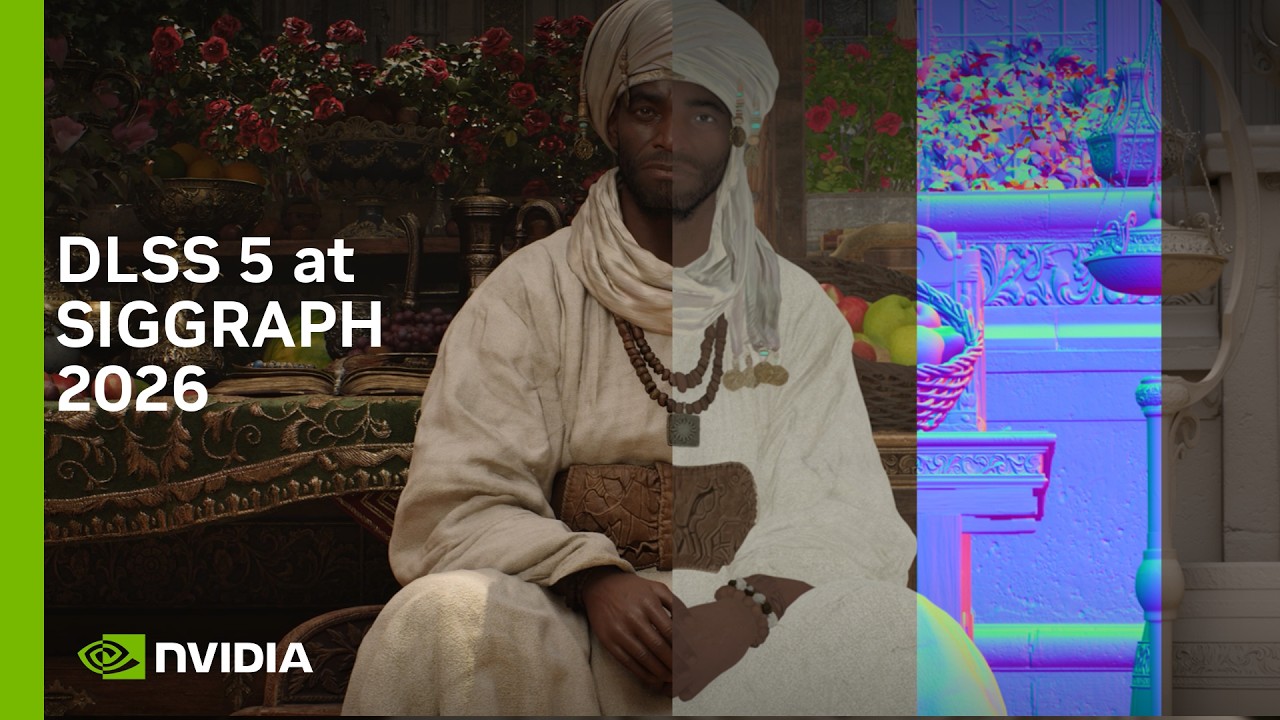
It is not changing the geometry in any way and it's uplifting the image. If we take a look at this example here, you can see that when we turn DLSS 5 on on this character, for example, it's gaining better contrast, better ambient occlusion, better contact shadows. Want you to pay attention to the ears, for example, how they gain subsurface scattering that's previously missing. Or look at the ambient occlusion between the top of the head and the piece of cloth on the top of his head.
And the eyes gain better reflections. So, as you can see, DLSS 5 is fully respecting the render frame and is just enhancing it. Now that we've seen that, I'm going to show you the controls that we're building in DLSS 5 to our director frame. I'm going to start from broad level of controls and I'm going to show you how we can get very granular with how we can control what DLSS 5 is doing to the frame. The first set of controls is actually models itself.
So, DLSS 5 has different models. As you can see in this frame here, we have different models, model A, B, C. They have different output because they're trained on different parameters. When a developer picks a model, you're not locked into one. And the the the theme that you're going to see in all my presentation here is that uh you can sort of mix and match whatever you want. So, picking a specific model does not lock your whole game, for example, into one.
You can pick a model for a scene, a model for a different scene, a model for a cutscene. So, you can pick whatever suits you. Then, some more global controls. We have structure intensity as well as tone intensity. So, structure intensity is modulating the high frequency detail of the frame and tone intensity is modulating the low frequency detail of the frame. A simpler way to think about it is structure intensity is basically adding things like better ambient occlusion, better subsurface scattering, and uh better reflections.
Whereas, tone intensity is a bit more expressive and is impacting the lighting, is enhancing the lighting. As you can see, uh if we move the tone slider, it's changing the colors because it's effectively changing the subsurface scattering and the lighting. So, these are global controls that, uh again, enhance the whole frame. Now, I'm going to show you some controls that we have. There's two different level of controls.
There's controls that come from the engine side and controls that come from the model side. Because DLSS 5 is a smart model, it understands what's in the frame. So, this for example, is a model auto masking. The model understands the character, the base character itself and we can use the slider to control the intensity at which DLSS 5 is being applied just on the base character as you can see. And this is coming entirely from the model side.
I want to show you one more example of that. In this example, DLSS 5 is off on the environment and we're just turning it on again just for the character because the model understands which one is the character. So, this is coming entirely from the model side because the model understands the semantics of the scene. What I'm going to show you here is an example of the same model with different structure intensity. You can see that structure intensity 25% is obviously closer to the render frame with a midpoint and then we have 95% which is closer to the maximum uplift that DLSS can provide.
So again, you can see that the developer has the option to pick whatever intensity they prefer for their final frame. And next, I'm going to show you sort of the opposite of that. I'm going to show you the same structure intensity but with the different models. Again, different models give different outputs because of the train the training parameters being different. Now that we've taken a look at characters, I'm going to show you how DLSS 5 is also enhancing the rest of the scene.
So, in this example in this example here, okay, let's say we want to again enhance the whole scene. But okay, actually we don't want to do that. Let's say we want to enhance specific items in the scene. These are controls that come from the engine side. Here we've masked for instance the pitcher, the grapes, and the bottles. And these are implemented on the engine side, and you can mask as you see fit. So, you can have as many masks as you want.
And as you can see, we can control the sliders independently. Each item can be adjusted in intensity and tone completely independently from each other. So, you can completely art direct whatever item in the scene you basically want the LS5 to enhance or not enhance. And one more example from one of our scenes. Here we have grouped um the bottom part, as you can see the whole cutting board, and the props at the top. And again, completely masked, rest of the environment is not being affected.
Here we can control, you can see the LS5 is adding better reflections. As you can see, better contact shadows into the ground. For the bottles, you'll see much better translucency in the bottle, better metal reflections. And those are just the elements that we're uplifting without touching the rest of the scene. Again, tone, intensity, structure, everything can be tweaked as as the developer sees fit. And last but not least, what I want to show you is how the LS5 can enhance the whole environment, in this case the foliage scene.
And as you can see, this scene looks very nice. It is a ray-traced scene, but it still looks a little bit plasticky. And when we turn the LS5 on, as you can see, the plants come to life, and they look really photoreal. That's because the LS5 is adding subsurface scattering, and that's something that as you know, traditionally would be incredibly expensive to do in traditional rendering. And the LS5 is taking the image to the next level.
Again, here we could control the intensity that we wish fully. So, uh what I hope I showed you today, and this is just a small glimpse of the control we have, but what I hope you you you get away with is the fact that the LS5 is fully controllable from the developer. We have a lot of controls. We are building more, and we're working with our partners to incorporate their feedback so that DLSS 5 becomes a tool for the artist, the art directors, and the creative directors to basically able to have their vision it be reflected into the final frame.
Thank you. >> [applause] [cheering] >> Thank you, Kafis, for demoing for us. Yeah, what you just saw the whole idea. The frame really defined what has to remain and Kaf the artist directed what could change. And you know, control and artist direction is a really exciting research for us and this is something we will continue iterate and work on based on the developer feedback that we receive. All right. So, AI has been applied in real-time rendering for for a few years now and there's broadly two major categories.
The first one is reconstruction. And the job of reconstruction is to recover the the ground truth reference rendering that was assuming if the render has no resource limit, the perfect render, the perfect image. And current DLSS we are some of the best small real-time models for that. And and then we also have functional approximation. It's technologies like neural radiance cache, neural materials. They use tiny neural networks to approximate some far more expensive computation.
And DLSS 5 is adding a third. It's generation because right now the model actually changes and generate the final appearance in the in the image. And artistic direction now becomes the new ground truth. Now, remember the chart that I showed you earlier? The one with the missing curve? Here it is. Historically, our lever for scaling up the image quality is to scale up the render. More rays, higher resolution textures, more triangles, and those still matter.
A better grounding will give DLSS 5 uh a better rendering will give DLSS 5 a better grounding to start with. But, DLSS 5 adds a second lever now. Because now, if we scale up the model, the image realism and fidelity will also improve. And the more exciting thing here is that even if we don't scale up the model size, improvement on the offline training side, such as better training data, better loss functions, just improvement in the training dynamics, will also translate to a direct improvement in image fidelity at runtime without any additional cost.
And it's also worth calling out that, you know, even though we're at the curve of path tracing right now, every one of the curve previous to that is still alive. We're still riding all of them. And DLSS 5 is the same. It extends exis- existing pipeline. It does not replace them. And I also want to be clear that we're not claiming we have solved real-time photorealism. True photorealism is still ahead of us. You know, right now, the animation does not get uplifted the same degree as appearance.
And eventually, we want the model to be able to generate more and more realistic images. And DLSS 5 really sits at one end of a much wider generative spectrum. It's optimized for games. It's really tightly grounded. It's real-time. It's causal. And and on the other side, the interactive video foundational models, it's a whole different story. And and out there, it it gets even trickier on what the model must uh what must stay true.
We don't have every answer, but what we do know is that the more the model uh can offer and can generate, the more control it will have to offer for it to be something useful and valuable. And that is wide open research opportunity for the SIGGRAPH community. And this curve really is just getting started. We're still on the steep part. So, that's DLSS 5. A new level of realism. Simulation defines the world, generation enriches its appearance, and artists direct the outcome.
Not AI replacing graphics, AI extending graphics the same way programmable shaders and ray tracing has extended graphics before. Every pixel in a game is there still because somebody wants it to be there. DLSS 5 it was built to keep it that way. And we're shipping it this fall. >> [applause]
The words are the caption track's own and nothing is reworded or re-transcribed. Paragraph breaks are placed between sentences so the text reads as prose.
Free tools for your own script. No signup, no login.
Paste your draft and see where viewers are likely to drop off, with a rewrite for each weak line.
Paste the first 30 seconds of your own draft for a hook score and rewrites.
Check your draft against YouTube's advertiser-friendly guidelines before you record it.
Read this channel's public videos and transcripts, and download a writing brief for it.