Getting the transcript
Reading the captions from YouTube. A video nobody has opened here before takes 10 to 30 seconds; this page fills in on its own.
Getting the transcript
Reading the captions from YouTube. A video nobody has opened here before takes 10 to 30 seconds; this page fills in on its own.
Creator Magic · @CreatorMagicAI
Words
3,495
Runtime
17:40
Speaking pace
198wpm
Reading time
15min
198 words per minute, between the 181 median and the 201 75th percentile of 349 measured videos. That distribution comes from the 349-video hook study.
Opening (first 30 seconds)
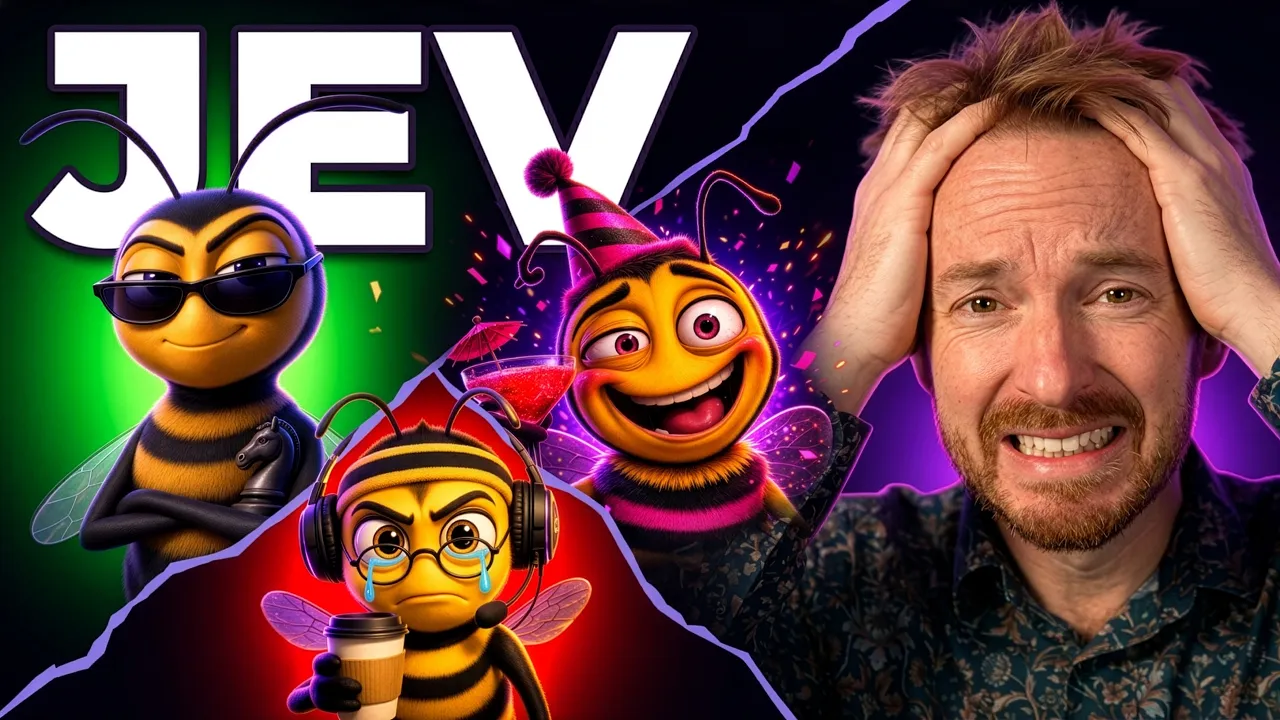
This is an AI trading bot. It's trading real money right now. Last year, my AI trading agent made $2,500 in just one single day. Then I gave 3 AI agents $1,000 each, and the loser was, well, supposed to be deleted. But I never told you who died, and well, things changed pretty quick. Well, today it's different because this is all going to happen on camera, and I'd like you to meet my new bees: Bizzy, Breezy, and Boozy. Oh, and let's not forget the Beekeeper. 3 AI trading bots, stocks and crypto, and one really will
99 words, the words spoken in the first 30 seconds at 198 words per minute.
Free, no signup. See how the first 30 seconds hold attention, with rewrites.
Sentence shape
| Measure | This transcript |
|---|---|
| Sentences | 310 |
| Average words per sentence | 11.3 |
| Longest sentence | 55 words |
| Questions asked | 7 |
| Sentences containing a number | 45 |
Most used terms
Filler phrases
29 in total: actually 10 · like 10 · basically 2 · literally 2 · right? 2 · you know 2 · kind of 1.
A literal whole-word count of the same phrase list the Prepublish browser extension uses, so a phrase inside another word is not counted and a phrase used in its ordinary sense still is. It is a count and not a judgement.
What this transcript is
Every word below is the caption track YouTube publishes for this video, pulled from the video itself and reproduced unchanged. It is not Prepublish's writing, not a summary, and not a re-transcription: it is the video's own published captions. English captions, published by the channel, in the video’s original language. Source: the video on YouTube. A channel that would rather this page did not exist can ask for its removal through the contact page, and it is removed.
No Script X-ray for this video: YouTube shows a Most replayed graph only once a video has enough views.
This is an AI trading bot. It's trading real money right now. Last year, my AI trading agent made $2,500 in just one single day. Then I gave 3 AI agents $1,000 each, and the loser was, well, supposed to be deleted. But I never told you who died, and well, things changed pretty quick. Well, today it's different because this is all going to happen on camera, and I'd like you to meet my new bees: Bizzy, Breezy, and Boozy.
Oh, and let's not forget the Beekeeper. 3 AI trading bots, stocks and crypto, and one really will die at the end of this experiment. My old bot made one decision every 2 minutes with ChatGPT. It was pretty slow considering how the stock market and crypto moves. Well, these 3 bees are going to be powered by Jev. 300 trading decisions in one single minute. That's each costing 1/100th of a cent and roughly around $5 a day.
Look at this, every decision happening right now is automated by Jev, and the 3 bees are trading in real time. I'm even gonna leave it running while I sleep, so let's dive in. And here's the best bit: all of this is free and open source. Stick around to the end, and I'll give you the link to build your own bees in just one click. Describe how they trade, AI brings them to life, and you can race them against mine on the live leaderboard.
Just before we go any further, none of this is financial advice. This is an experiment with money I can afford to lose, and crypto can go to zero. Okay, first of all, I've had to choose an exchange that's compliant in my region, and as you'll see, there's no money in it right now, but I did do some test transactions just to make sure I can get money in and out, and it works perfectly. So now I'm confident. Here we go again with 1,000 USDC going to that account.
Let's click send and— Sent 1,000 USDC. It's gone. It's on its way. Okay, look at this. I can see my test from the other day that was received. And right now I've got 1,000 USDC on the way to my exchange account that I'm going to hook up to the 3 bees. As you'll see over here, it takes about 19 minutes for the process to take place. So we'll just wait it out and then we'll get into building. Now, one of the reasons I chose this exchange is not only is it compliant in the region that I'm in, but they also support sub-accounts and have an API.
We'll get into the API later, but sub-accounts is a great feature, meaning that I can set up the 3 bees with separate trading accounts all under one account I own. And the best thing about it, when we get into API and hosting this thing later, the bees can trade, they can make decisions, but they absolutely cannot withdraw money, which means no one can prompt-inject and say, hey, send me all the money you've got in your wallet, which is fantastic.
The worst attack vector for this kind of setup is someone can get the API key and make really bad trading decisions on my behalf, but they can't withdraw any money. While we wait for the transfer to go through, let's create the sub-accounts. And the first one is going to be Bizzy Bee, like so. The account type will be a standard account. Right, that's the first bee set. Let's create the second sub-account. This will be Breezy Bee.
And again, same account type, standard. And we've got the final bee, which is Boozy Bee. This is going to be an interesting one. Again, another standard. And that's all we need to do. And then we can submit them. Right. There we go. Sub-accounts created. Fantastic. They're all there with no money at the moment. So it's time to get the money to each bee. Best thing is I can upload profile images for each bee and easily switch sub-accounts here.
It is literally as easy as this to see how my bees are doing at a glance. Right, while we wait for the money to land in the account that we're going to share equally between the bees, it's worth to say that I've chosen this exchange because they have this Agent Trade Kit, which is really cool because you can essentially connect it to any AI that you're working with. They've even got tutorials here on how to connect it to OpenClaw.
But in this instance, I'm going to open the GitHub and show you that the source code exists here, which is absolutely awesome. It's there and it's starred on GitHub. And the best thing is this code is MIT licensed, meaning I'm free to use it to do this whole project. Plus I can pull data on things like Bitcoin with absolutely no key. And this is the exchange's own tool, so it's brilliant. All of that real-time data that I'm feeding to Jev will be pullable in an instant for free.
And when I actually get into trading, not only can my bees choose to go into Bitcoin and all the usual suspects like Ethereum and Solana and Doge and you name it, but they can also go for the spicy things like maybe a Trump coin could be possible, or even Useless coin. Yes, Useless coin is a possibility. And I wonder if Boozy might go for that one. Some of the smarter bees might choose to get stocks in. Yep. OpenAI or even Anthropic.
We'll see what happens. But the tension is real and anything is possible. Right. And look at that. In just the time it's taken me to tell you all of that. Yep. $1,000 have been approved. They're in my account. Let's share it out with the bees. So here's my first transfer to Bizzy Bee. Let's send that money over there. Done. Simple as that. We'll do the same for Breezy Bee. Money going to you, Breezy. And the one I'm really not sure about.
Yes, the money is going now over to Boozy Bee. We'll see exactly what Boozy Bee chooses to do with the money. Okay, now that money has cleanly landed in my sub-accounts, we can get building and we can hook in an API key for each bee to do their own trades. With $1 remaining in my main account and all of the transfers happened right here. We're in good shape. All right, let's go into my projects folder. And I've got a bees-money project.
Now I'm going to run Claude Code and we'll use the very latest Opus 5.5 to build. Now I need to get my Jev API key to plug into the app. We'll do that right here in the TypeSafe console. I'm going to create this and I'm going to call it the BeeBots Tech key. We'll create right here. And while I'm in here, we'll go into billing. You'll see I've got a credit balance, but I'm going to need much more than $5. That will last me a day.
So let's add some funds. This experiment will cost me roughly $150 to do. So we'll purchase these credits now from TypeSafe. Okay. Yep, that's done. So now we've got loads of credits in Jev. We're going to be making decisions all the time, every single day to influence our bees. So let's go. Here's the first prompt. Build a Node TypeScript service using my exchange's command line interface with 3 profiles. We're going to have Bizzy, we're going to have Breezy, and we're going to have Boozy in there.
This is definitely where it gets interesting. Every 60 seconds it will pull all of the metrics right from the exchange and build a very small token snapshot that can be sent off to Jev with the bee strategy, text, and position. Jev will then return one choice from a fixed menu with probabilities. This is exactly what we want, so we get those multiple decisions a minute. It will instantly pass it through a risk layer and then make the market orders only.
Everything will be logged to a database as well, and we'll stream the events to, well, eventually what will be a nice dashboard. Right. And with my Claude prompted and logged in, it's starting to think about it and it's going to read the brief, the AGENTS.md that I created before we started. And also it won't print any of the secrets, including my Jev API key, which is reassuring to know. Right. It's on it. It's installing the CLI to get things working.
It's making sure all the scripts are there. It's confirmed everything and it's got everything needed to cover the functionality. So it's building it out against the European region without a key at the moment, just in test mode. So we can see how this all works. Okay. Another cool thing we can do while we wait for Claude Code to complete, it can find the Jev key, but it can see there are no keys yet for my exchange. So we'll simply go ahead and create API keys for each bee.
It's as simple as creating an API key. This will be for Breezy Bee. We'll switch on all the permissions. And to make it super spicy, there are 537 different coins and stocks that can be traded. So you know what? We're going to select them all. This should definitely make the experiment interesting. And as you can see, they're flashing up there in Claude Code. Claude Code is also finding those same cryptos and stocks, and we're still waiting for Claude Code to complete this.
It's really working hard. And as you can see, all of my bees are getting set up here. And now you can see Boozy getting set up, the final one of my bees ranked by momentum plus attention and lots of stuff, including the news and falling back to volume score. So tons of metrics for Jev to get hold of here. And as you can see, Jev will choose, code will decide. All right. As you can see, this is running and the tests are going through.
This has been cooking for nearly 20 minutes. So I'm pretty sure I'm going to have 3 elite trading bees very soon. Looks like we're getting close. Loop working end to end with decision stream orders fill. This is fantastic. Claude is about to finish cooking. Everything seems to check out. It's actually making it in Docker containers, which means it'll be easy for me to deploy into production. Okay, we're good. I've built the engine.
It's running. Oh my goodness me. It's writing up a report. This is fantastic. Okay, this is looking good. So it's asking me if it can run real Jev calls and I'll say yes, you can run real Jev calls. And we can also see that it's calculated here from its calculations that it's going to cost me $3 a day. So less than we estimated at the start of the video. I'm also going to tell it to build a read-only React dashboard that will basically show the stream of the real-time decisions and orders going through.
So we'll get Claude Code to cook that up and then we're nearly about ready to set this experiment into motion. Okay. It's making 100 real calls on live snapshots. It's going to report back. So we'll make sure that all works. And look at this, all 100 calls succeeded with latency well within timeout. This is fantastic news. Exactly what Jev is designed for. Quick decisions, cheap. It's now optimizing token usage because yes, even Jev accepts tokens and we can definitely squash down the prompt to make it really work and stay within budget.
Okay, now we can see it's writing the code for the dashboard. After 8 minutes, it's getting there. It's actually starting everything up. I love the fact that Claude Code now takes screenshots of everything that it builds to make sure it looks good in 4K. That's exactly what we want. And boom, look at this. We have a dashboard. It's busy, it's happening. And while we can see Bizzy Bee is losing money, we can see Breezy Bee is staying static and Boozy as well.
Boozy and all over the place. Real-time decision streams flowing in here with Jev making the decisions. We've got profit and loss up here, fees paid. Of course, the exchange is not free to use. Any funding that goes in, how much Jev is costing and the decisions happening in real time. Obviously, this is simulated. This is a dry run right now. But of course, by the time you're seeing this video, this will be a live thing, which, by the way, is something to focus on because as you'll see, I'm running it here on 127.0.0.1.
That's my own home network. So it works. 3 bees making real-life decisions and hopefully making me some money. But there's a problem. It's running here on my Mac Studio, and when I finish work and switch it off for the day, the bees will die. And I quite like sleeping. So where would a thing like this live? A server ultimately that never switch off and costs less than a coffee a week. So I'm going to use Hostinger and it's going to be KVM 2 for this to give my bees the ultimate amount of power.
So pick the plan, enter my coupon code MAGIC10 for some money off when you build. And it's also a great idea to choose a server that's close to you. I'm gonna use plain old Linux and we'll stick it on Ubuntu 26.04. And great news for my particular build is that I get a free domain for 1 year with this order. Okay, fantastic. My journey begins now. Now as I set this up, I'm creating a root password, but I'm also gonna add an SSH key.
This basically means my Mac can talk to the server in the cloud and transfer everything I've just built locally to run 24/7. Okay, that's great. My root password and SSH key are set up. We can finish the setup and have my VPS created for me. Okay, bear in mind at the moment my costs. So we're going to spend about $100 a month on Jev, and then we're going to spend maybe a couple hundred bucks on a server for a few years.
So that's very reasonable. But we need to make sure my bees are profitable. 2 minutes and you're done. A server running that I control. And now watch this. One command and the bees will be running on a box in Europe that you can view. So first I need to claim my domain name. And this is where I can type in any name I want. I quite like the idea of calling them BeeBots. So we'll claim BeeBots.tech. And there you can see I get it completely free for a whole year.
That's pretty awesome. Domain name gets registered for me right inside Hostinger. Okay, now I'm going to say to Claude Code, I'm just about ready to get this onto a VPS that I own. The domain is BeeBots.tech. I'd like you to do a gentle read-only test on my API keys, including those for each different bee to make sure they're working. Also give env entry for Hostinger API. And I'm doing this so I can literally have Claude Code do everything from package up what I've just created into Docker, deploy it to my VPS, and put it out on the internet using the domain name I just registered.
We'll let Claude Code cook on that. Now, while that's cooking away, you can actually see over here I've created an API token on Hostinger. I'm going to copy that token and that will go to Claude Code so it can do everything for me end to end. We can see it all checks out. $333 USDC each for every single bee. We're in a good place. This is really good. Jev and the 3 exchange keys are working, although Breezy's live key is missing, and that's because it's scoped to VPS IP only.
I've added it to 2 bees to test, but one doesn't have it yet. This is a great security feature, meaning nobody else can control my bees but one place. So we've got yes on Jev. Yes, the bees can read, trade, but not withdraw, which is exactly what we want. IP bound. We just need to add Breezy's in. The balance is absolutely correct and we can set some demo keys as well. All right, good news. Every single demo account has some demo money to play with.
The live account has exactly the amount of USDC that I transferred and we're doing our first test. I've told it to test with demo money on the demo API just to make sure everything is all good. Okay. It says demo mode is working correctly and identifying everything. So it's running some demo transactions, right? This is really good. The demo round trip pass for all 3 bees. Order code that will trade for real now works against my exchange with fake money, meaning that when I put this into production at the end of the video and allow you to go and watch in real time, this will actually be trading real money for me using AI and Jev to make decisions.
Okay, my final prompt to Claude Code: package this as a Docker Compose for Ubuntu 26.04 and stick it on Hostinger KVM 2. Simple as that. We'll get Claude Code to cook it up and you'll be able to see the site. Right, everything's getting packaged up into a nice Docker Compose, ready to go live on my VPS. And look at this. I love Claude Code. It spun up Docker Desktop just to confirm on my local machine that everything's working.
And this is awesome. BeeBots local has been spun up with all the Docker containers needed. So we know it's going to work. Confirmed all checks passed locally. Okay, we're just about there. So I'll just say deploy to Claude Code. And there we go. BeeBots.tech is live in dry run. We are actually online, right? All that's left to do is go to BeeBots.tech and check this out. And there we are in real time. My bees are in dry run.
I just tell Claude to deploy it and go into live mode. And by the time you hit this site, you'll see the bees trading in real time. So the full picture is really simple. One Jev call, 3 bees, 300 decisions a minute for just pennies. And you can keep an eye on it in real time, see how much it's costing me and see whether the bees are actually making me any money. Look at that. The code runs on paper by default. No real money moves unless you switch it on by yourself.
I'm running all 3 bees on a Hostinger KVM 2. If you want your own, there's a deploy on Hostinger button in the repo I've shared. That's down below. One click and it sets the whole thing up for you with paper trading on by default. Claude coaches each bee and the changes are approved in real time. This is crazy. I really wonder what it will do. Let me know your thoughts down below. I'm actually going to install these bees.
I'm going to put them inside my community's Buzz as well. So you'll be able to actually chat to the bees, find out what their strategy is, and maybe even steer them for members of my community. The bees are live right now. All the links are down below to host this and set it up for yourself. Now, here's what I want from you. Which bee do you think will die? Is it going to be Bizzy, Breezy, or Boozy? And which one is going to come out in first place and actually end up making me money?
Pick your one in the comments down below. And around 30 days from now, I will come back with some real numbers and let you know how it did. Everything I built today, every prompt, every config is inside my community. Code's free, links below. And the bees are live right now at BeeBots.tech. Come and watch them. Thank you so much for watching. And YouTube is showing a video on your screen now you should watch next. Thanks.
The words are the caption track's own and nothing is reworded or re-transcribed. Paragraph breaks are placed between sentences so the text reads as prose.
Free tools for your own script. No signup, no login.
Paste your draft and see where viewers are likely to drop off, with a rewrite for each weak line.
Paste the first 30 seconds of your own draft for a hook score and rewrites.
Check your draft against YouTube's advertiser-friendly guidelines before you record it.
Read this channel's public videos and transcripts, and download a writing brief for it.