Getting the transcript
Reading the captions from YouTube. A video nobody has opened here before takes 10 to 30 seconds; this page fills in on its own.
Getting the transcript
Reading the captions from YouTube. A video nobody has opened here before takes 10 to 30 seconds; this page fills in on its own.
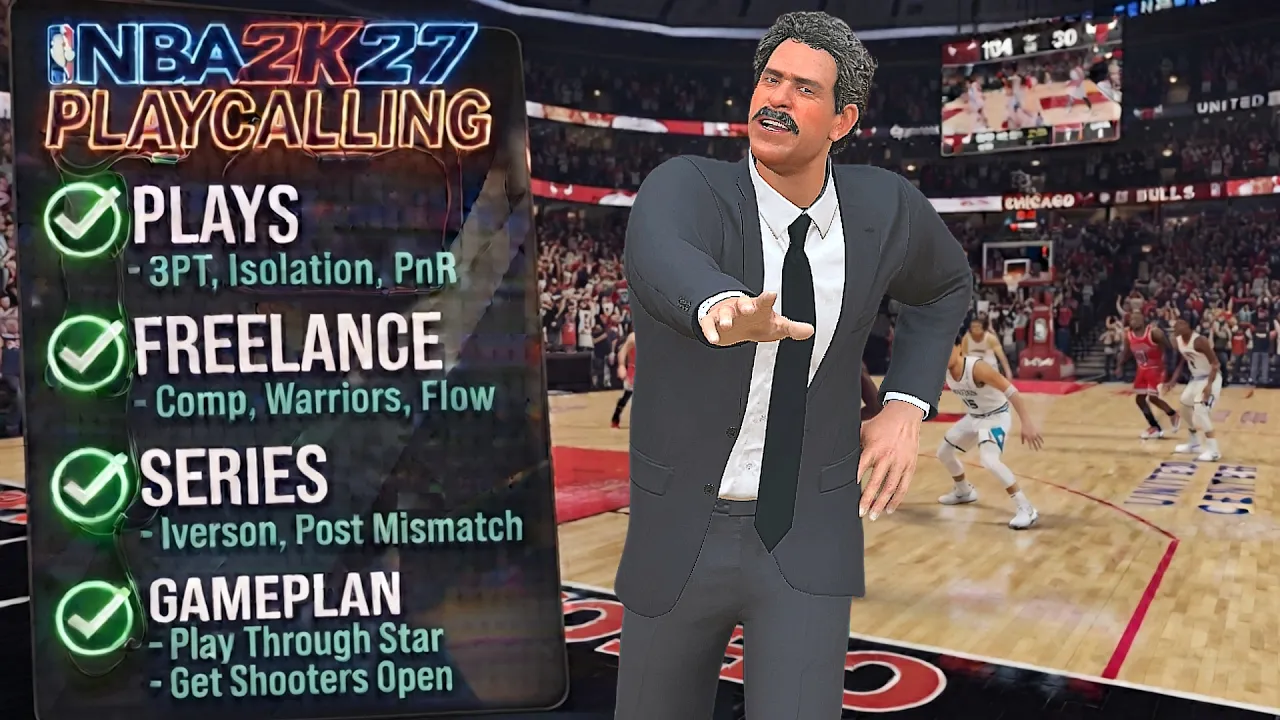
Rells Gamertag · @RellsGamertag
Words
3,657
Runtime
22:53
Speaking pace
160wpm
Reading time
15min
160 words per minute, between the 160 25th percentile and the 181 median of 349 measured videos. That distribution comes from the 349-video hook study.
Opening (first 30 seconds)
What's up, YouTube? Back with another video. And today, I'm going to go over a lot of things related to offensive play calling here in 2K27. So, I'll be going over how to call plays, uh, how to call freelances and series, explain what some of these things mean, as well as cover some of the more nuanced topics like play priorities, favorite plays, and offensive game plans. So, with that being said, let's get into it. So, first, we're
80 words, the words spoken in the first 30 seconds at 160 words per minute.
Free, no signup. See how the first 30 seconds hold attention, with rewrites.
Sentence shape
| Measure | This transcript |
|---|---|
| Sentences | 251 |
| Average words per sentence | 14.6 |
| Longest sentence | 54 words |
| Questions asked | 5 |
| Sentences containing a number | 8 |
Most used terms
Filler phrases
156 in total: like 74 · um 38 · uh 23 · you know 14 · basically 3 · right? 2 · actually 1 · kind of 1.
A literal whole-word count of the same phrase list the Prepublish browser extension uses, so a phrase inside another word is not counted and a phrase used in its ordinary sense still is. It is a count and not a judgement.
What this transcript is
Every word below is the caption track YouTube publishes for this video, pulled from the video itself and reproduced unchanged. It is not Prepublish's writing, not a summary, and not a re-transcription: it is the video's own published captions. English captions, generated automatically by YouTube, in the video’s original language. Source: the video on YouTube. A channel that would rather this page did not exist can ask for its removal through the contact page, and it is removed.
No Script X-ray for this video: YouTube shows a Most replayed graph only once a video has enough views.
What's up, YouTube? Back with another video. And today, I'm going to go over a lot of things related to offensive play calling here in 2K27. So, I'll be going over how to call plays, uh, how to call freelances and series, explain what some of these things mean, as well as cover some of the more nuanced topics like play priorities, favorite plays, and offensive game plans. So, with that being said, let's get into it. So, first, we're going to start off with the settings.
So, you want to go to your coach settings, um, adaptive coaching engine. You want to turn that off because if you turn it on, it allows the CPU to make changes either offense, defense, or both depending on what you pick. But, I turn that off. Next is offensive play vision. I put that on all plays. And offensive play vision is um where you see like all the arrows and where to pass and where the um other players are going, where the screens are being set, all that stuff.
It'll show on all plays. So if you pick user plays only, it'll only show if you call the play manually. But if the computer calls a play, then it won't show. So I just put that on all plays. So whether it's you or the AI that calls the play, all the plays get shown. Play vision display. I put that on full. So again, that's what shows like all the arrows and where to pass and where people are screening and um all that stuff.
You could put it on light. Um it won't show all the arrows and stuff. It'll show like little icons above their heads and stuff, but I put it on full because it helps me, but also like when I make videos, you know, people can follow along with the plays and see what's going on a lot easier. Play call messages, you want to put that on show all, and this will show you like what play is being called on the top right. And it's really helpful to, you know, let you know which play is being called.
Also, if you're using a freelance on top of plays, it'll show you when a play is being called and when your freelance is running. Next, we got offensive play calling. I put these I put this on manual, but there is a way to have plays called automatically if you don't want to put it on auto, and I'll go over that later in the video, but I keep that on manual. And now down here, you have freelance series order. So, this is for when you use a series, it'll call the plays in a specific order every time.
Dynamic is when like it'll just call the plays in any random order. That one's up to you, but I just leave it on static. And freelance series repeat. um basically how it sounds. So if you score, if you're using a series and you score on a on a play, if you put repeat on success, it'll keep running that same play until you don't score, then it'll go to the next one. But do not repeat, whether you score or you don't score, it's going to go on to the next play.
So again, that's up to you, but I'll be putting on do not repeat. So starting off with how to call the play, uh what you want to do is press the left bumper or L1 to bring up the icons above the player's heads and then select the player you want to call a play for. So, let's say I want to call a play for OG. You'll see the uh the menu on the right and then just use the triggers to scroll through the pages of the playbook and pick a play. >> So, now we're going to get into play priorities.
Play priorities are what determines what plays a player has access to. Like by default, like when you, you know, press LB L1 and you press the icon, you bring up, you know, the the pages in the playbook. The play priorities are what determines what plays you see when you scroll through the pages in the playbook like that. So, if we go to assign plays, you'll see Jaylen Brunson, he has pick and roll point, isolation point, hand off receiver, pick and roll ball handler.
So, these are the types of plays that he has access to. So, if I wanted to call a three-point play for Jaylen Brunson, you'll see he he doesn't he doesn't have any. It's not here. It's because he doesn't have three-point priority. And so, um, play priorities is important to know, especially because if you know that you want to run a certain play, but you can't run it for a certain player, it's because they don't have that priority.
So, um, if you're playing play now or my NBA or probably even my career, um, you can change these. So, let's say I wanted to run a three-point play for Jaylen Brunson. I can change this to three-point. And now, I can run these three-point plays for Brunson. You can also use it if you want to get to like a certain type of play faster. So, like when I'll be playing play now online, sometimes I don't be wanting to put the favorites in.
I'll talk about the favorites in a little bit, but sometimes I don't want to put the favorites in. So, let's say I wanted to run a lot of three-point plays. I'll put three point in the priority one slot because it goes in order. So, it'll go through three-point plays, then isolation plays, and the handoff plays, and the pick and roll plays. And so, I'll put the three-point plays in the front. or if I was running a lot of pick and roll, I'll put the pick and roll plays in the front so I don't have to keep scrolling through the whole playbook.
So, that's something you can do. Also, in my team, I know in years past, like you weren't able to change the priorities on a card. I don't know if it's still like that. I don't really play my team, but it's also like important to know the uh priorities that you have on your My Team cards if you want to use plays in My Team and if you if you don't use the favorites. So now getting into the favorites, you can use favorite plays to call plays faster.
You can use it to uh call plays for a player that doesn't have a specific priority. And you can also assign that play to a specific player so that every time you run it, it can run for that player. So what you want to do is go to your offensive settings, go down to play selection, and then from here you can remove a lot of these. I usually remove like motion peasant light. I usually remove these. I usually keep isolation.
Sometimes I might keep Floppy, sometimes not. But uh let's say Jaylen Brunson again, he doesn't have three-point priority, right? And so I can just add a few three-point plays here for him. So let's say I add these four plays. Now, if you don't assign these plays to anyone, what'll happen is if you call one of these plays, it'll get called for the player that has the highest three-point rating. And if that player has the ball, then it'll probably call it for the second best highest rating.
But let's say I want to run these plays for Brunson. So I would just press Y to assign player. Then like let's say I assign all these to Brunson. So that every time I call one of these plays, it'll run for Jaylen Brunson. So in a game, I'mma press left on the D-pad. And as you can see, the favorite plays menu pops up and you call the play. So instead of, you know, fumbling through all the pages in the playbook and all of that stuff, you can call a play in as less than two button presses.
So next we getting into freelancers. Freelancers give you a certain type of spacing as well as actions that you can score from and it kind of just helps you give your offense some structure. And freelancers differ from plays because plays are usually designed to get a specific shot for a specific player. But freelancers usually have actions that you can create different scoring opportunities with multiple different players and usually a little more free flowing and allow you to just like use your creativeness or just like read and react to the defense.
And so in order to set your freelance, what you want to do is go to your offensive settings and then down here to freelance. So you can choose up to four. We can't run all of them at the same time, but these four freelancers would just um pop up on the the menu when you pull it up in the game. So, um we're just going to add a couple. Now, you when you in the game, you press right on the D-pad, freelance, and as you can see, all your freelancers will be there.
So, just a couple small examples of a couple freelancers. So, like comp freelance is um something that you'll probably see like videos of people using. It's just straight five out. No actions, no nothing. You So you can just run your ISO, run your pick and roll, do whatever you want. Denver 2018 is another five out freelance, but you do get some action. So like you bring the ball out with your point guard to the middle and you always get this action right here because your center is usually on the wings and then you get this double screen out the corner.
Pretty consistent action that'll happen like 80% of the time. Two three zone is one I'll be using when people play zone on me. >> So this spacing definitely helps you break a two three zone. You get the ball in the middle. You can get the ball to the wings. Swing. Swing. So people playing Zone, you definitely run this freelance. in Warriors, uh, they be having like offscreen plays, >> like when the ball's on the wing, you'll get, you know, this double screen and then you get that like little what's that twirl action.
And you can also get some post splits like that when you enter the bowl in the post. And also if you like going here, it'll give you like a little description of um some of the action that you might see and um like a little picture of the spacing as well. So, you know, go into uh learn 2K scrimmage mode, try some of these out and see what you like. So, now we getting into a series. A series is just a series of set plays that follow a similar action or a similar concept.
So, if we go to our offensive settings, you can go all the way to the bottom and um just look at all the different series. You don't have to equip them from here. You could um go into the menu while you have the ball in the game, but just showing some examples. So, like the double drag series, it'll be like double ball screen plays, right? Um, you have the Iverson series. So, uh, pretty much every play has that Iverson action or starts out in that Iverson action.
Um, post mismatch series, it's more of a concept. It's just a bunch of postup plays. Uh, the Melo series, it's just a bunch of like high post up and isolation plays. So, there's no like list of plays in each series. is like if you wanted to find out the plays of each series, you just have to go into scrimmage mode or a game and um just use the series and like take notes of the plays that get called. I don't know why.
Like it's been so many years since they added these and there's still no list of what's in them or anything like that. But like I said, you you just have to go into scrimmage mode or something and uh run the plays in the series and like take notes. But if you want to uh call a series, what you want to do is press right on the D-pad series and then um just pick the series you want. So let's say I want post mismatch series.
And so post up plays will get called for you know your best postup player. But you can also use like the uh play priorities if you want like the plays to run for a different player. So, let's say I want to post up Bronson. I'd go down here to the place. I'd give him like uh guard post up. Uh I don't think you have to give him like all three like post ups. I think you could just give him one and just as long as like nobody else has um post up plays, then the plays will get called for Brunson.
So, let's go to towns and then let's take off the post up place. And so, now um let's just call call it again. And see, now Brunson is getting the post-ups. And so, here's an example of the Iverson series. So, we going to run Iverson series. And if you look at the top right, quick Iverson. >> So it starts out that Iverson action and then you know you get some other actions. All right, we get the mismatch >> and we get a bucket.
Now this time you see fist Iverson and again you see that Iverson action get called. We get the open shot. it. We on Hall of Fame too. So, and see now we got Quick Iverson too. >> I'm not running. >> I should actually run the entire play. And now we got Punch Iverson. As you can see, like all these all these plays, they start with that Iverson action and then there's usually actions happening after that. And so now we're back at quick Iverson.
And so if we go back to the coach settings, remember down here, freelance series order, it'll go in order. So it'll go like like the Iverson series. It'll go in that same order every single time. And then I also put on do not repeat. So whether I score or not, it's not going to repeat. It's going to go to the next play. But let's run some of these plays in with their entirety. So you can see that we get that and then you get this screen and then all right, plays over. >> All right.
So now we got Fist Iverson. make this pass. And now you it starts in the Iverson action then ends in a pick and roll or pick and pop. All right. So now we got quick Iverson two >> play ends in this >> and now you get into the pick and roll. Create your shot. Create your advantage. Mismatch. >> Bunch of Iverson. >> Oh, I messed up. >> But you get it. >> And now we're back at Quick Iverson. I got the help. >> You can also run a freelance in a series at the same time or if you have um your plays on, you can run a play and then run your freelance as well.
So what'll happen is after your play gets called, let's say you don't score, you don't get a shot, uh your offense will go into your freelance. So let's say, all right, so let's say we run a play from our series. All right, we don't get a shot. >> So, we back it out. And now my offense will go into my freelance. So, this is my Denver 2018 freelance running right here. >> You can also like cancel the play in a way if you just want to get into your freelance.
So, let's say I don't want to run this play. You could just call for a pick and roll and then have him go away and then now your offense goes into your freelance. So now I'm going to get into some of the offensive game plan. So when you have the ball, you press uh right on the D-pad game plan. And as you can see, you got different game plans. So you got play through star, play through second option, run freelance, pick and roll, series, get shooters open.
And so if we pause and go to the offensive settings, you can see the game plan right here that gives you like, you know, a description of it. And so um this is how I'm able to like run plays automatically even though my play callings are manual. You know, people always ask me how I get the plays to um call automatically. So, you could put play on automatic, but I don't do that. I just keep it on manual. But a lot of times I use these game plans.
And in um my last video with um the Nuggets, I used the play through star game plan. So, if you go through if you go to it, you'll see run all offense through your best player on the floor. So what'll happen is every possession up the court, a play from my playbook will get called from my best player. And the plays that get called depend on what priorities the player has. So if I pick play through star right now with Jaylen Brunson, if I go to the pri to the uh play priorities, these are the types of plays that are going to get called for Jaylen Brunson every time up the court.
And back in 2K26, I experimented with a few of these. So if we go back, I've used play through star. Um, I've used pick and roll. So basically every time up the court, a pick and roll play will get called. Pound ball inside will call post up plays for your best postup scorer. Get shooters open will call three-point and mid-range off offscreen plays for your two best shooters. From what I've seen, it's not just like your best shooter. it could be your two best shooters.
And so, like I said, this is how I get plays to get called automatically uh for a specific player without putting them in my favorites and without um making the play calling on auto in my coach settings. So, right here, I put the game plan to pick and roll. So, what'll happen is every possession up the court, a pick and roll play from the playbook will get called. And next possession's up. Next possession up. Is this the same play? >> I think it is.
Sometimes it'll do that. like it'll just run the same play or like sometimes it'll it'll tweak out and only run like the same >> like three four plays. It be weird sometimes like sometimes it's cool and then sometimes like it'll be like like what are you calling bro? Like call something better like please. So that is like you know one of the downsides or like one of the things to look out for. Okay, now this time we got a different one. >> And like I said with the uh the series, if you don't get a shot, >> uh your offense will go into your freelance.
Damn. >> Uh, also another tip is you can change the playbook um no matter what team you have. So um you can also do this on play now online as well. So if you go to coaching sliders, you could just change the playbook. So, um, I could change it to the the Mavericks playbook. And as you can see up top, you a play from the Mavericks playbook got called. And then if I scroll through the plays, you can see Dallas plays. So, um, you can basically use any playbook with any team.
And one last little thing that I just figured out is, um, the tempo. So, like if you press right on the D-pad tempo, you'll see push the pace, neutral offense, patient offense. Um if you do push the pace, uh what happens is if um you get a stop on defense, it won't even call a the play like it'll just call like a quick um like pick pick and roll and you just like try to score quickly and then it'll go into your freelance.
So, let's see if I get a stop here. So, I get I think you have to give the ball to the guard, too. But you see, it just goes into a pick and roll really quickly. And then again, it'll just go into your freelance. So, it won't even call a set play. So again, I gave it a Brunson. I bring it up the court and then you just get you just get a a early action pick and roll. >> So that's something I just found out which is pretty cool if you want like a more uptempo offense.
So that's pretty much it for the video. So, if you have any questions, let me know in the comments. [music] Um, and as always, I hope this helped you. I hope you enjoyed. Thanks for watching and stay tuned for more content. [music]
The words are the caption track's own and nothing is reworded or re-transcribed. Paragraph breaks are placed between sentences so the text reads as prose.
Free tools for your own script. No signup, no login.
Paste your draft and see where viewers are likely to drop off, with a rewrite for each weak line.
Paste the first 30 seconds of your own draft for a hook score and rewrites.
Check your draft against YouTube's advertiser-friendly guidelines before you record it.
Read this channel's public videos and transcripts, and download a writing brief for it.