Getting the transcript
Reading the captions from YouTube. A video nobody has opened here before takes 10 to 30 seconds; this page fills in on its own.
Getting the transcript
Reading the captions from YouTube. A video nobody has opened here before takes 10 to 30 seconds; this page fills in on its own.
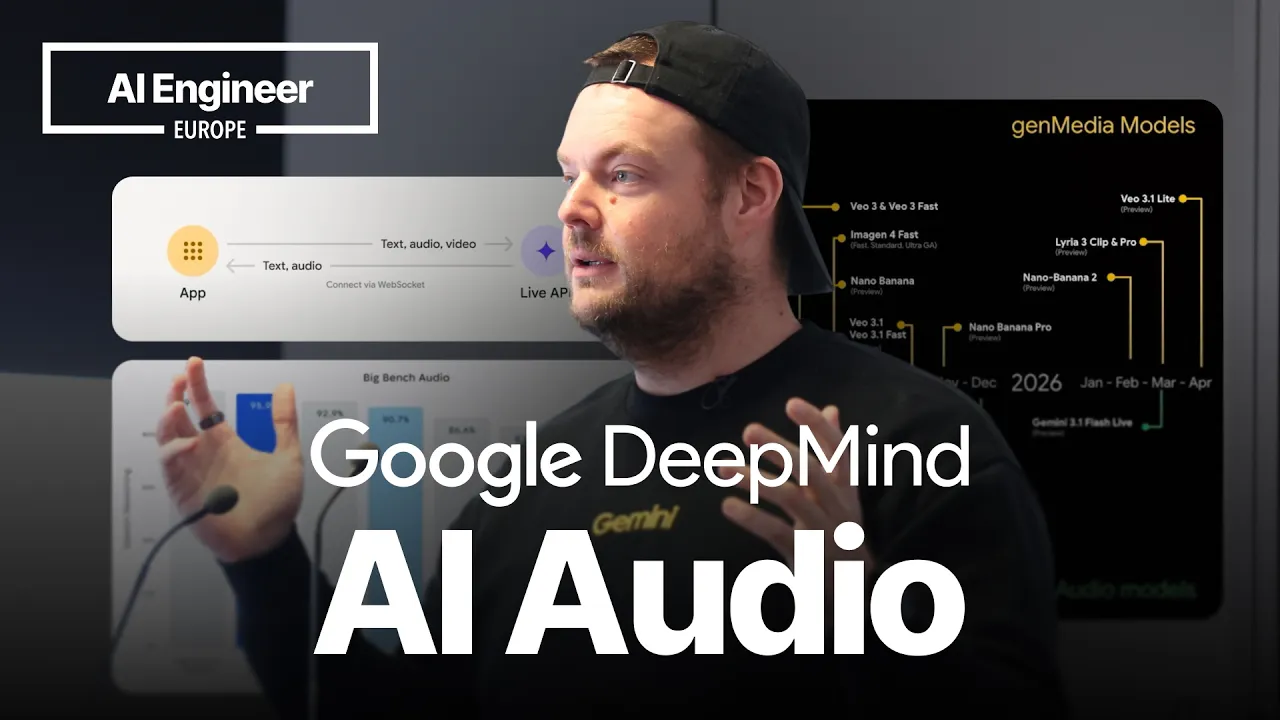
AI Engineer · @aiDotEngineer
This video has no Most replayed graph yet: YouTube shows one only once a video has enough views. These are the moments viewers replayed most in AI Engineer's most watched videos.
Most replayed moment at 18:45
4.8x that video's typical replay level
that they're they're changing they're changing things in the database not yet. You want to run them through the ontology first and make sure that works. Okay. I only got an I've got I've got another I've just a short time. I'm going to try to show you some of the things that um that you can
Said at 18:37
Most replayed moment at 16:13
3.6x that video's typical replay level
method signatures, the program layout and the call stacks. So here's some examples. I don't think you'll be able to read this one, but this is like the level of abstraction we're at. It's how we're actually going to lay this stuff out and how these systems are going to interact. Dylan Mulroy from Cloudflare talks a
Said at 16:06
Most replayed moment at 13:49
2.3x that video's typical replay level
Fable uh and it runs into an unknown, ask it to log it, right? So that um you uh you can see where the deviations happened and then you can sort of figure out why as well, you know? It will usually give you some context about what happened.
Said at 13:43
The graph counts replays. It does not show where viewers stopped watching.
Words
3,088
Runtime
19:33
Speaking pace
158wpm
Reading time
13min
158 words per minute, below the 160 25th percentile of 349 measured videos. That distribution comes from the 349-video hook study.
Opening (first 30 seconds)
All right. What's new in AI audio? I'm sorry. It's a little bit misleading because the title leaves out the Ask Google DeepMind. So, we're just kind of looking at, you know, what we've been working on at DeepMind. If we were to look at everything in AI audio, we'd be spending a lot of time here, but you know, I'd love to show you kind of what we're what we're working on at DeepMind. Yeah, this is me.
79 words, the words spoken in the first 30 seconds at 158 words per minute.
Free, no signup. See how the first 30 seconds hold attention, with rewrites.
Sentence shape
| Measure | This transcript |
|---|---|
| Sentences | 222 |
| Average words per sentence | 13.9 |
| Longest sentence | 50 words |
| Questions asked | 18 |
| Sentences containing a number | 16 |
Most used terms
Filler phrases
271 in total: you know 89 · uh 46 · kind of 43 · um 38 · sort of 29 · actually 9 · like 9 · basically 4 · literally 2 · right? 2.
A literal whole-word count of the same phrase list the Prepublish browser extension uses, so a phrase inside another word is not counted and a phrase used in its ordinary sense still is. It is a count and not a judgement.
What this transcript is
Every word below is the caption track YouTube publishes for this video, pulled from the video itself and reproduced unchanged. It is not Prepublish's writing, not a summary, and not a re-transcription: it is the video's own published captions. English captions, generated automatically by YouTube, in the video’s original language. Source: the video on YouTube. A channel that would rather this page did not exist can ask for its removal through the contact page, and it is removed.
All right. What's new in AI audio? I'm sorry. It's a little bit misleading because the title leaves out the Ask Google DeepMind. So, we're just kind of looking at, you know, what we've been working on at DeepMind. If we were to look at everything in AI audio, we'd be spending a lot of time here, but you know, I'd love to show you kind of what we're what we're working on at DeepMind. Yeah, this is me. Hi, everyone. I'm Thor.
I work on the developer experience at Google DeepMind working on the Gemini API and Google AI Studio. Uh Hello to them. As you welcome. My name is Torsten. Uh bonjour. Je m'appelle Thor. Je suis très désolé, mon français c'est très mauvais. Uh konnichiwa or writing that. Um That you have what you choose I make what the talk or in what I say what I talk when I go home. Okay. That was for the demo and now I just need to make sure last time I did this demo, I recorded over it and then it was all gone.
That was very sad, but we'll we'll come back to that in a bit. Yeah, what have we been up to at DeepMind? Um There's been a couple releases. I I actually joined the team in November, literally the day before Gemini 3 was released. So, I joined and they told me, "Tomorrow we're releasing Gemini 3." And I was like, "Yay!" Didn't do anything, but it was great. It was it was a great time. Uh most recently on the open model side, we released Gemma 4, uh I think literally last week.
And yeah, pretty incredible. Some cool stuff you can do there multi modality as well baked into Gemma 4. So there's audio understanding in the the Gemma 4 models and you can do that on device on kind of edge devices as well. So that is some some very exciting stuff. In terms of gen media and audio, you're probably very familiar with our you know, image generation models, video generation models. Obviously video has audio generation in there as well.
So this is kind of where the progression is there most recently with video 3.1 light on the gen media model size and then on the audio models, we recently launched Gemini 3.1 flash life, which is our kind of full duplex, you know, sound to sound real-time conversational model. Also multimodal so you can ingest real-time text, voice, vision. Which we'll we'll look at in a in a bit. So you know, on kind of audio very very broad topic but sort of the the baseline of everything we do are kind of the you know, frontier Gemini models.
And so Gemini 3 is incredibly good at understanding audio. And you know, that's not just transcribing it but really you know, understanding kind of all the nuances that are in there. So that might be you know, obviously speech but also the context of the speech, the the emotion, you know, your pacing, your sort of yeah, anything that sort of swings within the audio that's you know, not just text. So on the audio understanding kind of our goal is to build models that deeply comprehend, richly transcribe and robustly reason through audio.
Seamlessly handling you know, a large mix of different languages, dialects, accents, and modalities. And sort of anywhere and always, you know, Gemini is really good at on you know, transcribing even people that are talking over each other. Um which is which is pretty pretty incredible, you know, seamlessly switching between different languages. That was sort of the demo we're looking at um now. So, um Echo Script is kind of Gemini uh 3 flash preview to sort of analyze, you know, audio recordings and extract sort of information out of it.
Uh it is built with Google AI Studio, so you can you can find it in the gallery in AI Studio. You can try it out. Uh I can give you the slides later as well. Um and so, that was sort of, you know, what I was trying to demo earlier. Um so, you know, different from just kind of a pure transcription uh model, we can extract a lot of information out of the audio within one single, you know, request to the model or one single API request if we're using the API.
So, you can see here, you know, summary, I introduced myself by name. Um so, we're actually able to label um you know, the section with speaker by name. Uh I forgot there was no hecklers in the room, otherwise we would have picked that up as well. Uh maybe we can see if we have more time later and we can do that. But, so we can see here, you know, we're extracting timestamps, uh we're labeling the speaker, kind of identifying the speaker, we're we're identifying the language, and sort of the emotion of it, right?
Uh happy, you know, to introduce myself as Grace. Um now you can see this was in German. Um normally it would classify my German as angry. Uh but, uh here, you know, I I guess I'm very happy to be with you all. So, uh I just told it, you know, uh label sort of the emotion, uh label the language if it's a language that is not English, um give me an English translation as well, right? Um in French, uh neutral, normally you would say sad.
Uh you know, French is just a bit more of a uh no, I said, you know, I'm sorry, my French is very bad. Uh didn't didn't sound sad enough, so neutral in this case. Um Okay, this uh this didn't work so much Japanese. I got to got to practice that if anyone reads Japanese, so it should actually say hello, my name is Thor. Unfortunately, bit of a miss there. Uh let's see if my Mandarin was any better. Hello everyone, I'm a German living in the United States.
Sorry, my Chinese. Yeah, that is uh correct. Does anyone read Chinese in the room? No, okay. Well, uh we'll just trust that that is um that is correct. Uh and so, we can see here that um this was, you know, one uh kind of request to the model um where, you know, I basically just told it identify the distinct speakers. If you have contacts, you know, label it by name label the speakers by name. Give me the accurate timestamps.
Give me the language. If the language is not English, give me the translation. Uh identify the emotion out of, you know, happy, sad, angry, neutral. And then also provide a brief summary of the entire audio at the beginning. So, this was one API call uh to Gemini 3 Flash preview. And, you know, we got all this information out. We could, you know, I just gave it a response schema so kind of structured outputs, uh and I was able to just populate that into my into my API into my UI to have sort of the structure.
So, you know, this kind of audio understanding and sort of the the, you know, base research in the Gemini 3 models, that is sort of what powers um the speech generation as well as well as the you know, real-time conversational um generation. So, having that audio understanding um is is really really great in terms of, you know, knowing what certain things sound like including, you know, different pacing, different accents and and and scenarios like that.
So, you know, the foundation of kind of all our models is now sort of the the Gemini 3 foundational research and then we're building kind of the dedicated audio models on on top of that. And so, with speech generation it's a bit different. You know, if you've used kind of other TTS providers before, you probably have a huge library of, you know, different voices that you sort of, you know, you filter by gender, by by, you know, accent, by languages, what have you.
But so, in in in Gemini, you have, you know, just I think it's like 30-ish sort of base voices. And then what you do is you you kind of direct that voice to act in a certain way. And again, because we have that audio understanding, we can we can basically modify the voice to, you know, act in a certain way, to, you know, use a certain accent. And so, we can go from kind of a small set of of base voices to a very specific, you know, kind of voice that we're looking for for our speech generation.
Again, there's a a little application that you can try out. It's in the Google AI Studio Gallery as well. It's called the voice library. And so, what we can do is, you know, kind of giving the the the prompt structure that we just saw, you know, we're building sort of the the audio profile, the scene, we're setting the scene, we're instructing sort of this director's note. So, we're giving guidance for the performance, you know, just like how you would direct a human, you know, to to act out a certain way.
And and some sample context and kind of the transcript um, that we want. So, now what we can do is, you know, we we just said sort of uh, we want, you know, high pitch Irish male. Uh, and so basically, I just used Gemini um, 3 flash here again to then construct our um, system prompt for the speech generation. So, we're saying here, you know, um, we're we're setting sort of our audio profile, you know, Finian here in the scene sort of cozy crowded pub uh, in the coast of County Clare.
Um, you know, deliver the lines with a strong authentic uh, Irish accent. And so now we hope the the TPUs don't uh, disappoint me. There we go. It failed. But um, I didn't, you know, I prepared it so we can we can listen to it here. Ah, you wouldn't believe the size of the thing until you saw it with your own two eyes, I'm telling you. It was a grand old mess, so it was, and we were all laughing fit to burst by the end of the night.
So, as it as you can see, you know, this was uh, the the base voice here is uh, this one. What kind of problem could we solve? So, you know, that is a fairly sort of stan- standard, you know, American accent. But so now by, you know, giving it that director's node, we can then sort of give >> Ah, you wouldn't believe the size of the thing until you saw it with your own two eyes, I'm telling you. It was a grand old mess, so it was, and we were all laughing fit Or, you know, similarly here we have um, Zephyr.
So, this voice uh, is here. Ready to build something awesome today? Again, you know, kind of fairly standard sort of American um, English accent here. And now we could say, you know, give it kind of a Singaporean sort of C. Wah, you must try this chicken rice lah. The chili is damn sure confirm plus chop you will love it. Faster queue before the uncle close shop, okay? Anyone spend time in Singapore? You know, yeah. That's you know, that's something you would hear in the Hawker Center.
So, again, you know, that is kind of underpinned by the audio understanding. So, the model really understands what, you know, these these different scenarios sound like and then can modify the speech generation to to be like that. Um Yes, and then, you know, finally sort of the the native audio sound to sound multimodal real time. So, we just launched a couple weeks ago Gemini 3.1 Flashlight. So, it is a speech to speech is kind of real-time multimodal model.
You can ingest text, audio, video in real time through a web socket connection and then you get real-time audio response back as well as kind of text transcript of that. Um You know, obviously benchmarks are, you know, especially in the audio space, benchmarks, you know, can't really trust them. You know, it's great you can see sort of the reasoning, the thinking. So, so here the the thinking and the reasoning and the intelligence is baked directly into the model.
So, that's, you know, different from a cascading pipeline where you would actually go through text to then go through an LLM to get the intelligence. Here, you know, the intelligence is baked into the audio model. So, that's kind of the difference there. Um but obviously in in real scenarios, you know, you can try this out in ai.studio/life. So, the great thing with AI Studio is you can try it out, you know, without paying anything.
So, this is allows you to, you know, try kind of the models without actually needing to put down the credit card. So, AI Studio is a is a really great way to do that. And again, you know, we have the audio understanding kind of baked into the model here. So, what we can do is we can give it some system instructions, you know, for example, speak in a friendly Irish accent. And then also we can ingest kind of our, you know, camera here for example.
And then we can say, "Hey, can you see me?" Well, hello there. I can see you loud and clear, so I can. What's on your mind today? What do you think of my outfit? Ah, look at you with your Gemini shirt. It looks grand altogether. And the backwards hat gives you a fierce laid-back vibe, so it does. You're looking sharp. Ah, wunderbar. Kannst du mir ein Gedicht auf Deutsch erzählen, bitte? Ah, poem in German, is it? Sure, I can give that a go for you.
Here's a little one. Es war einmal ein kleines Licht, das strahlte so hell und mit. Es brachte Freude in jedes Herz, vertrieb den Kummer und den Schmerz. So, what was the What's funny here now is it actually applies the Irish accent to the German as well. So, obviously you need to kind of adjust your system instructions to you know, not speak in an Irish accent in any every language. But so it it's pretty funny you can kind of switch between the different languages there.
Again, so ai.studio/live, you can try it out. You could also ingest your screen, so you're basically just ingesting video frames in addition to the audio at a maximum frame rate of one frame per second at the moment. That's that's kind of the maximum you can ingest. Um there is a couple examples, you know, if you're developer yourself, feel free to try these out. They are linked from the docs as well. These are, you know, just some examples of how you would get started say in Python for like a server to server connection or in JavaScript with kind of a client to server connection.
So, you can find those here. Uh also recommend the Gemini skills. So, we have published coding agent skills for kind of all of the Gemini APIs including the life API. So, you know, real-time audio working with real-time audio can just be a bit more challenging. So, uh using these agent skills and kind of installing them in your uh you know, coding agents can really help steer them sort of in the right way and give you sort of that result that you're looking for.
Um lastly, we have Okay, we have a bit of time. So, music. Uh you know, also audio. So, I put that in here. Uh we recently released Lyra 3. So, yeah, it's it's a music generation model. Um but so, it it now actually can generate music with lyrics. There's two separate models. There's a Lyra 3 clip which is a 30-second kind of jingle genera- generation model and then a Lyra 3 Pro is the full-length uh song generation model.
Um and so, I you know, kind of bringing everything together. I don't know if you remember the good old days when you would actually call the radio station and wish for a song. Um and so, I've I've kind of built this application um called Life Jukebox. And so, we can now try it out where um we actually give the the real-time Gemini Life model uh a tool to then generate a song using Lyra. And so, let's see if we can if we can do that here.
Right then, you're live on air with the jukebox DJ. What an absolute legend. Who am I speaking to and what kind of vibe are we going to cook up today? Is it a proper rave style or something a bit more >> we get maybe a German techno Schlager about the UK startup scene? German techno Schlager about the UK startup scene? Mate, that is revolutionary. I love it. Right, picture this. Pounding techno beat, a proper Hans Zimmer style. >> great.
Let's go. Let's do that. Hold on tight, we're almost there. Just to make sure it's a certified banger. Any specific buzzwords or stories from the UK startup world you want in the lyrics? And I'll be thinking manic energy or something a bit more melodic within that techno madness. >> manic energy and surprise me on the lyrics. All right, you're on. Get ready to have your eardrums blasted. Manic German techno Schlager with a British startup twist.
Cooking up a proper banger for you. Check this out. All right, I'll I'll leave you with that. If you don't speak German, sorry, but thanks so much. Appreciate y'all. No worries at Oh, yeah, and if you want the slides, I can just rewind. There's like all the links in there. If that If that's helpful, you can you can just grab them there. Awesome. Thank you. And yeah, enjoy the rest of the conference. And big thank you as well to our friends in the back on the audio, you know, wouldn't be possible without them.
Cheers.
The words are the caption track's own and nothing is reworded or re-transcribed. Paragraph breaks are placed between sentences so the text reads as prose.
Free tools for your own script. No signup, no login.
Paste your draft and see where viewers are likely to drop off, with a rewrite for each weak line.
Paste the first 30 seconds of your own draft for a hook score and rewrites.
Check your draft against YouTube's advertiser-friendly guidelines before you record it.
Read this channel's public videos and transcripts, and download a writing brief for it.