Getting the transcript
Reading the captions from YouTube. A video nobody has opened here before takes 10 to 30 seconds; this page fills in on its own.
Getting the transcript
Reading the captions from YouTube. A video nobody has opened here before takes 10 to 30 seconds; this page fills in on its own.
Ruslan Tulupov · @RuslanTulupov
Words
732
Runtime
4:20
Speaking pace
169wpm
Reading time
3min
169 words per minute, between the 160 25th percentile and the 181 median of 349 measured videos. That distribution comes from the 349-video hook study.
Opening (first 30 seconds)
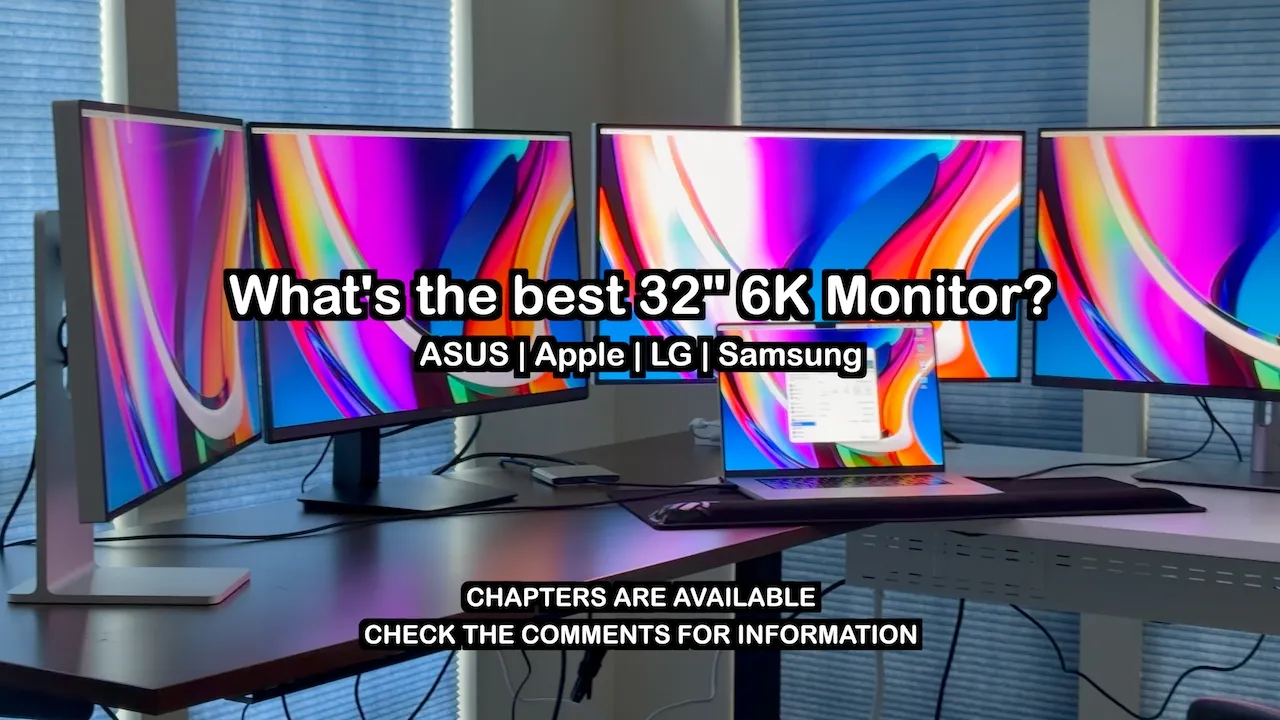
There is no such thing as a perfect 32-in 6K screen. Even the Pro Display XDR by Apple, the best 6K display, has trade-offs. I had the opportunity to review all of these 6K screens by LG, ASUS, Apple in both glossy and nano, and now the Samsung 6K, and between all of them, all had trade-offs one way or another. In this video, we summarize what each monitor is best for. If you want detailed video reviews, I made a review for each of
85 words, the words spoken in the first 30 seconds at 169 words per minute.
Free, no signup. See how the first 30 seconds hold attention, with rewrites.
Sentence shape
| Measure | This transcript |
|---|---|
| Sentences | 39 |
| Average words per sentence | 18.8 |
| Longest sentence | 63 words |
| Questions asked | 1 |
| Sentences containing a number | 6 |
Most used terms
Filler phrases
2 in total: like 2.
A literal whole-word count of the same phrase list the Prepublish browser extension uses, so a phrase inside another word is not counted and a phrase used in its ordinary sense still is. It is a count and not a judgement.
What this transcript is
Every word below is the caption track YouTube publishes for this video, pulled from the video itself and reproduced unchanged. It is not Prepublish's writing, not a summary, and not a re-transcription: it is the video's own published captions. English captions, generated automatically by YouTube, in the video’s original language. Source: the video on YouTube. A channel that would rather this page did not exist can ask for its removal through the contact page, and it is removed.
No Script X-ray for this video: YouTube shows a Most replayed graph only once a video has enough views.
There is no such thing as a perfect 32-in 6K screen. Even the Pro Display XDR by Apple, the best 6K display, has trade-offs. I had the opportunity to review all of these 6K screens by LG, ASUS, Apple in both glossy and nano, and now the Samsung 6K, and between all of them, all had trade-offs one way or another. In this video, we summarize what each monitor is best for. If you want detailed video reviews, I made a review for each of these screens, so I get right to the point in this video.
I share what each screen is best for, and then I share link to each detailed review right after I mention each screen. So, the moment of truth. What is each monitor for, and who should get these and why? If you're going to use the screen in an office all day, and you want text clarity and excellent colors, or if you video edit in SDR, go with the ASUS. It's sharp, the colors are excellent, it's solidly built, the matte coating is the best between all of the matte panels, and the price is the lowest when it's on sale for $1,100.
The only downsides are its quality control and consistency of the color white. You have to shop around until you get a good panel, and that might take a while, and you might flag yourself with retailers because of how much you have to play the panel lottery to get a good one, and that's a frustrating, time-consuming endeavor. If you want to play games or watch movies, go with the Samsung. It's sharp, high resolution, the colors are great, just not as good as the ASUS or LG, but its build quality is great, and importantly, the colors are consistent.
If you show a white image, you get a white image. The only downside is the fact that the brightness shifts a lot at different viewing angles, so it will be disorienting after a while if you show something with a solid background all day, so that wrote it off for me for office use. If you want an all-around epic monitor or edit HDR, go with the glossy XDR, but good luck with that. Good luck getting one because they're impossible to find since they've been discontinued.
I will link the 27-in Studio Display XDR, which I think it's too small, but it's the current only option for the best HDR experience. If you're going to use an XDR in a really bright room, even then consider glossy and only get the nano if you really feel like you have to because the nano impacts sharpness by a noticeable amount and makes text look a little fuzzy and on the older Pro Display XDR causes a brightness shift similar to the Samsung at different angles.
So, I don't recommend the nano as strongly as I do the glossy as an all-around monitor. Don't get me wrong, the nano is a great screen and if you have only used matte panels, you will be nothing but impressed, but if you recently used or compare a glossy to a nano side by side, you're going to notice a lot of differences that add up. Like the text isn't as sharp or the colors don't pop as much or the blacks don't look as dark.
The LG gets a lot of things right. The on-screen menu is terrific. The power supply team did great. The stand is solid metal on the inside. It gets super bright. Tons of features including Thunderbolt and colors, although not consistent, pop as much as they can for a matte panel. However, the trash quality of the matte coating and backlights on both 6K screens I bought from LG keep me from recommending this one at all since all other 6K screens cover all the use cases for this screen, but better.
If you need text, go with the ASUS. If you play games or watch movies, go with the Samsung. If you edit HDR, go with the XDR. That's it for today's video. If you found helpful, consider buying me a coffee via the super thanks button below. Hopefully, if people buy me enough lattes, groceries will become affordable again. Or, I just need to start spending less money on computer screens. Anyways, thanks. >> [music]
The words are the caption track's own and nothing is reworded or re-transcribed. Paragraph breaks are placed between sentences so the text reads as prose.
Free tools for your own script. No signup, no login.
Paste your draft and see where viewers are likely to drop off, with a rewrite for each weak line.
Paste the first 30 seconds of your own draft for a hook score and rewrites.
Check your draft against YouTube's advertiser-friendly guidelines before you record it.
Read this channel's public videos and transcripts, and download a writing brief for it.