Getting the transcript
Reading the captions from YouTube. A video nobody has opened here before takes 10 to 30 seconds; this page fills in on its own.
Getting the transcript
Reading the captions from YouTube. A video nobody has opened here before takes 10 to 30 seconds; this page fills in on its own.
AI Engineer · @aiDotEngineer
This video has no Most replayed graph yet: YouTube shows one only once a video has enough views. These are the moments viewers replayed most in AI Engineer's most watched videos.
Most replayed moment at 18:45
4.8x that video's typical replay level
that they're they're changing they're changing things in the database not yet. You want to run them through the ontology first and make sure that works. Okay. I only got an I've got I've got another I've just a short time. I'm going to try to show you some of the things that um that you can
Said at 18:37
Most replayed moment at 16:13
3.6x that video's typical replay level
method signatures, the program layout and the call stacks. So here's some examples. I don't think you'll be able to read this one, but this is like the level of abstraction we're at. It's how we're actually going to lay this stuff out and how these systems are going to interact. Dylan Mulroy from Cloudflare talks a
Said at 16:06
Most replayed moment at 6:57
5.9x that video's typical replay level
do light mode. It's I It's not my nature, but sometimes. That's better, yeah? Okay. So we have we have a model and we're trying an old LG Sorry. We We shouldn't have seen that. No, we'll
Said at 6:50
The graph counts replays. It does not show where viewers stopped watching.
Words
3,082
Runtime
19:44
Speaking pace
156wpm
Reading time
13min
156 words per minute, below the 160 25th percentile of 349 measured videos. That distribution comes from the 349-video hook study.
Opening (first 30 seconds)
Okay. Hi everyone. Um my name is Maybelline and I am a senior developer advocate at both Microsoft and GitHub. So I work at I work in a group called Core AI, which looks at how developers are using AI across our products. Um so this is kind of new. To start off today, I wanted to show you some stats about GitHub from GitHub Octoverse uh last year's GitHub Octoverse report in 2025, which shows data about
78 words, the words spoken in the first 30 seconds at 156 words per minute.
Free, no signup. See how the first 30 seconds hold attention, with rewrites.
Sentence shape
| Measure | This transcript |
|---|---|
| Sentences | 186 |
| Average words per sentence | 16.6 |
| Longest sentence | 65 words |
| Questions asked | 7 |
| Sentences containing a number | 13 |
Most used terms
Filler phrases
74 in total: actually 22 · like 18 · uh 15 · um 13 · kind of 3 · you know 2 · I mean 1.
A literal whole-word count of the same phrase list the Prepublish browser extension uses, so a phrase inside another word is not counted and a phrase used in its ordinary sense still is. It is a count and not a judgement.
What this transcript is
Every word below is the caption track YouTube publishes for this video, pulled from the video itself and reproduced unchanged. It is not Prepublish's writing, not a summary, and not a re-transcription: it is the video's own published captions. English captions, generated automatically by YouTube, in the video’s original language. Source: the video on YouTube. A channel that would rather this page did not exist can ask for its removal through the contact page, and it is removed.
Okay. Hi everyone. Um my name is Maybelline and I am a senior developer advocate at both Microsoft and GitHub. So I work at I work in a group called Core AI, which looks at how developers are using AI across our products. Um so this is kind of new. To start off today, I wanted to show you some stats about GitHub from GitHub Octoverse uh last year's GitHub Octoverse report in 2025, which shows data about how developers are using GitHub.
What we saw from our report was that more code was added to GitHub last year than ever before. So about a billion commits were pushed to the platform in 2025, which is GitHub's most active year ever. Okay? What we know now in 2026 is that this growth is accelerating. So a couple of We haven't actually released any official stats yet, but a couple of days ago our COO Kyle Daigle tweeted that we're seeing about 275 million commits to the platform every week.
And if we extrapolate that over time, we're going to see about 14 billion commits by the end of the year. So that's 14 times the amount of growth we saw last year, commits we saw last year, which by the way last year again was our biggest year ever with a a billion commits. One thing that we know is that there's a growing share of these commits that are co-authored by AI agents. We haven't released the data yet, but we can actually track and see what you know, some Claude for example, co-signs, commits, and so does Copilot, but Codex doesn't, but we can also kind of track based off of uh some wording in in the code.
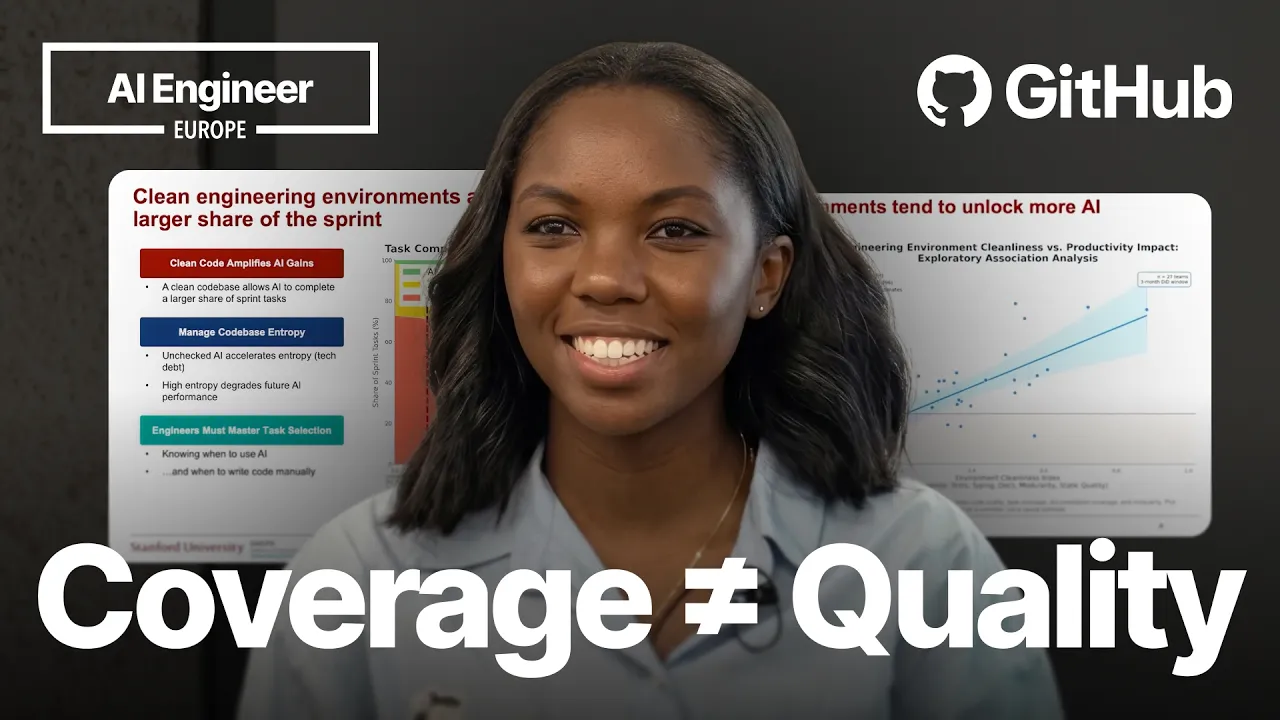
I had a question when I saw all of this growth in terms of how much code we were seeing, and that question is, does AI actually make developers more productive? So, we're seeing all of this code, does it actually correlate with productivity? One of the best resources I've seen that tries to answer this question is actually from AI Engineer from a talk last year. And this graph shares findings from that talk that's from a Stanford University study of 120,000 developers.
And in this study um it found that while yes, AI can make developers more productive, it's actually how the developers are using AI that matters the most. So, this graph from the study actually shows us that clean code bases amplify AI gains and AI productivity, while unchecked AI in a code base is going to amplify entropy. To illustrate this point, the speaker from this talk gave a case study example of a company that used AI in an unchecked way in their database.
And what you can see is that the number of PRs that the team was pushing out increased, but at the same time, the code quality that the team was was seeing decreased, and actually they spent a lot more time reworking that code, refactoring that code. And so, overall, though there was effective output increase of like 1%, AI didn't really improve the productivity from this team. So, what we learned from this study is that a lot of value that we are wanting to see as developers from AI relies or hinges on us having a clean code base.
So, for developers that are using AI tools, we want to focus on things like good test coverage, type coverage, and things like good documentation, modularity, and so on. So, I'd actually also argue that we need to start standardizing some practices across our teams and across our industry. And this is something that's a bit of a controversial topic because some people at this conference believe in just closing their eyes and shipping.
And that's also okay. But, I think in my ideal world and from this study we've seen, I would recommend standardized practices for keeping a code base clean. So, how can developers maintain create and maintain clean code? This question is actually not a new question. In our industry over time, we have seen several methods that have tried to make uh maintain maintaining a clean code base a central part of their philosophy.
One of those approaches that I've actually seen a lot of developers that are doing agentic coding with coding agents talking about is test-driven development or TDD. Uh Simon Willison, who's very popular, just recently published a blog post about how he's using this specific flavor of TDD called red-green TDD. And here, what happens is a developer the first thing that happens is the developer gets an incoming feature request.
As soon as they get the the request, they immediately start by writing a failing test because the feature doesn't exist. After that, the developer focuses on getting the test to pass. And in this green phase, when they're trying to get the test to pass, historically, you should not be focusing on the quality of the code. All you're focusing on is speed and getting the test to go green. So, in the past, developers maybe would copy code from Stack Overflow and so on and get the test pass.
But then after that, the final phase of this is the refactor phase. And in this phase, you're just focusing on code quality. So you're taking that code that you made pass and refactoring it so that it follows all the best practices. So not everyone is a fan of TDD and like many things in this industry, TDD was pronounced dead in 2014. Um and one of the most common complaints that I've seen on the internet about TDD is that it focuses too much on code coverage with unit tests and that it doesn't actually test the system.
So DHH created Rails published this blog post in in 2014 and was kind of talking about this that is an over focus on unit tests. And we know that when we over index on code coverage, there are several issues that come up. One of the issues is that there's a tendency test implementation details. So um take an example like we see on the screen where we are having an order calculation with a discount. If the test is tied directly to a method like calculate, just simply renaming the name of the test even if the functionality is still fine, it's going to break those unit tests.
So that's not be going to be great. But even if we test specifically uh the behavior of the system like the final end result of of the price we're looking for um or we test on something like a stable contract like our API or a module that doesn't change but we export it, it should survive any refactors of our internal code. I would say that if you're interested in learning more about this and behavior driven uh TDD, I would recommend the talk by Ian Cooper called TDD where it all went wrong.
It's very good talk. Another thing that we see is that in the age of AI that many developers are using AI to generate tests. What they've noticed is that AI sometimes generates self-affirming tests. So, while the code coverage tests might pass and you your unit test suite is all green, the behavior of the system is not being validated and that's where the problem lies. So, for the rest of this talk I'm going to be focusing on showing you how you can avoid these problems and start to test for functionality using Playwright.
Playwright is an open-source testing framework that's built by Microsoft and it automates end-to-end testing in the browser by simulating user interactions. And the link that you see on the screen there is is the documentation. So, Playwright supports a number of different languages right now, Python, TypeScript, C#, and the example scripts that you can see on the screen is what a test would typically look like. So, you have that line that says page go to telling the the script that it starts at the toys play page is where we want to start.
And then we're going to look for the placeholder search and then we're going to fill that search bar with that letter with the word Furby and that will actually do run the search for us automatically in the browser, for example. You can also use headed or headless mode. So, you don't necessarily have to look at the browser while your tests are running. You can actually just have them running in the background as well.
Um why is it okay? So, going back to that idea of TDD, when we're using Playwright with AI, it actually should speed up the full process of TDD for us. So, a lot of developers in the past have really complained about how TDD is slow and that it it's not effective for teams that want to move fast, but if we have AI, then what happens is that red part and the green part are fast. So, we're focusing on getting our agents to generate these behavioral tests, the Playwright tests.
Then we're focusing on getting the agent to quickly generate as fast as it can code that's going to make the test pass. And then I would recommend that developers are going to spend the most amount of time, so it grows bigger, on that refactoring stage. So, they're spending time looking at the code the agent has generated and making that code better. There's a number of ways you can connect your coding agents today with Playwright.
One of those ways is through the Playwright MCP server. You can use the CLI tool if you'd like that instead, or you can use something called Playwright agents. And when you're using Playwright agents, you'll run the command that you can see on the screen. And once you run that command, it's going to install for you three agent.md files. So, the first one is going to be a planner, second is a generator, and the third is a healer.
So, the planner will plan which tests to run, the generator is going to actually generate the the tests, and then the healer will fix those tests for you. So, I do want to show you a demo, and I am going to hope the demo gods are smiling today. So, we've all We'll give this a try. Oh. Oh, no. Okay. Here we go. So, I want to give us a scenario. The scenario is that Oh, you can't see my You are only looking at my PowerPoint right now, and I don't know how to stop that.
Uh let me close the PowerPoint, maybe, and see if that will help. Um I now want to just show the screen. Sorry. Hopefully they'll give me more time. Okay, perfect. That that's working as expected. Okay. Perfect. So, the scenario that we're going to imagine today is imagine I'm a developer. I'm working at a toy company called Tailspin Toys. And a few days ago, I got an email from the search product management team, and they asked me to add some new search and filter features to the site.
They asked me to add in a search bar with text search for simple searches and Azure AI search for more complex ones. And they've also asked me to add in a sidebar so customers can filter by category and price. So, I'd like for Co-pilot to help me with this task and also for us to use this uh TDD-first style of development. So, this is GitHub Co-pilot CLI. And the first thing that we can do is going to try to get the agent to get the information that we saw in that email and bring in the features here into our terminal.
And uh for this, we're going to use something called Work IQ, which is Microsoft It's a skill that Microsoft has developed that lets developers connect to the M365 suite. So, Outlook, PowerPoint, whatever it is you would like. And to bring that information here into the terminal. So, if you're using the M365 suite for work, I can definitely recommend it. And what I will also mention with TDD, in the past when we've done things like unit tests, um typically people what would trigger writing a unit test is adding a new method to a class.
But actually, in this new world, what we want to focus on is the behavior. So, we want to focus on a feature. So, if a feature request comes, that is what the trigger is for the test to be written. So, So we have our list of what needs to be actually developed. And I'm passing in a second uh I'm passing in the second prompt and I'm asking Copilot to help me develop these features using red green TDD to stop by writing the Playwright tests that fail for each feature.
And I'm telling it not to commit the changes just for the sake of this example. And I do want to point out that the first thing the agent is going to do is it's going to start to examine my code base. So it's going to understand what's in my code base. I have the Playwright MCP server already installed in my CLI into co-Copilot CLI and it knows what it needs to do to create the tests to be able to test for these functions.
So the agent is going to understand what the key code base is going to look like and then going to write the tests for it. Uh this process is actually going to take a while. So in the meantime, I'm going to switch over to a new tab. And I'm going to run the command to get Playwright the Playwright test. So earlier today I asked uh I got the agent to generate those failing tests and then I got it to do the green phase where the agent just creates the code to get the tests to pass and then now I'm asking my agent to go ahead and run the Playwright tests to actually test for that search bar and filter feature for us.
So like I mentioned before, I have the Playwright MCP server already installed. You can see it installed here. And our agent is just going to look for the test file. And if everything works correctly, it's going to start writing some tests running some tests. So we see it's opened the correct page. It's typing in different inputs which is testing for the search bar is working. We saw Furby was correctly found. Simon was correctly found.
And now it's clicking buttons. So also testing the category filter is working correctly. Again, my hands are not on the keyboard. This is all playwright and Copilot, so super cool. And now it's correctly finding all of the toys in the specific price range. So, when I run these functionality tests, all I can see actively that, okay, the agent has written this code. The code is working as I expected. The app is working as I expected.
So, there's so many different ways that you can test your app by functionality and all of our tests pass. Uh now, once our tests have passed, that's when I would say we step into the next phase of actually going ahead and um and and running out our writing out refactors or refactoring the code the agent has created to generate these tests that pass. So, a final thing I will do is I will give you some best practices um with Playwright.
The first thing I would say is that when Playwright runs those functionality tests, it's going to take screenshots of all the tests that it's run. I've gotten into the practice of adding those screen screenshots to a PR. So, if I've made some changes, I'll add them to a PR. The second thing is that you don't have to run it where it launches the browser like you saw in the example. You can run it in headless mode, so that it runs in the background.
And then a final thing is I would say commit your code before you actually get it to fix the test. Or, you know, commit before it starts to make changes to your code because if you don't commit, it might not remember what it what happened in the past. So, that's something to do. And then I would also say to generate one feature one test per feature, as well. As a final note, these are some resources you could take a look at.
Ah, I forgot to add the link to the GitHub GitHub repo, but all of the slides are going going available at that link there. You can check out the documentation and you can now connect with me on social media as well. So, yeah. Thanks everyone. I think that's all the time I HAVE TODAY. I THINK WE HAVE 2 minutes for questions. Does anyone have any questions about this? Yes, I see a question there. Yeah. We have a lot of uh I mean, I think if you have a lot of state management, I would focus on maybe I would recommend using Playwright agents where it downloads the specific agent.md file because that's going to have some specialized instructions that are better at handling state and things like that.
So, I found that agents um Playwright agents specifically has a lot of good instructions already built into it that should help with that. Another thing that you could do is if you didn't want to use Playwright for everything, you could also just directly test your APIs. If there's an API available, that's something you could do. Um so, yeah. That's what I would recommend. Are there any other questions? Maybe one more question.
Uh well, I'm not sure. Yeah. Yeah. Yes. Yes, it can. It can check your mobile versus on desktop. It should just work. Yeah. One more. Yeah. It's >> browser-based for the moment. Yeah, for the moment it's only browser-based. Yeah. Okay, I think that is all all the time I have for today. Thanks, everyone. Sorry about the no link to the GitHub.
The words are the caption track's own and nothing is reworded or re-transcribed. Paragraph breaks are placed between sentences so the text reads as prose.
Free tools for your own script. No signup, no login.
Paste your draft and see where viewers are likely to drop off, with a rewrite for each weak line.
Paste the first 30 seconds of your own draft for a hook score and rewrites.
Check your draft against YouTube's advertiser-friendly guidelines before you record it.
Read this channel's public videos and transcripts, and download a writing brief for it.