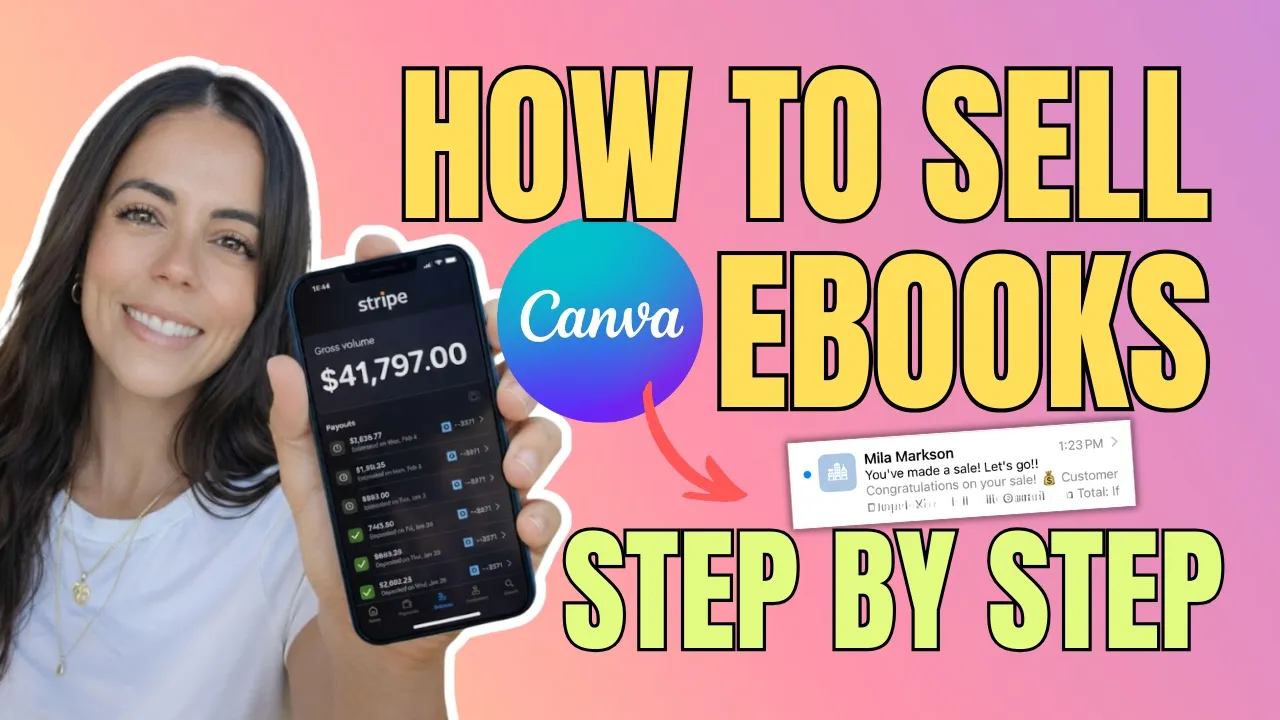
How To Sell Canva Ebooks in 2026 | Step By Step Tutorial For Beginners transcript
Camila Markson · @camilamarkson
Words
3,462
Runtime
21:46
Speaking pace
159wpm
Reading time
14min
159 words per minute, below the 160 25th percentile of 349 measured videos. That distribution comes from the 349-video hook study.
Opening (first 30 seconds)
In this video, I'm going to show you how you can make money selling Canva ebooks in 2026. I'm going to show you how you choose a profitable topic, how you create a Canva template, how to use SH to help you create the ebook, how to customize your ebook on Canva, how to create your file, how to create your sales page so you can start selling, and how to deliver automatically. If you seeing content all over the
80 words, the words spoken in the first 30 seconds at 159 words per minute.
Sentence shape
| Measure | This transcript |
|---|---|
| Sentences | 254 |
| Average words per sentence | 13.6 |
| Longest sentence | 104 words |
| Questions asked | 31 |
| Sentences containing a number | 24 |
Most used terms
- create29
- product22
- ebook20
- sales17
- okay16
- low15
- low ticket15
- page15
- ticket15
- canva14
- sell14
- help13
Filler phrases
65 in total: like 32 · right? 20 · literally 5 · you know 5 · actually 3.
A literal whole-word count of the same phrase list the Prepublish browser extension uses, so a phrase inside another word is not counted and a phrase used in its ordinary sense still is. It is a count and not a judgement.
What this transcript is
Every word below is the caption track YouTube publishes for this video, pulled from the video itself and reproduced unchanged. It is not Prepublish's writing, not a summary, and not a re-transcription: it is the video's own published captions. English captions, generated automatically by YouTube, in the video’s original language. Source: the video on YouTube. A channel that would rather this page did not exist can ask for its removal through the contact page, and it is removed.
Transcript
In this video, I'm going to show you how you can make money selling Canva ebooks in 2026. I'm going to show you how you choose a profitable topic, how you create a Canva template, how to use SH to help you create the ebook, how to customize your ebook on Canva, how to create your file, how to create your sales page so you can start selling, and how to deliver automatically. If you seeing content all over the internet talking about making money, selling ebooks, selling Canva templates and stuff like that, you're gonna watch this video because in this video, I'm going to show you all the step by step that you need to actually make money from it.
And if you want to learn more about how to make money online, how to sell digital products, and how to monetize using social media content, don't forget to subscribe to my channel. So, step number one, how to pick a profitable topic. First thing, if you are just new into the selling digital products, one thing that it's very important for you to get started is thinking about selling low ticket digital products. And here's the thing, because when you're selling low ticket digital products, it's way easier for you to sell it than sell something that is 500 or 400, $1,000 or whatever, right?
When you will sell your low ticket offer, a no-brainer. If you know how to do it, it's a no-brainer and it's going to help you make your first sale on internet, which is the most important one is your first sale because it breaks that barrier of the mindset. You see that is actually possible and then it makes you keep going. So number one, I highly recommend you thinking about selling a low ticket offer which usually goes through 27 until $97.
That's the price range that I would recommend. So when you're selling low ticket digital offer, it's very important that it's very specific. It's not something broad and it's something that I highly recommend, something that you lived on. So you start thinking about what is something that you know how to do easily that other people is still struggling or what's pe something that people can't come to you and ask questions.
And what do you maybe what you are known for? So for example, my husband, he loves cars, right? He started doing detailing car and he started posting content on social media about detailing car and stuff like that. Some ideas that low ticket offers that he could create is how to start your own detailing car in your own home. How to grow on social media for car detailer. How to correct sale and paint correct your car and things like that.
It's something that usually a low ticket offer the topic to something that's going to be profitable. It's something that's very specific. For example, instead of you selling how to lose weight, you're going to do like how to lose weight eating carbs, how to lose weight with keto diet, how to lose the postpartum weight as a brand new mom. So you see that instead of just like how to lose weight is something more specific.
The more specific the better. So this is very important when it comes to sell a low ticket offer. So start thinking about things that maybe you have figured out how to create a content. Maybe you have made your first sale. What do you did to make your first sale? Maybe you know how you have a recipe that is really good and people love about it. Maybe you know how to potty train your two two years old or whatever. How to make your baby sleep throughout the night or something.
So something that's very specific. That's number one. Once you know your ideas, so that's how you're going to use ship to help you come up with the ideas and to help you customize your ebook. All right. So now we're going to use shachi to help we come up with ideas and topics that we can create digital products about and help outlineing the ebooks. Okay. And here keep this in mind. a low ticket offer. The best low ticket offer is going to solve one problem.
We not trying to solve the whole world. We are trying to solve only one problem. So, I'm going to use this prompt here. Ask me five questions about who I am I want to help and what they struggle with. Then give me 15 low ticket digital product ideas under $50 with the titles, problems solved, format, and who each is for. Keep it simple and beginner friendly. Let's see what the attachment is going to come up with. Who do you most want to help with?
So, right now I want to help beginners make the first sale. Clarity most what is the biggest daily frustration? Most frustration for beginners as they don't have clarity. They don't know what to do first and they just confused. So number three, what do they constantly say? They are confused about how to start, where to sell, how to grow online, how to use AI, how to grow online is one of the most struggle. Oops. Is one of the most struggle for my audience.
So let me put this as an option. Then number four, what result they secretly want? Make the first $1,000. Then number five, what skills or experience do you already have that could help them? Example, content, content, digital products, social media. Yeah. So, I'm going to give the thing they already gave me the 15 already gave me the 15 titles because it already they already know me pretty well. But here is some of the 15 low ticket offers ideas.
First sale blueprint, one kind online road map, what to post to get paid. Low ticket offer started kit. 100 hooks that attract buyers. Like this one would be a good one. This 100 hook that attract buyers. I could create this one because I already have some hooks that that I usually use when I want to attract buyers, right? It's something that I can create. It's easy to it's easy to create and I could sell this for $7 or $17, right?
I can go let me help me create the number five. So, it already give me some instructions, right? already gave me like some ideas of things that I could use. So I can go ahead and also get like my hook vaults that I personally use and help use shap the idea the structure so I can use on Canva. This is how use chat pich is not going to do the work for you. If you're just going straight up use chat pi and sell things on shadow pich this is people will get caught up and you're not going to sell on the long term.
You need to use CHP as a tool, as a helper, an assistant, but the main brain is still yours. Does that make sense? The way I do is literally having a conversation with SH and I go back and forth. So that's how you do it. Now, let's go to number to the next step and create the ebook on Canva. All right. So now that I'm on Canva, what you can do is literally use here the templates. Canva already has a lot of templates that you can use, right?
So, I'm going to just search template and Canva has a bunch of ideas and things that I can just use as a template or I can and I can use as a base. Not going to straight up use this thing here. I'm just going to use as a base and then do my own ideas on this ebook. That's the way I like doing it. All right. So, now I got this ebook here. I created this ebook in 2024. It's one of the ebooks that I sold. And [snorts] so what you're going to do, you're gonna you going to get the ebook, right?
If you find here the search the template for Canva and stuff, you can literally just customize however you want. So for example, let me just create a copy here so I don't lose what I lose the one. Okay, now I have the copy, right? So, let me delete this. The ebook could be like 100 hooks. Let me change a little bit the transparency and put here 100 [clears throat] hooks. What is the the product that he added? 100 hooks that attract buyers.
Okay. 100 hooks that attract buyers. You can customize however you want. It's very Canva. That's the good thing about Canva because Canva is not super complicated to start to play around and you can do so much with that. I'm going to delete this. I'm going to put what I like doing is going to photo here. And I like choosing some gradient. So, for example, like this one, I could use this. Then I'm going to set image as the background.
Put some transparency. Let me put some money. Right. We want to attract buyers. So, I think it we can do something like with money. Anyways, position in the back. I'm going to change this for the anthem. I love this. I love this font. It's my favorite font, I think. And then this one I'm going to delete. I'm going to leave my face on it. Of course, like I'm not putting too much effort here because this is just an idea to it's just for the purpose of the video to show you how you actually do it.
But I would play around more on this on the on the cover. And then one thing that you can do here on the on your ebook, if you want to put your link, maybe you want to put the link for another product or an affiliate link or something like that. What you're going to do is, for example, this one right here, right? I had the I put my socials right here. So, what I'm going to do, you're going to click on the icon on the image or anything like that or you're going to select the words that you want to put your link, right, to be clickable.
So, [snorts] you're going to do this and then you're going to select this option right here, this link. And then you're just going to paste the link that you want right here. Okay? For example, I could do I could create this hook here, this ebook for 100 hooks and I could link here to another product that I have, right? Then I could just put the link right there. So that's the next step. Once you finish customizing your whole ebook how you want with the links that that you want, what you're going to do is let me just move right here.
You're going to go to click on share. Then you're going to select don't click don't select copy link. Okay? Because if you do that be anyone will be able to edit your template or edit your ebook and once if you share this again whatever some someone edit that that template right here that this ebook they're going to have this version. So never share this link with someone that can edit your v your product. What you want to do is download as a PDF.
So you're going to download as a PDF and PDF is standard because if you download as another one is not the links is not going to be clickable. So it's very important that you download as a PDF standard. So then next thing you're going to download as a PDF standard. It's broken of fa things. So like now they can't do it. Okay. So you're going to download as a PDF standard. Okay. And then now you have your ebook ready customizable.
The PDF created so it's clickable. If you have any links, if you want to add any links inside this ebook, which I highly recommend, for example, if you are creating an ebook about a diet, right, like how to lose weight or something, you can create you can put some links for other products, you can become an affiliate for other products and put your affiliate links inside this ebook. So, you can create other incomes inside just from one ebook. if that makes sense.
So, now that you have your ebook, let's create your sales page. Now that you have your digital product created, you need a system so you can present the product to your potential client. And then if they ready to purchase, you receive the money. And that's where most people, most beginners get wrong because they try to sell an ad which is super oversaturated and doesn't convert. It's not it's very hard for you to start getting sales in a platform that is already so overflowed, right?
Like you were nobody inside there. And a lot of people also use other platforms that it doesn't allow you to create a page, a proper sales funnel. And a salesfunnel is the difference which is going to make you make only $27 or you making $200 is a sales funnel. And this is super super important. Is the reason that I was able to make over $40,000 last month selling low ticket digital products. Okay. So let me show you the platform that I use to create my sales funnel, my pages and everything like that.
So the platform that I use to create my sales page, my salesunnel is go high level. And I love about high level is that it's all in one platform, right? So before I was using a lot of different tools for each thing. So one tool for sales page, one another tool for checkout and another tool for emails and another tool for automation and having to use Zapia to connect all these dots. And I was just overwhelmed spending thousands of dollars a month to run all my business.
And now I run everything in just one platform which saves me way more money, right? Like it's way cheaper for me and also it say it it saves me in headaches. Okay, so that's how I highly recommend. Also go high level. It converts a lot. This the checkout page and everything. It has high conversion and it's what, like I said, it's what allows me to make over 40,000 less month selling digital products because I have the right tool and the right funnel.
So, let me show you what it looks like. Okay, so this one here is one of the sales page, right? I is one of my products. It's about how to make sales on Instagram stories and it's everything on information. what is what is the product about all the bonuses what are you going to get and everything like that and if they're ready where you purchase they can go right why here and access purchase the product right so to do that once you create your account and go high level you're going to go to so once you create your account and go high level you're going to go right here insights and then you're going to go funnel and let me move myself here so you can see what I'm talking about And you can go right here in new funnel.
You can create from the blank or templates as well. Okay, let's go. Let's go for templates. If you want to go here from templates, it has a lot of different options for different niches that you are. But to make if you want, I leave I'm going to leave some templates that you can use for funnel salesfunnel underneath of the on the description. So you don't need to create anything from scratch. Okay. So that's what you're going to do.
And let me just show here. So that's what it looks like. The to create the sales page, right? That the sales the start the sales page that I just showed you. That's the one I created. And this is the thing. I all my I don't have a sales page and a checkout page different. It's all in one thing. And this is one of the points that allowed me to have a good conversion rate because it's it doesn't have a lot of steps, right?
The more steps you put for you to sell. For example, you put the sales page and then a checkout page and then or something, the more steps the it's harder to sell. So if you want to have a quick sale for especially for a low ticket, you need to have less step. That's why I put it the checkout page right here. So once you have the checkout page, I'm going to leave the template in the description here. So you don't need to start from scratch.
What you're going to do is you're going to go to payments. Then you're going to go to products and then you're going to create the product here. You're going to create the product. add to the name of your product like for example 100 hooks that attract buyers. Okay. So once you do that here as per global settings don't need to put anything additional options. This is what's going to show on the statement of your client on the banks from your clients from your client's bank.
I highly recommend you putting something that's related to your product, right? So they can remember that, okay, the name of the product and then they see on the bank statement and they're going to be right there the name of the product. So put the name of the product medium, you don't need to do anything. Now the price, I highly recommend something between 27 and 97. For the example, for the hook, as it's just 100 hooks, [clears throat] I would sell for either like $17 or $7 or something like that.
And why every time I say seven in the end because it's psych it's a it's part of the sales psychology. It's something with the number seven that in the mind that it converts more. So I don't know that's what I I learned and that's what I all my products I always end in seven. You can compare put to compare the price. So for example this would be can be like 37 right? If you would sell and then you compare the price to be like to give it's a an inch price then another price if you don't need variation don't need see your additional options right here price description nope nothing you need to change here.
So then you're going to save it. Okay. Now that you fill out everything you're going to go right here on the price that you create for your product. Right? You're going to click on these three dots and you're going to go edit. Now here you can create an image on Canva that shows what is the product, right? Like some mockup or something that you created and right here you're going to click digital product and then you're going to click right here upload.
And you're going to select the download that we just created. We just download. So you're going to download. Okay. Then you're going to select. Now you're going to save. Once they purchase, the system is already going to deliver the product after the check out and they're going to receive the email with the product as well. Everything automated. Now, if you need help turning this product into a passive income machine, I highly recommend my Insta Profit System, which is my whole strategy on how I make passive sales every single day.
It's the same strategy that I've made over $40,000 last month, and I giving you every single thing. I'm giving you the templates, I'm giving you the automations, literally everything. So, check it out. It's the link is on the description down below. and let me know what type of pro videos, what type of things you want to learn here. I literally don't gate keep, I give everything. Let me know the ideas and things, topics that you want to know here.
And don't forget to subscribe to my channel. I see you in the next one.
The words are the caption track's own and nothing is reworded or re-transcribed. Paragraph breaks are placed between sentences so the text reads as prose.
Use this transcript
Three free tools that work on the material around a video like this one. No signup, no login.
Hook Analyzer
Paste the first 30 seconds of your own draft for a hook score and rewrites.
Policy Pre-Flight
Check your draft against YouTube's advertiser-friendly guidelines before you record it.
Channel Skill Generator
Read this channel's public videos and transcripts, and download a writing brief for it.