Getting the transcript
Reading the captions from YouTube. A video nobody has opened here before takes 10 to 30 seconds; this page fills in on its own.
Getting the transcript
Reading the captions from YouTube. A video nobody has opened here before takes 10 to 30 seconds; this page fills in on its own.
AI Engineer · @aiDotEngineer
This video has no Most replayed graph yet: YouTube shows one only once a video has enough views. These are the moments viewers replayed most in AI Engineer's most watched videos.
Most replayed moment at 18:45
4.8x that video's typical replay level
that they're they're changing they're changing things in the database not yet. You want to run them through the ontology first and make sure that works. Okay. I only got an I've got I've got another I've just a short time. I'm going to try to show you some of the things that um that you can
Said at 18:37
Most replayed moment at 16:13
3.6x that video's typical replay level
method signatures, the program layout and the call stacks. So here's some examples. I don't think you'll be able to read this one, but this is like the level of abstraction we're at. It's how we're actually going to lay this stuff out and how these systems are going to interact. Dylan Mulroy from Cloudflare talks a
Said at 16:06
Most replayed moment at 13:49
2.3x that video's typical replay level
Fable uh and it runs into an unknown, ask it to log it, right? So that um you uh you can see where the deviations happened and then you can sort of figure out why as well, you know? It will usually give you some context about what happened.
Said at 13:43
The graph counts replays. It does not show where viewers stopped watching.
Words
2,404
Runtime
16:20
Speaking pace
147wpm
Reading time
10min
147 words per minute, below the 160 25th percentile of 349 measured videos. That distribution comes from the 349-video hook study.
Opening (first 30 seconds)
Okay? I'm assuming yeah. Thank you everyone for joining the session. If you joined the previous session, we are switching slightly the topic and talking more about Gemini now, but I have two slides about Gemini as well. So, to make guest happy. I'm Patrick. I'm a member of the technical staff at Google DeepMind. I work on the Gemini API and AI Studio. And today I want to talk about any-to-any building native
74 words, the words spoken in the first 30 seconds at 147 words per minute.
Free, no signup. See how the first 30 seconds hold attention, with rewrites.
Sentence shape
| Measure | This transcript |
|---|---|
| Sentences | 187 |
| Average words per sentence | 12.9 |
| Longest sentence | 41 words |
| Questions asked | 14 |
| Sentences containing a number | 18 |
Most used terms
Filler phrases
34 in total: like 8 · um 8 · basically 7 · actually 6 · kind of 2 · right? 2 · you know 1.
A literal whole-word count of the same phrase list the Prepublish browser extension uses, so a phrase inside another word is not counted and a phrase used in its ordinary sense still is. It is a count and not a judgement.
What this transcript is
Every word below is the caption track YouTube publishes for this video, pulled from the video itself and reproduced unchanged. It is not Prepublish's writing, not a summary, and not a re-transcription: it is the video's own published captions. English captions, generated automatically by YouTube, in the video’s original language. Source: the video on YouTube. A channel that would rather this page did not exist can ask for its removal through the contact page, and it is removed.
Okay? I'm assuming yeah. Thank you everyone for joining the session. If you joined the previous session, we are switching slightly the topic and talking more about Gemini now, but I have two slides about Gemini as well. So, to make guest happy. I'm Patrick. I'm a member of the technical staff at Google DeepMind. I work on the Gemini API and AI Studio. And today I want to talk about any-to-any building native multimodal agents.
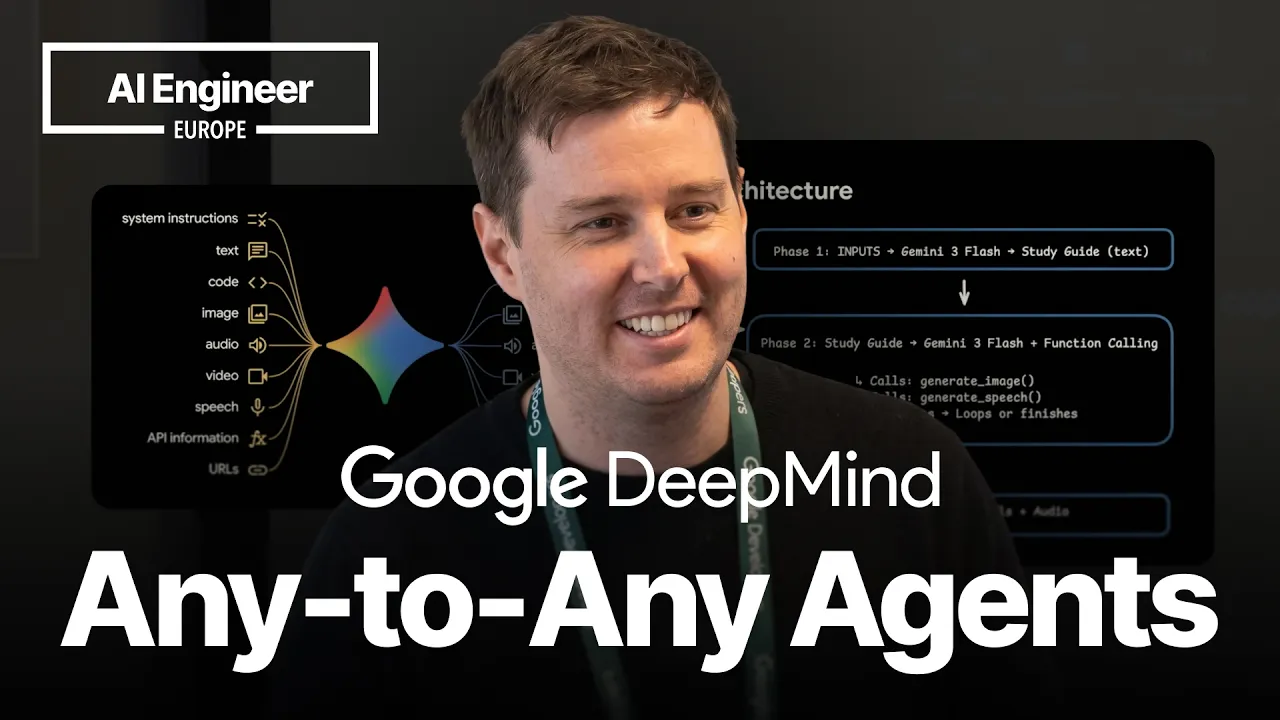
So, I want to talk about multimodal understanding, multimodal generation, real-time interactions, and then also build an example app together. So, at the end of this session, you should be able to build this for yourself, a little notebook LM clone. So, what does any-to-any mean? These are all the capabilities you can do with the Gemini API. So, there's a lot of use cases this enables because Gemini does not only understand text, right?
It's natively multimodal, so you can also feed in code, image, audio, video, and then some more like URLs and also Google Search. And then it can not only generate text, but now we're also able to generate images, speech generations, video generations, function calls, and of course of course code generation. So, yeah, this enables a lot of really really cool stuff. But, this slide is slightly giving the wrong impression because actually there are still different models.
It's not one multimodal model yet. This is kind of a bigger vision that we have at Gemini at Google DeepMind to bring more of the generation capabilities also into Gemini. But, currently it looks a little bit like this. This is an ugly slide, I know. But, yeah, we have the main Gemini model as series right now Gemini 3, and it's able to understand multiple modalities, but it only outputs text. And then we have different specialized native generation models, for example, Nano Banana for native image generation and speech generation based on the main Gemini models.
And I want to talk about this in a moment a little bit. And also I mentioned Gemma here. Correct me if I'm wrong, but it has allows text, image, and video input, and the smaller models also audio inputs. So, you can also build multimodal agents locally. Yeah. So, I want to focus on on four things, four models, the multimodal understanding with Gemini, native image generation, native speech generation, and then also if we still have time a little bit about the live API.
And then build something together or at least give you the building blocks how you can build this, a little notebook LM clone. Who has used notebook LM before? Almost everyone. Okay, so I don't think I have to explain it. But, yeah, you can feed in multiple different sources, and then the audio overview is pretty popular where you can generate a podcast to explain topics for you. And then also infographics are pretty cool.
So, we want to build the same thing. And we want to build this as an agent rather than a workflow. So, this means that the agent should be able to decide what to create rather than where we hard code the pipeline. Here we are having a reasoning model that can decide what to create, and then it's hooked up via tool calls or function calls, and then calls the other specialized models. Um So, this is roughly how the the app or the agentic architecture looks like.
We have the phase one for multimodal understanding. And then we have the phase two. This is where we have the agentic loop where we use Gemini as the reasoning model, and it can then call different tools, and these will then generate different modalities for us. And then it acts in a loop and reasons if we need more assets or if it's good enough. And then in the end we get text, speech, and and infographics as an output.
And yeah, I want to do this as an example with the some learning about attention is all you need paper. So, we want to be able to feed in PDFs, images, videos. This can be a lecture, for example, or tutorial. And then voice memos. And ideally we also want this cross-modal understanding, right? That we can draw information from all the different sources together and make let them model make connections. And it's actually extremely easy with Gemini to achieve this.
This is basically the code you need. Who has built with the Google AI SDK before? Half half almost half of the room. Yeah, basically this is how you set it up. You get your API key for free at ai.studio, and then you install the SDK. We have it available in different languages. And then you can simply upload different files. Like here we are uploading a PDF, video, and an MP3 file. Or you can also for smaller files directly use it as inline data.
And as a tip on the right side I mentioned Gemini API skill, so you don't have to know this code now by heart. You can just yeah hook up your agent with the Gemini skill, and then tell it um to create this, and then it should know how to work with the Gemini models. Yeah, this is basically everything we need. And then we call client models generate content, and here we're using Gemini 3 flash. And then we can put everything together into the contents list, and tell it for example analyze all these resources, give it a little bit more information what these resources contain, and then it should generate a summary.
And then a little bit of of practical tips or nice-to-knows for for understanding. You can also use it to transcribe audio actually. Flash and even the smallest ones, Flashlight, is pretty good at transcribing audio. If you just tell it in the prompt generate a transcript of this file. And it may be nice to know this for audio. 1 minute of audio translates to a 1920 tokens. And Gemini has a token limit of 1 million. So, if you do the math, it translates to more than 9 hours of content you can feed in audio content.
For video, it's roughly 1 hour. But, there are configurations you can tweak that give you more control, and you can even feed in longer audios. Then you can tell it to look at only different timestamps. So, for example, only analyze from minute 5 to minute 15. Um And then yeah, you can use the file API that easily lets you upload larger files. You can even pass in URLs, YouTube URLs directly. And what's also nice to know is you can combine it with context caching.
This is built into the API. This is especially useful if you're loading longer files into Gemini and doing repeated queries because then it saves you 90% of the costs. Um So, yeah, this is multimodal understanding in a nutshell. So, here doing a quick checkpoint. We're now able to use Gemini to understand all these different resources and generate a summary. Um Actually, the timer is not working, so I don't know how much longer I have.
But, I think we are still a little bit good. So, yeah, then the next phase is the the multimodal generation part. So, for this we're using the agentic loop where we use Gemini as the brain behind this, and we combine it with function calling. I will show you how to do this in a moment. And then these function call the specialized native generation models. And then it can reason if these assets are enough or if you need more.
And the way to do to use these specialized models is also basically the same code. Once you have the SDKs, you call again client models generate content. In this case, we're using Gemini 3.5 flash image preview. It's not the nicest model, but this is actually Nano Banana 2, the more famous model famous name for it. And then we tell it to yeah create a picture. Or in this case, we can it's pretty good at creating infographics, which is pretty cool.
Just give it in your prompt create an infographic. And then it's creating these these nice slide graphics for us. And similar for text-to-speech, there we have a text-to-speech model, which currently is still based on Gemini 2.5. And you can combine it with different configurations. You can also do two speaker audio files. So, for example, this podcast style. And here is a nice example if the sound works. How does it work? neural network architecture introduced in a 2017 Google paper called Attention is All You Need.
That was a good example of the text-to-speech model we have, but then explains a transformer in only 2 minutes for you. And then the function calling like I mentioned so basically to combine Gemini with function calling or tool calling. What you need to do is you create your function declarations. So there you give it a name and a description. This helps the model to understand what this function is used for. And then also the different parameters.
So in this case we only want one string which is then used for the prompt so the detailed description of how the image should look like. And then you do the same for the audio generation function. And then if you set up your model call client models generate content you you configure the tools. And then you also need to add this to your prompt. So this is a small example prompt an agent prompt where you tell Gemini hey here's the study we synthesized before from the different modalities.
And now you're a research agent partner. Your job is to enhance the study guide with multiple materials. And then you do and you tell it the two functions. So decide which concepts are complex enough to need a visual diagram. And for this call generate image. And which sections would benefit from an audio audio summary. And for this call generate speech. And yeah this is basically everything you need to set up the agentic function calling for the multimodal generation part.
And I also quickly wanted to touch on why native generation matters. So we call this native image generation models for example because they are based on Gemini. So all the training or a lot of the training that goes into the main Gemini models are now also available in these models. And this allows a lot of really really cool use cases because these models understand the world. This on the left side is for example I found on Twitter and example I really like from Nano Banana 1 where you can draw arrows on maps and just tell it hey create a picture of what you see here.
And since Gemini understands the world here it's able to to correctly create a picture of the Golden Gate Bridge for you. And then on the right side this is a nice example on the from the educational space. So you can use Nano Banana in this case it was Nano Banana 2 to directly correct your math homework for example and create pictures with the corrections because it understands math. It can even generate code on images for you.
So there's lots of nice use cases. And for the audio models these are multilingual and they understand accents and tone. Hey up lads and lasses. We're getting stuck into building these multimodal agents today. No faffing about. Let's just get them started so we can all nip to the pub for a proper pint. Was it a good British accent? Yeah? Anyone speaking German here? One two three. I have a Bavarian accent because you can actually also tell it to create different accents.
Of course not every accent in the world but still. So here's one with a Bavarian accent. Was it a good Bavarian accent? So yeah I would say that's pretty Okay. Yeah. And yeah again it's a quick checkpoint. We now know how to do on the understanding part and the generation part. And this is basically already the the notebook LM clone. And now I quickly wanted to mention now or we also have a model for real-time interaction with it via our what we call the live API.
And for this we have a very new model which is also based on Gemini Gemini 3.1 flash live. And we call this an audio to audio model. So native audio generation it's only one architecture. Audio goes in and audio goes out. So you no longer have this cascaded pipeline with different models. And this allows a lot of really really cool natural sounding interactions. I think I don't have time for a live demo but you can try it at ai.studio/live.
And here is a quick video from one of our colleagues Thor. Um Hey Gemini. You kind of How are you today? started and start talking to it and then you can also Hi. I'm doing great. I'm doing great. Thanks for asking. Just enjoying the chat you know. And how are things with you? Um can you see me? Well as plain as day. I see you there with your short hair and beard wearing a grand dark jacket over a blue shirt. But yeah try it out for yourself at ai.studio/live.
And I think that's almost it. Yeah this is again how you can do it in the code but there again we have a skill for it that you can figure configure. And this yeah now we are at all the three checkpoints. And yeah the pattern is transferable to every every other field. Um And maybe a few shout-outs as well to some other models. I'm not sure if you've seen the keynote this morning but we now have a multimodal embedding model where you can combine all the different modalities into one unified vector space which allows applications like multimodal search.
And then again you can go local with Gemma 4 and again have this multimodal understanding. And video for for image for video with native audio. And so that's it. Thank you and have fun building multimodal agents.
The words are the caption track's own and nothing is reworded or re-transcribed. Paragraph breaks are placed between sentences so the text reads as prose.
Free tools for your own script. No signup, no login.
Paste your draft and see where viewers are likely to drop off, with a rewrite for each weak line.
Paste the first 30 seconds of your own draft for a hook score and rewrites.
Check your draft against YouTube's advertiser-friendly guidelines before you record it.
Read this channel's public videos and transcripts, and download a writing brief for it.