Getting the transcript
Reading the captions from YouTube. A video nobody has opened here before takes 10 to 30 seconds; this page fills in on its own.
Getting the transcript
Reading the captions from YouTube. A video nobody has opened here before takes 10 to 30 seconds; this page fills in on its own.
AI Engineer · @aiDotEngineer
This video has no Most replayed graph yet: YouTube shows one only once a video has enough views. These are the moments viewers replayed most in AI Engineer's most watched videos.
Most replayed moment at 18:45
4.8x that video's typical replay level
that they're they're changing they're changing things in the database not yet. You want to run them through the ontology first and make sure that works. Okay. I only got an I've got I've got another I've just a short time. I'm going to try to show you some of the things that um that you can
Said at 18:37
Most replayed moment at 16:13
3.6x that video's typical replay level
method signatures, the program layout and the call stacks. So here's some examples. I don't think you'll be able to read this one, but this is like the level of abstraction we're at. It's how we're actually going to lay this stuff out and how these systems are going to interact. Dylan Mulroy from Cloudflare talks a
Said at 16:06
Most replayed moment at 13:49
2.3x that video's typical replay level
Fable uh and it runs into an unknown, ask it to log it, right? So that um you uh you can see where the deviations happened and then you can sort of figure out why as well, you know? It will usually give you some context about what happened.
Said at 13:43
The graph counts replays. It does not show where viewers stopped watching.
Words
4,272
Runtime
23:05
Speaking pace
185wpm
Reading time
18min
185 words per minute, between the 181 median and the 201 75th percentile of 349 measured videos. That distribution comes from the 349-video hook study.
Opening (first 30 seconds)
[music] >> Hey folks, we are starting a little bit early as we are at capacity. So, thank you all for showing up. My name is Chris Noring. Uh my daytime job is at Microsoft where I work a lot with AI engineering. Um right. So, this session is called from writing code to designing systems. So, show of hands, how many of you are coding like you normally do? Not many hands, right? So, most of you I think have shifted into more of a systems approach, right? So, maybe I'm talking
93 words, the words spoken in the first 30 seconds at 185 words per minute.
Free, no signup. See how the first 30 seconds hold attention, with rewrites.
Sentence shape
| Measure | This transcript |
|---|---|
| Sentences | 352 |
| Average words per sentence | 12.1 |
| Longest sentence | 50 words |
| Questions asked | 83 |
| Sentences containing a number | 10 |
Most used terms
Filler phrases
137 in total: right? 64 · like 24 · you know 16 · uh 10 · kind of 9 · um 8 · I mean 3 · literally 3.
A literal whole-word count of the same phrase list the Prepublish browser extension uses, so a phrase inside another word is not counted and a phrase used in its ordinary sense still is. It is a count and not a judgement.
What this transcript is
Every word below is the caption track YouTube publishes for this video, pulled from the video itself and reproduced unchanged. It is not Prepublish's writing, not a summary, and not a re-transcription: it is the video's own published captions. English captions, generated automatically by YouTube, in the video’s original language. Source: the video on YouTube. A channel that would rather this page did not exist can ask for its removal through the contact page, and it is removed.
[music] >> Hey folks, we are starting a little bit early as we are at capacity. So, thank you all for showing up. My name is Chris Noring. Uh my daytime job is at Microsoft where I work a lot with AI engineering. Um right. So, this session is called from writing code to designing systems. So, show of hands, how many of you are coding like you normally do? Not many hands, right? So, most of you I think have shifted into more of a systems approach, right?
So, maybe I'm talking to the uh uh to people who have already done the shift. That's not always the case, by the way. So, sometimes when you go out at conferences, people are like, "I'm hacking away. I've tried Claude. I've tried Copilot." Interesting. How many are using Claude, by the way? No judgment. How many are using Copilot? Okay, half and half. Maybe more Claude. That's fine. We are very good friends of Claude.
I should say that. We are even showing up at events together. So, Anthropic, good stuff. So, what I mean to tell you today is maybe tell you a story that you already know. You know that your world has changed. You know that in the old days, 100% on keyboard. And you might still be on the keyboard. You just do different things with your time. But, we all knew that we were the limitation, right? We were brilliant engineers.
We did 100% of the code, but linear progress. It was just you trying to advance things. It was up to you whether a feature was being built or not. And sometimes you had to choose a scenario where, "Well, I don't have time to build this feature because I'm doing this over here." That's no longer a limitation. So, what's happening? Um I think most of you still have a job, right? So, you know that your job didn't disappear.
You know that your center of gravity has moved. So, you are no longer 100% developers, but you are now in a different position. Which some people might argue. I mean, many of us I think have chosen our profession because we love coding, right? Right? I think so. So, to some extent, we're still writing code. We just are very very very precious with our time what we write, right? Because we now have so many helpers, but many of you have heard the term AI slope.
Right? I see nods here. So, you understand. In the early days of these AI tools, you were like, "Oh my god, I can't believe it produced this kind of code. It gives me more work than before. I had to rewrite all that code." But, now we're coming into place where guardrails is a big thing of our existence. So, you are stuck with an AI tool. There's no longer an option not to use one. But, of course, you are thinking, "Which AI tool am I using?" Right?
If you're using Claude like many of you were using, you might use Claude Code or Claude Desktop. If you're using Copilot, you might know that we have a CLI. We got the GitHub UI. We have the editor and so on and so forth. So, you're like, "I'm trying to fit all of this into my world, right? Cuz my world was editors." Right? Text editors, IDs. So, I'm proposing a new workflow. And some of you might already be using this workflow, but this is where I am at.
And you might tell me, "Hey, Chris, you're wrong." And that's completely fine. This is an idea of mine. So, I think that many of us are probably here today where we start with a CLI. And that's just a weird idea, right? Because as developers, like editor used to be our first entry point. Why why should I be in a CLI? That's weird. Like, I'm not a bash person, right? I mean, many of us are just building features. Or not nothing wrong with bash or PowerShell, but that used to be other people, right?
They used to manage other things. But, as developers, the CLI could be a good entry point because I don't start my editor anymore because I don't need to. So, I can sit just sit there and I start in my CLI, that's what I propose. And then I go to the editor because here is where I'm used to working, right? I've been spent 20 years in the industry, 20 of those years or at least 19 and a half, I've spent in an editor because that's my home.
So, I'm saying that's the second point here. And the third point is where scaling come in today. And I think many of you are already using agents to scale. But, here's where I'm saying the CLI could be your point of scale. And also, the GitHub UI could be your point of scale. So, here's where we start. Here's where I think we could start. And again, like I don't know if you got eggs or not, whether you like this idea.
So, I have something to hide behind. So, what I'm saying is GitHub Copilot CLI or any kind of CLI for that matter. If you if you're using Claude, is where your new starting point could be. And as you know, when you code today, you create your first draft, maybe. Maybe it's a new MVP. I've heard some business where they say, "Hey, you know what? My engineers are no longer bringing me PowerPoints. They're bringing me working demos." Right?
That is a big shift. Like, I don't need to ask a crowd full of developers if you like PowerPoint or not because I know you won't, right? You'd rather bring them a working demo. Is this what you mean, right? So, I create my first draft. I set up my guardrails, right? So, without the guardrails, it's mayhem. It's chaos. But, of course, and this is maybe where my first thought was a few months ago, a CLI. Okay, fair enough.
I'll start a CLI because I can manage my issues, my my GitHub issues, my PRs. So, maybe this is a good place to be, right? Because I don't need to pop open VS Code if I can just close 15 issues without even seeing the, you know, user interface. So, that's definitely a use case I want to use. Issues, PRs, you know, status checks. But, of course, you've noticed as we start using agentic tools is that we don't write in Java or JavaScript or Python so much anymore.
It's prompts. And we say stuff like, "Build me an app. Add this new feature. Or fix this." How many recognize yourselves here, right? How many have this? Bunch of terminals open. Building. Build me an app that, right? That's our next MVP. That's how my company's going to make a lot of money. Or maybe me. Maybe that's my side project. >> [snorts] >> Fix an issue, right? That's another use case. And here we have add a new feature and build another cool app.
And meanwhile, I'm sipping my uh cup of coffee or tea or whatever my favorite beverage is while it's kicking away, right? So, this is literally my world today. And if it's not your world, I would have a think and say, "Could it be my world?" And of course, the editor might be one place out of many where, you know, it it it could also be in there. So, when we continue on now from the CLI to the editor, what we're trying to do, just like the CLI, by the way, is that we need to set up guardrails.
We need to set up custom agents. And and let me also explain what custom agents are. And then, here's where I propose that we spend less and less time with the editor because it doesn't make sense anymore for us if we got 15, 20 agents that do our bidding, that we sit there and, you know, trying to figure out what what code to write. But, I still love the editor, right? As I said, 19 and a half years I spent out of 20 with an editor.
So, I feel more in control. I feel more used to it. So, I'm not going to let go of it. And the good news is that regardless of what AI editor you're using or AI, you know, provider, you probably have something that listens to your CLI streams, your streams from the editor, maybe your streams that happens over in the GitHub repos. So, I kind of like it as the control board, if you will, right? That's how I kind of see the editor.
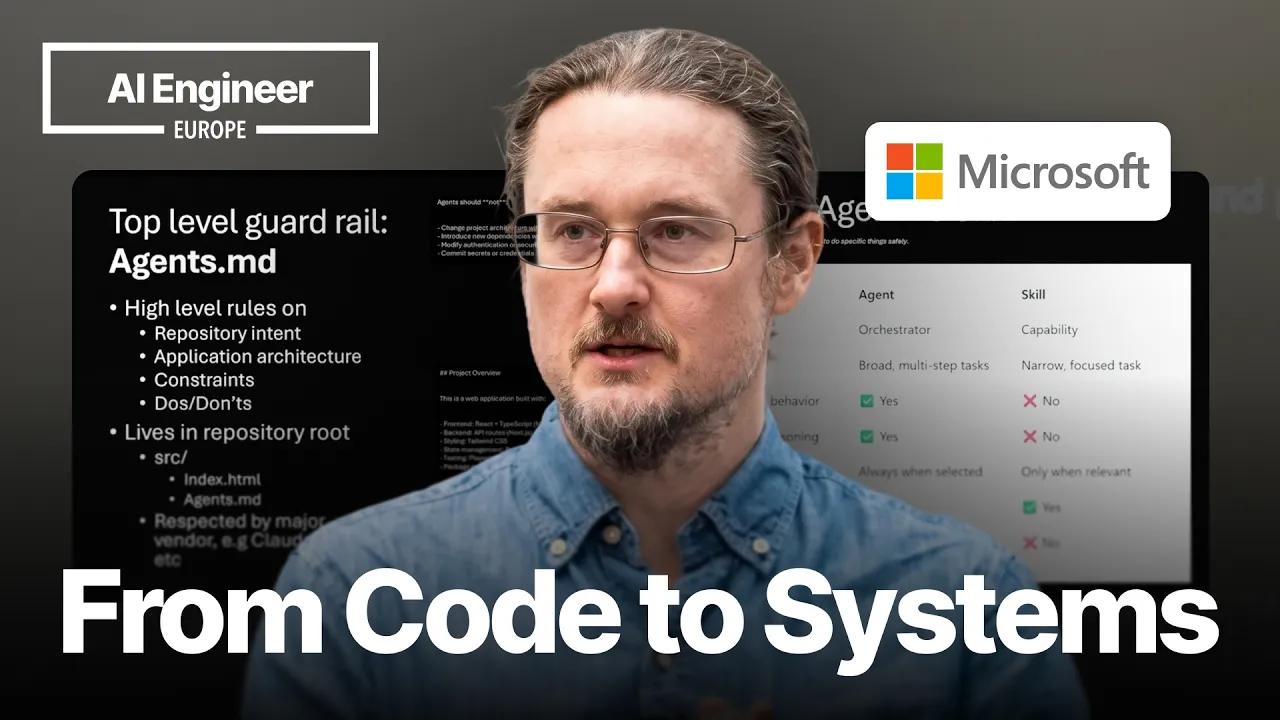
And you know this, right? I I mentioned AI slope before and I see some nods and then I saw some pain, right? Like, we we know this pain. Without [snorts] rules, agents run amok. So, what do we do? We add guardrails. Guardrail number one. This is the absolute bare minimum, right? Agents.md. Should have this in all your GitHub repos or whatever kind of repo structure you have. This is your high-level guidance explaining repository intent, application architecture, constraints, the dos and don'ts, right?
There are things in here, for example, we could explain what the agents should not do. For example, that you should never change the architecture unless I tell you. Or here in a high level, we say, "Well, this project is this and that." This may be some finance app that uses React. Maybe it's using Tailwind and so on and so forth. Right? There are many things that goes into an Agents Agents.md, but I kind of see it as a high-level thing.
And just very very high level here. You see a demo here. You see a repo. I built a little finance tracker by coded, right? Um have a little Agents.md. You can see how I have this project overview, agent responsibilities, and so on and so forth. Quite a long file. >> [snorts] >> Just to take you through it. And I can query here in the bottom right and say, "What does this Agents.md do?" And of course, if I am in a fresh project, I might have an Agents.md from another project.
So, I can just copy it in and say, "Use this one. Adopt my maybe old codebase or my present codebase into adhering to Agents.md." Right? So, Agents.md is is one of those things that's a bare minimum thing to do. >> [clears throat] >> Another problem I have is that agents don't do things correctly. I think you've noticed this as you work with agents is that it's almost the same, right? Or or sometimes it just goes in this direction.
It's definitely not correct. So, for situations like that, we need to use skills. How many are using skills? That's a good show of hands. So, I'm preaching to the choir as they say, right? Well, I'm not going to sing, I promise. So, the idea with a skill is to give it a recipe, something that's repeatable, and you want the agent to use this one each time. Do not make things up. We want to constrain the agents as much as humanly possible.
So, a skill, as maybe a majority of the room already know, is a contract, right? Something that the agent can invoke. So, instead of improvising logic, because we know as developers we want to mitigate risk, right? We know that the agent should have a harness around it and say, "Don't do things that I don't want you to do. Don't be creative. Don't do anything." Right? So, [snorts] now we can also say, "These are tools that you should use." And uh Yeah, so we should definitely be using skills for these um uh for these tasks that are repeatable, that we do often, that needs to happen in a certain order.
So, a skill is called by an agent, it has a strict contract, it's self-contained because it just lives in a folder. And it's intentionally constrained because we don't want agents to do things, right? We want it to be as much as a human developer as as possible while being fast. >> [snorts] >> And about creating skills, if you ever haven't done that before, and this is how it works within GitHub Copilot, but if you're on Claude, which half the audience is, you usually have dot Claude {slash} skills.
That's usually where you place the skills. You have folders, one folder for each skill, and then you have a skill.md. And it comes with some front matter with name and description, what it does, and then a long markdown instruction. What should happen. So, skills are a great thing. I think it's great that we are all in agreement, all the big vendors, whether you are Anthropic or Microsoft or anyone else, because ultimately as developers, you know, we don't always decide what vendor that that we use.
So, creating a skill is therefore pretty straightforward. And yeah, this might be VS Code specific, but I'm sure in Claude this is equally simple. So, we're just here. We have a folder already. We have a skill, skill.md, and we can just and one of my favorite things to do, because I'm really bad at writing these instructions, is simply to ask Copilot, "How do you write a better instruction for what I aim to do?" And I can definitely bring up a user interface to add a new skill, and I think whether you use code or IntelliJ, it's pretty much the same thing.
Um and and here I'm invoking the skills, by the way, and there are different ways of doing that. So, either I'm calling {slash} skills, in which case it allows me to configure the skills, or I'm just typing a prompt that resembles the name or description of the skill, in which case it will be invoked. Another problem I have is that sometimes I need more than skills. How many are using agents.md and skills and then nothing more?
Okay, so you probably are using something more. So, you're probably using agents, and you might not know what I'm after, but we have this thing in GitHub Copilot called a custom agent. That's when we feel like the skill isn't enough. When we need the next level. So, what I'm saying is that a skill is limited in what it can do. It can't really orchestrate itself with others. That's when you need an agent, right? You need something that's able to reason.
So, here with a custom agent, you have a persona, right? And an agent can use n number of skills. So, it has a distinct role and purpose. So, think security expert, back-end, front-ender. Think also that it's able to use MCP servers. So, you can see at this point an agent becomes a higher level concept than a skill. So, just to compare and contrast, we see that the agent is more of an orchestrator. It's more broad in its scope.
It has a personality, it's able to plan, it's able to reason. And we also see that it's um Yeah, it's different on the autonomy level, and you see that the skill is great. A skill might be great in many times, but it simply doesn't have all these other higher level functioning. And of course, just like a skill though, a custom agent has a front matter, it has instructions, and now the question is where do we place it?
So, let's go to into another demo. So, how many of you were using Copilot? It's like half the room, right? Right. So, if you started using custom agents already, you would know that you have dot GitHub {slash} agents, even though you can, I think, choose where to place it. The important part is that you call it dot agent. That That's what makes it find it, right? But this is the the custom place where it should live.
But if we compare that a second to the skill, we see that the skill had name and description up here, whereas here we have argument hints and we have tools. Tools is an important concept, because that's able to constrain the agent what it can do or not, right? So, in this case the agent can read, it can search the web, it can create to-do lists, and much more. Um I'm sure a similar concept exist in Claude, by the way.
So, what I'm trying to say here is that this is much more than a skill, as you can see, right? Because it's able to go off and do things, and maybe play well with other agents. In this case, this is a researcher. That's why we constrain it to work on the web and maybe not necessarily be able to create files or edit files or do things like that. So, a good use case here is maybe when I I want to find out something, right?
So, were I to use it, I would go into my chat here and ask it questions maybe about the Yeah, for example, Microsoft Agent Framework or whatever I'm interested in. So, here I have a prompt, and I should get some kind of prompt response, and then I've also selected the researcher down here. So, that's an important part. And this is very, of course, Copilot specific, but if you look at the idea, I think you see that this is more than a skill, right?
It's a thing that has tools, it has reasoning, and so on and so forth. Right. So, now we're kind of approaching our uh final chapter out of three, because we're starting in the CLI. We started with saying, "Hey, maybe I have six different terminals that does things for me." Everything from adding features to working on the latest MCP, to fixing things, to the scale part. And here is where it gets interesting, right? Hopefully, most of you still have a bunch of colleagues, but here is a lot of other colleagues, and you need to keep track of them.
It It's You've noticed that and I'm going to use an interesting word for agents here. I've have heard people refer to them as toddlers. I don't know you've heard the same. But the idea with agents is that sometimes we think they're super smart, and sometimes they're just plain dumb, right? They literally go between genius and oh my god, I can't believe you did this, right? So, you understand the harness, right? You need to understand the need for a harness.
So, what I'm trying to say here is that yes to all scaling, yes to all delegation, but you saw the need for adding guardrails. So, now that we feel good about this, now that we feel good about agents.md, custom agents, custom instructions, we've laid the groundwork. Now we come to the interesting part of scaling ourselves, because that's ultimately what it means, right? Each of us could be the 10x developer, the 20x developer, or even 100x developer.
So, we can scale in one of two different ways if you use Copilot, right? We can either scale directly from the CLI, or we can scale from the UI when we are looking at our GitHub repository. So, we're in here. Uh and what we're doing here to scale is to call {slash} delegate. So, here we simply say, "Create a finance app that tracks my spending. Use HTML, CSS, and JavaScript." So, here we're telling it to go build us an app.
And this is just one of many terminal windows that we have open. So, by calling delegate, and I should mention that this needs to be a proper GitHub repo, or it's going to complain. Cuz if it's not, it's going to be like, "Hey, Chris, I can't do this. I'm not a GitHub repo yet. Make me one." So, here we it's just says, "Send this session to GitHub." And it does. So, now it's going to create a bunch of things. It's tried to It starts a job, it creates a draft PR, and this is important.
Most of our agents work in sandboxes, or all of them, right? So, they can't really break out of the sandbox and do a bunch of weird stuff, but they can create a PR, and that brings us in as humans as humans in the loop. And of course, this can happen from GitHub also if you have GitHub Enterprise. I don't know how many it does, but So, this is, by the way, what it looks like in in GitHub. I just wanted to show you this.
So, had I clicked the link from the CLI, I would have ended up here. It would have said, "Hey, Chris, I'm working on your task and trying to build you that finance app." So, here is me using MCP servers, like Playwright, GitHub's MCP, so on and so forth, right? So, that's the beauty, right? So, imagine now that I had all these terminals open, I delegate this, I delegate that, and suddenly we worked on the entire product backlog.
Here's the other modality, and this is pretty much the same thing. We're just doing it from the GitHub user interface instead. So, here we are simply saying, "I have created an issue." The issue usually has more description than this, but I'm just showing you the principle. So, here I'm saying, "Add dark mode to my app." I have a title, I have a description, and I have this thing over here. So, here I can assign to agent.
So, essentially, if I'm in the user interface for a repo, I can just say, "Oh, here's a bunch of issues. Each of these issues are a next feature or a bug fix or whatever. Delegate, delegate, delegate, delegate, and I go have a coffee, right? So whoop. So if we kick this off, you can just see me here having created this issue, and then I click assign agent, and I can give it further instructions if I need. That kicks things off.
The first thing that's going to happen is I'm going to see this one. I'm going to see this little icon here that says, "Ooh, Copilot, you called my name, right?" So now Copilot is giving it a few seconds, and you can see how it works on this whip, this work in progress. You can click it, you can see exactly where it is. And this is where the human in the loop comes in, right? Cuz once it's done, it's giving you a draft PR and say, "Hey Chris, what do you think of this?
Is this something we can ship?" So after a while, it's going to come back to me, and but the good part is this happens in the background, and I can keep working on other things. So this is really the power of delegation, right? This is how we scale ourselves to utilize our minds better. I usually compare this whole age the strange age we live in to people who used to cut down trees with axes. I see we are now at the point where we're throwing the axes, we're using a chainsaw instead, cuz we are so much faster.
This is not something that's new to us as developers, right? We are used to better tools. And that's why I'm saying human in the loop. We are still important because we have built the system, right? We have built the system that instructs the agents to run a mock within our harness. We have approval gates ourselves, and we can probably add more approval gates. And the agent is literally asking us for a review before, and and we can still be the ones that merge.
So in summary, if you haven't used any kind of CLI product before for agents, see what I showed you, six different terminals or more, you can get so much stuff done, whether it's your side project at home, whether you're working at, you know, big enterprise company. You can build new apps from the CLI if you dare venture out from the editor. Um in your editor, I tend to use that less and less, but more like fine adjustments, because sometimes an editor experience is just better, you know?
And uh yeah, the CLI or the GitHub UI can scale, it can delegate, and you know, we are 20 times the developer we used to be. Providing of course we provided the right guardrails, right? Because 20 times more code, that could be 20 times more slop, and we don't want that. And uh yeah, the guardrails I'm introducing today, which I think many of you might know about, is agents MD, skills, custom agents, and so on and so forth.
And all about this is about scaling you now that we have AI, not replacing you. So hopefully I'm landing you with a good message to say, "We want the engineering brain, so please stay in this industry, right?" >> [snorts] >> So thank you so much, folks. >> [applause] [music]
The words are the caption track's own and nothing is reworded or re-transcribed. Paragraph breaks are placed between sentences so the text reads as prose.
Free tools for your own script. No signup, no login.
Paste your draft and see where viewers are likely to drop off, with a rewrite for each weak line.
Paste the first 30 seconds of your own draft for a hook score and rewrites.
Check your draft against YouTube's advertiser-friendly guidelines before you record it.
Read this channel's public videos and transcripts, and download a writing brief for it.