Getting the transcript
Reading the captions from YouTube. A video nobody has opened here before takes 10 to 30 seconds; this page fills in on its own.
Getting the transcript
Reading the captions from YouTube. A video nobody has opened here before takes 10 to 30 seconds; this page fills in on its own.
Churchfront · @Churchfront
Words
6,476
Runtime
32:08
Speaking pace
202wpm
Reading time
27min
202 words per minute, above the 201 75th percentile of 349 measured videos. That distribution comes from the 349-video hook study.
Opening (first 30 seconds)
In my opinion, 2026 will go down as the year where AI technology has changed everything. Churchfront is an AI company, but we are using AI to its fullest extent. >> Yep. >> And it's allowing us to do our job way better than I ever imagined. Like you can stand and take a wide picture of your closet at your church and say, "Find me the documentation for what's in this picture." and Claude will go research online to find all the switchers and camera models and you know microphones and it'll find you the documentation and then if you
101 words, the words spoken in the first 30 seconds at 202 words per minute.
Free, no signup. See how the first 30 seconds hold attention, with rewrites.
Sentence shape
| Measure | This transcript |
|---|---|
| Sentences | 364 |
| Average words per sentence | 17.8 |
| Longest sentence | 125 words |
| Questions asked | 19 |
| Sentences containing a number | 10 |
Most used terms
Filler phrases
311 in total: like 173 · you know 36 · kind of 35 · um 24 · uh 17 · actually 10 · I mean 7 · right? 4 · sort of 3 · basically 2.
A literal whole-word count of the same phrase list the Prepublish browser extension uses, so a phrase inside another word is not counted and a phrase used in its ordinary sense still is. It is a count and not a judgement.
Run the check on the words above: where attention is likely to drop, with a rewrite for each weak line. The free check shows the scores and the one issue costing the most.
What this transcript is
Every word below is the caption track YouTube publishes for this video, pulled from the video itself and reproduced unchanged. It is not Prepublish's writing, not a summary, and not a re-transcription: it is the video's own published captions. English captions, generated automatically by YouTube, in the video’s original language. Source: the video on YouTube. A channel that would rather this page did not exist can ask for its removal through the contact page, and it is removed.
No Script X-ray for this video: YouTube shows a Most replayed graph only once a video has enough views.
In my opinion, 2026 will go down as the year where AI technology has changed everything. Churchfront is an AI company, but we are using AI to its fullest extent. >> Yep. >> And it's allowing us to do our job way better than I ever imagined. Like you can stand and take a wide picture of your closet at your church and say, "Find me the documentation for what's in this picture." and Claude will go research online to find all the switchers and camera models and you know microphones and it'll find you the documentation and then if you haven't built that system inventory it can help you when troubleshooting you know moving forward in my opinion 2026 will go down as the year where AI technology has changed everything. >> Yep.
And I think we're going to see that in every industry. And we we have a unique perspective because we we both are in ministry in our local churches serving and you know work serving on worship and production teams. And that's what most of our audience is doing, but we're also in the specialty construction AV integrator consulting industry as a business. >> And there's sort of two different worlds that AI is impacting at the same time. >> Yep.
So we can speak from the business world how it's impacting us and I think a lot of the impacts of technology happens quicker in business world than it does in church world in in a lot of cases maybe not all cases right so it'd be interesting to kind of share a little bit about like what does our day-to-day life look like right now using these tools and how it's impacted the way we we interact with uh communication technology and uh how we do creative content and uh how we um get work done for our clients and then we can talk about what what could this look like if we also apply these same tools in a in a church environment.
So like the other day you're like hey I don't even open my email anymore. >> Yep. Yep. It's true. I have completely if you have like Apple mail or if you're opening your Gmail, you know, account on your web browser or you're using some other thirdparty email client, uh I've removed it from my doc because what I can do now is essentially I'm still doing email but through Claude. And so I'm I'm rather than me scrubbing through my inbox visually and physically every day, I have Claude scrub my inbox in the morning.
I actually think I have it going on a three times per day uh inbox sweep. So it'll make sure I don't miss anything. But I feel like, you know, I used to check my inbox every 20 minutes. You know, I used to go open my email client and like look at see if I had gotten any notifications. It's kind of like that like addiction piece that I just kept going back. It's almost muscle memory. But now I have Claude three times a day, morning, noon, and kind of late afternoon do an inbox sweep.
And rather than surface decisions to me or like, hey, this is how many emails you have. Go check them out. I actually have asked it prior to this to go back and scrub all my replies so that it kind of knows my tone. I had it build a skill file out of that and then it will surface to me drafts that are ready to send. So my now my email time is really me going over drafts with Claude and refining those drafts before I reply.
So Claude's not sending anything, but it's surfacing for me the things that need replies. And then all of the marketing emails and the random promos and stuff that come to my inbox are automatically archived and marked as red. Yeah. Unless it's something that in the past I have spent, you know, time like looking at. So, it kind of knows that if it's a big promo or like a a version of software release or something like that that I would actually want to take a look at, uh, then it'll let me know that.
But, it kind of prompts me, hey, just so you know, this is in your inbox. What do you want to do with it? But like I get rental car emails all the time and every weekend it's trying to get me to go rent a car in some place in the United States and it's like I don't need to look at that email. I never click on those links. So market is red, put in archive and move on. So it's just saving me a lot of that time that I used to go to my inbox and I would get sucked into the inbox and get away from my important work of using my brain to do creative and important stuff. >> Yeah.
If you're trying to get started with this, you hear Luke talking about this and and a lot of people hear this and they're like, "Wow, that sounds amazing, but like how do I do that?" Right? And I I don't want to um make it like I don't want to kind of go over people's head here. And I but I also want to show you the opportunity. It's like so simple to get going with this. Like really, it's >> go to Anthropics website, sign up for a Claude subscription.
We have Claude Pro and it's like our organizational account for our team. And then you can also get your own personal account. Just get an account. I think it's like 20 bucks a month. Yeah. >> And >> from there, >> you then want to make sure you go to I think the customize page or the somewhere on in Claude and it changes I feel like almost every week. So look for connectors. That's the important thing. Find the connectors option and you can connect your Gmail account.
Uh we use like we like uh superhuman as a email client software because it's got its own built-in AI that works really well and a really powerful connector because I find like some of these different apps have better connectors with claude so Claude can do more like superhuman is better at handling like attachments from emails and things like that and and grabbing them and putting them where we need to in other apps and >> the interesting thing about superhuman and what I think people don't realize either is some of these AI companies have merged with companies you already Like so I don't know.
I know like a lot of people used to use Grammarly. That was the kind of editing or like spell check and grammar flow of your writing editing to help you make sure that you're not sending unprofessional emails and it was all phrased well and you know just do some basic spell check. So Superhum and Grammarly are the same company now. So I'm not sure who bought who, but I'm pretty sure Superhuman bought Grammarly. So now that's why it's so good at writing drafts.
It's just got that backbone to it. So it's such a helpful tool. connect your your email client. It could be Gmail. It could be superhuman. It could be whatever other email uh client you use and then connect your calendar. A lot of us use Google Google calendar. I'm sure Microsoft world you can have all the same uh connections and I'm sorry that you have to use Microsoft products if you're if you're in that ecosystem.
Um but I'm sure it works similarly. Um get it connected to your cloud account and then you start chatting with Claude about like, hey, what can you do? Here's my email account. Um, when you do attach a connector, you have to give it permissions. Can it read, write, delete, whatever, you know, actions. I'm I'm always pretty generous with those permissions. Um, because so far it hasn't hasn't done anything, you know, crazy like hasn't hasn't gone rogue or anything like get that.
Um, and once you connect the apps you always use, then you want to start building skill files. So again, if you go to the customize tab in Claude, there should be options for skill files. There's ones that you'll find are already created that Anthropic just shares with with the community, but then you can make your own. So for me, I have a ski skill file called Jake email and calendar because email and calendar are very base lever base level protocols for modern internet like communication and organizing the data in our life.
And it's cool because Claude has has made those tools actually more useful to me now because now when I'm like, "Hey, uh, I need to send an email to whoever about this or that," I can just have my random like train of thought going and I'll dump that into Claude and he'll know exactly like who I'm referring to because he because Claude can look up email history and contacts and stuff and draft the message like you said.
And then um then then cla can also schedule the events automatically onto the calendar. So like I'm traveling booking a lot of appointments whether it's with clients with people doing content collaborations or like podcast recordings. >> I don't manually set up those events anymore or do any of those emails. I will just explain what I want like it's it's my assistant and then Claude does it in the matter of like 20 to 30 seconds.
It's like yep here's the event. They've been invited. Here's the draft email. Or sometimes I'm like, "Hey, like can you also like search for like studio in that area?" Like I just don't manually search for anything anymore. >> No. And you don't manually input things into your system. So one of the big time savers I think for when we're booking travel specifically like even if it's as simple as like picking up your kids from school, but for us it's booking flights.
So, we'll book the flight. You get an email confirmation in your inbox, and then you tell Claude like, "Just make sure there's proper time for my travel to get from my office or from my house to the flight for enough boarding time, enough security time." And that will vary depending on where we're flying out of, but because I would back us up to the beginning, is there's always a step I think people miss is the about me section in Claude.
It's kind of like your it's like your MySpace profile, you know? It's like >> is that the general settings? Okay. >> Yep. So, you give it and you can reverse engineer or reverse prompt Claude and say, "What questions do you need to know about me to serve me well as my assistant?" And it'll tell you, it'll spit out like three to five questions and then it will write its own about me section for you as the user. And then it knows basically where I live or my general zip code.
And so when I say I'm flying out of Melbourne, Florida, it knows the airport is 5 minutes away, you know, and so and the security at Melbourne is a 10-minute process if that. So it it just knows when I ask it, okay, I just booked a flight. Go ahead and make sure I've got the flight on my calendar and make sure I've got some commute time to leave the office or leave my home and then get through security and board the plane at the appropriate time.
It puts all of that on my calendar so that I'm not double booking appointments and that nobody's getting that little commute section of time, but I'm not going into my calendar and manually clicking the plus button and adding all those details. Like it's adding all of that information just from referencing the email. >> Yep. Exactly. those. So those skill files become really key because then every time you start a new chat with Claude, it just knows, oh, Jake's asking me something about email or his calendar, it pulls up that skill file where I've refined exactly what I like and the processes and how I want it to book stuff, how I want it to title events in my calendar, all of it.
It remembers it perfectly. And then the more you do it, the more efficient it gets. >> Yep. So, I would encourage if you're listening, get a cloud account, connect it to email and calendar and watch it start organizing your life in a way that you never thought possible. I use this not just for my business life, but also for my own personal life. Uh, we did a move this year and it lots of like real estate transactions I had to deal with. >> And the way Claude I I then connected it to my Dropbox so it can actually organize folders on my computer >> of documents.
Right. >> What did your Dropbox look like before you did that? >> Oh, complete mess. Did you find anything? >> Maybe. >> I mean, because you're you're looking at files that are named weird names. You're looking at stuff that doesn't have a name. I mean, I have so many scanned documents in my Dropbox. And then Claude goes in there and looks at that document and names it something appropriate to where it can find it really easily moving forward. >> Yeah, there's like no reason to have cluttered documents anymore on computer.
So, it it was it saves me so much time. And then even managing my my personal life at home. We have like people who help with like mowing the lawn or landscapers or electricians or plumbers. I used another app. Notion is another great app for kind of creating a a knowledge base or database on your life in a way where um you could do the same thing in Dropbox with just simple text files, but Notion's great because it's got a nice UI and you can kind of interact with it in a in a much more userfriendly way.
So, I have a list of all of my preferred vendors I want to work with, all their contact information. So, now if I'm like walking outside and I see there's like um some issue or like I see the house needs some pressure washing cuz it's like been a year, it's getting kind of dirty, there's like cocoons on the side of my house, like there just was. I can be like, "Hey, uh can you draft an email for my pressure washing guy?
Let him know I'd like to book, you know, in the next week or two." And then does it send and it's like that person shows up instantly. So it so that's the personal life. So you can already start to think like how >> how could this help in worship and production ministry world where like you use the same concept same tools for all the communication you need for between you and your team and organizing all the data in your ministry all the all the equipment you might have in your space like >> that's where I think I'll tie I'll bridge the gap for personal to ministry in a way that I think will be helpful too. the when we moved into our house here in Florida, the previous homeowners went above and beyond.
They left kind of like a home kit for us. It was all the manuals and all the kind of, you know, um, like we have solar panels. They left kind of the solar panel documentation and all that kind of stuff that normally you're kind of digging through trying to figure out who did this to the house. Um, but they left all that stuff in a nice little bin with kind of the usernames and passwords of security cameras and things like that.
And I just scanned all that in. I, you know, just scanned those documents in, uploaded to my database, and then Claude now has all of that. And rather than me actually scanning in some of the user manuals, I took a picture of the user manual and said, "Go find this manual online." And it went and found the digital copy so I could just throw away the physical copy. And now I don't have that clutter in my house. But I think about church inventory and kind of knowing how to troubleshoot.
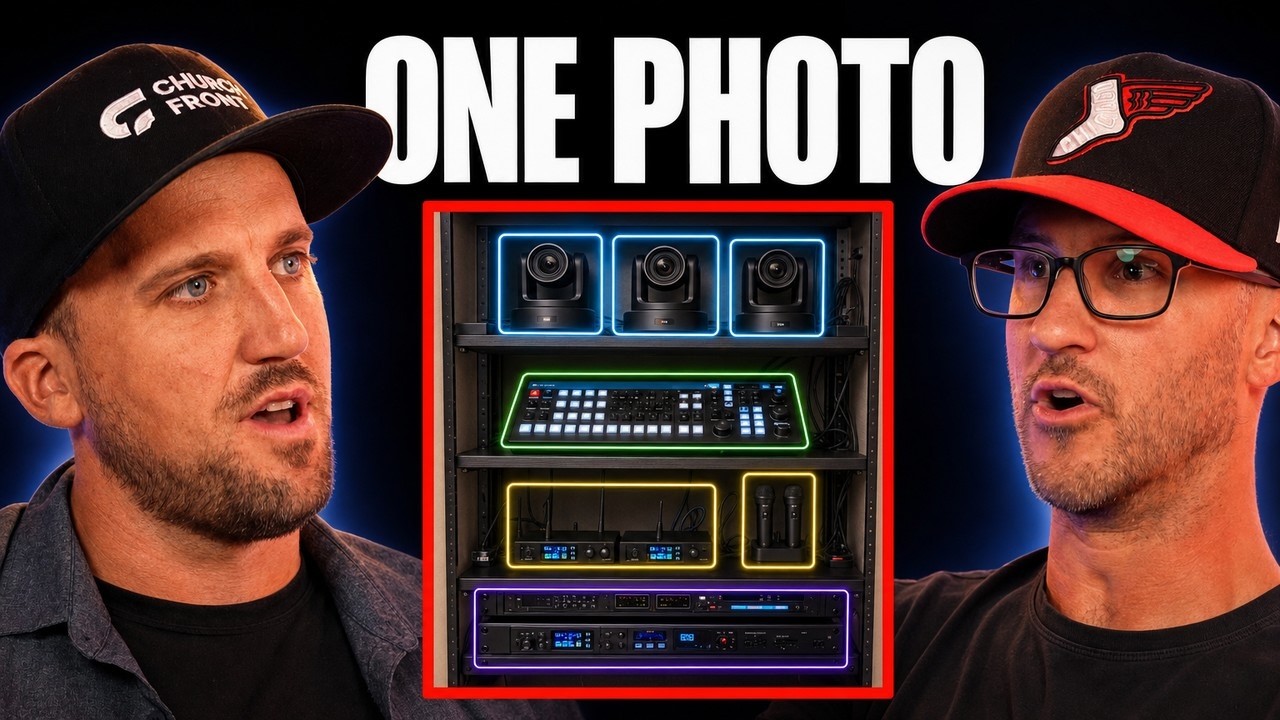
And it's like you could just walk in the back closet and take a picture of what's on your shelves. Like not even >> not even getting up close to the box or the the components. Like you can stand and take a wide picture of your closet at your church and say, "Find me the documentation for what's in this picture." And Claude will go research online to find all the switchers and camera models and, you know, microphones.
And it'll find you the documentation. And then if you have him build that system inventory, it can help you when troubleshooting, you know, moving forward. >> Yep. So I think the the next level of using AI for your life and your ministry is what what are the apps that are in your tech stack for whatever you're doing for for life and ministry. So for for us, we have an app called Job Tread. That's what we use for project management and all the integration we work and and do.
And um what's cool about job tread is it has complete open API and a claude connector. So now Claude can do anything in job tread that I could do manually. I don't think there's really any limitations, right? Once you when you give it the full permission. >> So and that's where I think the that's where the future is going. I I made a video about this back in the spring when all these features came out. Now it's just such a normal part of my life.
My work life is like I am >> most of my work even though a lot of it's happening in apps like job tread and notion and whatever other Slack or whatever it claud is where I interface with them. >> Yep. >> Almost all the time now and >> it's just normal now. Yeah. But so like I that's what's happening now in the ministry world again. I'm not in it daytoday and I'm actually looking forward to a season I think in a couple months where once we're done our construction project at my church and we have like a normal functioning space.
I'm going to lean more into gre leading and growing our production team and we're going to be able to like settle into some good systems. I can't wait to put more time into that at a ministry level. Um because man, I wish I had these when I've worked full-time ministry 10 years ago. Like imagine having these tools. Well, I I just think about all the years I spent trying to figure out a system that would help me not let people fall through the cracks.
Yeah. Right. That was as a ministry leader, you're always kind of being tugged and pulled into these different like needs of the church, especially when you're in the production space and you've got, you know, this thing's not working or this new hireer needs a computer or this network isn't functioning the way it should and your week is kind of being just you're like a jelly person just being pulled into different spaces.
And at the end of the week, I'd go, man, I didn't get any points with my team. I didn't get, you know, I know this new person who's interested in, man, I, you know, I would love to be a part of a Bible study, but I don't have the time. And it's like those those pieces always felt like impossible tasks to solve or to complete. And with AI, just leveraging those tools, I think, in a pretty menial way. I mean, if it just is, you know, it's pretty simple.
It's not like I'm building a I don't know. It's not like I'm building a robot for my tech ministry at this point. I'm just using some of the common day rhythms and and AI to help me not let those things fall through the cracks. Well, that's in in in a tech or worship ministry where you have a lot of like repeated repeated things that have to happen. you can use scheduled tasks in claude >> in these other AI tools that can you can schedule things and that that's really the difference between um an agent versus just chatting with with AI, right?
So like you can use the same idea about those skill files we talked about earlier where you can start saying hey um once a month I want you to analyze the people on my team and like you can create some sort of database to keep track of this be like help me remember to book like a coffee appointment with them or help me to book like a training session with them or whatever. you can just kind of offload a lot of the thinking you'd have to do to plan and keep track of that and it could just start prompting you with like, hey, here's a draft email to schedule with James on your team who you want to have a a a coffee with and see how he's doing.
Check in on life. Like just do ministry better. It's like it's getting all the logistics out of the way so you can just do the ministry more effectively. >> Um like we said earlier, taking inventory of your system. Uh apps like Planning Center, I think has an MCP now. So does multi-tracks. Um it it's it's incredible. You could create Here's an idea. So here's what I'm finding too with AI. There's software like Notion which is becoming more of a >> it's I don't what know what you call it.
Notion is more like Lego software where you can kind of build kind of what you want. Yeah. >> For a certain software application and it's making other applications >> kind of useless in my opinion. So like we used to pay for workable for our team to manage like our internal HR for like PTO also using it for recruiting and stuff like that. >> And then I realized all of these apps out there are just kind of fancy databases and they they might have a slicker UI to them of like when you're working in it. >> But what's cool about notion >> is that's all it's a database.
It's like it's like Excel spreadsheet with a better UI than Excel spreadsheet. And I can create databases and pages and different views that tailor what I want out of this application. It's like I'm building my own app, >> right? >> And the AI makes it way quicker because now I can just describe to it, hey, >> build me an app for intaking applications for people who want to work at Churchfront, which by the way, go to churchfront.com/careers if you want to apply.
We're hiring technicians right now. You'll fill out a form and I built this whole thing in notion where it just like fills out a database. I can see all the data there. Like it's a it's a custom app. >> And if you think if you I would even back up. If you are confused about what a database would be, think about your filing cabinet at home. >> Like that's what it is. You're you're keeping record of all these different things whether it be your your kind of your kids school documents or your medical documents or you know it's again your spreadsheets or your contacts like the it's a combination of your filing cabinet and your rolodex from back in the day in a virtual system that then helps you maximize your time.
And the notion has this built-in agent or kind of an AI um piece to the puzzle that we spend a lot of time just talking to the AI and just saying build me a calendar for our YouTube channel and help us keep track of what the >> the content ideas are on the calendar. And it can do that for anything. Like I think we lived through in the 2000s, 2010s, early 2020s, like there's so many apps, custom apps built for everything, but I don't think the future is going to be a bunch of different apps in that same way.
It's going to be your AI can create the app that you need for you. I think there are going to be these super apps kind of like I think I think notion qualifies as one of those right now because it's like >> it's like the foundational infrastructure to get an AI to make it what you want it to be like you still need that infrastructure. >> Yeah. AI needs the reference point. >> Yeah. >> So it's what what is it referencing?
Is it referencing your email and your calendar like we described earlier? Is it referencing a notion database? Is it referencing your inbox? Like it's got to point to somewhere to get that information. >> Yeah. So, I think in the church world, there are like so many random little apps out there for different little purposes and stuff, but >> I don't think I I don't know. I think we're just going to see a lot of them go away because people are going to find what they need with AI.
Y >> for example, like we Churchfront used to primarily be in the training content business, right, of like we have a website. It's member memberrestricted. You can watch courses and training videos and um you know, you have to pay to access it all. But at this point, you could use notion for your ministry to create a database and you could actually have a database that has training videos that are specific for the roles on your team and your system. >> Granted, you got to know how to make the training videos and like create good content for your team to use.
But you could film a video on your phone. Here's our console. Here's how we start it up. Here's how we mix. Here's how we do whatever. Here's how we do our video system. >> You could have Claude edit those videos in Da Vinci, which we can talk about later in a second. And then you can have it make this like manual for your ministry and it it will do it all for you. You're not having to plunk all this stuff in. It'll make the transcripts.
It'll make the outlines. It'll paste the embed the YouTube videos or whatever wherever you host the videos. It'll embed them into the pages. And then imagine you have a workflow where you have a new volunteer come in. The data actually doesn't go into notion or it doesn't go into Planning Center. It doesn't go even need to go into MXU. It doesn't need to go like whatever these other apps. It just goes into Claude. and cloud uses some sort of place to store that data like notion to keep track of those people and build workflows and they just >> they you just it just happens.
That's I just think like the SA the whole idea of like all these different SAS products >> I I I don't think there's going to be as many of them in the future ironically >> because content and because information will be so accessible Yeah. >> to AI. I mean that in the past it has been a subscription or a model that you pay for access to the information >> but now that information is it's almost it's being commoditized. >> Yeah.
Yeah. Even our information. So now that's why we're making a big shift with uh churchfront.com our platform and it's really we're focusing more on if you want access to the community and the coaching like our personal expertise then you'll pay for that. We have some courses as well and all that too, but like we are going through such a huge paradigm shift right now. I'm like we it really affects our business model. >> Yeah.
I want to back up even to the workflows you were describing with your volunteers because I we came from a church before we moved here to Florida. We we came from a church in Colorado that was a church plant and it had, you know, mobile rigs and mobile road cases that we loaded in every Sunday. And when we were leaving, when we knew we were going to be moving, I knew that whoever was coming in was going to need some of that documentation or some kind of understanding of how the system flowed.
And so I held up my phone and I opened up Claude and I just there's like a little microphone button that you can record a voice memo into and it will transcribe the whole thing and be able to interpret it. And I just talked through each rack that we had, like each mobile road case and what the components were in that road case. And then after I kind of summarized our inventory, I said how the signal flow worked. So I, you know, dictated like here's what's plugged into what and here's what this cable is taking to this screen or to this audio input or to this microphone.
And I had it basically after I had prompted it with that voice memo, I just said, make a PDF diagram that will help somebody who's brand new understand the setup process and the signal flow of the system. And it was a great I mean it spit out a two-page PDF that was you know it's not going to be something that's like premium design but it just it helped that worship leader coming in understand the system without having to start from nothing right.
So stuff like that even is helpful if you're going to be gone for a weekend or you got a a vacation coming up or somebody you know and god forbid like you've got to take time off for bereavement or something you can still equip your team really easily with some of these tools. And we we use it sometimes to double check plan sets and make sure we're not missing anything. >> We sure we are like Churchfront is an AI company.
Yeah. Like not not like we're developing a bunch of like software with AI, but we are using AI to its fullest extent. >> Y >> and it's allowing us to do our job way better than I ever imagined. >> I just remember inheriting when when I was working as a tech director, I remember inheriting asbuilts. like they I got hired and the you know previous person handed over this thick packet and I had a digital PDF of it too and I had never read as before in my life.
So when you look at a plan set and you're like >> what I don't know how to read the cable labels I don't know what these wire um you know what these symbols mean on these plan sets. like it was so intimidating and I spent months just reading like at nauseium reading that document and there's a lot of detail and construction detail in those plans. So you're reading stuff that is kind of relevant but you've got to continue to stack context on context to really comprehend how things are working.
Whereas I just needed to know where this cable or tie line went. You know I just needed to know like what is this attached to? And if I had claw at that point, able to just answer that question quickly without thumbming through the whole PDF would have saved me so much time and headache. >> Yeah, I do think through all this a couple things. The need to continue to learn. So your what I call organic intelligence continues to increase is going to be important.
And I think what's exciting is now a lot of my some of my workday like I have Claude doing a task that takes a long time because it's it's a a pretty complicated process and I'm like you know I don't feel like doing three things at once right now. I'm just going to get a book and I'm going to read. I'm going to make my own intelligence better so I understand processes better. I can think better so that I can prompt the AI better.
I think that's going to be one of the most important skills for humans moving forward is just still putting good knowledge into our own brains in like reading learning non-stop because I do think AI is only so useful to you if you have a good general understanding and knowledges knowledge of processes and of what you're trying to accomplish >> then the AI then you know what to tell it. >> It's maximizing your expertise.
Yeah. you know, it's it's taking your expertise and being able to apply it to multiple different environments. And there there are people who will like I've heard some some podcasters talk about this. I think this is a helpful paradigm or framework to think through. But there are people who will use AI to learn. Like they'll use it to help them learn and there are people who will use it to unlearn or to not learn. Yeah.
You know, there are people who will use it to take shortcuts and essentially you'll just get dumber. Like I don't mean that in an offensive way, but if you just use it to kind of slump off the opportunity of increasing your knowledge, you're gonna you're going to get dumber. You're not increasing your organic intelligence. Uh but you can really use it to increase your intelligence. >> Yep. Yep. >> It's crazy. >> Yeah.
And the other thing I'll say is what's so important with making AI useful is again these skill files and you are building these processes for it to work from and it doesn't get it perfectly the first time and it's an iterative process. So y >> a lot of the times you know I have a lot of repetitive things I do like once every once a week or once every other week and I keep innovating these processes. So then when I run a skill file of like, hey, build out this proposal for this project that we're doing, um, I'll have ideas of how to make it better and it does it and I'm like, "Hey, let's make this, this, and this better.
Do it this way instead. Update skill file." And then it will do it. It'll update the skill file in Claude. And then I just re-upload to the same skill file in our library. And now it remembers those updates. >> Well, and I want to make sure people understand, we're not writing the skill files. No, Claude is writing the skill files. You could have any AI agent write the skill file, but it's you tell the the AI, whether it's chat or claude or Gemini, whatever, what you want it to do, and then you say, "Write the skill file for this, and it will make its own skill file." Yep. >> And then you're just updating that file over time.
You're not we're not sitting down again like clunking out instructions to this to this bot. >> Yep. No. So I already I already feel like most of 2026 I definitely felt more overwhelmed with all the AI potential and capability and a lot of it too in my personal life just a lot of moving and traveling it. That's also why it felt overwhelming. Um and just having a business that's growing and but now that those systems are built I feel like I'm actually enjoying the fruit of it.
I mean like oh wow >> I can have time to we can have time to do a podcast. We can I can sit down and be creative. I can read books. I can exercise. >> We're back, baby. >> We're back. We're back. [laughter] Part of it was like the overwhelming nature of the past three years of just building a a new division of our company, which is the hardest one, the construction side of it. >> But I I'm grateful the timing of it and these AI tools are are making us is making it a much more enjoyable process.
That's for sure. So, I hope you guys found it helpful. We'll probably have more episodes in the future about how we're using these tools and specifically in a church ministry context. Uh like I said earlier, I really want to start messing around with these tools in the environment um at my church and helping with that. I just I've been I have not had time for that, nor has a church been in a place this past summer because we've been a construction project.
So, kind of bad timing there. But I hope towards the end of 2026 here, I'll be able to make more YouTube videos on that and we can have more podcast conversations about it. But >> and if you don't think it's coming to your ministry environment, there are consoles that have integrations with it now. I mean, there like [music] there's so much that is kind of being tapped on the early horizon that is just going to continue to grow and evolve in its connectivity and opportunity to these platforms.
Yep. So, thanks for watching this episode. We'll see you guys next time.
The words are the caption track's own and nothing is reworded or re-transcribed. Paragraph breaks are placed between sentences so the text reads as prose.
Free tools for your own script: paste a draft and see where it stands before you record it.
Paste your draft and see where viewers are likely to drop off, with a rewrite for each weak line.
Paste the first 30 seconds of your own draft for a hook score and rewrites.
Check your draft against YouTube's advertiser-friendly guidelines before you record it.
Read this channel's public videos and transcripts, and download a writing brief for it.