Getting the transcript
Reading the captions from YouTube. A video nobody has opened here before takes 10 to 30 seconds; this page fills in on its own.
Getting the transcript
Reading the captions from YouTube. A video nobody has opened here before takes 10 to 30 seconds; this page fills in on its own.
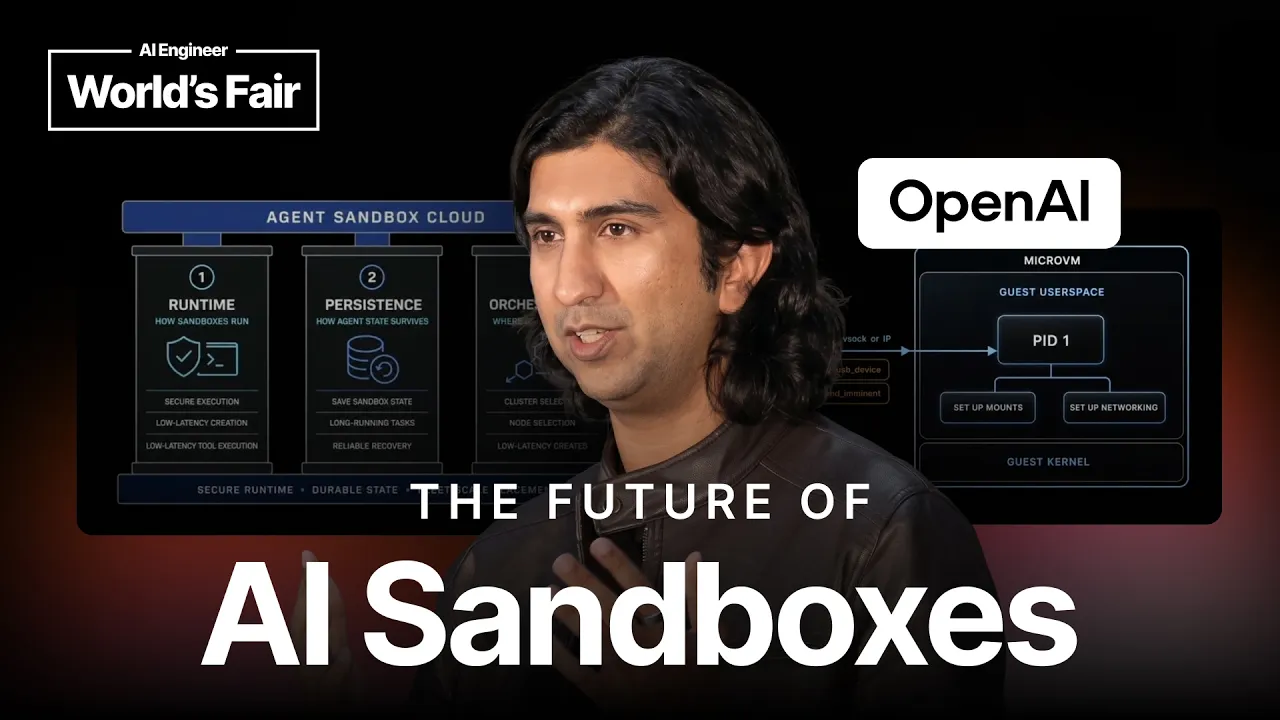
AI Engineer · @aiDotEngineer
Where viewers went back to watch this video again, from YouTube's public Most replayed graph, lined up with what was said at that moment.
Most replayed moment #1
8:553.0x the video's typical replay level
Linux data, but I think now if you help them if you give them a computer with an actual disk that can be saved, then they become a true knowledge worker. And the last part is orchestration and how to run these at scale for many many users at ChatGPT uh and Codex scale. Yeah.
Said at 8:47
Most replayed moment #2
10:423.0x the video's typical replay level
terrible. You can actually dump processes memories and like like I don't even want to say what all can happen. So, you can get root and you can have kernel exploits. And if you get kernel exploit, it's like it's a it's a New York Times article waiting to happen. So, so these are the two attack vectors on a Linux uh
Said at 10:34
Most replayed moment #3
12:292.7x the video's typical replay level
into what containers are in their very raw form. Containers rely on two concepts on Linux, namely name spaces and Cgroups. Uh name spaces are for resource isolation and Cgroups are for controlling the amount of resources a
Said at 12:21
The graph counts replays. It does not show where viewers stopped watching.
Words
7,745
Runtime
44:33
Speaking pace
174wpm
Reading time
32min
174 words per minute, between the 160 25th percentile and the 181 median of 349 measured videos. That distribution comes from the 349-video hook study.
Opening (first 30 seconds)
[music] >> Welcome everyone. Can you guys hear me okay? I've been standing here for 15 minutes without saying anything, so we can start now. My name is Abhishek. I'm on the RL and agent infrastructure team at OpenAI. Um what that means is we work on the infra for reinforcement learning specifically. And on the product side, we also develop infra that helps run untrusted code as part of ChatGPT, Codex web securely and reliably at scale. This talk is called from fork to fleet, designing
87 words, the words spoken in the first 30 seconds at 174 words per minute.
Free, no signup. See how the first 30 seconds hold attention, with rewrites.
Sentence shape
| Measure | This transcript |
|---|---|
| Sentences | 445 |
| Average words per sentence | 17.4 |
| Longest sentence | 58 words |
| Questions asked | 62 |
| Sentences containing a number | 18 |
Most used terms
Filler phrases
373 in total: like 192 · uh 79 · right? 48 · actually 23 · um 16 · basically 4 · kind of 4 · literally 3 · sort of 3 · I mean 1.
A literal whole-word count of the same phrase list the Prepublish browser extension uses, so a phrase inside another word is not counted and a phrase used in its ordinary sense still is. It is a count and not a judgement.
What this transcript is
Every word below is the caption track YouTube publishes for this video, pulled from the video itself and reproduced unchanged. It is not Prepublish's writing, not a summary, and not a re-transcription: it is the video's own published captions. English captions, generated automatically by YouTube, in the video’s original language. Source: the video on YouTube. A channel that would rather this page did not exist can ask for its removal through the contact page, and it is removed.
[music] >> Welcome everyone. Can you guys hear me okay? I've been standing here for 15 minutes without saying anything, so we can start now. My name is Abhishek. I'm on the RL and agent infrastructure team at OpenAI. Um what that means is we work on the infra for reinforcement learning specifically. And on the product side, we also develop infra that helps run untrusted code as part of ChatGPT, Codex web securely and reliably at scale.
This talk is called from fork to fleet, designing an agent sandbox cloud. Um I'll be very clear that there are a lot of words in the title that have OS and infra concepts, but this is a first principles talk. Uh so we'll cover what sandboxes are and why they are needed from first principles. We will also try to cover design intuitions around designing an agent sandbox uh cloud to run sandboxes securely and reliably at scale.
So if if some of these words don't mean anything, don't be worried. We'll explain from first principles and and go from there. Uh last year I gave a talk talk called uh how to build an AI sandbox from scratch. Uh if if you're interested, you can uh look at that talk as well. Think of this as a spiritual sequel to that talk. Okay. So now let's forget about sandboxes or clouds for a second. Let's just go back in time. ChatGPT came out.
It's a very large pre-trained model. Uh people ask all sorts of questions and it responds really really well, really really human-like answers. But when people ask questions like what is 3 + 3 or what how many hours in strawberry, sometimes it works and sometimes it doesn't. It answers questions like what is 3 + 3 quite well because it's trained on the entire internet and apparently people have written 3 + 3 equal to 6 many many times on the internet.
So, it gets it right but people haven't asked how many hours in strawberry enough on the internet and so it gets it wrong. And so it's obvious that for anything code or math related or any problem which has a verifiable reward which means that it can be tested that it's true or false. The model needs something more and the key unlock was that given the model tool calling capability or a way to execute code the model gets these verifiable reward questions around code and math correctly.
And that's from first principles came that if you give the models the ability to execute code it can hill climb and be very very good at math code and other domains that have verifiable rewards like cut to 2026 and we are seeing the the consequences of doing that at scale. So, now how can it answer what is 3 + 3 and how can it answer how many hours in strawberry? Well, it can write code to do this. So, if you see the diagram like we have a training loop and the training loop gives it tasks or questions and then the training and the harness then parses the response of the model and the response might say hey execute code on my behalf.
The harness is responsible for executing the code and then a grader judges whether the answer is correct or not and then the training loop back drops and changes the weights and that's how we train it to do two things. We train it to call code execution or tools on certain classes of problems and secondly we ensure that the code it executes actually solves the problem. So, this is why like tool calling is important on the training side.
Now, let's talk about the product In the previous slide, we showed how the models are trained to emit code in order to solve certain tasks. The agent executes the code and we verify the reward. Well, all of this is useless if we don't support this model on the product side. So, it's basically the same slide as before, but we don't have a training loop and now the hardness is parsing the response and calling the tools and executing the code somewhere, right?
So, where is this code or tool being executed, right? This could be your laptop, like with Codex or any agent you want, or it could be a node on the cloud with Codex Web or ChatGPT. While we can expect the model to generate non-malicious code, but good security practices and hygiene mean that we want to protect our environment, whether it's a laptop or the cloud node. Attacks can be like intentional or unintentional and we want to protect against those.
And it could be like trying to get root on your system or trying to exploit a kernel variability. The models are getting really, really big and they might try to help you in an overzealous fashion and try to get root to do so. So, we want to try and avoid and make sure like it doesn't attack the node or where it's running. Thus, this is where the sandbox come comes in. We need the sandbox to run this untrusted code and ensure that it can do its work, but it shouldn't be able to exploit any vulnerabilities and get root on your system.
In the cloud, other sandboxes with other users' data must might be running as well and we don't want it attacking and getting data of other users out. So, a sandbox is a play an environment in which you can run these tool calls and execute code on behalf of the model securely and it could be on your laptop or it could be on the cloud. Uh I I think that like everyone's probably used open cloud or any agent like that. Um I think it's a very very very big peek into what's to come.
A lot of these agents are running locally on your laptops. And I think it's it's kind of a slap on the face for 20 years of cloud computing that everyone's running this locally on on their laptops. And if you see the the image, I don't know if this is an actual product, but it's very funny because the lid of the laptop is open. It's because you don't want your agents to sleep. Well, we have a whole cloud. There are like industries built on this thing.
So, I think like the future is like us running your agents in the cloud. Like they're persistent, long-running. And I really really hope that moving forward this is not something you see anywhere. But people rented like VPSs. They ran open claws on Hetzner or Mac minis in the cloud. So, I think like open claw was a very very good like peek into like what might be for like sandbox clouds in the future. We've discussed why sandboxes are important in both research and product.
Uh but they have slightly different needs. Uh on research, we want to optimize for throughput. We want to run many many training loops at scale and have many many rollouts. Um a rollout is one version of a task. So, what is 3 + 3? And you might have five or five answers to it. And one answer is a rollout. Um we want to take many many shots on goal in parallel. Um and so, throughput is very very important in research.
In product, latency is very important. I think any any successful product in the last 20 years has been super fast. So, if if you don't start a sandbox in time and you don't execute code fast enough, people will churn uh from your product. Um reliability is important on both both sides. Like, if you fail constantly, you've wasted like GPU tokens on both sides. And GPU is like gold right now. So, we want to just make sure what the tokens you're getting uh are useful.
Uh And similarly on like if if you're not if your agents aren't reliable on the product side, like it's game over, right? Like people will churn from your product. Uh security is also important um On the research side, like uh we are training on OpenAI infrastructure. So, if a model gets root and it's not aligned, it can try to attack OpenAI infrastructure. It can exfiltrate and release our model weights or whatever.
And then on the product side, it can exfiltrate other users' data, attack the infrastructure as well. So, security is important for like both both uh research and product. So, today we'll focus on these three pillars. There are many many parts of a sandbox cloud, but we'll specifically focus on runtime. So, how can we run uh sandbox on one node securely? Secondly, we'll focus on persistence. Uh I think compute was the first unlock.
People realized you give sandboxes a a Linux computer and they do crazy things because they're pre-trained on so much Linux data, but I think now if you help them if you give them a computer with an actual disk that can be saved, then they become a true knowledge worker. And the last part is orchestration and how to run these at scale for many many users at ChatGPT uh and Codex scale. Yeah. So, before we start, this is a first principles talk.
So, let's discuss like how Linux executes code on your machine, right? So, on Linux, a thread is the smallest unit of execution. Uh the kernel is the thing that provides privileged access to a thread via something called system calls or ioctls. So, whenever whenever the user space program wants to access some hardware or some privileged resource, it needs to talk to the kernel and call this like operation that switches the hardware context uh to a more privileged context.
And so, let's look at what that looks like. So, if you see here, your processor has like different rings of execution. So, based on which ring you're executing in, you get different privileges. So, the kernel mode is executing in ring zero. It has the highest privilege. And anything in user mode is uh running in ring three. Whenever we want to access privileged resources, we call system call instructions that change the context of the CPU.
And so, there are two attack vectors in a Linux system, right? First is getting root. In getting root, you're still in ring three, but you're the highest privileged user on the system. So, you can actually pretty much do anything on the system. You can read your SSH keys, encryption data, etc. And then the second version is actually running a a kernel mode exploit. So, running code in ring zero. Uh this is terrible. You can actually dump processes memories and like like I don't even want to say what all can happen.
So, you can get root and you can have kernel exploits. And if you get kernel exploit, it's like it's a it's a New York Times article waiting to happen. So, so these are the two attack vectors on a Linux uh system. So, with that background, let's design the simplest way to execute tools on a Linux system. Uh for example, we can literally have an API server that your harness is calling. And it for every tool call, it can fork a process, exact the tool that the model needs, and just have a fork and exact model, right?
So, now there are a couple of problems uh with this uh model, right? A, as we discussed the execution model, the fork process can now directly talk to the kernel. And so, the model can try to attack the kernel, get root, or try to get a kernel exploit, right? The second thing is imagine you have a while loop and just forking processes in one tool call, right? So now you've kind of become a bad neighbor or a noisy neighbor and you've kind of brought down the node and no other tool calls can run, right?
So fork exec is the simplest thing you can do. It has one thing going for it. It's the most performance solution because there's it's as fast as just forking something. It's native performance, but everything else is very bad about this solution. Uh so like we saw that forking and execing was bad. There was a noisy neighbor issue and there's a security issue. We now turn to something called containers on Linux. You must have heard of Docker and other things associated with the containers, but remember this is the first principles talk.
So let's go what deep into what containers are in their very raw form. Containers rely on two concepts on Linux, namely name spaces and Cgroups. Uh name spaces are for resource isolation and Cgroups are for controlling the amount of resources a set of processes can consume, right? So let's see in depth how they can help our problems. Uh so in this diagram you can see that there are different type of name spaces a set of processes can have.
So on the left you can see this container has a PID name space. So inside inside that process name space it looks like we have a process hierarchy of PIDs 1, 2, and 3, but if you look at the PIDs from outside the container, they're just regular processes with other PIDs, right? So you've abstracted one resource which is the process inside this container. Another example is a mount name space. So if you see the bottom half of the diagram, you can mount any file system on top of any mount inside the container, but from outside the original mount is still visible, right?
So, this is a nice way of like isolating different resources in a container, and there are many namespaces like PID, network, mount, etc. Uh So, moving on to the second principle of containers, right? Like cgroups. So, now we have a way to isolate resources within containers via namespaces, but remember I gave the example of uh someone doing a while with fork, right? Like how can we control that? Well, we can have cgroups and control how much CPU and memory a container can uh uh consume, and that way like we can like uh make sure that one container doesn't bring down the entire node.
So, namespaces and cgroups provide some amount of isolation uh and uh control on the uh system resources to not bring it down in case it's malicious or bad. Um if you've seen the previous diagrams, uh there's the the fundamental problem with containers is that they're still native processes uh running on the host. So, even if we abstract resources and two containers can't attack each other because their resources are isolated, but a process in a container can still exploit the kernel boundary and try to get root or a kernel exploit, right?
And once they can get root, they can attack other people's data from other sandboxes, exfiltrate data, and try to get control of the node like we discussed before. So, security is a spectrum. Like you can still get a decent amount of protection from containers. Uh one example to do this is something called seccomp. So, you can actually have a filter on the amount of system calls uh your container can call, and you can also control the arguments each system call can take.
So, you can say that you're reducing the attack surface of the kernel uh for for this like container, and like kind of have some amount of sanity on how it can attack the kernel. The problem with this is that many times you don't know beforehand what system calls some container might call, right? So, now you're blocking requests for users and later on like you have to like change the set comp filter to allow something or not allow something.
So, the feedback loop is like pretty bad for a product like open claw or any agent that wants to do like crazy things, right? Like you want to make magical experiences happen in the sandbox and you don't want to restrict them, right? So, yeah. The this is the fight like to sum it up like containers interact with the same host kernel, so they do they do have some protections, but at the end it's the same host kernel they're trying to attack, right?
And they can get root and kernel exploits etc. So, we went from like forking to containers like raw fork was obviously very very bad for all the reasons. Uh containers are better than fork because they still have some protection and you can still have set comp for reducing the attack surface. Uh can we do better? Can we reduce the host kernel exposure uh a little bit more? Yeah, so the second thing we can discuss is uh to solve the attack surface problem is something called Gvisor.
The crux of the security boundary is the kernel API from before. So, Gvisor uses this point as its key security story. Uh so, Gvisor implements a lot of sys calls in user space. You can think of it as an application kernel. Its sentry is a user space kernel written in Go and the file system is accessed by another daemon called the gopher. So, the sentry uh implements the Linux API itself including process management, workload management.
And whenever you call a system call, it's intercepted and it's like serviced by this user space uh program. So, then you can argue that you're not implementing an attacking code that's running in ring zero or kernel mode. You're actually running in user space and ring three and any exploit you have is still in user space. So, it's better than you exploiting the kernel directly. But, the fundamental problem is that the sentry and the gofer, like just going back, the sentry and the gofer are still on top of the host kernel.
So, if there is an exploit on them, you can still have a chained two-step exploit. So, you first exploit a problem in the sentry or the gofer, and then you exploit from the gofer to the kernel, right? You can still get to the host kernel eventually. And with with these models uh of like 5.6 and other types like you can have like like them like figuring out bug reports and these things and like trying to chain exploits, right?
So, you can still get to the host kernel, right? So, yeah, the chain is harder here because it's a two-step chain compared to the others, but it's still reachable. Like, can we do better than this? >> Yeah, that's the same slide. It's saying that in all of these uh solutions, you can eventually get to the host kernel, whether it's fork, gVisor, or containers. Yeah. >> So, the key question is can we have a way in which untrusted or malicious code can have exploits, but they can never or find it very very hard to exploit the host, right?
So, even if I can get root, even I if I can exploit the kernel, I still want my host to be protected, right? Like, that's the final goal we have. So, do we have something that we can use for this? So, if you've used if you've like known some of my background, you'll know where I'm going with this. Uh so, turns out Linux provides a very very nice thing called virtualization, uh which is hardware powered at the CPU level.
And it provides an abstraction at the hardware level. So, it which means that even if you can get uh root or execute in like ring zero in the guest, your host is still protected. And this happens because the guest kernel runs in ring zero, but in a separate processor context called VMX non-root. While the host kernel and the hypervisor run in ring zero in something called VMX root mode. So, ring zero gives the guest kernel full control inside the guest, but no control on the host.
So, you can exploit the guest all you want, but the host is still protected. Uh the processor has to switch between the guest and the host whenever the guest wants to access some privileged resource. We'll see how that works, but that is a key trade-off here. There's a performance penalty you pay every time the CPU is switching back and forth between these two modes. Let's see with a diagram what I mean. Um So, you can see in in the in the old diagram we showed ring zero and ring three for executing users user space and kernel code, but here the guest kernel and the guest user space uh are running in separate like CPU context.
So, this is guaranteed at a hardware level. And so, if you can even if you can get to ring zero in the guest, like your host is uh like protected uh from it. Yeah. Now, let's talk about what what does paravirtualized and hardware-based virtualization mean? This is the key of all the VM sandboxes you might have seen on Hacker News or Reddit. So, we'll we'll go from step by step, right? So, on the right-hand side, you see something called the VMM.
Can Can every- Can everyone see that on the right-hand side? It The VMM stands for virtual machine monitor. Um This software is called a virtual machine monitor, and you might have heard of QEMU when you search search for Linux virtualization. QEMU and other VMMs, their sole job is to talk to dev KVM. So, you see that arrow going down like the dev KVM is the hypervisor API of the Linux kernel. All QEMU and other VMMs do is set up the kernel root FS, set up some allocate some memory for this guest virtual machine, and call like into the dev KVM API.
As discussed inside, when the when the guest runs on the left-hand side, it's running as a completely different Linux system. It doesn't know what's happening on the host side, but it has these devices like a block device or a net device coming up as regular Linux devices. But, when it actually tries to access the devices, they exit out to the host context. And, if you see the block back end and the network back end, they're act There's actually code running emulating the devices in the host.
Uh So, whenever the guest exits out, it's being serviced by the VMM process and these device processes. So, what do we mean by paravirtualization? Uh So, paravirtualization means that we want good performance while we want to access hardware in the guest. So, the guest drivers, when you when the user space talks to them, the guest drivers are aware that they're running in a virtual machine. And so, they talk via something called virtio, uh which is a more efficient way of the guest and the host talking to each other.
Uh and so, inside they're just PCI devices like any other hardware. And, when you talk to the PCI devices, you magically exit out onto the host. Uh so, 15-20 years ago, a bunch of Linux wizards made this thing happen and made this performant. And, it it it truly is magical like how it works reliably and performantly across different uh hardware processors. And so, from the host's point of view, when this is running, you just see a block thread.
Like, if you do a PS, you'll see a block thread, but that's running on the guest context. And when the thread exits out, the thread finally wakes up, it wakes up in this VMM process, and the process runs, and it's running inside. Yeah. Yeah, so we had this seismic shift in 2023 where a bunch of new VMMs came. For a long time, it was just QEMU that was used for running virtual machines, but QEMU has a lot of craft. It supports many, many architectures.
It has many devices, and it's written in C. And historically, many, many escape attacks were attacking the devices written in C. So, the first the first Rust-based VMM was something called CrosVM, which our team at Google wrote when I was there to support Linux virtual machines on top of Chromebooks. And the key point here was that we don't need all the craft of QEMU, and we can use Rust to be a memory-safe implementation of this tricky system software.
And secondly, like we have these emulated devices that we can jail. So, if you attack the block device, we've only given it permission to access block resources. So, you can't access network resources. Similarly, if you attack the net device, we we've jailed it, and we don't give it access to block resources. So, then you can still have a second gate of security. So, both Rust-based safety, like being memory-safe, and this jailing at a more granular level at the device, like provides better safety than just QEMU.
So, you must have heard this word micro VMs like everywhere, and like no one really answers like why the word micro comes. So, turns out it has nothing to do with what's running inside the guest. It's It's everything to do with the VMM itself. So, all these new-age Rust-based VMMs, they have a much smaller memory footprint because they don't support as many devices, and they also boot much faster because they don't have as much craft.
So, a mixture of like just less blue less bloat and just booting a faster is why the industry has called them micro VMs. Uh one second. Yeah, sorry. And then you must have seen Firecracker and Cloud Hypervisor. I There's a lot of confusion around what who came before. Cross VM was the first like Rust based VMM that came before and then Firecracker forked Cross VM and it's used on Amazon for their Lambda and serverless load.
And Cloud Hypervisor is a more general like VMM that many many companies like contribute to and when you historically see micro VMs on the internet like it's powered by one of these VMMs basically. So, it may seem complicated but at the end everything is APIs. Micro VMs are no different. So, here's a small view of how you can actually start a micro VM. So, your harness actually forks a Cloud Hypervisor binary process.
When the process starts, it exposes an API over a Unix domain socket. And if you can see in step two, we call the create API, give it like the root FS, kernel, CPU, and memory. And then we finally call start. And when we call start, you can see from previous diagrams that the VMM literally calls into dev KVM just like before and it starts these like guest micro VM. And then once the guest is running the like in this case the agent sandbox is running, it might be that I want to talk to something inside the sandbox to say that hey, save your state or I'm attaching some devices or I'm doing some XYZ operation.
So, generally in in agent sandboxes, you have a PID one that exposes an API server and your harness or something on the outside is talking to this API server. And then this is the way how you can use like micro VMs to be agent sandboxes that that can run like more securely than the other primitives that we showed. Uh, in this case we are using Vsock, which is a socket that can help you communicate between the guest and the host.
Or you can use the IP stack on the node itself. And so there are no free lunches in systems. And so there are some trade-offs. So obviously you get really really good isolation using micro VMs at a hardware level. You can still attack the host, but it's much harder. You have to attack the KVM stack and then you have to attack the device. The chain is much much harder to do, but it has been seen and I'm sure it will be seen more with these models.
Um, you can jail the devices generally. So you can use seccomp and other security hardening things for the devices. So even if you get compromised on one device, your whole system cannot be brought down. Um, and like I said, there is a performance overhead. Like like when you were exiting and and entering the host and the guest context, it's a very very heavy operation and you pay in like performance. Memory sharing is not as easy.
There's something called a balloon driver and so you have to actually ask the guest to give back memory and reclaim it. So it's always a like reactive thing. You can't immediately like reclaim and claim memory. Um, and then a lot of sandboxes these days have GPU access, presumably for auto research or some sort of like ML research type of agents. This is not as easy with micro VMs. There's something called vert IO GPU, but that provides high-level graphic library type access.
For metal access, direct metal access there's something called VFIO, but it can only be shared by one sandbox at a time. It cannot have multi-tenant things. But given all of this, my view is that security like system tricks can cover performance issues, but they cannot hide security breaches. And as a company, you can lose trust once and it's like very hard to regain. So, I always prefer the more secure solution and try to make make make make up with system tricks for performance issues.
And in my history of like working on sandboxes, I've seen there are like I would call it like the seven stages of grief, the seven stages of sandboxing. Like in the end, everyone always wants a VM because they tried everything. They tried containers, G visor, V8s. And then they realize, "Oh, I want a whole Linux box because I don't want to like end up without XYZ functionality." And if I want a whole Linux box, I want to obviously be secure.
So, if you're a startup or a founder like in this space, like let me save you the story and two years of grief. Just please use micro VMs from the start. And then if it doesn't work, tell me and then we can talk about other things. So, now we've discussed how to run untrusted code on one node. And I think now like people have woken up to the fact that these models are very very good drivers of Linux boxes. Like so, if you give them a computer, they can just pretty much do magical things as we've seen with open claw.
They just pre-trained on a lot of Linux, right? However, like imagine if I gave you a computer without a disk. Every time you close the laptop, like your data and your work goes away, right? Like that's not a fun world to live in. And And somehow the agents are some in the cloud at least are in this sort of world right now, right? So, we want to give them durable storage. And so, this this part of the presentation is specifically working on disk storage, not memory persistence, but disk persistence.
So, let's see why it's important and how we can do it. So, as shown in previous diagrams, your micro VMs have disks attached to them. Uh they might be just files or other disk devices on the node that you pass through to the VM. Um And so, from a product perspective, the task the task that the users are doing in these sandboxes are becoming much more complicated and much more longer horizon. So, people are making like presentations and entire GitHub repos are being created inside the sandbox.
Now, now imagine if like the node dies on the cloud or the model has a flake, and you created this like presentation and like you just lost it, right? It's It's A bad for us because we wasted a bunch of GPU tokens. It's obviously bad for the user because you did a lot of this work and and you lost it. So, not just from a product perspective, but just from like a good experience and like utilization perspective, we need to have some way to save the disk state of the sandbox.
And let's go into like three big use cases on what persistence can unlock, right? So, counterintuitively, persistence actually helps reliability and scale. They might seem like orthogonal concepts, but but they're very much related. So, for instance, you have a long-running task in a sandbox that has many packages installed and and you've created like GitHub repos and presentations and things, right? If you keep checkpointing it periodically and if the node fails or the cluster fails, you can now restore the sandbox in the exact checkpoint state on another node.
You can also do it intentionally if you want to upgrade a cluster or do some AB testing on nodes. The persistence has now let you reliably run sandboxes across your fleet, right? So, it's a very good way to scale and be reliable. Like I said, like how many of you have used gold mode in Codex or know what it is? Yeah, amazing, right? So, if you if you run gold mode, now it's like like my I think 3 days is my record for running something, but like now people are doing longer and longer tasks and I think this trend will continue in the cloud as well.
So, to support this we obviously like need to have checkpointing so that the model can save state, restore it on another node and like you can keep going forward and forward, right? Like and so you're resilient to any failures across in the in the infrastructure. This is the most interesting part actually, right? Like so, if your harness wants to explore multiple like solutions or sample spaces, it can actually checkpoint the sandbox state and it can like do a Monte Carlo like tree search and like go ahead and like backtrack, checkpoint again.
So, this way it can actually do rollouts over many, many days and come back with the actual like solution, right? And I think my sincere hope is that if if we make this infrastructure correct, we can help like solve diseases, like find new drugs because the model can just keep going on for longer and longer, right? But it doesn't happen till we have really, really rock solid primitives to do this. And so, given the needs and the the the pillars we want to support, here are some of the things that this snapshotting solution should support, right?
First at ChatGPT or Codex scale, we want to do incremental snapshotting and what that means is like if you call snapshot twice, I'm just snapshotting the diff between the two snapshots. Otherwise, if I have to save gigabytes of data at every turn, like like I'm going to bankrupt the company and like it's just a slow experience regardless, right? The snapshotting API itself should be very, very cheap and fast so the model and the harness can keep snapshotting and exploring like very fast.
And similarly, like just like creation should be fast for products, like restoring is just nothing but just creation from a snapshot and so restoring should also be very very fast for a good product experience. And then we have two paradigms we'll discuss. One is always saving in which the harness doesn't have to explicitly call a save API versus explicit explicit saving where the harness is calling save save save. We'll see how we can implement both so I'll give a reference solution.
And then there are some more design choices with disk snapshotting, right? So first like I said on the left hand side, do you want incremental or full snapshots? I argue I think at our scale we want incremental snapshotting. Secondly, like do you want to snapshot the entire root FS or do you want to have certain folders like workspace or mount something something that you want to you want to keep that like configurable.
And lastly like you we can see how you can snapshot at a file system level or at a block. So I in Linux disks are nothing but block devices and each file maps to different blocks. We'll see after this. And so you can do very very efficient like snapshotting by just zipping up the blocks that have changed for a file or you can do entire files that have changed, right? For more right amplification. And the high level flow of snapshotting is basically you figure out what's changed, you zip it up, put it in the cloud and then when you restore you pull it down and and you restore the micro VM, right?
And so this is a first principles talk and so I just wanted to go over how Linux storage works from first principles. So Linux represents disks as block devices. So you see on the right like it thinks of a block device as having logical blocks from zero to end. A file system maps directories and files into something called an inode data structure and the inode says okay, offset zero in file F maps to this block logical block in disk D and then on the disk itself there's firmware running which says oh logical block one is like sector 100 or sector 500 or page XYZ.
So the hierarchy is on these logical blocks up to the file system and we leverage that for block based snapshotting. And then within a micro VM there are two ways of accessing storage. On the left hand side you can think of this as sharing a folder like Google Drive but it's very very inefficient cuz you're the VM is doing file system operations exiting at every file system operation which is very inefficient. On the right hand side you actually give a disk like abstraction at a block so you give a block device to the micro VM and it is way more efficient because you can use the caches inside the guest and you don't have to exit out as much.
You only exit out when you truly need to access the block device and the host has to service you. This is the high level diagram of how you will have always on persistence in disk snapshotting. So if you have two micro VMs they have a block device which they will see this dot image as a block device inside and as they are writing to the block device we are writing through to the cloud. So there's some sort of like distributed file system that we mount inside that's giving this always on persistence.
And like I mentioned for explicit persistence we have an actual API called the save API. Calling the save API from the harness figures out what figures out what's changed between the last snapshot. It bundles up this div into an artifact and returns a snapshot ID. Later on you can give us this snapshot ID we figure out the lineage of snapshots that make this snapshot ID and then we download them one by one and apply it on the node, and you get a micro VM restored with this thing.
Uh so, let's see like how how we can implement this, right? Give me 1 second. I want to see how we are doing on time. I think we have 5 minutes left, so we can go fast. Yeah, so uh we can do explicit persistence uh using something called copy-on-write. So, Linux has these XFS file systems uh XFS-like file system. So, you can do pretty pretty much have zero latency copies because you don't change any blocks when you copy, but when you actually change the blocks on a file, that's when you pay the penalty.
And so, in this in this design, we have a base.image, which might be the Code X base image or whatever like the chat GPT base image. We create a zero copy on top of it, which is a writable layer. And then when you write to it, now you're changing the blocks in this layer. And then when you want to snapshot, I use something called FIE map, which tells me what blocks have changed and what ranges. I zip that up and store it to the cloud.
And I can do something very nifty here. I can actually lie to you while I'm uploading to the cloud. So, the snapshot can happen return very fast as I'm uploading in the background. I don't have to wait till I'm back till I'm uploading. And then on the other side like I have this diff, I download this like artifact, I figure out what extents have changed, then I apply it back on top of the base image, and I start the micro VM again.
So, now we have a restored sandbox with the exact same state at a block level, right? Now, how can we do always-on persistence, right? Like uh So, this is one way of doing this. I know there's NFS also and other like distributed file systems, but NFS, for instance, isn't as performant and is not POSIX-compliant. And I think our models are just very good at anything POSIX compliant and standard. So, you can write a you can write a file system actually on top of a GCS or S3 or durable block storage.
And you can use something called NBD. So, within the sandbox, you'll actually see a block device. But inside, it will have literally a tiered cache of blocks that are persisted first to an in-cluster cache, and then the in-cluster cache is like writing back to the block storage the object storage. So, you have this like nice global tiered architecture where you're actually like caching things at the block level and finally inside the micro-VM and get a very performant like file system inside.
Yeah, so that's the persistence part of the presentation. And so, the one takeaway I want you guys to think about is I think storage is the next unlock here. As you're working on sandboxes, think of what what all you can snapshot and restore fast to give like this new paradigm to harnesses so they can recover from failures and explore do Monte Carlo like searches. So, we've discussed running things on one node. And of course, if our one node dies, we are done.
So, we want to be able to run across many many nodes across the world. So, I'm not going to mention about Kubernetes or other like acquisition things. This is a first principles talk. So, we'll lightly hint about the challenges here. So, ideally, we want multiple machines to support the runtime we discussed. So, we can group nodes into clusters and spread the clusters across the regions. Our top-level control plane chooses a cluster using region load and other factors.
And it's not very different from the orchestrators you're familiar with. Um these like it ideally chooses a cluster close to your chat GPT cluster so you can like have fast like access to the harness. Inside the cluster, there's a scheduler also. And the scheduler tells you which node to pick based on the load and other factors, right? So, if nodes are dying or failing, it won't choose that. It will intelligently like route the sandbox to the thing.
And again, low latency and reliability remain very, very key North Stars for this architecture. And so, here like we can use some micro VM features to support low latency creation ideas. So, a lot of systems cheat for low latency. They pre They pre-warm like sandboxes and they pick one, which is great. Another way to do this is you can actually take a memory snapshot of a micro VM and just-in-time start it start it in milliseconds as the request comes.
And so, you can leverage this like nice micro VM property that you can save the guest memory and start from that. And the third one is a hybrid solution. So, you can have a warm pool, but as it's growing, you can like grow it from the memory snapshot. So, you can get best of both worlds. Like, the trade-off for a warm pool is that you're you're consuming CPU and memory uh in idle state. Ideally, you don't want to do that, right?
So, there's a trade-off between uh one and three and two, basically. And so, here is a way where we can use snapshot rich restore for better orchestration. So, remember we discussed that a snapshot can have a lineage of many, many layers. So, once you want to restore from a snapshot and you find out you have like, let's say, four layers that you want to pull down and that makes the lineage. You can actually like smartly route you to a node which has to download the least amount of stuff.
So, in this diagram, you can see node A has some layers, node C has some layers, but node B has all the layers that you need. So, the scheduler then routes you and it it gives it the highest score and routes it because it has all the snapshot layers. So, you can use like snapshot with orchestration to just have faster like uh uh creates and even just more reliable uh uh like orchestration. Yeah, this is the talk and I hopefully it gives you some design intuition around like sandboxes, why they're important, what's the next unlock, and I want to see more of you guys using it in a secure way.
Thank you.
The words are the caption track's own and nothing is reworded or re-transcribed. Paragraph breaks are placed between sentences so the text reads as prose.
Free tools for your own script. No signup, no login.
Paste your draft and see where viewers are likely to drop off, with a rewrite for each weak line.
Paste the first 30 seconds of your own draft for a hook score and rewrites.
Check your draft against YouTube's advertiser-friendly guidelines before you record it.
Read this channel's public videos and transcripts, and download a writing brief for it.