Getting the transcript
Reading the captions from YouTube. A video nobody has opened here before takes 10 to 30 seconds; this page fills in on its own.
Getting the transcript
Reading the captions from YouTube. A video nobody has opened here before takes 10 to 30 seconds; this page fills in on its own.
AI Pathways · @AIPathwaysChannel
Where viewers went back to watch this video again, from YouTube's public Most replayed graph, lined up with what was said at that moment.
Most replayed moment #1
17:466.9x the video's typical replay level
essentially analyze their own versions of stops and targets for your positions as well. So, these are all the things that you can just add in depending on what you personally want out of the system. Plus, it'll be super accessible, so there's like an optional Telegram or iMessage push if you want to get alerts
Said at 17:38
Most replayed moment #2
17:006.1x the video's typical replay level
initially with the web app just because we could use our subscription. But once you do run these, every single query is basically like a dollar, so you don't want to overload this, and this is why we're just running this once a day so that throughout the month, we're able to constantly rebalance our books if we need
Said at 16:53
Most replayed moment #3
15:285.7x the video's typical replay level
monitoring for that. And then the output is your P&L in each position, as well as how close you are to your targets. Here's the actual prompt, so I'll just pause it here and paste it if you want to go ahead and build this yourself as well. So, here's the second page of the prompt, and then again, we're computing our
Said at 15:21
The graph counts replays. It does not show where viewers stopped watching.
Words
4,022
Runtime
19:06
Speaking pace
211wpm
Reading time
17min
211 words per minute, above the 201 75th percentile of 349 measured videos. That distribution comes from the 349-video hook study.
Opening (first 30 seconds)
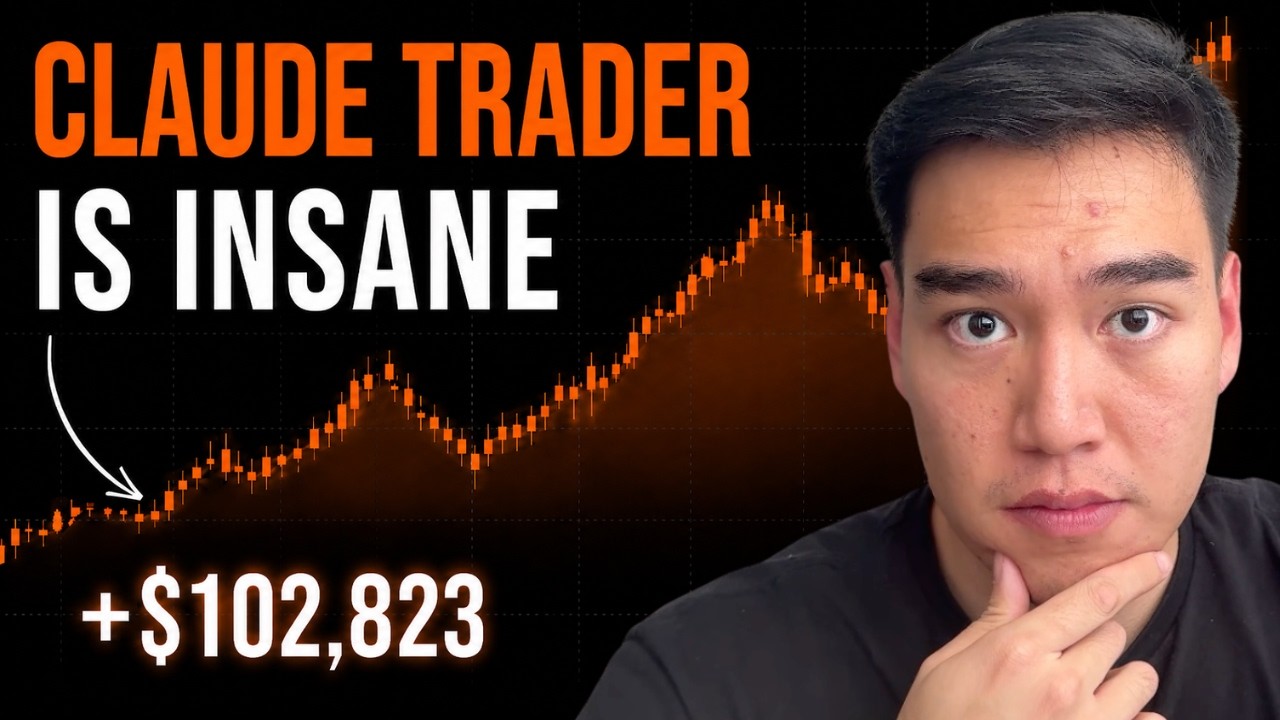
I used Claude as my personal trader and made $100,000 in a single month. And in this video, I'll show you the exact methods and systems that I used for the entire month of May with Claude. So, for full transparency, this is a small fresh Robinhood account that I funded just for this challenge. I funded the account at the start of May with just around $66,000. Then, I ended the account at around $169,000 at the end of the month. This basically equated to 155% gains for the past 30 days. And the cool part is that every single trade plus adjustment the portfolio
106 words, the words spoken in the first 30 seconds at 211 words per minute.
Free, no signup. See how the first 30 seconds hold attention, with rewrites.
Sentence shape
| Measure | This transcript |
|---|---|
| Sentences | 209 |
| Average words per sentence | 19.2 |
| Longest sentence | 63 words |
| Questions asked | 2 |
| Sentences containing a number | 8 |
Most used terms
Filler phrases
54 in total: like 22 · basically 19 · actually 9 · right? 2 · kind of 1 · you know 1.
A literal whole-word count of the same phrase list the Prepublish browser extension uses, so a phrase inside another word is not counted and a phrase used in its ordinary sense still is. It is a count and not a judgement.
What this transcript is
Every word below is the caption track YouTube publishes for this video, pulled from the video itself and reproduced unchanged. It is not Prepublish's writing, not a summary, and not a re-transcription: it is the video's own published captions. English captions, generated automatically by YouTube, in the video’s original language. Source: the video on YouTube. A channel that would rather this page did not exist can ask for its removal through the contact page, and it is removed.
I used Claude as my personal trader and made $100,000 in a single month. And in this video, I'll show you the exact methods and systems that I used for the entire month of May with Claude. So, for full transparency, this is a small fresh Robinhood account that I funded just for this challenge. I funded the account at the start of May with just around $66,000. Then, I ended the account at around $169,000 at the end of the month.
This basically equated to 155% gains for the past 30 days. And the cool part is that every single trade plus adjustment the portfolio was all made by Claude. So, Claude helped me form the initial strategy for this portfolio. Then, in the research phase, it found the exact tickers and trades that we should take. And then, to take it one step further, throughout the month, I even had Claude manage this portfolio for me.
So, every single day, it would monitor the portfolio, look for any new opportunities, potential losses that we should cut. So, it found exits, new positions, or just a general analysis on our current holdings. Now, if you've been subscribed to this channel for a while, you would know that I typically build fully automated trading systems with Claude that are deterministic. This just means that Claude or a Claude code would write code for us to build these systems that run on fixed rules.
Then, we would automate the trades by connecting them to an API first broker like IBKR or Alpaca. But, for this video, I wanted to take a different approach and show something a bit more simpler. I decided to use something a bit more user-friendly instead of these API first brokers with Robinhood since it is technically the most popular trading platform. I simply wanted to show less technical or normal traders how they could potentially adopt Claude easily into their own systems.
This way, you don't need Claude codes write out these massive technical and complex Python projects for you. So, I'll show you what I did in this test. I basically used Claude first as a research analyst. So, Claude here would help us pick the trades, give alerts to us, and then monitor our portfolio automatically. But, we did all of this while still keeping me, the human, inside the loop. So, basically, Claude acted as both my screener and portfolio manager on a daily basis.
And in this video, I'll show you exactly how I did this, so you could potentially use some of these same methods for your own systems. Now, if it's your first time on the channel, my name is Brendan, and I cover everything regarding AI trading. I studied math and econ at UCLA and even worked in investment banking at Raymond James for 3 years, so I can come at this from a quantitative finance background. So, in this video, I'll first show you how Claude found me a strategy for the month.
I'll cover what it laid out and why. Then, I'll go over how Claude researched and found these trades. And then, in the end, I'll show you how to basically combine all these into one singular agentic system, which we'll have Claude build. So, I'll give you the exact prompts on how to use Claude or Claude code to build out this fully agentic trading system to actually manage your portfolio. This way, you can handle signals, alerts, and daily monitoring on your portfolio as the days go on.
Then, it'll give you any adjustments you need in the portfolio as either news comes, price action changes, or any other extenuating circumstances. And then, finally, and as always, this is not financial advice, and I'm not guaranteeing any profits in this video. And one thing I really want to stress is to not follow these trades or setups since they were active in the beginning of May. This means that the entries and prices were specific to that time period.
What's more important is that you understand and methods that I used for this account, so you can see how to potentially adopt it into your own trading strategies. So, starting off, this is how I actually use Claude in the month of May in detail. If you've seen my other videos, you know that I typically break out using Claude via deterministic and non-deterministic. Deterministic is, again, where we're basically using Claude to write code for us and build out trading systems with fixed rules.
Non-deterministic is where we're using Claude more so as an analyst with intelligent responses. So, you can ask questions like how trade setups are, what they think about a specific ticker, and then other general analysis. And this month-long challenge here used both. So, at the start, we used Claude entirely as a non-deterministic analyst. And this part is obviously not back-testable just because we're asking qualitative questions to Claude.
So, Claude gave us specific strategies, analysis on tickers, and trade recommendations instead of having some algo that essentially told you to sell at a specific RSI level. Then, once the initial trade research was finished, I built a daily monitoring system with Claude. This way, every single day it can manage the portfolio. And this is a mix of deterministic and non-deterministic. So, we had obviously the general analysis and intelligent responses.
We also had more technical indicators and factoring and price action as well. And now, the most important key with using Claude as an analyst, especially in the beginning research phase, is context. I didn't just open up a chat and ask what I should buy. I gave very specific directives like my account size, risk tolerance, the kind of holding periods that I was looking for throughout the month. So, basically, the more specific your input, the better your output is.
This way, you won't get pretty generic garbage that you would typically see if you ask open-ended questions to Claude. Now, one final note is the cost. So, for this month-long challenge, I wanted this to be as accessible to anyone. That's why I used Claude in the web UI rather than on an API usage basis, at least at the start. If I built out, for example, some research system with Claude code and then used Claude via API, at least in this initial part, the cost would rack up pretty significantly.
Instead, I just went the simpler route, used Claude web at least for the start. And then, once we had our tickers and strategies in place, we would then switch over to a more complex system later on. And now, before I move on to the strategy in detail, if you want to learn how to best use Claude and other AI tools for trading, make sure to click the link in the description for my school community. It's currently the largest AI focused trading community with full in-depth guides on using the latest and greatest AI tools for trading, as well as hundreds of members testing out and building out their own trading systems across any asset class.
Now, the first thing I did before finding any specific tickers or names was having Claude craft out a strategy for us throughout the month of May. So, here you can see we give the constraints on what we were looking for. I wanted a real mix of risk and upside. This would be something like a strategy where the upside could be big, but my downside was capped instead of being open-ended. And what Claude landed on was basically two different approaches based on the current market conditions.
The main strategy was using LEAPs, which is basically just a call option with a longer dated expiration. If you haven't traded options before, the simplest way to think about it is essentially a leveraged bet that the stock would go up over the next year or so, and this ultimately does increase our potential upside, but increases the downside as well. Now, we obviously didn't want to do shorter dated options like ones that expire in a week or in a month, which is mostly played on perfect timing and luck.
We essentially had a full year plus for a play to play out, so we're not betting on some short-term move, but more so long-term direction. Now, the main thing that Claude monitored throughout at least this portion of the strategy was the Greeks, specifically theta to avoid time decay. That's why I ended up on LEAPs with at least over 45 days left to expiration. The second approach was just buying shares on well-researched smaller market cap companies.
Claude basically gave two reasons for that. First is that smaller stocks were illiquid. Because there isn't a lot of trading volume, it's a lot harder to get in and out of options at a fair price. Plus, some of the options were just way too expensive because of IV. So, leading up to the month of May, Claude's entire setup was focused primarily on first LEAPs on bigger names where the options were priced reasonably. Then, we just simply had shares for smaller cap companies.
This way we had big upside, decently capped downside, and only used leverage where we really needed to. Now, once the strategy was set, the next step was to find names and trades that actually fit it, and that's where we had Claude basically run a screen for us. Now, the criteria here came directly from the strategy. So, Claude chose names that had sold off, but had a real reason to recover. This could be beaten down stocks with an actual catalyst lined up, something that could re-rate the stock on the calendar.
So, with this, we were able to cover oversold names as well as ones that are riding high momentum. Claude here just made sure that the upside was justified enough to actually take the trade. And for the options, they obviously had to be priced reasonably as well. The reason for all of this is just to have setups that match our specific risk and upside profiles. And with this, Claude didn't just give a couple names, it ran a pretty broad screen that gave a whole set of candidates.
So, as you can see here, the names that it worked through were OSCR, NBIS, ServiceNow, HIMS, MP, and Nokia. And Claude, at least in this analyst mode, didn't treat these all equally. It scored them across different dimensions. So, we had things like catalyst timing, the IV environment for options. We also had correlations to the overall broad market, and it was able to give an actual thesis on each name. So, for example, a few things that it flagged on ServiceNow specifically is that it mentioned the entry was clean just because the stock had crashed post earnings.
What this obviously means is that the calls were cheap, so we were able to lock in some pretty good leaps there. And then for other names like MP, it recommends that first, obviously, it's a government-backed name, so it had some good catalysts going for it. But, the issue is that this catalyst was a bit slow, so it recommended not a concentrated bet, but perhaps a smaller position of our overall portfolio. Now, another thing that Claude did was actually combine names as well.
This meant that they found different catalyst windows and different sectors just so we weren't going all in on one earnings event. So, for example, OSCR had a near-term catalyst, NBIS had a medium-term one, and then ServiceNow was a long-term leap on a different time horizon. Plus, these are all concentrated in different sectors, too. So, we were covered with healthcare versus AI infrastructure, and we also had an enterprise offer.
So, if one sector broke, another one could still hold. And then for another name like Nokia, it analyzes completely differently from the rest, since this was more so a European AI play. And just to show you how in-depth some of these analyses were, on Nokia specifically, it even built out a full probability distribution, walking through what the options would look like at different price levels, and what the expected value came out to.
So, with all this, Claude basically gave us very tailored and structured screen that covered all these names. And then as the last step, at least for this initial research, was having Claude pick the exact contracts as well. So, for the call options that we were going to buy, we wanted these specific strike prices as well as expiration dates. So, for example, two leaps that we had were Nokia and ServiceNow, which were both expiring January 15th, 2027.
One at a $20 strike price, and one at a $120 strike price. Both of these were out of the money when Claude recommended these as option contracts. So, these were technically more aggressive leverage bets on these names. So, to offset this specific risk and time decay for some of the options that we had, Claude organized the rest of our portfolio according to some of the other names that it had screened. And during this whole process, Claude walked through the strike selection, looking at the Greeks, the cost of the calls relative to the IV environment, how far out the expiry needed to be to give the thesis some room, and then with this, just balance the rest of the portfolio to give the best initial trade ideas for the start of our portfolio.
So, once we finished all the initial research, I loaded up all of the positions into our fresh Robinhood account to start the month. So, once we've taken all the trades, we no longer need to use Claude on the web. We can move to a more deterministic system that I'll show you how to build. This way we're able to monitor our portfolio daily without manually inputting all your new entries or everything that's happened. With our positions, I didn't want to just keep pasting things into a chat every single morning.
So, what I did was basically build an entire options portfolio dashboard using Claude and connected it to the portfolio. This way we're able to track performance, look at any new news that comes out, price action, technical indicators. So, if you watched my hedge fund video, it's basically a very similar system to that one. This is just a version I adapted specifically for options as well as our micro shares that we had.
So, now here's how the options terminal looks like. So, again, I'll show you how I built this exactly with the prompts in the next section. But, just know that I first placed all the trades on Robinhood, inputted them here as positions, and then this terminal will essentially help monitor the portfolio as the month goes by. So, going through the step-by-step, we can see our net asset values as well as the dates. Below this, we have active alerts.
So, for our positions, it's actually going to warn us if we hit our targets, things we should look out for like new strike prices on Hims as well as Nokia. And then we also have some more general news like MP rare earth expansion drives, things of that sort. Then we have theta decay, which shows all of our positions and how time is working against us on the leaps. This is just to make sure that we're maximizing our value out of our current positions, at least with Nokia, ServiceNow, Hims, and NBIX.
Then we have a strike ladder, which could be helpful if you want to see all of our different positions strike prices. So, we can see bid, ask, IV, volume, and open interest. And then we have the aggregate Greeks as well, macro gate that covers the overall macro structure of the current market like VIX levels, market breadth, credit spread. And then finally, we have some general news on some of the positions that we have open.
So, again, I used Claude to build out this entire system. So, it's essentially connected to our portfolio from Robinhood. But, with this, it's able to essentially run all these analyses every single day on the top of the morning so you can see what to do with your positions, whether there's any risks abroad, any news coming in, and just information about all your holdings. This takes our initial research with Claude into something that's a bit more systematized and automated.
Now, let me go ahead and show you how to build the same exact options monitoring system that I used throughout the month of May, and it basically only costs about a dollar to run since we're only really running Claude once every single day to update our positions. Now, you can follow along and just simply screenshot the same exact prompts that I'm going to show you. You can either build it in the Claude web app, so just go to claude.ai and then have Claude build out the system and then run it in an IDE, or if you want to have something a little bit more involved, you can use Claude Code.
Boot up Claude Code inside an IDE and then paste in the same exact prompts as well, and it'll go ahead and create the system for you. So, the system here is going to be four layers, each one has its own prompt, and each layer builds on the one before it. I'm going to go through all four, and like I said, the prompts are going to be on the screen. This way, you can pause anytime, screenshot it, run it through an LLM, and get the exact text prompts that I used.
So, the idea here is we'll have one screen every single morning. It's going to track the real positions, and again, these are the initial positions that Claude, in the research phase, told you to buy into and hold. So, these are all the options and shares valued live off of Yahoo Finance. Now, if you have a more premium data source like FMP or Polygon, that would most likely work better. Yahoo Finance works though, as long as you're not using intraday bars too often.
We want to make sure that Claude is basically reading the entire chain for us, summarizing news daily, and looking at price action to determine what to actually do. So, layer one here is the data and valuation layer. So, this is the foundation, right? It pulls the spot price as well as the full options chain for every single name inside your book. It's going to match each contract that you're holding, and then it can even compute the Greeks cuz Yahoo Finance doesn't have this readily available.
It also saves a snapshot every single day, which matters later because that's how the system knows when new strike prices open up if you are monitoring for that. And then the output is your P&L in each position, as well as how close you are to your targets. Here's the actual prompt, so I'll just pause it here and paste it if you want to go ahead and build this yourself as well. So, here's the second page of the prompt, and then again, we're computing our Greeks locally just because we're using a free data source with Yahoo Finance.
If you are using something more premium, it should already have this, so you don't really need to technically include this. And then finally, we have the last page of the prompt. So, this is layer one finished, and then now we can go out to layer two, which is portfolio analytics. So, now that you can value your book, this layer looks at it as a whole, right? Your allocation across names and sectors, your total Greeks.
You want to know how much your positions bleed every single day due to time decay. You want to know the IV environment on each of your positions as well. So, basically, it just tells you as a whole what you're exposed to. Now, here's the same exact prompt, but this time for layer two. And then again, if you are building this yourself, make sure to paste in each prompt layer by layer. You want to make sure that layer one is fully finished before you head over into layer two.
And then this is the second page of the prompt. Again, paste it in if you want to essentially do this yourself. Then we have layer three, which is the market context and the news. So, there's two parts here. First, a macro score, which is a deterministic read on the overall market from things like VIX. You have like market breadth, credit spreads. And then the second part of this is actually using Claude here. So, this is what costs tokens because we're running it every single day.
It's going to read the news on every single name you hold, look at all the price action, and give you a short summary, sentiments, technical indicators, and anything that actually affects your position. Now again, this is why I did all the heavy research initially with the web app just because we could use our subscription. But once you do run these, every single query is basically like a dollar, so you don't want to overload this, and this is why we're just running this once a day so that throughout the month, we're able to constantly rebalance our books if we need to.
So, here's the exact prompts for the macro gate and Claude news. So, page one, and then page two. Again, you can paste this directly into Claude code. Then, layer four is basically the layer that ties everything together. This is alerts and dashboards. So, here it's going to detect new strikes, new expiries by comparing today's chain to yesterday. It's going to flag when you hit a target or a stop. It's also going to flag big IV moves, and it's going to show everything in one Claude dashboard.
Now, if you want more Claude analysis, like apart from your own personal stops and targets, you can have Claude essentially analyze their own versions of stops and targets for your positions as well. So, these are all the things that you can just add in depending on what you personally want out of the system. Plus, it'll be super accessible, so there's like an optional Telegram or iMessage push if you want to get alerts directly sent to your phone.
So, now here is page one of the prompt, page two of the prompt, and page three of the prompt. So, basically when you run all four, you get this final work product. You get one screen every single morning that values the book, watches the chain, reads the news, analyzes your portfolio, and then it flags anything that's changed or needs any additional care. And this is the whole thing. We have a deterministic system here, which Claude is coding for us, and then non-deterministic Claude, which is essentially running the Claude API every single day.
It's read the news, look at our positions, and determine if we need to change anything inside our book. Now, if you found this video helpful, make sure to like, comment, and subscribe as I cover everything regarding AI trading and using the latest AI tools for trading across any asset class. And like I mentioned in the beginning of the video, if you do want to join the largest AI focused trading community, my link is in the description for my school community.
And there we have full in-depth guides. We have hundreds of members in there testing and deploying trading systems daily with weekly calls on any suggestions or upcoming AI tools that could be helpful across any asset class.
The words are the caption track's own and nothing is reworded or re-transcribed. Paragraph breaks are placed between sentences so the text reads as prose.
Free tools for your own script. No signup, no login.
Paste your draft and see where viewers are likely to drop off, with a rewrite for each weak line.
Paste the first 30 seconds of your own draft for a hook score and rewrites.
Check your draft against YouTube's advertiser-friendly guidelines before you record it.
Read this channel's public videos and transcripts, and download a writing brief for it.