Getting the transcript
Reading the captions from YouTube. A video nobody has opened here before takes 10 to 30 seconds; this page fills in on its own.
Getting the transcript
Reading the captions from YouTube. A video nobody has opened here before takes 10 to 30 seconds; this page fills in on its own.
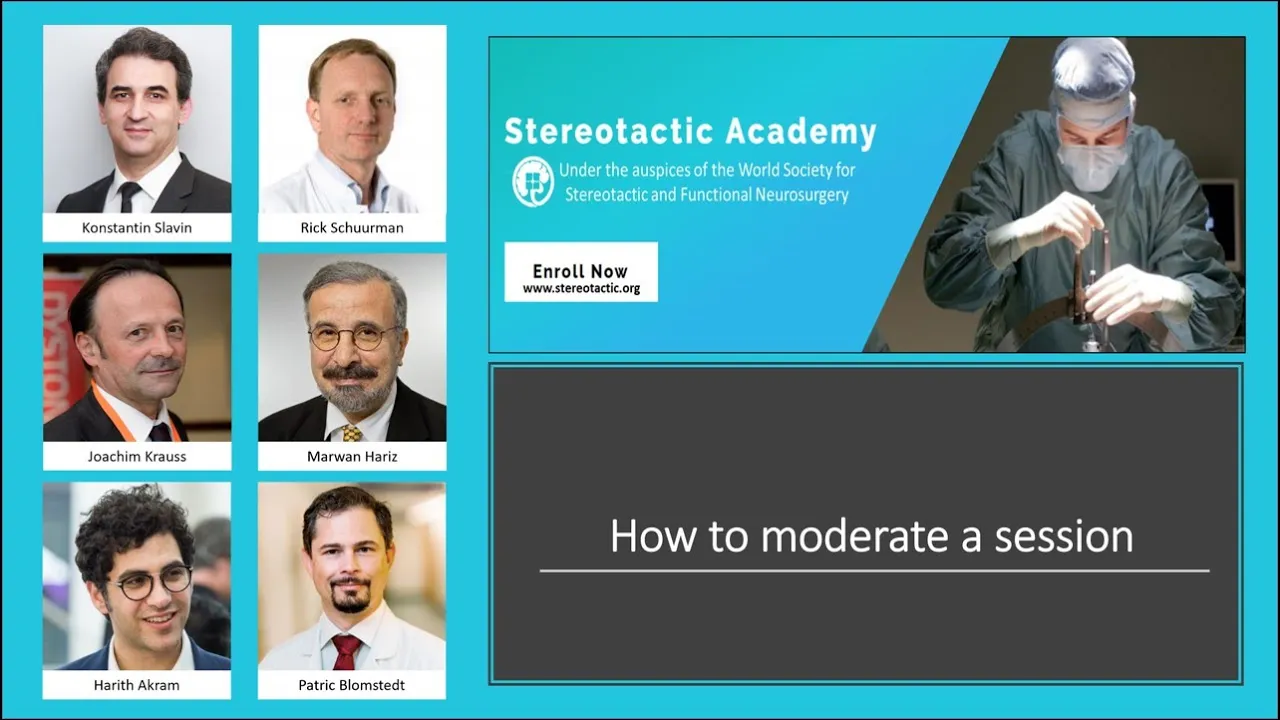
Stereotactic Academy · @StereotacticAcademy
Words
1,189
Runtime
6:57
Speaking pace
171wpm
Reading time
5min
171 words per minute, between the 160 25th percentile and the 181 median of 349 measured videos. That distribution comes from the 349-video hook study.
Opening (first 30 seconds)
Dear colleague, welcome to this lecture on how to moderate a session. So, what is a moderator? Well, basically, a moderator is the border collie of a scientific meeting. A scientific session is a complex history, and without proper managing, it will within soon decay into chaos. And it is your job as a moderator to make sure that this does not happen. The best way of learning how to be a moderator is by simply looking at how others are doing this and learning from
86 words, the words spoken in the first 30 seconds at 171 words per minute.
Free, no signup. See how the first 30 seconds hold attention, with rewrites.
Sentence shape
| Measure | This transcript |
|---|---|
| Sentences | 62 |
| Average words per sentence | 19.2 |
| Longest sentence | 43 words |
| Questions asked | 2 |
| Sentences containing a number | 4 |
Most used terms
Filler phrases
5 in total: like 3 · basically 1 · you know 1.
A literal whole-word count of the same phrase list the Prepublish browser extension uses, so a phrase inside another word is not counted and a phrase used in its ordinary sense still is. It is a count and not a judgement.
What this transcript is
Every word below is the caption track YouTube publishes for this video, pulled from the video itself and reproduced unchanged. It is not Prepublish's writing, not a summary, and not a re-transcription: it is the video's own published captions. English captions, generated automatically by YouTube, in the video’s original language. Source: the video on YouTube. A channel that would rather this page did not exist can ask for its removal through the contact page, and it is removed.
No Script X-ray for this video: YouTube shows a Most replayed graph only once a video has enough views.
Dear colleague, welcome to this lecture on how to moderate a session. So, what is a moderator? Well, basically, a moderator is the border collie of a scientific meeting. A scientific session is a complex history, and without proper managing, it will within soon decay into chaos. And it is your job as a moderator to make sure that this does not happen. The best way of learning how to be a moderator is by simply looking at how others are doing this and learning from them, and sometimes also from their mistakes.
But, we will here provide a short overview. If you have been invited to moderate a session, I suggest that you accept, even if you are not an expert on the topic. Remember that the organizers have deemed you fit to moderate a session, and who are you to question their wisdom? With that said, it is, of course, not a bad idea to read up on the topic or to prepare a few questions for the speakers. When starting your career as a moderator, it is best to focus on the main task of keeping order and time, and to make the session into a march.
Then, gradually over time, as you develop your skills, you can use your dashing personality, outstanding wit, and profound knowledge to make this into a dance with the speakers and the audience. But, remember that the moderator should never be too visible. In the next step, it is a good idea to have a look at the program, where you will find the names of the moderators and the lecturers and their lectures and the time of the session and for each of the lectures.
And have also a look at what is happening before and after your session, so you know if your session might be delayed or if you will cause problems if you don't end on time. Note also that typically no extra time is provided for the change between speakers. But, if you're lucky, the organizers have added some time in the end of the session, which you can use as a buffer. The presenters will usually have a timer helping them to keep the time.
This is normally managed by the audio-visual technician, but make sure that each speaker is allotted the correct time, and keep track of the time yourself. To keep the time is a sign of respect from the lecturer towards the audience. Unfortunately, it is not always easy to keep track of time, and we suggest that for lectures of 20 minutes or more, let the speaker know when 5 minutes are remaining by simply stating, "5 minutes remaining." For a presentation of 15 minutes, a 3-minutes warning might be suitable.
Before the start of the session, discuss with your fellow moderators, if you have any, how to divide the moderation between you. Often, it is easiest if you take one chunk each of the session, but there might be other considerations and options. Hopefully, the organizers will have someone ushering the audience, so that most of them are in the lecture hall at the start of the session. Anyhow, it is normally best to start the session on time, even if there is still some noise and late arrivals.
The first moderator will open the session, and here it is a good idea to remind everyone of the rules. You might say something like, "I have the pleasure of opening this session on DBS for psychiatric conditions, and before we start, I would like to remind the speakers that we are on a tight schedule, so please keep the time. And if you use all your allotted time for your presentation, then there will be no time left for questions.
I will remind you when you have 5 minutes left." It is then time to invite the first speaker. This can be done in a few words, such as, "Dear colleagues, it is my pleasure to open this session and to invite our first lecturer, Konstantin Slavin. However, it is also possible to elaborate slightly and to add a few words on the topic and the presenter. And at some meetings, the organizer will provide a presentation intended to be used.
This is mainly the case in sessions with a few long lectures. And if you have many short presentations, then you will not have time for much more than the name of the presenter. If you find the name of the speaker difficult to pronounce, you might inquire into this before the session. But during the session, you have to do your best. No one has ever pronounced my name correctly, and that is not a major issue. If a lecturer does not turn up, just move on with the program and be grateful for the time buffer you have just received.
If the speaker finishes presentation in time, then thank him for this in a suitable manner and decide if there is time for any questions or not. Perhaps, thank you for a most interesting presentation. Unfortunately, we do not have time for any questions right now, but we will take these in the end of the session. Or, thank you for this enlightening talk and for keeping the time. I believe that we have time for one or two questions.
And make sure that the audience are using the microphones if such are provided. And if the audience does not have any questions, it is nice if one of the moderators might have one since this is often appreciated by the presenter. And if you're lucky to get an intensive discussion, try to make room for this even if you're somewhat short of time. Some lecturers will show a remarkable disrespect for their allotted time.
Even though you have warned them when some minutes remained, they will, when you let them know that they are out of time, be more or less in the middle of the presentation. Some will then wrap everything up and end their talk with a reasonable transgression of time. But others will, if not stopped, continue more or less ad infinitum, wreaking havoc to the planning of the whole session. I suggest that you after 3 to 5 minutes firmly state that, "I will have to ask you to end the presentation now." But remember to be kind.
Many speakers are nervous, and when they fail to keep the time, it is not because of arrogance. If you have to stop a speaker, do so in a kind manner, and do not humiliate them. If you're young and new to moderation, then it is likely that you might be reluctant to intervene with a senior colleague. But as long as you do this in a polite manner, it is unlikely that they will become upset with you. When you have thanked the last speaker, then close the session with a few words.
I would like to thank the speakers for some most interesting presentations, and with this we close this session. And with that, we end also this lecture. Thank you.
The words are the caption track's own and nothing is reworded or re-transcribed. Paragraph breaks are placed between sentences so the text reads as prose.
Free tools for your own script. No signup, no login.
Paste your draft and see where viewers are likely to drop off, with a rewrite for each weak line.
Paste the first 30 seconds of your own draft for a hook score and rewrites.
Check your draft against YouTube's advertiser-friendly guidelines before you record it.
Read this channel's public videos and transcripts, and download a writing brief for it.