Getting the transcript
Reading the captions from YouTube. A video nobody has opened here before takes 10 to 30 seconds; this page fills in on its own.
Getting the transcript
Reading the captions from YouTube. A video nobody has opened here before takes 10 to 30 seconds; this page fills in on its own.
Creator Magic · @CreatorMagicAI
Words
4,567
Runtime
24:14
Speaking pace
188wpm
Reading time
19min
188 words per minute, between the 181 median and the 201 75th percentile of 349 measured videos. That distribution comes from the 349-video hook study.
Opening (first 30 seconds)
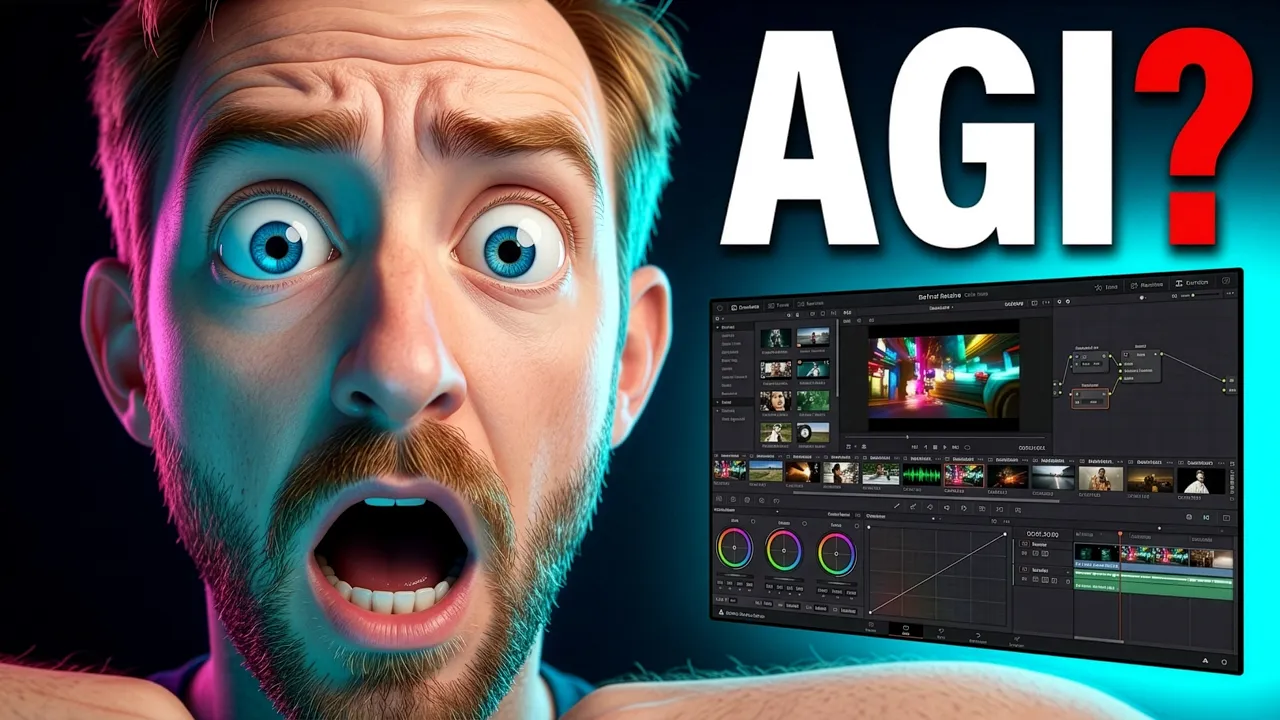
now. Look at this. This is happening in real time. Hands off. This is really impressive. This is the best bit of the video. Oh, my goodness me, I am not Editing. I'm an editor of like decades and now AI is doing it for me. even. Look at this. This is insane. It's actually gone ahead and put audio dipping on the audio track. Look at that. To make the edit nice and silky smooth. we've hit AGI here, guys. Okay, here's the deal. I'm Mike here, and I'm wearing headphones today. My
94 words, the words spoken in the first 30 seconds at 188 words per minute.
Free, no signup. See how the first 30 seconds hold attention, with rewrites.
Sentence shape
| Measure | This transcript |
|---|---|
| Sentences | 474 |
| Average words per sentence | 9.6 |
| Longest sentence | 40 words |
| Questions asked | 15 |
| Sentences containing a number | 44 |
Most used terms
Filler phrases
51 in total: like 22 · actually 14 · kind of 5 · basically 4 · you know 4 · literally 2.
A literal whole-word count of the same phrase list the Prepublish browser extension uses, so a phrase inside another word is not counted and a phrase used in its ordinary sense still is. It is a count and not a judgement.
What this transcript is
Every word below is the caption track YouTube publishes for this video, pulled from the video itself and reproduced unchanged. It is not Prepublish's writing, not a summary, and not a re-transcription: it is the video's own published captions. English captions, published by the channel, in the video’s original language. Source: the video on YouTube. A channel that would rather this page did not exist can ask for its removal through the contact page, and it is removed.
No Script X-ray for this video: YouTube shows a Most replayed graph only once a video has enough views.
now. Look at this. This is happening in real time. Hands off. This is really impressive. This is the best bit of the video. Oh, my goodness me, I am not Editing. I'm an editor of like decades and now AI is doing it for me. even. Look at this. This is insane. It's actually gone ahead and put audio dipping on the audio track. Look at that. To make the edit nice and silky smooth. we've hit AGI here, guys. Okay, here's the deal.
I'm Mike here, and I'm wearing headphones today. My background is in audio editing and video production. So when GPT Astra came on the scene and basically said it's AGI for video editing, I got really interested. Then I looked at posts like this post from Higgsfield saying that everything is being edited on an infinite Autonomous canvas with GPT-6 Astra. Then I went along and I actually noticed that Blackmagic just announced DaVinci Resolve 21.1 introducing.
Look at this, AI Assistant integration. So that really got my attention. And then I got a message From Brent at OpenAI who says this may make things easier. He's pointed to the first party MCP server, that just landed in DaVinci Resolve. yes, I'm going to install DaVinci Resolve Studio 21.1 and test out the MCP server and see if it truly is the Linux of video editing that I'm looking for. Let's dive in. Quick caveat here because yeah, Linux of video editing.
Well that isn't DaVinci Resolve because DaVinci Resolve is not free and open source Diffusion HQ actually Diffusion Studio, that's what I've been using up until now to make most of my edits with AI agents. But hey, maybe blackmagic have made it super easy. All right, let's fire up DaVinci Resolve 21.1. What's new? Look at this, look at this. AI Assistant Control. This is so exciting. Citing ask Claude or ChatGPT to organize media, create edits and batch render.
This is what interests me here and this is what we'll be testing out in this video. Right, so I'm going to create a brand new project and I'm going to call this one openclaw to mcp. Okay, and this will be one of the recent videos I actually published on my channel. Started from scratch right here. All right, that said, I've just dragged the clips in, changed the frame rate and we're ready to go. Now I'm not going to do anything.
I'm going to see what my AI agent can do from scratch. All right, so we've got Codex up here and we're in the video editing project. It's a project I've created specifically for this purpose. Now one thing I want to make absolutely clear that the videos I've just dragged in are a, raw recording of my face and my screen share for 75 minutes. All the silences, all, all the mistakes, all the problems. If Astra from OpenAI truly is AGI for video editing, I want to experience it without any guidance from me, just going to open the file and show you.
It's me clapping to sync there 75 minutes of me going through recording and also looking at things like confused like that because things go wrong. It's all there, all the mistakes and everything. So first of all I'm just going to ask GPT-6 Astra. Okay, I've got DaVinci Resolve running 21.1. They say that it can integrate with AI agents via MCP. Are you able to find that functionality and hook it up so that we can control DaVinci resolve not with the cursor, but with the MCP server.
I'm going to get Astra on the case with that and see if it can hook this up itself. Controlling a video editor by the cursor, is not what I want to do. And the reason for it is that controlling by cursor is pretty slow and janky, whereas MCP is like a first party thing. So it's checking the support right now in my local setup and connecting. Okay, it's found it. Your Resolve 21.1 installation includes Blackmagic's native Resolve MCP.
This is awesome. Checking the live connection and registering with Codex. Okay, you see, it's as easy as that I've got the ChatGPT app, or the Codex app if you like, installed on my Mac. I asked chat GPT-6 Astra to do the connection for me and it's done it look at this. MCP handshake succeeded. Resolve reports it's running and reachable. So everything is connected up to Codex. This is awesome. Lets give it a go. And I've just moved it over to the right so that my face is not blocking.
ChatGPT Connected tested. Okay, excellent. Without cursor control. It's all registered. This is fantastic. To load it into Codex's tool menu, go to Settings MCP servers and restart. Okay, so I'll do that. Okay, so can you see my open DaVinci Resolve session? Are you able to insert both the program and the screen share onto separate video tracks and perform a rough edit for me using only the DaVinci Resolve MCP please.
Now that's quite a complex first initial prompt. You'll see I'm using GPT-6 Astra High and it says I'll inspect the open project. So hopefully it's going to see this open Claw two MCP project and edit through Resolve's mcp. I'm very specific here. I don't want it to take over the computer. I don't want computer use. I want this all done via the MCP link to see how good it is. okay. Hands off. At the moment it's thinking things through.
It's made a change to a file in the project. We'll see what comes back. Now it seems to be running a lot of scripting here. A lot of Python is getting created. Resolve MCP client Python. I can access the session in both recordings. 75 minutes long. This is correct. 4K 60 frames per second. This is good. Screen recording at 5K. Yes, excellent. Preserving sync. Oh, wow. Okay. Transcription. Initializing. I did not do that.
So clearly the MCP is doing something. Resolve has kicked into action over here. This is great. And yes, so that was the first step, getting the transcription what any good AI agent would do before editing. We're in a good place. now this is going to take some time, but the best thing is it's included in my DaVinci Resolve Studio subscription. So all of this is done at, nearly 10 times speed for free. And we see while this is going on, ChatGPT is still thinking here.
Resolve is returning the media correctly, but transcription timed out. Oh dear. This is the first error. It didn't time out. It's still going. But ChatGPT over here is getting impatient. It's really interesting because the workflow that I've built that I use now to agentically edit videos uses AssemblyAI transcription that will transcribe 75 minutes in like 20 seconds. So it's kind of painful sitting here watching Resolve take nearly six minutes to transcribe the same video. at this point, B roll of a monkey grinding away typing on a computer transcribing a video would look absolutely epic on screen.
Oh, nearly. Yes. Okay, we're transcribed. This is good. let's go back over here to ChatGPT. Hey, the transcription just finished. Can Oh, wow. Okay, hands off. This is happening now. This is my program, my screen, share my program audio, all here in the. Yes, this is. This is kind of what I want to see. This is amazing. Okay, it hasn't actually done anything yet, but it definitely switched the scene here. Now I want it to edit.
Okay, what have we got here? The two video tracks are now in place. Transcript shows retakes and long waits so I can make useful content based cuts. Resolve couldn't confirm waveform alignment. Both files are the same recording which I'm using. Wow. Okay, things are happening. Things are actually happening now. I'm not touching resolve. This is interesting. And I can see it's viewed an image. Yes. It's actually watching screenshots of my video as it edits, which is a great sign.
Come on, GPT-6 Astra, make your first edit. Wow. Okay, so it's skipping around the video. Look at this. Here is my speech. You can see long gaps as I pause to change scenes or do something different. You'll see there's a lot of retakes here as well. I'm hoping that GPT-6 Astra can see all of this and control it through the resolve. MCP it says I'm keeping your existing program composition as the main picture. Clean screen share cutaways as well to help with readability, removing failed takes, production asides and long waits, and adding markers for the two Clawcast inserts that need your narration.
All right, this is great. It has fully picked up context of exactly what I'm trying to do in the video. This is a great start. but just for your information, the video you're Watching is obviously edited, but I've been sitting here for 20 minutes and I still haven't seen a single splice in my timeline. This is not fast. Okay, what's happening here? Okay, everything is gone apart from one single clip here. That's interesting.
What are you doing? It looks like it's building a timeline plan. And we can actually see that over here. It's made this new timeline called Rough Cut, All right, comes to 22 minutes, down from 75 minutes. This is pretty cool. I caught a one frame difference in Resolve's trim handling and I'm correcting it before applying cuts across tracks. Okay. So Now, what is really cool is I already completed this video and published it on my channel.
And when I edited it with my current agentic process, it made a video that's about 22 minutes in duration. So this is a really good sign. Okay, what's happening here? It's blotted out the screen share. It's focusing on my face now. Look at this. This is happening in real time. Hands off. This is really impressive. This is the best bit of the video. Oh, my goodness me, yes. Maybe we've hit AGI here, guys. So it did a load of stuff, it stopped and now it's continuing again.
This is insane. This is stuff that would take me hours post creating a video. It's literally being done in minutes here. Now what I can see is it's doing a few minutes at a time. So it did the first three minutes, it paused, then it did another three minutes, it's pausing. So it's like maybe it's QA ing. I can't tell if it's doing quality assurance right now. It's running a load of Python files that seem to be controlling the Resolve MCP client, which is pretty awesome.
I had absolutely no idea that this was possible. Now I'd love to zoom in and see what's going on here. It does seem to be cutting my video quite well, which is good. Wow. More edits are happening here in front of my very eyes. I am not Editing. I'm an editor of like decades and now AI is doing it for me. The thing that used to be the most painful thing for any content creator is getting solved by AI now. And that is huge.
And we can actually see now the whole timeline is here in place. We're at 21 minutes and 59 seconds. So that's pretty good. It's actually placing some markers on now all the way through. Look at these markers that are placed on. This is really interesting. I do want to know what kind of markers it's placing on the timeline. Rough cut review. That's the intro. Very nice indeed. We've got another one. Chapter marker Manage, hosting and plans.
Okay, so it's like chapter markering here. Choose an AI model. So it's basically placing chapters in blue, then here orange. What have we got? Original source includes setup token. Wow. It's actually telling me here about setup tokens that I should probably take off camera. I love this. Now look at this. The 2159 rough cut is saved. All 96 sections have matching source times and linked video and audio. 10 clean screen share cutaways as well.
So it's making decisions on when to use my screen share for readability. This is really, really cool. It's QA ing again, viewing more images like so, and even more images. I'm pretty impressed. Okay, I can tell you this has taken exactly half an hour. So that's the real time. Even though you're watching the edited, final polished cut of me here on YouTube. 30 minutes to get to the rough cut where GPT-6 Astra says it's done.
All The full length source timeline is preserved. Markers, flag, missing Clawcast inserts and everything else needed. Okay, the moment of truth. let's play it back and check those edits. Let's dive in. Okay, I'm going to use this open claw. Little bit slow, but you know what? I would accept that edit. That would pass. I wouldn't need to retrim that. It's even. Look at this. This is insane. It's actually gone ahead and put audio dipping on the audio track.
Look at that. To make the edit nice and silky smooth. I'm not even going to touch that. I could as an OCD video editor, but I won't. Let's check the next edit here. The first time. Well, if you're not. That is perfect. That is 100% perfect. All right, let's look at this edit now. Since on Hostinger one click deploy is yes. Oh my goodness. Guys, we're an AGI for video editing and audio editing. May I say, as someone who's taught audio editing for like nearly two decades on YouTube, that's done.
If you want to see my other channel, that's an archive of how we humans Used to do that stuff. Couple more edits to see where we're at what you want either way when you choose a plan. Nice. So it chose to use my screen share there for readability and then cut back to me with picture in picture at this point. Now this is interesting. As I look along this timeline there's quite a, a big pause here. So I'm concerned by this KVM2 here you can type in.
Okay, that is a little bit of silence there. That would be a little bit too long. So that's at this particular timestamp here. So I might go back to chat GPT-6 Astra and see if it can make that one edit for me. I'll just say there is a long silence at 1:20:11. Please fix only this and we'll see if GPT-6 Astra can make just that one little edit there and tighten this bit up. It's actually inspecting right now. Keeping tracks aligned.
Of course, that's what we want. you can see there's a two second pause between you and type in my coupon code. So it's going to shorten that. Now again hands off. And there we go. It's done I think. Fantastic. Let's see if we can play back that section and listen again. Here we go. You can type in my. Yeah, that's acceptable. That's okay. Now full disclosure there. That took nearly two minutes for Codex to do using the DaVinci Resolve MCP.
Two minutes to make a two second trim is not acceptable. It did remove 1.67 seconds and kept all other tracks aligned which is great. That's good but it's not perfect. If I hit command Z here, look, we get the trims back. Everything can be undone with the command Z. of course what took two minutes here can easily be done by doing shift delete. That took like one second. So in some cases yes. Getting the rough cut and doing the high level edits.
Brilliant. Making fine grained changes and QA kind of things that Human in the loop would catch. You probably still want to be doing that as a human, unless you've got loads of coffee and you just want to go off and drink it while the agent makes its small little edits. So this is fun and it's a great thing that can save me a lot of time, but can it do the polish? Okay, now you've done the rough cut, I'm happy with it.
I wonder if you can insert an overlay at the start of the video, introducing me as Mike Russell from Creator Magic. Now I'm just doing one simple thing and it's got no house guide on how I do my overlays. So it's going to make it all up. But I'm wondering if. Look, it says it can do this with Resolve's MCP if it could do this. Obviously if I was making a full video I'd put loads more overlays and B rolls and cutaways.
But this is just one test. Let's roll back to the start and zoom in here and watch it happen in real time. Okay, it says I'm making a 5 second lower third with soft fade white name text and small teal accent. It will sit on an overlay track. Nice. Okay, look at that. It made it. It has taken nearly three minutes of working here, but it did make it a nice lower third here that I assume it's going to insert on the the timeline.
Okay, there we go. Yes. It's done. Look at that. Wow, that's amazing. Let's rewind and play back. OpenClaw 2.0 is here with 16,000 pull requests. Yeah. About half of everything in the project. Okay, nice. Fade in, fade out for the lower third. That is done. It's just wrapping Up. It's doing QA here. Again, looking at the image to check and it says yes, I've added the five second lower third. Mike Russell creator Magic Till Accent.
Obviously no style guide here. I did not give it any style guide but the fact it's gone ahead and done that is pretty insane. So I'm pretty happy that pretty much anything related to video editing can now be done in DaVinci resolve. Definitely we can get the rough cut, we can get lower thirds and overlays. I'm sure we could probably get B roll in there as. I'm really happy with this rough cut. It's basically ready to go to YouTube.
There are only a couple more things I'd like you to do. First of all, I'd like you to color grade the video like a boss. You're the world class expert in it, so do it for me. And then I'd like you to make sure the loudness is absolutely correct for upload to YouTube. Ensure those two things and then tell me if it's ready to render and if you're able to render it yourself, let me know. Don't render yet, but just tell me if you can.
Now this is the one thing that no one tells you when they're playing with video editing. First of all, video editing takes a lot of tokens. My context is now compacting. And the other thing is, well, all those slick demos you see on x and other YouTubers doing that are edited tightly and full disclaimer. I'm editing this video with AI by the way. and they show you that it happens in seconds or minutes, which it really doesn't.
I've been sitting here the best part of an hour running this DaVinci Resolve MCP via Codex using GPT-6 Astra. Can it do all this stuff? Yes. Can it do it fast? It's getting better all the time, let's say. But you know, right now I've been sitting here for three minutes watching context automatically compacting. Okay, after four minutes we've done the compaction. Now let's get into action. Okay, it's already working like a pro.
Keeping the grade restrained so skin looks better without distorting software interface. I Love your thinking GPT-6 Astra. Let's see what it does. So at the moment you'll see my face and the background pretty washed out. I'm hoping that it makes some changes. It's also checking Resolve's YouTube loudness controls against the whole program. Okay, what I notice is a lot of Python files getting created here, so it doesn't seem fully like it's doing everything via the mcp.
A lot of stuff is Codex writing code and analyzing stuff before getting back to Resolve via the mcp. We've got images here of me. That's qa. Okay, again through the MCP client making some changes here and we can see. Yes, render settings are being locked in over here on the left with a preset it has created. Creator Magic YouTube 4K review. Now I didn't create that preset. It seems that Codex is doing that for me. it's backed up the approved edit.
It's lifting the tone slightly to stop my excess orange skin and keep the purple studio lighting very nice. Audio analysis is running across the program. Cut some fades. No video render started yet. Okay, audio is already in good shape. We're at 14.69 LUFS with a 1.04 decibels true peak which I can confirm is absolutely correct. So this is really, really good. Just so you know, on color grade and audio, it's been working over 12 minutes now and it's still not quite done.
Okay, look at this. The grade is applied. Opening title looks clean. Checking the saved export settings now. Okay, this is looking really good. One thing I will say is I don't see much change in terms of color grade here. It looks pretty much like what we started with, but hopefully the audio will be better. And so you know, this last step is chewing time 15 minutes and we're still not done. Oh, here we go. We're done.
That's it. Just as I said that the grade is applied and saved. Brighter, more natural skin tones. Do I can't see much difference. But maybe it did make a difference. Audio is correct, technically. Ready to render. Obviously missing the inserts, which is fine. I can render it through Resolve's mcp. So let's try this render, it. And this is the final step now, the final piece in the pudding. And I can tell you as I type that command in, we're bang on an hour.
So let's see. I'll render the graded timeline using the Prepared 4K YouTube preset, then check the Xbox exported file. Hopefully rendering should be pretty quick. And then we can guarantee we can work end to end in DaVinci resolve using only an AI agent. And there we go. Yeah, it's going into the render and it has indeed popped something into the render queue here. This is amazing. This is actually happening in real time.
Right now it's rendering my video. So that guarantees the whole process can be automated end to end using your coding agent of choice, in my case, GPT-6 Astra on high mode along with the DaVinci Resolve MCP that was just released today in version 21.1. This is pretty insane. The 4K render is running and I'm saving it as OpenClaw 2 point zero Creator Magic MP4 in your video editing folder. Okay, this is very nice stuff and we are definitely pretty much there with video editing.
Yes, it can be done and automated by AI is working in DaVinci Resolve. Great. Well, yes, because I don't need to know the software, I don't need to touch a button. This can all be automated by AI. Now, I'm an Adobe user and a premier user for years and years and yes, Adobe, I would like to see you do the same thing. Not have a proprietary lockdown AI assistant that lives in and is controlled by Adobe inside Premiere.
I want to be able to choose Codex or my Claude subscription to edit my videos. I want to bring in skills to make lower thirds and overlays. I want to bring in other skills to make AI B roll. And until someone completely automates that, I'm not calling AI. Video editing done yet. Now let me explain to you a little bit about my video editing process. I am looking for the Linux of video editing. I don't want to be locked in or locked down.
I want complete freedom and sovereignty over the kind of edits that I do. And up until a long time and still to this day, even the video right now that you're watching, it's edited in a buzz channel and I'm automating that using Claude code on Fable 5.1. It does the edits and then previously I was eyeballing them by pulling a timeline into DaVinci resolve. I would love to do the same thing in Premiere, but it doesn't support timeline imports that my agent can make, which is a bit of a bummer. for the eyeball, I'm not even sure if I need to use DaVinci Resolve or Premiere.
Maybe I can just use another open app that there's lots of them out there. ChatCut is a big one and it's gaining in popularity. I've been messing around with Diffusion Studio, which seems to cut out the bloat that Resolve and Premiere suffer with. So the jury is still out on how this process will look. But in my opinion, the absolute meat, the brains, lie in how you automate this with your AI agent, the skills you create and how you tell your agent to edit.
That's where the mote is. It's not about doing the edit or what software you use to QA or eyeball. That's basically solved and we could just use a simple video editor in the browser to check that stuff out. We don't need these big editing programs anymore. Blackmagic and DaVinci Resolve have certainly laid down the gauntlet here by making a Resolve MCP available. have been recording this RAW video for about an hour. I'm about to hand this ProRes that's recorded on my Mac Studio off to my AI agents that will edit and publish the video that you're watching right now.
Let me know your thoughts. Has this been solved in your opinion, would you use this workflow? What do you want to see? What are the missing pieces? What did I not mention that I should have? Let me know in the comments down below. I'm thoroughly engaged in this topic right now. I want to see this succeed and I want video editing, overlays, aib, roll, all of that. I want it solved for creators so that literally my job is to come up with the ideas in collaboration with AI.
Hit record in my studio, stop the recording and that's where I finish as a content creator. When I hit stop on the recording button, my AI agents in an ideal world should take over, publish and have it ready for you to watch on YouTube. Hopefully that's coming soon. Thank you so much for watching and YouTube is showing a video on your screen right now that's been determined by the algorithm to be absolutely perfect for you.
So you should probably pay attention and you should watch it next. Thanks.
The words are the caption track's own and nothing is reworded or re-transcribed. Paragraph breaks are placed between sentences so the text reads as prose.
Free tools for your own script. No signup, no login.
Paste your draft and see where viewers are likely to drop off, with a rewrite for each weak line.
Paste the first 30 seconds of your own draft for a hook score and rewrites.
Check your draft against YouTube's advertiser-friendly guidelines before you record it.
Read this channel's public videos and transcripts, and download a writing brief for it.