Getting the transcript
Reading the captions from YouTube. A video nobody has opened here before takes 10 to 30 seconds; this page fills in on its own.
Getting the transcript
Reading the captions from YouTube. A video nobody has opened here before takes 10 to 30 seconds; this page fills in on its own.
Charting Made Easy · @easy_charting
Words
2,335
Runtime
13:57
Speaking pace
167wpm
Reading time
10min
167 words per minute, between the 160 25th percentile and the 181 median of 349 measured videos. That distribution comes from the 349-video hook study.
Opening (first 30 seconds)
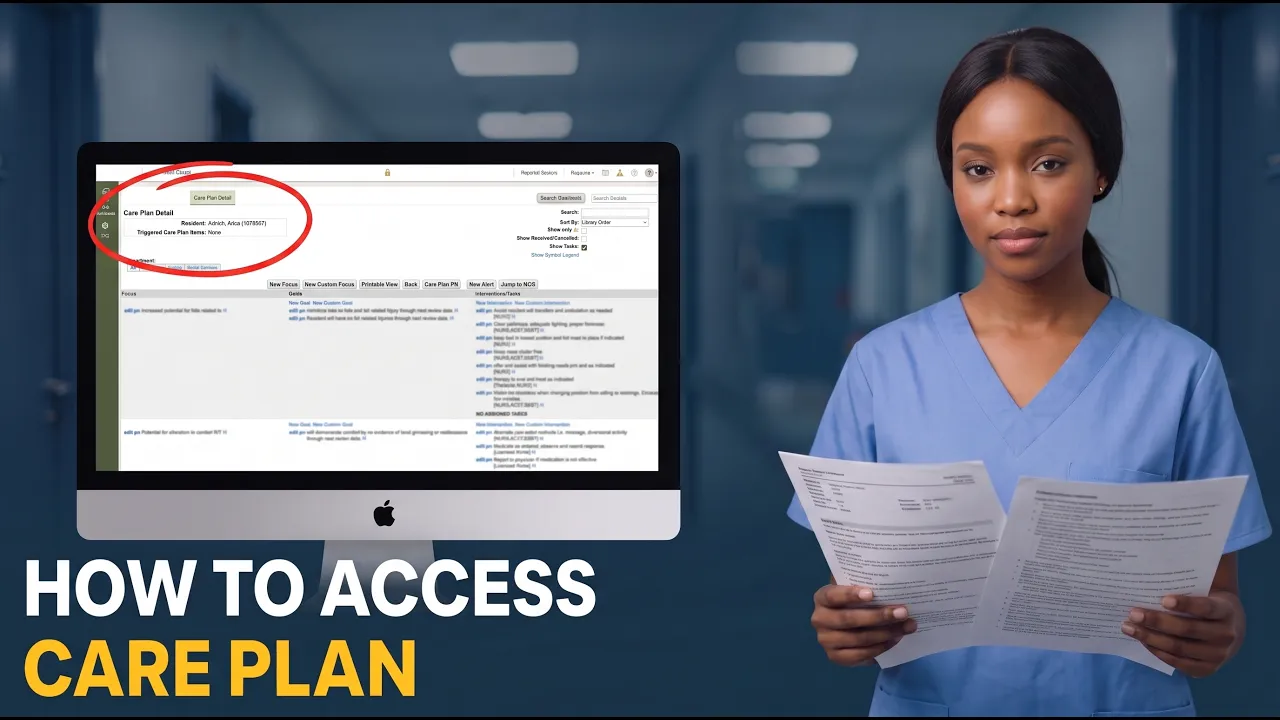
Hi everyone. In this video, I'll show you how to access, read, and edit the care plan for the resident. First of all, what's a care plan? It's uh the resident's kind of game plan for their care. So, it's a essentially a document in the resident chart that explains the problems and needs, the goals that the team is aiming for and the specific approaches that staff will use to get to these goals. I'll show you in a minute about how it
84 words, the words spoken in the first 30 seconds at 167 words per minute.
Free, no signup. See how the first 30 seconds hold attention, with rewrites.
Sentence shape
| Measure | This transcript |
|---|---|
| Sentences | 158 |
| Average words per sentence | 14.8 |
| Longest sentence | 164 words |
| Questions asked | 27 |
| Sentences containing a number | 0 |
Most used terms
Filler phrases
127 in total: uh 71 · right? 24 · like 11 · kind of 9 · um 7 · actually 3 · you know 2.
A literal whole-word count of the same phrase list the Prepublish browser extension uses, so a phrase inside another word is not counted and a phrase used in its ordinary sense still is. It is a count and not a judgement.
What this transcript is
Every word below is the caption track YouTube publishes for this video, pulled from the video itself and reproduced unchanged. It is not Prepublish's writing, not a summary, and not a re-transcription: it is the video's own published captions. English captions, generated automatically by YouTube, in the video’s original language. Source: the video on YouTube. A channel that would rather this page did not exist can ask for its removal through the contact page, and it is removed.
No Script X-ray for this video: YouTube shows a Most replayed graph only once a video has enough views.
Hi everyone. In this video, I'll show you how to access, read, and edit the care plan for the resident. First of all, what's a care plan? It's uh the resident's kind of game plan for their care. So, it's a essentially a document in the resident chart that explains the problems and needs, the goals that the team is aiming for and the specific approaches that staff will use to get to these goals. I'll show you in a minute about how it breaks down.
But first of all, how to access this. Let's go to clinical residence. Let's select Ara. So Erica is a new resident but she already has a care plan. And here it is. So this window shows you the care plan itself. And these are the reviews that happened to this when they happened. Sometimes the review may be active. I'll show you how it happens. But here you'll see the list of all reviews that happened to the care plan.
So this care plan or only one reviews and review of a care plan is something that happens when the care plan needs to be updated. if things are added. Uh we'll we'll walk through that. How to access care plan? The easiest way is to press this button edit. So here is your your care plan. Uh first of all, how to read it, right? So there are three distinctive columns here in this care plan. One is called focus are the goals and intervent interventions/tasks.
So focus is the essentially a list of problems that needs of being addressed. So for example, a focus of a care plan could be increased potential for falls. So we know resident who due to their health situation is more prone for falling and focus just states the problem. Then the focus has goals inside of it. And goals is where do you expect the resident to be by the next review date. Usually it's written in a way that could be measurably succeed or fail, right?
So something that you can at the time of the next review you can say yes, we managed to do that or no, we did not manage to do that. So example of the goal would be like minimize risks of falls and falls related related injuries through next review date, right? Something happens by the next review date. Resident will have no related injury through next review date. Right? So easy to measure. If they had a fall, it's fail.
If they if if they didn't have a fall, it's a success. Usually in long-term care, the these goals are not not improvements of something, but just maintenance. You know, making sure bad things are not happening. And the third column is interventions and tasks. Essentially, interventions are what staff is supposed to do about the focus. So, written specifically enough that someone who never met the resident could follow them.
And tasks are interventions. They have a schedule and a documentation prompt. For example, an intervention for a fall could be to provide floor mats to resident to help them prevent injury. The task equivalent for this would be the staff actually placing the floor mat next to the resident bed and then signing that they completed the tasks. In the care plan, you usually you'll usually see the interventions uh sometimes tasks.
And again as you can see uh they are a kind of you could say vague right but they're like think about interventions as a overall guidance on what needs to be done about the residents like keep bad and lowest position and formats in place in place of indicated clear pathways get rid of clutter so on right so it's a general guideline one other difference between interventions and tasks is that uh tasks appear on something called cardex uh I'll I'll tell you about cardex a bit later.
Some interventions appear on the cardex and all tasks appear on the cardex. Okay. So before we add a new focus just just to explain to you the difference between you and custom focus, right? So when you want to add something to the so essentially care plan is just a text document, right? It just has this like you know uh structure of focus, goals and interventions tasks. So uh new custom focus means that you can add something free form to your uh to the resident, right?
So you you can you can type whatever you want here, right? And that will go to the care plan and that will stay there, right? But most most of the time you want you want you you won't be writing whatever you want. You'll be using something from the care plan from the so-called care plan library. your administrator or your facility has already cons has already uh most of the time created a kind of a list of a potential care plans focuses goals and interventions that you can just add to the resident chart.
Uh so let's try and add a new focus. We select the library. So that's this kind of preset that you can use. Uh let's use impaired skin integrity. Okay. So we can select one of the focus. Let's select potential for skin breakdown. Okay. Uh potential for SK skin breakdown. Uh this is who these are departments who will review this uh focus if we add it add it. Uh here are the here are the goals that we can add. Let's add we'll have no preventable skill skin breakdown through next review date.
Let's add this goal. And here we can select the interventions. Uh let's let's adjust some of them. Antipressure devices. Uh cleanse and dry promptly and thoroughly. Let's add keep head uh of keep head of bed at lowest level. And um I said weekly skin observation by licensed nurs. Okay, great. So we added this, right? So uh so this is essentially something new that we added to the care plan, right? Unless the care plan is reviewed, this change is kind of not saved, right?
So for example, you can go and just press delete this uh this focus and it will disappear. But for example, this item was already reviewed, right? And if you try to delete it, it will tell you the focus has been reviewed and thus cannot be deleted from the care plan. So, so essentially after the review happens, it becomes impossible to just remove or delete the focus. Uh what you can do about the focus is though you can resolve it.
So if you select a previously added focus, you can for example select resolve and save it and it become resolved essentially with a you see it disappears because we don't really show the resolved cancelled. So let's show all of them. Yeah. So it says it's resolved. So for some reason let's say that resident is no longer have a problem with their comforts, right? So uh so they don't really need pain relief. Maybe they progress through the disease that the pain relief isn't really um it's really hard to articulate when they need the pain relief.
Right? So this this is marked as resolved could be also canceled which is uh more or less the same thing. Resolved is resolved with success and canceled is canceled because of a failure. Uh right so this is how you resolve or cancel. Uh and uh one other thing about this new um new focus that we added. You see it has a small triangle. Uh and actually that means that uh it says should be so here you can see it says show personalization required.
So that means that this um you can't just use the preset for this uh focus from the library. You need to personalize it. Usually that means that you need to somehow add specific information, right? But in reality, what it means is just you need to add something. You need to somehow modify this this focus, right? So it becomes already personalized. You see, doesn't really show this triangle anymore, right? So it's kind of personalized already.
And we when we review this car plan change, we would be able to sign this and accept this. Uh okay, let's quickly go through this buttons. Uh um uh okay let's go through quickly through these buttons. Uh new focus just show you new custom focus uh adding a new focus without using the library. uh printable view uh kind of self-explanatory, right? So you you you press it and you get the in another window you get your care plan uh each focus on a page with some additional data, right?
So it's full full full scale uh care plan, but that one that you can print care plan proc uh progress note here you can add a specific type of progress note to to a resident chart, right? So if there is some change on the care plan that you would like to have progress note to you can add it from here. Uh new alert allows you to put an alert for this resident that will be able to see on the dashboard even on the CNA dashboard for example and jump to MDS is something uh we'll talk about it later when we discuss the MDS in some another video. other thing on that screen uh you can easily search the items uh right so you can just use like if if there is a word that you can uh look that you can search for it will highlight it for you right so it's h it's useful to when you want to see when you want to look for some aids or like uh mat for example floor mat right we want to find okay full mats in place if we knew okay this is how we use the search uh sort by that means uh how the how the items in the care plan needs to be sorted.
Uh let's actually remove the search. Uh show only personalization I already showed you. Show resolve canceled. Uh like if you untick this, you won't be able to see resolve or canceled items. And show tasks is uh obviously when you you'll see also the tasks appear on the cardex. By the way, um uh for the interventions, I told you that some of the interventions uh could be on this cardex, other cannot be. But you can see in the care plan, if there's a small K next to intervention, it says that it will be available on the cardex.
Right. Okay. Let's let's now see uh how review works. Uh let's I'll first show you the what what cardex is quickly explain that and then I show you how how reviews for the how the reviews for the care plan are done. Okay, let's go to the resident. Let's go again to [snorts] uh the cardex uh easy easy to understand. So think about cardex is like actionable care plan right? So uh it doesn't take information only from care plan but uh usually it's kind of a document for CNA or nurse that tells specific actions that you need to do about the resident right it it goes for it's it's collected from many sources care plans diet information medication information right for our topic today for care plans some of the items some of the interventions could go on the cardex all the tasks that you add are going to the cardex uh and that's that's the important about Cardex for this video.
Uh let me know in the comments if you want more information about how to find Cardex or how to use it. Um always happy to help. Okay, one last thing. Let's see how the review for the care plan is done. So we've done some changes, right? And we want to review them. We want to kind of save them. How to do that? You press new review. Uh and then there you can assign like for us it's uh doesn't matter but here here you can assign people who will be reviewing that uh and then you get you see you get a new line here right which says that now there is a new review initiated right and now you can't really edit the the edit the care plan right so it's grayed out because currently it's under review uh okay let's let's uh let's edit this So what happens here right is like uh there are departments responsible for certain parts of the of the care plans right and when there plan changing and they are defined as a responsible department they are in charge of signing and editing that right so in our case we added one new focus right and that focus essentially is supposed to be reviewed by nursing so that's why that's why we get it uh sorry that's why We get nursing here, right?
Because we already personalized that all the that this person who is reviewing from the nursing site need to do they need to just click sign. And when everyone is signed, so there could be more roles here assigned to review. But anyone has signed, you can press complete review. Boom. Now your review is completed. So essentially the care plan is saved. So if you go so if you go back to this uh focus that we just added potential for skin breakdown because it was reviewed you cannot you can no longer deleted.
So this is how care plan works. Let me know in the comments if you have more questions about care plans and tasks. I'll probably do another video or a separate video on tasks later. Happy to hear your feedback. Good luck with your care plans, editing and reviewing them, and see you
The words are the caption track's own and nothing is reworded or re-transcribed. Paragraph breaks are placed between sentences so the text reads as prose.
Free tools for your own script. No signup, no login.
Paste your draft and see where viewers are likely to drop off, with a rewrite for each weak line.
Paste the first 30 seconds of your own draft for a hook score and rewrites.
Check your draft against YouTube's advertiser-friendly guidelines before you record it.
Read this channel's public videos and transcripts, and download a writing brief for it.