Getting the transcript
Reading the captions from YouTube. A video nobody has opened here before takes 10 to 30 seconds; this page fills in on its own.
Getting the transcript
Reading the captions from YouTube. A video nobody has opened here before takes 10 to 30 seconds; this page fills in on its own.
AI Engineer · @aiDotEngineer
This video has no Most replayed graph yet: YouTube shows one only once a video has enough views. These are the moments viewers replayed most in AI Engineer's most watched videos.
Most replayed moment at 18:45
4.8x that video's typical replay level
that they're they're changing they're changing things in the database not yet. You want to run them through the ontology first and make sure that works. Okay. I only got an I've got I've got another I've just a short time. I'm going to try to show you some of the things that um that you can
Said at 18:37
Most replayed moment at 16:13
3.6x that video's typical replay level
method signatures, the program layout and the call stacks. So here's some examples. I don't think you'll be able to read this one, but this is like the level of abstraction we're at. It's how we're actually going to lay this stuff out and how these systems are going to interact. Dylan Mulroy from Cloudflare talks a
Said at 16:06
Most replayed moment at 13:49
2.3x that video's typical replay level
Fable uh and it runs into an unknown, ask it to log it, right? So that um you uh you can see where the deviations happened and then you can sort of figure out why as well, you know? It will usually give you some context about what happened.
Said at 13:43
The graph counts replays. It does not show where viewers stopped watching.
Words
3,429
Runtime
19:22
Speaking pace
177wpm
Reading time
14min
177 words per minute, between the 160 25th percentile and the 181 median of 349 measured videos. That distribution comes from the 349-video hook study.
Opening (first 30 seconds)
Hi everyone. How you all doing? Thank you for coming today. I'm going to be talking about how markdown is basically the new code. As Deja has already sort of previewed, we recently replaced a lot of code in the cursor application with just markdown, just a skill. And in today's talk, I'm going to share a bit of the journey of going from a full-blown feature with a lot of code, a lot of dependencies, a lot of complexity and tests into a much more lightweight, streamlined version
89 words, the words spoken in the first 30 seconds at 177 words per minute.
Free, no signup. See how the first 30 seconds hold attention, with rewrites.
Sentence shape
| Measure | This transcript |
|---|---|
| Sentences | 171 |
| Average words per sentence | 20.1 |
| Longest sentence | 52 words |
| Questions asked | 12 |
| Sentences containing a number | 10 |
Most used terms
Filler phrases
150 in total: um 59 · uh 32 · like 22 · actually 16 · kind of 8 · basically 6 · right? 5 · sort of 1 · you know 1.
A literal whole-word count of the same phrase list the Prepublish browser extension uses, so a phrase inside another word is not counted and a phrase used in its ordinary sense still is. It is a count and not a judgement.
What this transcript is
Every word below is the caption track YouTube publishes for this video, pulled from the video itself and reproduced unchanged. It is not Prepublish's writing, not a summary, and not a re-transcription: it is the video's own published captions. English captions, generated automatically by YouTube, in the video’s original language. Source: the video on YouTube. A channel that would rather this page did not exist can ask for its removal through the contact page, and it is removed.
Hi everyone. How you all doing? Thank you for coming today. I'm going to be talking about how markdown is basically the new code. As Deja has already sort of previewed, we recently replaced a lot of code in the cursor application with just markdown, just a skill. And in today's talk, I'm going to share a bit of the journey of going from a full-blown feature with a lot of code, a lot of dependencies, a lot of complexity and tests into a much more lightweight, streamlined version of the same feature effectively, but just with a single skill.
Before I start though, I have to give you guys a little recap of Git work trees and how they work in Cursor. Now, if you haven't heard of work trees in Git, they're effectively like separate checkouts. And I'm sorry for the wide screen. But they're effectively like like separate checkouts of your repos that allow you to work in parallel. So, different agents can be working on the same task at the same or on different tasks at the same time without um interfering with each other.
If you've never used this feature before in Cursor, the way it works is that you can spin up an agent on an individual work tree. Um and you will see, for example, the same file in two different work trees, and you can see that they look different because the agent is doing some work on on the work tree, but not on your primary checkout. And anytime the agent runs commands or lints or anything it does will be isolated and scoped to that Git work tree.
Um with this feature you can also um work even in parallel at the same time on the screen. You can have like these grids of agents working for you. Um and if you say, "Hey, open a PR." the agent will open a pull request from that work tree with the changes that it produced inside that work tree. And one of the coolest things about this feature is that it allows you to give the same task even to different models at the same time and then compare what different models do on the same prompt.
So, if you haven't heard of this, we call it best of 10 and it's effectively a way for you to compete on on diff- I have have different models compete on the same task. And then you can even preview the changes if it's a front-end um project you're working on. Uh you can um compare all the different visual implementations and then choose the one you prefer. Now, if you have never heard about this all all everything I'm talking about today, um I will also just say that it all came out in around October of last year or alongside Cursor 2.0.
Um and when we initially shipped that, it came with a lot of complexity. Um we had to write all the code for creating work trees, managing these work trees, feeding them into the agent as context. We also had to make sure that the agents were scoped and isolated and they could not escape the work tree they were working on. Uh we also have something called setup scripts, which users can configure and run uh and and I have Cursor run them anytime an agent starts operating on a given work tree.
We also have the judging. So, I didn't show you this before, but uh there's a little thumbs up icon on one of the models. That's just a judge that we run um that tells you which implementation looks the best based on um different criteria. Uh I and then we also have to make some changes to the harness uh and introduce some system reminders to help the agent stay on track in these work trees. And then finally there's there's some cleanup complexity as well because people like to spin up hundreds of these work trees and then their disk sizes blow up and we have to help them by cleaning up the um the the work trees that stay behind.
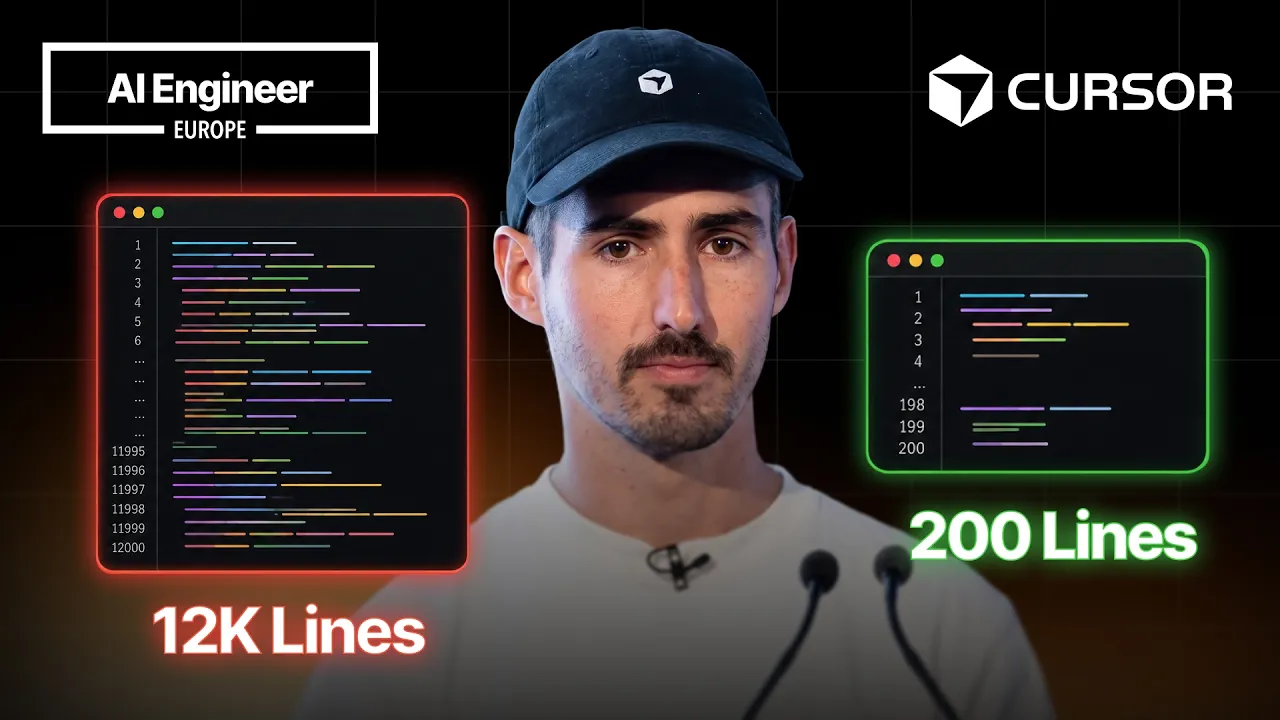
Now, in our new implementation, the one that I'm going to be talking about today, we were able to get rid of most of these things. And in fact, I recently opened a PR uh removing this entire feature from Cursor and it was a massive like deletion of of of code. Like I think it was around 15,000 lines of code deleted. The new implementation of the feature is almost as good as the previous one um and it is much much more lightweight in terms of us to maintain it um and it even has some benefits compared to the previous implementation that I'll be talking about today.
So, how were we able to replace an entire feature with a skill? We decided that there are two primitives that we could use to effectively allow Cursor users to use work trees by simply leveraging two primitives. One is agent skills and the other are sub agents. So, both of these are existing Cursor features. You can learn more about them in our docs. Uh we have a page for skills and we have a page for sub agents. We realized that if we took these two things together, we could basically re-implement both the Cursor work trees feature as well as the Cursor best event feature with just markdown.
And this is a little video of how it works. So, I can now as a user say {slash} work tree and then I'll give it some task. I'll say, "Fix the typo in the footer of the website." And this agent will run in an isolated work tree and do its work there. So, the way the skill is written is actually really simple. I can show you most of it. Uh it doesn't fit on the screen, but it's basically a set of instructions telling the model um how to create work trees and um to run the setup scripts that the user might have configured, and then to stay on that checkout, right?
We want to make sure that when the agent is operating on a work tree, it is staying in that checkout. Um the best event skill is very similar. It's actually even smaller. The entire skill fits on the screen here with with a small uh font. Um and what we're doing here is we're instructing the parent agent to go and create sub agents for each model, and then spin up a work tree for each uh so after each sub agent create its own work tree and work inside that work tree.
Um and then we also tell it to wait for all the sub agents, and when they're done, please provide some commentary. Please let the user know um what um the different implementations by the different sub agents look like. Maybe you can grade them. Maybe you can make some uh criticism of them, and maybe you can help the user choose which one is the best. Um and and please give that to the user in some nice table format or something.
But again, it's only around 40 lines of code, and it's all markdown. Like it's not even code and the previous version of this was maybe 4,000 lines of code. Uh some of the considerations we have to have in this in the skill is that the skill must be cross-platform compatible. Like we have Windows-specific instructions, and we have Linux and Mac OS instructions as well. We also instruct the parent model to run the setup scripts for each work tree that the user might have configured.
And then, and this is the hardest part, we'll spend a bit of time on this on the talk today, we have to instruct the model to stay on that word tree, right? We have to really say, "Hey, do not ever work outside this and do not ever escape, right?" Um And we we do that with some aggressive prompting effectively. So, the new commands are {slash} word tree and then {slash} passive end to do the basic basically like um the to start agents in isolated word trees and to start multiple agents on the same task.
And then we also have apply word tree and delete word tree to bring over changes from the side word tree into your primary checkout and delete word tree just does what you would expect. Uh a little note is that these are not actually skills in Cursor, they're actually commands, but the way these commands work in Cursor is extremely similar to how skills work in that they're the prompts only get loaded into the context if the user chooses to load them.
Um and the only reason we did it as commands and not as skills is so that the prompts for them can be controlled in our servers in our backend. This means I can iterate on these prompts um without you having to update your Cursor version. Um if I do some improvements to these prompts, the next time you use them, you're going to have you're going to get the latest version of the prompts. But effectively, they work like skills.
Um this is a demo of the passive end um skill or command where I'm giving the same task to Kimi, Grok, Composer, GPT, and Opus. And you what you will see is that the parent agent starts by spinning up five sub agents on the five different models that I specified, and each one is going to have its own word tree, each each one has its own context. And then Opus takes a little longer as expected, and then at the end, the parent model, as instructed, will do that comparison of across all the different submissions.
It'll say, um, "These two models did basically the same thing. This one did something that none of the others did." And you can even talk to the parent agent and you can say, "Oh, I like this part that Opus did and I like this part that GPT did. Can you Can you match them together?" And the the parent agent will do that for you. Um, so let's talk about some of the pros of the new implementation and then I'll talk about some of the some of the the the cons, some of the things we lost, um, with this refactor.
So, the main pro of re-implementing this entire feature as a skill is that I have a lot less code to maintain. Uh, selfishly, um, I'm going to be spending a lot less time maintaining this feature. And this is an an advanced feature, right? We're not talking about a feature that is used by 90% of Cursor's users. Far from it. Work trees are kind of an advanced thing, um, and so only the Cursor power users that love paralyzing and having these grids of agents are using work trees.
So, it's not the kind of feature where we want to be spending a lot of time with maintenance. Another advantage is that our users can now switch into a work tree halfway through a chat. It was not possible before. Um, we didn't want to pollute the prompt UI too much with all these like drop-downs and settings. And so, now that it's just a slash command, it's much easier for for users to switch to a work tree halfway through a chat.
They can start talking about something and then if they decide they want to work on the side, they can do that with slash work tree. Another big advantage is that the previous implementation did not work if you were working on multiple repos at the same time. So, it's very common to have a multi-repo setup where maybe your front end and your back end are separate repos. In the past, you could not do work trees in this kind of setup.
It was just disabled. With the new /worktree command, everything works fine. The agent will make sure to create a worktree on each repo, and then if you open a PR, it'll open two PRs, one for each repo. It works quite well. Another advantage of the new skill implementation is that the judging experience at the end of knowing what model did which for best of N is far superior. The parent now has a lot more context over what each of the sub-agents did, and the user can even ask the agent to stitch together a little different pieces pieces and bits from the different implementations, which was not possible before.
In the previous implementation, you had to choose one sub-agent or one model and just stick with that. Now, let's talk about some of the cons. And if you're curious, um we have a forums link here where we're actually getting some mixed feedback on the new implementation. Like, some people were really accustomed to the old way of how the feature used to work. Um and if you're curious, you can go and see that not everyone is happy with the change, at least for now, but we're we're tracking.
What are the problems? Number one, it's very hard for the agent to stay on track. With our previous approach, um the agent had to stay on track. Like, it we didn't let the model ever touch any files outside its worktree. It was physically impossible for it to do so. Now, we're trusting the model. So, it's you could say it's a bit vibes-based because we're basically saying, "Hey, operate on this directory and and and then like, you know, knock on wood, please please don't forget about this." And especially over long sessions, it's quite possible that the model will forget where it should be operating.
And sometimes these models, especially the worst models, will kind of hallucinate or they'll go a bit haywire and they'll start doing things they shouldn't. But we're we're working on this. Um another con is that it feels slower because you're you're seeing the agent create the worktree and you're seeing that in your chat. It's not actually slower, but it does feel like the agent is kind of like wasting time doing something that should be done for it in advance.
Um we're also looking at some improvements here. And then finally, this is much harder to find the feature now, right? Like before, whenever you opened cursor, you had this drop down that would show you, do you want to run this task locally, or do you want to run it in a cloud, or do you want to run it in a work tree? Now that entire drop down is gone. And so, if you want to use work trees, you have to know the feature exists, so you can actually type {slash} work tree.
So, the discoverability is a bit worse, but as I mentioned before, this is an advanced power user feature, um which we're personally okay with we're we're we're okay with being less discoverable in general. So, how can we make the skill better? Um as I mentioned, the biggest problem right now is that the agent is not really always staying on track. Uh there's two ways that we're going to improve this. One is with evals, and then using those evals to improve the prompt.
And then the other one is through RL and training. So, at Cursor, we train our own model called Composer. And for Composer 2, uh the latest version of this model, we didn't have any RL tasks with these prompts. We don't We didn't have any tasks in all of the many, many thousands of tasks that we um used for RL actually operating in this type of environment. So, we're we're working on adding a bunch of these tasks into our RL pipeline, so that by the time we launch Composer 3 or 4 or 5, uh at least our own model will be much better at this.
Obviously, we cannot improve the models that the other companies develop, but we've been sharing feedback with all the other labs and model providers on this kind of thing. And for evals, uh I've been working on some evals for for feature, and it was actually my first time, or not my first time, but when I'm I'm fairly um early in my um writing evals uh journey, and I was actually very surprised. If you use something like Braintrust, and shout out to Braintrust, they've been super helpful.
Uh writing these kinds of evals is actually super super easy. You don't have to know almost anything about evals, and you can just prompt the agent, and it'll do everything for you. Um effectively, what I'm doing is I spin up the cursor CLI. It's headless, so it's great for evals. Um and then I have a two scorers. One that checks to see if the model did any work in its work tree as expected, and then another one, which is the reverse of that, which is did the model do any work in the primary checkout where it shouldn't be doing any work.
Uh and so far, the evals I've got are pretty simple. So, I actually haven't been um able to simulate extremely long sessions, which is when the model start performing worse. But, even so far, I've already understood that not all models are equally good at this. So, for example, Haiku, which is a smaller, less intelligent model, will very often deviate and start working in the primary checkout. But, the other models that I've been testing, such as Composer and Grok, um are doing much better.
So, I still have to improve these evals a lot more to make them more complicated, but the hope is that as soon as I can start to find patterns here, I can actually go and improve the prompts. And then another thing we can do is have better system reminders to the models uh instructing them to stay on track and to not deviate from the work tree that they are supposed to be working in. Okay, so what's next? Um the first thing is we're actually going to take a a small step back here, and we're actually going to have a much more complete and native work trees implementation in the new cursor agent window.
If you're uh if you've been following, we recently announced cursor 3.0. Part of 3.0 is a more agentic interface for coding where you can still edit code and you can still see code, but the UI and the UX are much more optimized around the agent and the chat interface. We believe this kind of interface is the right place for a proper work trees implementation. The kind of person who is more likely to be uh doing a bunch of local parallelization is usually the same type of person that is more likely to use this type of UI.
So, we're taking a small step back there and building a proper work trees uh implementation that is more native, not so much agentic, in the new UI. Also, we're improving the skills, um as I mentioned, through this continued work on evals and then RL and other training work. And then finally, we are actually looking into other parallelization primitives that are not Git work trees. So, if you've used Git work trees, you might know that uh they can be a bit slow to create, um and also to uh they also use up a lot of disk space on your computer, um and then finally, uh they only work in Git repos.
So, if you're using something other than Git, there's really no local parallelization primitive in cursor. Um in the near future, we hope to uh share more about this, but we're looking into some other solutions for local parallelization that don't involve Git and don't involve Git work trees. Um so yeah, stay tuned for that. Um thank you all for coming to the talk today. Um I'm sure many of you have questions and I'm going to be around all day.
Uh feel free to grab me anytime and uh um I'm happy to chat with anyone. Thank you. >> Mhm.
The words are the caption track's own and nothing is reworded or re-transcribed. Paragraph breaks are placed between sentences so the text reads as prose.
Free tools for your own script. No signup, no login.
Paste your draft and see where viewers are likely to drop off, with a rewrite for each weak line.
Paste the first 30 seconds of your own draft for a hook score and rewrites.
Check your draft against YouTube's advertiser-friendly guidelines before you record it.
Read this channel's public videos and transcripts, and download a writing brief for it.