Getting the transcript
Reading the captions from YouTube. A video nobody has opened here before takes 10 to 30 seconds; this page fills in on its own.
Getting the transcript
Reading the captions from YouTube. A video nobody has opened here before takes 10 to 30 seconds; this page fills in on its own.
Luke's Dev Lab · @lukesdevlab
Words
4,707
Runtime
25:49
Speaking pace
182wpm
Reading time
20min
182 words per minute, just over the 181 median of 349 measured videos. That distribution comes from the 349-video hook study.
Opening (first 30 seconds)
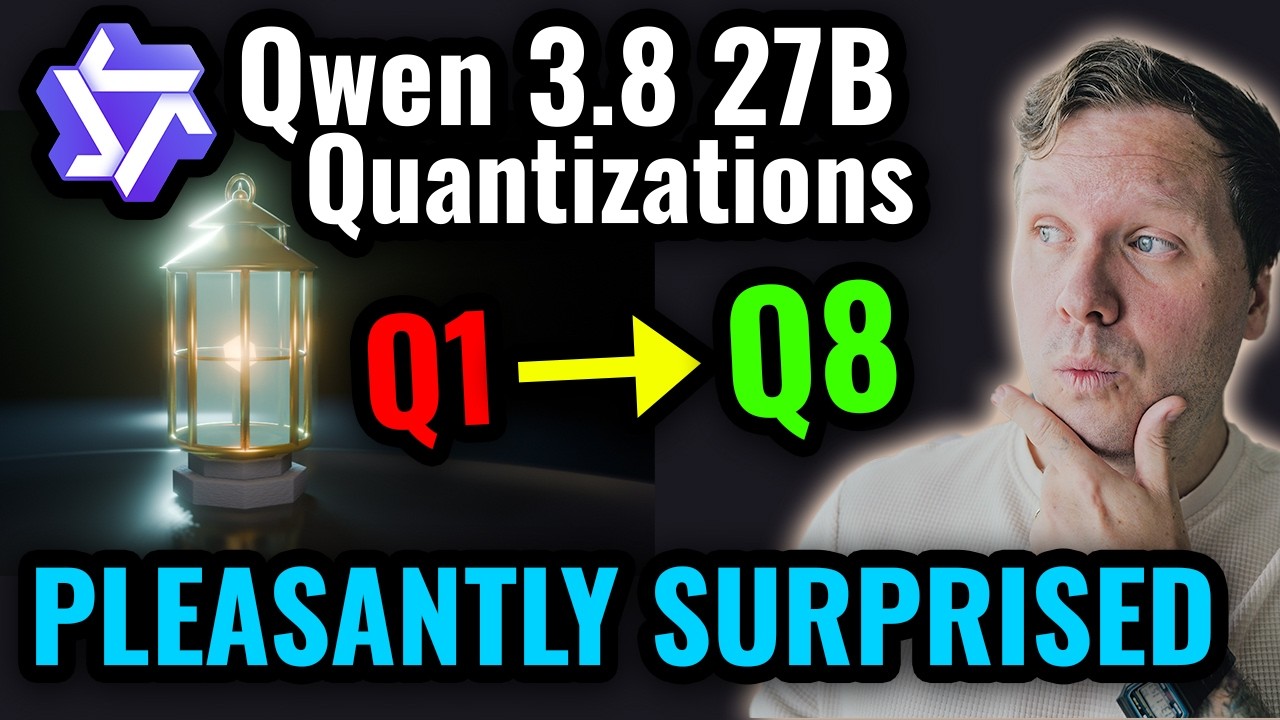
Like this one really surprised me. I was not expecting a result as good as this from Q KXL. Hey, welcome to Luke's Dev Lab. Great to have you here. In this video, we're going to be comparing the various quantizations of Quen 3.827B. So, we've got our model here from Ensloft that I've been testing in previous videos. And in previous videos, I've been looking at the Q4K XL. Now, what we're going to be looking at in this video is we're going to be comparing all of these, but
91 words, the words spoken in the first 30 seconds at 182 words per minute.
Free, no signup. See how the first 30 seconds hold attention, with rewrites.
Sentence shape
| Measure | This transcript |
|---|---|
| Sentences | 442 |
| Average words per sentence | 10.6 |
| Longest sentence | 51 words |
| Questions asked | 16 |
| Sentences containing a number | 119 |
Most used terms
Filler phrases
58 in total: like 28 · actually 7 · you know 7 · I mean 5 · basically 3 · um 3 · kind of 2 · right? 1 · sort of 1 · uh 1.
A literal whole-word count of the same phrase list the Prepublish browser extension uses, so a phrase inside another word is not counted and a phrase used in its ordinary sense still is. It is a count and not a judgement.
What this transcript is
Every word below is the caption track YouTube publishes for this video, pulled from the video itself and reproduced unchanged. It is not Prepublish's writing, not a summary, and not a re-transcription: it is the video's own published captions. English captions, generated automatically by YouTube, in the video’s original language. Source: the video on YouTube. A channel that would rather this page did not exist can ask for its removal through the contact page, and it is removed.
No Script X-ray for this video: YouTube shows a Most replayed graph only once a video has enough views.
Like this one really surprised me. I was not expecting a result as good as this from Q KXL. Hey, welcome to Luke's Dev Lab. Great to have you here. In this video, we're going to be comparing the various quantizations of Quen 3.827B. So, we've got our model here from Ensloft that I've been testing in previous videos. And in previous videos, I've been looking at the Q4K XL. Now, what we're going to be looking at in this video is we're going to be comparing all of these, but not every single quantization within.
So, we're going to be looking at essentially the best of each one. So, the largest in size. So, we're going to be looking at the IQ1M. We're going to be looking at the Q2 KXL, Q3 KXL, Q4 KXL, Q5 KXL, the Q6 KXL, and then the Q8 KXL. And we're going to be running these through three tests. So, we'll be doing our canban again, which we're all familiar with, and then we'll be doing Blender and GDO challenges, but within Blender and GDAU, there'll be different prompts for this video.
And these will be prompts that certainly haven't been trained on because they're not publicly available from me. And just a quick side note, I am testing all of these quantizations at reasoning X high to give them the best chance. So we're going to start with canban and then we're going to start in each test on Q8 and then we're going to move down through them and see is the project still any good. So with Q8 we ended up at 84.8% of our context use.
So Q8 was not perfect on this test. So when it delivered the project to me, when I opened it, an edit card window would pop up immediately and I could not dismiss it. So I did have to prompt here and get the model to fix the issue and then it was able to fix it. And then this is what we have here. So pretty good result. Of course, as we'd expect from Q8, you get a sort of faded preview of where the card's going to go.
I have already tested this in advance, so it is now feature complete. But as you can see, yeah, it's what you would expect from this model at Q8. For sure, it's a nice looking project. So, let's move on down the quantization. Right, moving on down to Q6. This one was also not perfect. Once it delivered, we had these errors where I was unable to move a card or a column, and these errors would pop up when I tried to do that.
So, I passed these errors to the model, and then it got back to us. 80.8% 8% of our context used. And then here we are again. I've gone ahead and tested this and made sure everything works. And you can see the UI is pretty close. It's pretty similar. If you remember the original video where I did this test, these outlines where the card's going to go. This is what the Q4 did. Um, it would have been nice if it had color coded the tags over here, but yeah, it does all work.
And this is what Q6 was able to deliver. and again with one error along the way like Q8. So now we are moving down onto Q5. So on Q5 we ended up at 84.1% context used but there were no errors along the way. Once it delivered this it was all working straight away. So coming over here and again this one set up demo cards. So in the previous one Q6 there was no demo content to view. Q5 we now have some demo cards like 6 and 8.
We've got this blue bar at the top. Not really sure what that's about. I guess we can inspect it. It's a filter banner. Okay. So, I suppose if I had a filter, I don't know then. So, yeah. UI not 100% perfect because of this blue bar, but other than that, functionally it's very nice. You can see everything is working and it's a pretty good result still. And this was one shot. So, it was a good job from Q5. Moving on to Q4 now.
So this is the result that you would have seen in my video where I looked at this model for the first time. I don't have the coding session for this one, but if you remember in the previous video, it did do it in a one shot and it had 86.8 context used. And again, nice UI. Everything looks good. Everything is functional in one shot. So this was the result of Kamban at Q4. The only issue that I noted was this icon in the search field overlaid on top of the placeholder.
And that's about it. So, moving on down to Q3. Now, this is territory I don't usually go into. I don't normally go below Q4. So, for our context used 87.2 and this one also came back in a oneshot straight away. And if we have a look at the result again, I have already tested this. It does work. You can see the add card is like how Q4 does it too. There's no demo content created on this one. And you can see when we create a card, we get a null value here.
But then when we click into it and then we can add say an assigne and everything is then functional and it's good. It looks good. The result is actually quite nice. And for Q3 I think this is pretty good. So let's go lower. All right. We are down at Q2 now. Now my assumption of Q2 is it would not be able to do the task. It would probably get stuck in a loop, struggle, make lots of errors. But wow, this one surprised me.
So what we have here, you can see the session compacted. So we burned a lot of tokens. We're up to 68.2% usage after that compaction. But this one was a oneshot with what it delivered. I did not have to intervene with the model at all. I just set it off and came back when it was done. And if we look at what it's done, this is it. This is what Q2 XL has done. This is with demo content built in. Again, it's fully functional.
It works. I've tested it. All the features are good. I got no errors when I tested it. Like, this one really surprised me. I was not expecting a result as good as this from Q2 KXL. like this really surprised me. I think this is very promising. So, let's see what can Q1 do. Well, I'm not going to bother moving to Q1 because it couldn't do anything. I will show you the session for Q1. So, Q1, we'll go to the start. So, it did a little bit of thinking about what it needed to do.
And then, let's see. So, it starts to make a plan, lists all the files, goes through everything it's going to need to do. Okay, this is promising. It's fast, too, obviously. And then, okay, let's make the plan. Cool. Cool. And then, and then you see the pattern. It gets stuck in a loop. It just loops over the plan over and over again. And that was it. That was how Q1 did. It just got stuck in a loop. And you couldn't get it out of a loop either.
So, yeah. Q1 is obviously a no-go. It's just too heavily quantized. Unsurprising. But Q2 usable. Really surprising to me. Before we get back to the code, quick question. How many times have you had a great idea or crucial test in detail completely vanished from your head 5 minutes later? It starts as a quick distraction, turns into a forgotten spark, and ends with you rebuilding the exact same thought process 2 hours later.
Capturing those moments instantly is the difference between staying in the flow state and losing focus. That's why I've been using today's sponsor, the Plaude Note Pro. As a dev, my favorite use case for this at the moment is actually right here in the lab. When I'm testing a new model on camera, I just press one button on the Plaude Note Pro and talk through my thoughts in real time. Then, when I'm done testing, the Plaude app auto transcribes everything and organizes my ramblings into clean AI summaries and key takeaways.
So, when it's time to shoot the final conclusion of the video, I don't have to think, wait, how many questions did the model not answer on Human Eval? Or did it take one extra prompt or two on Dungeon Crawler? I can just ask Plaude and it pulls the answer straight from my notes. And a little insight into me, outside of YouTube, I'm actually a full-time software engineer. So, this lives on my desk every day. With team consent, I use it in technical work meetings to autogenerate action items.
And it's a lifesaver at conferences or when I'm just capturing random ideas on a walk. For me, the real value is knowing that when something important comes up, whether I'm testing a model or talking through a technical problem, I can actually find it again later. Check out the link in the description below or the pinned comment to grab your Plaude Note Pro and level up your workflow. Thanks to Plaude for sponsoring this video.
So, moving into our MCP challenges now. We're going to start with Blender. And in Blender, the task was to create a Starfall lantern. So, this is going to have lighting, nice scene, glass, so different textures, materials. So, a nice challenge for the model on this one. And then at the end, we ask it to deliver some screenshots so we can easily review what it's done. So, with Q8, we're starting at here. We got to 54.9% of our context used, no compaction required.
So, not too bad. And here is what it did. So, this is our Q8 lantern. Not bad, right? Pretty nice. I think it's got nice textures on it. The glass looks good. You can see there's like texture on the base. You can see through the glass. It's got nice lighting. So, I think the model's done a very nice job at this asset. So, now let's see what Q6 has done. So, moving down. So, with Q6, we also got here with no compactions required and no input to the model required from us either.
So, we got 55.3% of our context used. And then here we have our asset. So, what do you guys think of this one? Do you think it's as good? I would probably say it's not as good as what Q8 delivered, but it's still good. I think it's still not too bad at all. So, let's keep moving down. So, moving on down to Q5. So, now the model came back, but there were no screenshots to see. So, I said it looks great in Blender. No screenshots.
The model did not take very long at all here, as you can see, to do the screenshots. And we finished at 34.2% of our context used. So Q5 used a lot less context. But is the result as good? Well, here are the images that it delivered. And this is our lantern. So I'm not sure if this is a design choice, but the glass panels, they look a bit strange. They seem to be angled. You can see this one here uh 90° to where you would assume they would be angled.
Again, maybe that's a stylistic choice. I don't know, but likely not. So, that is our result at Q5. Right, moving on down to Q4 now. So, this is our quantization that's pretty popular, one that I would usually use myself. So, 81.2% of our context used. The model came back straight away and delivered the goods. We didn't need to interact with it. And the result is this lantern. So, here's a close-up shot. And here are some other shots of it.
So, what do you guys think of this lantern? This is our Q4. So, I think not as textured as Q8. You can't see the element inside glowing, but it's still pretty good. I think I think this is quite nice what it's done here. So, let's start going below Q4 now. So, down to Q3. This one did take an extra prompt. So, it gave me the goods and [snorts] it was at 88.8% context used and there were just no screenshots. That's all.
So, I told it looks great. No screenshots. Then that pushed it over into compacting and then we ended up at 23.3% of our context used. But let's see what Q3 can deliver us. So, here is our Q3 result. So, what do you guys think about this one? I mean, to me, it looks better than Q4, but I'll let you be the judge. What you think of this one. I mean, the hook on top is not correct in this one. But, overall, I think it looks pretty nice, but we did use quite a lot of tokens on Q3.
But, you know, I think maybe that doesn't matter. If it can run a lot faster, if it can fit in your GPU, then maybe it's not as important. So, can Q2 do something decent? Let's see. Coming down to Q2 now. So, it actually delivered the goods at 47.2% of our context used, but there were no screenshots. That's all that was missing. So, I asked it to deliver the screenshots and it did that and we ended up at 52.2% context used.
So, what has Q2 managed to do in Blender? Let's have a look. And this is our Q2 delivery in Blender. So, it's not as good as the others. We can't see through the glass in this one. You can't see an element inside. But, I mean, for Q2, I was pretty surprised when I saw this. [snorts] Pretty good, I think, for Q2. So, it's quick. It can fit in a lot of GPUs, and it didn't burn a lot of context. So, not too bad. And then, finally, on to Q1.
What was Q1 able to do in Blender? Nothing. So gave the prompt to the model and then it said let's start by checking the scene. It managed to connect to Blender successfully and then it starts talking about creating some stuff and then you can see here it tries to use let me use bpy.data and delete method tries to call gets an error and we end up just going around in a loop. So it gets stuck in a loop again trying to do tool cooling.
So I knew it wasn't going to go anywhere at that point. So that's again Q1. It can't really do much. Not not something as advanced as this at least anyway. Okay. So we're going to move on to our game engine now. So this is Godo. And this was definitely the most challenging for the model. So this one I gave it a prompt of a 3D platforming game. Kind of similar to what we do in the normal testing, but this one has moving platforms in it.
So, a little bit more advanced, a little bit more of a step up on this one. So, we're going to start with Q8. Now, on Q8, it compacted and was all the way up to 49.8%. And at this point, I actually had a look at what the game state was, and it was already acceptable. I would say good enough to review. So, I did interrupt the model and just say, "Yeah, I think this is good enough for now." So, let's run what it's done.
I had a bit worried then. I had to stop recording then. So this was not loading for a long time just now, but it has loaded. So let me There we go. So this is what has been delivered from Q8. So same concept as our usual test. You have to collect the orbs and then reach a finish tile. So I go here, get this last one, and then if you touch that, it kills you. So then we need to use this one to go up. And there we go. So as you can see, it's definitely not perfect.
There is some Z fighting, Zed fighting going on here with these two, but other than that, it's pretty solid. All the mechanics work. The environment looks nice, shadows, detail, everything. It's a pretty good result. So this is Q8. Okay, so what has Q6 done for us? So, as you can see, this session was compacted a total of two times, and we're up to 38.6% context used. So, a lot of token usage on Q6. So, we got to 92% context used.
I don't know if I'm going to be able to find it and all this, but the problem was initially I could move around, but looking up and down was inverted. Now, this ain't a flight sim. So, I prompted the model to fix that and that obviously made it compact and then keep going. But then after that, it did manage to bring us all the way to the end state. But yeah, it did need to compact another time and then keep going before it delivered.
So, let's have a look at what it's done. So, this is our Godo window. You can see we've got a scene visible in here. So, that's loaded up a lot quicker. Let me just enlarge this window. There we are. So again, we've got Z or Z fighting going on here with this platform, but you can collect the orbs or keys as they're called in this. But you can see a problem here is this panel blocking us in the middle. But other than that, the game does work.
I can collect everything, get to the end. So So there we go. You can get to the end. And you can't see that panel that was blocking the view just now when you are on this side. So, not perfect, but too bad. It took a lot more tokens though than Q8 to deliver this. So, we're on to Q5 now. As you can see, session compacted one time and then finished at 76.9% context use. So, what happened with this one was it compacted.
It then got halfway through the context. And I could see the model was trying to test the game. And I had a quick look myself and what I noticed was up and down was inverted and moving backwards and forwards was inverted as well. So I prompted the model and let it continue to fix that. It then reached a pretty good state. I don't know if I can find the message, but basically what happened was it got it got to 62% context used, but I wasn't able to collect any of the orbs.
So I prompted it again about that and then it got to where you see it now and I had a look in on how the game was doing and it seemed to be fine. So I basically just stopped it at that point because it was still not sure about jump. And whenever you see that I've ended this by interrupting the model, it's always the same. The model's trying to test things like jumping, moving around, which it can do in the game. I can see it controlling the game, but it never seems to fully understand the results of what it's testing.
It thinks it can not jump, but it can. So, it's definitely easier on this one to just jump in, test it yourself, and then let the model know your findings. So, here is our scene from Q5. So, I'll press play on this. And here is what we have. Basically the same thing. So, I'm not going to play through it every time for you guys, but you can collect a key. These red boxes will kill you. You'll also respawn if you fall down.
Um, everything works. I'd say the lighting is maybe not as good in this one, but it's functional. There's not really any Z fighting. Performance doesn't feel great, though. But overall, I think it's done a decent job with this one. It's um less pretty, but functionally it's very good. Moving on down to Q4 now. So, you can see we finished with one compaction and 78% of our context used. There were a few times I had to interrupt this one again when it's trying to test how the game works and it's not successful in understanding things.
So I would just jump in, test it myself and tell the model what's going on. So initially we reached 42% of our context used. The movement controls were reversed, but also they were not locked to the direction the player was facing. So it seemed like looking around didn't actually turn the player. It then got up to 69% of our context used. And the only problem there was backwards and forwards was reversed in movement.
So I prompted that and then essentially it continued on and delivered what you see now with 78% context used. So loading the project here. Let's press play on this. And here we are. Here is what Q4 has delivered. So same deal. I can collect the orbs. I can move across on the platforms. It does work. But this platform teleports at the end of its movement. You'll see. And this platform. Oh, I thought it did the same. Okay, it doesn't.
So, the issue is just this platform teleports at the end of its movement, but other than that, not too bad, I would say. Ah, there it is. It is teleporting at the end of its movement. Okay, so the animation loops on the platforms are not correct, but other than that, not too bad, I would say. Moving on down to Q3 now. So, this one was a bit of a disaster. So, with Q3, it kept crashing the program and I kept prompting it to say, you know, the program's crashed.
I've reopened it for you. And then it would do it again. And I would tell it like, you know, be careful, you're crashing the program. Like, don't do it again. Not sure what good that's going to do prompting the model like that, but what else can I do? So I told the model numerous times it kept crashing the program over and over again and it's it got so bad that if I try and open this project now I get a warning that it crashed last time if I try and edit normally and we open the software.
So it loads the project that Q3 and then that's it. It crashes instantly now and then I get this warning that the program crashed. So Q3 just yeah it couldn't do this one. It couldn't work with the program very well unfortunately. Moving on down to Q2. So with Q2, it got stuck in a loop. As you can see here, we're in a loop. I tried to get it out the loop as well. So we got a compaction here cuz initially it seemed like it was going okay.
It seemed like it was working away. It was doing something. And then so here it is in the loop. And while it was looping, I tried numerous times to tell it continue. You're stuck in a loop. Things like this. And it would never work. It would just go straight back into looping. So yeah, with Q2 that was a no-go. And then coming down to Q1, do I even need to tell you how this one did? I mean, it's probably pretty obvious.
So with this one, after our prompt, it instantly went into looping behavior right here. So it connected. Let me check the available tools. And then that's it. It just kept looping that. So it was obvious nothing was going to be happening with Q1 on this one. So that's it. That's the tests. So that concludes it for this video where we looked at the quantizations compared for Quen 3.827B. So I got to say I was pleasantly surprised with how well Q2 did on Kamban.
Like this is not an easy task. Like we've seen previous generation models like 35B A3B from Quen not do as good as this Q2 did when that was at Q4. So that really surprised me. I thought, you know, Q3 would probably be all right, but it would take a bit of pushing. And then I kind of just assumed Q2 and Q1 would be useless. I mean, Q1 is useless. Don't touch it. But Q2, wow. Like, I think if your task is not something really complicated, then definitely Q2 is viable.
That's the biggest takeaway for me from this video. Q2 is viable. And I never thought I would say that. But then once we move on to things like Blender, you could see the model's still capable. It still did the job, which again really surprised me. But you could definitely see the difference in quality as we moved through the quantizations. So if creative work is your thing, something similar to this Blender test, you do really want to push for the best quantization you can get.
But then, you know, this is a oneshot task. If you had a lower quantization, you could take it step by step and be very specific about how you want things to look and you know maybe a lower quantization would get there. But if you want that efficiency, you just want to get to a great result straight away. Yeah, obviously having a lesser quantization is going to be better. And then moving on to God, similar story really.
We just find that the more difficult the task obviously, you know, the lesser quantization is going to perform better. Makes sense. But again, some of these lower like these quantization like 2, three, four, like 1, two, and three did struggle with God, but Q4 did a solid job. Wasn't as polished as Q8, similar to Blender, but it still did a great job. It was still absolutely acceptable. So yeah, I think the takeaway from this for me is really like don't underestimate Q2.
Like if you're doing some web- based work, something not super complicated, you really can go for these quantizations like two or three. And if you're running a 16 GB GPU like me, you can fit this in the GPU. So, you're going to get great performance. So, definitely don't underestimate those quantizations. And then, of course, once you get to the more complicated stuff, more creative work, you want to go for these five, six, eight if you can.
But I would still say four is a great balance. If you can run it at an acceptable speed, you're going to get decent quality. It's reliable. So yeah, it's it is why it's typically called the sweet spot for a lot of people. So what do you guys think? I would love to know what quantization you're running this model at if you're using it. So I want to say a big thank you to everyone supporting me here on YouTube and Patreon.
You guys are amazing. And a big thanks to you for watching to the end of the video. I really appreciate it. So give it a thumbs up if you enjoyed it and subscribe if you want to see more content like this. Bye.
The words are the caption track's own and nothing is reworded or re-transcribed. Paragraph breaks are placed between sentences so the text reads as prose.
Free tools for your own script. No signup, no login.
Paste your draft and see where viewers are likely to drop off, with a rewrite for each weak line.
Paste the first 30 seconds of your own draft for a hook score and rewrites.
Check your draft against YouTube's advertiser-friendly guidelines before you record it.
Read this channel's public videos and transcripts, and download a writing brief for it.