Getting the transcript
Reading the captions from YouTube. A video nobody has opened here before takes 10 to 30 seconds; this page fills in on its own.
Getting the transcript
Reading the captions from YouTube. A video nobody has opened here before takes 10 to 30 seconds; this page fills in on its own.
PetaPixel · @PetaPixel
Words
4,593
Runtime
21:45
Speaking pace
211wpm
Reading time
19min
211 words per minute, above the 201 75th percentile of 349 measured videos. That distribution comes from the 349-video hook study.
Opening (first 30 seconds)
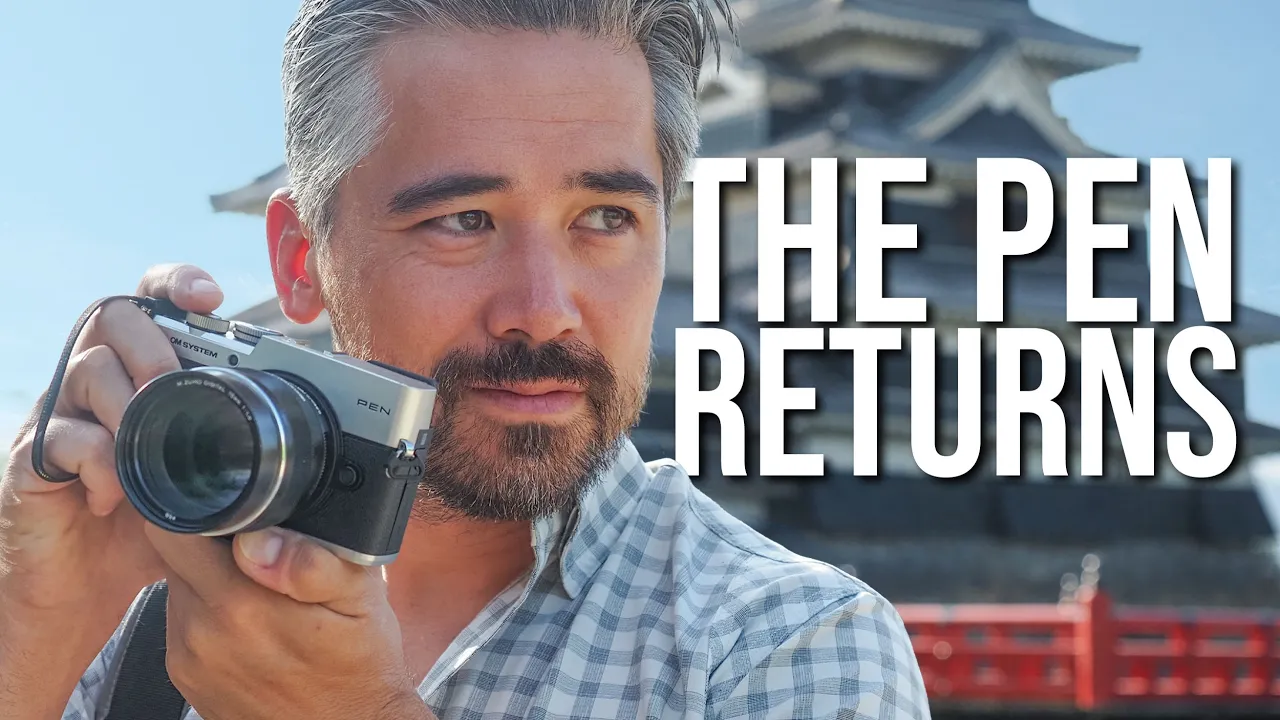
As you can probably see behind me, we are back in Tokyo, Japan, the best city, my favorite city. But we're here at the worst time of year to visit. It is July. It is swelteringly hot. But you know what? It is worth it because look at this. The new OM system pen. Now, there have been many cameras in the pen lineup. The idea of this is it' be like a ballpoint pen, something you can take with you anywhere you go and yet be creative with it. But this now has an EVF. Okay, this is very exciting. We have been asking for
106 words, the words spoken in the first 30 seconds at 211 words per minute.
Free, no signup. See how the first 30 seconds hold attention, with rewrites.
Sentence shape
| Measure | This transcript |
|---|---|
| Sentences | 309 |
| Average words per sentence | 14.9 |
| Longest sentence | 72 words |
| Questions asked | 10 |
| Sentences containing a number | 40 |
Most used terms
Filler phrases
109 in total: like 51 · I mean 16 · kind of 15 · you know 13 · actually 7 · uh 3 · basically 2 · right? 1 · sort of 1.
A literal whole-word count of the same phrase list the Prepublish browser extension uses, so a phrase inside another word is not counted and a phrase used in its ordinary sense still is. It is a count and not a judgement.
What this transcript is
Every word below is the caption track YouTube publishes for this video, pulled from the video itself and reproduced unchanged. It is not Prepublish's writing, not a summary, and not a re-transcription: it is the video's own published captions. English captions, generated automatically by YouTube, in the video’s original language. Source: the video on YouTube. A channel that would rather this page did not exist can ask for its removal through the contact page, and it is removed.
No Script X-ray for this video: YouTube shows a Most replayed graph only once a video has enough views.
As you can probably see behind me, we are back in Tokyo, Japan, the best city, my favorite city. But we're here at the worst time of year to visit. It is July. It is swelteringly hot. But you know what? It is worth it because look at this. The new OM system pen. Now, there have been many cameras in the pen lineup. The idea of this is it' be like a ballpoint pen, something you can take with you anywhere you go and yet be creative with it.
But this now has an EVF. Okay, this is very exciting. We have been asking for a camera like this. We have been waiting for a camera like this. I am Chris Nichols and this is Pedapixel. Is this the camera that we've been hoping [music] for? So, I already know the image quality out of this camera. This has the same 20 megapixel sensor that you'll find in things like the OM5. And you don't need a super fast SD card slot to, you know, store all that data.
This has just a single UHS1 card slot. And what I'm going to do to capture all these shots is use this OWC 256 GB ultra card. Now, we're here for quite a long time, like 2 weeks. So, this card will certainly have the capacity. I'm not worried about that. I mean, insanely fast. I mean, honestly, overkill for what I need here. These will write 250 megabytes per second, way faster than this camera needs. But, I just find these to be reliable and rugged.
And I can also use the Energize software by OWC. This is a really cool app. Basically, it'll check my card. I can format the card. I can make sure there's no errors. I can make sure that the health of the card is standing up and I can also do firmware updates. So, if I'm traveling overseas and I need something reliable, this is the card that I reach for. You should definitely check these out. OWC Atlas or OWC Pro SD cards.
Click link description below. And let's get back to the handling on this camera. And so, here you go. There's the body. Comes in black or silver. This is the OM system pen. There's no other letters or designations cuz this is the first OM system pen. Everything previously has been under the Olympus brand name, but this does borrow very heavily from the look and design of a previous Olympus camera. To me, this looks a lot like the Olympus Pen EP7.
It's got a very similar kind of profile, especially when you look top down on it. I don't mind that. I mean, it's a very sleek, spelt looking body. All the controls and everything are very streamlined and very compact. They don't stick out or anything like that. And that's so that you can very easily pocket this camera. But I do have to admit the Olympus Pen F, although it did have a lot of things that could catch and things, you know, when you try to put in your pocket or your bag.
I do feel like it was kind of a more vintage inspired, sexier camera. This is very much like an understated body. But this does at least borrow a very important feature that was found on the Olympus Pen F, not the EPL7, and that is to have an EVF here on the back, which I really love. I'm going to talk about that in just a bit. But otherwise, when it comes to the body, I mean, comfortable, small, very small grip, though.
And I have to say, when I'm walking around holding this in my hand, takes a little bit more force than I would like to hold on to it cuz I don't have enough of a lip there to just kind of hang it and let gravity do its thing. I have to pinch it to hold it. But otherwise, look, I think it's still a very beautiful camera, very compact. It's got those nice, beautiful metal neural dials. This mode dial doesn't have a locking switch, but it's got a lot of resistance, so I have not accidentally moved it.
And I do like that I still get twin control dials. The back one is plastic, but it's in a good position, and it's working well. Now, officially the body is IPX1 rated. So, that means that it can handle a little bit of rain, a little bit of splashing, that kind of thing. But technically, it's not officially IP rated for dust. But OM system does say that they put in some baffles. They've tested it in house and they feel it's quite dust resistant.
So, this camera should be able to handle a little bit of inclement weather, some rougher conditions. We might even get some rain to test it out. We'll see. It's pretty humid here right now. [music] >> [music] [music] >> Heat. Heat. >> [music] [music] >> So, the sun is really beating down on us. We're coming to midday here. My battery needs a recharge, and that's probably going to be a cold beer uh in order to do that.
But, luckily, the camera does not need a recharge at all. I've been shooting here all morning and I've still got full battery charge. And I was half expecting OM system to reuse the older BLS50 battery, that skinny one that you find a lot of their older cameras. This has a brand new battery. That's pretty cool. This is a novel design. Haven't seen it before. This is called the OM system BLS7. And it promises about 400 C rated shots, which is pretty good for a compact street camera like this.
Now, what you won't find on the M system pen is an autofocusing joystick, unfortunately. But you do have a joy pad on the back here, and I've been using that quite a bit. I can also move my focusing point around with the touchpad. And actually the touchcreen on this works for all menu functions, even a lot of the super control panel functions as well. So that's convenient. And then I've got quick buttons on the Joyad here for ISO, drive control, white balance, autofocusing point, that kind of stuff.
There is also an AFON button, and I love AFON controls. I prefer focusing with my thumb and leaving the focusing continuous. So I'm appreciating that this camera has that. And I honestly didn't think it necessarily would. I figured on this camera at this price point, maybe they would leave that off. But I do have an issue with it. I think it's just the placement. I'm used to having the AFON button very close to my thumb when I'm holding it on the grip.
But unfortunately, it's a little bit below my thumb. And I'm finding even though I've used it all morning, I'm struggling to locate that button. I'm often going too low and hitting the menu button right below it. I imagine that it'll take some practice, but I am finding the position of that a little bit uncomfortable or maybe just not as ergonomic as I was hoping it could be. And then the last thing I want to talk about as far as controls go, there is this switch right at the bottom of the camera near the lens mount.
And this goes between your color and mono modes or your standard shooting mode. And so this is supporting a lot of the color recipes. It's expanding on that concept that we saw in the OM3. You can use the IO share app to like share these recipes with people online or download their recipes. And you get a lot of choices here. I mean, just through this control panel, I can customize four color modes and four mono modes.
But what I really like about this dial is first off the placement. It's really easy to use with my left hand as I'm naturally holding the lens. And so I can just quickly flick it back and forth. And what I'm actually using here is doing a custom color recipe that I really like to use just for walking around. add a bit of warmth, change saturation, change curves, all that kind of stuff, but also then have my monochromatic mode stored just in my regular standard shooting mode.
That way, when I click back and forth between the selector switch, it just goes very quickly between black and white and color, and I'm really appreciating using it in that way. But I can also do other things. I've got a C1 and C2 mode on the top dial. I can customize those color recipes as well. And so, that's another handy way to switch back and forth. Either way, it just gives me this nice capability to go and shoot color and black and white very quickly as I see it on the street.
Okay, we found some temporary rust bite. It's a good thing this camera has at least splash resistance. I think we're going to be okay. And I want to talk about one of the features here that we've been asking for now for a long time. I mean, the Olympus PF, it did have an EVF and that really unlocked the potential of that camera. But often when companies make small compact cameras for cost reasons or size reasons or whatever marketing reasons, they tend to leave the EVF out and I really want to have that.
So the OM system pen, we have it back. Now this is effectively going to be a very similar display situation to the OM5. We have a 2.36 million EVF set off to the side, you know, rangefinderesque style. And then we do have it's just over million dot touch panel on the back. But I do like that it's fully articulating. So, I can use this for waste level, low to the ground, video work, or put it away, protect it. But just having an EVF, I far prefer it for composing my images.
I'm so happy to see that. [music] >> [music] [music] >> So, whenever you're in Japan, it's always nice to take a leisurely train ride. And now we find ourselves in the beautiful town of Matsumoto. And we're going to explore the castle just down there. and continue on with our review. So, OM system recognizes that they have a very strong market following when it comes to outdoor adventure and wildlife shooting and, you know, handling the rain.
And I've talked many times in my reviews about not only how rugged and dependable the cameras are, but also that you don't really need to take a lot of things like filters or tripods because these cameras have a lot of really cool computational photo techniques. And this camera is no different. But remember that the OM system pen is aimed at somebody who wants to travel, who wants to always have a camera with them, no matter where they are.
This means taking it on the train with you on your way to work or traveling with it like we are on a road trip, for example. And it has a lot of cool features that will help you with that. So, this does have a dedicated CP button here on the back, the computational photography button, and of course, I can customize that if I'm not going to use it very often. And so, this provides you with a lot of the advantages that we're familiar with on many of the other system cameras.
So, you got things like be able to do multi-shot high-res mode, focus stacking, live ND, which is really cool when you want to blur waterfalls and things like that. This also even has a multiple exposure feature, which is a lot of fun. And right now, you can hear, of course, the cicada's chirping up. That means it is definitely summertime in Japan. Now, these are going to have features that are very similar to what the OM5 has, which means like live ND is be up to four stops.
It's not going to go higher than that, but I still think that's useful and appropriate on a camera like this. It also means that I do have IBIS, and that's really nice to have in a camera, which OM system is marketing as more of an entrylevel camera that's intended for like smartphone photographers and beginners to get into more of a system camera. But there are some compromises when it comes to how effective the IBIS is.
It's still a very respectable 5 and a half stops, but this camera does not support any sync is, which means if I have a big telephoto lens with image stabilization, it's not going to use those in conjunction. And I can give OM system a pass on that because this camera is not really something they're intending for people to use with 150 to 400 kind of lenses. I mean, it's just not really the target audience for it. If I put, you know, comparison the OM5, which is, you know, maybe a camera more designed for even more rugged environments and maybe using telephoto lenses to do some wildlife photography, that camera can do 6 and 1/2 stops with its IBIS if you're not doing Syncis.
And it can engage Syncis up to 7 and 1/2 stops if it is using one of those big telephotos. But again, different target audience. So, I think for walking around the streets, just having that stability, not having to necessarily bring a tripod out with me when I'm walking around, this camera is still doing the job. Now, even though this camera is maybe aimed at more of an entrylevel market, I don't feel like I'm outgunned as far as be able to shoot quickly on the streets here.
I mean, 8 frames per second mechanical burst rates is still very respectable. I can shoot up to 1/4,000 of a second. And of course, micro four/ thirds. I can go electronic shutter. The readout speed's not bad. As you can see here, rolling shutter is not a major hindrance. And then I can shoot like 30 frames per second. I even have pro cap mode on this. So the occasional maybe like wildlife shot or planned street photo shot, you can do it here.
And so I still feel like I can handle most any quick action with this. But what about the autofocus? You see, oh system have simplified the autofocusing in this camera. They've tweaked it for the specific kind of goal that they have for this. And well, it's kind of interesting. See, in a lot of ways, the autofocusing experience on this seems very familiar to the OM5 Mark II. I mean, things like zone focusing, tracking, focusing and recomposing, even things like face and eye detector, basically identical.
But interestingly enough, the OM52 never really had a lot of subject detection modes. It didn't have airplanes and trains and stuff. Neither does this. But it also didn't have any bird subject detection mode or animal detection modes, whereas this does have an animal detection mode, but it's limited. You see, this camera doesn't technically do bird detection or animal detection, but it does specifically say cats and dogs.
So, OM system is intending that this camera is be used for a lot of people's pets, but we have test on some of the other animals around here. We got some pigeons and stuff, and I mean, pigeons can be a pet. Seems to detect them pretty good. So, no, I would not use this camera for like high-end wildlife photography or anything like that, but the occasional shot where you're trying to pick up your pets or pick up animals and stuff, it's doing a good job.
And of course, when it comes to portraits, no issues whatsoever. So, I think you all know by now I'm a pretty strong proponent of the Micro Four Thirds camera system. I've always loved the tiny cameras, the small lenses, the beauty of having this like little pocket companion camera that comes along with you on all of your travels. And I count myself in esteemed company with other YouTube photographers like Emily Lowry, Tom Kelton, Gordon Lang.
We all love the same idea of this everyday carry camera. And I think we all have been asking for a simple, compact, stylish camera that we can walk around with. And although this is definitely aimed at entry-level photographers, I mean, this is exactly what OM system is trying to do. They're saying this is marketed towards the beginner, the smartphone enthusiast that wants to move up to something more capable. I would also count that maybe I'm in this target audience cuz I like this kind of stylish, compact camera.
So, of course, I was very excited when I heard that there's going to probably be this new pen camera. And you're kind of thinking, well, what are they going to do? Is it going to have an EVF? What's it going to look like? And when I then saw this new OM system pen, if I'm being completely honest, my first thought was one of disappointment because look, the PF is such a beautiful design. It's such a classic design. And the instant you look at it, you think, "This is classic.
This is gorgeous. It's got all these dials, beautiful exposure comp controls, big onoff switch." I mean, it was just a beautiful camera. And when I saw this, I was thinking, "Oh, they didn't go that direction. They went more of the EP7 direction, but I still have more time to play with it. So, I'm going to keep shooting. I'm going to keep developing my concept of this camera, my experience with it, and then we're going to really get into how I feel about it at the end.
Okay, so here's the plan. I'm here with Michael Bonor. We're out here doing a project. We're at Matsumoto Castle, and I've got this nice ambient light here, and I really like what it's doing with the box here. The box is down there. You got the Japanese kimono on here, but Michael's not really showing up too much with the light. So, I want to hit him with some supplementary flash. So, what I'm going to do is I'm going to put this WCOT S18 on this arm and that way I can get the directionality off so it's coming down across his face, not straight into it with that harsh look.
And I'm using another flash on the camera. It can trigger this as just a wireless remote flash. I just need that extra light. And that's where something like this S18 is perfect. And so there you go. There's our shot. You know, we're filling him in with that supplementary light, even in black and white. I mean, it's really beautiful to use flash. We often think about color imagery, but why not for black and white as well?
So, if you're looking for a compact flash to go with your compact camera, try the WCOT S18. [music] You can go to fjccot.com and find them there or click the link in the description below. They are Pedapixel's preferred lighting gear partner. So, now we find ourselves just by the river here in beautiful Matsumoto and there's all these black dragon flies to flying all over the place. Really cool. So, look, I got myself the appropriate fan here today.
It is a hot one of course and you know I think we're going to start off the day talking about video on this camera. Now we have often given ohm system a hard time for their video capabilities you know but we have to remember that cameras like the OM1 OM3 they did make some advancements with 10 bit video giving us a little bit better sharpness OM log you know being able to have cine modes for different color modes and we actually use OM system cameras when we shoot like our trail camera episodes.
So, they are capable of high-end video, but on this particular camera, given that it's more of an entry-level price, it is going to have more entry-level video features. So, the video features on the pen are actually much closer to the OM5, which means we do still get OM Log, but we don't get 10 bit record modes, and that does hurt the overall sharpness a little bit. This camera is intended for more casual video, walking around, capturing memories.
Uh, you do have a mic jack, but no headphone jack, right? So, it's really just more about capturing little scenes here and there. One of the cool features, though, is with all of these new color filter modes that we're talking about, all these new recipes, you can apply those as well to your videos. So, if you have a look that you like in photography and you want to transfer it over, that's a piece of cake. And couple that with the fact that you are still getting IBIS in the body and you are still getting subject detection mode during video, like face detect or pets and stuff.
This means this camera can be used for some casual vlogging, and it'll actually do a nice job. So, like any camera, having a few days to play with it really does help you expand like your knowledge of it and get used to how it's handling and giving you a chance to thoughtfully customize it. And I got to say, this OM system pen is growing on me. I mean, it's only 500 g, so it's great for walking around. I'm not burdened by it.
Things like the AFON button after 3 days, that is still frustrating me a little bit. I'm getting used to it, but I still think it's way too low. And I often reach down to try to find it and hit the menu button. That's still happening. The grip isn't as bad as I thought. Uh, I mean, thumbrest has given me a good purchase on here. I do think this is a camera that I would want to have some sort of larger aftermarket grip, but that's an easy thing to remedy.
And battery life has been great. And as far as like a street or travel companion camera goes, there's just enough customizability here to keep me happy. So, I can change things like button and dial configurations. I've changed this video record button up here to instead be a punchin magnifier, so I can manual focus or do macro work. And I'm finding that the lack of an autofocusing joystick can largely be replaced by just using the touchcreen either as a panel with my thumb to move the focusing point around or just touch on the screen where I want it to focus.
And while I'm on the topic of autofocusing, I'm actually finding the face eye detect very accurate. It's working well. It's quick. And otherwise, just for casual shooting here, shooting recomposing is working great. So, I have to say, I'm actually really enjoying my experience with this. And although visually it might not be the eye-catching instant classic that the PF F is, it's very understated, it's still elegant.
I like having a chrome camera, so I prefer that option. I like that I can then match it with my silver lenses. And the only complaint that I really have that's lingering is I wish that shutter button had the threads for a soft release just to let you kind of customize and have a little bit more fun with the camera. But overall, if you're looking for a simple and stylish camera that you can walk around with, I'm finding it's handsome and it's capable.
I give it 10 minutes, Jordan. 10 minutes. I'm going to look exactly like that. We've had a wonderful time here in Matsumoto, but sadly our time in the city and with this camera is coming to an end. But I have some thoughts about this shooting experience. Now, first off, I think we need to address the fact that we are essentially looking at an OM5. a lot of the same technology brought over now into the pen. And I know that there's a sentiment and I kind of agree with that sentiment that, you know, we want to see more change from home system as far as new technology, new advancements as opposed to just new designs.
However, I think we have to keep in mind a very interesting fact, okay? And we've talked about this on the podcast as well. JIP is no longer in charge of OM system. Okay, Sugioan, the CEO, is now having full ownership of this company and he's taking it in very interesting directions. And this makes us hope for the future that we might see some real change. Now, maybe some innovation. It's all speculation, but perhaps JIP when they were in charge didn't have any interest in really innovating the company, simply keeping it going.
But now with Sugimasan in charge, hopefully we're going to see some big change. And having used both the OM5 and now the PEN, even if the guts are very similar, the shooting experience is different. I mean, the OM5 is giving us more of that rugged, larger grip, more SLR design. You know, it's intended for that kind of outdoor adventure kind of stuff. This camera is definitely more suited to exactly what we've been doing, walking on the streets, traveling, having something a little bit sexier to look at, a little bit more compact, but still very capable.
And lastly, let's talk about price because the M system has tried to make the pen as affordable as possible, but the price that the body is sitting at now, it's pretty comparable to the M5. And so now you're in this range of having to decide, do I want something a little bit more rugged, a little bit more of a grip, maybe slightly more capable, things like IBIS and OIS Sync, or am I willing to have a few compromises in order to have that more stylish experience?
It's still going to be more affordable than something like a Fujifilm XC5, and so it still gives you that shooting experience at a lower price. One thing is guaranteed about the OM system pen and that is that it's going to bring out a lot of discussion and there's going to be a lot of interest. So leave your comments below and share those thoughts with us. We always appreciate that. We're going to talk about this camera on the pedixel podcast for sure.
So definitely check [music] that out on this exact same channel or all your favorite podcasting apps. And do consider getting a pedapixel.com membership. Look at all the perks here. It's insanely great [music] value. Thanks for joining us. We'll see you soon with more from Pedixel. There. Now you you you did it. You turned it into a clip I'll never use.
The words are the caption track's own and nothing is reworded or re-transcribed. Paragraph breaks are placed between sentences so the text reads as prose.
Free tools for your own script. No signup, no login.
Paste your draft and see where viewers are likely to drop off, with a rewrite for each weak line.
Paste the first 30 seconds of your own draft for a hook score and rewrites.
Check your draft against YouTube's advertiser-friendly guidelines before you record it.
Read this channel's public videos and transcripts, and download a writing brief for it.