Getting the transcript
Reading the captions from YouTube. A video nobody has opened here before takes 10 to 30 seconds; this page fills in on its own.
Getting the transcript
Reading the captions from YouTube. A video nobody has opened here before takes 10 to 30 seconds; this page fills in on its own.
AI Engineer · @aiDotEngineer
This video has no Most replayed graph yet: YouTube shows one only once a video has enough views. These are the moments viewers replayed most in AI Engineer's most watched videos.
Most replayed moment at 18:45
4.8x that video's typical replay level
that they're they're changing they're changing things in the database not yet. You want to run them through the ontology first and make sure that works. Okay. I only got an I've got I've got another I've just a short time. I'm going to try to show you some of the things that um that you can
Said at 18:37
Most replayed moment at 16:13
3.6x that video's typical replay level
method signatures, the program layout and the call stacks. So here's some examples. I don't think you'll be able to read this one, but this is like the level of abstraction we're at. It's how we're actually going to lay this stuff out and how these systems are going to interact. Dylan Mulroy from Cloudflare talks a
Said at 16:06
Most replayed moment at 2:02
2.5x that video's typical replay level
are re-bumbling around the work itself. And the important question here becomes a lot less about what is your title and more what part of the system can you own? Now, I like this taxonomy quite a lot.
Said at 1:56
The graph counts replays. It does not show where viewers stopped watching.
Words
2,161
Runtime
15:03
Speaking pace
144wpm
Reading time
9min
144 words per minute, below the 160 25th percentile of 349 measured videos. That distribution comes from the 349-video hook study.
Opening (first 30 seconds)
[music] >> What a beautiful voice. I thank you for coming. Um today I'm going to talk a lot about about missing layer of agentic AI and explain a a little bit about how web scraping infrastructure can actually help you. But first, let me talk uh a little bit about my friend's idea. So, my friend had this idea. Uh he built this AI chatbot that, you know, chatted with people
72 words, the words spoken in the first 30 seconds at 144 words per minute.
Free, no signup. See how the first 30 seconds hold attention, with rewrites.
Sentence shape
| Measure | This transcript |
|---|---|
| Sentences | 142 |
| Average words per sentence | 15.2 |
| Longest sentence | 52 words |
| Questions asked | 2 |
| Sentences containing a number | 5 |
Most used terms
Filler phrases
84 in total: you know 35 · uh 29 · actually 5 · like 5 · um 5 · kind of 2 · right? 2 · sort of 1.
A literal whole-word count of the same phrase list the Prepublish browser extension uses, so a phrase inside another word is not counted and a phrase used in its ordinary sense still is. It is a count and not a judgement.
What this transcript is
Every word below is the caption track YouTube publishes for this video, pulled from the video itself and reproduced unchanged. It is not Prepublish's writing, not a summary, and not a re-transcription: it is the video's own published captions. English captions, generated automatically by YouTube, in the video’s original language. Source: the video on YouTube. A channel that would rather this page did not exist can ask for its removal through the contact page, and it is removed.
[music] >> What a beautiful voice. I thank you for coming. Um today I'm going to talk a lot about about missing layer of agentic AI and explain a a little bit about how web scraping infrastructure can actually help you. But first, let me talk uh a little bit about my friend's idea. So, my friend had this idea. Uh he built this AI chatbot that, you know, chatted with people about their style and it was supposed to help them pick out new items.
Uh uh you know, some sort of a personal shopper. And once those items were picked out, you know, this uh this this this chatbot would uh produce prompts that a shopping agent would then take and attempt to find them online and purchase them for a you know, for for for the customers. Um this idea, you know, is not new and uh it could be applicable to many scenarios, but my friend was kind of, you know, uh he was he was good at building agents, uh but um he ran into different problems and asked me for advice.
And when he ran it, he he would usually, you know, instead of, you know, product pages or whatever, he would get things like that. It's uh you know, he would get captured. And you know, and uh you know, of course, you know, he was he was doing it very very quickly. So, he web coded the whole thing a while having a you know, a thought about, you know, infrastructure and underlying layers and how it should work at it at all.
Uh he was using a browser automation framework for everything and it was slow, expensive, and unreliable. So, at the end he made a product that uh uh that does not work and is expensive to run. So, he asked me for help and you know, I was a little bit reluctant at first because uh you know, I don't like giving out professional advice, you know, for free. But uh I took a look at it and uh you know, it I got a little curious, I have to be honest.
I noticed that he was missing something. Um he was missing a layer. An infrastructural layer that would allow this agent to operate freely on the open web. My name is Giedrius. I I work for Oxylabs uh where in the past 10 years we've helped, you know, companies that trained large language models uh get their data. Uh now we use this infrastructure to help AI agents to access uh web on scale and at low cost. And uh before we go into this agent and see how we can build it, I wanted to talk a little bit about the scraping industry and how we operate.
And uh the principles that we operate on can be summed up by one uh sentence. You know, cost matters. And the first principle is use a browser when you absolutely have to. Validate content. HTTP response 200 does not mean that we are good to go. Lighter content is preferred. Websites are full of JavaScript, CSS, HTML, and there's a lot of bytes that do not deliver any value whatsoever. And today I will demonstrate how these principles are also applicable when building agents that interact with the web.
So, coming back to my friend's agent, right? Let's uh let's take a look and see how uh we could do a better job and making this agent more reliable. So, here's how my friend set a low level, you know, it's all four different stages. Discovery. The agent is was supposed to find products pages on websites where these items can be bought. Then a decision stage, right? And where an agent can decide what products to buy based on, you know, the the content of these pages.
So, the agent has to visit them, verify that the the stock is there, the price is right, that the the the description fits, you know, the prompt. And once that decision is made, user is given with a choice, you know, whether to go ahead with the purchase or, you know, reject it all together. The problem was that sometimes, and of course, we go to execution right away. Then execution is making the purchase. But the problem was that sometimes it worked and sometimes it did not.
That was a little problematic. So, let's dissect it step by step and see how we could build this differently while improving performance and reducing the cost dramatically by using the same principles from the scraping industry. So, the first stage, discovery. So, my friend, you know, he chose to go with a predefined list of websites, major retailers, and queried their search pages in order to find these products. He used a browser automation tool for that.
It kind of worked, but you know, it did have challenges. So, the browser automation tool lacked what we call stealth. So, they could So, they would get captchas and sometimes fail access access the sites all together. This would break down the flow. So, a retry mechanism would have to be put in place, making the whole process very long, you know, costly and sometimes the size would not be accessed at all. And also, you know, as a result also became very difficult to predict the final cost per transaction.
The list of websites that my friend was checking was also deterministic. So, selection of items would only be limited to the few choices he put in. Websites themselves were heavy on JavaScript making the whole process very slow and costly. And finally, even if it worked, items ended up being unavailable at checkout because in the discovery phase the heat was not able to use energy allocation capabilities and a lot of e-commerce websites are, you know, they take your user's location into account when displaying stock, options, sizes, and so on.
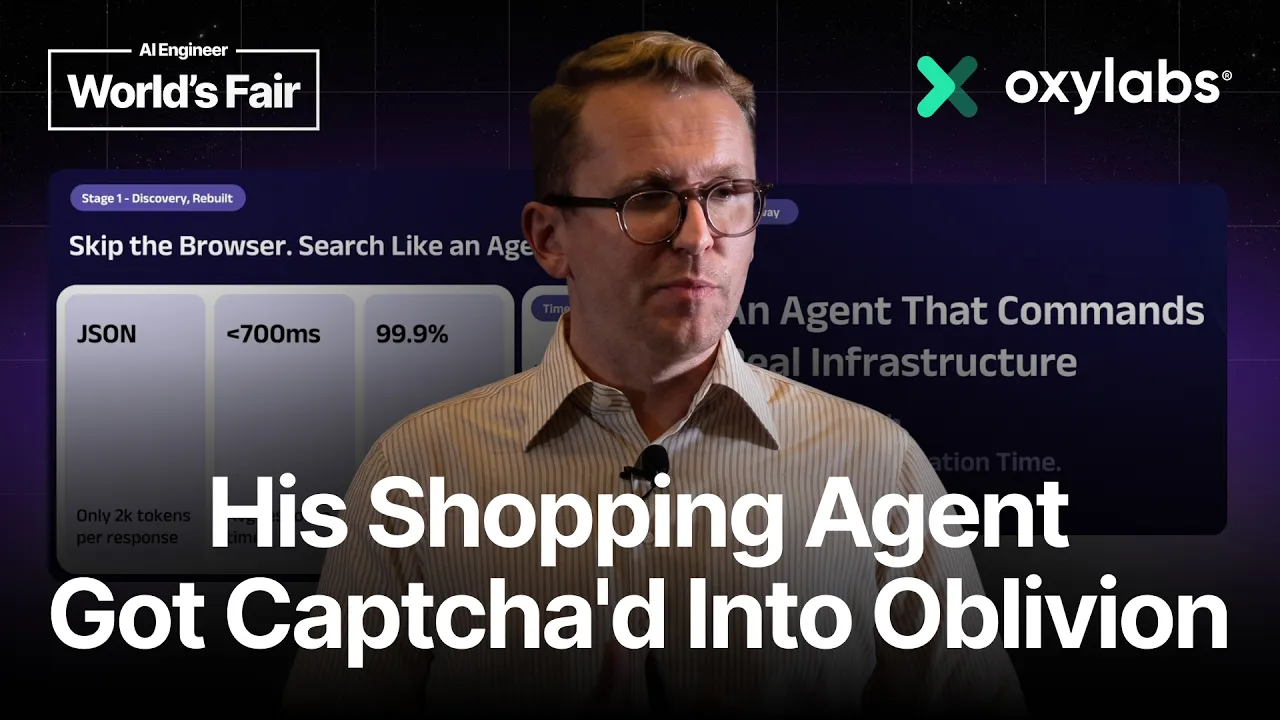
So, now we solve these problems at Oxylabs every day. So, when scraping you always want the results to appear on the first try and to not to use browser unless absolutely necessary. However, for this specific discovery phase you also want to use to allow your agent to search the web. Doing so with browser is very cumbersome. That is why I chose to use a product that we built especially for agents, fast search API. It returns a compact JSON which is less than 2,000 tokens per response, has fast response times, less than 700 milliseconds on average, and it's has a high success rate at a predictable low price.
And most importantly, it gives your agent access to the you know, to many popular search engines that all of these websites have been indexed indexed a time ago. So, in the discovery phase, instead of predefined list and a browser, we give agent a tool to search the web, fast search API. Agent formulates fan out queries and selects the relevant URLs from search results. Since the responses are quite small and there is no need for complicated models, we can have the agent run quite quickly in this stage.
Um yeah. So, so now the agent has searched the web and selected some relevant URLs. It is time for those for for the agent to visit those pages to see what they're all about in order to confirm price, stock level, description, and product details, and so on. With this, we can go to into the decision phase. This is where agent selects the items we will purchase. For this, my friend also used the browser. He ran many browsers in parallel, so it could uh you know, so the whole process could happen faster, and that is not a bad thing.
He managed to get some results. However, many of the results would end up like this. And the result, the agent would be left with very few choices, with the majority of popular retailers being left out. It's a good thing he did well with observability, so he actually noticed when it happened, but what we see when working with these types of customers is that they often fail to detect the failure. They end up checking only the content size and HTTP response code, and then feeding this large HTML to an LLM.
Now, an a large language model, of course, can distinguish between valid e-shop content and a capture, but we need to spend tokens in order to do that. And when we attempt to open 10 websites, but only three return valid content, but we feed all of the 10 to the to the model, it is a problem. It means that we waste 70% of the tokens. And that is a little crazy in my in my opinion. So, I noticed this problem as well. And my initial hunch was compression.
Was to compress the output. But then I thought, wait. The problem is not the compression. The problem is that the content is not valid. We need to make sure that the content is valid before even attempting any compression. This will lead to more options for the agent to choose from and fewer wasted tokens. And then I remember rule number one of scraping. Use the browser when you absolutely need it. Otherwise, look for other solutions.
So, I I tried to rebuild the stage without a browser. And I only by using Oxylabs web scraper API. And this gave me many benefits. But firstly, only valid content was returned. In case of captures or other blocks, the request would fail with an explicit error message. So, I know not to include it when sending to a large language model. But the success rates are quite high. And even for protected websites, so that wasn't that much of a you know, much of a problem.
So, no browser was needed. And everything is a lightweight REST API. I can run hundreds of requests in parallel and receive content at the same time. Also, the API supports markdown. So, no need to submit raw HTML to LLMs. If a website is dynamic, it runs a full browser under the hood to render the content correctly. And finally, it supports geolocation options. So, I can localize my results and get relevant content.
The best part, customers only pay for successful results. So, I'll actually yeah. That's uh that's what's that's what's what that's what the best thing about it. No cure, no pay. If if the scraper fails, there's no cost and it fails loudly. So, now we have all of the information to make a decision. We present a decision to the user and the user makes the final call. Once it's affirmative, we move to the last stage of the workflow, the purchase.
So, I remember what I said a couple of times about browsers. This time but this time is different. You this time you absolutely need to use a browser. We need to process inputs and the content is highly dynamic. Now, this time my implementation, my friend's implementation, does not differ much. We both use Playwright MCP, with a browser, and a large language model. The main problem my friend faced, however, just like in in the previous stages, uh using browser, was access.
Just like in the beginning, as he was using the browser, he was getting captured into oblivion, making it impossible to automate the flow. Well, the fix was quite easy. I just connected the Oxylabs headless browser, since it supports Playwright MCP, it's just a drop-in replacement. With this replacement, I hardened this agent with years of scraping experience and got proper stealth done at the browser source code level, a residential proxy attached to it out of the box, and most importantly, in this in this case, a geolocation capability.
So, my results are localized the same way as in the verification stage. So, if we run it, we actually have a a a a browser that that access the content and can actually automate the flow by, you know, selecting the right size from the prompt, add it to cart, and complete the purchase. And boom, we have an agent that commands a powerful infrastructure hardened by years of web scraping experience. Not only does it open the up the web, but also saves the time on implementation and token cost.
And if I can leave you with a few lessons we learned today, was that you know, when building agents, use the same principles from the scraping industry. Use the browser when you absolutely need to. You have to validate content before feeding it to the large language models. And most importantly, fill the missing layer with the proper infrastructure so you can focus on building stuff. But remember, cost matters. Thank you very much. >> [applause]
The words are the caption track's own and nothing is reworded or re-transcribed. Paragraph breaks are placed between sentences so the text reads as prose.
Free tools for your own script. No signup, no login.
Paste your draft and see where viewers are likely to drop off, with a rewrite for each weak line.
Paste the first 30 seconds of your own draft for a hook score and rewrites.
Check your draft against YouTube's advertiser-friendly guidelines before you record it.
Read this channel's public videos and transcripts, and download a writing brief for it.