Getting the transcript
Reading the captions from YouTube. A video nobody has opened here before takes 10 to 30 seconds; this page fills in on its own.
Getting the transcript
Reading the captions from YouTube. A video nobody has opened here before takes 10 to 30 seconds; this page fills in on its own.
Ben Maclean · @BenMaclean
Where viewers went back to watch this video again, from YouTube's public Most replayed graph, lined up with what was said at that moment.
Most replayed moment #1
10:083.7x the video's typical replay level
your mic levels. Then on the right hand side, this is where you can access the rest of the settings. So, starting from the bottom here, I've kept my stabilization on cinematic. And then you've got your L. So, I just left this at REC 709 neutral. And we just toggle that on and off to check my exposure. I
Said at 10:01
Most replayed moment #2
11:013.4x the video's typical replay level
I've been shooting on Apple ProRes 4:22 HQ. But then above it, you'll see Apple ProRes RAW and ProRes RAW, and you're going to get huge, huge files when you record on that. And then resolution, 4K, HD, 720p, and open gate. I kept this on
Said at 10:54
Most replayed moment #3
9:463.3x the video's typical replay level
I was in an environment which was, you know, a lot warmer. If I was inside, I would then adjust it accordingly. But if I'm outdoors and I'm filming, everything is 5,300. Along the bottom here, you have the Apple Log 2 HDR waveforms, your storage capacity, so how much storage
Said at 9:40
The graph counts replays. It does not show where viewers stopped watching.
Words
2,391
Runtime
12:31
Speaking pace
191wpm
Reading time
10min
191 words per minute, between the 181 median and the 201 75th percentile of 349 measured videos. That distribution comes from the 349-video hook study.
Opening (first 30 seconds)
[music] What is good everyone and welcome back to the channel. Hope you guys are doing well. Today we're talking iPhone 17 Pro. Before we start, if you could hit the subscribe button, it would help out way more than you think because we are extremely close to 100K. I'm trying to hit this milestone before the end of the year and it would just help the channel out massively. I've actually been using this phone throughout the course of the past like month or so since it was released and I've taken it on my
96 words, the words spoken in the first 30 seconds at 191 words per minute.
Free, no signup. See how the first 30 seconds hold attention, with rewrites.
Sentence shape
| Measure | This transcript |
|---|---|
| Sentences | 119 |
| Average words per sentence | 20.1 |
| Longest sentence | 79 words |
| Questions asked | 0 |
| Sentences containing a number | 33 |
Most used terms
Filler phrases
54 in total: like 24 · actually 13 · you know 5 · kind of 4 · um 3 · sort of 2 · basically 1 · literally 1 · uh 1.
A literal whole-word count of the same phrase list the Prepublish browser extension uses, so a phrase inside another word is not counted and a phrase used in its ordinary sense still is. It is a count and not a judgement.
What this transcript is
Every word below is the caption track YouTube publishes for this video, pulled from the video itself and reproduced unchanged. It is not Prepublish's writing, not a summary, and not a re-transcription: it is the video's own published captions. English captions, generated automatically by YouTube, in the video’s original language. Source: the video on YouTube. A channel that would rather this page did not exist can ask for its removal through the contact page, and it is removed.
[music] What is good everyone and welcome back to the channel. Hope you guys are doing well. Today we're talking iPhone 17 Pro. Before we start, if you could hit the subscribe button, it would help out way more than you think because we are extremely close to 100K. I'm trying to hit this milestone before the end of the year and it would just help the channel out massively. I've actually been using this phone throughout the course of the past like month or so since it was released and I've taken it on my travels to Japan, to Bali.
So, I thought in this video I would run through with you guys the accessories that I've been using alongside the iPhone, as well as my overall thoughts and experience on using the iPhone 17 Pro as a film making tool. Id just like to thank everyone who has purchased either lots or presets from my website that I launched earlier this year. And I'm excited to announce today we are releasing some brand new specialist iPhone LUTs to help you guys with your color grading.
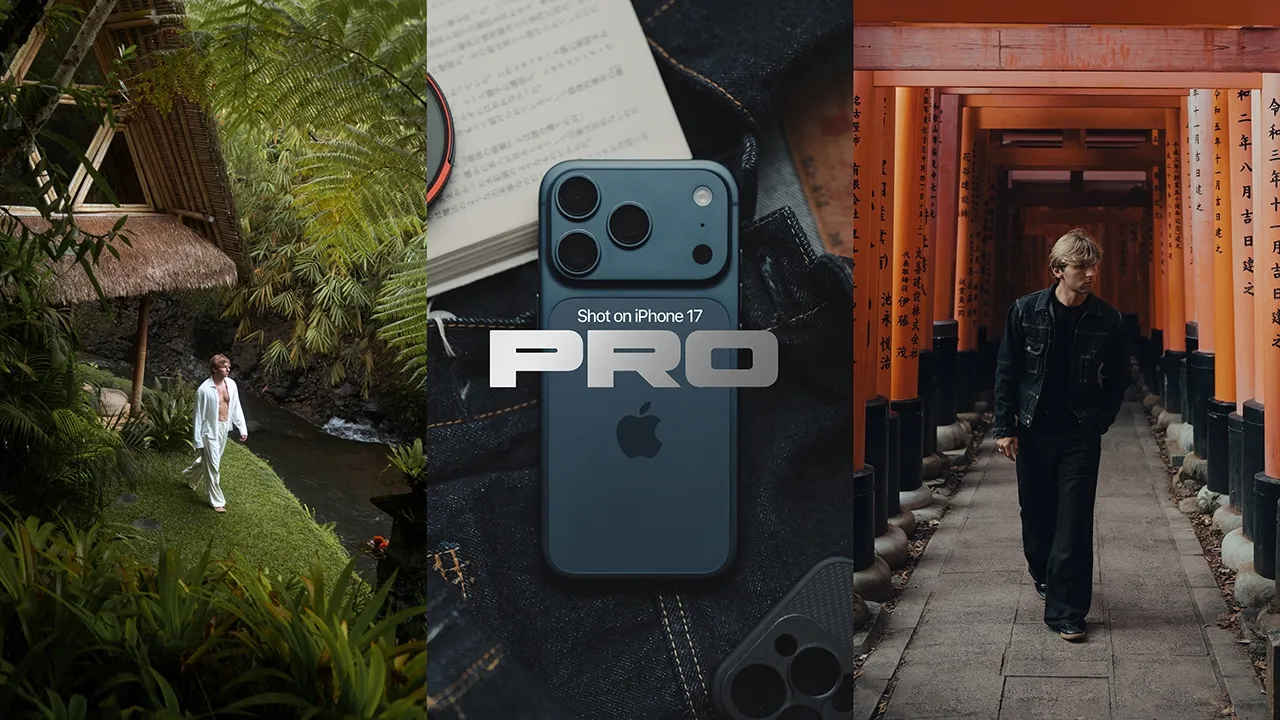
As you saw in the intro sequence, the footage that came out of the 17 Pro has honestly blown me away. And I genuinely think some people are actually going to have a hard time telling the difference between what is shot on an iPhone compared to your mirrorless cameras. As a filmmaker, a few of the features that really stood out to me was being able to shoot in Open Gate as well as Apple Log 2, ProRes RAW, and ProRes 4:22 HQ.
And all of these features are huge for mobile filmmakers. You can see right there, I've scratched it and I was gutted. Looking now on the back of the phone, you have your three main lenses. You got the ultra wide, which is 13 mil, the 1x, which is 24 mil, and the 4x, which is 100 mil. And all of these have a fixed aperture at f1.78. [music] The biggest thing that I definitely noticed when traveling, especially in places like Bali and Japan where I'm doing a lot of walking, I'm always on my bike, is just how small and lightweight having an iPhone setup actually is.
Like it's so convenient. Whereas usually I'd be lugging around like my camera bag filled with lenses. Being able just to take a really lightweight setup like this in Bali, you know, when it's hot, I don't want to be lugging a backpack around. Having a small setup is ideal. Now, what really pushes the iPhone closer to looking like a mirrorless camera is obviously having the ability to shoot in Apple log as well as ProRes 4:22 and ProRes RAW.
The benefits of course of shooting in Apple ProRes RAW is you're able to actually control your ISO and your white balance in post. So after the fact, but also if you are on like higher productions where you're using loads of different cameras like an AR for instance or a Red and an iPhone is you can shoot in RAW on all of the cameras and then when it comes to color grading you can match them all up to look exactly the same which will help keep a consistent look throughout the film or the production that you are working on.
So that is the benefits of RAW but there are some downsides in my opinion and from experience. If you decide to shoot in Apple ProRes RAW and Open Gate, this is very overkill for most creators or your everyday creator unless you're working on bigger productions and you need to shoot in RAW simply because the file sizes that come out of this are massive and you aren't able to use the in camera stabilization. When I was in Bali, I had to lug the gimbal around just because I wanted to get footage shot in ProRes RAW for this video, but I wanted the footage to look smooth and I was not prepared to have and show you guys some shaky handheld footage.
I might as well take a gimbal out. I think the beauty of filming on an iPhone is definitely having that small form factor. If you go out and you vlog with this and you kind of use it like you would a action camera or a GoPro for instance, you are going to want a bit of stabilization, or else you're going to see all of those micro jitters and it's just going to completely ruin your footage. So, what I've been using is Apple ProRes 4:22 HQ, which is still a super high quality codec, as well as it gives me the ability to use stabilization in the iPhone, as well as the file sizes not being humongous, and I can still shoot in Apple log 2.
Okay, so going to test out the 100 mil lens, but we're actually going to be using the Blackmagic Cam app. We're not shooting in open gate and we're not shooting in RAW either because the file sizes again are huge. So this time we're only going to be shooting in Apple 42:2 HQ which will give us stabilization because when you're shooting on the more zoomed in lenses so the 100 mil sorry the telephoto lenses you're going to need stabilization.
So as you guys have seen throughout this video all of the footage I shot whilst I was traveling I shot landscape. And honestly, the 24 mil and the 13 mil lenses are where this phone looks the best. Sometimes I genuinely think it's hard to tell that this footage was shot on a phone, especially once you dial in the color grade. So, we're now going to move on to the gear slash accessories that I used alongside the iPhone 17 Pro during my travels.
And let me tell you, there was a lot of trial and error involved in this simply because I wasn't actually able to get the gear that I wanted to in time for my trip. I had to go through a lot of pain and suffering. I can't lie. First thing you're going to want is an ND filter, especially if you want to use your iPhone like you would a mirrorless camera. Now, the ND filter I've been using is by a company called Freewell.
And this ND actually clips onto the back of my iPhone case. and it's magnetic. So, the reason why I would suggest spending more and getting an ND filter like this as opposed to something like one of those cheap clip-on ones, which is what I had in barley, this was a nightmare. And the reasoning for that is because in order to cover all three lenses, you need to clip the ND filter onto the side. So, first thing is that it ends up covering part of the screen on the other side, which is annoying.
And also it ends up being exposed the inside of the ND filter ends up being exposed to sunlight which causes an inside reflection. So I actually ended up buying this case in Japan and getting this ND filter that actually clips onto the case. And it clips on by a magnet which is so much easier to take on and off and you know that it's secure as well as it not being exposed or the inside of it does not get exposed to sunlight.
Next, you're going to need an external driver, an SSD to plug into your phone, especially if you want to shoot with Apple ProRes RAW or ProRes 42 HQ, OpenGate, because the file sizes are massive, and if you don't have that much storage, it's going to basically take up all of the storage in your phone, and it's going to be a long day. So, just just get an SSD. I would recommend the Lexar Professional Go because this is extremely small.
It just clips onto the bottom of your phone super easy and it keeps the entire setup extremely small. Do not buy one of the MagSafe SSDs because this is again an issue that I had. When it actually magnetizes onto the back of your iPhone, it actually ends up obstructing you having to put an ND filter on. So, you can't have them both on at the same time, which nightmare for when I realized this. Um, I had to do some wizardry and use some double-sided like 3M sticky tabs and actually stick the SSD onto the back of the phone a little bit further down so that I was able to then put the ND filter on.
So, a lot of trial and error like I said, and these are things that I literally did not even expect to be honest with you. And I think it's kind of good that this has happened because I can tell you guys and I can make this video and make sure you don't make that same mistake. So, buy a smaller SSD that just plugs to the bottom of your phone, doesn't get in the way of things, and yeah, it'll just make your entire life a lot easier.
Of course, if you want to rig your iPhone out way more, you can get so many different accessories. You can get cages. Obviously, if you want to use, you know, one of the mobile gimbals, you can do that as well. But I think for the sake of this video, I just wanted to keep it quite simple and just kind of show you guys the quickest and the easiest setup that you can get for the 17 Pro, especially if you're doing like a lot of run and gun film making.
So, we're now going to take a look at the Blackmagic camera app. I'm going to run through all of my settings. And this is the app that I've been using with my iPhone 17 Pro to have full control over all of my settings like I would a mirrorless camera. So, we're going to start off with the top left. You'll see you have your choice of lenses. everything from 13 mil all the way to 200 mil. On the right hand side, you'll see your FPS.
So, a lot of the time I've shot everything either in 24 fps or 60 fps. Obviously, depending on what frame rate I was shooting in, I'd have to adjust my shutter speed accordingly. So, if I'm shooting in 24, I'll shoot at 1 over 48. Or if I'm shooting at 60 fps, I'll then adjust this to 1 over 120. Then next to that you have your ISO, your white balance, and your tint. For ISO, I would say just stay between 100 and 200.
I feel like anything between both of those numbers is the sweet spot. And then white balance, I was shooting pretty much everything at 5,300, unless I was in an environment which was, you know, a lot warmer. If I was inside, I would then adjust it accordingly. But if I'm outdoors and I'm filming, everything is 5,300. Along the bottom here, you have the Apple Log 2 HDR waveforms, your storage capacity, so how much storage you've used up depending on whether you're shooting everything onto your iPhone or an SSD, and then you've got your mic levels.
Then on the right hand side, this is where you can access the rest of the settings. So, starting from the bottom here, I've kept my stabilization on cinematic. And then you've got your L. So, I just left this at REC 709 neutral. And we just toggle that on and off to check my exposure. I didn't really use any of the other options they gave. Above that, the little lens icon again allows you to change your lenses. And you got your ISO.
And then above that, you got access to your grid lines. So, you can kind of toggle on and off your grids. And uh yeah, you can choose like different kinds of grid. So, I actually kept this just on the standard grid. And then further to the right is where you can access your media, chat, and also your settings. So, if we have a quick look at the settings, this is where you can then change all of your codecs, your resolution, and where you can access RAW, open gate, and things like that.
So, if you go to codec, as you can see, I've been shooting on Apple ProRes 4:22 HQ. But then above it, you'll see Apple ProRes RAW and ProRes RAW, and you're going to get huge, huge files when you record on that. And then resolution, 4K, HD, 720p, and open gate. I kept this on 4K, but sometimes I'll change it to open gate. And then below that, your color space. So you where you can access Apple log, Apple log 2. Obviously throughout this video, all I've been using is Apple log 2.
So that is pretty much just a brief run through of the Blackmagic camera app and sort of how I've been using it um throughout this past few months. Super super easy. It's really really easy to get your head around and yeah I think um using that app especially you know if you're trying to use your phone and use the iPhone 17 Pro more like a film making sort of camera that is definitely the best app in my opinion. All in all been really enjoying using the iPhone recently.
I'm going to be making more content around the 17 in the next couple of months. So if you guys have any suggestions let me know down in the comment section below. thinking of making like a photography related video because obviously we covered the video specs this side. So maybe the next one we can cover the photo specs. And with that being said, thank you guys so much for watching. If you did like this video, please don't forget to leave a like, rate, and subscribe down below if you are new.
And I will see you guys very, very soon in the next one. Peace. [music]
The words are the caption track's own and nothing is reworded or re-transcribed. Paragraph breaks are placed between sentences so the text reads as prose.
Free tools for your own script. No signup, no login.
Paste your draft and see where viewers are likely to drop off, with a rewrite for each weak line.
Paste the first 30 seconds of your own draft for a hook score and rewrites.
Check your draft against YouTube's advertiser-friendly guidelines before you record it.
Read this channel's public videos and transcripts, and download a writing brief for it.