Getting the transcript
Reading the captions from YouTube. A video nobody has opened here before takes 10 to 30 seconds; this page fills in on its own.
Getting the transcript
Reading the captions from YouTube. A video nobody has opened here before takes 10 to 30 seconds; this page fills in on its own.
Creator Magic · @CreatorMagicAI
Words
4,297
Runtime
22:56
Speaking pace
187wpm
Reading time
18min
187 words per minute, between the 181 median and the 201 75th percentile of 349 measured videos. That distribution comes from the 349-video hook study.
Opening (first 30 seconds)
Look at that little display that shows me the path or sea conditions done and flashed in a matter of minutes using Claude code. This is insane. So, this board is not connected to my iPhone. The only thing that connects it is Bluetooth. I play a song and boom, look at that. It starts the spectrum display. This is just insane. And then I stop and boom, it stops. And that's e-ink, by the way, which looks absolutely incredible. Let's try again. Hello, can you hear me? >> Please. Some of us are
94 words, the words spoken in the first 30 seconds at 187 words per minute.
Free, no signup. See how the first 30 seconds hold attention, with rewrites.
Sentence shape
| Measure | This transcript |
|---|---|
| Sentences | 428 |
| Average words per sentence | 10.0 |
| Longest sentence | 52 words |
| Questions asked | 14 |
| Sentences containing a number | 28 |
Most used terms
Filler phrases
67 in total: actually 20 · like 18 · uh 11 · kind of 5 · literally 5 · I mean 3 · basically 2 · right? 1 · um 1 · you know 1.
A literal whole-word count of the same phrase list the Prepublish browser extension uses, so a phrase inside another word is not counted and a phrase used in its ordinary sense still is. It is a count and not a judgement.
What this transcript is
Every word below is the caption track YouTube publishes for this video, pulled from the video itself and reproduced unchanged. It is not Prepublish's writing, not a summary, and not a re-transcription: it is the video's own published captions. English captions, generated automatically by YouTube, in the video’s original language. Source: the video on YouTube. A channel that would rather this page did not exist can ask for its removal through the contact page, and it is removed.
No Script X-ray for this video: YouTube shows a Most replayed graph only once a video has enough views.
Look at that little display that shows me the path or sea conditions done and flashed in a matter of minutes using Claude code. This is insane. So, this board is not connected to my iPhone. The only thing that connects it is Bluetooth. I play a song and boom, look at that. It starts the spectrum display. This is just insane. And then I stop and boom, it stops. And that's e-ink, by the way, which looks absolutely incredible.
Let's try again. Hello, can you hear me? >> Please. Some of us are trying to work. >> [laughter] >> I'm not going to go and read any manuals or go to Arduino sites or ESP32 Home Assistant tutorials. I'm just going to ask Claude code if it can see this thing and do something with it. This was purchased from Micro Center and in my opinion, $20 for a little board that can display all kinds of things is a good bargain. Hey there, Mike here and I'm going to do something a little bit different in this video.
Usually, I cover AI tools and all kinds of AI coding and things like that, automation. But today, I've got a bunch of things on my desk that I bought back from the United States. And yes, living in Europe, I'm really jealous because Micro Center exists in the US and it sells all kinds of stuff for tinkerers. If you watch my channel, you're probably a home lover. You probably tinker with Home Assistant. I have been doing so for over 10 years now and I've been playing with these boards, ESP32s.
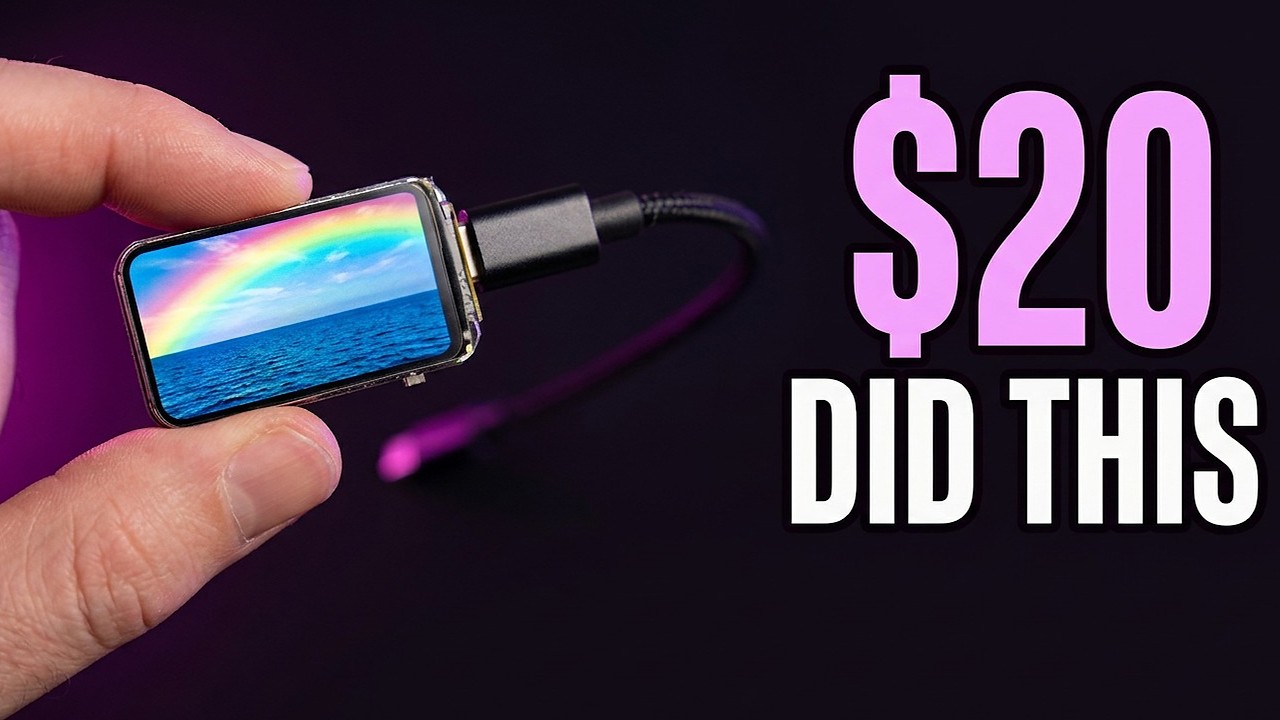
But they've come a long way since they were, well, pretty basic and connected to the Wi-Fi and could control the LED lights in my bathroom. Now, they are touch screen, they can be powered by battery, they have e-ink paper, and they're even as tiny as, well, my thumb and can display things on a dashboard. So, I thought, why not pick up one of the best things that I found, this little 1.47-in display from WaveShare. It's got loads of colors, it's got Bluetooth, it's got Wi-Fi 6, thread and things like that and see what I can get Claude code to do with it.
So, let's see what we've got in the box. This is tiny. Oh my goodness me. This is so, so small. So, look at this. Look at this. It's literally the size of my thumb. I'm going to unbox this and plug it in via the USB connector and just see right out the box what it can do. Let me see if I can show you this up close. Look at that. It's got a little protector over the LCD screen there. And then on the back here, we've got like the board and we can I suppose have connector pins.
We've got the USB-C connector, all of that good stuff. So, I'm just going to literally plug this in and see if it powers up. Now, this is a direct connection USB-C cable going into my Mac Studio. So, I'll plug this in and see if it comes to life and it does. It glows different colors. Look at that. That's so sick. Oh my goodness me. And it's actually come up with Yes. Okay, so we have a little thing here. Let me see if I [snorts] can show you this up close.
There it is. A little demo with glowing LED lights. Now, I'm kind of regretting not buying more of these while I was in the US. Okay, so it's basically giving me details of what's on board. It says there's no SD card. There's 8 megabytes of flash and it's already doing a wireless scan. Okay, let's make a directory for ESP32 tinkering and start Claude dangerously skipping permissions. Either way, this is going to be great fun.
So, ESP32-C6. That's the thing that I've got connected to my Mac. Can you see it first of all? Don't do anything with it. Just tell me if you can see that it's connected. Okay, that's the first simple prompt. I'm basically seeing immediately it's checking for USB serial devices. Yes, I can see it. It even names it. This is so cool. Expressive USB JTAG serial debug unit. Oh my goodness me. Okay. There's a lot of information there and it does tell me that it's got the ESP32-C6.
That's good. It's in on a serial port connected to my Mac. Uh cool via a four-port USB 2.0 hub chain, not directly to the Mac. Okay, this looks really good. Flashing and monitoring go through the same port. I haven't touched it. Okay, well, let's ask the suggested follow-up question. What's flashed on it right now and see what it comes up with. And now it's [snorts] reading the chip and flash ID via ESPtool. That's nice.
Okay. Yes, it's confirmed. ESP32-C6-FH8 confirmed. Now checking the partition table. Dumping and parsing the partition table. This is the kind of stuff that would have taken me hours to play with. Installing all kinds of different libraries. Now it can be done with Claude code and I'm excited to try out some possibilities and see what I can get this little chip doing. Arduino-based firmware. Let me pull the app image and mine it for strings to identify the actual sketch.
This is insane and I can actually see as it's doing this this is flashing on and off. So definitely some tinkering is already happening with Claude code. So I'm really looking forward to playing with that and plugging that into Claude code. But in the meantime, I can see that this is actually completed. This is amazing. Oh my goodness me, it's pulled down everything. Got the full picture. Boot log confirmed static analysis.
Wow. So it's got a vendor factory test demo sketch on there at the moment, which is nice. Okay, so now you've figured out exactly what this is. Tell me a very cool example project that you could set up on this particular device to show the capabilities of it. Don't want to connect it to the Wi-Fi or anything like that. So a cool funky animation with like rainbows uh and maybe some real data from the internet like the sea temperature in Paphos or something.
That would be quite cool. Do you think you can do it? Okay, it's confirming yes and the live data checks out. It's got the sea surface temperature, wave heights, directions. It's pulled it all from Open Meteo, solving the Wi-Fi contradiction. It's trying to figure out how to do this. Oh my goodness me, rainbow that means something. Wow, this is really exciting. What I need from you. Okay, and it's asking me some questions here.
Which board is this? Oh my goodness me. Well, it's definitely the top board because I can actually see that. That's what it says on this. So, I'll confirm that this is the board and it's going to go ahead and I think it's going to go ahead and do it. Okay, check this out. It has got the pin map now of my ESP32. Everything that's needed and it's now sorting things out before it actually writes the thing onto my little device here.
This is going to be so cool. Okay, compiles clean. Look at the difference. Factory demo was 1.87 megabytes with Wi-Fi, BlueDroid, and NINA. BLE but Papas Port Hole has no radios at all and is just a very cheap 376 kilobytes, 11% of the app partition. This is brilliant. Can't wait. Before I overwrite the factory demo, let me take a backup. Of course, Claude Code always being super cautious there. All right, now it's flashing.
This is the exciting bit. Okay, it's interesting to see that it has flashed but it's kind of misaligned. So, while it looks good, it's not perfect. I need to get this fixed. Here on the screen, it says that it's built, flashed, and verified working end to end. It's got rainbow plasma sky. I mean, it looks pretty good but it's not quite there yet. One thing I can't check, I've got no eyes on the panel. Does it look right?
Is it shifted or wrapped? Yes, it is shifted at the moment, which is what we've got here. To make this even more optimal, I'm going to take a photo with my iPhone and send that to Claude Code. And rather than just say it's shifted or wrapped, I'm actually going to go to chat about this and you'll see here I've just dropped the picture that I've taken. You can see here that it's clearly got the old firmware there. It's a bit shifted.
So, I'm actually going to put that into the Claude code chat, paste that in there, and then chat to it and say, "Yeah, it looks like a little bit of the old image is showing underneath, and it's shifted up a little bit. Uh so, the temperature and stuff are cut off as shown in this image. Please fix and sort it out." It says that's useful. I can see exactly what's wrong. Image shifted by 34 pixels. Okay, so it's getting clipped.
Classic signature of row offset landing. Perfect. So, Claude code is going to work fixing this. Again, this would have taken me a whole afternoon to troubleshoot. Claude code is just doing it for me. Look at that, it's done it. That's absolutely insane. Reflashed, pulling the fresh data, repopulating it. This is looking incredible. Look at that little display that shows me the Paphos sea conditions. Done and flashed in a matter of minutes using Claude code.
Look at that, it fixed everything. It told me what it's done, and now I've got this awesome thing powered by USB-C that gives me real-time data on the Paphos sea conditions. And of course, here's the really satisfying thing. Now, I can pull off the little display protector. I can put this up somewhere in my house and have an always-on display that tells me what it's like to swim in the sea. So, what I'll need to do is unplug my Paphos sea detector.
So, if I just pull out that USB-C, it switches off. These things do, by the way, get really hot. They're quite toasty. But, the best thing is it retains its memory. So, the next time I plug this in via USB-C, it will power on. And look at that, straight away, it's back to the Paphos sea conditions. All right, next up, we've got this little device. It's got a USB-C connector, so let's plug it in and see what happens. See if it powers.
Wow, it does power on. This is really cool. Straight away, I plugged it in, it's found Wi-Fi, no SD card. So, I'm guessing I can use the stylus. This really is awesome. I've got a stylus here I can use to switch between screens. So, this is a full touchscreen. I've got calendar availability here. I mean, this is so totally epic. This is like an interactive smart home or smart dashboard I can use to communicate with Claude code, my AI agents, or my smart home.
Okay, I've connected a brand new device via the same USB-C cable. Can you just check it out and tell me what it is and what we might be able to do with it that we couldn't do with the old device. Okay, there's my prompt. Let's send it in. Again, this is very very basic natural language. No downloading libraries or playing with things or reading endless manuals. It's actually looking at the connected USB-C devices. So, hopefully we'll get some information.
Different device entirely. Espressive native USB JTAG is gone and in its place is a CH340 USB UART bridge. Wow. Okay, that's a meaningful difference. This board has no native USB. So, a separate chip is doing the serial conversion. Oh my goodness me. Okay, here's the device you've got. This device is the ESP32D0WDV3. Oh my goodness me. It's figured out the pin combinations, everything. Wow, it's got Bluetooth, uh DACs.
Okay, it's it's got digital audio converters. Wow, whereas my previous one had nothing at all. It's got some touch pins. Uh touchscreen is fitted. Uh it's uh oh, it seems to be more powerful as well. The display is bigger. Ethernet MAC as well. It can do that. That's insane. Okay. Um hehe >> [laughter] >> and look at this. The project it's begging for a Bluetooth audio spectrum analyzer. Now, this is really insane. Already Claude code has suggested what I could do with this.
A Bluetooth audio spectrum analyzer. Pair your phone to it, stream music, and run it to decode the stream, and render live rainbow spectrum. I mean, that just sounds insane. I don't even know what that is, but I'm just going to accept the auto suggest. Yes, build it, and I'm going to get Claude code to build this crazy, crazy thing. I think it's going to be very visual. I can actually pair this device to my iOS, to my iPhone.
Compiles clean first time. Bluetooth classic is bulky. Let me check the backup, okay, before I overwrite anything. So, it's just doing its due diligence here. Okay, backup landed just as I asked it. Took about 3 or 4 minutes to backup. Now, it's verifying that that's all done before it overwrites whatever is on this board right now. Of course, the stock firmware. Backup is verified. It's going to flash the board, so very soon this should go dead.
Okay, something's coming to life here. Oh, wow. Okay, hang on. Bluetooth spectrum. Okay, so I can pair to ESP32 spectrum. It says here I can actually make an audio spectrum from what I play on my iPhone. This is absolutely ridiculous. Okay, so I'm going to go into the Bluetooth settings of my iPhone, and indeed I can see ESP32 spectrum is appearing on my iPhone, so I'll just pair this in. Okay, and yes, I can confirm I'm now connected via Bluetooth.
Wow. Okay, first of all, I can tell you it's actually displaying the last song I was playing on my iPhone on this board, which is pretty insane. Let me see if I can show that to you. There you go. That's from Armin van Buuren's latest State of Trance, showing right there on my display board. But now, what I'm going to actually do, while I show this to you, I'm going to go into Spotify, and I'm going to play some music like so.
Wow, that is insane. I'm literally playing music on my iPhone, and I've got a spectrum display at the same time. I can pause. This is insane. So, this board is not connected to my iPhone. The only thing that connects it is Bluetooth. I play a song and boom, look at that. It starts the spectrum display. This is just insane. And then I stop and boom, it stops. Play >> [laughter] >> Play and it's up and running again. Stop and the spectrum stops.
Now, obviously this is just a test project, but this has proven that I can connect my iPhone to this board and I think I can also do some stuff. Let's start the music again with the touch screen. So, if I get this little touch screen pen here, I can probably Wow, okay. I can do cool things with this. This is insane. I'm literally touching the screen and making it change. This is just absolutely bonkers. Now, obviously this is pretty interesting stuff and yes, there's a lot I can do here.
Now, note that I can also do this with my finger, so I don't need to use the stylus. I can actually tap there and get all kinds of readouts. Now, this is being controlled from my phone. So, if I pause here, look at that. It's all gone from the device. So, with that done, that's pretty cool. I'm just going to unplug this and it's off. But again, because the memory is flashed onto the board, the moment I plug this back in, it's just going to boot back up and boom, look at that.
Yep, straight back into the Bluetooth display. We've now got an audio waveform spectrum as well. This is so cool and it speaks to my inner audio geek so much. I'm so excited with the possibilities. I'm thinking I'm going to have like hundreds of these sitting on my studio desk in front of me reading out when agents finish working, when music is playing, what the sea temperature is. Oh my goodness me, my mind is exploding with possibilities.
If yours is too, comment down below with what you do with one of these boards and the best comment by the way will win and I'll feature it in my next video cuz I'm clearly going to do more videos about this. And I'm just having so much fun here, so I'm going to plug this one in. Now, this again is from Waveshare. Waveshare seem to make a lot of boards for these purposes. Not sponsored by the way. ESP32 S3 e-paper. Uh so, let's plug it in and see what the default display is.
Oh, look at that. It's coming to life. The e-paper comes to life. Oh, very nice indeed. Okay. So, we've got a temperature readout and humidity readout. Right. Let's make sure Now, actually, notice this. I've just unplugged it and it's still It's still showing on the screen all of the information because of course it only needs the power to change e-paper ink. But, of course, once that e-paper is there, I can literally leave this display on.
It's using minimal power. This to me seems like a really exciting device. So, let's make sure it's connected. Uh now, I'm going to go to Claude Code and say, "Okay, that was fantastic. That was awesome. Last project worked. I've now plugged a new device in. Can you just check and find out what this device is, please?" Okay, this is an ESP32 S3 Pico 1 and the feature line is the headline dual core LP core 240 MHz embedded flash 8 MB embedded PS RAM 8 MB and it's re-flashing things on here.
Much more than an e-paper board. The log shows that it's got a audio codec input and output microphone and speaker, a power amp plus Wi-Fi Bluetooth low energy. It's finding more hardware. Yes, it confirms there is a temperature and humidity sensor inside this thing. This is nuts. It's got an SD card slot as well. It's mining all the information to figure out how it works. Okay, full picture assembled. Tells me the silicon that's in there, peripherals.
We've got e-paper. We've got an audio codec, micro SD, real-time clock with alarm. What the heck? That's amazing. Detected live temperature and humidity and some buttons as well. Tells me what's flashed and it's a different class. Want me to build something on it? >> [laughter] [gasps] >> Uh yes, build something on it. I'll just say, "Before you do, give me three ideas of something really cool that we could build that uses most of the features on this board and makes a really cool visual example for my YouTube audience." There we go.
So, let's see what Claude Code comes up with. Okay, three ideas. Sonic Polaroid, press the shutter button, it listens for 5 seconds, then develops a print of that moment. The artwork is developed from what is actually heard. Wow, so it's got a listening device, it's got a microphone. Puts temperature and humidity, the room's diary, battery-powered instrument that draws a portrait of your room over 24 hours. Deep sleeps, this is so cool.
Or paper voice, speak to it and your words appear typeset on paper. Hold the button to talk, release audio buffers into the PS RAM, goes over Wi-Fi to a transcription service, and comes back as text. Polaroid, it's the best video. There's a physical button I press, a clear cause and effect, an animation that is cinematic. Wow, this sounds fantastic. Well, I'm going to say that. So, press, it listens for 5 seconds, it does the temperature, humidity, time, and all of that.
Listens to what's happening, and then it will give me a display on the screen. Okay, well, let's just build that. Okay, it's actually searching GitHub. It's found the repo from WaveShare on how the demo was actually made, so it's actually reverse engineering from that to be able to make this. Okay, compiles clean, again ridiculous size, 434 kilobytes. Backing up the board, of course, as Claude likes to be cautious before it does the actual writing.
Do you know, I think that might have worked. Take a look at this, it says Sonic Polaroid. I need to press the boot button for it to work, which is this button on the side here. Claude did its own Sonic print of the room, look at that. That's pretty cool. Okay, it says progress, the microphone works. It captured audio and it found genuine peaks. This is amazing. It's found a bug, so of course it's fixing the bug for me.
This is insane. Look at that room print it's made. Full pipeline is verified end to end. Everything is okay. Temperature is hot, probably because I'm holding the device in my hand right now, but everything else is looking good. Print number two on here is done. That's the print that Claude generated of my room, the noise, the temperature, everything all monitored on this little device. It's pretty incredible. All right, so let's do this.
To capture a print, I need to hit that boot button, so let's push it and it should say listening. There we go, listening. Hello there, I am speaking. Hopefully you're capturing a print of my voice. And look at that. Wow. That's pretty insane. It also makes a little pop sound as well and gives me like, yeah, this cool globe of my audio. Let's drag and drop the image I've just air-dropped and say, this is the kind of response I'm getting.
Does it look good? And also tell me, I think it makes a sound effect. Can you do anything more interesting like make it talk to me or say something funny when it generates the visual as well? If you can, just make sure to upload that change so I can test it out. Okay, honest answer on the print, it's working structure is real, but it's mushier than it should be. Interesting. >> [laughter] >> It really wants to make this good.
The peaks heard were 156 hertz and 328 hertz. Just imagine the kind of stuff you can monitor with this tiny little box. Uh so it's figuring out. Also caption is running vertically because you're holding it with the cable to the right, so it's going to fix this all out, making it talk. Yes, and there's a much better option than a beep. 813 kilobytes now, 24% of the partition, which is plenty of room. It's flashing this on, wiring the voice playback and fixing frequency mapping as well.
So one bug it discovered from the visual that I gave it via the air-drop from my iPhone, all being sorted right now. Okay, it's running its own test. Let's actually see if we can get this to work myself. >> I'm listening. >> Hello there. How are you? I'm talking to a little device that I've just flashed with Claude code. >> Oh, I have very sensitive microphone. >> [laughter] >> I don't know if you can hear that, but look, it's enhanced the display and that's e-ink by the way, which looks absolutely incredible.
Let's try again. This is insane. Okay, it's also catching a bug and it's fixing the bug, but already this is a pretty interesting device. Hello, can you hear me? This is really, really incredible. This little tiny device hears what I say. >> Please, some of us are trying to work. >> [laughter and gasps] >> Oh my goodness me. Okay, so you can see whether you're using a little device that has an LCD display, a touch screen, or e-paper, it's all possible and these devices just cost so little to purchase and then you just plug them into Claude code using a USB-C cable, make them do anything you want.
Now, I'm just experimenting and playing, but think about how you can practically use these devices in so many cases and because Claude can figure it all out, it makes this stuff super accessible. If you live in the US and you have a MicroCenter near you, I'm extremely jealous. The rest of us will use Amazon, AliExpress, eBay, or something else. And let me know what boards you're playing with. If you'd like to see another video like this, let me know in the comments down below.
What would you like to see me do next? Like I I just I'm blowing up with ideas. I can connect Claude code, maybe hooks, maybe my buzz agents to talk to these devices and actually feed back to me. Anyway, a little bit of a different video. I hope you enjoyed it. Thank you so much for watching and YouTube is showing a video on your screen now you should watch next. Thanks.
The words are the caption track's own and nothing is reworded or re-transcribed. Paragraph breaks are placed between sentences so the text reads as prose.
Free tools for your own script. No signup, no login.
Paste your draft and see where viewers are likely to drop off, with a rewrite for each weak line.
Paste the first 30 seconds of your own draft for a hook score and rewrites.
Check your draft against YouTube's advertiser-friendly guidelines before you record it.
Read this channel's public videos and transcripts, and download a writing brief for it.