Getting the transcript
Reading the captions from YouTube. A video nobody has opened here before takes 10 to 30 seconds; this page fills in on its own.
Getting the transcript
Reading the captions from YouTube. A video nobody has opened here before takes 10 to 30 seconds; this page fills in on its own.
Bryan Collins · @bryanjcollins
Words
1,064
Runtime
5:04
Speaking pace
210wpm
Reading time
4min
210 words per minute, above the 201 75th percentile of 349 measured videos. That distribution comes from the 349-video hook study.
Opening (first 30 seconds)
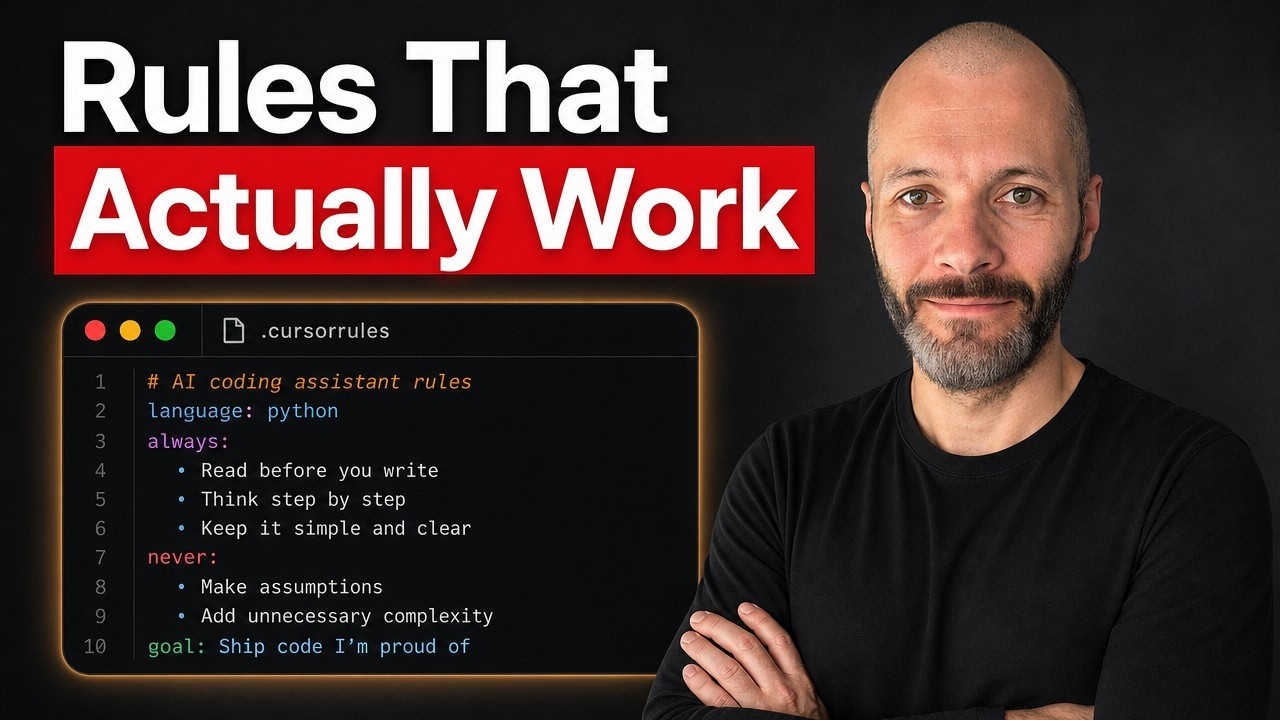
If you're using cursor for vibe coding, it's a good idea to write rules. Basically, this keeps AI on track and there's a few ways you can do it. So, perhaps the easiest way is simply to open up your project or folder inside of cursor. Then select it from the menu, navigate to settings, and then go to cursor settings and then simply select rules. So, for user rules, you could put in something like talk to me like I'm a junior developer, be concise, and avoid major code changes without my approval. You can also create rules that are specific to individual projects
105 words, the words spoken in the first 30 seconds at 210 words per minute.
Free, no signup. See how the first 30 seconds hold attention, with rewrites.
Sentence shape
| Measure | This transcript |
|---|---|
| Sentences | 63 |
| Average words per sentence | 16.9 |
| Longest sentence | 40 words |
| Questions asked | 1 |
| Sentences containing a number | 0 |
Most used terms
Filler phrases
16 in total: like 6 · uh 5 · basically 4 · actually 1.
A literal whole-word count of the same phrase list the Prepublish browser extension uses, so a phrase inside another word is not counted and a phrase used in its ordinary sense still is. It is a count and not a judgement.
What this transcript is
Every word below is the caption track YouTube publishes for this video, pulled from the video itself and reproduced unchanged. It is not Prepublish's writing, not a summary, and not a re-transcription: it is the video's own published captions. English captions, generated automatically by YouTube, in the video’s original language. Source: the video on YouTube. A channel that would rather this page did not exist can ask for its removal through the contact page, and it is removed.
No Script X-ray for this video: YouTube shows a Most replayed graph only once a video has enough views.
If you're using cursor for vibe coding, it's a good idea to write rules. Basically, this keeps AI on track and there's a few ways you can do it. So, perhaps the easiest way is simply to open up your project or folder inside of cursor. Then select it from the menu, navigate to settings, and then go to cursor settings and then simply select rules. So, for user rules, you could put in something like talk to me like I'm a junior developer, be concise, and avoid major code changes without my approval.
You can also create rules that are specific to individual projects inside of cursor. So you may want to create specific project rules that relate to deployment to GitHub, for example, or that relate to whatever it is you're trying to do for the project in question, but it's not relevant to other projects. And it's pretty easy to add. So simply select add new rule, and then you're going to give it a name. So I'm going to call this my deployment GitHub.
And now on the lefth hand sidebar you'll see that there is a cursor/ruules folder and then I can navigate inside of the folder and I can see the contents of this particular file. Now there's nothing in this file in question. So I would need to write this rule myself or paste one in that I have from another project. So rather than writing one, I'm going to navigate over to a different project that I have. I've spent the past few weeks vibe coding the AI flash report inside of cursor.
This is basically a roundup of what's happening in the AI space. And I have a number of rules for this particular project. So I'm going to navigate into my cursor rules folder so you can see what some of them are. So I have some SEO guidelines for this particular project in question. So it says who I am and it provides guidelines about all of the things that the AI flash report should do. So it ranks in search and it has some primary keywords, secondary keywords and so on.
And now whenever cursor is generating content, it will reference these SEO guidelines. if I call it that's because this rule type is manual. So when I'm chatting with cursor I will need to reference this particular uh cursor rule by typing at and then the file name in question. Now if I want cursor to reference it every single time I can select always or I can select autoattached or agent requested. So if I select agent requested I'd need to describe what the task is.
So I could say something like when creating content. If I select autoattached, I will need to use a file pattern matches. So I don't tend to use that as much for vibe coding. And if I select always, it will apply to every single prompts that I put into cursor. So in this case, I'm just simply going to leave this as when creating content for this project. Now I have some other rules inside cursor as well. So here is a rule that I have for my deployment to GitHub.
And cursor actually helped me write the rule uh for this particular uh file. So you can prompt cursor to write me a rule if you describe what it is that you're trying to do. And this basically just describes the exact workflow for deploying from my cursor project over to GitHub. And for this particular rule, I've selected agent requested. And I've given it a brief description when deploying to GitHub. And now whenever I say, can you push my file changes over to GitHub, it will reference this rule book because there are a number of specifics to this workflow before it deploys it.
So you can see I've called out what templates and files to modify, what templates and files to push, not to push, and so on. And again, I'm not a coder, so cursor helping you write all of these particular rules. Now, I have seven or eight rules uh that I've written myself. I'd also recommend checking out this excellent site, playbooks.com. So this has a number of rules that you can use for cursor and also for windsurf.
So one rule that I found particularly useful relates to memory. And this basically describes what cursor remembers about specific projects. So this helps me avoid having to continually tell cursor the same thing over and over. So all I did is copy this particular rule to my clipboard. I headed over to my cursor rules folder. I created a new file called memory and I pasted in the contents of that particular rule. And I've changed this rule type to always.
So cursor knows that it should reference this every time I prompt it or give it new information about this specific project. And at any point I can ask cursor to call up one of these rules. So I'm going to paste in this prompt. Can you tell me what AI memory is? And now cursor will should be able to read the contents of this particular rule and then give me a brief synopsis of what's inside. So I would recommend that you create rules uh that relate to the design of your site or your project to the back end to the front end and to how you're deploying your project.
Now I'm more of a content creator. So I also create create rules like this or write rules like this that relate to content creation as well. So you can see cursor has referenced the AI memory rule file and it summarized exactly what it is and what it does. And once you've written a number of rules, don't forget to push them all to GitHub so you don't lose them later on cuz sometimes I find cursor will go back and rewrite and change things.
So you do want to have a backup of your rules to save yourself a little bit of time and a little bit of headache. Now, if you want to get more tutorials like this, or if you want to learn more about mastering the art of prompt writing, check out my entire playlist on the
The words are the caption track's own and nothing is reworded or re-transcribed. Paragraph breaks are placed between sentences so the text reads as prose.
Free tools for your own script. No signup, no login.
Paste your draft and see where viewers are likely to drop off, with a rewrite for each weak line.
Paste the first 30 seconds of your own draft for a hook score and rewrites.
Check your draft against YouTube's advertiser-friendly guidelines before you record it.
Read this channel's public videos and transcripts, and download a writing brief for it.