Getting the transcript
Reading the captions from YouTube. A video nobody has opened here before takes 10 to 30 seconds; this page fills in on its own.
Getting the transcript
Reading the captions from YouTube. A video nobody has opened here before takes 10 to 30 seconds; this page fills in on its own.
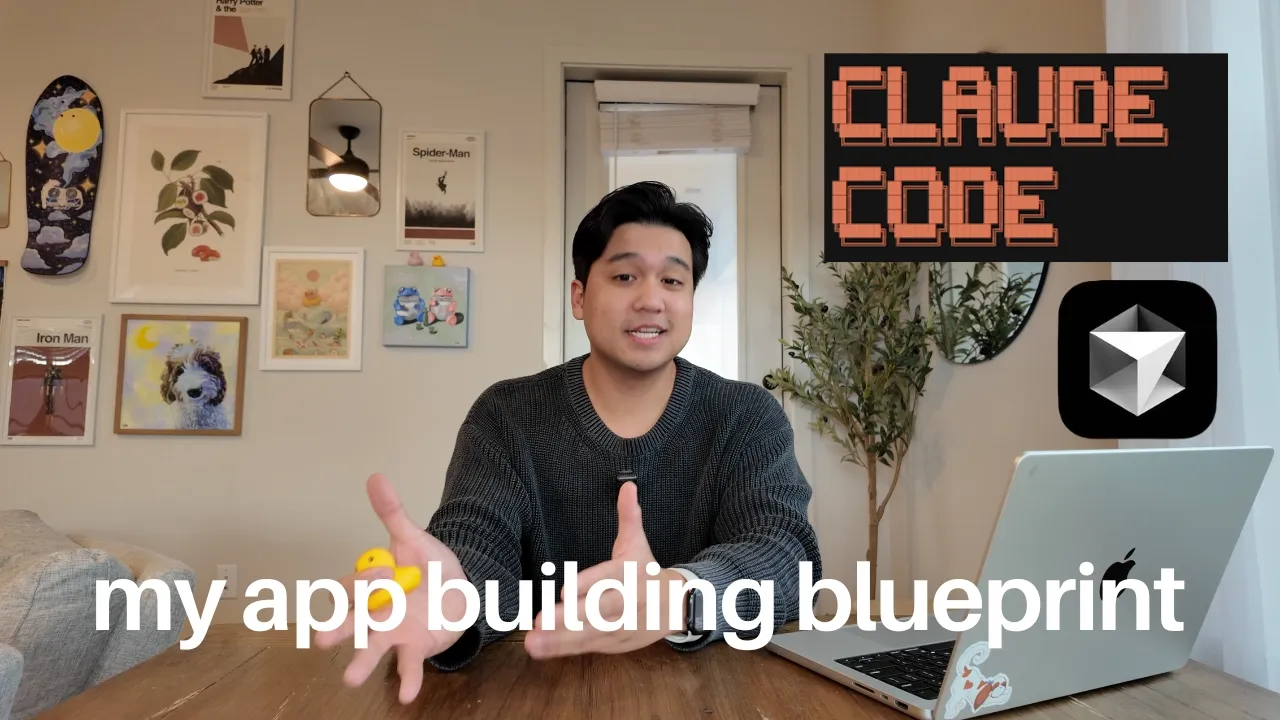
Chris Raroque · @raroque
Where viewers went back to watch this video again, from YouTube's public Most replayed graph, lined up with what was said at that moment.
Most replayed moment #1
8:393.2x the video's typical replay level
plugin for Claude Code. It's a plugin that you install by using a slash command. And when you have it installed, I've just noticed that it's about like 20 or 30% better at design. If I have this installed and I give it a screenshot, it follows the screenshot a little bit better. Or if I'm just oneshotting a design, 20
Said at 8:33
Most replayed moment #2
6:323.2x the video's typical replay level
a high level, the way that I use it is very simple. I use cursor so I can view my files and see my git history really easily. So, I can see GitHub and all that stuff on the left and then I have cloud code on the right. And the way I get this set up cuz I get a lot of questions on this is I literally just pull the
Said at 6:24
Most replayed moment #3
11:203.0x the video's typical replay level
don't have something like this set up. A great example is my calorie tracking app that I recently launched. I learned because of the analytics I had set up with Post Hog that my download to sign up rate was 60%. That means that 40% of people that download my app when they saw the signup screen just deleted the
Said at 11:14
The graph counts replays. It does not show where viewers stopped watching.
Words
4,857
Runtime
19:13
Speaking pace
253wpm
Reading time
20min
253 words per minute, above the 201 75th percentile of 349 measured videos. That distribution comes from the 349-video hook study.
Opening (first 30 seconds)
So, I get this question all the time. I want to build an app, but how do I even get started? If you're new here, welcome to the channel. My name is Chris, and I build productivity apps. I've been doing this for a while now. Thousands of people are using my apps every single week, and I have over a thousand paying customers across them. Now, the reason I'm telling you guys this is to show you that this is what I do. I've been doing this for years, and I believe that this year is one of the best times to start an app. The tools have gotten so good that what used to take me weeks now just takes me hours. And I believe
127 words, the words spoken in the first 30 seconds at 253 words per minute.
Free, no signup. See how the first 30 seconds hold attention, with rewrites.
Sentence shape
| Measure | This transcript |
|---|---|
| Sentences | 299 |
| Average words per sentence | 16.2 |
| Longest sentence | 49 words |
| Questions asked | 16 |
| Sentences containing a number | 22 |
Most used terms
Filler phrases
61 in total: like 28 · actually 18 · basically 7 · literally 3 · kind of 2 · sort of 2 · you know 1.
A literal whole-word count of the same phrase list the Prepublish browser extension uses, so a phrase inside another word is not counted and a phrase used in its ordinary sense still is. It is a count and not a judgement.
What this transcript is
Every word below is the caption track YouTube publishes for this video, pulled from the video itself and reproduced unchanged. It is not Prepublish's writing, not a summary, and not a re-transcription: it is the video's own published captions. English captions, generated automatically by YouTube, in the video’s original language. Source: the video on YouTube. A channel that would rather this page did not exist can ask for its removal through the contact page, and it is removed.
So, I get this question all the time. I want to build an app, but how do I even get started? If you're new here, welcome to the channel. My name is Chris, and I build productivity apps. I've been doing this for a while now. Thousands of people are using my apps every single week, and I have over a thousand paying customers across them. Now, the reason I'm telling you guys this is to show you that this is what I do. I've been doing this for years, and I believe that this year is one of the best times to start an app.
The tools have gotten so good that what used to take me weeks now just takes me hours. And I believe that you can do all of this with no technical experience at all. Since I get the question of how do I get started a lot, I thought I'd make this video to basically answer that. I'm going to walk you through my exact process, including how to find ideas even if you have no idea where to start, how to actually build the app, whether you're technical or not, and how to get your first users without spending any money.
This video is pretty comprehensive and some of it might not apply to you. So, I'm going to leave timestamps in the description. So, if you want to skip the idea part and go straight into building or analytics or how to get users, feel free to just skip ahead. So, let's start with the first place that most people get stuck on, which is the idea. What do I even build? The first thing that I do and what I tell people is to look at your own life and look for problems or pain points.
From the moment you wake up to the moment you sleep, where are the problems? Try to identify them. Especially if you think to yourself, "Man, I wish there was an app that I could just use to solve this problem." If you ever catch yourself thinking that, that's a signal that this is probably an idea you should look into. Every single app that I built is because of some sort of problem I found in my life. Let's take my daily planning app.
I needed something to help me plan my day better because I was just so disorganized. Amy, my calorie tracking app exists because I needed a simpler way to track calories and none of the other apps were cutting it. The apps that I build all stem from pain points I actually faced in my own life. Now, I know that's easier said than done. It is a muscle that I believe you can work out. But let's say that you are struggling even looking at your own life to come up with ideas, especially if the problems that you find yourself encountering every day don't actually require an app.
What are you supposed to do? Well, the second thing you can do is look at the apps that you use in your own life and figure out how can I improve them? Could I make something simpler? Could I do something faster? Could I edit the workflow so it's more tailored to me? If you can take an existing solution and make it better, that is a viable idea. And that's honestly how a lot of successful products start. If you look at my own products too, like Amy, the calorie tracking app, there are thousands of calorie tracking apps out there, but I had a specific workflow in mind that in my opinion was a little bit better, at least for me.
And it turns out a lot of people actually like the solution that I came up with. Now, if you're struggling and you don't know how to improve the existing apps you use, then take any app idea and just try to build and recreate it. You can take a very basic idea and just try to make your own version. The important part is to get started. And I promise once you do that, a lot of the other stuff like coming up with better ideas, identifying pain points, it will get a lot easier.
Now, the point isn't to reinvent the wheel. It's to just ship something, get the experience, get the reps in, and then everything else will honestly follow from that. you've decided to take an existing concept or just copy something like a to-do app. You're probably thinking to yourself, "Okay, well, why would I do this? There's already a million out there. Why would anyone use this?" That might be true, but not all of those apps are the same.
If you can make an experience that has a slightly different workflow that's a little bit more valuable to people, you'd be surprised how many people would use that and even pay for that. There's a reason I have a daily planning app, which there are thousands of them out there, but over a,000 people are paying over $10 a month for it. Because even though on paper the idea is the same as the others, there is a specific workflow that I've crafted or there's a specific design sense that I have in mind that really make it valuable for people to the point that they're willing to pay for it.
Now, if you're a bit more advanced and you've already shipped a couple of things, especially some basic apps, you can get a little bit more strategic. You can start building with a specific goal in mind. Are you trying to learn a new technology? Are you trying to hit a specific revenue number? Are you trying to quit your job? You can let the goal that you're trying to hit shape exactly what you're going to build next.
But if you're just a beginner starting out, I wouldn't worry about any of that stuff. just focus on getting the reps in and just shipping something and getting started. Okay, so let's talk about actually building the thing. And let me just say something. I genuinely believe that anybody can ship an app no matter what your technical experience is. AI coding tools have completely changed the game. I would not have said that statement 2 years ago, but I can confidently say it now.
You don't need to know to code. You don't need a CS degree. You just need to know how to communicate clearly, problem solve, and not give up. If you're completely non-technical, like you've never written a single line of code, here's what I recommend. And if you are technical, you can go ahead and skip ahead if you want. For beginners, I actually do not recommend starting with claude code and cursor. I know that sounds weird coming from me because I use these tools every single day.
I'm constantly recommending them. But if you are a true true true beginner, I don't think that they're the right starting point. Instead, I recommend using platforms like anything.com, lovable, bolt, vzero. Any of these platforms will be great. And the reason is because there's a lot of stuff outside of the coding that is actually such a learning curve for beginners. I'm talking about stuff like deploying, hosting, security, debugging, production, API keys.
If you've never used a terminal before and the AI tells you, "Hey, spin up the backend server in a terminal," you will have absolutely no idea what that means. These noode AI platforms handle all of that complexity for you. They catch errors and they make the first-time building experience way more approachable with their built-in guard rails. And because of that, you can focus on what I believe is the most important thing for a beginner to learn, and it's how to talk to an AI correctly.
I know it sounds simple, but it really is a skill that you have to work up to. How to effectively communicate what you want, how to debug when things go wrong, and how to properly iterate towards a solution. Learning these skills, which again kind of just boils down to how to talk to an AI to get it to build what you want. That is what separates the really good builders and honestly the really good coders from the ones that aren't.
Little bit controversial, but I believe in the future that the specific programming language isn't really going to matter that much. What's going to matter is being a really good problem solver, being effective at communicating, persistence, this ability to just struggle with a problem for hours and not give up. These type of platforms teach these skills to beginners in a much more forgiving environment. And I believe you can build a very real legitimate app with these platforms.
You can 100% collect revenue and get paying users for sure. I've seen this happen so many times. So if you're a beginner, do not feel pressured to just jump straight into cloud coding cursor. I actually do recommend using these platforms. If you're interested in this path, I have a whole video on how I would recommend getting started with it. So, I'll leave a link in the description if you want to check that out. If you're more technical or you've already used platforms like anything in lovable and you feel like you've hit roadblocks, that's when you can graduate to something like cursor or cloud code.
The tools are a lot less forgiving for beginners, but they give you a lot more control and you can make way more complex features that sometimes you cannot do on these other no code AI platforms. I'll leave a link in the description to a couple videos I have on my cloud code and cursor workflow. So, I won't get into it in depth here, but at a high level, the way that I use it is very simple. I use cursor so I can view my files and see my git history really easily.
So, I can see GitHub and all that stuff on the left and then I have cloud code on the right. And the way I get this set up cuz I get a lot of questions on this is I literally just pull the terminal down here towards the right. That way I can see it in this really nice view. And the way I'm currently working is I'm just asking cloud code to make changes for me. I'm using Opus 4.5. It is an incredible model at the time of recording and it's able to do 90% of what I'm asking it very effectively.
I always use plan mode which you can enable by hitting shift tab and the reason is I always review what it's going to do before it executes. Kind of controversial. I'm not really reading the code a lot of times. I only read it in cases where it's something very fragile or I believe it has a high chance of breaking something. But I'm 100% reviewing the plan so I can see everything it's going to execute, what its thought process was. that has been very helpful to make sure that it's going in the right direction.
And if you're using cursor and their agent, I also recommend using plan mode there. Beautiful plan mode. To be honest, it looks so much better than Glad Codes plan mode. Whatever tool you're using, I recommend using plan mode. When I see the plan, I review it and I like it. I just go off and let the agent execute and do its job. I do use some MCP servers like Superbase and Firebase. They're really great to be able to help me debug or quickly spin up a database and authentication if I need it.
But other than that, I keep my workflow pretty simple. But if you're working with cloud code, let me give you some rapid fire tips. If the agent is not giving you what you need in two to three goes, I recommend just reverting or completely starting over. If you're using cloud code, you can do /re, which will let you then go back to a previous message and start from there. I'm constantly doing this when I realize it's just not getting what I'm trying to do.
Another thing I'm doing is using the keyword ultraink. This only applies to claude code, but if you use this keyword and you'll see that it actually changes color, cla code is going to think a little bit harder about the problem. I looked this up and what it actually means is it's going to use a lot more thinking tokens than normal. I think right now it uses like a thousand thinking tokens or something for a message, but when you use ultra think, I think it expands it to like 40,000 or something like that.
I'm definitely getting those numbers wrong. Please double check me on the numbers. But it does think more and I've noticed that it has a way higher shot at actually solving the problem that I'm giving it. Some of the new stuff that I picked up, be sure to install the front-end design plugin for Claude Code. It's a plugin that you install by using a slash command. And when you have it installed, I've just noticed that it's about like 20 or 30% better at design.
If I have this installed and I give it a screenshot, it follows the screenshot a little bit better. Or if I'm just oneshotting a design, 20 to 30% better. But in terms of setup, I'm on the $200 a month Claude Code subscription. Totally worth it. I'm running like five instances at all time because I have so many code bases. And then I think I'm paying like $60 for Cursor. There's two reasons I'm paying for Cursor. The first is sometimes I do actually use their agent when I notice Claude Code is not getting something.
I love using their plan mode or their new debug mode which is really good for solving complex problems and I'm using GPT 5.2 high as the model. There have been cases where cursor with this configuration has solved problems way better than cloud code did but again I primarily use cloud code and I really use this basically just as a second opinion. The other $40 I spent on cursor is for their bugbot. This is something that will automatically review poll requests for you and look for bugs, security issues, any other problems.
And this is great for solo developers because nobody is reviewing my pull requests. So having this extra set of eyes which has caught a few things is totally worth paying for in my opinion. And I do prefer this over Claude Code's built-in GitHub pull request thing. I just noticed I get way better actually useful results with it. So those are the tools that I'm using. Honestly, I feel like all the coding tools are really good at this point.
Like you can use Windsurf, you can use Open Code, you can use any of this stuff. Again, what matters is how clearly you're communicating, how good you are at troubleshooting, knowing when to revert a conversation. If you get these skills down, it's not going to matter what tool you're using. Last piece of advice when building though is to start small and then increment. Don't try to just immediately build the next notion.
What you should first do is try to build an Apple notes or something and then you can work up to notion. Yes, you can get lucky with oneshotting, but I believe it's better to just start small and then work your way up. So, let's say you built a product, you have an MVP, you have a beta ready to go. What do you do next? I actually have a really good video on my launch framework, so I'm not going to go in depth here, but I will pull out some highlights.
I definitely recommend doing a weight list page, ideally even before you build anything. Have a game plan for how you're structuring your beta test, how you're going to collect feedback from these beta test users. Setting up a feedback board is something I am a huge advocate of. I cover a lot of this stuff in depth in that video, so check it out. But one thing I do want to mention, which I don't see a lot of people talking about, is analytics.
It's usually just an afterthought for people, but I highly recommend setting this up early because it's one of those things that you're going to deeply wish you had on day one. I have a whole separate video on analytics, how I set it up, what metrics I'm looking at. I will leave a link in the description. Please take a look at that video. But the reason this is important is if you are building an app, you are basically flying blind if you don't have something like this set up.
A great example is my calorie tracking app that I recently launched. I learned because of the analytics I had set up with Post Hog that my download to sign up rate was 60%. That means that 40% of people that download my app when they saw the signup screen just deleted the app. I was so surprised by this number that I added Google and Apple login and right after I added that and I checked the analytics, the signup rate went from 60% to 100%.
This is something I would not have caught if I did not install analytics into my app. And the platform I use for analytics is Post Hog. And a huge thank you to them for actually sponsoring this video. If you've been following the channel, you know I've been recommending Post Hog way before they were sponsoring. and I would continue to do so even if they weren't. But they're a very good analytics platform. Almost everyone watching this video is probably going to be under their free tier.
So there's literally no reason not to use it. But this is how I track important metrics like the conversion rate, the signup rate, what week one retention is. These are things that I track across all of my apps and they help me make my product decisions. I've been building a bunch of AI related things like my assistant in Ellie and my calorie tracking Amy. All of this uses AI and they have this really cool feature called LLM observability.
This is how I'm tracking my AI costs in all my apps and tracking how much is each user costing me so I can figure out is there something going wrong. All of this stuff is included in postgog and I genuinely could not build the apps that I'm doing without them. Again, I will leave a link in the description if you want to check out this video that is very in-depth how I set this up. It's what metrics I'm looking at and I'll also leave a link to check out post hog below as well.
My in-depth video covers everything, but I did want to point out the number one metric that I recommend taking a look at if you could only choose one and that is week one retention. And this metric tracks how many people after signing up are still using your app one week later. This is the northstar metric I use for all of my apps to basically figure out is this app actually valuable enough for people where they're sticking around.
For example, in my recently released calorie tracking app, I think the week one retention is pretty abysmal. I think it's like 3%. So that means for every 100 people who sign up, only three people are using it one week later. Everything I'm doing, all the features I'm adding, all the onboarding stuff I'm changing. All of this stuff is in service of moving the needle on week 1 retention. I did the exact same thing with my daily planning app, Ellie.
We started at about a 3% week 1 retention as well, and right now we're at about a 30% week 1 retention. It's super easy to set this stuff up in post, but if you could only track one metric to figure out if you're working on the right stuff, this is the one that I would take a look at. So, you have the app, you have everything set up. What is next? How are you supposed to get your first initial users? This is where most people get stuck because once you start building, you realize that building is actually the easy part.
It's distribution. It's getting users. This is the real challenge of trying to build an app. There's a thousand ways to do this. But let me walk you guys through what I've done in the past. And what I'm currently doing for my own apps right now. The first place I get users is from the app store itself. If you're building a mobile app, congratulations. One of the benefits you get is that you basically get free downloads from just being on the app store.
I have a bunch of apps on the app store and depending on the niche, you will likely just get free downloads just for existing. Something counterintuitive that I've seen is that the more competitive the niche is, the higher the amount of daily downloads I get for free. So, for one of my apps, which is a personal CRM app, it's a very niche category. I probably only get like one or two downloads a day for free. But then a daily planning app, which is in this productivity to-do category, super saturated.
I probably get around 10 to 15 downloads a day for basically just doing nothing. if you want to move the needle on this is app store optimization. So that's stuff like making sure your screenshots are really good, the descriptions are up to date, and another important thing is to make sure you're getting quality reviews constantly. A trick I have if you want to boost this is if you get support tickets or if you have beta testers that you're directly talking to, just ask them for a review.
If you can get 10 five-star reviews, that does a lot to really boost you in the app store rankings. Sadly, if you just have a web app, you do not get to take advantage of this. So, if you're trying to decide on platform, this might be a really good reason to build for the app store. The second place that I've gotten downloads are Reddit and other internet forums. Now, this one's really tricky, but the payoff is a lot bigger if you get it right.
Reddit absolutely hates self-promotion. If you just show up, drop a link to your app, and then leave, you're going to get destroyed. To do this correctly, you have to play the long game. My recommendation is to participate in the communities you want to market to. Give helpful advice, answer questions, build credibility, and then when it makes sense, you can mention and plug your product. Ideally, you should be doing this the minute you start building the product, even before, honestly.
Because it is going to take some time to properly ingrain yourself in these communities. And it is one of these things that the more effort and energy you put into it, the better results you're going to get. If you try to do all this stuff in just one day, the day you're trying to launch, it is just not going to work. Now, the third way you can market your app, which is probably my favorite, is founder-ledd marketing.
This is also known as building in public. The idea is simple. Instead of just promoting your app, you can document behind the scenes, either through a video or through text on Twitter. But don't just try to promote your app. You really need to show your struggles, your wins, the process. People love seeing this stuff. I post on Tik Tok and Instagram almost every single day documenting and showing me building this calorie tracking app, for example.
And what ends up happening is people naturally follow along. They get invested, they want to try your app, and sometimes it ends up reaching the right audience. Now, fair warning, if you go down this route, you will attract a lot of builders, and they're probably not in your target audience. But surprisingly, in my experience, there is usually at least a little bit of overlap. And as you keep doing it, your reach will expand and you have a higher shot of actually reaching your target audience.
But this is another thing you can do depending on your comfort level to try to promote your app. Semi-related to this, another thing you could try is UGC or usergenerated content. This is where you try to get a lot of different videos of people using your app, promoting your app, and then blast it on social media. You could do UGC yourself, but typically what people do, and this is something I'm experimenting with right now for my calorie tracking app, is they pay UGC creators to make these videos.
I'll probably do a video on this once I have more data. This is a route you can take, but it will likely require some capital. And then lastly, there are paid ads. So, this is ads on Facebook, on Tik Tok, on Instagram. I tried this in the past. It really didn't work, but I I think I just didn't do it correctly, to be honest. So, I can't speak too much on it. I do know a lot of app builders who have done well with this method.
But again, you will likely need some capital to pull it off. But in general, from absolute easiest to the hardest, most capital intensive, I would start with organic app store. You literally don't have to do much work. It's the easiest thing to do. Then I would try Reddit and internet forums. This will take a lot more effort, but you don't have to make content, you have to make videos, you just have to actively participate and really try to naturally plug your product.
Then I would try founderled marketing. So this is where you create Twitter posts or Tik Tok. And again, the more effort you put in, the more you're going to get out of it. But there's absolutely no cost to doing it and it does compound over time. So that's another method. And then there's UGC, which does require some capital or you could do it yourself. And then paid ads, which is the most capital intensive and one of the hardest to pull off.
The first three that I mentioned are the ones that I have used in the past. That is how I have scaled my apps. Once you find a channel you like, double down on it or start expanding to other channels and doing some experimentation. But that's basically my blueprint and my advice to go from absolutely nothing and no experience to a fully functioning app that people are using and you have some sort of marketing engine going.
It's the playbook I've been following and it's the playbook that I've been recommending to people who have asked. One last piece of advice I have is to really have fun with the process. If you pace yourself properly, you give yourself breathing room to learn, to think, to do these marketing experiments, you will have a way better time than if you try to just rush everything. If your first app doesn't blow up, it's okay.
Just pivot and try it again with a different idea. If some of the marketing channels aren't working, that's okay. Take the lessons you can and then try a different channel or try a different strategy. If you fall in love with this process of iteration, getting better as a builder, that is how you can succeed and stick with it. I've been doing this for years. I absolutely love it. And if even one person after watching this video gets into it and creates their first app, huge success.
If you enjoy this content, check out my Instagram and Tik Tok. I post almost every other day about building productivity apps. And obviously, if you like this content, don't forget to subscribe. But thank you guys so much for watching and I will see you guys in the next video.
The words are the caption track's own and nothing is reworded or re-transcribed. Paragraph breaks are placed between sentences so the text reads as prose.
Free tools for your own script. No signup, no login.
Paste your draft and see where viewers are likely to drop off, with a rewrite for each weak line.
Paste the first 30 seconds of your own draft for a hook score and rewrites.
Check your draft against YouTube's advertiser-friendly guidelines before you record it.
Read this channel's public videos and transcripts, and download a writing brief for it.