Getting the transcript
Reading the captions from YouTube. A video nobody has opened here before takes 10 to 30 seconds; this page fills in on its own.
Getting the transcript
Reading the captions from YouTube. A video nobody has opened here before takes 10 to 30 seconds; this page fills in on its own.
AI LABS · @AILABS-393
Words
2,790
Runtime
12:48
Speaking pace
218wpm
Reading time
12min
218 words per minute, above the 201 75th percentile of 349 measured videos. That distribution comes from the 349-video hook study.
Opening (first 30 seconds)
If you work with good models like Opus and GPT-5.6, you'll usually get good output. But these models also burn through a lot of tokens. And it gets even worse with the high-end ones like GPT Astra and Fable 5.1, because you'll hit your usage limit much faster than you would with other models. They're also really slow, so you end up waiting a long time for a single task to finish. To fix this exact problem, there's a tool that's been trending on GitHub lately called Graft. It fixes the way these agents handle projects by default. Not only does it save you tokens, but it also makes
109 words, the words spoken in the first 30 seconds at 218 words per minute.
Free, no signup. See how the first 30 seconds hold attention, with rewrites.
Sentence shape
| Measure | This transcript |
|---|---|
| Sentences | 134 |
| Average words per sentence | 20.8 |
| Longest sentence | 49 words |
| Questions asked | 0 |
| Sentences containing a number | 11 |
Most used terms
Filler phrases
20 in total: actually 8 · like 8 · basically 2 · kind of 1 · you know 1.
A literal whole-word count of the same phrase list the Prepublish browser extension uses, so a phrase inside another word is not counted and a phrase used in its ordinary sense still is. It is a count and not a judgement.
What this transcript is
Every word below is the caption track YouTube publishes for this video, pulled from the video itself and reproduced unchanged. It is not Prepublish's writing, not a summary, and not a re-transcription: it is the video's own published captions. English captions, generated automatically by YouTube, in the video’s original language. Source: the video on YouTube. A channel that would rather this page did not exist can ask for its removal through the contact page, and it is removed.
No Script X-ray for this video: YouTube shows a Most replayed graph only once a video has enough views.
If you work with good models like Opus and GPT-5.6, you'll usually get good output. But these models also burn through a lot of tokens. And it gets even worse with the high-end ones like GPT Astra and Fable 5.1, because you'll hit your usage limit much faster than you would with other models. They're also really slow, so you end up waiting a long time for a single task to finish. To fix this exact problem, there's a tool that's been trending on GitHub lately called Graft.
It fixes the way these agents handle projects by default. Not only does it save you tokens, but it also makes the agent much faster than when it works on its own. And it has a really interesting way of working that fixes the core reason this problem happens in the first place. It's not like there aren't already tools built to solve this issue, but they all have a huge gap, and that's exactly what this tool fixes. If this is your first time here, we're a software company, and this is our channel AI Labs.
In this video, we're going to show you exactly how Graft makes using these models cheaper. But before we get into Graft, you need to understand why your agent uses so many tokens before it changes anything in your app. The default method that agents like Claude, Code, and Codex use to find files has a problem. When you ask the agent to add anything to the app you're working on, it first needs to find the parts of your app where it needs to write that change.
To find those parts, it uses different commands in the terminal that search for words related to the thing you want to add. Models don't usually find the thing they're looking for on the first try. They have to use multiple tools to narrow down what exactly they're searching for. And every time the model needs to decide which tool to use next, the agent sends the model your whole conversation so far, including the responses from the tools it has already used.
The model then reads all that to decide its next step. So it reaches the right file after multiple turns, and each of those turns costs you usage. For example, when you ask the agent to make a button green, it first needs to find which file even contains that button's code. So it searches for the file containing that button, and the results go to the model along with your message. Then the agent uses another tool to read the specific lines of code from that file.
And only after that does it actually make the change. That back-and-forth is how every change you ask for gets made. Since all of your messages and tool results are sent again and again, the context window keeps growing. Not only is it costing you context, but it's also slowing the model down. Because this way, the model is using multiple turns to narrow down the required file. So, every new search adds more information, and the model has to use tokens to decide what to do with it.
That's actually one of the reasons why you hit your usage limit when you're working with agents on a lot of tasks in one session. Now, hitting the usage limit is just one consequence. You also get worse quality outputs because there is so much in the context window that the agent can't focus on one thing at a time. Now, since this is a known problem, there are tools out there already that try to solve it. A common approach that these tools use is to turn sections of your code into numbers called vectors so that the model can compare them easily.
When you ask a question, the search tool turns the question into vectors, too. Then finds the sections with the closest matches. That's called vector search, which basically means finding information by how similar its meaning is to what you asked. But similarity alone doesn't tell you how the parts of your app connect. For example, the code for creating an account and deleting an account can both match a question about accounts.
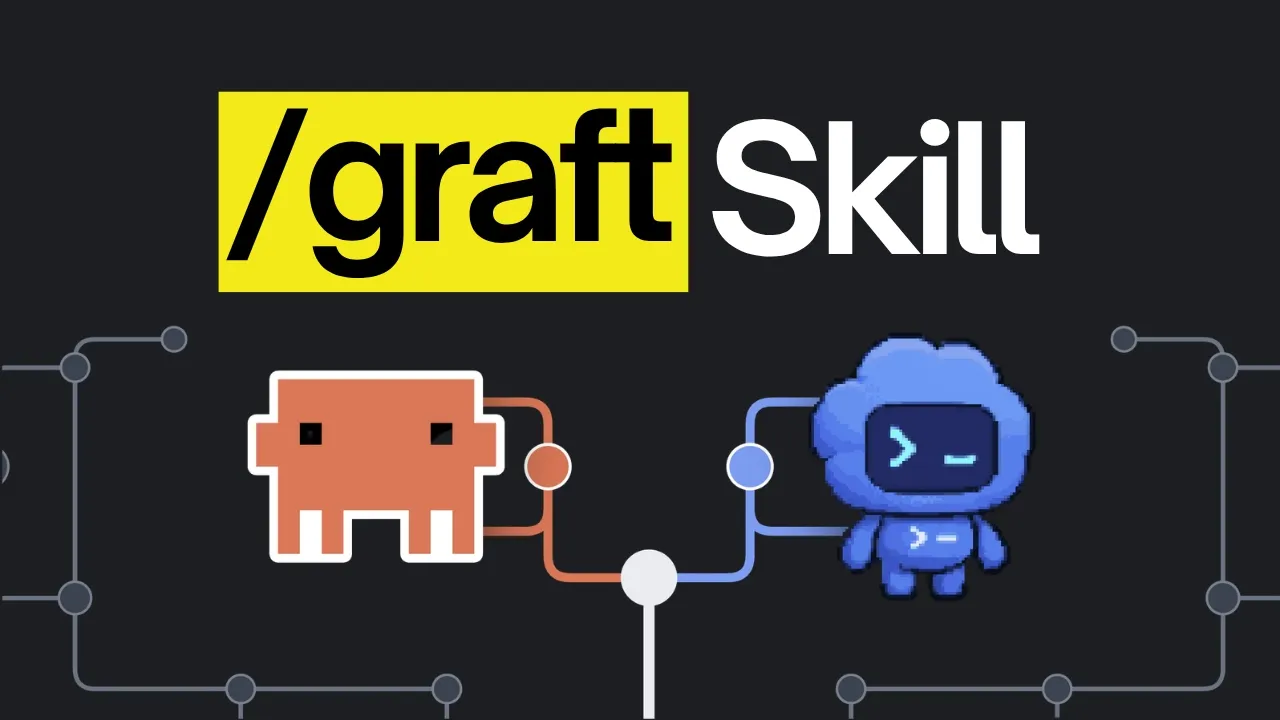
But they do two opposite things. So, picking the wrong one would be really costly. That's why this search isn't as effective, and most of the coding agents don't use it at all. But before we move on to the tool, it would be great if you subscribe to the channel and hit the hype button. This small gesture of support goes a long way for us. Now, Graft [snorts] is actually a terminal command that you install on your computer, and it's built to change the default method your coding agent uses so that it doesn't have to search its way through your project before every change.
It does that by building a knowledge graph, which is basically a map of all the parts in your project, and it shows how the different parts connect. The agent uses that map to find the code it needs and check which other parts depend on it. It's actually free and open source and the main part of it is that it doesn't use models with a separate API key, so it works on your usual subscription. There's also an optional step that uses a model to write plain pages about your app, which explain what each part of the code does and how the parts fit together.
You don't really need it because the map already tells the agent what connects to what. This step just adds an explanation of what the code does. So with those pages, the agent gets to know what each part does instead of opening every file. When the team behind Graft ran this tool, they found that it makes agents four times cheaper in terms of token usage and that's their best case. In their own benchmark across 162 runs, tasks took 60% less time on average.
The agent used its tools 46% fewer times and 42% fewer tokens and the cost came out 32% lower on average. And since the saving comes from all the searching the agent doesn't have to do anymore, it pays off on a bigger project because on a small project, there isn't much searching to save in the first place. Graft works with Claude code and Codex as well as other coding agents that use terminal commands or MCP, but the map it builds isn't like the vector search we talked about earlier because Graft doesn't turn your code into numbers and match by similarity.
It reads the code and writes down which part actually uses which. So when you change one part, the agent can see exactly what else that change could break. And when your code changes, it just updates the parts that changed instead of building everything again, so the map stays current on its own and the agent is never working off an old version of your project. But first, let's have a word by our sponsor, Hydra. So we were adding an AI generation feature to our app, which used to mean wrangling models, infrastructure, and job queues yourself.
That's where Hydra's API comes in. They've built the entire runtime and API behind their models, so instead of standing up all that infrastructure yourself, that whole layer is already handled for you. We made one real call from our code, and instead of an asset just appearing, we got back a real job we could track, and we watched it move from queue to processing to complete before the media came back. That status readout is the part that matters because it's how you know this can handle real production work.
It takes only a bit of code to drop into your own app, and there's a CLI and SDK, too, so you can work right from your terminal or editor. This is the kind of thing a solo developer just couldn't build before. Try Hydra free at hydra.com and use our code for 50% off your first month. The link and code are in the description below. Before we [snorts] install anything, you need to see how Graft actually makes that map.
When you use it to build the map, Graft reads the code on your computer and writes down every part it finds with its name and where it is in the project. Then it writes down which parts are connected to which. Each part on that map is called a node, and each connection between two parts is called an edge. So, when the agent asks what uses a particular part of your app, Graft follows those edges and gives it the code that's connected to what it was searching for so that it can see if that change affects anything else, which is exactly what vector search couldn't do.
Graft saves that map on your computer as a JSON file. The reason it saves it as a JSON is because that format lets you write something down in a proper structure with details attached to it. It also has a viewer that opens in your browser where you can see the map and explore the connections. When Graft is connected to Claude code, it gives the model the instructions for using the map at the start of every session. Then every time you send a prompt, Graft checks the words in your message against the map and attaches up to three matching locations to it.
So, the model already knows which files and lines to read before it uses a single tool. The code itself only comes into the context when the agent reads those lines. So, the model gets to the right file in fewer turns, and a lot less gets added to the context window. So, it's faster, and it uses up less of your limit. There's also an MCP option, and the difference is who starts the lookup. With the setup we just covered, Graft guesses from your prompt and attaches those locations to every message, whether the agent needed them or not.
With the MCP, nothing gets attached to your prompts, and the agent asks Graft only when it actually needs something. In Graft's own tests, the MCP version got a few more answers right than the CLI version, and the CLI version was faster. When you install it, you actually get both. And as you change your app, Graft keeps the map updated on its own. Before it answers a question, it checks whether the code has changed since the map was built, and if it has, it updates the map first without using the model.
Now, to install Graft, you need to go to their site, which we'll link in the description, and from there you can either copy the install command or copy the setup prompt for whichever coding agent you're using and paste that straight into the agent. That setup prompt has all the commands the agent needs to install Graft and set it up in your project. And if you'd rather do that part yourself, you can do so by copying the install command from the site and running it in the terminal from any folder.
Once it's installed, the CLI is ready to use. In order to use it in a project, you need to set Graft up in that project by running the init command. This command has to run in the terminal inside the folder you're working in, because it adds some instructions for that project into the folder, which would be lost if you ran it anywhere else. When you run it, it asks which coding agent you're using, because each agent needs its own setup, and since we were using Claude code, we selected it and proceeded with the installation.
Once that's done, you'll see a Graft skill in your project folder, which tells the agent how to use Graft and which commands it has. It also installs hooks, and if you don't know what a hook is, it's a small script that runs on its own at a set point. These hooks enforce the agent to follow the Graft workflow. There are multiple hooks that get installed. One gives the model instructions for using the map when a session starts, another attaches the matching locations to each prompt you send, and the last runs after Claude edits a file, so the map stays up to date.
Then, if you're setting this up in a project you've already been working on, you need to run the graft build command in that same folder so that graft goes through all the code that's already there and builds the map from it. And if you're starting in an empty folder, there's nothing to map yet, so the skill gets Claude to build it once there are files. After that, you just run Claude code normally and the map viewer shows the nodes and edges graft created.
In an empty folder, the map starts at zero nodes and graft adds them as the files get created. Now, we tested graft by building a booking and scheduling app similar to Calendly but for independent providers with Fable 5.1. Since this model consumes tokens very quickly, we didn't want it spending effort on the wrong tasks. That's why we took a series of steps before working with it. We wrote a PRD first, which is the document that lays out what the app is supposed to do so it knows every feature the app needs.
We also added a Claude.md file which contains instructions tailored for this model to let it run for long turns without straying from the goal. That Claude.md file is what we uploaded as a template in our Community AI Labs Pro. So we used that same template. We first asked it to fill in the gaps in that Claude.md from the PRD because the file was only a template and if you don't have a PRD, you can just tell it in your prompt what you're building instead.
Once the Claude.md was updated, we switched the model to Fable 5.1 and gave it the prompt to build the booking app along with which tools we wanted the app built with. And you need to tell this model explicitly that it's working on its own, which we covered in our previous Fable 5.1 video. So we told it not to stop and ask for permission. With graft, the build took 39 minutes and used around 31% of the context window.
Without graft, the same build took 47 minutes and used around 35% and both app practically had the same functionality. So on that first build, the difference was small because the graph wasn't built at this point, but it got bigger once we started making changes because by then graft already had a map of the whole project to search. A complete revamp of the landing page took less than 2 minutes and without Graft the same change would have taken a lot more time than that.
After the change Graft updated the map with the new files and it showed its own estimate of the tokens it saved on that turn. And there's one last thing you need to know. When you're working on an actual project it doesn't always just include code but it also contains other files that give agents context on what's being built. These include the PRD, all your area specific files, the learnings.md file and many others.
But Graft only maps code so it doesn't map your PRD or the notes which means that the agent uses the usual default method when it has to read those. And aside from that a lot of people like us use Claude code for a lot of non-coding tasks as well. So in order to make the tool cater to those as well we modified it a bit so that we can use it in our actual projects where we have multiple plan files and we've added that version in AI Labs Pro which is our community.
So if you find value in what we do and want to support the channel this is the best way to do it. The link's in the description. That brings us to the end of this video. If you'd like to support the channel and help us keep making videos like this you can do so by using the super thanks button below. As always thank you for watching and I'll see you in the next one.
The words are the caption track's own and nothing is reworded or re-transcribed. Paragraph breaks are placed between sentences so the text reads as prose.
Free tools for your own script. No signup, no login.
Paste your draft and see where viewers are likely to drop off, with a rewrite for each weak line.
Paste the first 30 seconds of your own draft for a hook score and rewrites.
Check your draft against YouTube's advertiser-friendly guidelines before you record it.
Read this channel's public videos and transcripts, and download a writing brief for it.