Getting the transcript
Reading the captions from YouTube. A video nobody has opened here before takes 10 to 30 seconds; this page fills in on its own.
Getting the transcript
Reading the captions from YouTube. A video nobody has opened here before takes 10 to 30 seconds; this page fills in on its own.
AI Engineer · @aiDotEngineer
This video has no Most replayed graph yet: YouTube shows one only once a video has enough views. These are the moments viewers replayed most in AI Engineer's most watched videos.
Most replayed moment at 18:45
4.8x that video's typical replay level
that they're they're changing they're changing things in the database not yet. You want to run them through the ontology first and make sure that works. Okay. I only got an I've got I've got another I've just a short time. I'm going to try to show you some of the things that um that you can
Said at 18:37
Most replayed moment at 16:13
3.6x that video's typical replay level
method signatures, the program layout and the call stacks. So here's some examples. I don't think you'll be able to read this one, but this is like the level of abstraction we're at. It's how we're actually going to lay this stuff out and how these systems are going to interact. Dylan Mulroy from Cloudflare talks a
Said at 16:06
Most replayed moment at 13:49
2.3x that video's typical replay level
Fable uh and it runs into an unknown, ask it to log it, right? So that um you uh you can see where the deviations happened and then you can sort of figure out why as well, you know? It will usually give you some context about what happened.
Said at 13:43
The graph counts replays. It does not show where viewers stopped watching.
Words
3,308
Runtime
17:03
Speaking pace
194wpm
Reading time
14min
194 words per minute, between the 181 median and the 201 75th percentile of 349 measured videos. That distribution comes from the 349-video hook study.
Opening (first 30 seconds)
Hello everybody. It's great to see so many of you who are still here at the final on final day right at the end. So I hope you all had a great conference. Show of hands, who here uses GitHub Copilot? Awesome. Lovely stuff. Who here uses VS Code with GitHub Copilot? Awesome. So I'm going to be talking about both these things today. I'm going to be talking about cooking with agents in VS Code. Now gentleman before was speaking about cognitive load of agents and that is absolutely correct. You see so many different things
97 words, the words spoken in the first 30 seconds at 194 words per minute.
Free, no signup. See how the first 30 seconds hold attention, with rewrites.
Sentence shape
| Measure | This transcript |
|---|---|
| Sentences | 245 |
| Average words per sentence | 13.5 |
| Longest sentence | 50 words |
| Questions asked | 16 |
| Sentences containing a number | 4 |
Most used terms
Filler phrases
54 in total: actually 16 · uh 12 · like 10 · sort of 6 · kind of 5 · um 3 · right? 1 · you know 1.
A literal whole-word count of the same phrase list the Prepublish browser extension uses, so a phrase inside another word is not counted and a phrase used in its ordinary sense still is. It is a count and not a judgement.
What this transcript is
Every word below is the caption track YouTube publishes for this video, pulled from the video itself and reproduced unchanged. It is not Prepublish's writing, not a summary, and not a re-transcription: it is the video's own published captions. English captions, generated automatically by YouTube, in the video’s original language. Source: the video on YouTube. A channel that would rather this page did not exist can ask for its removal through the contact page, and it is removed.
Hello everybody. It's great to see so many of you who are still here at the final on final day right at the end. So I hope you all had a great conference. Show of hands, who here uses GitHub Copilot? Awesome. Lovely stuff. Who here uses VS Code with GitHub Copilot? Awesome. So I'm going to be talking about both these things today. I'm going to be talking about cooking with agents in VS Code. Now gentleman before was speaking about cognitive load of agents and that is absolutely correct.
You see so many different things now with agents and they're popping up all over the place from the CLI, in the terminals, in chat windows, in other editors, etc. etc. But we still somehow seem to find ourselves in this sort of paradigm where everybody thinks agents can solve the world's problems. You still see developers and I still speak to folks who think we can do one shot prompts. They'll create a wonderful application or solve all of their issues in one go.
Absolutely not the case. And we end up asking these questions from a business perspective of what's the ROI, what's the productivity boost, where are we seeing our money? And at the moment we're seeing this whole expenditure on AI and all of this infrastructure, all of these sort of toolings and services and we're still yet to really reap the benefits of those services. So when we look at how people are spending and how businesses are looking at AI, we really need to be very careful with how we're utilizing the tools and services.
We need to be careful about token spend. We need to be understanding the tools and the flexibility. I read somewhere yesterday on LinkedIn somebody has released this repo. It's growing massively in popularity and it's talking like a pirate for your your chatbots to talk back to your your AI services and language models to talk about that because it reduces the token spend. Now people are coming up with these really intuitive and really fun ways to get around token expenditure and really pull in those benefits very quickly.
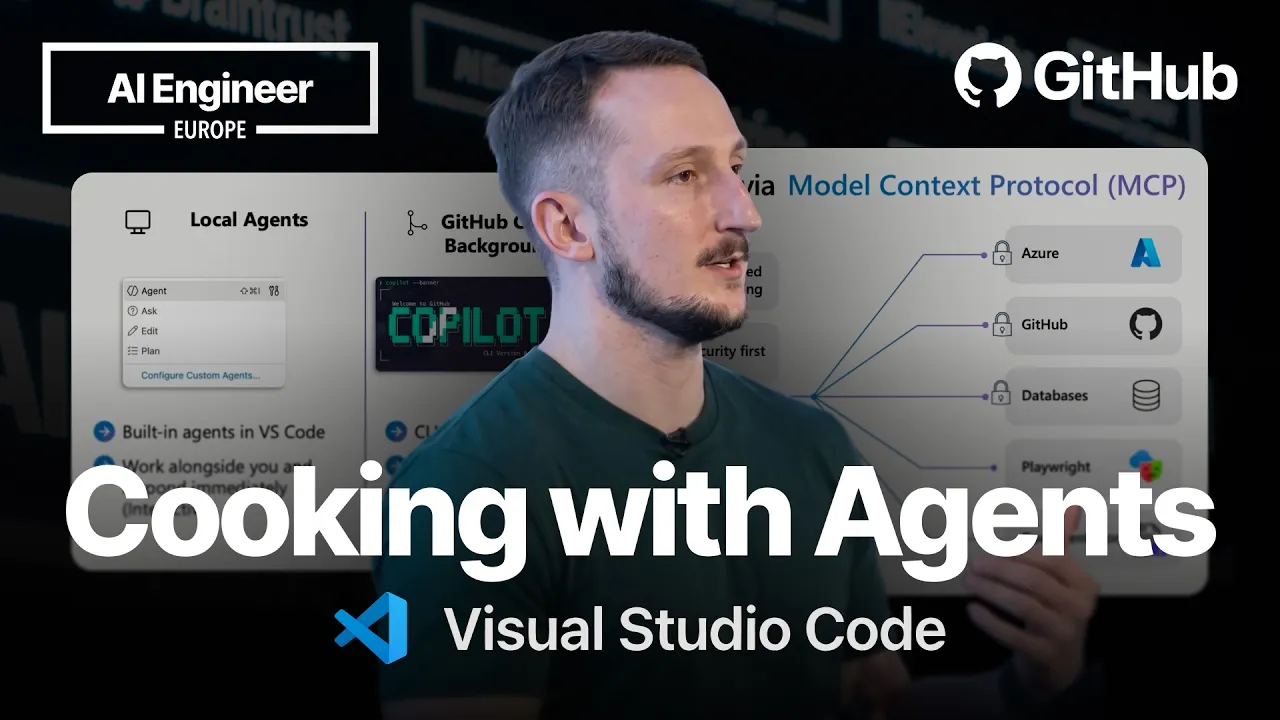
So what I'm going to be talking about is GitHub Copilot agents. Now this doesn't just apply to GitHub Copilot, this also applies to other AI agents as well. So when we're looking at Copilot agents around context, what they really have access to in your workspaces, how they're being used and utilized from within VS Code and the CLI, we're going to be looking at all of those things very shortly. So just a plain and simple, what kind of agents do we have at the moment?
Now we're looking at local agents. We've got local agents which are in VS Code. You may use Claude, you may use all these other AI services. Still applicable, still running on your local machine with remote models, anything that you're already using, maybe you're using locally hosted ones as well. But this is a way to have local models interacting with you side by side, very hands-on, very much in the context and human in the loop.
Then you've got background agents. Now we use the GitHub Copilot CLI. We have also got access to that within VS Code. But this is more of an isolated way to be using them. Now we are actually using Git worktrees. Show of hands if you know what Git worktree is and who uses them. Awesome, wonderful. For those of you who don't know, easy way to explain that is it is a branch that is mapped to an isolated folder within the workspace that you're working in, like a subdirectory, just a chop of your code with its own little branch associated to it.
Very similar to a Git branch in general. Then you've got cloud agents. Now cloud agent is quite an interesting one because it allows you to scale outside of your organization very very quickly and utilize a lot of the power of I guess the cloud and some of the services that we're using in GitHub. Now we use these when we don't want to be touching it ourself. I use this when it comes to writing documentation or sort of having less of a hands-on approach.
So when we when would we use a local agent? Well I'd use a local agent when it comes to writing tests. I want to be really hands-on with my tests. I want to understand what's going on in the code base. I really want to be in there in the weeds. When would I use a background agent? Well a background agent would be great if I want to be sort of a 50/50. I want to create a UI for a front end of an application. I kind of want to know what's going on.
I don't really want to hand it off to a cloud agent because I don't want to be fully out of the loop, but I also also don't want to really be hands-on to and fro myself because that can take time. That can be quite arduous, that can be quite annoying. So I would use a background agent and I'm going to show you how I'm using Autopilot to do exactly that with GitHub Copilot in just a moment. When would I use a cloud agent?
Well I would use that mostly for documentation. I hate documentation. I don't like writing it. I don't think many people do unless you're a content developer. I really just pawn that off to the cloud agents. And that could be making a repository open source friendly, it could be writing a readme using some skills to do that as well. So what I'm really looking at is VS Code as a single entry point for AI agents. We have got third party support, we have got background, we've got local and we've got remote entry points for all of these agents.
So the ultimate what we're trying to do is understand where you are sitting as a developer and how easy we can make it for you to use these agents to reduce that cognitive load. Seems quite complicated but it's actually really straightforward. So I'm going to show a video now. I was going to do this live but I don't really think I'm going to have time to do all of this live. So I'm going to whiz through this video. So I'm going to start with a very simple Python application.
This is just a CRUD, well create, read, update and delete, just a very simple product store. Not very pretty, not very good. As you can see, pretty straightforward. What I actually want to do is create a front end UI for it. So I've got a ticket up in GitHub and I'm saying hey this is wonderful, go and add a front end, we need some more prettiness here. We need it to look good. So I'm going to say summarize and plan a solution to issue 25.
Now you'll notice I'm actually using a CLI background agent at this point. Now I'm using that because I want it to be sort of hands-on hands-off, a little bit of understanding what it's doing. Also don't really care if it messes things up, it can go and iterate. I'm also going to be using Autopilot. Now Autopilot is currently in preview and this just means it's not going to ask me a bunch of questions if it wants to do a bunch of tool calls.
Great, wonderful, can be very dangerous. Use at your peril, right? Don't don't just abuse that one. Um but I'm using it here to create a plan. I don't want it to ask me every single time I want it to do an STP call. So I'm then saying wonderful, here's the plan. Now start it, but before you create a pull request because on Autopilot it will do a pull request, stop and pause and let me test locally. Whilst off doing its lovely stuff, I can then move on to my next stage where I'm going to be using another kind of agent.
So I'm just going to go and leave that one behind. Let's go and spin up a new chat and let's go and start a cloud agent. I've noticed that this is not a very open source friendly repository. I want this to be have a readme or have have a contribution guidelines, have all this all these readmes I really want as an open source project. So I'm going to pull on and say hey go and make this open source friendly, add all the necessary files for it.
Don't really care. Now as a developer I can go into my code base and start poking around. I've noticed that I don't have any tests. So I'm going to go check out and I've noticed there is a custom agent available for me in VS Code. This custom agent is just essentially explaining and showing how to be using or how to write test cases for this Python application. So what I can do now is start spinning up a local agent.
So just like that at the very bottom I can click local. I'm going to select Claude Opus 46. I'm going to have medium reasoning. I want it to be kind of fast. I don't really care for it too much. It's got a great understanding in this custom agent. Go and write some unit tests. Now as a developer I can still skim through. I've got very much a hands-on to and fro with a local agent. I've got a remote agent doing some work for me and I've got a background agent creating a new front end.
So here I can see right it's written some tests. It's going to go ahead and try and run them. It's passing the tests. But I've also noticed that there's some other problems in the code. It's not very friendly. The errors that are coming back are not wonderful. So I'm going to say go and update the error handling on the routes and update the tests as well. So you can see I've got a lot of to and fro with this local agent.
I've got my remote agent working and I've got my background agent working all simultaneously. So whilst that's gone off and working, I can go and check out what my other agents are actually up to. So as it's working through this you can see Copilot is just going to be skimming through. I didn't actually speed up some of this video. This is all pretty quick. I did this pretty pretty quickly with these agents. There you go, you can see some of the code is updated.
We've got the new tests, we've got the code updated. Let's go and check out the background agent. That has now finished. Which is cool. Let's go and check on the remote agent. How's the remote agent getting on? Well actually this is the this is the test. Run the test. The tests have passed. That is the local agent. That's now finished. Now I can go and check out my remote agent. So as we're walking through this we can see as a developer I've got very much hands-on hands-off.
I'm working with multiple agents simultaneously. We can see where they're running all within this single context of VS Code. Now if I go and look on the pull requests extension in VS Code, we can see that I've now got a pull request. Now this is one that I previously brought earlier. The one that's running in the chat is actually taking quite a while, but the principle still stands. It's running all these different agents at the same time.
So, all I really want to do now is go and check out my background agent. I want to go see it working. I want to go see this new front end that I've just created. Now, I asked it to pause before I pushed over a pull request and tell me how to test it. So, I'm going to say, "Well, actually, the way you were telling me how to test that is wrong." So, I've still got hands-on, hands-off. It's more of 50/50. I'm saying, "This is working in a Git work tree.
How do I actually run this?" And remember, this is what it currently looks like as an application. So, I'm going to go check out the new directory, which is a Git work tree. I'm then going to run this Python application. You'll see a very drastic change between what is created in my single directory versus what I currently have. And there is a port conflict here. Uh So, hurry up and run that. There we are. So, if I click that, this is the new product demo.
Now, this is the third agent that I'm running simultaneously, and that is essentially a great way of how you're using different agents within one context to kick it all off using GitHub Copilot. That's new error checking, and that is how I've been using multiple agents. So, one code base, three problems, three separate agents fixed all at the same time. The local agent was writing my test for me because I wanted hands-on.
I really wanted human in the loop. I used my background agent to write the front end because I don't really care what it does. It's quite an arduous task. It's quite big. It's quite time-consuming. And then I used my cloud agent to write my documentation for me. So, all in all, that's a pretty successful run. So, how are cloud agents actually working? Because I get this question quite a lot. How much is it going to cost?
How is it working? What are they doing? And how do I get them running? Well, they're actually running in GitHub Actions. They're pretty safe and secure because they're running in a isolated environment. They have got extended context through MCP servers. Who here uses MCP servers just out of curiosity? Awesome. So, cloud agent actually has access to the GitHub MCP server and the Playwright MCP server, so you can do testing with screenshots.
You can do automated front-end testing. And you can obviously write your workflows. You've got um the the dynamic workflows now. And it has got built-in safeguards. So, you've got network firewalls. You don't want this agent talking to a whole bunch of different things. It's absolutely white-listed and restricted. It also doesn't have access to your main branch. Therefore, you're not able to push directly to your main branch.
It's very much restricted in that sense, so it is very safe to use. Now, I mentioned earlier, this is very much GitHub Copilot, but it is not just GitHub Copilot that this applies to. This actually uses all the same concepts across all different AI agents uh that you can use. So, custom instructions very much defining how the agent is running. You've got custom agents, which is what I showed you today in that short demo, where you're able to use very specific agents to tackle certain problems, I fixing test cases or writing test cases.
You have prompt files, which will help you with your prompting, and agent skills. Agent skills is more of like the the newer version of agents.md. There's always like a new thing that's coming on every single week now. So, all of this is actually applicable to GitHub Copilot as well as other AI services, too. Now, inside VS Code, this is a modal which is very recent, and I can jump out of the slides in just a moment to show you exactly um how this looks.
So, if I was to go over to VS Code, open up my GitHub Copilot chat pane, and if I click the cog up here, you can actually see everything that I have in one user space for you to customize the chat and the agents that you are running. So, whether you've got agents, I've got my custom test agent. I've got my built-in agents, which is ask, explore, and plan. I've got some skills. So, this is essentially what some of the VS Code team sort of pre-empted you to be using here.
So, you've got some extensions. You've got address a PR comments. You've got create pull request. You can jump into these and edit them as you wish. And this is just intuitive skills that we have popped in there for you. I don't have any instructions, but this is where you'd have your instructions file, your prompts if you've got any built-in prompts like creating an agent, just different prompts that can then go off and kick off at skills.
You've got hooks. Yeah, I don't have any hooks on this one, but a very good example if you wanted to create or configure some hooks, you can do so with uh Copilot inside VS Code and any MCP servers as well. So, you kind of have this whole control plane in this modal, which allows you to control your agents and chat customizations from within one single place. This isn't just confined. We have third-party support as well.
So, there is Claude as uh down here, so you can have access to all of your Claude things uh and all your plugins, uh hooks, instructions, and skills for Claude, too. So, it's not just restricted to VS Code and GitHub Copilot. So, if you want to get hands-on with some of the uh skills or customizations, we have got this awesome open-source project which we're running. It's called Awesome Copilot. It's aka.ms/awesomecopilot.
Like I said, this is directed at Copilot, but it's absolutely not just for Copilot. You can use this and massage them and use them for other AI tooling as well cuz we do know that people in the community use more than just Microsoft things and GitHub things. We also have an MCP server. So, if anybody's interested in utilizing this from their from their workflows from MCP standpoint, we also have encapsulated that into an MCP server.
For those of you don't know about MCP, so the Mono Context Protocol is a great way for you to get hands-on and extend the uh LLMs that you're working with or any of the chats customizations that you have. For example, if you wanted Azure or talk to your Azure resources or I know GCP, AWS, etc., you can go through an MCP. It'll obviously be locked down by authentication. Uh but there's also free ones as well and open ones which don't require authentication like Playwright and documentation ones, I Microsoft Learn, uh and so on and so forth.
So, just in time, uh as a wrap-up, Visual Studio Code is a single entry point for AI agents, and we've really built this agentive workflow around multiple different services. We've got third-party plugins. We've got first-party plugins. And we've got the full spec support for MCP. We've got chat customizations, and you can connect to the GitHub Copilot CLI sessions through VS Code. So, it's all in one single sequential uh sequence for you as a developer inside your workflow.
I would love to hear more about your workflows and what you're using and the agents and how you're using them after the session because I believe I've only got just less than a minute left. So, thank you ever so much for listening, and thank you very much for coming today.
The words are the caption track's own and nothing is reworded or re-transcribed. Paragraph breaks are placed between sentences so the text reads as prose.
Free tools for your own script. No signup, no login.
Paste your draft and see where viewers are likely to drop off, with a rewrite for each weak line.
Paste the first 30 seconds of your own draft for a hook score and rewrites.
Check your draft against YouTube's advertiser-friendly guidelines before you record it.
Read this channel's public videos and transcripts, and download a writing brief for it.