Getting the transcript
Reading the captions from YouTube. A video nobody has opened here before takes 10 to 30 seconds; this page fills in on its own.
Getting the transcript
Reading the captions from YouTube. A video nobody has opened here before takes 10 to 30 seconds; this page fills in on its own.
DeepLearningAI · @Deeplearningai
Where viewers went back to watch this video again, from YouTube's public Most replayed graph, lined up with what was said at that moment.
Most replayed moment #1
8:344.6x the video's typical replay level
yourself. Let me show you what it'll look like. What I'd like you to do after this video is go to this section on the website and go to this exercise yourself. So, there's instructions here that you can read later, but this is an AI system similar to ChatGPT and Gemini and Claude
Said at 8:28
Most replayed moment #2
9:213.4x the video's typical replay level
system will take just a little bit of time to write something called a HTML page. This is what webpages are made of that will be this birthday card generator. Now that the AI has finished generating all of this HTML code, I can click this
Said at 9:14
Most replayed moment #3
20:462.7x the video's typical replay level
beige, ball white." And I'm going to tell it to insert this image into the background. And so, I end up with a game that looks like this. And here is the game. It's actually pretty pretty fun. The ball is bouncing back and forth. I could actually play this for quite a long time, maybe longer than
Said at 20:40
The graph counts replays. It does not show where viewers stopped watching.
Words
4,888
Runtime
25:57
Speaking pace
188wpm
Reading time
20min
188 words per minute, between the 181 median and the 201 75th percentile of 349 measured videos. That distribution comes from the 349-video hook study.
Opening (first 30 seconds)
Hi, I'm Andrew Ng. I want to show you how to build fun, useful software using AI, regardless of your background or training. If you're intrigued about using AI or live coding to build cool software, but aren't sure where to start, this course is for you. Let me show you a funny birthday card app that you learn to build in minutes using ChatGPT, Gemini, or any other similar AI system, even if you've never written a line of code before. This birthday card app is a computer program called a web application,
94 words, the words spoken in the first 30 seconds at 188 words per minute.
Free, no signup. See how the first 30 seconds hold attention, with rewrites.
Sentence shape
| Measure | This transcript |
|---|---|
| Sentences | 258 |
| Average words per sentence | 18.9 |
| Longest sentence | 72 words |
| Questions asked | 5 |
| Sentences containing a number | 2 |
Most used terms
Filler phrases
75 in total: like 47 · actually 20 · um 4 · kind of 1 · sort of 1 · uh 1 · you know 1.
A literal whole-word count of the same phrase list the Prepublish browser extension uses, so a phrase inside another word is not counted and a phrase used in its ordinary sense still is. It is a count and not a judgement.
What this transcript is
Every word below is the caption track YouTube publishes for this video, pulled from the video itself and reproduced unchanged. It is not Prepublish's writing, not a summary, and not a re-transcription: it is the video's own published captions. English captions, generated automatically by YouTube, in the video’s original language. Source: the video on YouTube. A channel that would rather this page did not exist can ask for its removal through the contact page, and it is removed.
Hi, I'm Andrew Ng. I want to show you how to build fun, useful software using AI, regardless of your background or training. If you're intrigued about using AI or live coding to build cool software, but aren't sure where to start, this course is for you. Let me show you a funny birthday card app that you learn to build in minutes using ChatGPT, Gemini, or any other similar AI system, even if you've never written a line of code before.
This birthday card app is a computer program called a web application, which means that it runs right in your web browser. The app takes whatever you type in and creates a custom card for you on the spot. In the next lesson, you build your own version by describing what you want the AI to do, and the AI will write all the code for you. To use the app, you enter a name, an age, a hobby, penguin fashion design, an adjective, "suspiciously fun", and a plural noun, "lucky socks".
Then hit "generate card". And it says, "Karen, against all odds, you've turned 27. Your devotion to penguin fashion designs is the stuff of legends, and your suspiciously fun nature, iconic. Strictly speaking, most people like you." I think that's pretty funny. Or, if I don't feel like filling in all of these words myself, I can hit "I'm feeling lucky" and have this filled in automatically, and then generate a different card.
And there's another birthday card. And you get a different funny story or different funny birthday card this time. Notice the app stores all the cards we've generated. If I click "copy" on any of them, the birthday message goes to my clipboard, so I can paste the message into an email or text and send it as a birthday card. You might be excited to jump right in and start building out your own idea. And if so, that's great.
And before doing that, spending a little time building this birthday card app yourself will help a lot. Doing so will give you a better feel for how to talk to the AI, so you actually get the results you want. And this practice process will build your intuition for how to shape what the AI actually creates. And you get a better sense of how even small tweaks can lead to very different outcomes. Once these set of concepts become a bit more familiar to you, building your own ideas become faster and easier because you have a better sense of how to steer the process.
So an app like this might seem complicated to build, but in the next video I'll show you how you can build something like this in minutes. Let's go on to the next video. The easiest way to create software in the AI era is no longer to type out code yourself. Instead, you should tell AI to do it for you. Telling AI what to do is called prompting. When given precise instructions, AI can do a lot of things for you. What I want to do in this video is share with you some best practices for prompting AI to create software for you.
First, we'll walk through the example together. Then you try yourself using any AI chat system like ChatGPT, Gemini, Claude, or the one built right into this website. To use any of these AI systems, you give it a prompt or set of instructions like this. So I tell it to create a web page to help me write birthday cards. And when I give a person's name, age, and hobby, it should give me back a funny message. And if you do this, it might actually generate an app that looks like this, which is a good start.
You can enter the name, age, and hobby, and it generates you an okay message like this. But if you aren't satisfied with this, you might then continue the conversation with the AI and say, "Make it prettier by adding a festive title and colors." And this would give you a second version of the app that now looks a bit better. And if you're still unsatisfied, you might say, "Display the color on the right side, make it look like the inside of a birthday card." And get back a third version.
And if you have ideas to make it even better, you could give it more instructions like add a fun title at the top, and so on. This is how I actually work in practice when using AI to write code for me. I often start off with a basic set of instructions and see what I get, and I repeatedly tell the AI how I want to improve it. It turns out that when you're building software applications, there's a number of basic building blocks you might end up including in the prompt.
One thing I often include is the goal. So, here the goal is to generate a webpage to help me write birthday cards. And another thing you might include is to specify what is the input. That is, what does a user have to tell the software? This is us telling the software what we want it to output, as well as the layout. So, what's on the left, what's on the right, how do you arrange the different parts of this app? And lastly, any special instructions for additional features you want it to include.
There are many ways to write good prompts, but as you start your journey of telling AI to build software for you, I encourage you to consider these five building blocks as common pieces that you might choose to include in the prompt. That is, the goal, namely what you want to create, what input the user will provide, what is the layout of the software app, what special features you want it to have, as well as what you want the software to output.
In the previous slide, we went through a back-and-forth process of me incrementally, in four steps, adding to the instructions I gave to AI to tell it what I wanted to do. But, if you already know in advance more or less what you wanted to build, you can also specify all of the building blocks in a single prompt. For example, if I already knew the specification I want for the software, I could write a single, much longer prompt like this: "To generate a webpage to help me write birthday cards.
When you give a person's name, age, and hobby, give me a fun message, use versatile colors, and so on." And in this example, I've taken all five building blocks and written them all into a single much longer prompt. So, instead of building things step-by-step, like you saw in the last video, you can also give it all the instructions in a single longer prompt, and that might give you a better first version of your app, which you can then further refine if it's still not quite what you want.
Now, whether you're writing a single long prompt all at once, or whether you're giving it one building block incrementally one piece at a time, I will often start by telling the AI what is my goal, and then of the remaining building blocks, there are multiple ways to put them together, and you don't have to use all the building blocks every time, and the order is also not very important. Start with the goal and tell the input-output layout, and maybe not list any special features.
Or, you might put the building blocks together this way, and it could work fine. Or, you might list out the building blocks in a different order, and the AI is usually pretty good at understanding these different rearrangements of the building blocks. And if you're feeling like, "Boy, this is a lot." I would say, "Don't worry about it." If you just tell the AI whatever's on your mind, even if it's partial and imperfect, you can then work and go back and forth with the AI a few times to hone it to what something that you want together with the AI.
One of the skills you hone over time is the ability to give AI more specific instructions. Because it turns out that the results you get may vary even if you give fairly specific prompts. So, here's the long detailed prompt that you saw just now. That's fine all of the five building blocks. And if you give these same instructions to the same AI system multiple times, maybe one time it'll give an app that looks like this, which is really nice.
And maybe a second time it'll build something like that. And a third time it'll build something like that. And all of these look pretty good. You can see that there's some variation among them. In contrast, if someone were to give a much less specific prompt, a much less clear prompt. So, it's a very short prompt that just says, "Create a webpage to help me write birthday cards." Because this is a relatively vague prompt, the results you get if you run this multiple times through AI system, maybe once you get this, a second time you get this, which looks totally different with different fields, and a third time you will get this, which again looks totally different than the first two times.
The more specific and the more precise the prompts you write, the more predictable will be the results. But even then, there'll be a little bit of variability. So, if you get results that are a little bit different than what I show in this video, don't worry about it. That's a normal course of how AI systems behave. But if it surprises you with something you really don't like, that's okay, too. Just give it additional instructions to steer or to move the AI closer to whatever you do want it to do.
The best way to learn this is to put your hands on your keyboard and to try using AI yourself. Let me show you what it'll look like. What I'd like you to do after this video is go to this section on the website and go to this exercise yourself. So, there's instructions here that you can read later, but this is an AI system similar to ChatGPT and Gemini and Claude and so on. And um I'm going to select and then copy and paste the first prompt here, where it tells the AI to create a webpage to help me write birthday cards and so on.
And I'm going to hit this to send it to the AI. So, here it'll think for a little bit and then it will generate HTML page that I can then download and run. Notice while it's still running that this download button here is grayed out, so I can't actually click on it yet. But the AI system will take just a little bit of time to write something called a HTML page. This is what webpages are made of that will be this birthday card generator.
Now that the AI has finished generating all of this HTML code, I can click this download button. And here I'm running Chrome on a Mac. I'll show you later what to do if you're on a different machine. And um I can go to this downloaded menu here and and open up file.html and just has created a little birthday card generator. So, it's Karen 27 and I can create a simple birthday message. Not bad. And notice that this is actually a piece of code written in HTML that is running on your computer right now if you were to do this yourself.
The code is in this file called file.html and it's actually saved to my computer right now. And if you do this, it will be saved to your computer. Now, if you want to improve the code, you can then prompt it at a festive title and colors and then it updates the code. Same as before, have to wait until it's finished uh writing the code before I can download it. And now I can download it and same as before, open it. Oh, wow.
Now it looks much more festive. And so, what I'd like you to do is try it out for yourself. You can, you know, add this third prompt, run it, add this fourth prompt, or try some other prompts if you feel so inclined. But it's also fine to use just these four prompts one at a time and see what birthday card generator you get out of this process. Even though I'm showing you this process on the website, these same prompts should give you similar results on OpenAI's ChatGPT, Google's Gemini, Anthropic's Claude, or any other popular AI system.
What you're learning isn't tied to any one platform and these skills apply to any AI system you choose to use. When you click the download button, your web browser will usually download the file.html or whatever file the AI generated with the code to your downloads folder. So, these videos show you how you can navigate on either Windows or Mac to the downloads folder to find that file, and then if you double-click on it, it should open up in a web browser and let you see what the code you just generated looks like when it runs in your web browser.
Please try this out. After you try out this process and generate a web app, one mindset I hope you have is that getting feedback is often a great step in building software applications. Whenever I write software, I'll often show it to friends, show it to family, or sometimes respectfully approach strangers and ask if they're willing to look at whatever I'm building and see if they can let me know what they think, or email it to a colleague, or post online forum to get feedback.
Because I find that when people look at it, they often have suggestions for how to make it even better. Or sometimes, if you get a laugh out of a friend by showing them something funny, I find that really encouraging as well and gives me the energy to keep on going. So, what I'd like you to do now is go on to the next item in this course and try it out yourself. Get AI to generate some code for you and download the HTML file and see what results you get.
If you feel so moved, I hope you also show it to a friend or show it to someone else to get their feedback. After that, please come back to the next video where we'll keep on working on the app and we'll look at how you can add even more features to the birthday card app to make it even more fun and interesting. Now that you've built a basic birthday card app, let's see how you can add additional features to it so it can do additional things or be more fun.
If you showed your app to anyone else, maybe they'll have ideas to things add to. And I also want to show you what to do if there's something wrong with whatever the AI had built for you, such as if it doesn't work the way you're expecting. As before, the primary way we will tell AI what features it had is by prompting. To understand why it's important to be specific in the way you prompt, let me pick an analogy to ordering food.
If you go to a food truck and say, "Give me a sandwich." Who knows what type of sandwich they will give you if that's all you say. But if you say something more specific, like "I would like a vegetarian sandwich." Then that narrows down the range of what you may get back. Or if you say, "I'd like a vegetarian sandwich with ham and cheese on multigrain bread." Then that specific instruction really means what you get back becomes much more predictable.
Or if you say, "I'd like such and such vegetarian sandwich and add a drink and make it to go, please." Then it becomes much more predictable what the food truck will give you back. At the food truck, by being specific with what you ask for, you're more likely to get what you want. And so too it is with prompting AI. By writing more specific prompts, you're more likely to get exactly what you want. Ooh. This is exactly what I wanted.
As you gain skills in getting AI to write for you, you get better at being more specific with the instructions you give to AI and this will give you better results. I previously built an app using a prompt like this, either on one go or by going back and forth a few times. What I'd like to do now is add a few new features and modify some existing ones. For example, instead of having three input fields like we have so far, name, age, and hobby, maybe you want to gather five pieces of information.
So have five input fields that users can input so you can create more personalized messages. Or maybe you want a I'm feeling lucky button that automatically fills out all the fields for you so you don't have to type everything in each time you use the app. Or you can also update the look and feel. Say, change the title or add a button that copies the message to your clipboard so you can easily email it to friends or even redesign the entire color scheme to better match your style.
After having built the basic app, you can then make the app yours by deciding what features you want to add. So, you might continue the chat conversation by telling the AI to make it have five clearly labeled inputs: name, age, hobby, an adjective, and a plural noun. And it'll update the app to look like this. And notice that I'm writing very specific instructions here. I'm not just saying, "Make it have five fields." I'm telling it what are the five fields I want it to have.
Or if I add an I'm Feeling Lucky button, again, I try to be specific in telling it what I want the I'm Feeling Lucky button to do. I want it automatically fill in the blanks with random words, and I want the predefined word choices to be funny. And here, I'm actually adding two features at the same time. I might update the titles and subtitles and also add a button to copy the cards to clipboard. So, this is actually two of the bullets from the previous slide that I'm adding at the same time.
And um I actually like the color blue, so let's pick the color theme blue. Feel free to try out these prompts yourself or even better, pick a different color theme or tell it to implement any other idea that you have. If you like pink like my daughter does or green like my son does, tell it to use a pink or green color theme instead or make some other changes depending on what you feel like doing. And if you ever change your mind, you can do that, too.
So, after I've made the color theme blue, if I decide that I don't want it blue after all, I actually want it to be purple, you can write a prompt like that and the AI will obediently change it to purple. Now, a lot of the time AI is pretty good at giving you exactly what you ask it to do. But sometimes there's a chance that generate an HTML page that doesn't work. In software, we call this a bug. When there's something that doesn't quite work the way it's supposed to.
Here's actually a broken version of an app that AI generated for me earlier, where I've typed in all of these fields, but if I click generate card, nothing happens. So, that's kind of weird. Here I'm clicking my mouse, but it's not actually generating a card. It turns out I'm feeling lucky works, but again, generate card doesn't generate any card for me. If that happens, what I'd encourage you to do is to clearly tell the AI what happens.
So, here I typed, "Nothing happens when I click on the generate card button. Can you fix it for me?" And if you do that, the AI is usually pretty good at finding at least basic bugs and fixing whatever is wrong. When you do this, sometimes the AI will write some technical explanations of what went wrong. So, here it says, "There was JavaScript attached to the button's click event." Boy, that's a lot of technical terminology.
I would say for now, just don't worry about what the AI is saying here. You don't need to understand technical details. If you're really curious, you can actually ask the AI, "What do these terms mean?" But you don't have to do that. Let the AI do its thinking, say what it wants about the technology, and then focus on downloading the new HTML file to see if that works. I hope you all start to the basic birthday card app and either try building the features I suggested earlier in this video or some features that maybe your friends have suggested or your own ideas.
And in fact, if you're not sure what else to do, you can also ask the AI for ideas. So, if you ask it, "How can I make this birthday card app cool?" It may give a few suggestions, and then you could pick one or more and use the AI's idea to make your app more cool. I actually use AI as a brainstorming tool a lot when I'm building software, and you should do the same, too, if you don't already have ideas that you're excited about.
Please go to the next item in this website and have fun adding features or play with the color theme or implement whatever you feel like. When you come back, we'll use the skills you've already learned to build a second app, a ping pong game. Using the skills you now have in prompting, let's build another app. This time, a ping pong game. Because of AI, it's now possible to go from an idea to working app, sometimes in minutes.
One of the earliest video games in computer history was a game called Pong, which was sort of a two-person ping pong game, and that had taken the team weeks to build. But now, thanks to AI, you can build something like this in minutes. Let's apply the prompting techniques we learned. I'm going to start quickly and write a moderately specific prompt and say, "Build me a table tennis game as a single HTML file. User plays against computer, moves the paddle with the arrow keys." And if you do that, you might get a first version of the app that looks like this.
I go, "Okay, that's a good start, but I wanted to add three difficulty levels and let the user specify the number of points required to win and also have it keep score." And this gives me a second version like that. And this now looks like a fun game, but I want the graphics to be fancier. So, I'm going to say, "Make the player green, paddle beige, ball white." And I'm going to tell it to insert this image into the background.
And so, I end up with a game that looks like this. And here is the game. It's actually pretty pretty fun. The ball is bouncing back and forth. I could actually play this for quite a long time, maybe longer than you'd actually want to watch me playing it. But I hope you will have fun with this. As a reminder, being specific in how you write your prompt gets you better results. And so, you can look over the prompts I was using, and it was fairly specific in a number of details like the color, the points, and so on.
If you're not sure what to include in the prompt, think about the building blocks. Do you want to specify the goal, the output, the input, the layout, the features as a set of things to consider including, and lastly, use your chatbot to iterate, improve, and troubleshoot. You don't need to get it right the first time. You can tell what you already know, what you already have in mind, see what you get, and then use that to further refine what you tell the AI to do.
I actually enjoy playing pong in real life, and now you can build a game to play it also with your computer. Please go to the next learning item to give this a shot yourself. And in addition, beyond building a perfect card generator or ping pong game, if you have an idea of about something else you want to try to build, give it a shot. It may or may not work, but it's by practicing and exploring our ideas that all of us get better at building things.
If you made it this far, congratulations. You're an AI [snorts] builder now. I've met people who've been clearly building software with AI, maybe even for months, that somehow still wonder if they're actually a builder. I'm here to tell you, yes, you are, and I count you as one of us, a builder. I hope you do one last activity and get a certificate for this course. The final project is to make your own fill in the blanks story builder.
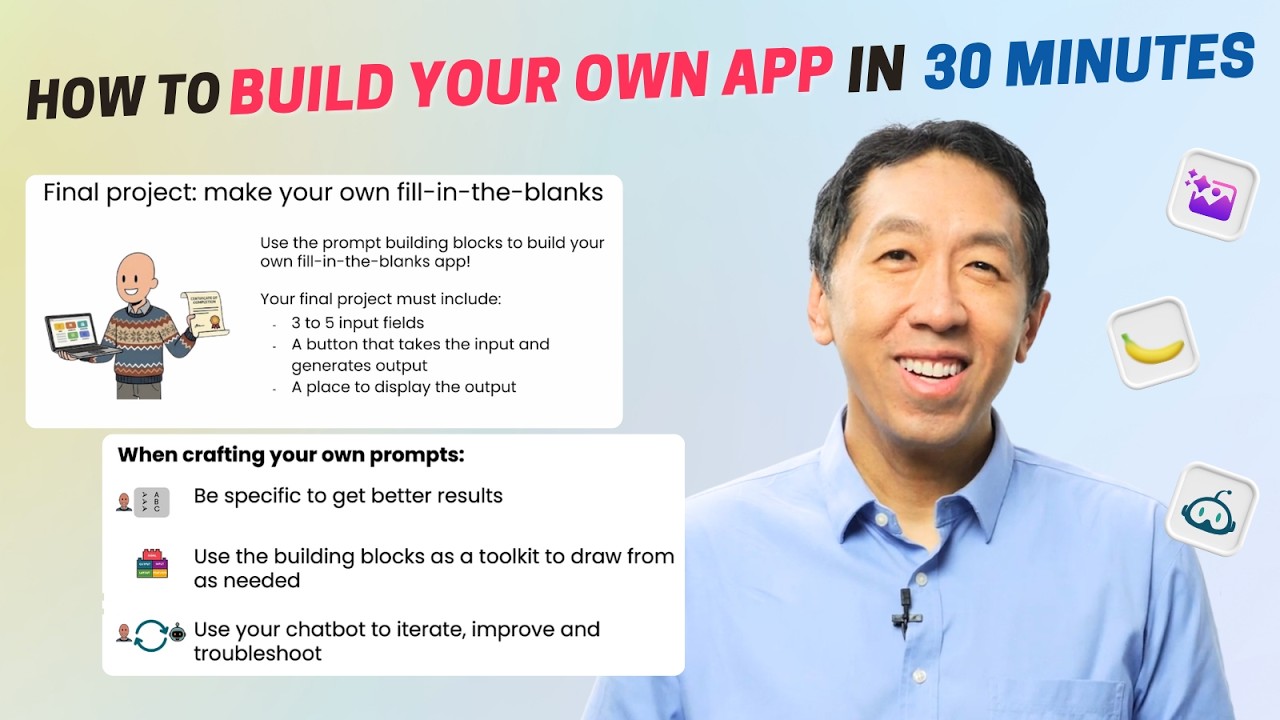
I hope you use the prompt building blocks to build your own fill in the blanks app. Your final project must include three to five input fields, a button that takes the input and then generates the output, and a place to display the output. You've already seen the birthday card app. Here are some other ideas for maybe inspiration. This is a funny product review generator where the blanks are the product name, some number, a noun, a body part, and so on, and it generates product reviews.
Notice it says they are totally honest product reviews that look like this. Feel free to pause the video and read this if you want, but I love this. Or here's another time off request generator where you specify how much time you want off, a noun, a body part, an object, and then it says, "I need an entire amount of off effective immediately cuz of interest for you requires my urgent attention." And so, whether a birthday card or product review or a time off or some other type of story generator, please write your own prompts and use it to generate an app like this.
On the website, when you go to the next item, you'll see the usual chatbot that you can use to write your prompts, to get an HTML file, and download it onto your own computer. Please do that, run it, see if it works to your satisfaction. And you could either use our website or you're also welcome to use an external website like ChatGPT or Gemini to generate your HTML file. When you're done building this project, please go to this final page.
It might take a second to load, and then click upload file, and here I'm going to navigate to the file that I had downloaded. And um here's a preview of the app as you generated. When you're ready, hit submit assignment, and our AI will look at your HTML file and see if it seems to work correctly and give you feedback if any. Assuming it works, this will bring you to the last exercise of this course and will earn you a certificate.
Most effective builders keep taking courses and also keep building. I find that if someone only builds, they often end up unaware of core concepts and can end up spending months reinventing the wheel or worse, doing things in very strange ways. But conversely, if someone only takes courses, then they end up with theoretical knowledge without knowing how to apply it. So, both building and taking courses are important.
Please keep building whatever you feel like and I'll also suggest some additional courses for you to consider in the next item. Keep sharing your applications with friends to get the feedback or maybe just get a laugh out of them. Being a builder is one of the most fun things in the world. I'm glad you and I have started this journey together and I hope we'll keep building and learning together. Thank you also to Tiago Ferreira's summary on Jess Gonzalez and Tommy Nelson who had contributed to this course.
The words are the caption track's own and nothing is reworded or re-transcribed. Paragraph breaks are placed between sentences so the text reads as prose.
Free tools for your own script. No signup, no login.
Paste your draft and see where viewers are likely to drop off, with a rewrite for each weak line.
Paste the first 30 seconds of your own draft for a hook score and rewrites.
Check your draft against YouTube's advertiser-friendly guidelines before you record it.
Read this channel's public videos and transcripts, and download a writing brief for it.