Getting the transcript
Reading the captions from YouTube. A video nobody has opened here before takes 10 to 30 seconds; this page fills in on its own.
Getting the transcript
Reading the captions from YouTube. A video nobody has opened here before takes 10 to 30 seconds; this page fills in on its own.
KodeKloud · @KodeKloud
This video has no Most replayed graph yet: YouTube shows one only once a video has enough views. These are the moments viewers replayed most in KodeKloud's most watched videos.
Most replayed moment at 22:40
3.4x that video's typical replay level
task moves us to oneot prompting. Here we provide one example for the AI to follow almost like showing a single template. For example, if we gave the AI one refund policy example with five structured sections, we can then ask it to produce a remote work policy and it
Said at 22:32
The graph counts replays. It does not show where viewers stopped watching.
Words
9,360
Runtime
50:59
Speaking pace
184wpm
Reading time
39min
184 words per minute, just over the 181 median of 349 measured videos. That distribution comes from the 349-video hook study.
Opening (first 30 seconds)
This is an introduction to the infrastructure behind AI, which means the GPUs, the servers, and the systems that sit behind every product you've ever used. If you're an SRE, a systems administrator, or a DevOps engineer, this course is for you. And there's never been a better time to learn it. Companies like Amazon, Google, Microsoft, and Meta together are spending over $700 billion on AI infrastructure this year alone. That is four times what they were spending just 4 years ago before ChatGPT launched, and it grew nearly 80% in
92 words, the words spoken in the first 30 seconds at 184 words per minute.
Free, no signup. See how the first 30 seconds hold attention, with rewrites.
Sentence shape
| Measure | This transcript |
|---|---|
| Sentences | 556 |
| Average words per sentence | 16.8 |
| Longest sentence | 54 words |
| Questions asked | 44 |
| Sentences containing a number | 49 |
Most used terms
Filler phrases
93 in total: like 28 · uh 25 · actually 22 · kind of 10 · basically 3 · um 3 · literally 1 · right? 1.
A literal whole-word count of the same phrase list the Prepublish browser extension uses, so a phrase inside another word is not counted and a phrase used in its ordinary sense still is. It is a count and not a judgement.
What this transcript is
Every word below is the caption track YouTube publishes for this video, pulled from the video itself and reproduced unchanged. It is not Prepublish's writing, not a summary, and not a re-transcription: it is the video's own published captions. English captions, generated automatically by YouTube, in the video’s original language. Source: the video on YouTube. A channel that would rather this page did not exist can ask for its removal through the contact page, and it is removed.
This is an introduction to the infrastructure behind AI, which means the GPUs, the servers, and the systems that sit behind every product you've ever used. If you're an SRE, a systems administrator, or a DevOps engineer, this course is for you. And there's never been a better time to learn it. Companies like Amazon, Google, Microsoft, and Meta together are spending over $700 billion on AI infrastructure this year alone.
That is four times what they were spending just 4 years ago before ChatGPT launched, and it grew nearly 80% in the last year alone. McKinsey expects close to $7 trillion to go into data centers by 2030. Now, somebody has to build all of that and keep it running, and the people who can are some of the most sought-after engineers in the industry today. So, let's start with a question. What actually happens when you type something into ChatGPT and press enter?
Behind that answer is a solution that is unreasonably hard to build. And in this course, we're going to take that solution apart piece by piece. So, we'll start with a single GPU and build it up into a real model server. We'll learn how a model writes its answers one word at a time, and we'll find the hidden cache that makes it fast. Then, we'll pack many users onto one GPU, and we'll split models that are too big for any single card across several of them, and we'll see why ordinary load balancing falls apart the moment you run a cluster of GPU servers.
We'll see how LLMD LLMD is an open-source project that's built by companies like Red Hat, Google, IBM, and Nvidia, and its job is to run the whole fleet of servers, routing every request to the right server, moving caches around, sharing the GPUs fairly, and scaling them down when traffic stops. Now, you don't need any machine learning background for this. If you can follow a request through a system, you can follow everything in this course.
My name is Mumshad Man Robb I'll be walking you through this course. And this is the part of AI that nobody shows you. So, you open ChatGPT, you type in a question, you hit enter, and a moment later an answer comes back. Now, let's pull that apart, starting with the name, because the name is really two things stuck together. So, you have the chat part, which is the application, that's the website, and the GPT part is the model, which is the thing that's behind the scenes, that's actually reading your question and working out the answer.
And GPT is only one model. There's Claude from Anthropic, Gemini from Google, and Llama from Meta, along with plenty more. Now, they have different names, but the same idea sits underneath all of them, which is a model doing the thinking with an application wrapped around it. But, what is one of these models? And before we get technical, let me show you the simplest possible version of a model. So, forget about AI for a second.
Picture a tiny machine where you drop a number, and and a different number comes out. You drop in three, and out comes six. You drop in 10, and out comes 20. Every time it doubles whatever you gave it. That little machine is a model. It takes an input, it does some math, and it hands you an output. And the whole behavior, the doubling, comes down to one number hiding inside it, which is times two. So, if you look closely, there are really two things in that one line.
First, there's the formula, which is the shape of the calculation, an [clears throat] input, a multiply, and an output. That part is fixed, and it's the structure. Second, there's the number sitting inside it, the number two, which is the part the machine actually learned. That number has a name, and we call it a weight. So, you change the weight from two to three, and the very same formula now triples instead of doubles.
So, it's the same structure with a different number and completely different behavior. Now, one weight and one multiplication won't get you very far. So, let's make it do something real. So, you want to guess the price of a house. A house has few things that you can measure, like its size, how many bedrooms it has, and how old it is, and each one pushes the price by some amount. So, it's still just multiply and add, the same math as doubling the box, but now there are several weights.
So, there's 350,000, 1,000, 25,000. Each weight says how much that one thing matters. And where do these numbers come from? You don't make them up. You show the formula thousands of real houses with their sizes, bedrooms, ages, and the price each one actually was sold for, and it works out the weights that fit best. So, that working out of the weights from examples is what training is. So, now the picture is clear because a model is a formula, and its weights are numbers that are learned from examples.
Now, we just keep going. A house price needed a handful of weights, but understanding a sentence needs far more than that because language is far more tangled than just bigger houses and higher prices. So, the formula grows. So, you get more inputs, more multiplications, and more weights. That's all stacked in layers where the output of one becomes the input of the next. Now, if you keep growing that, and in one very particular arrangement, you arrive at the shape behind every modern language model.
And that shape has a name, and it's called the transformer. Now, don't worry about how it works inside because what matters is what it is. So, it's the same idea as doubling the box with inputs, multiplications, weights, and an output. It's just that it's enormous and wired in a specific pattern. So, the transformer is the formula. It's written once in code, and it's broadly the same across GPT, Claude, and LLaMA. What makes each of them different isn't the formula, it's the weights.
Which brings us to the The part. The formula, the transformer, is only a page of code, and all of the knowledge is in the weights. A real model doesn't have four weights or 400, because it has billions of them. And these billions of numbers are what training produced, and they have to live somewhere, so they sit quite literally as a file on a disk. It's simply a very large file that's full of numbers waiting to be poured into the formula.
And if you open one up, that's all genuinely that you would see inside. And they come in wildly different sizes. So, a small model may be 2GB in size. A mid-size model may be 16GB. A large model with 70 billion parameters would be 140GB. And the giants, like 500 plus billion numbers, uh would be several hundred GB. To actually use one of these files, you load it off the disk into a memory, and you hand it your question as input, and you let the formula run all those numbers over uh what you gave it, and out comes the answer that you read on screen.
You load the file into memory, you feed it text, you get text back. That's basically at its simplest form, a model running. Now, that brings us to the obvious question. So, if model is just a file, and running it is only a matter of loading it into memory and doing some math, then why can't you just run one on your own laptop? So, take one of the smaller models, the kind that fits in your computer's memory just fine.
Uh you've got a perfectly good machine sitting right in front of you. So, why can't you just run thing? To see why, we need to look at the computer a little bit closer. So, think about any computer you've ever used, whether it's your laptop or a server in a data center. On the inside, there are two important parts that we care about. There's the CPU, the processor, and that's the part that actually does the thinking, the calculations, the logic, and the work.
And then there's the RAM, the memory, which is where the computer keeps the data and the instructions the CPU is currently working on. Now, here's the thing I wanted you to notice because it comes back later. These two parts sit separately. The CPU is one place and the memory is in another and they are connected by a channel between them. Now, if you take the smallest calculation there is, you punch 6 * 7 into a calculator app and those two numbers land in the memory first.
So, the CPU then reads them out, does the multiplication, and writes the result, which is 42, back into the memory. So, every single calculation is the same round trip, which means the computer and memory are always tightly paired. The processor here, there's the memory there, and there's like a small road, a bus that's between these two. Now, that is kind of the same way that every type of computing works. So, the CPU is a brilliant generalist.
It has a handful of very powerful cores. It works through complicated tasks one after the other. It's extremely fast and for almost everything that you do on your computer, like running your browser, your applications, your operating system, that's exactly what you want. So, what is a model actually doing under the hood? Now, at its core, running a model comes down to billions of very small multiplications. And here's the important part because these multiplications don't depend on each other.
They can all happen at the same time, in parallel. Now, a CPU is really a few powerful cores one after another. So, when we hand it billions of independent little multiplications, it works through them mostly in sequence, a few at a time. It gets every single one right and you'll be waiting a very, very long time. And that's our first problem. So, the work is massively parallel with billions of things that could all happen at once, but the CPU is built to do things in sequence and we need a different kind of processor.
And that's where the GPU comes in. Now, the GPU is a processor that's built the exact opposite way. Instead of a handful of powerful cores, it has thousands of small, simple cores, and they all do math at the same time. So, if you take a modest GPU like the Nvidia T4, which has around 2,500 of these little cores, and if you put some numbers on the difference, a CPU manages roughly 10 trillion operations per second, while a GPU can get closer to a thousand trillion operations per second.
So, it's about a hundred times more math every second. So, the GPU solves our math problem, but uh it also creates a new one. Because if you remember how a computer is built that we just spoke about, a processor needs memory to feed it data. And the same thing is true for a GPU. A GPU needs something to feed it all of this data that it needs to compute. In the case of a model, it's the weights. So, all those billion numbers of billions of parameters that we spoke about earlier, they need to be stored somewhere, and they need to be delivered to the CPU.
So, where do they live? If we leave them sitting on the computer's regular RAM, there's a problem because the system RAM sits far off the card, down a narrow pipe that carries about 64 Gbps, and that's roughly 50 times slower than what the core actually can eat. That was fine for a CPU doing a few things at a time, but for thousands of GPU cores all demanding data at once, that far away memory simply can't deliver fast enough.
So, the cores end up sitting idle, waiting for numbers that arrive too slowly. So, how do we feed these thousands of cores fast enough? The answer to that is to give the GPU its own memory that's built right onto the card and sitting right next to its core. And this is called VRAM. And here's where I wanted to bring back that picture from the very beginning. So, on a computer, the CPU and the RAM sit apart, connected by a road.
The GPU uses the same idea of a and its memory, but it packs them tightly together on a single board that's right next to each other. So, the data never has to travel far and is the same pairing that you already know that's just moved kind of close together. Now, the VRAM has a much wider pipe uh that's measured in terabytes a second rather than gigabytes. So, now the models weights live right beside the map and the cores can be fed.
But, this solution comes with a catch and the catch is size. So, VRAM is fast, but it's small. So, a card like the T4 has 16GB only. And remember the model sizes from the start of the lessons that we spoke about? That a large model some of them are with 70 billion numbers and needs around 140GB of weights just to sit in the memory. So, space in the VRAM is precious and keep that in mind because later we'll see how GPUs tackle loading large models with hundreds of GBs in size onto multiple GPUs.
So, with all of that, there are three numbers that size every AI workload. So, you have the compute, which is how much math the card can do. Then there's the capacity, which is how much fits in that memory. And then there's the bandwidth, which is how fast it can read its own memory. So, every card that you're ever going to meet is described by these three numbers and each generation adds more of all the three. So, those three numbers describe every card that you're ever going to meet.
So, here we have a list of cards and a comparison between the three. So, at first we have the desktop and we know that uh typically you have anywhere from one to three TFLOPS uh processing power on a desktop. The The and memory is usually 32GB or 64GB and the bandwidth between the memory and the compute is about 0.09 TBps. Now, if you compare that against a rack server, which typically does about 5 to 10 TFLOPS computing power and usually has really high RAM, the bandwidth between the RAM and the CPU is around 0.5.
But, if you compare these to the Nvidia data center cards, for example, so A100, H100, H200, and B200, A100, the smallest of them all, has about 312 TFLOPS capacity or computing power, and the memory has 80GB in capacity. The bandwidth is around 2 TBps. The H100 and H200 are the comparatively higher level of cards. They each have 990 TFLOPS computing power, but if you look at the difference is mainly in the memory. So, H100 is 80 VRAM capacity and H200 has 141 GB of capacity.
Uh the B200s are comparatively much higher and they have about 2,250 TFLOPS computing power and has a really high VRAM of about 192GB and also has higher bandwidth between the memory and the compute of about 8 TBps. Now, a chip on its own does nothing at all because something has to drive it. So, that something, the software, is called PyTorch, which is the uh software that loads the model onto the GPU and puts all of these cores to work.
So, in just few lines of code, as you can see here, in about six to seven lines of code, you're importing the torch package and then you're uh loading the Llama model. In this case, it's a Llama model. And then, all you do is uh you're calling the gen command that actually sends a request or a question to the model and it res- sends back a response. You when you look at the generated text in the response, that would be what model actually generated.
So, here's the super simple example to load a simple model on your laptop. So, if you download really small models on your laptop, you can actually try this right away. Now, that's just a script. It runs once for one person and then it's done. Real users are out on the internet, thousands of them that are all at once. So, you need something that's always on, that's listening for requests and running the model efficiently.
And that's a model server. And the one that we'll keep coming back to is uh vLLM, which is built right on top of PyTorch. It wraps the model into a service with a normal web API. So, now it's a real product. And that raises a question that we're going to pick up next. What is that server actually doing every time a request comes in? Okay, so we'll now look at the model server itself. So, say I want to serve a model and it's really just one command.
So, I run the vLLM serve and point it at the model. And vLLM then reads [clears throat] the model weights off the disk and loads them into the GPU memory. That's about 16 GB to move, so you'll be waiting for a minute or two. Now, after that, the server is up and running and it stays up and it waits for requests. So, how do you talk to it? You send it a normal web request, the same way that you would talk to any other web service. vLLM speaks the exact same format that the OpenAI API uses.
So, any tool that already talks to OpenAI, any script that you've already built that talks to OpenAI can talk to your own server instead without changing a single line of code. Now, let's notice what we have actually got here. So, this one server is holding the entire model in its GPU memory. The whole time that it's running. Now, so if one server isn't enough, a second one is not cheap at all because it means another full copy of the model on another expensive GPU.
So, a model server is a heavy beast. Uh it's expensive to run on, it's slow to start, and it's costly to copy. Okay, so now that we've got a real server that's answering real questions, everything that's actually matters is happening inside those few seconds. So, what is the model really doing in there? Like, between reading a prompt and handing back the output? That's what we'll see next. Now, before we go any further, there's one word that you'll need, and this is something that you have heard a lot of times.
Tokens. So, language model doesn't read and write whole words the way we do. Instead, it breaks it into little pieces called tokens. So, a token is roughly 3/4 of a word. So, sometimes it's whole word, and sometimes it's only part of a word. If you take a sentence like serving LLMs is not like serving web apps, which is eight words, but it comes to about nine tokens. And everything here gets counted in tokens. So, what a model can read, what you pay, and how fast it goes, and how fast it gets generated, all of these happen in terms of tokens.
Now, the model has exactly one trick. So, it's basically predicting machine, right? Which is, given all the text so far, it predicts the next word or the next token. So, then it takes that token, adds it to the original text, and then it takes that again, the output of that, and then pens it to the original text, and it does that again and again and again until it generates the entire output that makes sense to the user.
So, a 100 token answer or 100 word answer isn't like one big calculation, it's the model running that loop a 100 times over, like one token per lap. And that's exactly why the answer types itself out word by word when you watch ChatGPT, because you're watching each lap finish. Uh, so, the streaming comes as a free feature. So, there's two things that fall out of this, and both of this we'll talk about later. The first is that these requests take a long time, because a normal web request is over in maybe a few milliseconds, but a few hundred tokens means a few hundred laps of that loop.
Now, the second one is a big one. It's that there are no two requests that are the same. So, you're asking for, say, capital of France is a few tokens in and maybe one or two tokens out, but uh if you were to say, "Summarize this 100-page contract," that's like tens of thousands of token. So, both of these kind of hit the same server, through the same API, but one is a thousand times more than the other. So, that is one thing that we'll look at uh later.
So, we spoke about the loop, which generates one token at a time. Now, let's take a deeper look at what that loop does. So, we'll now go into the loop and uh try and see uh the two halves of that loop. So, there's the initial pause half, and then there's the streaming half, and that is what we will look at next. So, what are the two halves of a loop? So, you paste a big chunk of text into ChatGPT and you hit enter. And there's this pause initially for a second or or two, where nothing happens.
And then the answer comes out, and it streams out word by word steadily. So, there's the pause, and then there's the stream. So, the pause and stream are the two halves, and we'll see exactly what happens in each of these. So, let's start with the pause. Now, before the model can write a single word, it has to read everything that you give it, which is your whole prompt. Because it reads all of it at once. So, your prompt is already there in full, so there's nothing to wait on, and every token goes through the whole model together in one big burst.
So, the whole model gets loaded out of the VRAM once, and thousands of cores fire at the same time to chew through the entire prompt in a single pass, and that pass ends by producing the first token of your answer. And that's the moment the pause ends and the typing or the streaming begins. So, the pause comes down to one thing, which is how much you gave it to read. Asking for the capital of France is about, say, seven tokens.
So, that's only one tiny pause and no pause would be noticed. But, if you paste a 100-page contract and that's like tens of thousands of tokens that's pushed through at once, and that single burst becomes a real weight. So, this first phase has a name and it's called prefill. So, it's not called pause, that's just something I just came up with, but it's called prefill, that's the technical term. The weight it causes has a name, too.
So, which is the time to first token. So, TTFT, time to first token means the time that it takes for the prefill process, the initial computing process, to complete. And how much time does it take to get that first token, the first word of the response generated? That's TTFT or time to first token. Now, let's look at the second phase, which is the writing the answer part, the streaming part. Now, this is the token-by-token loop that we spoke about earlier.
So, each token is one full pass through the model and because this phase has completely different bottleneck, to produce each new token, the GPU has to read the entire model out of its memory. So, writing a 200-token answer means you load the entire model out of the memory 200 times over. And each of those loads buys you exactly one token. So, the cores barely do any work at all in this phase. So, this second phase is called decode and the speed is limited by how fast the GPU can read its own memory.
So, how fast the entire model loads from the memory into the GPU. So, why is the reading that's limiting the speed? So, the cores are tiny and they can't hold the entire model. So, the weights live in VRAM, which is something we spoke about earlier, and the cores have to be fed from it's constantly. That means for every single token, the entire model streams out of the VRAM into the cores, gets used, and makes way for the next one.
And that stream has a speed limit. So, a high-end GPU reads its own memory at about 3 TB per second, which sounds enormous. And this is something we discussed earlier, different GPUs have different speed limits. 3 TB a second against a 16 GB model means the GPU can only read the whole thing about 200 times a second. So, if you do a simple math, you'll see that that's one read per token, so it's 200 tokens a second, and that's the maximum limit.
So, the benchmarks usually flip that number around and call the gap between one token and the next, which is about 5 ms. So, that's like one token every 5 ms. So, that gap per token is called as TPoT. So, the TPoT stands for time per output token. And every serving benchmark you'll ever read is built on these two. So, there's the initial pause, that's the TTFT, and then then you have the TPoT, which is the time per output token.
Okay, so to summarize, we have seen two phases. You have the prefill phase, which is when the original prompt gets processed, so that's the initial pause, and that is compute heavy. And then there's the decode phase, which writes the answer by rereading the model over and over. And that's the stream that we see, and that is a memory bandwidth heavy. So, those are the two kind of different computing and memory requirements for the two different phases.
One is one-time calculation, the other is a long, steady grind against memory. And right now, they're both happening on the same GPU. So, the same GPU takes turns to process both of these different kinds of operations. So, with the prefill and decode phases, every new token generated has a prefill phase that processes everything until then and then the decode phase that generates the new word. With that approach, every word would have a gap before the new word is generated.
So, that's a fresh pause before every single word and the chat would be too slow to use. But, that's not what happens. We know that with chat applications like ChatGPT, the words come out like really fast, one after the other with no repeated stall. So, how does that happen? The prefill step is the real work and it's expensive because it consumes a lot of GPU power. But, instead of throwing it away the moment it's done, the model saves it right there in the GPU's memory.
And that saved work has a name. That's called KV cache. So, prefill runs once right at the start and save the output in the KV cache. From then on, as the model writes the answer one token at a time, it does not repeat prefill for each new token. It just reaches into the cache, reuses everything it already worked out, and adds the one new token on top. So, you pay for that pause only once and not before every word. So, now everything above covers exactly one message.
One question in and one answer out. So, the moment your reply finishes, that request is done and the cache gets cleared. So, what happens the moment you send a second message in the chat? The model remembers nothing between messages. So, your chat app resends the entire thread every single time. So, your first question, your first answer that you receive from the model, and now your new message. This is all bundled into one request.
And because last time's work is already gone, the server has to reread every word of that from the very beginning before it can reply. And every turn rebuilds all that work from scratch and then throws it away. So, the longer you talk, the longer you wait. So, the cost of a conversation grows with every message because it has to do the prefill for every message. So, what if instead of throwing that cash away the moment the request ends, you just kept it?
You hang on to those saved blocks and you label each one by the exact text that produced it. Now, turn two arrives. The model looks at your thread and realizes it has already done the work on all of it except your newest message. That's the only part it actually has to prefill. Turn 10 now costs about what turn two costs. So, the pause stays small no matter how long the conversation gets. This idea has a name and is called prefix caching.
If you go to the Anthropic console in the API console, you would see that there's something called as prompt caching. And a cached input token only costs about 10th of what a fresh one does. So, if you have prefix caching enabled, you can actually save a lot of cost for input tokens. Okay, and once you're holding onto that saved work, something else falls out of it for free. The saved work for any stretch of text depends only on the text before it and doesn't know or care whose conversation it's coming from.
So, say I've built an assistant that is like a central assistant in my company and every single conversation that opens with the same long block of instructions, that's the same text every time. So, under the hood, it's the same saved work every time. The model does that work once and reuses it for every person who talks to it. So, it's really the same mechanism as your own next turn to the cache, but in both cases, it just looks at matching beginning of the call, which is in this case the system prompt.
We'll now look at how a single GPU serves many users at the same time. And the one thing that limits how many users it can actually serve. So, if you think back to the expensive part of writing an answer, so for every single token it produces, the GPU has to read the entire model out of its memory and that read is the real cost. So, if the GPU already has to read the whole model just to produce one token for one user, why not use that same read to produce the next token for a lot of users at the same time?
One read of the model gives you one token for one user or 50 tokens for 50 users because it's the same single read either way. So, that's the idea and it has a name and it's called batching. You pack many people's requests together and run them through the GPU as one group. Each person's own answer still comes out at roughly the same speed it would on its own. But, look at what happens to the server as a whole once you add up everyone's tokens.
It's total output, the number of tokens it produces every second, what we call its throughput, shoots up. So, you end up serving 50 people for something close to the cost of serving just one. Without batching, you'd be pulling the entire model out of the memory for one person at a time and nobody could afford to run that hardware that way. So, why can't we batch like a million users with the same approach? The answer comes down to memory and that's the ceiling on how far batching can go.
So, you remember the scratchpad that we talked about earlier, the KV cache? So, every single user sitting in that batch needs their own scratchpad and it has to sit in the GPU's memory for as long as they're being served. So, that memory is small to begin with and most of it is already taken because it's busy holding the entire model. So, the model's weights are fixed, so they're always there taking their share of memory and whatever is left over is the only room you have for everyone's scratchpads.
So, now fill that space up and that's it because the server is full. And at that point, new users have to wait in line or somebody else's scratchpad gets thrown out to make room for them and that's exactly why ChatGPT sometimes tells you that it's at capacity. So, notice what isn't the problem here. It's not the processor of runs out because there's plenty of math left in those cores uh sitting idle. It's the memory that runs out, and it's the memory that decides how many people one GPU can actually serve.
And this is also where a lot of money gets wasted in the real world. Teams end up buying far more GPUs than the math can actually calls for, and those expensive GPUs just sit there half idle. But memory does more than decide how many people fit on a GPU. It also decides whether the model fits on the GPU at all. So far we've assumed that the whole model sits on one GPU, and for the very biggest models we know that it won't because they're just simply too large for any single GPU to hold.
And that's what we will look at next. Now, so far every server we've talked about holds the whole model by itself. For a lot of models, that works fine. But it doesn't work for the very biggest models, because some of them are too large to fit on a single GPU. Now, remember the sizes of the models that we looked at earlier in the course, like a large model came in at about 140 GBs, and the giants with 500 billion parameters or more comes at several hundred GBs on disk.
Now, what if the GPU holds only about 80 GBs? So, it doesn't fit. What do we do? Now, you bring in several GPUs instead. So, you take the giant, you slice it into pieces, and put one piece on each of the many GPUs. No single GPU can hold the whole thing, but together they can hold the entire model. So, VLLM, the model server that we've set up earlier, can split a model across GPUs on its own. You point it at a giant model, tell it how many GPUs it has, and it takes care of the rest.
Now, before we cut the model up let's look at exactly what we're cutting. And let's super simplify this. So, a model is a stack of layers, and each layer is a formula, which in practice is just a large sum of numbers. Your prompt enters at the top and flows through the stack one layer at a time. Each layer adds up its numbers and passes the result to the layer below it until the very last one produces the token. So, how do you actually split those layers across GPUs?
Now, there are two ways to do it. The first is by layer. You hand the first whole layers over to GPU uh one and the next ones to GPU two. The second way works within each layer. So, you take a single layer's sum and split its stream. So, GPU one adds the first half and GPU two adds the second. And the two halves combine into that layer's answer. Now, where you physically put those GPUs decide which way you slice, and it comes down to one thing, the speed of the wire between them.
So, inside a single machine, the GPUs are joined by a special ultra-fast link called NVLink, far quicker than any ordinary network. So, the chatty method, which is splitting within each layer, works well there because the GPUs can afford to talk to each other constantly. Now, if you pack eight GPUs into one box on that fast link, and they serve a giant as if they were one machine, then that works perfectly. Now, this is how most large models run today.
Now, if you go bigger than a single box where the GPUs are sitting in different machines, and they only have the ordinary network between them, which is a lot slower, so across machines, you switch to the light method instead. So, you hand out whole stretches of layers, and each machine passes just one small result onto the next. So, the rule then is simple. So, you keep the chatty talk inside a box, and you keep the light talk between boxes.
So, this technique, splitting a model across GPUs, has a name, and that's called sharding, and it solves the the fitting problem. So, a giant too uh big for one GPU now runs across a machine's worth of uh GPUs or several machines worth of GPUs acting as one logical server. So, sharding makes it possible to run the giant model, but it still does not make one server serve the entire world. Okay, so what happens when you have a fleet of these servers?
So, a real service is never run on a single server because you want to serve the entire world. So, you need a whole fleet of them, and each one is its own expensive GPU that's carrying its own copy of the model. So, how does my request get to one of these servers? Now, if you've worked in the infrastructure space before, you probably already have a fix in mind that you put a load balancer in front of the fleet, and it spreads the incoming request evenly across every server round and round one to each in turn.
And we've balanced web traffic this way for decades, so it feels like the obvious move here. But, for serving large language models, it turns out to be the wrong one for two reasons. So, say I send my first message, and it lands on server two, which reads my conversation and saves its work in memory. And that's basically the KV cache that we spoke about earlier. And a little later, I send a second message, but the load balancer's whole job is to spread traffic evenly, so it sends the this one to server five instead.
And uh server five has never seen me before, so it has nothing saved, and it has to read my entire conversation again from scratch, which means the pre-fill behavior that we spoke about happens all over again. So, a load balancer treats every server as interchangeable, but we already know they're not. So, it throws away saved work that was perfectly good, and it does that on the most expensive hardware you own. Now, the second reason, this has nothing to do with where your saved work lives.
So, a load balancer assumes that every request is roughly the same size, so spreading them out evenly also spreads the load out evenly. But, we know that no two large language model requests are the same size. So, one of them might be just a quick hello message, and the next one is probably a request to summarize 50 pages of text. So, to the load balancer, these two requests look identical because all it sees is the same address and the same kind of traffic.
So, it might send that 50-page request to a server that's already busy streaming answers to 30 other people, and all 30 of them slow down. And that one big request takes far longer than it should. Now, the load balancer can't tell any of this apart because everything it would need to know is inside the servers, where it has no way of seeing in. So, how full is each server's memory right now? Whose saved work is sitting where?
And how long is each queue? So, serving large language models need a much smarter way to route requests than anything that we have ever used before. So, why is serving models so hard? The model barely fits in memory to begin with. Every token forces the server to reread the whole thing from scratch. Whatever saved work a server has done for you is stuck on that one server, and memory also caps how many people that server can handle at once.
And if you get the routing wrong on top of all of that, you waste your most expensive hardware, which is your GPU cycles. So, that same wall stopped everyone in the industry, which is why Red Hat, Google, IBM, and Nvidia decided to solve it together out in the open. And what they built is called LLMD. And LLMD is what we're going to discuss next. So, what is LLMD? At its heart, it's a smart router that sits in front of your entire fleet of servers.
And when a request comes in, it doesn't just throw it at whichever server happens to be free next, it stops and thinks about where that request should go, then sends it to the server that is best equipped to handle it. To make that call, it looks at three things: the saved work each server is holding, how much memory it has free, and how long its queue is. So, start with the first one. LLMD keeps track of which server holds which saved work.
So, when your next message comes in, instead of scattering it across the fleet, LLMD sends it straight back to the server that already has your conversation. So, that server skips the reread and your reply comes back instantly. Now, routing that way, instead of spreading requests evenly, gives you around three times the throughput and a first response that is twice as fast on the same hardware. The second thing LLMD does is look inside its server at details a plain load balancer never checks.
How full is the server's memory right now? How long is its queue? It uses that to send your request to a server that genuinely has room instead of piling work into one that's already full. The third comes from noticing that a request has two very different halves. So, there's the prefill phase that we spoke about earlier, which is compute-heavy, and that's the one-time job of reading a prompt, and then there's the decode phase, which is the slow token-by-token job of writing the answer.
On one shared GPU, those two take turns. So, when someone pastes in 50 pages, that one big prefill makes everyone's answer wait midstream. So, LLMD can split them onto separate pools, where one pool does nothing but prefill and the other does nothing but decode. Prefill is all compute, decode is all memory, so each pool runs the hardware that fits its job. For example, you could have the H100 type of GPUs for the prefill pool and the H200 that has higher memory for the decode GPUs.
And when a prefill server finishes reading a prompt, it hands the saved work across a fast link to a decode server, which streams the response. So, that's up to 70% more tokens per second on the same hardware. Now, the best part is that LLMD runs on top of something you're almost certainly using. It's the platform you've built applications on all decade. It's the platform that 60% of organizations hosting GenAI use to manage inference workloads.
It's a platform that your ops team already runs, and it is the platform that is now becoming the de facto standard for AI inference. And that platform is none other than Kubernetes. Now, one of the recent CNCF blogs named The Future of AI is community-driven and open mentions that 66% of organizations hosting generative AI use it to manage some or all of their inference workloads. So, if you ask teams running generative AI in production, what they run it on, about two out of three say Kubernetes.
And LLMD sits right on top of it. So, if you actually wanted to run this yourself, where would you start? One of the challenge teams face starting their LLMD implementation is how to tune it. So, everything we've talked about has a real tunable knob behind it. So, how much the router should favor a server that already holds your saved work over one that's simply less busy. Whether you split the servers that read prompts from one the ones that write answers, that's the prefill versus decode split, and how many of each do you run?
How many GPUs one copy of the model spans when it's too big for a single machine. How many requests each server batches before it starts falling behind? And every one of these moves your speed and your cost. And the right answer depends on your model, your hardware, and your traffic. So, tune them all by hand, and you could just spend weeks at it and still get several of them wrong. So, LLMD hands you what it calls the well-lit paths.
So, these are ready-made recipes where every knob is already set, and each one measured on real hardware. So, there's a whole menu of these paths by now, but let's look at the three that carry almost the whole story and you already know the idea behind each one. So, the first one is the optimized baseline. So, that's one pool of plain identical servers with cache aware routing switched on and nothing else changed. The second path splits the work in two.
One pool of servers reads prompts. This is your prefill pool and another writes answers. So, these are the decode pool and they save workflows between them. So, you size each pool for your own traffic, which makes it the path for long heavy prompts. The third spreads a single model across a group of GPUs that act as one server, which is what the giants need. The router stays exactly the same across all three and the only thing that changes is the shape of the fleet behind it.
So, most people start with the first path because it's the smallest change you can make and the biggest payoff. Let's dive into the details now. To set it all up takes two commands. So, there's a helm install router command that installs the LLM D router itself and sets up the vLLM servers. And you have the helm install model command that installs the model itself. So, let's try to understand what they build and how you use it.
So, we start with what you already have, which is a Kubernetes cluster with some worker nodes and right now nothing is running on any of them. So, first come the model servers and every one of them is a vLLM instance. So, this is the same server that we set up at the start. So, on Kubernetes each vLLM instance runs as a pod landing on whichever node has room for it and a group of identical pods we know is called a deployment.
So, that's your prefill pool and then you have your decode pool, which is a few different pods on a few different servers. Next, out front comes a gateway, which is kind of the same gateway that you would put in front of any web service, and it gives you one address for the whole fleet. And right behind it sits the LLMD scheduler, which is a small brain holding the cache aware and the load aware logic. And the gateway takes the request, and the scheduler picks the pod.
So, this is a very high-level overview of the architecture. Later in the full course, we will dive more deeper into what are the different subcomponents of these. Now, what happens to the giant models? The giant large language models. So, say a model is too big for a single machine, it has to span several of them. So, Kubernetes needs a way to treat that whole group of pods as one unit. So, if you already know Kubernetes, you're probably already aware of stateful sets, because that's the first thing that came to my mind when I thought how you would deploy a model.
Now, does LLMD use stateful sets here? So, a stateful set gives each pod a stable name and starts them in a fixed order, like 0 1 2 3, etc. And this is especially useful for, say, databases like MySQL that needs to power up in a particular sequence. But, it still treats every pod as its own separate replica. Now, this works for databases like MySQL, but in case of LLMs that are split across different pods, they're not separate servers or replicas because together they are one server that is simply split into different pieces.
So, scaling should add another whole group of them, and not just like one pod, which would just be hanging. And if a single part of that, if a single shard of that fails, the whole group has to restart together because a model missing a piece can't answer anything at all. So, Kubernetes built a new kind of object that can say these pods belong together, and it's called the leader worker set. So, it's a leader pod plus its workers scaled and healed as a single unit.
Now, every box in that architecture is a standard Kubernetes object. So, how do you describe it all to Kubernetes? And it comes down to the values.yaml file that you pass to help when you deploy the model. Now, this is where you describe the URI to the llama model. That's the location where the model file exists. And then you define how many pods serve prefill and how many serve decode. And when you swap that one file with another file with another values, you get a completely different fleet of servers and and pods.
And when you apply them, LLMD creates the prefill pods and the decode pods, puts the gateway and the scheduler out front, and wires it all together. So, a minute later, you ask cluster what's running, and then there it is. You see a few lines of text, which tells you exactly what's running in your inference system. Now, once it is up, how do you keep it running? Now, this is kind of the uh best part of this because it's deployed on Kubernetes.
Now, every server here is just a pod. So, the normal Kubernetes loop looks after all of them, and that's the part your ops team already trust. So, a pod crashes, and Kubernetes restarts it. A whole machine dies, and Kubernetes moves those pods somewhere else. And because the readers and the writers are separate pools, you grow each one independently. And adding decode pods when answers start backing up, and when you have the prefill pods when the prompts get heavy.
So, Kubernetes keeps the servers alive, and LLMD keeps them smart. So, how do you actually use it? So, when LLMD comes up, it hands you a single address, the inference gateway, and that one endpoint sits in front of your entire fleet. So, you're in front of your entire prefill pod, your every decode pod, and and even in front of the entire sharded giant models. So, you never call a pod directly as you wouldn't in the case of web app, either.
You would instead look at the URL that's the given by the IP address in the URL that's for the gateway and you would route your request there. So, just to summarize, when you send a request to our cluster now, the request hits the gateway, the scheduler picked the pod that already held your saved work, a pre-filled pod read your prompt, and a decode pod wrote the answer one token at a time, streaming the model straight out of memory.
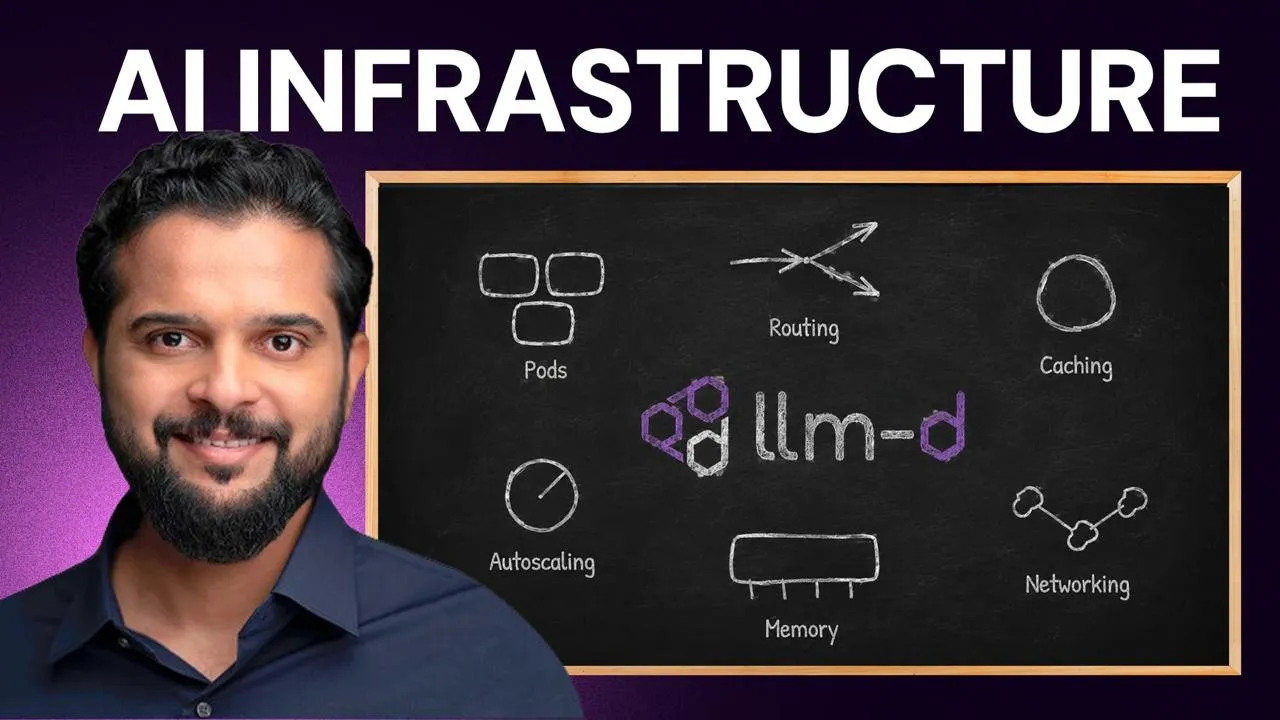
And if the model happened to be a giant, a whole group of GPUs spread across several machines did that work together as one. If you want to read up further on this, the project lives at llm-d .ai. That's llm-d.ai. So, look it up. Now, before we close, I want to talk about you and about where you go from here. If you take a look at everything we just walked through, we spent this whole course on pods and deployments, on routing and load balancing, on caching, auto scaling, memory, and networking.
And almost none of it was machine learning. It was infrastructure work from the first lesson to the last. The models may be new, but the discipline is one you already have. So, if you're a systems administrator or an SRE or a DevOps engineer, you're closer to this world than you might think. Linux containers, Kubernetes, and monitoring are the foundation that every AI platform stands on, and they're exactly the skills teams are struggling to hire for right now.
So, every company racing to ship AI needs somebody who can keep the GPUs busy, keep the latency down, and keep the bill under control. And that person looks a lot like you. And this is not some small corner of the industry. Remember the trillions of dollars we saw pouring into data centers at the start of this course? Because every one of those data centers need people to build it and run it, and that's why the World Economic Forum lists AI and big data as the fastest growing skills of this decade, and why LinkedIn named AI engineer the fastest growing job in the United States.
Now, you don't need to become a data scientist, and you don't need to train models. You need to point the skills you already have at a new kind of workload. So, keep your foundation and add that ER layer on top of it. How GPUs work, model servers like vLLM, and orchestration with LLMD, which is the exact stack we took apart in this course. So, we've laid all of that out step-by-step as a learning path on Code Cloud. So, it starts from the foundations.
You can jump in whenever you're ready, and it runs all the way to serving models at scale. So, you'll find it at codecloud.com/learningpath/ai. The hard problems in AI are infrastructure problems now, and nobody is better placed to solve them than you. Now, it's time to try the um vLLM lab. First of all, uh you don't need to worry if you're not um feeling confident for the lab because this lab comes with a lot of hints and solutions.
In this lab, you'll get um a model server that answers one request at a time, and users are waiting. And by the end of the lab, your goal will be to build a real vLLM server handling multiple users at once. Go give this lab a try.
The words are the caption track's own and nothing is reworded or re-transcribed. Paragraph breaks are placed between sentences so the text reads as prose.
Free tools for your own script. No signup, no login.
Paste your draft and see where viewers are likely to drop off, with a rewrite for each weak line.
Paste the first 30 seconds of your own draft for a hook score and rewrites.
Check your draft against YouTube's advertiser-friendly guidelines before you record it.
Read this channel's public videos and transcripts, and download a writing brief for it.