Getting the transcript
Reading the captions from YouTube. A video nobody has opened here before takes 10 to 30 seconds; this page fills in on its own.
Getting the transcript
Reading the captions from YouTube. A video nobody has opened here before takes 10 to 30 seconds; this page fills in on its own.
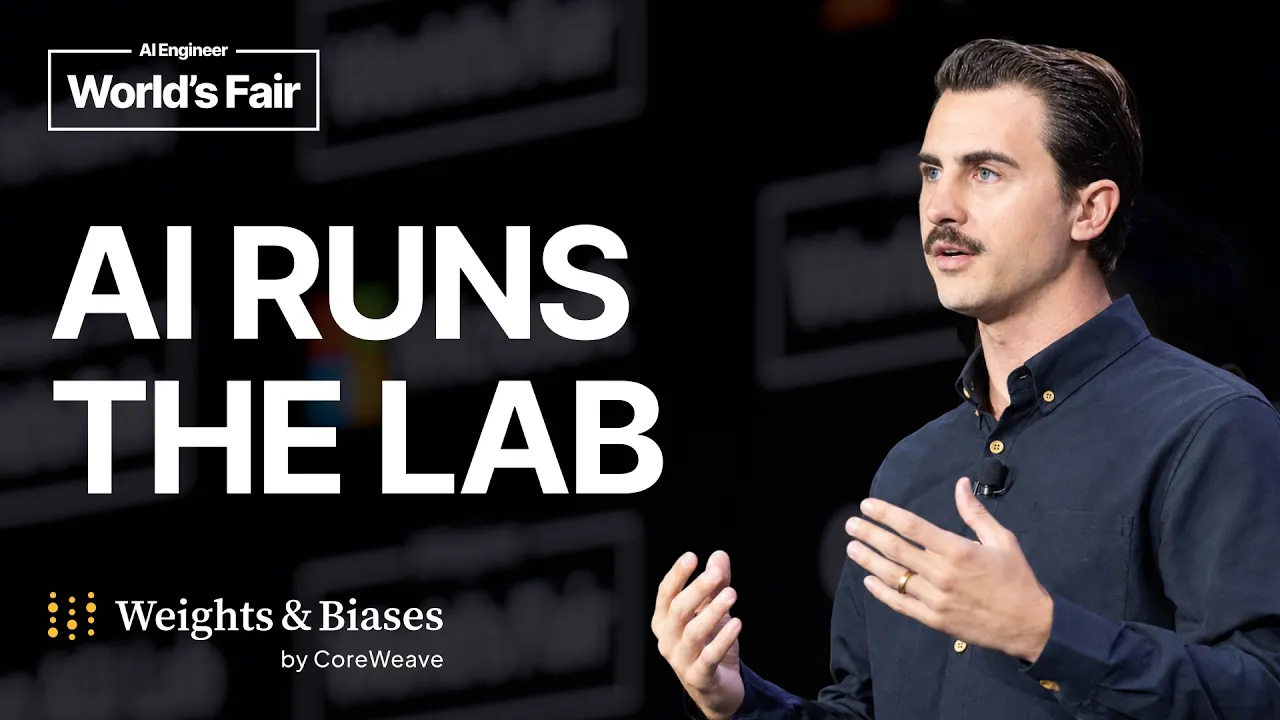
AI Engineer · @aiDotEngineer
This video has no Most replayed graph yet: YouTube shows one only once a video has enough views. These are the moments viewers replayed most in AI Engineer's most watched videos.
Most replayed moment at 11:58
4.6x that video's typical replay level
issues. Uh I also invented OS certification. I just close the tracker whenever I want, so I have my life back. So, does this work? Yes, sort of. >> [laughter] >> Which leads me to act three, slow the down. Everything's broken.
Said at 11:52
Most replayed moment at 18:45
4.8x that video's typical replay level
that they're they're changing they're changing things in the database not yet. You want to run them through the ontology first and make sure that works. Okay. I only got an I've got I've got another I've just a short time. I'm going to try to show you some of the things that um that you can
Said at 18:37
Most replayed moment at 16:13
3.6x that video's typical replay level
method signatures, the program layout and the call stacks. So here's some examples. I don't think you'll be able to read this one, but this is like the level of abstraction we're at. It's how we're actually going to lay this stuff out and how these systems are going to interact. Dylan Mulroy from Cloudflare talks a
Said at 16:06
The graph counts replays. It does not show where viewers stopped watching.
Words
4,134
Runtime
21:16
Speaking pace
194wpm
Reading time
17min
194 words per minute, between the 181 median and the 201 75th percentile of 349 measured videos. That distribution comes from the 349-video hook study.
Opening (first 30 seconds)
[music] Okay. Hello everyone and thank you for attending this session. My name is Tim Sweeney, a principal engineer at Weights and Biases and Coreweave. And for the next 20 minutes, we're going to talk about Arya, our new AI research and iteration agent. Let's go ahead and get started. So, uh, first off, just by way of making some noise, some clapping, uh, who here, um, identifies as an ML researcher? You're someone that trains models, trains the brain? I heard one. Wow. Okay. Great work. Great work. Uh, what about who here is the applied
97 words, the words spoken in the first 30 seconds at 194 words per minute.
Free, no signup. See how the first 30 seconds hold attention, with rewrites.
Sentence shape
| Measure | This transcript |
|---|---|
| Sentences | 263 |
| Average words per sentence | 15.7 |
| Longest sentence | 74 words |
| Questions asked | 11 |
| Sentences containing a number | 13 |
Most used terms
Filler phrases
152 in total: uh 88 · um 25 · actually 18 · like 10 · you know 5 · sort of 3 · kind of 2 · literally 1.
A literal whole-word count of the same phrase list the Prepublish browser extension uses, so a phrase inside another word is not counted and a phrase used in its ordinary sense still is. It is a count and not a judgement.
What this transcript is
Every word below is the caption track YouTube publishes for this video, pulled from the video itself and reproduced unchanged. It is not Prepublish's writing, not a summary, and not a re-transcription: it is the video's own published captions. English captions, generated automatically by YouTube, in the video’s original language. Source: the video on YouTube. A channel that would rather this page did not exist can ask for its removal through the contact page, and it is removed.
[music] Okay. Hello everyone and thank you for attending this session. My name is Tim Sweeney, a principal engineer at Weights and Biases and Coreweave. And for the next 20 minutes, we're going to talk about Arya, our new AI research and iteration agent. Let's go ahead and get started. So, uh, first off, just by way of making some noise, some clapping, uh, who here, um, identifies as an ML researcher? You're someone that trains models, trains the brain?
I heard one. Wow. Okay. Great work. Great work. Uh, what about who here is the applied engineer, the namesake of this conference? Who here actually builds the bots? >> Okay, good. Expected much more. And who here is in AI management? You are helping fund this compute. Okay. Okay. Nice. From the back. Lovely. Um, well, now that I know a little bit about you, just a little bit about me. Uh, again, my name is Tim. I have a masters in machine learning, uh, and reinforcement learning from Georgia Tech.
So, I've been that, uh, researcher currently building Weights and Biases agent, Arya. So, identify as that applied engineer. And in a previous life was the PM of Twitter's ML stack. So, I hope you hopefully can connect with you middle management as well. [laughter] >> [gasps] >> Um today's agenda is kind of broken into three sections and hopefully each of you personas walk away with something valuable. So first we're going to learn about Arya itself and how it can supercharge your AI and ML workflows.
We're going to dive into auto research and see that live in a live demo in just a moment. Then we're going to pull back the curtain and learn how we use weights and biases and uh coreweave to actually build Arya because a lot of you in the audience are building agents yourself and we believe a lot of these components can help you in your endeavors. And then towards the end we'll just take a step back and identify a few key tips and tricks for making sure that you're able to productionize your systems effectively.
For those of you who might not be familiar, Weights and Biases is the world's leading AI development platform. We've been in business now for nine years and have happily joined the core family about a year ago. Uh we have a number of products in our suite but are really known for our models training inference and weave stack which really helps collect data uh about the AI development and machine learning workflows and makes that information actionable and uh enables users to make the best decisions about what to do next.
So without further ado, let's go ahead and dive into Arya, our agent. Uh we'll show a demo and then we'll get back to some slides. Okay, beautiful. Let's make this a bit bigger. Holler at me if you need it to be bigger. So, uh, what you're looking at here is a weights and biases workspace. For you, for anybody that isn't familiar, on the lefth hand side, I actually see a list of a bunch of different experiments. In this particular project, I have over 200 training jobs.
And on the right hand side, I see a scatter plot of, in this case, declining metrics, which is good. means our loss is going down over time. And this view would be very familiar for anyone that uses our tool. Now, to ground this, we're actually uh uh using the Carpathy Auto Research project, which I'm sure many of you are familiar with, but if you're not, it's just a very simple project that trains an LLM, and it's a great foundation for auto research type demonstrations because it's a very simple codebase and allows us to improve iteratively over time.
So, let's jump back to the project and open up Arya by clicking this blue button in the upper right. When I click this button, I'm uh presented with the familiar chat interface with, you know, how can I help you today, a few call to actions, and you know, I can add different context in my project or maybe add images, etc. Um, everyone here is agent builders, so I don't need to bore you with the details of what an agent interface looks like.
But let's go ahead and just, you know, enter in a basic intro here. Let's say, "Hello, Arya. You're on stage at AI World's Fair 2026. Please introduce yourself." So, it's going to go ahead and chug along and hopefully emit some sort of nice emoji. Yay. He I'm Arya. I'm talking to the audience. Great. But now, let's dive into the meat of why you came here. So, I'm going to open up this chat here. And this is a longunning chat where I've been running again over 200 experiments using the auto research loop.
Um, it helped me download the code, set up my launch jobs, set up my GPUs, and is able to autonomously iterate on the code itself and the hyperparameters. We'll take a look at what it's doing in a moment, but while we're doing this, I'm going to kick off a live iteration right here. So, what I'm going to say is please conduct another batch of experiments. You are on stage at the AI Engineer Worlds Fair 2026 and we're hoping to find the best model live.
I believe in you. Uh, because we know we have to encourage our models. Um, so it's been doing this for a while. What it what it's doing here is it's saying, "Okay, great. Um, I don't want to make a big architecture swing. That feels a little bit too risky." So, it's probably going to go for uh some modifications to the hyperparameters. And then it's kicking off a shell call here that is actually um executing that uh executing that experimentation loop.
And we're going to check in on this periodically throughout this presentation. But I want to help explain what's going on behind the scenes. So behind the scenes I have set up a weights and biases launch queue. Launch is our our product that allows you to connect your compute clusters and allows humans and agents to launch longunning experimentation jobs particularly by leveraging GPUs. Here I'm looking at a uh a terminal output of my Kubernetes cluster where we're actually seeing live execution of experiments happening.
So this is happening live right here. This is not a fake demo. Um great. And if we jump back, we see that at this point it started the cues and now it is simply polling and waiting for our work to be complete. So we'll jump back to that in a in a moment. But before but let's dive into a few other examples. So uh something else that is interesting you can do is maybe you might want to ask it something like please summarize the highest performing runs in this project.
This use case would be something like maybe a new user come or a new uh team member is joining your project and want to understand the research. Um or maybe you've uh someone's been doing some work while you were on PTO and you want to get caught up. We'll see what this comes up with in a moment. Some other pre-anned uh examples are finding patterns in your project. So here we can see that I asked it, hey, can you find some patterns in this research?
And we see that um it identified that a new family of models emerged as the as the auto uh auto research was happening. Uh it identified that batch size seems to be a really high high uh lever uh parameter. It identified an architectural recipe that seemed to be quite promising and a number of other insights that would have taken me hours or days to discover on my own. And Arya is able to do it right for me directly in the interface that I already live.
Not only is it able to emit text based uh textbased outputs, but it also deeply integrates with a number of weights and biases visualization utilities. So here I've actually asked it to emit a weights and biases report which for those who aren't familiar is essentially a markdown file on steroids. It's got uh embedded embedded plots, charts and and and graphics. And so here uh you know it's talked about the thesis of the project.
It's it's emitted a number of of data panels. And uh I actually think it's quite interesting. It used um one of our more esoteric panels, the uh parameter importance chart to uh tell me the correlation of various different parameters within this uh within this training job. Uh in addition to uh reports, it's also great at working with workspaces. So if you're a weights and biases user, uh you spend a lot of your time uh designing and working with workspaces.
Well, Arya is actually customtuned and prompted to really understand how to build workspaces, build plots, and complement that that data analytics with real live graphics using the built-in proprietary charts that weights and biases users know and love. Um, so with that, let's go ahead and check back on some of our our prompts. We can see that the please summarize this project prompt is cooking away. It's querying weights and biases.
It's applying patches. It's writing its own code. So, we'll come back and check on that in a moment. and our longunning training job is uh still pulling for the results. We can see that we're cooking away on our GPUs. So, we're we're frying some GPUs [music] and doing some data science all live. And while that's cooking, let's go ahead and jump back to the presentation. We'll come back in a moment. Uh oh, no, we're not looking at a dictionary.
We're looking at a PO. Great. Uh okay, so quick recap here. What did Arya show? What did we show in these last five minutes? First, we show that uh Arya can serve as your data science companion right inside of Weights and Biases, helping you discover insights that you wouldn't you wouldn't be able to discover as your experiments and as your team size grows. Next, we address the problem of complicated reporting and complicated plotting.
Weights and biases users are are really want to turn their insights into visual communication tools. They want to communicate with their peers and their colleagues. So Arya's built from the ground up to understand those primitives and help co-pilot and drive right along right alongside in the UI and announcing now today for the first time we are releasing Arya on our iOS device or on our iOS app. So uh uh Arya released on Monday and our iOS app now has Arya built in.
So if you're conducting hyperparameter tuning jobs, if you're training models, or if you're just researching within the weights and biases ecosystem, you can go touched grass at Yerba Buena uh gardens and steer your uh hyperparameter tuning jobs all from your mobile device. And what is this all building up to? This is building up to an a fully automated endto-end research platform where we're not seeking to replace uh RL researchers, but complement your workflows.
Arya's great at orchestrating jobs, understanding GPU workloads, responding to events within the within the Wandi ecosystem, and listening to researchers, uh, uh, looking up archive papers, and collaborating on hypothesis. So, we can let Arya drive the mechanics that you don't want to deal with while you focus on the new ideas, new architectures, and new parameters that you wanted to try. Um, great. So, that's Arya in a nutshell.
We're really hoping that you give it a shot. And uh we'll jump back to the auto research at the end and see if we got a new best record. But before we do that, let's talk about how we use weights and biases and coreweave to actually build Arya. So now speaking to a lot of the the AI agent builders in the room, here's a quick architecture on the lefth hand side. You see that we have a web client, iOS client that communicates with our API server that then dumps data into our turn database and is worked on by our harness, our our worker harness.
This is sort of archetypical of probably what most of you are all building in the room and is exactly what we have on our back end. But that harness worker is a magic is a is a magic box and it connects to a number of important utilities. First is a sandbox where it can execute arbitrary shell calls uh do do Python data science etc. And we invite you to try coreweave weights and biases sandbox to fit into your architecture.
Next up you need an LLM provider of course and so if you're maybe using GLM 5.2 two or one of your fine-tuned models. We invite you to use uh weights and biases inference and connect that to your worker as well. If you're like us, you need to run longunning workloads outside of the main loop of the agent where you're actually training for day for sometimes days at a time. Weights and biases launch can actually help facilitate that and coreweave GPUs can help make that compute even better.
And then lastly, and really most importantly, we need an observability layer. It's critical that your agents are able to log out their what's going on with their sessions, their turns, their tool calls, any errors they're hap that that's happening, etc. Uh we have a product called Weights and Biases Weave that we log 100% of our traces to where us and our team can learn from. And that's where we move from production to offline where our team is able to use Weights and Biases Weave to drive insights and identify behaviors, implement tasks with tasks which are essentially unit tests for your models and evaluate those models in a loop.
We have a model repository which you might choose to use weights and biases artifacts to store your agents or models and you we emit our evaluation results to weave where we have a common dashboard that we can make go no-go decisions on various prompt changes or architectural changes that then feeds into a research loop which we call our improvement loop where we form hypotheses implement candidate agents and analyze the evals.
So we have two sort of complimentary yet adversarial research loops going on going on offline feeding data from weights and biases weave ultimately to identify the best model so that we can promote that to production through our registry and close the data flywheel. So in the next just uh three seven minutes or so we'll just talk about uh weights and biases weave and show how we as a team actually use weave to facilitate this workflow and we believe this is something that you would benefit from as well all of you agent builders in the room.
Yes, another demo. Great. Okay. Okay, we have new responses. So, it's going to be exciting when we open this up later. See if uh we've got some better metrics. Um, okay. Let me zoom out just a little bit here. So, here I'm looking at the agent dashboard. This is the live weights and biases agent or Arya agent dashboard uh built in weave. Man, that is a lot of uh branded buzzwords there. This is the dashboard that you would get if you use our tool. and uh you have a you know uh span volume, conversation volume, token tracking, etc.
Think of this as like a uh a bird's eye view of your agent. For me, however, I really like this conversations view, which I do have pre-loaded in this tab. This conversations view is a live feed of all of the conversations that are going through Arya, but it's filtered down to just the internal employees. So, it's a little bit of a of a reduced set here. Um what I what I love is this middle spans view which gives me a visual indicator of the topology of a trace.
Different colors and and shapes indicate different things that are happening within the agent. So things like tool calls, LLM calls, thinking blocks, etc. which really help me understand again the shape and topology of that particular conversation. I can of course open up one of these conversations and view our our conversation view where I can see the system prompt, the user message, shell calls, reasoning blocks, etc.
This is where my research lead, myself and my PM go to add notes, add feedback, add emojis, and talk about and discover those insights and those behavioral nuances we spoke about earlier so that we can turn them into tasks. Arya's built in to the weights and biases system as well. Here you'll see a summarize button and these are sprinkled throughout the weights and biases application. I simply click summarize and we start a new chat contextualized to the thing that I'm looking at.
So it it sees this and says give me a brief summary of this particular conversation. So if you if you're paying a attention closely, you'll realize that what we're doing is using Arya to analyze Arya's own conversations to then make recommendations about how to improve Arya all within the UI. Um okay, great. While that's cooking away, I want to show you the last item uh within the Weave ecosystem here, and that's signals.
We've heard a lot today about the value of evals and the value of LLM judges. Weave actually offers an integrated LLM judge experience. So here, if I zoom out a little bit, you'll see that I have a user frustration signal, a lowquality response signal, ask user signal, etc. These are LLM judges that run live against against our live traffic. And we can see various different signals like user frustration moments or lowquality responses.
These help our team identify these clusters of behavior for us to go fix in next week's iteration. Let's go ahead and do a live look and see what it says. Um this says the user explicitly states that I'm not satisfied with the loss curve. It looks bad and it apparently that indicates frustration. So here we can see an LLM judges live reasoning for why that particular flag was uh indicated. Uh let's see, four minutes left.
Perfect. Um so, uh with that, I've been using the term task a lot. And so what we're do, what I've showed so far is is this live production loop where we are are are are tracing our our prod logs. We're looking at them as humans, maybe even using LLMs to complement that analysis. And what we end up doing is transforming those into tasks. Now, this gets a bit technical here, but our tasks are all described as YAML files.
You can think of a task as essentially a unit test for your model. So here we say we have a an example user prompt that says check this run and that run. Both of these are giving good results. What can we learn from this? What's the difference? So this is an example of something we want Arya to be good at for all of you. And after the uh requisite metadata we see that we've defined an LLM judge. So here we've defined what correctness means in the context of that question.
And we've then we've defined a second LLM judge that determines if the insights are actually interesting. [laughter] And then we've uh defined a third rule-based judge that says were you able to actually generate a result within just six tool calls meaning it got there with some degree of expediency. These are all then clustered together into we have about like 200 of these. They're all clustered together into an eval suite that runs nightly.
And again we use weave to track all those evals. So here, I know it's a bit small on this screen, but what you're looking at is a listing of every night's eval. This is literally two nights ago, the evaluation for our candidate model got 73% on our production or on our eval suite against the 72% that our prod model got, which means we're definitely going to push that forward uh this Friday. Uh and we can see a kind of a a performance plot on the right.
So these utilities are what you would get out of the box if you're uh if you decide to pick up weave and use this tool. Um, jumping back to the last conversation we had where it asked me where we asked, uh, can you please give a quick summary of this trace, we see that it actually analyzed the conversation, understood what the user was doing, and then ultimately decided that this was a pretty strong trace. Um, let's see, we've got two and a half minutes left, so let's just quickly recap here.
Uh, first off, uh, what we use weave to do is a, collect production traffic. Super critical to collect all of your production traffic so you can learn and iterate. Secondly, we use it to generate insights both as humans as well. We we do it as humans. We use Arya and we use LLM judges to identify those behavioral nuances. We then enrich our tasks. We implement models and we evaluate using weights and biases weave as a shared dashboard where we can make decisions together as a team that then ultimately allows us to promote the best model forward with confidence.
So speaking of confident productionization, let me speak uh briefly to the managers in the room. So a few tips for being successful here. First is um invest in agent-oriented observability. Uh I'm a bit biased. I believe that weights and biases weave is the uh observability platform of the future. Uh but pick your favorite flavor. Whatever it is, log your sessions, log your turns, log your tools and feedback. This introduces an ability to catch a new class of bugs in our world called behavioral bugs.
Not exceptions, not performance, but behavioral bugs. Next up, tasks and evals are the new world of CI. You've heard a lot about this. If you are a software engineer, you've written unit tests your whole life. You must develop a practice where your researchers are sitting on the same scrum team as you developing tasks and you're viewing the performance metrics as true go no-go decisions. But in order to complement that, you must use humans as a necessary judge.
There are behavioral nuances that LLM will not catch. You must be using your product and you must be manually reviewing these traces as a team at the end of the week on a board looking at the best and worst traces to understand how your model is performing. And then lastly, um just maybe one one more tip is to add value through context and tools. It can be really tempting to uh try to overengineer the harness and do a bunch of creative stuff around memory and things like this.
We found that a a lot of lowhanging fruit can be ascertained through simply giving your agent context about your business domain, the underlying uh primitives that you have available and your particular uh business data. Um so with that, let's go ahead and check in on our uh our our research agent here and let's go ahead and toggle our workspace. And what we should be seeing is yes indeed a little dot that uh oh okay our previous dot which was done at lunch was 5.83. 831.
This got 5.833. So we were right on the edge of having a live improvement, but pretty darn close. Uh so that's what the uh that's what the model was able to produce. It actually uh ran uh quite a few tests here. I see I'm over time, so I will click close pretty soon. But we ran 12 different experiments within that experiment batch and uh we'll be running more all night. So please try out Arya, scan the QR codes, check out the docs.
Uh we really love to see what you do with it and um looking forward to serving you. Thank you very much. >> [music]
The words are the caption track's own and nothing is reworded or re-transcribed. Paragraph breaks are placed between sentences so the text reads as prose.
Free tools for your own script. No signup, no login.
Paste your draft and see where viewers are likely to drop off, with a rewrite for each weak line.
Paste the first 30 seconds of your own draft for a hook score and rewrites.
Check your draft against YouTube's advertiser-friendly guidelines before you record it.
Read this channel's public videos and transcripts, and download a writing brief for it.