Getting the transcript
Reading the captions from YouTube. A video nobody has opened here before takes 10 to 30 seconds; this page fills in on its own.
Getting the transcript
Reading the captions from YouTube. A video nobody has opened here before takes 10 to 30 seconds; this page fills in on its own.
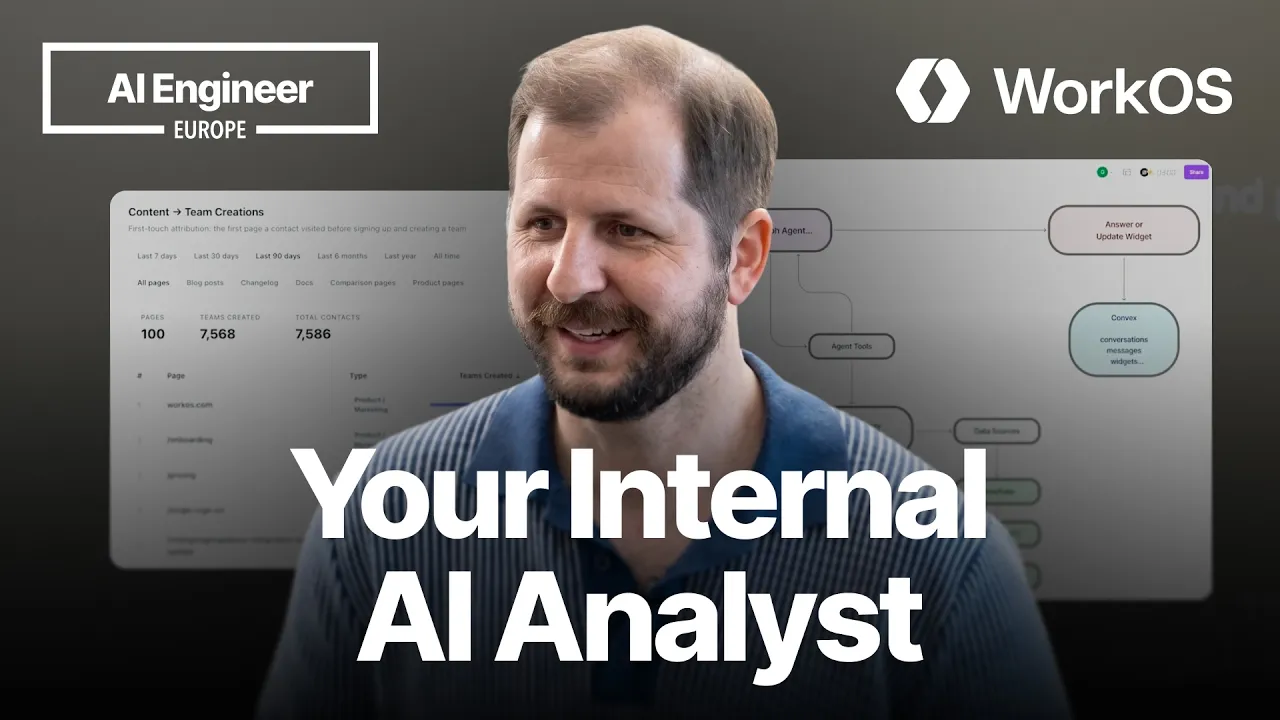
AI Engineer · @aiDotEngineer
This video has no Most replayed graph yet: YouTube shows one only once a video has enough views. These are the moments viewers replayed most in AI Engineer's most watched videos.
Most replayed moment at 18:45
4.8x that video's typical replay level
that they're they're changing they're changing things in the database not yet. You want to run them through the ontology first and make sure that works. Okay. I only got an I've got I've got another I've just a short time. I'm going to try to show you some of the things that um that you can
Said at 18:37
Most replayed moment at 16:13
3.6x that video's typical replay level
method signatures, the program layout and the call stacks. So here's some examples. I don't think you'll be able to read this one, but this is like the level of abstraction we're at. It's how we're actually going to lay this stuff out and how these systems are going to interact. Dylan Mulroy from Cloudflare talks a
Said at 16:06
Most replayed moment at 13:49
2.3x that video's typical replay level
Fable uh and it runs into an unknown, ask it to log it, right? So that um you uh you can see where the deviations happened and then you can sort of figure out why as well, you know? It will usually give you some context about what happened.
Said at 13:43
The graph counts replays. It does not show where viewers stopped watching.
Words
3,774
Runtime
19:05
Speaking pace
198wpm
Reading time
16min
198 words per minute, between the 181 median and the 201 75th percentile of 349 measured videos. That distribution comes from the 349-video hook study.
Opening (first 30 seconds)
Good afternoon, everyone. Now, it's the last day. Hopefully, you're still holding on, not too tired of talking about AI yet. Um Yeah, today's going to be a little different. Um so, I work for WorkOS. My name's Garrett. I run product for the team. Um I'm not exactly talking about our product today. So, I'll do like 10 seconds about WorkOS just to, you know, get that out of the way since um my company cares about that. We do enterprise platform features. We're a developer platform. Uh the quick and easy is if you've ever logged into
99 words, the words spoken in the first 30 seconds at 198 words per minute.
Free, no signup. See how the first 30 seconds hold attention, with rewrites.
Sentence shape
| Measure | This transcript |
|---|---|
| Sentences | 243 |
| Average words per sentence | 15.5 |
| Longest sentence | 53 words |
| Questions asked | 41 |
| Sentences containing a number | 1 |
Most used terms
Filler phrases
351 in total: like 109 · uh 58 · um 53 · you know 47 · actually 27 · kind of 22 · right? 13 · basically 10 · sort of 9 · I mean 3.
A literal whole-word count of the same phrase list the Prepublish browser extension uses, so a phrase inside another word is not counted and a phrase used in its ordinary sense still is. It is a count and not a judgement.
What this transcript is
Every word below is the caption track YouTube publishes for this video, pulled from the video itself and reproduced unchanged. It is not Prepublish's writing, not a summary, and not a re-transcription: it is the video's own published captions. English captions, generated automatically by YouTube, in the video’s original language. Source: the video on YouTube. A channel that would rather this page did not exist can ask for its removal through the contact page, and it is removed.
Good afternoon, everyone. Now, it's the last day. Hopefully, you're still holding on, not too tired of talking about AI yet. Um Yeah, today's going to be a little different. Um so, I work for WorkOS. My name's Garrett. I run product for the team. Um I'm not exactly talking about our product today. So, I'll do like 10 seconds about WorkOS just to, you know, get that out of the way since um my company cares about that.
We do enterprise platform features. We're a developer platform. Uh the quick and easy is if you've ever logged into Cursor, you've used WorkOS. Whether that was like username password or you went through your enterprise IDP. We power enterprise platform features for the likes of Cursor, Anthropic, OpenAI. Um today though, I'm going to talk about something a little bit different. I'm going to talk about how we operate internally and things that we've built to make ourselves more productive.
So, um I imagine most of you are probably engineers uh or on the technical side. Um you might have questions about things about your company, about how customers are using the product, how things are working. Uh your go-to-market teams or your support teams definitely have questions about how customers are using your product, trying to figure out uh answers to questions. You might have like retool inside your company.
You might have built like dashboards and things like that. Uh of course, those can be fairly rigid, right? You build a very specific thing. Someone comes and says, "Oh, actually, but I need this extra bit of data. I need to find out answer this different question that the dashboard doesn't answer." And so, either you go and build that, you change it, right? We kind of see like a workflow that looks kind of like this, where someone has a question, often about the business.
They may not be technical enough to go answer it themselves. Uh they often need something like SQL or someone that has access to the data. They have to explain their question, why they need it answered, the you know, context to answer it. They wait. Someone like you has to go answer the question, provide that data back to them. Did you actually answer the question? Did you provide enough detail? Oh, no, no, that's great, but I actually need the next layer deeper.
Got to go back and forth. Uh you probably share that in Slack. Sort of a one-off. Doesn't really scale very well. Um we had this problem. If you didn't, we have this problem every day. And so we built a tool called Studio uh that serves as kind of an internal workspace where people can answer questions and build these kind of apps or dashboards themselves. So, I'm going to show you both kind of what it looks like to build this out.
Also show you a few examples of some of the tools that we use every day inside of Studio. And then I'll talk a little bit about how it works under the covers. So, um so I don't uh get this completely wrong, I have a little prompt here already. But so, um you know, a common thing we have we do a lot of sub-marketing. You know, we're doing podcast advertisements, we're doing Google Ads. We're getting people to come to WorkOS site, whether that's our blog, our docs, or our marketing site.
And then we want to know what content are they reading and what's effective, right? What is someone reading on our dash on our site and then you converting to actually using the app. So, I want to know hey, what content leads to the most new teams. We call our customers teams internally, so leads to the most new team creations. So, I can fire this off and we will um Studio starts operating. It basically says, "Okay, I want to find this data.
I need to kind of look at like what, you know, internal resources do I have access to?" So, it knows that has access to like my linear, my notion, my Snowflake. So, we have these data sources that we connect to. Um and then basically understands how to use these tools and starts to run queries. So, in this case, it's going to run a bunch of Snowflake queries, which is our internal database. It's where we store a lot of this data.
Um and it's going to go through, figure out the schemas, look at the tables that it needs to, and do it. While it's doing this, since it might take just a minute, I'm going to talk a little bit about uh how it works uh kind of under the hood. So, uh you can either go to our internal studio dashboard, or in Slack we have a Slack bot, so you can ask questions of Studio. That kicks off the process. We run a little API behind the scenes that takes that, parses it, and then runs it through Lane Graph, which is an agent that's both tied to uh LLM, which in this case we're using Opus, along with the tools and the guidance layer for how it should interact with these systems.
So, we have this integration proxy uh to the data sources, primarily like Snowflake, Linear, and Notion are the tools that we use. Um and this guidance layer basically defines rules around how you should query this data, the context you need to successfully query the data. Right, our Snowflake is a pretty sprawling set of databases, so it needs to like get context around how do I What's the representation of a customer inside of Snowflake?
How do I join tables in a way that's effective? So, the agent drives all of this, uh makes queries that LLM runs, and then of course it provides back answers or uh updates to widgets, which I'll show you in a minute. And then we store a lot of that state today in Convex as a way to locally store this information, so it's preserved over sessions. So, we go back. Um cool, looks like we've actually gotten a bunch of data here.
Let me make it a little bit bigger for you. So, we can see obviously like, you know, people go to our home page, people look at the pricing page. Um we can see like the blog posts that are most effective for driving team sign-ups. Um change logs and docs. I'm kind of getting the summary. Okay. But, this is great, so it's like answers my kind of question, but I want this to be like a long-standing thing that I can reuse.
So, can you build a table of this that lets me see see this data over various time slices. And so here it's not just, you know, run the queries, get the answer. But I actually wanted to build like a reusable tool that I can that I can share with my teammates, that I can use in like our weekly syncs. And so it's going to kind of think through how to do this, and then it's going to go and build what we call a widget. A widget is in this case, uh, basically like sandbox code that runs.
Um, and it's both the UI, the APIs, and the query necessary to power like, uh, a fully usable tool. Um, so this is going to think for a minute uh, as it actually creates the widget. Uh, I have another version of it that I can show you. We'll see if they look the same, uh, across instances. But this is like a one that I had pre-built before this. Um, so it basically gives me this data of like teams over different time spans.
You know, what content is driving those sign-ups. Um, and it it's live, right? If I if I run this, it's going to rerun that query. It's going to give me the data for different time slices. I can make it, you know, full screen here, show it. Um, and so it, you know, it's going to think through this. Um, look, and we get like a pretty similar, slightly different view, but, um, this one actually has like category filters, so I can look at, you know, based on the kind of content that it's running.
Um, and see like, okay, what are the most effective, you know, we got a lot of blog posts, which are the most effective ones um, that drive traffic to the platform, so we can tailor our content effectively. Um, but this isn't, you know, this is useful for a lot of things. Like, for example, uh, Radar is one of our internal products. It's like a security product that blocks bots and bad actors and you know, sometimes customers say, "Hey, why did this user get blocked by Radar, right?
Can you help me understand?" And so, you know, we've built some of these dashboards and stuff ourselves, but typically that involves like having to go through a lot of our DSCs are like sharing SQL queries that are run to answer these questions. But instead of having to do all that, I can just, you know, uh I've already built this widget that has the APIs or the queries hooked up. And I can just do a search for myself in this case, my personal email.
Uh and, you know, in this case, it's it's running a real query against our database to actually pull this data and and look at it. And so, you can kind of see like the conversation history of here of me talking with it, "Hey, can you build me this dashboard?" Uh runs a bunch of queries. Uh it actually like kind of messed up at first, but I, you know, say like, "Hey, can you There seems to be an issue. Can you keep going?" Um it did it.
And sort of the last thing was like, it had like a visual UI bug in the type column. So, I was like, "Hey, can you can you fix that like visual bug? Like I'd like it to be one nice little column." And so, here we can see like uh for Cursor, which is one of our customers that uses Radar, here's all the times that I logged into Cursor with my personal email and whether I was blocked or not. Uh I had a test here where, uh you know, I blocked myself in one of our test environments.
And so, like this becomes like a self-serve tool that our support team can use to look this stuff up. Um and so, this has been really, really powerful for our support team. They use this in Slack all the time because they don't need um you know, different customers have different, you know, specific issues. And they can say like, "Hey, can you go find me all the sessions that this customer has so I can find out like what went wrong, right?" And so, we're not trying to build you know, we don't need to have some sort of like platform team or data team building these dashboards that are going to be used and need to be constantly modified.
Uh our support team can basically, if it's a one-off get the question answered themselves and if they're finding that they're actually asking the same question a lot, they can build these and then, you know, we can share them internally to other folks. And so, we kind of build out our own dashboard and tooling um, in a self-serve manner. So, I'll kind of, uh, wrap up with a little bit of like, what did we have to do here to make it, uh, like useful and reliable?
So, there's kind of three things, um, that became really important in building this. The first is sequencing. So, this is, uh, how should the agent like approach when it gets a new question, when it gets a prompt, how should it do this? So, we make it run a lot of pre-flight checks. Um, so this is, you know, are all the tools connected correctly? Do you have enough context to be able to answer the question? If not, ask clarifying questions, um, and then sort of determine, run through a checklist to determine the tools that it should actually use to call.
Um, we actually, at the time it decides to invoke a tool, that's when we inject context around how to use the tool. So, um, for example, if I show some of the, uh, tooling that we use, like for Snowflake, here for example, we have this context that we embed. And it's it's not trivial, it's fairly long cuz it encodes basically the schema of our internal database and how to like understand how do you connect teams to the environments to the resources that they're using.
And so, like for example, this gets injected, uh, at runtime when Snowflake is being adjusted. I saw someone earlier in a talk talking about how you, you know, you don't want to preload all that context of all your tools cuz it blows out your context window. Second is layering. Um, so we have sort of the base prompt that Studio uses to start off with. We have sort of the defaults and then we sort of have like org rules around, um, in a given like setup for a given tool, there might be a specific context.
If someone's going in editing a tool, we want that context to be maintained. Um and then actually last um we tell the LM to specifically like distrust uh knowledge around our product often just because like sometimes the model training is using outdated data. Our product changes very quickly. Things are moving all the time. And so we actually use uh we tell it to like no no no, go for primary sources, look up data in our docs and things like that.
Don't just rely on like what the you know model knows about WorkOS necessarily. And then last validation. So um if it's going to write a query to our Snowflake instance, we have it always run the query and validate that it gets data back. Uh you know, many times they can have a valid SQL query, but that returns zero data. If it doesn't notice that, it's not very useful. So it actually runs queries uh validates them before it hardcodes them into widgets and things like that.
So it's basically pre-validating its work before it's deploying it into like a dashboard. Um and then yeah, we we run obviously evals when we're developing the product. Evals are very useful. I don't have time to go into how to develop and design evals. Um but we use evals uh in both our staging and production instances. We treat all of that the same. So that way we get the same experience when we're developing Studio versus when our teammates are using it.
So yeah. That's Studio. It uh is our way of basically being able to answer any question about the business. Anything I can answer for y'all? One quick question. >> Yep. Sorry. Sorry, go ahead. Um did you have So do you do a lot of clean up on the old Snowflake uh data estate No, actually. And like we have there's this one specific problem where like the connection between a customer entity to like, you know, the users that they have or whatever is like four joins deep because of reasons.
And and like every new employee has to learn like if you want to do that, you have to like copy and paste this join block and use it on all your It's like we tell Studio about it once, right? It knows how to do that every time. LLM's are quite good at interpreting table schema pretty well. And so there's lots of stuff they can get. If you have like pretty self-descriptive, you know, column names and stuff it can figure out.
But again, we do have that like context block that we provide because it does matter for, you know, example, like in radar we have attempts which is people trying to log in. We have detections for when like things and it's like, oh, you need to join this, these tables join this way. And just by telling it that, it can basically run effective queries for for that data. So there is some uh information you want to provide.
But surprisingly good, like you don't need to like rag all this stuff, you know, like we there's no rag database for us in all of this. Like we're just invoking tools directly with just context on top. Question? Uh yeah, and that's actually interesting that's exactly what we do. We just go to like a context thing that tells it how to do the joins and then it knows and then it knows those quirks. Um One of the things we've been looking at, though, we we do something similarish, but is those queries get generated so it I mean as widgets, you've got the widgets that do those get audited or governed by anyone?
Because our concern is that like someone generates a query, the skill gets it wrong and then it becomes a truth that everyone thinks it's true and no one's ever checked it. So do you have anything like that? Yeah, I mean there's definitely a little bit of like, you know, there's always some trust but verify, you know, I've actually been pretty impressed that uh the hit rate on the cross this is very, very high. I think there's like sort of a category of um which you can actually embed into the like context of like, you know, make sure you only pull non-deleted entities, right?
Make sure you pull things in an active status, right? There's kind of things that your data probably have you have consistency around of a status column, right? And like those are the kind of things that I've seen that LLM's will miss if they don't know. They're like it's like, you know, how many users have this resource? And it's just doing a count group by, you know, customer ID, right? And it's like, oh, no, you actually need these filter columns.
Um, but if you have that in your context, uh, that's kind of thing that protects against a lot of those issues. So, I find that that has removed a lot of the the problems for us. Um, and then, you know, if if it misses from there, it's it's, you know, it's like making a bigger error that's pretty obvious. Can I send the data for uh, data from multiple tools? So, you mix and match them? Yeah. Yeah, yeah, so so we have, uh, you know, just those few.
We're adding more of those connections. But yeah, it can pull from different tools and combine that data into one interface. And how would you refract the data afterwards? Would you need to like know how to relate those tools, uh, sequentially? >> So, it's actually the widgets are actually code. So, it's writing, um, JavaScript that is >> Writing it out so that that is making the underlying API calls to that service through the tools.
So, once the widget is created, it is reliable. It is not the it's not the LLM running the tool every So, when I hit like refresh here, this is actually just re-querying, uh, data from those tools. So, the LLM's not involved once the widget is developed. Until I go back and say, "Hey, can you make an adjustment to this widget? Can you add this column?" or whatever. So, so the actual final product is very reliable in that regard.
And if you need to pass in different data, is it just an input argument to that, uh, Yeah, and I, uh, you know, like you can do, you know, here it's like I'm giving an input and that's just being fed into the query like any sort of JavaScript do it, right? So, like when you're doing these user input things again, right? You're not relying on the LLM to better like parse that correctly. It's writing, you know, declarative code.
Yep. And how did you respect user access to the data? How do you what? Respect user access to Oh, yeah, that's a great question. Today, uh, the integrations are user based. So, like I connecting Snowflake and Linear Notion myself. Um, that's something we're actually working on changing cuz that's kind of annoying. Like you don't want every employee to have to necessarily do that. And there are cases where like, you know, maybe you don't have a Salesforce account, but you probably should go to read certain Salesforce data.
So we're actually working on the thing that drives these integrations, we have a product called Pipes which does third-party integrations. So we're actually using our own product under the hood here. We're building out organ- like what we call org connectors. So like one person sets up the connection and then can set rules about, you know, what's the default level of access when people are querying that. So you know, for example, you could say by default in, you know, Linear you get read-only access, but certain people based on like roles in the studio application, they get uh, you know, admin or or edit access or something like that.
So we're kind of building that permissioning layer on top of it because, yeah, doing the per-user login is kind of annoying. Cool. Uh, yeah, sure. Um, yeah, how do you uh, have a handle on costs? So obviously something like this. Is there any like caching that you do? Um, I mean, the widgets themselves once they're generated are declarative, so you're not paying the LM cost every time, but uh, honestly for us, we're willing to pay the cost for the questions being answered.
Like Opus outperforms better than other models so much that uh, like I wouldn't trading the cost off would trade off quality in a way that we wouldn't deem acceptable, so um, I think we're pretty willing to spend the money. Cool. All right. Thanks so much.
The words are the caption track's own and nothing is reworded or re-transcribed. Paragraph breaks are placed between sentences so the text reads as prose.
Free tools for your own script. No signup, no login.
Paste your draft and see where viewers are likely to drop off, with a rewrite for each weak line.
Paste the first 30 seconds of your own draft for a hook score and rewrites.
Check your draft against YouTube's advertiser-friendly guidelines before you record it.
Read this channel's public videos and transcripts, and download a writing brief for it.