Getting the transcript
Reading the captions from YouTube. A video nobody has opened here before takes 10 to 30 seconds; this page fills in on its own.
Getting the transcript
Reading the captions from YouTube. A video nobody has opened here before takes 10 to 30 seconds; this page fills in on its own.
BiteMe Games · @bitemegames
Words
4,801
Runtime
21:45
Speaking pace
221wpm
Reading time
20min
221 words per minute, above the 201 75th percentile of 349 measured videos. That distribution comes from the 349-video hook study.
Opening (first 30 seconds)
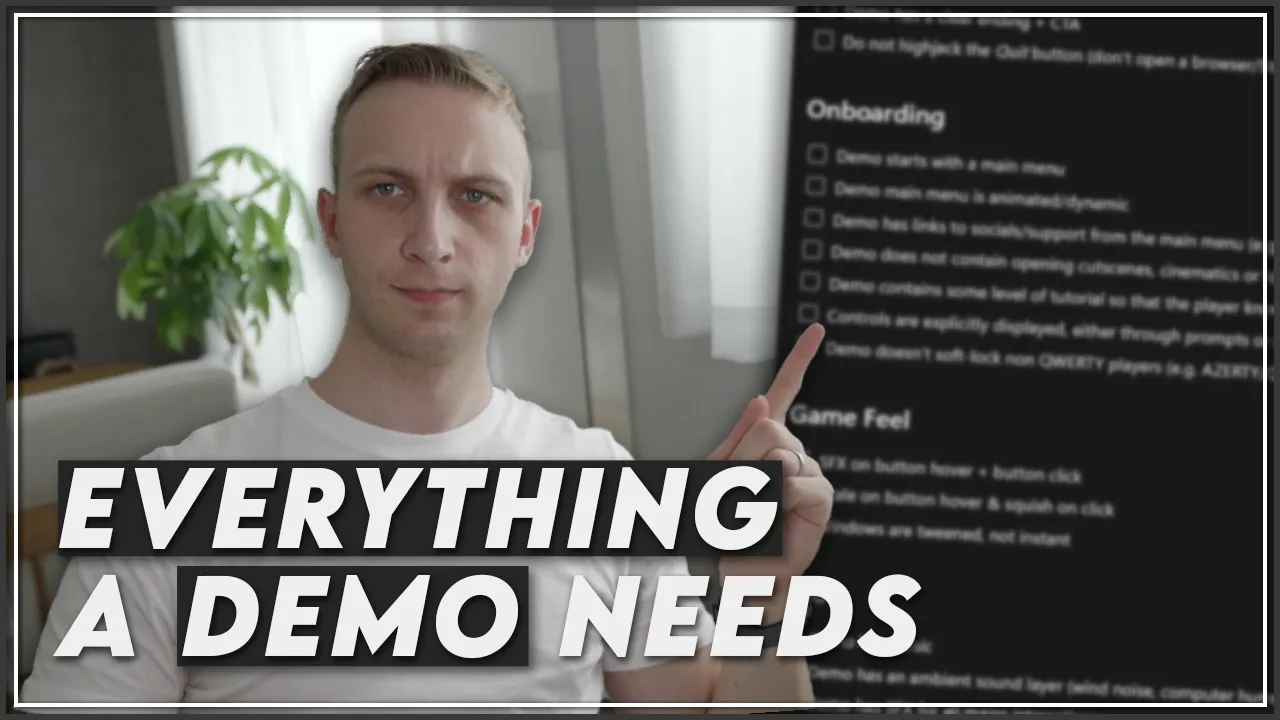
Demos are one of the best ways to market your game. And if you want to make sure that you have a good demo, there's a link down below. It's going to be a top link in the description to this checklist. If you release a demo on Steam, please I ask you, get this checklist and just apply it. You don't need to watch the rest of the video. I don't care, but please try and do look at this checklist and uh implement it. If you want to know, of course, more, I'm going to do a a very quick rundown of like all the things in this checklist
111 words, the words spoken in the first 30 seconds at 221 words per minute.
Free, no signup. See how the first 30 seconds hold attention, with rewrites.
Sentence shape
| Measure | This transcript |
|---|---|
| Sentences | 260 |
| Average words per sentence | 18.5 |
| Longest sentence | 88 words |
| Questions asked | 15 |
| Sentences containing a number | 22 |
Most used terms
Filler phrases
193 in total: like 135 · kind of 22 · actually 12 · basically 12 · uh 5 · you know 4 · sort of 2 · I mean 1.
A literal whole-word count of the same phrase list the Prepublish browser extension uses, so a phrase inside another word is not counted and a phrase used in its ordinary sense still is. It is a count and not a judgement.
What this transcript is
Every word below is the caption track YouTube publishes for this video, pulled from the video itself and reproduced unchanged. It is not Prepublish's writing, not a summary, and not a re-transcription: it is the video's own published captions. English captions, generated automatically by YouTube, in the video’s original language. Source: the video on YouTube. A channel that would rather this page did not exist can ask for its removal through the contact page, and it is removed.
No Script X-ray for this video: YouTube shows a Most replayed graph only once a video has enough views.
Demos are one of the best ways to market your game. And if you want to make sure that you have a good demo, there's a link down below. It's going to be a top link in the description to this checklist. If you release a demo on Steam, please I ask you, get this checklist and just apply it. You don't need to watch the rest of the video. I don't care, but please try and do look at this checklist and uh implement it. If you want to know, of course, more, I'm going to do a a very quick rundown of like all the things in this checklist because you guys send me a lot of demos.
And unfortunately, a lot of them are just bad. There's no other way to say it where they are missing a lot of blindingly obvious things and they just scream to me, "This should not have been a demo." And this problem is exacerbated by, for example, Steam Next Fest submissions. Uh so, this is for the June 2026 Next Fest submissions with 172 by me viewers submit their game, 66% of those viewers had less than 1,000 wish lists, 23% had less than 100 wish lists.
And a lot of the demos that I played, cuz I did like some live streams as well, just weren't good. And I there were a bunch of reasons why I think they weren't good. So, in this video, I want to talk about why and I have categorized it. I have made this a little checklist that you guys can get for yourself as well. And then I never want to play another bad demo from you guys again. So, I'm just going to go through this and I'm just going to talk you through uh some of the thoughts.
First thing you need to know, demos are not play tests. Demos should not contain any breaking bugs. This was a a criminal offense in my case. If you open like especially Steam Next Fest, which is supposed to be like the near final build of your game, you open it and immediately there's a big pop-up in the player's face with like, "This is an an early prototype." Or not a prototype, but like an early access demo version.
There will be bugs. And it's like, "What are we doing?" Then it's a play test. If you think there are going to be major breaking bugs, it's a play test. It's not a demo and it shouldn't be utilized as your main marketing vessel. You can do play tests. And they serve to verify, "Hey, how's your gameplay?" Open up with that. Your demo, whilst sure bugs may show up, it shouldn't have the main primary goal to find bugs for your game and iterate on the gameplay loop, okay?
We got that out of the way. Perfect. Next up, this may seem dumb, but your demo should have a pause menu. So, if you press escape, the game gets paused. Like, it stops. It doesn't keep running, and you can access your settings. Things like volume settings, sound settings, cursor settings, all of that stuff should be accessible from there, as well. Once again, it's like if you have a not sub room temperature IQ, this might seem blindingly obvious, but unfortunately, I think there was like a solid 10% of all the demos I played did, in fact, not have a pause menu, and I just don't want you guys to do that.
Uh next up, this is kind of a a smaller follow-up thing, but something that I would certainly suggest you check if you're pressing shift plus tab, if you're using like a Steam API, make it pause the game, once again. Make it bring up the pause menu. It's like a 5-minute thing to hook up that if you press shift plus tab to open a Steam overlay, the game automatically pauses. I think that's a an easy one. This one, the demo shows the core gameplay loop in the first 3 minutes.
This is more of a a game design or level design, already, where a demo is generally about 15, 20, 30 minutes long, or something, and you don't want to maybe start your game with just boringness, because people play demos, and they're kind of like, okay, you convinced them that, hey, this game might have some promise, I'm going to play the demo and figure out more, but they're still highly skeptical of, is this game actually good or bad?
And if you're just going to start by having the first 5 minutes be just running around in a big open world, that's not a good demo. Your game probably is more than just, hey, you walk around in a big open world, so show that core gameplay loop as soon as possible. Like, you know, there's a very common trope that you see also in terms of like pacing, of like, you start extremely overpowered for like the first fight and then like, oh no, something happens and all of your magical powers get taken away and then you suddenly start back at the the lower skill level basically, but that at least shows immediately in the demo, which is designed to sell the game to your players, that hey, people, we're going to be doing cool in this game.
You're going to be interested in this, so stick around, wish list it and and buy it. And then speaking of wish ling wish listing it, make sure your demo actually has an ending as well. This is something that I see a lot of developers forget, where it's like, okay, I have a demo and you can play it and you can just keep playing it and at some point probably you'll get bored of it or something. No, make sure to find like a high [snorts] note of your game of your demo and end it there.
Don't let your demo overstay its welcome and go into like, oh, I'm just going to let players play as long as possible. Like they just won't get any like new unlocks. Have a dedicated point in time where like you unlock like a certain bigger mechanic or something. It's like, okay, you have reached the end of the demo. If you want more, go and wish list it and that's what the call to action is. CTA means call to action.
So you say like, hey, this is everything the demo has to offer. If you want more, this is what you're going to get in the full game. You can wish list it right now. And then if you really are like, hey, you can play more in like an endless mode, but at least make it clear of like, hey, this is everything that we as the developers have to offer to you right now. And the last one, this is one that I I really dislike and I think a lot of players dislike as well and don't do this.
I see developers do this sometimes where if you like close the game, like they they kind of hijack the the quit game button or like the alt F4 or whatever and it automatically opens like their website or like the Steam page when the player quits their game. I think this is an absolute absolutely dick move to do. It's antisocial behavior because you should not be hijacking browsers when players aren't asking for it. And that's just kind of like the thing.
It's the easiest way for me to think that your game is absolute malware and I never want to interact with it again. Okay, so that's the game. Let's talk about onboarding because onboarding is another big one. So, this means kind of going into more of that okay, what does the like first 5 minutes of the demo look like because I said before it's very important. This may be stupid, but the demo should start with a main menu.
I have also played an absurd amount of demos that you just immediately spawn into like the world because they have only one single scene for example in like their Unity project as like okay, here's the game and it's like once again maybe fine for a play test. I still think it's not fine honestly, but especially for a demo have a main menu which once again has options for maybe new game, load game, settings wishlist buttons, all of that, but give like the player like a moment to breathe.
Second up, if you do have a main menu, make it like interesting. The main menu is going to be the first impression people will get from playing your game and you could technically just have a static gray background with some buttons on it with no animation and that would be a working main menu, but it's just it doesn't show to the player that hey, this developer knows what they're doing. Having a little bit of an animated main menu or like if it's like a 3D environment and you can kind of like interact with it makes it game feel like it's a lot more interesting, a lot more appealing and it's like okay, this developer, you know, this is welcoming basically.
It's like the entry hall to your room to your house is just white walls and there's nothing else. There's no benches, there's no art, there's nothing. It's just like yeah, technically the rest of the house could be very nice, but like this does not give me a first impression. This looks like a psychopath lives here. Next up, demo has links to socials / support from the main menu. I think this is a big one that you should have just in case.
For example, having a button, usually you put them like a little bit in the corners or something of like hey here's our Discord, here's our Steam discussions if you have problems, here's a wishlist button, kind of those styles of buttons, have them in your demo as well. The demo does not contain opening cutscenes, cinematics, or lore dumps. Once again, going back to this earlier rule, show the core gameplay loop in the first 3 minutes.
If you're starting with a 2-minute cinematic, as I once again have played those demos where it starts with well, I think it was like 30 seconds of like logos of like studio name, and then second studio name, and then publisher name. And it's like brother, nobody cares. Let me play the game. And it's like giving like all of the credits at the front like kind of like forced. Don't do that either. Show me the gameplay immediately.
I think cutscenes also, if you're an indie developer who is watching this channel, for the most part is outside of your skillset in terms of being able to do them good enough. Like if you want to do cutscenes, they need to be nine out of 10 or 10 out of 10 cutscenes, but a lot of developers can only hit like a six or a seven out of 10 cutscene where it just feels off. And if it feels off, you're better off just removing it.
No matter how much thought and like love you put into it, if it's not up to the bar of hey, this is a good first impression, you're better off not doing it. Demo contains some level of tutorials so that the player knows what to do. This is a tricky one. I wasn't really sure how to to write it because I've also seen the opposite where you guys write too much text and too much tutorials and all of that. And it's like there's just nonstop tutorial tutorial tutorial.
There needs to be a way to kind of gently guide players into you need to press this, you need to do this, this is how the general game flow goes. For certain genres, that's easier than other genres based on like standard conventions, based on your core gameplay loop, and all of that. I get that. But have some level of tutorial so that people know what to do. So that's kind of like yeah, controls are explicitly displayed.
So maybe even if you don't have full keyboard rebinding, which I will honestly accept if you don't have that, at least show through like the little prompt icons for example of like press A to continue or press one to cast ability or having like some sort of input diagram of like just like a list of like all the keyboard buttons basically and what they do. Just so players can see what are all the potential controls because I've also played demos and I'm just kind of like blindly guessing like the the developers in China like, oh yeah, you need to just press three to open this menu.
It's like, brother, how would I know that? So, make sure that you can find all of the controls for the game at some point in the game. I understand rebinding may not be good enough, but that does bring us to the second thing that even if you're okay, you don't want to do full rebinding, there are ways that you need to make sure that your demo doesn't soft lock non-QWERTY players. So, for example, this is a regular keyboard, but a lot of people, for example, where I I originate from, Belgium, we use AZERTY keyboards and I think France also uses AZERTY.
Germany uses QWERTZ. Don't assume standard hardcoded WASD basically because if you're doing WASD on an AZERTY, the game becomes nearly unplayable. There are ways you can not use like the hardcoded like W basically, but instead using like positions on your keyboard. Unity has some implementations for that. I know other engines probably have it as well. Ideally, of course, you have control rebinding, but if you don't have that, at least make sure that the demo is playable with non-standard keyboard layouts.
Next up, we get the game feel, which is kind of a subsection of also like the demo main menu is animated and dynamic to kind of show that, hey, this developer puts care and attention to the game. These are some easy easy things that I think every developer should do that is so easy. First off, SFX on button hover and button click. It makes the game feel so much more alive. And when I mention like SFX, a big something, I guess, is kind of that if you have a sound effect, I know Unity has support for it, every other engine should have support it for as well, the pitch gets like a little bit randomized so that not every single click sound effect is the exact same, but there's a little bit of variance.
You do that. So, one, if you hover over the button, there's like a little like light click and then if you actually click on the button, there's like a a bigger click, if that makes sense. A A thing that you can do, this is for like 90% of the UI, something you want to do, the button that you're highlighting actually grows a little bit. And you can see which which button is done. I think I saw this mentioned once, a developer mentioned this, how they do game feel for their game.
And I think this is something very interesting. You should be able to navigate around the game without seeing your cursor. Because if you can do that, that means that you have enough game feel and like player feedback that kind of the cursor doesn't matter and you can kind of just guess based on which parts of your UI, think for example, increase in size where the cursor is. And then squish on click is also just to make it feel more nice and not just be like aesthetic bit image basically that that changes.
And the last thing, windows are twinned, not instant, so that means that they don't instantly appear, but they take like 0.1 seconds to appear. I think 0.08 seconds is what we use for most of our UI just to once again make it feel a bit more human. I don't know if that's the the best way to describe it. Next up, we get audio. I think this is another very big one in terms of impressions and like what people think about your game.
I think this is one of the most underrated things that developers just seem to ignore. Finding music for your game and like not just music, but like all of the audio sounds is a very important thing. You know, games are an audio-visual media. Audio is half of the entire battle, basically. And it's such so easy to kind of do like the 80/20 rule and get like 80% of the results with 20% of the effort. Step number one, have some sort of music.
That doesn't mean you need custom OSTs commissioned, but you can just spend half an hour looking for sound packs on Usually, itch.io is where we get most of our music from. Even honestly, most of our music is from itch.io and it's completely for free even though we just find good asset packs. There's a lot of like very very niche music genres already on itch.io. You can also pay for asset packs if you want. And probably you've bought some of those humble bundles at some point.
I actually don't suggest them cuz I don't think they're really that good and you kind of just sit on a big collection of stuff you'll probably never use. But if you have an idea of like, "Oh, this is my genre." Just finding like some fantasy music if you're like a small really fancy game, there's so much out there. Put it into the game. Next up, another one that I often see people missing is ambience. Ambience sound should be a separate layer that is not the same as music.
So, music is like, you know, it's music. Ambient is more something to fill in the silence of the game that's like kind of always running in the background. So, for example, once again, if you have a fantasy game, this would most likely be something like nature sounds, birds chirping, wind blowing, and all of those things. It could be computers humming. It could be anything else basically. This is not wind window noise, it's just wind noise.
To make the game kind of feel like more alive and more like an actual environment. And once again, with separate sound layer, this should also have a sound slider setting. And then the demo has sound effects for all major interactions and a lot of them you generally want to like do the slight random variance as well. All major interactions, so this is kind of dependent on your genre. If you make a UI heavy game, if you make a first-person game, that's up to you.
Oh, yeah. So, here is sound effects are always random pitched. Maybe not always. I'm going to give a little caveat there. Sometimes you do want to have the exact pitch, but most of the time, honestly, if something gets played a lot, and with a lot I mean like three times in a row, then definitely you want to random pitch it. Cuz otherwise, it's just going to sound like an assault on the ears. And the last one, please, for the love of god, start all of your volume sliders at a value of 50%, not 100%.
Let me be able to increase it. Let me be able to decrease the volume, but do not start the game by blowing out my ears because I'm really going to be irritated. Next up, we get to settings. This is another one that I just can't believe people just decide not to add because once again, these are solved problems. These are things that you can do in again an hour. The hardest part about the settings will probably just be making the settings window or like the UI for it.
But the actual implementation, these are all box standard engine stuff. So, number one, have different display modes, windowed, borderless, and full screen. Those are the three you need to do. Have it be a drop down and you're good. Have a toggle to enable or disable Vsync, another very common one. Frame rate limiters, add a frame rate limiter, especially and let me just pull up myself a bit, if you are making an Unreal game.
Yes, you. Give a default FPS cap because often it's like your main menu is running at 700 FPS and my PC is blowing up whilst you're importing shaders or whatever. So, have frame rate limiters. You can have them be drop downs. Like common values are like 30, 60, 120, 165, 240 FPS. And also offer unlimited, of course, if people want that. But then make sure the option is there. Another one that might be important is a resolution drop down.
So, even though like let's say you have a user who has a 4K display, but can't run it 4K, but they will often do is they will downsample, so they'll play at 1080p for example, because the the visual quality is still like fine, but at least their PC won't blow up because it's something that they can actually run. So, having a resolution drop down for your render resolution, super easy as well. Have sound sliders. So, once again, individual channels, not just one big one volume.
One is main, music, sound effects, and ambient. If you're doing stuff like voice acting, voice should be a separate layer as well. Having multiple sliders for these, being able to control the volume levels individually is very important. And the last one is localization. Technically, you can skip this. I highly, highly suggest you to try and localize your demo in terms of marketing. If not, I'm going to accept you that you don't add localization, but it is something that especially if you're joining the Steam Next Fest, I think by then you want to localize your demo.
And the last section, this is actually not work on the demo itself, but it's more related to okay, I'm releasing a demo and I want to market my game. There's a few things that I would want you to do as well. The first thing you should do is make a demo release trailer. So, this is a bonus marketing beat that you're going to upload to your own channel and you're also going to reach out to like IGN and smaller trailer channels if possible where you make a recut of like your trailer.
Maybe you had an older trailer before. You're going to take like some more updated screenshots footage or like video footage. And you're going to change the call to action at the end of instead of being like wish list now, you're going to make it a call to action is like demo out now. And once again, this is just an extra marketing beat that once again could make your trailer go viral. Nothing could happen either, but at least you'll have done the like more up-to-date trailer.
Next step, if your demo is under 2 GB, there is no reason not to upload it to itch.io unless you're doing like something that's really reliant on like Steam features like networking. But otherwise, I would always highly suggest once again uploading the demo to itch.io. It's an extra way you can get traffic. Having some links once again the build would probably have a a wish list button for example that people can go and wish list the game on Steam.
Having a wish list button on your itch.io store page, all of those things it's free real estate in terms of more marketing. Next step, main menu and ending call to action contain wish list buttons. So, I mentioned that before, but they should be utilizing Steam U links or they should be utilizing the Steam overlay API. Did I say Steam links? UTM links. So, with a UTM link, you can just fill in your URL for example and then you can go into source and be like, "Hey, this is the game.
This is the demo and the the campaign is like, oh, it's the main menu wish list or something." You can play around with this. And then you use this URL instead of simply putting only the store page one. And then in your Steamworks dashboard, you have more statistics of okay, how many people actually clicked on this on this wish list button? How many converted into wish list? Like you can see oh, the main menu actually didn't convert at all, whereas the ending call to action did convert a lot in terms of wish list.
So, it means that hey, there's something going on that's good or there's something that's going on that's bad. Like people are not wish listing from the the ending call to action for example. An alternative you can use you can do either of these two. There is a Steam API call as well, activate game overlay to store or you can give your app ID and then it will open the Steam overlay inside of your demo basically immediately on your Steam store page and the benefit here is that players will already be signed in.
So, they can just click the button and then wish list the game. It's more frictionless, whereas a UTM link is going to assume that it's going to go open their browser and then they need to be signed into their browser. So, that's both of these options are possible. Whichever one floats your boat, just use one of these two if you have these buttons and you should have these buttons. And the last one, you should have reached out 1 to 2 weeks before the demo is actually public to content creators with like early builds.
And how do you send them an early build? By using demo release state override keys. You can get something called over like you can get game keys basically for demos as well and if you get a release state override key, that means that they can already if they use the key download the demo before the demo is public for everybody else. And this gives them more of an incentive and more time to hey, this demo is going to come out later in the future, but I as the content creator can already make content for it now and then I can upload it at a later point when the demo goes live for example, depending on if you do embargoes or not, but once again, you can try to drive more traffic to your store page that way.
And that's it basically. If you have not seen the previous video that we did, you can do that over there where we talk about everything that you need to know for making the Steam store page. Also once again, it's checklistized. Is that a word? I don't know, but you can follow the checklist easily. Do all of these things and I guarantee you your demos are going to convert better. There's so many rookie mistakes that I see our audience make and I think you can just avoid that.
So, that's all I had to say. I think actually this video is going to kind of pop up in a little bit. I'm first going to talk a little bit more about myself. If you have a demo and you're like, "Hey, I don't know if this is actually really good or not." There's a second link down below where you can work together with me. Send me your demo. We can talk about, "Hey, how do we market this? Is this good? Is this bad? Will there be an appeal for this on Steam?" If you want me to go you through this list basically and figure out some more things of, "Hey, how do we optimize this demo?" So, go and watch this video now and uh thank you very much for watching and I'll see you guys in the next one.
Bye.
The words are the caption track's own and nothing is reworded or re-transcribed. Paragraph breaks are placed between sentences so the text reads as prose.
Free tools for your own script. No signup, no login.
Paste your draft and see where viewers are likely to drop off, with a rewrite for each weak line.
Paste the first 30 seconds of your own draft for a hook score and rewrites.
Check your draft against YouTube's advertiser-friendly guidelines before you record it.
Read this channel's public videos and transcripts, and download a writing brief for it.