Getting the transcript
Reading the captions from YouTube. A video nobody has opened here before takes 10 to 30 seconds; this page fills in on its own.
Getting the transcript
Reading the captions from YouTube. A video nobody has opened here before takes 10 to 30 seconds; this page fills in on its own.
Tech Business Club · @techbusinessclub
Words
2,072
Runtime
13:11
Speaking pace
157wpm
Reading time
9min
157 words per minute, below the 160 25th percentile of 349 measured videos. That distribution comes from the 349-video hook study.
Opening (first 30 seconds)
Everyone keeps talking about running these big coding models on huge GPUs, but I wanted to know something much more practical. What can you actually do with a 27B model when you don't have 32 GB of VRAM? So, I loaded Qwen 3.8 27B Q4 locally and started throwing real-world coding tasks at it. 2D animation, 3D worlds, games, Excel automation, and then I compared everything against Claude Opus 4.6, and the results were not what I expected. This
79 words, the words spoken in the first 30 seconds at 157 words per minute.
Free, no signup. See how the first 30 seconds hold attention, with rewrites.
Sentence shape
| Measure | This transcript |
|---|---|
| Sentences | 199 |
| Average words per sentence | 10.4 |
| Longest sentence | 49 words |
| Questions asked | 6 |
| Sentences containing a number | 47 |
Most used terms
Filler phrases
17 in total: actually 12 · like 4 · kind of 1.
A literal whole-word count of the same phrase list the Prepublish browser extension uses, so a phrase inside another word is not counted and a phrase used in its ordinary sense still is. It is a count and not a judgement.
What this transcript is
Every word below is the caption track YouTube publishes for this video, pulled from the video itself and reproduced unchanged. It is not Prepublish's writing, not a summary, and not a re-transcription: it is the video's own published captions. English captions, generated automatically by YouTube, in the video’s original language. Source: the video on YouTube. A channel that would rather this page did not exist can ask for its removal through the contact page, and it is removed.
No Script X-ray for this video: YouTube shows a Most replayed graph only once a video has enough views.
Everyone keeps talking about running these big coding models on huge GPUs, but I wanted to know something much more practical. What can you actually do with a 27B model when you don't have 32 GB of VRAM? So, I loaded Qwen 3.8 27B Q4 locally and started throwing real-world coding tasks at it. 2D animation, 3D worlds, games, Excel automation, and then I compared everything against Claude Opus 4.6, and the results were not what I expected.
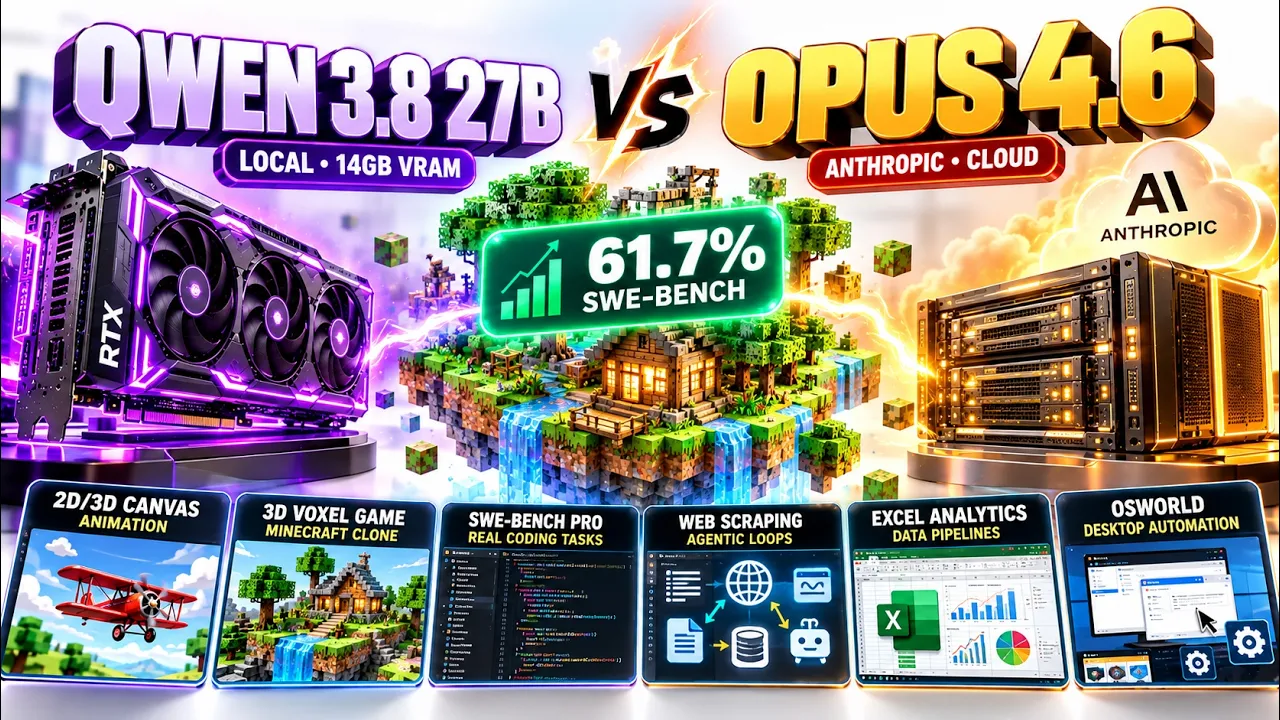
This is not a tutorial. This is a real-world benchmark of what these models can actually produce. We're testing coding, 2D animation, 3D graphics, game development, browser data extraction, Excel automation, and a desktop graphics task, and I'm running Qwen 3.8 27B Q4 locally using a model that's around 14 GB, rather than testing only the full FP16 version. Let's see what actually happens. Before looking at the results, here's the setup.
For Claude Opus 4.6, I'm using Antigravity to generate the code. For Qwen, I'm using LM Studio. I'm loading Qwen 3.8 27B Q4 locally. The model is around 14 GB. The main question is simple. How much capability do we actually lose when running a quantized 27B model locally? And more importantly, can it still produce useful real-world results? Let's start with something visual. For the first task, I asked both models to create a complete animated scene.
The exact prompt was, "Build a 20-second looping animated scene in Canvas. A sun rises. A character walks across the screen. Clouds drift by, and it ends with a sudden rain animation, all choreographed on a timeline. No user interaction needed using HTML, CSS, and JavaScript. Let's start with Claude Opus 4.6. The basic sequence works. The sun rises, the clouds appear, the character walks across the screen. But visually, it feels very offbeat.
The graphics look quite childish. And eventually, the scene transitions into rain. And the overall composition isn't particularly polished. Now, let's look at Qwen 3.8 27B Q4. This is immediately interesting. The sun comes in clearly. The character walks smoothly. The scene is much more visually aligned. The clouds move across the scene. Then the sun disappears, and the rain starts. Even the individual raindrops are clearly visible.
So, both models understood the instruction, but the visual execution is noticeably different. And remember, Qwen is running as a quantized 27B model locally. For this particular test, I'd rate the Qwen 3.8 27B Q4 result eight out of 10. And that gives us our first result. But 2D animation is relatively simple. So, I wanted to make the next test harder. Now, we're moving into 3D. And this time, I asked both models to build a small Minecraft-style voxel game.
The prompt is, "Build a minimal Minecraft-style voxel game in 3.js in one HTML file. First-person camera with WASD plus mouse look movement, a small procedurally generated terrain, and the ability to break and place blocks by clicking." So, now the model needs to deal with actual 3D rendering, camera movement, world generation, blocks, interaction, breaking blocks, and placing blocks. Let's first look at Claude Opus 4.6.
The terrain is generated. There are trees. The physics work. You can select blocks. You can break blocks. And you can place blocks. Even if you fall, you can respond. So, functionally, it actually works quite well. Now, let's look at the world from a distance. Visually, the world is fairly simple. It doesn't really create things like water. And the overall composition is quite lightweight. Now, let's see what Qwen 3.8 27B Q4 produced.
This looks much more like a Minecraft-style world. We have different block types. We have water. We have terrain. And we have a larger environment. Let's test the actual interaction. So, the basic interaction works. Now, let's look at the world from a distance. The 3D visualization is actually quite impressive considering the model size. It didn't generate the same tree detail as Opus. And the block selection isn't particularly polished.
But, overall, the world itself looks good. So, once again, we're seeing something interesting. Opus produces a functional 3D scene. Qwen also produces a functional 3D scene. But, Qwen's visual output here is surprisingly strong for a quantized 27B local model. So far, we've tested two completely different things. Test one, 2D animation. Test two, 3D voxel graphics. And Qwen has already produced some surprisingly strong visual results.
But, there's a problem. These are still relatively controlled tasks. So, now we're going to make the model build something much harder. A complete game. This is where I wanted to push both models much harder. I asked them to create a 3D endless runner, similar to Subway Surfers. The game needs a character, three lanes, obstacles, coins, jumping, sliding, and an actual score system. The prompt is much larger this time.
I won't read the entire thing on screen because it would take forever. But, I'll put all of these file in the description so you can test them yourself. Let's start with Claude Opus 4.6. Let's start the game. Immediately, you can switch between the three lanes. You can jump, and you can even double jump. Obstacles start appearing. Coins are placed throughout the track, and the game is actually playable. Now, let's try sliding.
The character has a sliding ability. Although visually, the animation isn't particularly smooth. The overall environment also has a very static appearance, and the entire environment has a very dark style and no dynamic lighting or glow. But functionally, there's a lot happening here. You can move, you can jump, you can double jump, you can slide, you can collect coins, and obstacles are generated. So, this is already a pretty substantial result.
Now, let's compare that with Qwen 3.8 27B Q4. This one is called Neon Rail Runner. Let's start it. Immediately, you can see the visual difference. The environment has a neon style city. Coins are placed throughout the environment, and obstacles appear in front of the player. Now, let's collect a coin. You get an animation when the coin is collected. Let's try sliding. This is actually pretty nice. The character tilts down during the slide, and the animation feels much better than I expected.
It doesn't squeeze the character like the other version while ducking. It gives us an actual sliding movement. And interestingly, you can also change lanes while sliding. There is one difference. Qwen doesn't have the double jump behavior that we saw in the Opus version. So, that's something Opus handled that Qwen didn't. But visually, Qwen's result is surprisingly strong. And remember what we're comparing here. We're looking at a 27 billion parameter Q4 model running locally, not the full FP16 model, not a massive GPU setup.
And yet, it generated a playable 3D game with these systems. Here's the part I find most interesting. If you only look at the parameter count, you might expect a larger setup to completely dominate, but that's not what these tests are showing. The actual output depends on the task. Sometimes one model implements a feature better. Sometimes the other model produces the more visually interesting result, and that's exactly why I wanted to run multiple tests instead of showing you one benchmark number.
So, far we've tested mostly code generation and graphics, but what happens when we give the model a normal everyday computer task? For that, I created an Excel test. The prompt was, "Can you go to Yahoo Finance and give me the list of NASDAQ top 10 shares with the latest price and add this in one Excel file. Also, apply formula to calculate if I want to buy 10 shares of each stock. How much amount for each stock is required and what is the total amount I require if I buy all the stocks?" This test is different.
The model has to pull data from the internet, then create an Excel file, then populate the data, then calculate the cost of buying 10 shares, and finally calculate the total. For this test, I'm using Bionic. This is the LM Studio editor that helps run Qwen 3.8 locally. It's an agent created by LM Studio itself. Let's see what it generated. It pulled the top 10 stocks, then it added the tickers. It added the latest price.
It also added the market cap. Then we have the number of shares to buy. In this case, that's 10 shares. And then we have the amount required to buy those shares. But here's the important part. It didn't simply ask the AI to calculate the number and write the result into the cell. It actually created Excel formulas. So, if you look at the amount column, the value is calculated using the spreadsheet formula, and the total is also calculated using the sum formula.
That's a completely different type of task from generating a game, and it worked. The task took roughly 2 to 3 minutes to complete. So, this is where local AI becomes interesting for everyday work. Imagine you're working with an Excel sales dashboard. You need to pull information from a browser, update records, create a consolidated spreadsheet, or modify an existing Excel file. This kind of workflow can potentially be handled locally by the model, and you're not limited to asking it questions.
You're giving it a task and letting the agent operate on the files. So, we've now tested three different categories: graphics, game development, and everyday data and Excel automation. And Qwen 3.8 27B Q4 is still holding up, but I saved one final test for the end because this one moves beyond coding. Now, we get to the desktop task. One of the things I wanted to test was how well the model could perform computer-style tasks.
This is related to the type of tasks measured by OS World, where models are tested on desktop environments and real computer workflows. The OS World benchmark has reported results around the 84 to 86% range for the model setup we're examining here. But instead of trusting a benchmark number, I wanted to see what happens in an actual task. So, I installed MCP. This allows the model to interact with another application through a connected tool interface.
For this test, I gave it an image, and the prompt was, "Can you draw this exact given image in multiple layers where each building is one layer and each tree is one layer in a new 1,000 P canvas where we want to export it as an SVG." And then I let it work, and this wasn't quick. It worked for almost an hour. When it finished, it had generated the image, and it also rendered it as an SVG. Now, this is where the model struggled.
The overall image is surprisingly close. The buildings are represented. The composition is there. The SVG was generated, but the trees are where it screwed up. The tree rendering isn't accurate enough compared with the original. So, this isn't a perfect result. But, the interesting part is that the model didn't just generate some text. It actually worked through a connected desktop workflow. It interacted with It created the artwork.
It created multiple elements, and it produced the SVG output. For a local quantized 27B model, that's a pretty interesting capability to test. So, what does this actually tell us? For me, the biggest takeaway isn't simply that Qwen 3.8 27B Q4 can generate code. We already know coding models can generate code. The interesting part is how much it can do across completely different tasks while running locally. We tested animation, 3D rendering, game development, browser data extraction, Excel automation, and desktop application control.
And the Qwen 3.8 27B Q4 model produced usable results across all of them. The benchmarks are true. Qwen 3.8 37B beats Opus 4.6 in true task and goes toe-to-toe on local limited compute. This model is by far the best model to use on local machine. So, that's the real-world test of Qwen 3.8 27B Q4 versus Claude Opus 4.6. And honestly, the biggest surprise for me was seeing what a quantized 27B model running locally could actually produce.
If you want to test the same things yourself, I've put the prompts in the description. Try them on your own setup and see what results you get. And if you want to see more real-world tests like this, subscribe.
The words are the caption track's own and nothing is reworded or re-transcribed. Paragraph breaks are placed between sentences so the text reads as prose.
Free tools for your own script. No signup, no login.
Paste your draft and see where viewers are likely to drop off, with a rewrite for each weak line.
Paste the first 30 seconds of your own draft for a hook score and rewrites.
Check your draft against YouTube's advertiser-friendly guidelines before you record it.
Read this channel's public videos and transcripts, and download a writing brief for it.