Getting the transcript
Reading the captions from YouTube. A video nobody has opened here before takes 10 to 30 seconds; this page fills in on its own.
Getting the transcript
Reading the captions from YouTube. A video nobody has opened here before takes 10 to 30 seconds; this page fills in on its own.
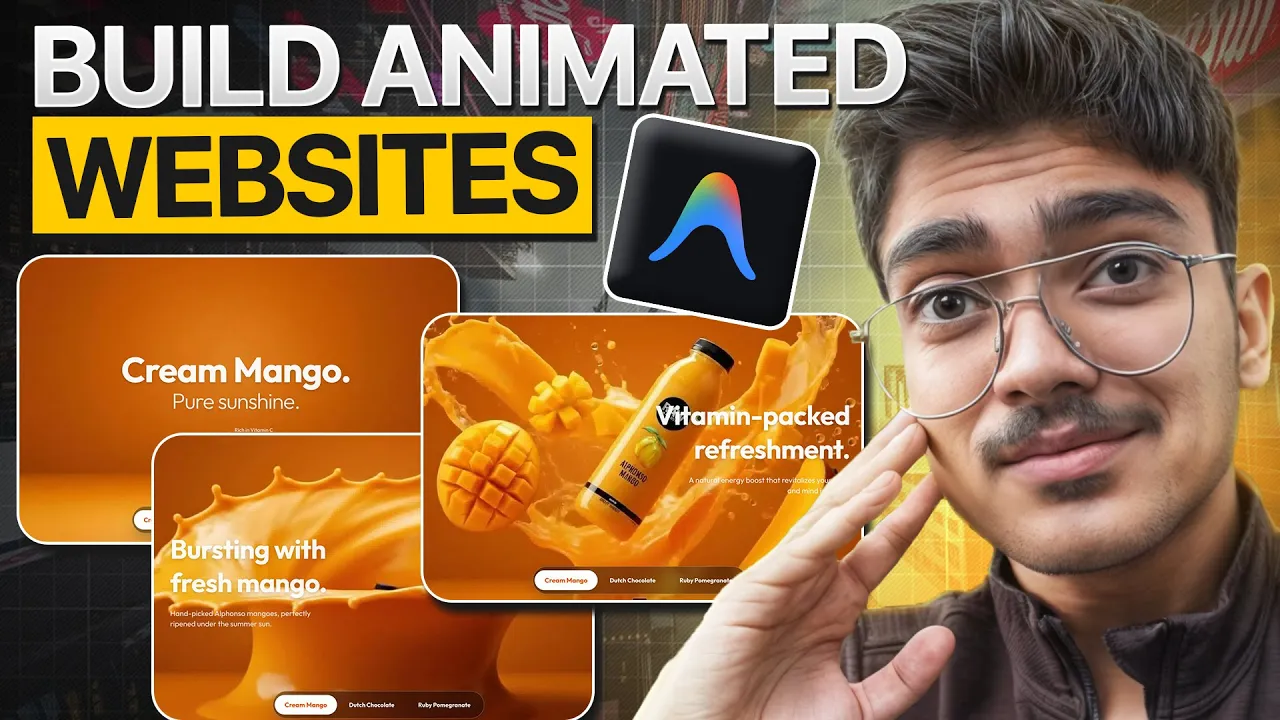
Shreyas Raj · @AIwithShreyasRaj
Where viewers went back to watch this video again, from YouTube's public Most replayed graph, lined up with what was said at that moment.
Most replayed moment #1
3:583.8x the video's typical replay level
the video visuals. So these are the video visuals. Copy the prompt real quick. Go back to free pick. Paste this here. And then let's use a video model. For this purpose, I'll be using cling 2.5. And let's keep it to two
Said at 3:51
Most replayed moment #2
6:492.5x the video's typical replay level
quick. Go to the mango juice zip. Unzip the file. Move that file into the maza folder. Then let's go back to anti-gravity. And then let's paste the whole prompt.
Said at 6:42
Most replayed moment #3
7:382.4x the video's typical replay level
can do it for your product or for your particular business. So to do that, let's actually go to anti-glavity. So I've also deployed this exact website on a netifi domain. This is a temporary netifi domain. But as you can see again, this is how it works and it's just working this the same way as it is
Said at 7:30
The graph counts replays. It does not show where viewers stopped watching.
Words
1,797
Runtime
10:09
Speaking pace
177wpm
Reading time
7min
177 words per minute, between the 160 25th percentile and the 181 median of 349 measured videos. That distribution comes from the 349-video hook study.
Opening (first 30 seconds)
So by the end of this video you will know exactly how to make these 3D AI product based websites for your particular product like I don't know if you sell mango juice it can be for mango juice and yeah this is how to make this kind of scroll based website and as you can see it also has a lot of details and stuff and then you can do it for multiple flavors. This is for Dutch chocolate. So this one of that and then this is
89 words, the words spoken in the first 30 seconds at 177 words per minute.
Free, no signup. See how the first 30 seconds hold attention, with rewrites.
Sentence shape
| Measure | This transcript |
|---|---|
| Sentences | 139 |
| Average words per sentence | 12.9 |
| Longest sentence | 75 words |
| Questions asked | 1 |
| Sentences containing a number | 7 |
Most used terms
Filler phrases
26 in total: uh 8 · kind of 6 · actually 5 · like 4 · you know 2 · um 1.
A literal whole-word count of the same phrase list the Prepublish browser extension uses, so a phrase inside another word is not counted and a phrase used in its ordinary sense still is. It is a count and not a judgement.
What this transcript is
Every word below is the caption track YouTube publishes for this video, pulled from the video itself and reproduced unchanged. It is not Prepublish's writing, not a summary, and not a re-transcription: it is the video's own published captions. English captions, generated automatically by YouTube, in the video’s original language. Source: the video on YouTube. A channel that would rather this page did not exist can ask for its removal through the contact page, and it is removed.
So by the end of this video you will know exactly how to make these 3D AI product based websites for your particular product like I don't know if you sell mango juice it can be for mango juice and yeah this is how to make this kind of scroll based website and as you can see it also has a lot of details and stuff and then you can do it for multiple flavors. This is for Dutch chocolate. So this one of that and then this is for ruby pomegranate.
So yeah uh so today I'll tell you how to make this exact website. First we'll be building it on Google Anti-gravity and then we'll also host it on a temporary URL using Netlifi. So again it's going to be a complete value pack video and I'm going to keep this as short and as concise as as possible because of respect your time. Let's get right into it. So first things first is here is the prompt pack which you'll need.
Again link's going to be in the description so just grab it from there. So again we have the prompt for Nanobana visuals. Then we have the prompt to oneshot the whole website and then we have the prompt to create these visual because these movements are slightly more complex with you know the mango popping up and all that kind of good stuff. So again for that uh this is how the setup would be. So first things first is we'll make the image.
So let's start with grabbing a mango drink from from the web. So mango drink. Let's find a drink here. Um let's look for images. Let's go for maza. So quickly grab the image. Click on save image. Go to whisk real quick. So for this particular campaign we'll be using Google whisk. This is my uh whisk board as you can see and I've done all the these are all my generations as you can see. Let's open a new whisk board. So let's go to click on new project and then let's quickly drag this as the subject to whisk.
And then let's go to this prompt pack. And then let's grab the very first prompt which is under prompts for Nano Banana. Grab the drink prompt. Let's copy this real quick. Paste it here. And also add to the bottle. The bottle or the product needs to be in the center of the image. Click on shoot. Also, you don't have to use V3 in case you don't have V3 because we do not we are not generating audio in our case. We are only generating video or visuals which is why I you can also use if you want you can also use freepic which I have done for for the project.
So you can also use free spaces if you want to because we're just generating the visuals and nothing special. So go into spaces and generate it. Let's actually this is wow this is pretty damn good. I like it. uh this would be bit too complex for AI to animate. So let's just get a few more results out of this. So as you can see some of these visuals are looking absolutely insane. I would like to go with this particular visual just because it kind of matches with what I was thinking of the product.
Now the next thing you need to do is generate a blank image. So let's delete this image real quick. And I need to generate a blank. So let's paste this here and I'll say remove all the elements from the image only keep the background. Let's click on shoot and uh yeah we're going to get the only background image. This will be used as a start frame and the the image that we just selected would be used as the as the end frame.
So let's grab this real quick. Click on save and let's download this image as well. Once this is done, let's quickly go to either flow. You can go to flow but my flow credits are over. So I'll go to free pick. So you can also use flow. The same prompt would apply. Let's just quickly drag in the images. Let's quickly also go and copy the prompt for the video visuals. So these are the video visuals. Copy the prompt real quick.
Go back to free pick. Paste this here. And then let's use a video model. For this purpose, I'll be using cling 2.5. And let's keep it to two generations and 1080p 10 seconds. So this would be the end frame. Let's keep this as the end frame. Let's keep this as a start frame. And let's keep this prompt as the prompt. You can also go through the prompt uh cinematic assembly. Start with a clean high quality vibrant orange gradient background smoothly smoothly a dynamic vortex of thick glossy mango purious walls.
So again this is the complete direction camera direction on how the output should be and we'll be getting the output in a while until the generation is in the queue stop and let's set up our Google anti-gravity. So in here press command shift N to get your to get your folder and then let's name this as Maza. So once you open Google anti-gravity click on open folder. Let's go to our desktop and select Maza and click on open.
Once you have opened the folder let's go to free real quick and check if generation is done. Again, the generation looks absolutely gorgeous, I'd say. So, yeah, the slow-mo is just looking insane. So, it's okay. Yeah, I love it. So, we can we can go ahead with this. Let's click on export. Click on save. Now, once this is done, let's go to ease GIF and convert this EGIF video to image. And let's convert this into a set of images which we'll be using from for the scrolling animation.
Now if you want to use this video directly, you can do that as well by hosting it on our online platform. But for our use case, but in our case, we are going to do a scrolling setup similar to what app builders and other tech products and companies do in which you scroll down and the frames start moving forward. And that's kind of what we're looking at. This allows us to generate a much more professional setup instead of you know a video that's playing on loop if that makes sense.
So again once you in on EGIF select for select 25 frames as the FPS and then just click on convert to JPG. As you can see the frames are being generated here and let's go to the very bottom and let's click on download frames as zip. Once done, let's name it as mango juice. Hit on save. Now just simply go and grab the website oneshot. Copy this real quick. Go to the mango juice zip. Unzip the file. Move that file into the maza folder.
Then let's go back to anti-gravity. And then let's paste the whole prompt. The hash for mango juice is in the folder usually then click on shoot and yeah as you could see we have just sent through the prompt and now we are just awaiting on the output. This is how you kind of do it. Now the next thing which you need to do is to host this on netifi or a permanent hosting provider. So until the video until the website is being built out, let's actually I'll actually show you how to set this up on netifi or on your own domain so that you can do it for your product or for your particular business.
So to do that, let's actually go to anti-glavity. So I've also deployed this exact website on a netifi domain. This is a temporary netifi domain. But as you can see again, this is how it works and it's just working this the same way as it is supposed to work. It is working the same way as it is supposed to work on a local host. And as you could see, we have Dutch chocolate. So, it takes a while to load. And as you can see, blending fresh ingredients.
So, this is what you have for. Now, I'll tell you how to host your website which you built on anti-gravity onifier. It's super simple. And this is going to be a static hosting which there's two ways to host it. either you push this onto GitHub and then whatever changes you do in anti-glavity they get pushed onto GitHub and your GitHub and domains are directly linked. So any changes that goes onto GitHub is reflected onto your domain.
That's one way of doing this but we're not doing that because that's slightly more complex. Let's look for the easier setup which is just extracting the whole project file and putting it onto Netifi and it just gives us a temporary URL. So how do we do that? Well, to do that, let's actually go to uh anti-gravity and let's start a new terminal. So, once you're inside anti-gravity, just simply type npm run build. To be able to get a simple static file of the whole setup, you need to tell you need to tell anti-glavity that you want to host this on a temporary netifi URL or domain.
So after that it does some changes to the code and then you can simply just type npm run build and you will get this folder which is called as out. Now this can be named anything. This can be named as app completed anything like that. All you simply have to do is grab this go to netify go to netify click on add a new project and click on deploy manually. Once you do this just grab this out folder and just click on upload.
This would upload all the files for the starting and you will get a temporary netifi deployed URL. As you can see, it's doing it. It says zesty cascaron. Okay, just click on this and uh yeah, this is a website. So, it's currently loading all the videos and stuff, but yeah, this is the website that we have. So, again, I hope this was a valuable tutorial. So, this is how you kind of build these insanely good product product based 3D websites which can which usually go for a few thousand.
And yeah, this is all done completely by AI under 10 minutes or so. Thanks for watching. I'll see you next time.
The words are the caption track's own and nothing is reworded or re-transcribed. Paragraph breaks are placed between sentences so the text reads as prose.
Free tools for your own script. No signup, no login.
Paste your draft and see where viewers are likely to drop off, with a rewrite for each weak line.
Paste the first 30 seconds of your own draft for a hook score and rewrites.
Check your draft against YouTube's advertiser-friendly guidelines before you record it.
Read this channel's public videos and transcripts, and download a writing brief for it.