Getting the transcript
Reading the captions from YouTube. A video nobody has opened here before takes 10 to 30 seconds; this page fills in on its own.
Getting the transcript
Reading the captions from YouTube. A video nobody has opened here before takes 10 to 30 seconds; this page fills in on its own.
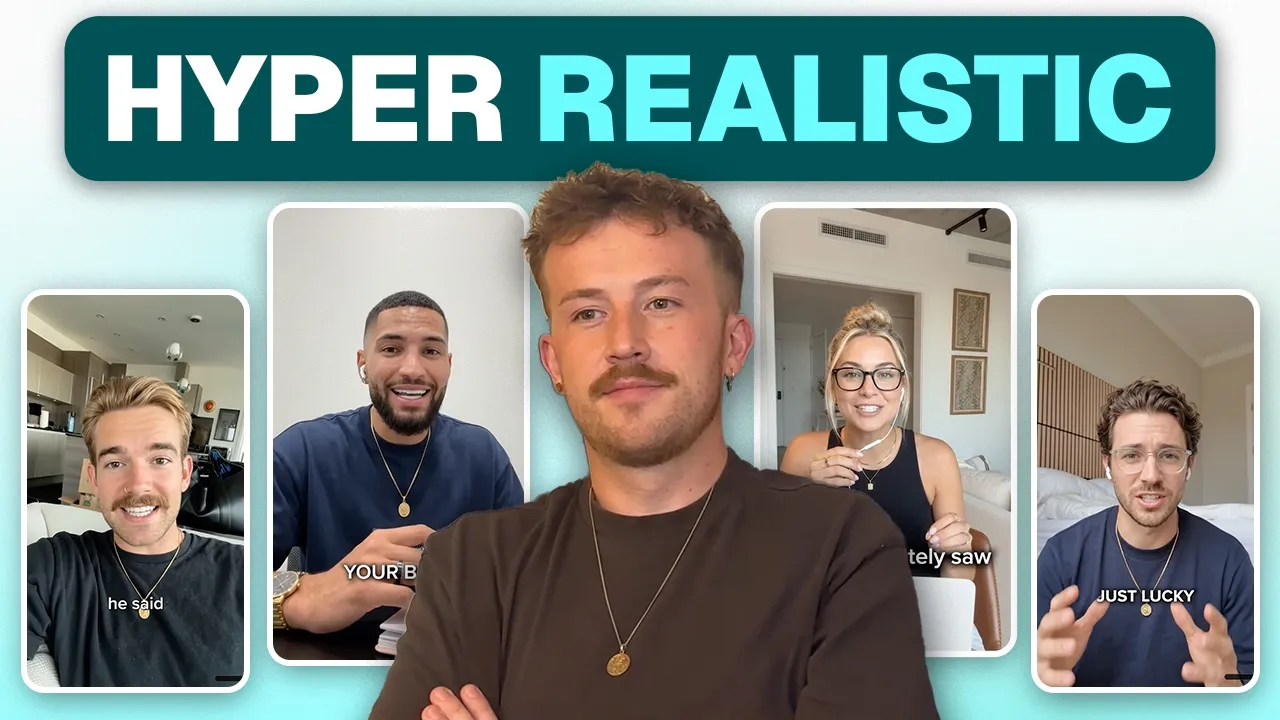
Kristian Jennings · @Kristian_Jennings
Words
7,752
Runtime
31:13
Speaking pace
248wpm
Reading time
32min
248 words per minute, above the 201 75th percentile of 349 measured videos. That distribution comes from the 349-video hook study.
Opening (first 30 seconds)
Okay, it's finally here. I'm going to do the AI UGC video. I know a lot of you guys in Ecom talent have been asking like how I managed to get my AI UGC to look so realistic. This is going to be hopefully a relatively quick video. I'm not going to waffle on. I'm going to try and keep it quite concise. Basically, this is my own personal workflow that I developed. This is how I'm making my AI UGC look so realistic and I'm just going to give away all of my workflow and like cheat sheets and everything so that you can do the same. Here's how it's going to work. First, I'm going to show you some clips from some
124 words, the words spoken in the first 30 seconds at 248 words per minute.
Free, no signup. See how the first 30 seconds hold attention, with rewrites.
Sentence shape
| Measure | This transcript |
|---|---|
| Sentences | 465 |
| Average words per sentence | 16.7 |
| Longest sentence | 62 words |
| Questions asked | 20 |
| Sentences containing a number | 25 |
Most used terms
Filler phrases
219 in total: like 150 · actually 26 · kind of 14 · basically 12 · I mean 5 · literally 4 · you know 4 · right? 3 · sort of 1.
A literal whole-word count of the same phrase list the Prepublish browser extension uses, so a phrase inside another word is not counted and a phrase used in its ordinary sense still is. It is a count and not a judgement.
What this transcript is
Every word below is the caption track YouTube publishes for this video, pulled from the video itself and reproduced unchanged. It is not Prepublish's writing, not a summary, and not a re-transcription: it is the video's own published captions. English captions, generated automatically by YouTube, in the video’s original language. Source: the video on YouTube. A channel that would rather this page did not exist can ask for its removal through the contact page, and it is removed.
No Script X-ray for this video: YouTube shows a Most replayed graph only once a video has enough views.
Okay, it's finally here. I'm going to do the AI UGC video. I know a lot of you guys in Ecom talent have been asking like how I managed to get my AI UGC to look so realistic. This is going to be hopefully a relatively quick video. I'm not going to waffle on. I'm going to try and keep it quite concise. Basically, this is my own personal workflow that I developed. This is how I'm making my AI UGC look so realistic and I'm just going to give away all of my workflow and like cheat sheets and everything so that you can do the same.
Here's how it's going to work. First, I'm going to show you some clips from some of the AI UGC I've done, some of the avatars, so that you can see for yourself how realistic it is and like why you should actually want to do it like this. Then, I want to go through setup quickly, which applies to any ad. I want to show you how I set up my ads, like my storyboarding process and like how I come up with the logic and the ideas for like why my ads look the way that they do.
And then we're going to get into the meaty stuff. I'm going to show you my personal AI UGC workflow. Now, my AIUGC process is a bit different to any that you've seen in the past. Most people only show two of the steps, but I've got a third bonus step that I do at the beginning, and it just completely changes everything. So, let's get into it. So, I'm going to play it from the beginning because this hook had a really high hook rate, but I want you to focus on how realistic these avatars actually look.
There's a line you could draw across the world map for hair loss. On one side, men go bald earlier and harder than anywhere else. on the other guys hitting 50 with full heads of hair like it's nothing. My best friend grew up on the other side of that line. So one day I finally asked him straight, "How the [ __ ] do you still have all your hair?" He looked at me like it was obvious. It's not just genetics. He told me about dutasteride. >> So that's one example.
Let's take a look at another. >> How the [ __ ] does my brother have a full head of hair while I'm balding at 30? Lucky son of a [ __ ] So I asked him straight, "What the hell are you doing that I'm not?" "Nothing." He goes, "Same as you." We both started thinning at 27. We both went to a hair clinic. We both took what they gave us every day. Except he's in Tokyo. >> Okay, let's quickly look at a third one. >> 7 and 1/2 weeks is a long time to manage your TRT alone.
TRT starts at $49 with access to real clinicians who help you find stability. Weeks one and two, your body is figuring out what's happening. The initial dosage at this point will [music] need to be adjusted later on. But if there isn't any clinician monitoring your levels from the start, your treatment will be off from day one. And then I just want to show you one more cuz I realized the three that I've shown you have all been guys.
So this one's a woman. >> I moved to Switzerland last year with my lab Millie and immediately saw how their whole culture [music] treats dogs like royalty. And no, it's not the dog food or the types of walks they're taking their dogs on. That's exactly [music] the same as in America. Their dogs are just so happy. >> I also just want to quickly show you the end of this ad just to show you an example, but I typically also do a scene change in my AIUGC.
So this is the same avatar now in a new position. >> Didn't like it. we had 60 [music] days to return it and get every dollar back. >> So, let's look at actually setting up the ad. Now, the first thing I want to talk about is the script. Now, if you're a video editor like me, then you're just given a script by your creative strategist. But even if you're not and you're doing the creative strategy yourself, regardless, it is the creative strategy that is going to dictate whether or not your ad is a winner.
You can make the best, most realistic, most polished AI UGC you've ever seen. Hell, you could even use real UGC, but it is ultimately the script and the message behind your ad which is going to dictate how well it does. The format can't save a bad script. Okay, next up, I want to talk about storyboarding. So, it doesn't matter if it's an AI UGC, it doesn't matter if it's a AI animation, doesn't matter if it's just like a classic B-roll AI voiceover ad.
Like, whatever the ad is, the first thing I do before I even open Premiere Pro is I always storyboard. So, my storyboards aren't pretty. Like, no one else is going to see them, but this is basically what I do. The first thing I do is I actually give myself a set of rules for the ad. And this is one of the reasons that we're performing at like a worldclass level at the agency is so many editors, even creative strategists, they just kind of rush into whatever they're doing.
Like they're like, "Yeah, I got it. Let's go." But this is how we have such a high hit rate at the agency is we really slow down and take our time to like analyze other winners, analyze the ads that we're iterating off. If it's a new idea, then you've still got to go and find like references of what you want your ad to look like. So this ad here was actually an iteration of a breakthrough. So I analyzed the breakthrough and I realized just like how slow and how calm the breakthrough ad was.
So I took a lot of those principles and I kind of like analyzed it and understood it before I even got into storyboarding it. I just want to highlight this as well as like as I said these are just notes to myself but show what he's saying kiss which means keep it simple stupid. I've spoken about this a little bit before, but that the ads that perform the best are not the crazy edited really, really brain rot hyper fast-pacing Tik Tocky style videos.
Although they can be, the videos that perform the best just deliver the message clearly. And that is your aim as a DTC video editor. Now, all I do is I then take the script and I put it into a left column here. So, I've got my three different hooks and then it starts onto the hold. And then I go through and I basically come up with what I want to be shown on screen as the character says the line. These don't need to be polish notes.
They need to just be something that makes sense to you. One thing I do is because I constantly just go back to the AI UGC that that I create. Whenever I want to just show their face, I just write AI UGC. It's nothing crazy, but you should really be storyboarding your ads because it gives you this like clear understanding of where your ad is going. You can also make sure that you've included everything that you need and want to include in the ad.
And it really lets you think about it in terms of like the message before you actually get into like nitpicking the fundamentals and like creating assets and like all of the stitching together of the ad. Like you dial in the message first, then you create it. Next thing I want to talk about is logic. And really for this I mean like who are you actually going to choose as your AI avatar? And again and just like the kind of theme of this is like it doesn't need to be a complex decision.
Making a really good ad is just a case of having a load of really simple decisions made with intent behind them so that you're not just plucking things out the air. Now, who your avatar should be depends on the product and the angle that you're actually running. For example, if you're doing a feminine health product, you're not going to show a big burly man on a Harley-Davidson motorcycle. Equally though, although that's like quite an obvious contrast, your avatar shouldn't be someone that's struggling with feminine health.
Your avatar should probably be someone that's successfully sorted their feminine health which gives them like an underlying authority that like they've been through what you've going through and they have the answer if you know what I mean. The other thing you can do as well is have like a real authority. And side note here and it does need saying it's super illegal to deep fake a medical professional. So please don't do that.
Okay, let's get into the actual AI UGC. So my workflow is split into three different sections. One, finding your reference. Two, creating your avatar. Three, prompting the AUGC. Now, if your AIUGC has been looking like plasticky in AI, it's because you're missing step number one, and everybody misses step number one. So, what do I actually mean by finding a reference? Well, typically what everyone does to create their avatars is they're just going to go to like chat GBT or whatever like the frontier image generation model is at the time, and they'll generate a really nice photo, and they'll make it look totally real, totally UGC style.
They'll have all the elements in there that they want. But when you take that image and you try and animate it, you find that you get this like wax-like effect to the skin, you find that their mouth isn't well defined and it has this air of just like it's too perfect. Shout out to Artur, one of my colleagues and one of the other coaches in Ecom talent, but he taught me about the uncanny valley. Basically, there's a part in your brain designed to look at a human being's face and understand if they mean you harm or whatever.
Now, our brains are so cracked and there's so much going on that like even we don't know. We're able to read all of these micro expressions and all of these tiny things that you're not consciously thinking of when you look at another human being's face, but your brain's doing mental aerobics trying to figure out whether or not this person can be trusted. Now, when your AI UGC looks fake, the human brain puts up like a wall and it's like, I don't trust this person because they can't figure the person out.
And this is also why when you saw my examples at the beginning, you probably felt relatively relaxed watching the air UGC because your defenses didn't come up. And most people don't even know they have these defenses baked into their brain, but it's just like part of being a human. Now, here's the unlock. Here's how you get rid of the uncanny valley. Here's how you get a real AI UGC character. We're going to use a reference image.
So, I got to give credit to my guy Cammy at Ad Creators Lab, as he was the guy that put me on to using reference images to make AI UGC content, but the meta has changed slightly. So, let me give you the update. Now, before the metal was to come here on Pinterest, type in something like UGC man and try and find a photo with the exact framing that you're trying to use. So, like this guy leaning over the camera. This top down shot here is quite cool framing.
Even this guy standing in the street even though this is a video. The idea is basically to find a photo that has the framing and the lighting that you're looking for and then iterate off that using AI. The problem with using Pinterest though is that now it's just full of AI slop. And this is important because the big unlock that's going to get you out of that uncanny valley into like realistic AI UGC is we need a real photo of a real human being taken from a real iPhone.
Now, let me explain why that's so important. There are so many micro details in a photo that our human eye can't see. An iPhone breaks in like granularity and noise and like all of these imperfections into the background. It also picks up like tiny pores on the skin, wrinkles under the eye, micro expressions in how the eyes move and how the mouth moves. And currently, at least, that is just something that AI can't recreate.
Now, when you create one of these AI avatars with chat GBT, if you took your GPT image and an image of a real human being, you probably couldn't tell the difference, but it's when you animate it that all of those differences are going to start to show. When an AI video generation model starts to animate your reference image, it takes whatever is there and it animates the whole lot of it. So, if you're missing that bakedin noise, that baked in granularity, the baked in pores on the skin, it won't animate them.
And if you don't have them there, if they're not animated, if they're not a part of your character, that's when your brain twigs it as a fake person. You enter the uncanny valley, and the whole thing just falls apart. So, instead, what we do is really simple. We just go and find real UGC. Now, this will link back slightly to the logic section when we were doing our setup in terms of like who is your target avatar. But if your avatar is going to be younger, go to Tik Tok.
If you're looking for like a millennial avatar, go to Instagram. If you're looking for someone older, try and find someone on Facebook. We basically want to go somewhere and we want to find a real UGC video from a real creator. We're going to take a still from that and that's what we're going to base everything off. So, I've just opened up Tik Tok and I'm going to find some examples and explain to you what I'm actually looking for.
So, off the bat, this guy is perfect. I've actually used this guy before. I'll use him as my example and then I will show you the before and after because you might actually recognize this guy from one of the examples that I showed you. So, I like this guy here. It's a really good example. He's got some nice natural lighting going on, but his skin isn't shiny. He's framed really nicely, and the background's somewhat inconspicuous.
Like, you can tell he's in a kitchen, but you don't really know where. Now, this girl here is an example of a UGC that I would avoid. Now, there are three things that we're trying to get dialed whilst we do this process. All of the noise, all of the pores on the skin, all of that, that's already locked. You don't need to worry about that. But what we're looking for is number one, framing. Depending on your video, you're going to want a certain type of framing.
If you're doing a fashion ad, you're going to want them stood up maybe like street style. A lot of the ads I've done recently, I've wanted quite a relaxed vibe, so I've had them just like on the sofa or sitting on the end of their bed. But you've really got to think about like their body position. Are they leaning towards the camera? Are they leaning back away from the camera? Is there a table in front of them? What angle is the phone looking at them?
Is it eye level? Are they looking up? Are they looking down? Maybe they're even looking at the side, but you get what I mean. Again, you don't particularly need like some crazy framing. You just need to put some intent behind your decision and make sure that you have made a choice that you are committing to the framing, that you are happy with the framing, and that's the framing that you want to use for your AI UGC. Now, the next thing, and this is the reason why I wouldn't use this girl here, is can you see on her forehead?
She's got like shine on it. She's also got a little bit on her cheeks, but AI still really sucks at like understanding the lighting on the skin, but only when you've got these overexposed highlights. It's going to do a fantastic job at the contrast over the skin, but when you see these like overexposed highlights, there is actually no data there in the video. And then so when you go to animate that, it's just dead space, which makes your AI avatar look glossy and waxy, and it just puts you back in the uncanny valley because it doesn't work like that in the real world.
And then the last thing we want to look at is background. We don't want it to be too busy, but we do want there to be some kind of personality there. You don't just want to have like a blank wall behind them. You want to have a blank wall and a photo frame. Ideally, you want them to have some space between them in the background so that there can be some different lighting and some points of interest. But the good thing is you're finding real UGC.
So, like the UGC creators should have already thought about these things for you. I've just been scrolling and just found this guy again. But notice how he's got the mic stuck to a rose. That's one thing that we do in the agency where we just like make it a little bit weird just for your brain to kind of like twig. Oh, what's going on? You'll see a lot of people do this online like they attach mics to bananas and all sorts.
But one thing to remember is like if you're making AI UGC, you're making it to blend in with the feed. You're making it to feel like it's just a real person on the screen. So although you need your video to stand out and get them to actually watch the video, you should be looking at UGC and just trying to recreate a lot of what these guys are doing so that you're seen as like one of them and you're not like the black sheep in the field.
Okay, so here we are in Premiere Pro. What you missed is I just downloaded that video off Tik Tok. You can just type in like Tik Tok downloader and put the URL in. But this is the creator that we're going to be basing our avatar off. Now, I also thought this is a perfect time to show you. Do you see how this guy's got shine on his forehead? The shine isn't the problem. The problem is when it's like gone overexposed to the point where it's just like white space on the visual.
Like his nose here is borderline, but if you zoom in, there is still data in there and therefore that data can be animated. Okay, so this isn't really a Premier Pro tutorial, but the shortcut in order to take the frame is shift E. If you're on Cap Cut or whatever else, figure it out. Realistically, you should probably be using Premiere Pro 2 if you want to do this like seriously, but there'll be some kind of shortcut.
And we're basically going to take a frame. So, I'm just going to scrub through. What I'm looking for is I'm looking for his hand position to be to be naturally quite nice. Maybe I probably want to see both of his hands like here. And you also want to make sure you're not in a point where there's like captions over his head cuz it's just another thing that you're going to have to change later. So, I think this is pretty good.
So, I'm going to say shift E and then I'm going to say AI UGC example. Save it. So, there you go. This is now my reference image. And it is this that is going to make your AI UGC better than everyone else's that you've ever seen. You can see the imperfections. You can see the lighting. You can see the background. You can see the framing. In this case, he's even got like one of those weird mic things. And the last thing I absolutely love about this image is you can see the shine on his glasses, too.
But what I want you to focus on is like the imperfections here. That is what we are trying to bake into these photos. And without doing this part, your AI UGC is going to be stuck in that uncanny valley. And this is the most important part of the entire AI UGC process if you want to make top quality AIUGC. Now, let me show you why you might recognize this is obviously this is Asian guy, black hair, bedroom, hands in front of the camera, DJI mic.
This is the avatar I used in the first winning example ad that I showed you at the beginning of this video. So, I did actually develop him. This wasn't actually the final image that I used. I actually ended up using this as my my image. But what I want to illustrate to you is the reason why we care about the framing, the lighting, and the background is because those are going to be the only things that stay consistent when you create your reference image.
You can see I've literally changed his race. I've changed his glasses. I've put AirPods in his ears. I've removed the thing from his hand. I've given him jewelry and I've completely changed his hair. And that's actually going to take us nicely into step two of the AI UGC process, which is creating your avatar. Now, I know the first question everyone's going to ask is, "What model did I use to turn the first guy into the second guy?" Now, normally I say the model that you use doesn't really matter, but at least for the current meta today, I'm finding that Nano Banana Pro, like original, not Nano Banana 2, Nano Banana Pro, is giving me the best results in terms of realism because it's just a slightly older model with more baked in imperfections.
One thing I would tell you to avoid, and again, this is the current meta. Everything will change. Do not use GPT2. GPT2 is an awesome image generation model, but it's just too good at making everything look too perfect, which is the opposite of what we're trying to do here. So, I don't want you to get too hung up on the model because it's never the models that dictates whether or not something looks good. But equally, in this case, I would recommend to you just to use Nanomana Pro because it absolutely cooks.
Okay, let's talk about how to know what we actually need to change to make our new avatar. Number one, it is illegal to deep fake someone. So, you have to change the avatar. You don't necessarily need to change the race. You don't need to change the gender, but there needs to be some kind of genetic difference between your reference image and your actual avatar. So, you can't just change their hair and their clothes.
You're going to need to change their eye color, their nose, their skin pigmentation. Basically, you have to make it impossible that without plastic surgery, your reference image and your avatar could not be the same person. Next, I want to talk about background. Now, in this example, I decided just to leave the background as it is. But let me just show you. You can do things like this just to add a bit of pop of color.
Green plants feel really good for like the human psyche, which might not work with your ad depending on like what your angle is, what your product is, but you can add some greenery or like some visual interest of some kind because you've got to think like your avatar has their own life. And so if you're looking for inspiration of like what to put in the background, just like look around you. I've got a lamp over there.
I've got a TV there. Those are things you can just chuck into the background. But pro tip, I would recommend greenery cuz it just looks better. Now that leads really well to number three out of the four things that I change. Accessories. Now, you'll particularly see this if people generate just from like a prompt without using a reference image. But humans have personalities. I've got earrings. I'm wearing a necklace.
I have headphones that I wear sometimes. But all of these things make up me. Like they're an expression of myself. And a real human being would do that, too. Now, when you ask AI to generate an AI avatar, they'll just generate you like a human and they'll be wearing like a t-shirt and they'll be having like a certain hairstyle. But because AI always takes the aggregate, like the most common example of whatever it is that you're asking, if you can just come up with some ideas just to add some like outlier features, some accessories of some kind, it's another defense to the uncanny valley and another thing that just makes your AI UGC character feel real.
So in this initial reference image, this guy's pretty plain, right? But let me show you the reference image that I used for the last example that I showed you. This is the woman that I found off Tik Tok. Now, I like the framing. There was visual interest in the background. The lighting was pretty good. She was borderline again with the shine in the forehead, but you can go right up to that line so long as you don't cross it.
One thing to add here actually is like you can see there is a caption here. This creator had captions on literally every single frame, so I didn't have the opportunity to get one without. So don't kill yourself over finding a reference without captions if they don't exist. But it's just another thing for the AI model to have to deal with. And everything that you ask it to deal with in your prompt is another layer that it has to add and another step closer to the uncanny valley.
But I'll get on to that in a second. So this is the avatar that I had and this is who I ended up creating. Now, one thing I really liked about this accessories wise is she has a pair of Apple headphones just plugged into one ear. Now, if you ask an AI avatar to do that, they're going to put both of them in because that's how most people wear them. But by doing this, you can add a little bit of expression and a little bit of sort of like extra depth and realism to this world that you're trying to create.
Notice also she's got jewelry. I even changed the computer for a MacBook cuz I thought that she would have a MacBook. But yeah, you get the idea. The last thing that we need to talk about, which is a thing that a lot of people miss, is the logic of the audio. Now, if you look at AIUGC creators, they pretty much always have some kind of like DJI Mic Mini or some kind of like external mic that they speak into in order to capture clear audio.
Even me right now, like I've got a proper mic, but you would hear the difference if I just had my phone in front of me speaking to it. Now, the reason why this is important is because when an AI generates audio, it's going to give you like a clear rendition of it. So, you want to have the logic already in place that you're going to capture the clear audio within this world that you've designed. So, in this instance here, she's got this little mic on her headphones.
In this interview example, I actually had a microphone held up to this guy's face so that it made sense that the audio that they captured was so clear. In this example, there is no audio capture device, but notice how much closer he is to the phone than any of the other avatars. But again, same running theme as the entire video. None of these are particularly complex questions that you need to answer. But you need to make sure that you're thinking about the realism and all of these little ideas and having intent behind the decisions that you make in order to give it this air of just like realism that we're so used to seeing in the real world.
You just need to make sure that you're considering more than does that just look like a human. Now, in terms of prompting, I'm not going to give you like some master prompt for what you need to do for the image generation. You just need to take some swings on that and just let the model regenerate it until you have an image that you're happy with. But the one rule that you do need to follow is that you need to oneshot the prompt.
You need to include all of your changes in your prompt and you need to keep spamming generate until you get the image that you're happy with. Because the worst thing you could do is to change the avatar, then add the accessories, then change the background, then add the audio device. Because basically the way that AI works in terms of image generation is when you change something, it mathematically changes the pixels in order to include that, but it effectively works as like an overlay and then it feathers the edges.
Not enough that the human eye can see, but it's the same thing as when you then go to generate the video, all of those AI perfections are going to start showing up in your output, which you're trying to actively make imperfect. Okay, now let's put it all together and let's actually make the AI UGC. Now, before I get into the exact model that I'm using to make this such realistic AIUGC, I really want to stress this is just the current meta and AI changes so fast.
This is likely to change. So, you've got to keep experimenting with new models as they come out. keep adapting your own workflows and just see if you can figure out a way to just keep improving it again and again and again. Having said that, the model that we're going to use is Gemini Omni, not Omni Flash, Gemini Omni. I'm just using it within key, which is pay as you go. But right now, in September 2026 at least, there is no better model on the market for a UGC than Gemini Omni.
And I've tested Flux 3. I know how good it is for voice control, but although you don't have the whole range of voices, but at least for DTC ads where you don't need a whole range of different nuances to the voice control, Omni is more than good enough for the voice control. And then for the visuals, there is nothing better right now. So, you're going to come to Omni Video at the top. You're going to input your file and then you're going to put in your prompt.
Now, the way that I prompt this is I have a threepart prompting structure. Part one is we set the scene. Part two is we include the avatar dialogue and part three we add fixed rules. Now, the way that this works and the way that you avoid all the inconsistencies that people experience with AI UGC is we're going to spend some time really locking in our prompt. We're not going to rush this part. We might need to regenerate the same dialogue a few times to really dial it in, but once we've dialed in our prompt other than the dialogue for the rest of the script, we are not going to change anything for the prompt.
Now, don't worry. This prompt will be linked down below so you can use it as your own resource, but I just want to go through it and show you how I structure my prompts. First thing we're going to talk about is camera movement. Even if the camera is just locked off, as in it's not moving, you need to explicitly state that. So, if the avatar is set down their camera to talk to it, you should start it with static locked off shot.
If the avatar is holding their phone, like walking down the street, you would say handheld UGC iPhone shot, something like that. But if you don't specify to the model the movement of the camera, then you're going to get some drift and some hallucination. The next thing I like to talk about is like the camera itself. So the camera shot, then the camera. So in this case, it's just a UGC iPhone footage. If you were doing like an upmarket AI UGC podcast, you might say like Canon and then insert the name of like a specific camera model.
But Omni is pretty good at matching the style of the shot to like the equipment that would have been used to create it. After that, we're going to set the scene and tell the model what's actually happening on screen. Then we're going to talk about the avatar and what they are doing. So in this case, they're not moving. Their mouth is moving naturally. They're keeping eye contact with the camera. And at no point is he gonna move the camera.
I also then added a bit of context here saying he is super high energy as this is for a YouTube video because I found that without this he was just kind of a bit flat and just kind of speaking like this. But by adding this line and talking about like high energy, he's kind of talking like a Tik Tok star, you know, that kind of like that over-the-top kind of overly expressive intonation which is undeniably engaging when you consider what you're competing with when you're scrolling on the feed.
So that's setting the scene. The next thing I do, I literally take the part of the script that I want him to say and I put it into these quotation marks here. That's it for the dialogue and and then obviously that will be the part that you swap out as you want them to go through the entire script. And then the last part here is what I call fixed rules. This is what you're going to be tweaking at the beginning. So once you've set the scene and you know what they're going to say, you're going to hit generate and you're just going to see what comes back.
Analyze it. Be really harsh on it. If the energy is not high enough, like it wasn't for mine, say that. If he's not sounding all that confident, you want him to sound confident, say that. If he's speaking too slow, say that. If he's not smiling enough, say that. You're basically just going to start stacking all of the inconsistencies and the things that you want to make sure you're locking in. And one thing I add to pretty much every prompt nowadays is one take, no jump cuts or like one continuous shot, no jump cuts if there's like movement through the scene.
So, I've just generated it. Let's then take a look. >> So, weak follicles wake back up and stay in the growth phase longer instead of shedding early. >> Absolutely. Goers. Now, one thing I actually want to point out with Omni is this set of teeth. Every avatar will have this exact set of teeth. And there are micro expressions with the with the shape of the eyes, the lines, etc., and like the mouth movement. But from having spent so many hours generating assets like this, I believe that Omni is the best realistic and most consistent model because it's using this these same assets that they already know works and they're just using them time and time again.
So like every single AI avatar that I've generated, they've all got the same set of teeth. It's a little bit weird. Now, before I go through the rules to like dial in the workflow to an elite level, it's really worth saying sometimes you will do literally everything right. You'll find the perfect avatar. You'll give them all of the accessories. You'll get you'll make them look like the most perfect reference image. Occasionally, maybe like 1 in 10, the model just can't figure it out and it just looks a little bit fake.
Now, at this point, do not continue with this reference image. You are much better to go back and start that whole process of getting the reference image again than to fight against a video model that doesn't understand how to animate your reference image. You need to take responsibility for it and take ownership of that and just go and be proactive and bring it the resource that it needs for it to generate the realistic UGC.
Because I can tell you now, it is cheaper and faster to generate images and get them locked in than it is to generate a video which looks great for like the first two seconds. Then it does something weird and you have to scrap the entire take. I was going to save this as one of my rules for the end. This is actually a really good segue to talk about one of the things that I wanted to talk about when making AIUGC. 50% of the whole process should be spent obsessing over your reference image.
Finding the perfect framing with the perfect background, getting the perfect accessories, getting the perfect imperfections, the graining, the pores, all of that into your photo. That should be 50% of your entire creative process before you then start stitching it together in Premiere Pro. The next 25% should be spent just on perfecting your prompt. And that's going to mean that you're going to need to regenerate the same dialogue quite a few times.
But you're trying to get the energy, the framing, the pacing, and the feel of the video to be absolutely dialed and consistent before you then start swapping out the dialogue. And that then brings us to the last 25% which is basically once you've got the reference image locked and the prompt locked. You will be amazed at how fast you can just get the entire script done because you're just going to spam generate. You're going to generate, you're going to take the next line of text.
You're going to generate that. You're going to get the next line of text. And so long as you've built all the foundations up properly, the actual generating of the individual clips is so so fast. But if you rush the beginning bit, you're going to get that uncanny valley far too perfect, far too fake AI UGC that you see everyone else ship. And that's absolute source there by the way. It goes for pretty much any AI generations.
But the second you accept whatever quality the output is and decide to use that, you are locked in at that standard. Whereas if you spend some time initially getting it to the top standard and then generate, you're then locked in at that level. Okay, I got two more things I want to talk about before we wrap this up. Now, it does deserve its own dedicated video and I will film one. But just whilst you're doing the AIGC, you can change the intonation of the avatar by changing the capitalization in the dialogue.
So, what do I mean by that? Let's listen to how he says so the weak follicles wake back up. >> So, weak follicles wake back up. >> So, weak follicles wake back up. So, he's he's stressed weak and wake. But if I want him to stress the word follicles, if I want him to say, "So weak follicles wake back up." All I need to do is change the word follicles to a capitalized version and rerun the prompt. I cannot stress how important voice intonation is when you deliver a message.
Just to give you an example of that, monotone, I cannot stress how important inonation is. Or even just like what word you stress. I cannot stress how important intonation is or I cannot stress how important intonation is. I'm not an actor, so don't flame me for that too much. But hopefully you can feel in the ination, your brain registers the sentence completely differently. Okay, one final tip I want to give you before we round this up.
Omni generates in 4 6 8 and 10 second videos. And sometimes your dialogue is going to fit like in between that like let's say 7 seconds. Now you don't have an option for 7 seconds. And and basically if you choose 6 seconds, your avatar will pace the dialogue correctly, but then it will just cut off before it like gets to the end, if you know what I mean. Or the other thing that will happen is you will do an 8second video and it might speak really slow and then it just sounds like rubbish.
Or at 6 seconds, it might just be really fast and like try and squish all the dialogue into like that same space and then like it's just not clear for the viewer, right? So, in in situations like this where you're in between 6 and 8 seconds or 4 and 6 seconds or whatever it is, if you're in between durations, a pro tip that you can do is just add a little bit of nonsense dialogue to the end and then whack it up to like 8 seconds or whatever the next one is.
That way, it will pace it properly and then it will just say some random jargon at the end that you can just cut off because without that, when you put it into the longer duration, it can really slow down the dialogue and just make them sound a little bit like simple and just like way too slow. But there we go. That is everything that I do to make my my AI UGC look the way that it does. As usual, there'll be some free resources down below.
So, I'm going to make a cheat sheet of everything that we've spoken about, so you can just make sure you can like tick it off and and make sure that you're conforming to all the same things. So, hopefully you get the same output. I'll put the prompt example that I use down below if you want to have a look at that. But hopefully you understand it well enough that you can prompt your own, which is ultimately the goal. Like, you don't want to have to be going and searching for other people's prompts, right?
I'll also put the before and afters of a couple of like reference images and avatars that I've created so you can see the differences. And then the last thing is just a little bit of an update. I get so many messages now from people from YouTube, which is really really cool and I really really appreciate it, but I just don't have the time to respond to everyone anymore. So this won't change for anyone that's inside of Ecom Talent.
Like I'm still a coach. If you message me in there, I will definitely get back to you. But it's just to say if you have messaged me and I haven't got back to you, I will still try and respond to everyone. But it is just getting a bit much. But yeah, you can still message me. But if any of this is relevant and you're already not inside, you need to come and join us at Ecom Talent. Really exciting calls happening in there.
We're like top 0.1% creative strategists. Community is really cool and there's just like a ludicrous amount of value for how cheap it is. So, I'll link that down below. I'll put all of my normal links below. All of the free resources and all of that stuff is all in the description, so help yourself. Leave me any questions that you still have in the comments down below. Let me know if this was helpful to you. If anyone's actually used my workflow to use AIGC and it's come out just as good or maybe even better, send it to me, man.
I'd love to see it. And yeah, like, subscribe, all of that jazz. and I will see you in the next
The words are the caption track's own and nothing is reworded or re-transcribed. Paragraph breaks are placed between sentences so the text reads as prose.
Free tools for your own script. No signup, no login.
Paste your draft and see where viewers are likely to drop off, with a rewrite for each weak line.
Paste the first 30 seconds of your own draft for a hook score and rewrites.
Check your draft against YouTube's advertiser-friendly guidelines before you record it.
Read this channel's public videos and transcripts, and download a writing brief for it.