Getting the transcript
Reading the captions from YouTube. A video nobody has opened here before takes 10 to 30 seconds; this page fills in on its own.
Getting the transcript
Reading the captions from YouTube. A video nobody has opened here before takes 10 to 30 seconds; this page fills in on its own.
AI Engineer · @aiDotEngineer
This video has no Most replayed graph yet: YouTube shows one only once a video has enough views. These are the moments viewers replayed most in AI Engineer's most watched videos.
Most replayed moment at 18:45
4.8x that video's typical replay level
that they're they're changing they're changing things in the database not yet. You want to run them through the ontology first and make sure that works. Okay. I only got an I've got I've got another I've just a short time. I'm going to try to show you some of the things that um that you can
Said at 18:37
Most replayed moment at 16:13
3.6x that video's typical replay level
method signatures, the program layout and the call stacks. So here's some examples. I don't think you'll be able to read this one, but this is like the level of abstraction we're at. It's how we're actually going to lay this stuff out and how these systems are going to interact. Dylan Mulroy from Cloudflare talks a
Said at 16:06
Most replayed moment at 6:57
5.9x that video's typical replay level
do light mode. It's I It's not my nature, but sometimes. That's better, yeah? Okay. So we have we have a model and we're trying an old LG Sorry. We We shouldn't have seen that. No, we'll
Said at 6:50
The graph counts replays. It does not show where viewers stopped watching.
Words
2,032
Runtime
14:12
Speaking pace
143wpm
Reading time
8min
143 words per minute, below the 160 25th percentile of 349 measured videos. That distribution comes from the 349-video hook study.
Opening (first 30 seconds)
I asked my AI assistant to help me reserve a table at a popular restaurant. Here's what it gave me. Now, it's not wrong. The phone number is there. The hours are right. It even knows the walk-in oyster bar at the front. The model did the real work, but look at the outcome. I have to do my research and work towards actually booking the table. Like, we've been here for
72 words, the words spoken in the first 30 seconds at 143 words per minute.
Free, no signup. See how the first 30 seconds hold attention, with rewrites.
Sentence shape
| Measure | This transcript |
|---|---|
| Sentences | 187 |
| Average words per sentence | 10.9 |
| Longest sentence | 29 words |
| Questions asked | 8 |
| Sentences containing a number | 7 |
Most used terms
Filler phrases
63 in total: um 23 · uh 18 · like 13 · you know 5 · actually 2 · kind of 2.
A literal whole-word count of the same phrase list the Prepublish browser extension uses, so a phrase inside another word is not counted and a phrase used in its ordinary sense still is. It is a count and not a judgement.
What this transcript is
Every word below is the caption track YouTube publishes for this video, pulled from the video itself and reproduced unchanged. It is not Prepublish's writing, not a summary, and not a re-transcription: it is the video's own published captions. English captions, generated automatically by YouTube, in the video’s original language. Source: the video on YouTube. A channel that would rather this page did not exist can ask for its removal through the contact page, and it is removed.
I asked my AI assistant to help me reserve a table at a popular restaurant. Here's what it gave me. Now, it's not wrong. The phone number is there. The hours are right. It even knows the walk-in oyster bar at the front. The model did the real work, but look at the outcome. I have to do my research and work towards actually booking the table. Like, we've been here for a while. Now, imagine if you were to build something like this for your customers.
What would you want it to do? Same answer, rendered like this instead. A date, a time, a couple of taps, and then you're done. The agentic product you're building already has all the tools to support your customer's needs. The only thing that you need to focus on is the layer between the model and something that a human can interact with. That layer is what I'm going to talk about. The models and agents are here to stay.
And we should learn how to make it friendly to the humans. Hello. Welcome to my talk. I'm Balaram Das. I have been building customer-facing apps for over a decade. And the past 6 years I've spent building Amazon Lens. Amazon Lens is our suite of camera features powered by AI. It enables you to shop using images, screenshots, and barcodes to discover visually similar products. If you have Amazon app installed, I encourage you to try.
This talk comes from my experience building customer-facing products that are in millions and millions of mobile devices. Um quick dis- disclaimer before I go further. I'm giving this talk on my own. The opinions in this talk are mine and not my employer's. When you think of building UX for an agentic AI, obviously ChatGPT comes into mind. How do you draw these cards? How do you choose carousel versus list? How do you craft this so the human can understand and interact better?
When you attempt to build something like this, you run into a wall. There are problems that need to be solved from the very early stages of your system. Is that experience going to be snappy or slow? Do we get all the information at first or one thing at a time? And how do you scale this for mobile apps where versions and device capabilities are fragmented? Like if you notice, none of these problems are due to the model itself.
The model does its job well. Um these are delivery problems and they live in between the model output and what's on the screen. That is the layer that decides whether your product succeeds or not. So uh for this delivery problem, if if you had asked me about uh about this layer 2 years ago, I wouldn't have had a name for it. I'd built a couple of AI features by then and every single time I solved this part from scratch.
A bespoke pattern shaped around whatever system I was in. Uh there was no shared vocabulary for any of it. What gets me is that this thing now has a name. Generative UI. And there's an open spec for it. ATUI from Google. Instead of the agent handing you a raw text or HTML, it describes the UI as data. A list of components and the client renders them with its own native widgets. A problem I used to solve alone is becoming something teams get to start from.
And that's exactly what I'm excited to dig into. Um normal API returns data and the client decides how to draw it. Like your model is good at tool use, coding, and even other complex tasks. It can do UI, too. And that is what the generator UI is about. And it's it's a spectrum. Uh Co-pilot Kit, a company that does this primarily, lays out in three rounds. At the bottom, we have control. The model picks a pre-built component like a product card.
It never invents anything. In the middle, um declarative. The model composes UI from a catalog. Uh date field, a time field, or a submit button. Um that's where A2UI sits. And at the top, it's fully open-ended. The model generates a novel UI on the fly like MC PA apps. The higher you go, the more your client has to trust whatever the model hands it. Um most production mobile apps live in the bottom two rounds because, you know, that's where you stay safe.
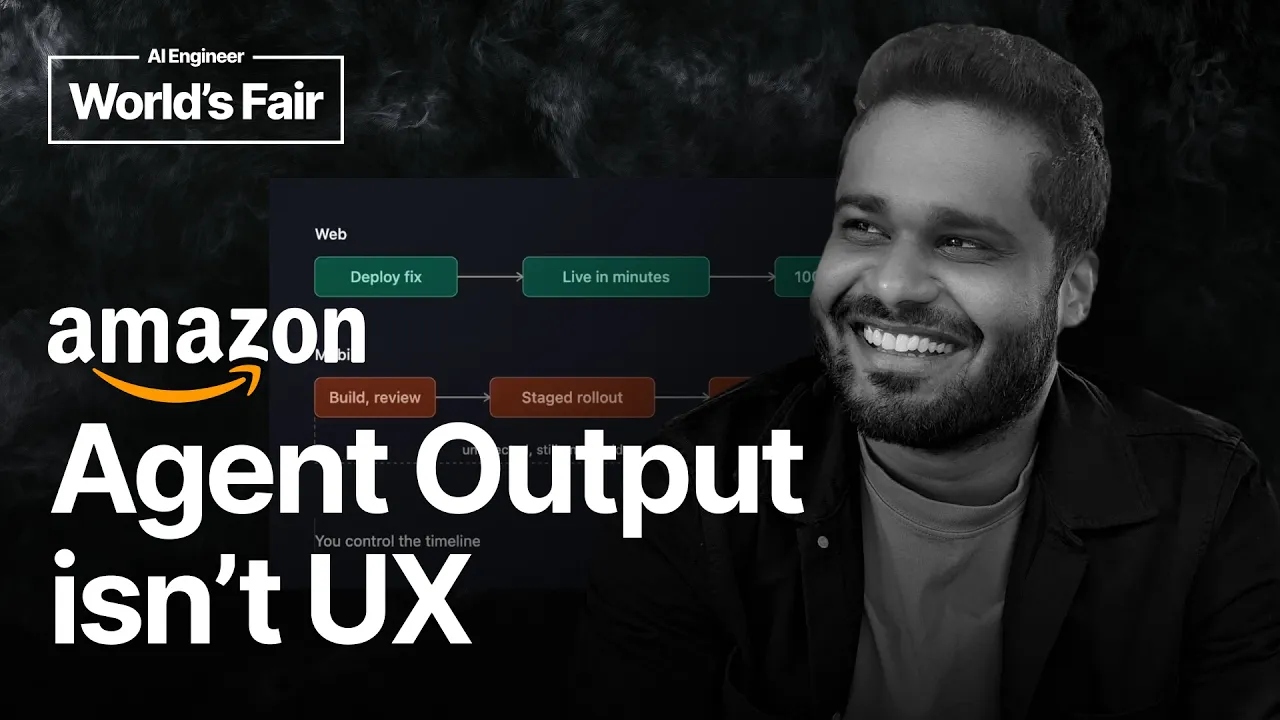
And that's what we'll focus on. Um adding to the complexity of UX building, um mobile apps play an important part. Um on the web, if uh render breaks, you know, you ship a fix and it's live in minutes. Uh mobile apps cannot do that. Like you're looking at hundreds of millions of installs and you don't control uh when any of them update. So, when a client meets a content type it's never seen, it doesn't gracefully degrade, it crashes.
And it keeps crashing for days or weeks um in hands of people who haven't updated. So, one rule holds everything that follows for mobile clients. You cannot meaningfully patch the client. Um how does this system look when you zoom out? Um here's the whole simplified pipeline. Um version aware context face that feeds the model. Uh yes, that is context engineering. The model outputs typed UI intent. Uh that flows through a BFF backend for frontend.
And to a client render that draws it and uh falls back safely when it cannot. We'll break into three patterns. Pattern one, the rendering contract. Pattern two, streaming. Um that's the flow in between them. Pattern three, uh the BFF that sits in the middle. Uh we'll take them one at a time starting with the contract. Um the contract is all about making the model be aware of what the client capabilities are. You ensure it it stays true to the client that the model is trying to draw the UI for.
Um what it ensures is that that the onus is not on the client or the rendering layer to infer what to show by looking at the token output. Um you also maintain a repository of version map with the capabilities. For example, you introduced a new flight uh card UI in version 2.0. Uh make sure to surface it to the model only from version 2.0 onwards. Um when you build the context. The takeaway here is that the model is going to choose the CX and you provide the right information in its con- context.
Um let's take a look at this example. And this this is usually the hard part of building the system. This is the model facing half of the contract. And you don't want the model to send back text. Like, you want it to stream blocks of UI components. Um a conversation block for what it says in text and a UI block for what what it wants the client to render. The contract even encodes layout rules. In this example, one to three flights a swipable carousel.
Four or more, a vertical list. The model picks the intent. And notice what the model never does. It never invents a component. It chooses from a fixed menu that you provide to it. Obviously, it won't be in the millions. It would be a handful. It turns out that it gets significantly harder as you scale your features to more surfaces. I'll let you think about how to engineer that context to make sure the model succeeds in picking one.
So, that's the contract. Now, let's move on to the streaming part. This was eye-opening to me when I first encountered it. Traditionally, apps make an API call and wait for something to happen. When LLMs are involved, this pattern becomes ineffective as often the latency is higher due to the model themselves. And on top of it, there are tons of additional checks to ensure safety and whatnot. And we also introduce a new layer that it's going to be a little bit complex to do the dynamic UI.
Um streaming helps here uh by not making the client wait for the whole response. It renders things in chunks at a time. Take a look at the illustrative example when you have to surface information one chunk at a time. First, you show a skeleton, then partially fill it, then complete it. It may take 3 to 4 seconds to get there, but the wait is bearable. That kind of changes what you measure for an app. Like you stop chasing the total latency, which we have done for over a decade.
You start chasing time to first chunk. You know, the first useful thing that your user sees. For this reason, the traditional loading spinner won't work for AI features. Sometimes, you have to get creative and design your feature around it. This may not work for all, but here's a product example. And when you know it's going to take time to render something, keep the user engaged. The Lens live allows the user to focus different things, um tap on an object that they're interested in while they wait for the results.
Uh if you don't have the full screen in your control, you can show the thinking CX. But please use it sparingly. The overall AI users have moved out of the forgiving phase, and now they expect to know what is happening. Now that you have a way to stream back different states, you know how to show what your agent is doing. Um here's an example I copied from Gemini. When when it starts to work on a task, it gives a glimpse into what the agent is doing.
Even though it takes 10 seconds, I'm okay if I know what's happening and be able to trust the agent's final output. We have covered streaming. Let's move on to the final and most important part. Your new BFF. Pattern one was about how UI gets picked. Pattern two was about how the chunks delivered. Pattern three is all about how the chunks become meaningful UI elements. This is a concept of server-driven UI. And it's a spectrum of server control.
And the more the server controls, the more you build. The BFF is a subset of it and decides how to render. It owns the platform specific rules like Android versus iOS, that kind of stuff. Uh it also helps the client to make less decisions and draw what's handed to it. That's the whole idea. The BF BFF doesn't just ship layout. It does a little more. In addition to the format and context, it does the hydration and adds actions.
Every rendered element carries an action payload to handle what what a tap does, what the deep link hit opens. It could even name the impression metric to log. It carries this conversational context across turns. So, the next response know what came before. And the good thing about this is that you can actually do this to your existing apps. You can reuse the existing CX units you already have. The flight row, the product card, the components your app already shipped in production.
You're not building a new agentic look into your app. And that's a good way to build for humans. Same brand, same density, same familiar feel. It looks and feels native. That brings to our takeaways. One, the models are highly capable already. You feed a properly typed, versioned contract so it can pick and choose the right CX. Two, stream into typed components, not text. Let the user know what your agent is doing. Three, let the BFF absorb the model output so the client can stay dumb and safe.
No, none of these are about the model. The model was fine. This layer is what ships the product. Bringing back to where we started, your agent output is not the CX. You build on it. Thanks for watching. If you'd like to learn more or connect with me, here's a QR code.
The words are the caption track's own and nothing is reworded or re-transcribed. Paragraph breaks are placed between sentences so the text reads as prose.
Free tools for your own script. No signup, no login.
Paste your draft and see where viewers are likely to drop off, with a rewrite for each weak line.
Paste the first 30 seconds of your own draft for a hook score and rewrites.
Check your draft against YouTube's advertiser-friendly guidelines before you record it.
Read this channel's public videos and transcripts, and download a writing brief for it.