Getting the transcript
Reading the captions from YouTube. A video nobody has opened here before takes 10 to 30 seconds; this page fills in on its own.
Getting the transcript
Reading the captions from YouTube. A video nobody has opened here before takes 10 to 30 seconds; this page fills in on its own.
Codevolution · @Codevolution
Where viewers went back to watch this video again, from YouTube's public Most replayed graph, lined up with what was said at that moment.
Most replayed moment #1
1:483.1x the video's typical replay level
can personally take your feedback and pass it along to the team. Few other notable mentions in this category are VS Code with GitHub Copilot, Google's anti-gravity and zed. For our second category, let's talk about conversational assistants. Chad JPD is
Said at 1:42
Most replayed moment #2
0:462.4x the video's typical replay level
first category, AIDE. Cursor is still the one to beat. It's VS Code rebuilt with AI at its core. Press tab for smart completions or use command K for inline edits. You can switch between four modes to get the best out
Said at 0:40
Most replayed moment #3
3:262.4x the video's typical replay level
stack. React, View, Swelt, Expo, and a lot more. For our fourth category, let's talk about AI extensions and agents. First up, cloud code. It is one of the most talked about AI coding agents right now. It understands your entire repo,
Said at 3:18
The graph counts replays. It does not show where viewers stopped watching.
Words
1,347
Runtime
8:35
Speaking pace
157wpm
Reading time
6min
157 words per minute, below the 160 25th percentile of 349 measured videos. That distribution comes from the 349-video hook study.
Opening (first 30 seconds)
In 2023, AI lived in chat windows. In 2024, AI moved closer to the code inside your editor. In 2025, AI became the core of the development workflow. From generating entire apps to refactoring code bases and occasionally breaking things with great confidence. Heading into 2026, one thing is clear. AI will reshape how we build software. So, in this video, I'm going to walk you through the AI coding tools. are taking a serious look at in 2026.
79 words, the words spoken in the first 30 seconds at 157 words per minute.
Free, no signup. See how the first 30 seconds hold attention, with rewrites.
Sentence shape
| Measure | This transcript |
|---|---|
| Sentences | 97 |
| Average words per sentence | 13.9 |
| Longest sentence | 35 words |
| Questions asked | 0 |
| Sentences containing a number | 8 |
Most used terms
Filler phrases
3 in total: like 2 · basically 1.
A literal whole-word count of the same phrase list the Prepublish browser extension uses, so a phrase inside another word is not counted and a phrase used in its ordinary sense still is. It is a count and not a judgement.
What this transcript is
Every word below is the caption track YouTube publishes for this video, pulled from the video itself and reproduced unchanged. It is not Prepublish's writing, not a summary, and not a re-transcription: it is the video's own published captions. English captions, generated automatically by YouTube, in the video’s original language. Source: the video on YouTube. A channel that would rather this page did not exist can ask for its removal through the contact page, and it is removed.
In 2023, AI lived in chat windows. In 2024, AI moved closer to the code inside your editor. In 2025, AI became the core of the development workflow. From generating entire apps to refactoring code bases and occasionally breaking things with great confidence. Heading into 2026, one thing is clear. AI will reshape how we build software. So, in this video, I'm going to walk you through the AI coding tools. are taking a serious look at in 2026.
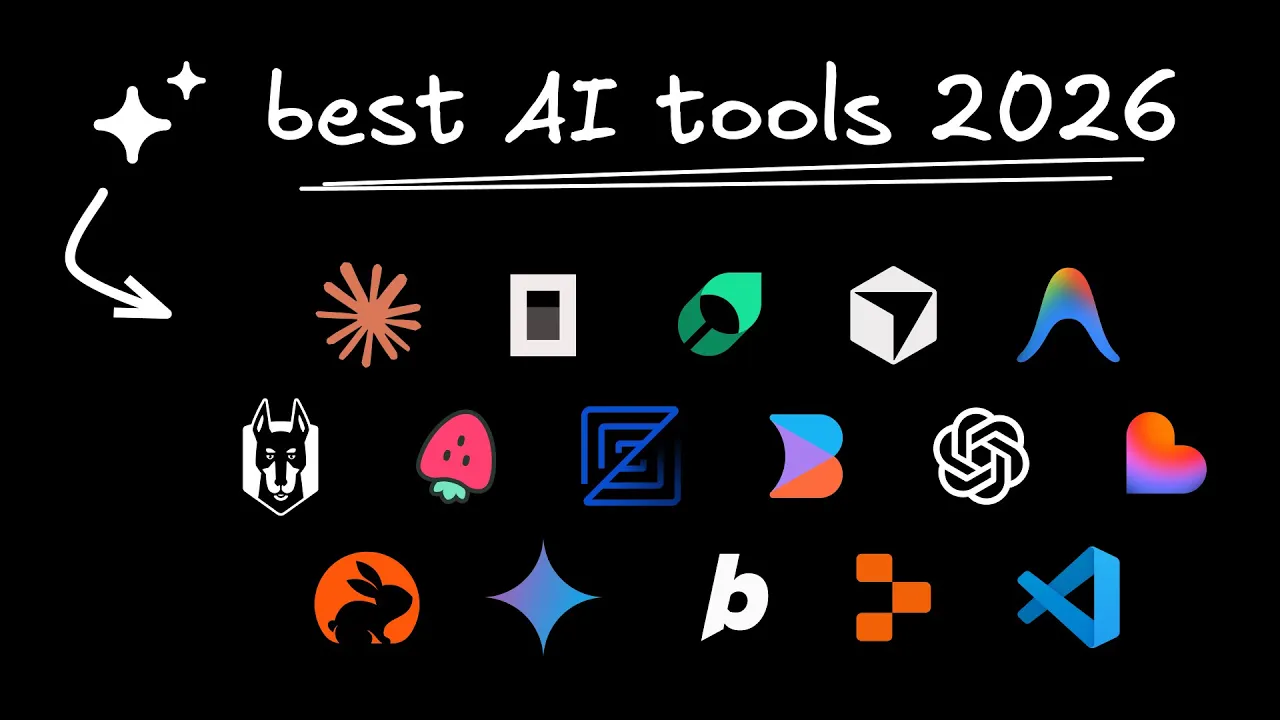
And at the end, I'm going to share three pro tips to get dramatically better output from AI coding tools. Let's start with our first category, AIDE. Cursor is still the one to beat. It's VS Code rebuilt with AI at its core. Press tab for smart completions or use command K for inline edits. You can switch between four modes to get the best out of AI. agent for autonomous multi-line edits, plan for detailed planning, debug for bug fixing, and ask for readonly exploration.
Choose cursor if you want deep AI inside your IDE without giving up control or changing how you already work. Next is builder IO. It is a visual AI IDE designed for entire product teams. It connects directly to your codebase and design system and adds a Figma-like visual layer for front-end heavy work and cross team collaboration. You can also turn Jira tickets and Slack conversations directly into code changes. Choose builder if you work on a team and want AI to work across design, product, and engineering instead of just inside one person's editor.
I work at builder, so full disclosure there, but I can personally take your feedback and pass it along to the team. Few other notable mentions in this category are VS Code with GitHub Copilot, Google's anti-gravity and zed. For our second category, let's talk about conversational assistants. Chad JPD is still the most flexible generalpurpose coding assistant. It's fast, broadly knowledgeable, and great for exploring ideas, learning new frameworks, or getting unstuck.
It's not the most opinionated or specialized, but it is consistently useful. But if I were to pick an AI assistant specifically for coding, I would go with Claude. It is slower but more deliberate and much better with long context. Opus 4.5 is particularly powerful when you're dealing with architectural decisions or high-risk refactors. Claude is one app that I never close. A third option is Gemini from Google. I've heard good things about the newer models, so definitely give it a try.
The great thing is Chat GPD, Clot and Gemini are all free. They do have a daily limit, but if you hit the limit with one, simply switch to the other. For our third category, I'm calling it AI app builders. They're great for starting fast and creating prototypes, but less suited for mature production code bases with team collaboration. First, we have Replet, which has grown from a lightweight browser IDE into a full stack AI development environment.
Second, we have lovable, which focuses on generating code for a specific stack. React, Talwind, and beat. Finally, we have Bolt, which is similar to Lovable, but with way more flexibility in the stack. React, View, Swelt, Expo, and a lot more. For our fourth category, let's talk about AI extensions and agents. First up, cloud code. It is one of the most talked about AI coding agents right now. It understands your entire repo, loads context automatically, spawns sub agents for parallel tasks, and leverages agent skills to specialize in domain specific tasks.
You can run it in your terminal or in your IDE with the extension. The only downside is that it only works with cloud models. Second, we have open code which is very similar to clot code but with the added benefit of being able to connect to any model from any provider including OpenAI, Anthropic, Google and more. Two other notable mentions in this category are Klene and Ader. Now the volume of AI generated code has gone up so much that AI is also used to catch issues early before they make it to the human review stage.
So for our fifth category, let's talk about AI code review tools. Bugbot is Cursor's AI code review agent and it is designed to review pull requests before issues hit production. If you're already using Cursor, Bugbot is one of the easiest wins you can add to your workflow. Next, we have Code Rabbit, which does line by line code reviews and generates clean PR summaries. It even learns from your feedback to get better over time.
You can interact with it directly inside the PR. You can ask it to write tests, generate documentation, or explain a piece of logic with simple commands. The best part is it integrates directly into your Git workflow as well as your AI idees. Finally, let's talk security with Sneak. Sneak is less about code style and more about protecting you from shipping vulnerabilities. It covers application code, open source dependencies, containers, and infrastructure all from one platform.
But even with perfect code reviews, production still breaks. Luckily, we've got AI tools for debugging, too. I'm sure you've experienced this frustrating problem where someone in the team reports a bug, but gives you zero useful context. Well, with JAM, all the information is captured automatically the moment a bug happens. video replay, user actions, console logs, network requests, environment details, basically everything you need to effectively debug.
You can even ask AI to suggest fixes. Last but not least, documentation. Everyone reads it, but AI makes it bearable. Now, Mintify is an AI native documentation platform that reads your codebase and helps generate and maintain highquality documentation automatically. It keeps docs in sync with code changes, adds an AI assistant so users can ask questions directly inside the docs, and structures everything in a way that works well for both humans and LLMs.
Mintify is pricier, but it is designed for teams and orgs. We are surrounded by incredible AI tools. They can write code, refactor entire code bases, and even ship features end to end. But none of that matters if you don't understand what the code is doing or why it's written that way. That's where today's sponsor, Scribba, comes in. Scribba, offers a 100R full stack learning path that walks you through everything from HTML, CSS, and JavaScript to React, Node.js, testing, and modern tooling.
They also have dedicated AI content that teaches you how to build real AI powered products using APIs, vector databases, and agents. With their interactive platform, you can watch a lesson, pause it, edit the code, rewind changes, and experiment all in the same window. Use my link in the description to get an extra 20% off Scrimbus Pro plans. Now before I wrap up, let me share three pro tips that will dramatically improve the output you get from any AI coding tool.
Tip number one, plan before executing. Most devs jump straight to build me this feature and let the AI start coding immediately. Now that is a mistake. Instead, ask the AI to outline a clear step-by-step plan before writing any code. Many tools now have explicit plan modes for this. And trust me, a few minutes of planning up front will save you both tokens and time. Tip number two, teach AI your project once. If you find yourself repeating the same stack, patterns, and constraints every session, you're doing extra work.
Use project context files like clot.md or cursor rules and agents.md to teach the AI your architecture, coding standards, and guard rails. Once the AI loads this automatically and stays consistent without you repeating yourself. And the final tip, make AI ask questions first. Instead of letting the AI rush to an answer, force it to ask clarifying questions before generating code. This turns the interaction into real pair programming.
Ask it to confirm requirements, constraints, and edge cases. This one habit alone eliminates a huge number of halfbake solutions that often miss critical requirements.
The words are the caption track's own and nothing is reworded or re-transcribed. Paragraph breaks are placed between sentences so the text reads as prose.
Free tools for your own script. No signup, no login.
Paste your draft and see where viewers are likely to drop off, with a rewrite for each weak line.
Paste the first 30 seconds of your own draft for a hook score and rewrites.
Check your draft against YouTube's advertiser-friendly guidelines before you record it.
Read this channel's public videos and transcripts, and download a writing brief for it.