Getting the transcript
Reading the captions from YouTube. A video nobody has opened here before takes 10 to 30 seconds; this page fills in on its own.
Getting the transcript
Reading the captions from YouTube. A video nobody has opened here before takes 10 to 30 seconds; this page fills in on its own.
Viktor Oddy · @ViktorOddy
This video has no Most replayed graph yet: YouTube shows one only once a video has enough views. These are the moments viewers replayed most in Viktor Oddy's most watched videos.
Most replayed moment at 3:11
4.5x that video's typical replay level
guessing. That's why I'm going to go to Motion Sites and just find some fonts that I like. So, one of the fonts that I like is this one. I'm just going to copy the uh the prompt here and I'm going to paste it here and I'm just going to delete a bunch of stuff. I'm going to create only the kind of the CSS styles.
Said at 3:04
The graph counts replays. It does not show where viewers stopped watching.
Words
2,439
Runtime
14:35
Speaking pace
167wpm
Reading time
10min
167 words per minute, between the 160 25th percentile and the 181 median of 349 measured videos. That distribution comes from the 349-video hook study.
Opening (first 30 seconds)
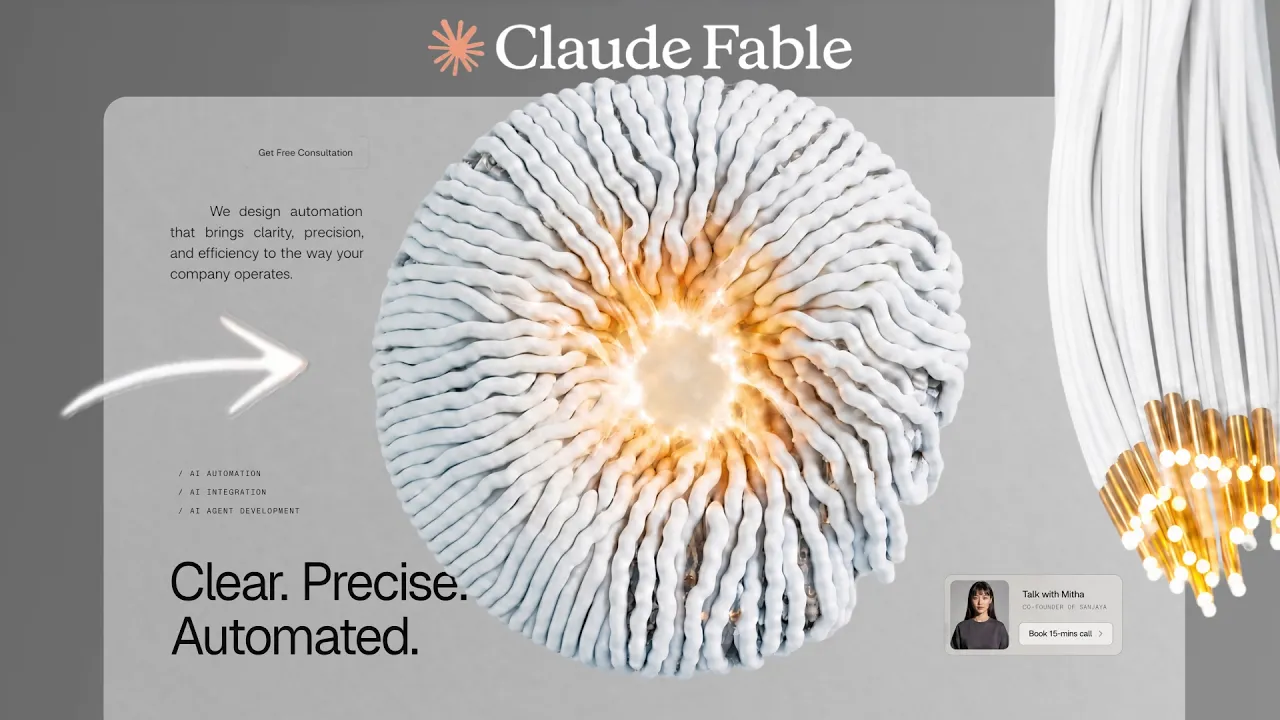
In this video, I'll share with you a step-by-step process of creating this crawling animated website. I'll share with you all of the prompts and all of the tips that I'm using to build websites like these using AI. I built more than 100 websites using AI and all of them are animated with animated videos, with interactions, with animations. As you can see, everything is in code, in text. I didn't type I didn't use Figma to build these animated websites, and everything
84 words, the words spoken in the first 30 seconds at 167 words per minute.
Free, no signup. See how the first 30 seconds hold attention, with rewrites.
Sentence shape
| Measure | This transcript |
|---|---|
| Sentences | 172 |
| Average words per sentence | 14.2 |
| Longest sentence | 66 words |
| Questions asked | 2 |
| Sentences containing a number | 20 |
Most used terms
Filler phrases
75 in total: like 36 · actually 12 · basically 10 · uh 7 · kind of 6 · um 3 · literally 1.
A literal whole-word count of the same phrase list the Prepublish browser extension uses, so a phrase inside another word is not counted and a phrase used in its ordinary sense still is. It is a count and not a judgement.
What this transcript is
Every word below is the caption track YouTube publishes for this video, pulled from the video itself and reproduced unchanged. It is not Prepublish's writing, not a summary, and not a re-transcription: it is the video's own published captions. English captions, generated automatically by YouTube, in the video’s original language. Source: the video on YouTube. A channel that would rather this page did not exist can ask for its removal through the contact page, and it is removed.
In this video, I'll share with you a step-by-step process of creating this crawling animated website. I'll share with you all of the prompts and all of the tips that I'm using to build websites like these using AI. I built more than 100 websites using AI and all of them are animated with animated videos, with interactions, with animations. As you can see, everything is in code, in text. I didn't type I didn't use Figma to build these animated websites, and everything also is mobile responsive.
That is precious thing and great about AI building. We're going to be using Claude 3.5 for this version. So, you can select it here. There are two ways to actually use this option. First one is using uh Claude app. So, you go to Claude AI and just download Claude and you'll have this on your computer, or you can use what I'm using is Cursor. I'm not affiliated or sponsored with Cursors. I just found that it works way faster than Claude.
So, let's just um up to you whatever you use. If you use even online options like uh Google AI Studio or anything like that could also work as well. So, yeah, let's start by just generating our images and videos and then building the websites. For the prompt, you can follow along. We're going to start with assets. So, for the assets, it is abstract 3D forms hanging with white cables. So, this is what you can type on Pinterest.
Pinterest it is actually a great way to find inspiration for your designs. So, just go here and you'll see a lot of different cool designs that were built by designers. You don't have to copy exactly. You can just take inspiration from that. So, once you found that, the next step in our process is to actually create videos. So, for the videos, we're going to use MP4. And to generate the to generate that, I'm going to be using Hixfeld.
Not affiliated or sponsored with Hixfeld. That's what I'm just using. You can use cheaper options. But, after we generate our video, we'll have a result like this. For the prompt, you can type something like Let me quickly look at this. Which prompt could work? Yeah, so something like use image two first frame and the second frame and the top of the cable stay fixed in the place, never moving the bottom ends. The cable extend growing longer and move downward.
Basically, you can just test and experiment with prompt if you have some reference video. Like for example, in the prompt that I'll send you, you'll have a link to the video. So, you can actually use it as a reference and the simplest way to do that is just basically asking AI to create a video exactly like this. So, you'll have the exact same video and with any updates or changes that you want. After you have the video, we can start building our front end or our website.
So, for this, I don't usually like to ask AI to build a front end. I'll usually go to Motion Array AI and find font styles that I like. And then I can choose recent here. I can also choose free. And I'll have the ability to just find font styles and designs that I like. So, let's say we like this one. All we have to do is just copy this. And then I would just go to Claude or Cursor. You would want to start a new project and you would also want a new folder.
So, here you can just select new folder, name it something like scrolling lines 3D or whatever you prefer. And here, you can just paste the prompt and say something like create me a hero section. I'll make sure that the voice app selected. I'm using the voice AI as by the way for the voice-to-text. A lot of you have been asking. Not affiliated with them either, but now I can just basically talk to my computer. And all that I have to take from this prompt since we're going to be our custom UI, I just want to take the fonts, the UI elements, and everything else.
I can just get rid of this. And now that we have the main styles, we can explain what we wanted to build. So, for this one, let's go back to our prompt, which is this one. Again, the pro- the fonts are here, so we can just use this basically. Build me a simple two-section website. The hero section should be on the white back on the black background, and the text should be white. Very minimalistic, no other elements should be on the page, just that.
And then under the hero section, there should be another section, also pretty minimalistic, black background, and some text on that section. Build me a And now we can choose Fable 5. And make sure that everything that we need is here. So, global structure, we could also copy the whole prompt to build this, but I wanted to show you the the process that I would do. Let's just send that and see what it comes back with. And this is the result that we received.
Let's add our video here and see how it looks like. So, for the video, again, take this part from the prompt, which is assets, and paste it in here. Just replace the link or the video with the ones that you generated. Go back to cursor. Paste it in here. And for the next part of the prompt, we're going to paste, which is scroll scrubbed video background. This is important for the video to play smoothly, or you can just convert the video to frames uh using a website JPEG um MP4 to JPEG sequence.
And you'll have a sequence of images that will not be lagging on any device, etc. For the simplicity of this tutorial, we're going to use the video. And let's just send that. Let's see if there is any other details in the prompt that we would need to include here. But actually, let's send that and see what it comes back with. One more detail, do not add any overlay on the video and do not change any colors on the page.
Keep the content white as it is and keep the video full opacity. And let's just send that and see what it comes back with. And this is the result that we received. As you can see, we have this nice scrolling animated website. Of course, we can update it. We can add more sections to it. And but the biggest issue that I see right now is we make all of the content um second. Let's make all of the content on the page have full opacity.
So, we have now some pieces of text that have reduced opacity. Let's increase that to be 100% opacity. And move the content in hero section to the bottom. As well as add some more links to the nav bar. And in the second section, position text position the content around the center. So, some content on the left side, some content on the right side. And the center should be empty. And just send that and see what it comes back with.
Let's maybe yeah, let's use stable five. And this is what we've got. It is looking much better, but I want to try one more option. So, for this, I'm going to again go to motion size and there is new prompt that I just uploaded. I I want to take like this kind of futuristic font and add to it and see how it's going to look like. So, So, just going to paste it in here. Oops, not in there. But, this and I'm just want to I just want to find the font kind of style.
So, let's use this fonts and we can select this and paste it at our cursor. And then also we need the sizes of the fonts. So, headline editing or we can see what Yeah, on seven. Yeah, so we can say something like this. Let's update fonts and the kind of design of our content on our page. Do not add any images if there any in the prompt, just update the fonts and the colors and that's it. And now let's just send it and see what it comes back with.
And this is the result that we've got in less than 10 minutes. If you just spend it on it a little bit more, maybe like 30 minutes to an hour, you can create something that would be award-winning quality. Now, let me show you how you can actually grow on Twitter and find clients because I think Twitter is the best thing for a designer to find clients, even better than Upwork or YouTube. I've been on Twitter for a year and I grew it to 66,000 followers and it actually brings me 90% of my clients, all my customers compared to YouTube that I've been doing for 4 to 5 years.
This is actually a still in a great platform for designers to grow. And I'll share with you the details I took my account to grow and what kind of posts I posted and how I did that and how I started when I had zero followers because now it's pretty easy to post whatever I post it will kind of get likes. But, in the beginning when I I it didn't. So, yeah, let me show you how I did that. And the first step is actually to post whatever you did is in a good quality.
Just record a screen of it. So, let me just go to the cursor and say we have this piece of content. All I have to do is just use any recording tool like CleanShot or Screen Studio. These are paid and for Mac. So, if you're on Windows, you can find something other. So, let's just select the area that I wanted to record. And now we can just click video recording. And now it might be lagging because I have two video recordings working at the same time.
Plus a thousand applications open. So, yeah, now I can just take this and go to Twitter. And the way that I grew and the way that a lot of people grow, let me show an example, Victor. So, they just tag profiles or companies that are bigger than me. So, for example, I want mentioned Gemini and uh Logan, someone who works on the team with uh at that time like 10x followers than me. I was like a 5,000 or something and he was 300,000.
Uh tagged me and it gave me a lot of the people who saw my post same base 44. Like if you just tag companies and they will repost you. And another example is this dude. He also just tagged me and because my website go viral, his post got 200,000 views because he used some of my prompts. So, just tag bigger companies and by doing that, they might comment, they might repost it and you'll get some exposure from that. But again, your post has to be a good quality.
Just look at this example. It is really really good quality. And like he took one of the prompts for Motion Science, which is this one. And he basically customize it to be something great. Like I see a lot of people just taking prompt from motion sites and literally changing like font and make it way more worse than originally were and they tagging me thinking that I will repost it. Like I would never do that. The quality of the post should be something similar of this level if you want me to repost it and it is possible you will get clients if you post something like this.
And yeah, this looks really good. This doesn't look exactly like the prompt on the website and that's what I'm teaching you how to actually customize the sub not to make exactly like this. But yeah. So after you do this, you can just copy this basically as an example. Upload this. Don't try to mention Victor OD and then base 44 uh whatever Google anti-gravity 55,000 companies Google AI studio. If you do that, none of these will comment because they basically they reposted or commented, they will advertise their competitors.
And by doing that, why would they do that? So basically if you tag a lot of the competitors, they don't do not want to give exposition or exposure to other companies. So just tag one person, keep very minimalistic. So a GPT is very great at design. Short short sentence, then say something else like Insta for credits and one person for Insta credits. And this is actually not only the post look great, but actually the composition of your tags, the tweet is what matters on Twitter.
It looks great and then it has higher chance of going viral. So yeah, this is it. Another way to grow your customers is to do digital products. This is the very easiest one. What you have to do is just ask cursor to basically turn this into a website where I'll be selling a these kind of vid background videos and then add a like call to action to buy pack of 20 videos like these which are scroll based and there would be a link to a Lemon Squeezy or Pinterest for people to buy it for $9.
And basically if you can create 20 animated videos like these then you can easily sell it for nine and then if you add some more 20 then you have 40 videos you can easily increase the price to 19. Then if you have 100 videos you can sell that pack for $49. And if just like 10 people buy it a day for 49 you'll have $490 a day and that equals to 14,000 a month and trust me 10 people to buy a day a quality pack of videos like these is very extremely easy especially if you do and know how to do social media you can achieve that results.
And yeah, this was it for this video. Thank you for watching and I'll see you in the next one.
The words are the caption track's own and nothing is reworded or re-transcribed. Paragraph breaks are placed between sentences so the text reads as prose.
Free tools for your own script. No signup, no login.
Paste your draft and see where viewers are likely to drop off, with a rewrite for each weak line.
Paste the first 30 seconds of your own draft for a hook score and rewrites.
Check your draft against YouTube's advertiser-friendly guidelines before you record it.
Read this channel's public videos and transcripts, and download a writing brief for it.