Getting the transcript
Reading the captions from YouTube. A video nobody has opened here before takes 10 to 30 seconds; this page fills in on its own.
Getting the transcript
Reading the captions from YouTube. A video nobody has opened here before takes 10 to 30 seconds; this page fills in on its own.
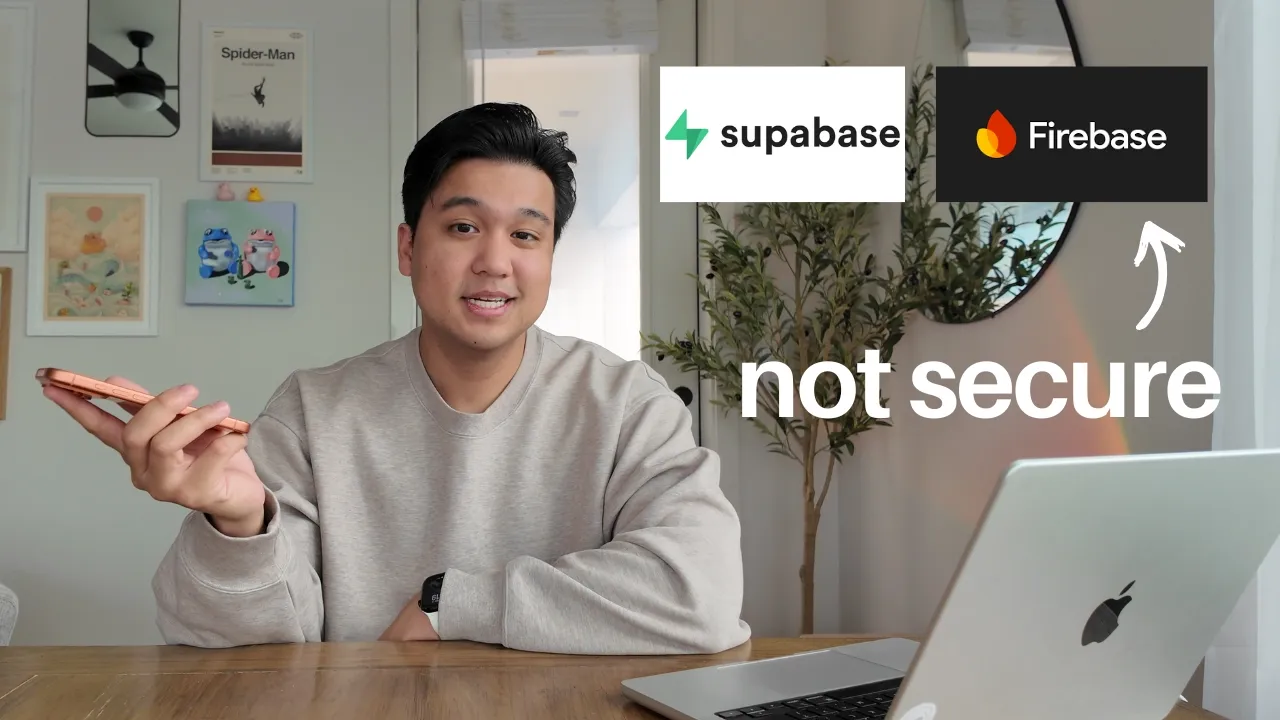
Chris Raroque · @raroque
Where viewers went back to watch this video again, from YouTube's public Most replayed graph, lined up with what was said at that moment.
Most replayed moment #1
9:455.6x the video's typical replay level
database or how much bandwidth you're consuming with Superbase. So, you want to add these limits because someone could in theory hit up these services and then just rack up a huge bill that way. And there are a lot of cases of this happening where people woke up to a $50,000 bill. So, please add these type of limits
Said at 9:38
Most replayed moment #2
3:352.8x the video's typical replay level
Claude and Cursor double-check it. But I made a big mistake. I had RLS configured correctly where users can read and write only their own data. But I made the mistake of storing the subscription status and the rate limits on the same table, which meant that they were able to actually modify their subscription
Said at 3:28
Most replayed moment #3
6:112.7x the video's typical replay level
does happen a lot. Again, check out the news articles if you want to see cases of this happening. But one more very important thing, if you're using Cloud Code and Cursor, please use the Supabase or Firebase MCPs. Even if you're using AWS and Azure, use the CLIs and give it to Cloud Code and Cursor so it can audit
Said at 6:04
The graph counts replays. It does not show where viewers stopped watching.
Words
3,879
Runtime
16:15
Speaking pace
239wpm
Reading time
16min
239 words per minute, above the 201 75th percentile of 349 measured videos. That distribution comes from the 349-video hook study.
Opening (first 30 seconds)
So, a couple weeks ago, my app got hacked. I made a video about it, shared some security tips, and I was honestly surprised by the response. A ton of you guys reached out and said you wanted to know more about how to protect your apps. So, I decided to make a dedicated video about the most common security mistakes that I'm seeing right now. Especially if you're building with AI or you're using something like Superbase or Firebase. A quick disclaimer before we get into it, this is not a comprehensive security video, that would take like 100 videos. These are just the most common things that I'm personally seeing, especially with apps that were quickly made with
120 words, the words spoken in the first 30 seconds at 239 words per minute.
Free, no signup. See how the first 30 seconds hold attention, with rewrites.
Sentence shape
| Measure | This transcript |
|---|---|
| Sentences | 225 |
| Average words per sentence | 17.2 |
| Longest sentence | 55 words |
| Questions asked | 10 |
| Sentences containing a number | 11 |
Most used terms
Filler phrases
51 in total: like 30 · actually 12 · basically 3 · I mean 2 · sort of 2 · kind of 1 · you know 1.
A literal whole-word count of the same phrase list the Prepublish browser extension uses, so a phrase inside another word is not counted and a phrase used in its ordinary sense still is. It is a count and not a judgement.
What this transcript is
Every word below is the caption track YouTube publishes for this video, pulled from the video itself and reproduced unchanged. It is not Prepublish's writing, not a summary, and not a re-transcription: it is the video's own published captions. English captions, generated automatically by YouTube, in the video’s original language. Source: the video on YouTube. A channel that would rather this page did not exist can ask for its removal through the contact page, and it is removed.
So, a couple weeks ago, my app got hacked. I made a video about it, shared some security tips, and I was honestly surprised by the response. A ton of you guys reached out and said you wanted to know more about how to protect your apps. So, I decided to make a dedicated video about the most common security mistakes that I'm seeing right now. Especially if you're building with AI or you're using something like Superbase or Firebase.
A quick disclaimer before we get into it, this is not a comprehensive security video, that would take like 100 videos. These are just the most common things that I'm personally seeing, especially with apps that were quickly made with AI. So, keep that in mind. If you're new here, welcome to the video. is Chris and I build productivity apps. I've been an iOS and React developer for over 10 years and I've made every single mistake that I'm about to talk about in this video.
So, I'm not coming at you saying that I'm some amazing developer and I'm better than everyone. I'm telling you this stuff because I've made these mistakes and I've dealt with the consequences. I mean, even just a few weeks ago, if you saw my video, I recently got hacked. But, let's jump into it. The number one issue that I've been seeing so far is misconfigured RLS or row-level security. If you do any sort of vibe coding with AI or you've used Superbase or Firebase, you have probably heard of RLS.
And if you're not technical, you probably heard it and just completely ignored it. There's also been a ton of drama with vibe coded apps getting hacked, data breaches, all the data leaking. Almost every single headline that you've seen where this has happened is probably because of a misconfigured RLS. So, let me quickly explain what RLS is in the simplest way possible. So, the way that apps are supposed to work is you have your front end, which could be your application, this is what your users see, and then you have a back end, and then you [music] have a database, which is where all of the user data is being stored.
The way that apps have been built in the past, your front end should never talk directly to the database. It has to go through the back end to do that. This was the correct and most secure way to build an app. And then came Firebase and Superbase, and their whole pitch was you don't need a back end to develop an app. They gave you these client libraries that you install on your app directly on the front end, and your app can talk directly to the database securely.
This was a very controversial thing because it goes against this whole front end, back end, database architecture that most apps had at the time. Now, obviously, this wasn't great from a security standpoint. People were like, this is really insecure. How can your app talk directly to the database? So, their solution was to add something called row-level security, or in the case of Firebase, it's called Firebase security rules.
They're basically the same thing. What RLS does is it acts as a filter. So, even though your app is talking directly to the database, RLS limits what it can access. So, you can set rules like a user can only access their specific data from the database. That is an RLS configuration. Without RLS, someone could hit your database and just download the entire thing. But when RLS is configured correctly, they should only be able to access their own data.
And technically, this does work. It is a good solution. But there is a huge problem, and it's if you misconfigure this, it can be very devastating. Firebase actually had a huge issue with this. Previously, when you spun up a Firebase instance, their security rules or their RLS was completely off. So, everything was just open to view and download by default. They did this so developers could move faster without getting bogged down by having to write these security rules.
And they tried adding a warning on their site that says, "Hey, before you go into production, make sure to configure these security rules correctly." But that wasn't enough. So many apps got hacked that they actually had to change their policy where it's off by default, but then they're going to automatically turn it off after a certain number of days. And they'll automatically lock your database. That's how bad it got.
And now with things like vibe coding, the problem has gotten a lot worse because a lot of people don't know how this stuff works. And honestly, I don't even blame them because I have misconfigured RLS and Firebase security rules so many times whenever I was doing it by hand. In my case, for my calorie tracking Amy, I'm using Supabase and I was confident I configured RLS correctly. I even had Claude and Cursor double-check it.
But I made a big mistake. I had RLS configured correctly where users can read and write only their own data. But I made the mistake of storing the subscription status and the rate limits on the same table, which meant that they were able to actually modify their subscription status to give themselves premium. And even worse, they were able to modify the rate limits. And then they could just hit my AI endpoint unlimited and just rack up a $10,000 bill.
Now, before you say, "Why didn't you ask Claude or Cursor to audit your RLS?" Trust me, I did. It did not catch these issues, either. These tools are great at catching most RLS misconfigurations, but then when it gets to something a little more complicated, like thinking through how can RLS be manipulated so that they can abuse costs and cause financial damage, it sometimes does miss this stuff. Especially when the RLS is technically correct, but the problem is with the underlying data that you're storing.
So, I actually decided to audit a couple people's apps in preparation for this video to figure out how prevalent is this problem, especially if you're using something like Supabase. Some of the apps were Vibe Coded by non-technical people, but a lot of them were actually Vibe Coded by people like myself who do have technical experience, and over half of them had the exact same problem. I was able to manipulate the apps to give myself premium access and basically just configure any of the fields that I wanted.
There was one instance I was able to download a user's entire table, so I can see all the data on Supabase. I saw information I was absolutely not supposed to see, and this is a very common problem. Again, you probably have seen some news articles about Vibe Coded apps that were leaked. That is usually due to a misconfigured RLS configuration. So, obviously, my number one tip here is to double-check your RLS configurations, and not just in a general way, like asking Claude Code, "Hey, check my RLS configuration." I mean in a very specific way, like try to think through specific scenarios of where RLS will fail.
So, you need to prompt it with very specific things, like >> [music] >> can users bypass their subscription status? Can they modify their rate limits? Is there a scenario where a user can read another user's data? Can they abuse anything? You have to be a little bit more creative and do some critical thinking if you want to catch these things. To help you guys out, I actually created a markdown file, completely free.
I'll just leave it in the link below if you want to go check it out. It has a bunch of common scenarios that I've seen. Feel free to just feed this in to Claude Code and Cursor and ask it to go audit your codebase. If it does catch something, please let me know in the comments below. And specifically, the most common vulnerability pattern I'm seeing with RLS is storing sensitive data, like subscription status or rate limits on the user table itself.
I don't know why, but Cloud Code and Cursor just do not have a problem with you doing this. The second most common pattern I'm seeing with RLS is misconfiguration where users can see other people's data. Probably very surprising to hear for most people, like that just seems so basic, but it does happen a lot. Again, check out the news articles if you want to see cases of this happening. But one more very important thing, if you're using Cloud Code and Cursor, please use the Supabase or Firebase MCPs.
Even if you're using AWS and Azure, use the CLIs and give it to Cloud Code and Cursor so it can audit the configurations directly. It's so much better than trying to take screenshots or SQL dumps and pasting them directly. Just give it access directly to the configurations. By the way, you probably saw me going back and forth with Cloud Code when I was asking it about RLS and security, and you probably noticed I was dictating all of that.
I get asked all the time what I'm using for dictation, and the answer is WhisperFlow. And a huge shoutout to them for actually sponsoring this video. WhisperFlow is smart voice-to-text that works in any app. [music] And the reason it's perfect for developers is it understands developer terminology. So, when I say something like >> [music] >> use state, Supabase RLS policy, webhook handler, it gets it right every single time.
And they also have integrations with Cursor and WinSurf where it can actually understand the code base and tag files and variables without you typing anything. So, I can say something like >> [music] >> can you please analyze supabase.ts? And it correctly tags the file. And it's not just for coding, they have an iOS and Android app that I use all the time. Like when I respond to YouTube comments, this is how I do it.
It helps me be very thorough with my responses. And obviously, I use it in things like iMessage and Slack, too. I'll leave a link in the description if you want to check it out. They also gave me a code for 1 month free, and that's on top of the existing 14-day trial you get with WhisperFlow Pro. They did not have to give me the code, I'm the one that asked for that, so a huge thank you to them for providing that. [music] But going back to the mistakes, mistake number two is adding no rate limits.
This is a huge one, especially if you have an app that has any sort of AI features. You might be thinking to yourself, well, I put limits on my front end so they can only generate five generations a day. But, the problem is if someone finds your endpoint, they can bypass any limits you put on the front end because they're going directly to the back end. And finding those back end endpoints is not hard at all. Anybody can see this in the network tab.
And yes, this does apply to mobile apps, even though there's no network tab, it is very easy to get those requests for a native app. So, you need rate limits on the back end because front end rate limits are not going to cut it. It's super easy to implement. You can ask Cloud Coder Cursor to do it for you. The way that I personally do it is I have per user rate limits. That way I can raise them for a specific user if there is a legitimate use case.
I store the number of generations a user has made on a table, and I store what the rate limits are for that user also on the table. And then every time someone calls the back end, I just check to see if they're within these limits before I let the request go [music] through. But, let's remember mistake number one, the RLS. If you do choose to go this route, make sure not to put the limits on the same table as the user data that they're allowed to edit.
That's the mistake that I made with my calorie tracking app. So, choose very carefully and audit where you're going to store them. Another approach which you can use in combination with this per user rate limits is to add IP-based rate limiting. So, this is where you set it up where a single IP address can only hit your back end endpoints, and specifically the AI endpoints, a certain number of times per hour, per minute, per week, if you wanted to.
It's super easy to set up. Just ask Cloud Code and Cursor to do it for you. Because even if someone spins up a million accounts and finds a way to bypass your user-based rate limiting, the IP-based rate limiting should stop them. Technically, they can rotate their IP address with proxies, but at that point, it is so costly for someone to do this, and it's usually just not worth it, that I honestly would not worry about it.
Even if you don't have AI features, it's still a good practice to add these limits because you don't want someone to unnecessarily spam your endpoint, even unintentionally. And if you're using something like Firebase and Supabase, you should put these limits in place because these are still technically usage-based services. So, you're you're charged based on the number of reads and writes to the database or how much bandwidth you're consuming with Superbase.
So, you want to add these limits because someone could in theory hit up these services and then just rack up a huge bill that way. And there are a lot of cases of this happening where people woke up to a $50,000 bill. So, please add these type of limits even if you have no AI features. Mistake number three is calling AI endpoints or other sensitive API calls directly from the front end. I have seen way too many people do this and to be honest, a couple years ago when I was just starting out, I was also making mistake.
I was calling things like Stripe directly from the front end, which I don't even think they allow you to do that anymore. And yes, it's not just AI endpoints. It could be something sensitive like Stripe, calling that directly from the front end. Which is bad because that means someone can take that endpoint, manipulate prices or subscription tiers before it hits your server. I've also seen people calling things like email services like SendGrid and Postmark directly from the front end.
Which is bad because someone can take those endpoints and those keys and then start sending emails as you. The other thing I've seen is people call cloud storage providers like AWS S3 directly from the front end with hardcoded credentials. And in some cases, this allows people to download and upload whatever they want to your S3 bucket. And obviously, the big really bad thing I'm seeing is people calling AI providers directly from the front end.
Let's say you have a photo generation service for example, calling Vertex AI with Nano Banana directly from your front end. That is such a bad idea to do that because someone can then intercept your key and then use it for whatever they want and rack up a huge bill that you have to pay for. The solution to this is very simple. All you need to do is make sure that these calls are being done from your back end, not your front end.
And if you don't have a back end set up, this is where Superbase functions and Firebase functions do come in. And by the way, this is the solution that Firebase and Superbase came up with to deal with this problem with their whole you don't need a back end type offering. There's also a huge misconception, especially with mobile development, that if you put your API keys in an environment variable, it is just secure automatically.
That is not the case. Most environment variables on all front ends are exposed. Environment variables are only safe on a back-end, which is why you have to call these sensitive endpoints only from your back-end. So, let me just clear that misconception right here. If your environment variable is in the front-end, or again, if it's in the mobile app, it can be found. Do not store anything truly sensitive there. Another issue I'm seeing that's semi-related to this is not adding budget caps.
Whatever provider you're using, make sure to add a budget cap so that if you hit that budget cap, then the services just shut off completely. It is so much better for your app to go down for a little bit than for you to wake up with a $10,000 bill. This is kind of embarrassing, but I made a huge mistake a couple years ago where one of my environment variables got leaked, which was an AWS key that just had too many permissions attached to that key.
Absolutely no budget cap either, but I woke up to a $30,000 bill where someone took the key and then used something called AWS Sagemaker to do machine learning training on my key. I got lucky and the bill was waived to about $2,000. So, still $2,000, but way better than $30,000. But, that was an eye-opening experience. I think from that day forward, that's when I started taking budget caps, hiding environment variables, all this stuff way more seriously.
And unfortunately, some services don't have budget caps. So, at the bare minimum, make sure to have alerts set up where you get notified if you're approaching a budget cap. There are some workarounds on services like Firebase, for example, where you can actually set something up to call the Google Billing API and just shut off spend automatically for you. I absolutely hate how Firebase and some services don't do that.
It's just so malicious, in my opinion, that they don't have that. But, the world's not fair and you sometimes just have to set that up yourself. Okay, so let's talk about something that's probably going to make some developers a little bit mad. A question I keep getting is vibe coding and LLM coding inherently insecure? My honest opinion on this is no. I don't think that they're inherently insecure. This is probably controversial, but I would actually argue to say that the apps where I used AI for coding, for vibe coding, are more secure than the the that I did a couple years ago by hand.
And I can actually say this with confidence and prove it because I took Claude coding cursor, threw it at some of my old code bases to see can it find any vulnerabilities and there were so many vulnerabilities that it caught. And I believe the reason is because LLMs can see things that a lot of humans can't or just miss. It can think through edge cases I would not have necessarily thought of. And more importantly, it doesn't get fatigued.
When I was coding by hand, security was like the last thing I was thinking about. I was so tired just building features that I just didn't have enough time to think about it properly. So by the time I was done building features, I'd always be half-assing the security and there would always be things just slipping through the cracks. When you're using AI for coding, not only does the LLM not get fatigued, but I am less fatigued as a developer where I have a lot more of a clear head to be able to think through these edge cases, have a good conversation with it and try to uncover some of these issues.
Let me be more specific here. When I say vibe coding and LLM based coding, I'm not necessarily talking about LLM coding where you're just shipping things and not looking and just don't care about any of this stuff. always have inherent security issues, but it's the same thing as just coding by hand and just not really caring. That will also have a lot of security issues. But the vibe coding and the LLM based coding that I'm talking about that is more secure than doing it by hand is where you know what's going on, you are in control.
You can still move super quickly, but you at least care and are very deliberate about security. Vibe coding like that and using LLMs, that is so much more secure than coding by hand. My favorite conversations to have with Claude are the ones where we're deliberately talking about security. We're having a back and forth thing where I'm saying, "Well, what about this scenario? What about if someone tries to do a prompt injection?" I love having conversations like that.
It gives me peace of mind when I ship something that it is more secure, way more secure if I didn't have that conversation. I had to think through this stuff just by myself. So if you're watching this and you're thinking, "Oh my god, I got to go check my app right now." Grab the markdown file that I linked in the description, paste it into Claude coding cursor and let it audit your code base. Then also be sure to install the Superbase Firebase MCP if you're using any of those services.
Try to break your own app. Think like someone who wants to abuse your system. That alone will catch the majority of issues. By the way, I actually built an internal tool that I started using to audit my own apps. It's basically an agent that thinks like a pen tester and tries to hack into your app. So, it doesn't even need access to the code base or anything. I've been debating whether or not to release it publicly. So, there's a waitlist and if enough people are interested, I'll probably go ahead and release that.
Again, this is not comprehensive. This is barely scratching the surface. This was just the common stuff that I've been seeing recently that I wanted to call out. Especially with people who are vibe coding or building really quickly with AI. But if you guys have any security tips or there's something that I missed that you really think I should cover in a part two of the video, please leave a comment down below. If you enjoy this content, check out my Instagram and TikTok.
I post almost every other day about building productivity apps. And obviously, if you like this content, don't forget to subscribe. But thank you guys so much for watching and I will see you guys in the next video. >> [music]
The words are the caption track's own and nothing is reworded or re-transcribed. Paragraph breaks are placed between sentences so the text reads as prose.
Free tools for your own script. No signup, no login.
Paste your draft and see where viewers are likely to drop off, with a rewrite for each weak line.
Paste the first 30 seconds of your own draft for a hook score and rewrites.
Check your draft against YouTube's advertiser-friendly guidelines before you record it.
Read this channel's public videos and transcripts, and download a writing brief for it.