Getting the transcript
Reading the captions from YouTube. A video nobody has opened here before takes 10 to 30 seconds; this page fills in on its own.
Getting the transcript
Reading the captions from YouTube. A video nobody has opened here before takes 10 to 30 seconds; this page fills in on its own.
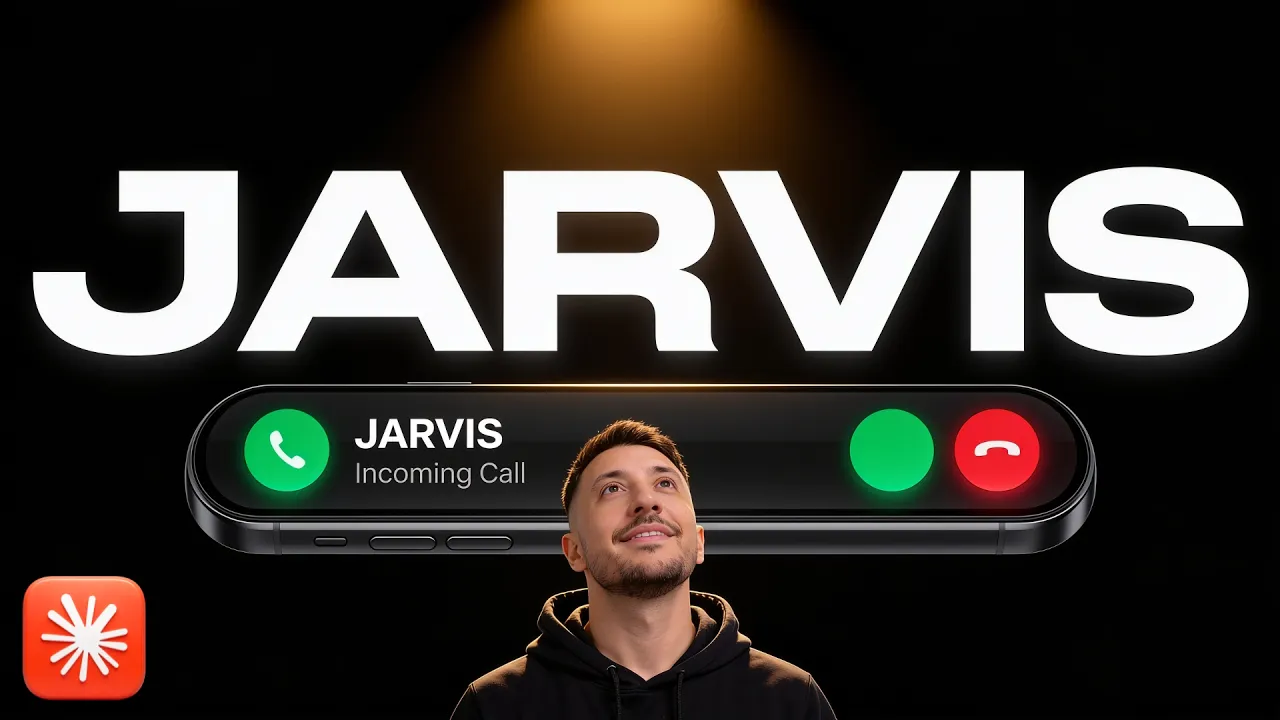
Zubair Trabzada | AI Workshop · @AI-GPTWorkshop
Where viewers went back to watch this video again, from YouTube's public Most replayed graph, lined up with what was said at that moment.
Most replayed moment #1
21:315.4x the video's typical replay level
you if you scroll down to the bottom, you'll see that I have built Jarvis AI assistant prompt. So I've given you this prompt back before this was back when I built Jarvis. So you can have access to that so that way you can build a version of Jarvis for yourself. And then afterwards at the bottom, you're also going to
Said at 21:23
Most replayed moment #2
21:025.4x the video's typical replay level
number. Now, uh the free community, this is uh I'm going to put the link in the description. This is called AI Workshop Light. Again, this is a completely free community. Click on that link. You're going to join right here. And once you come to the community, you can go to the classroom section. You can I have also an
Said at 20:55
Most replayed moment #3
20:335.3x the video's typical replay level
there's so much you can do with this because Jarvis is starting to become a true AI personal assistant. All right. So, I'm going to stop here with the demo because it's getting way too long, but I just wanted to showcase uh because this is an incredible project. And I'm going to keep building on this and keep
Said at 20:26
The graph counts replays. It does not show where viewers stopped watching.
Words
4,934
Runtime
23:53
Speaking pace
207wpm
Reading time
21min
207 words per minute, above the 201 75th percentile of 349 measured videos. That distribution comes from the 349-video hook study.
Opening (first 30 seconds)
Jarvis, call the restaurant, make a reservation for three people at 7:00 p.m. tonight. >> Ringing the restaurant now, sir. I'll report back the moment the call ends. Hi, this is Jarvis, Zubair's assistant. I'd like to make a booking. Do you have a quick moment? >> Uh sure. >> I'd like a table for three tonight at 7:00 under the name Zubair. >> Does it matter if it's inside or outside? >> Whatever works best on your end. >> Okay, so unfortunately, we don't have availability at 7:00 p.m., but we can do 8:00 p.m. for three people. Does that work? >> 8:00
104 words, the words spoken in the first 30 seconds at 207 words per minute.
Free, no signup. See how the first 30 seconds hold attention, with rewrites.
Sentence shape
| Measure | This transcript |
|---|---|
| Sentences | 436 |
| Average words per sentence | 11.3 |
| Longest sentence | 91 words |
| Questions asked | 87 |
| Sentences containing a number | 41 |
Most used terms
Filler phrases
147 in total: right? 50 · uh 37 · like 25 · actually 14 · kind of 9 · um 6 · you know 5 · basically 1.
A literal whole-word count of the same phrase list the Prepublish browser extension uses, so a phrase inside another word is not counted and a phrase used in its ordinary sense still is. It is a count and not a judgement.
What this transcript is
Every word below is the caption track YouTube publishes for this video, pulled from the video itself and reproduced unchanged. It is not Prepublish's writing, not a summary, and not a re-transcription: it is the video's own published captions. English captions, generated automatically by YouTube, in the video’s original language. Source: the video on YouTube. A channel that would rather this page did not exist can ask for its removal through the contact page, and it is removed.
Jarvis, call the restaurant, make a reservation for three people at 7:00 p.m. tonight. >> Ringing the restaurant now, sir. I'll report back the moment the call ends. Hi, this is Jarvis, Zubair's assistant. I'd like to make a booking. Do you have a quick moment? >> Uh sure. >> I'd like a table for three tonight at 7:00 under the name Zubair. >> Does it matter if it's inside or outside? >> Whatever works best on your end. >> Okay, so unfortunately, we don't have availability at 7:00 p.m., but we can do 8:00 p.m. for three people.
Does that work? >> 8:00 tonight, got it. Let me check with my boss and I'll call you right back. Thank you, I appreciate it. Goodbye. 7:00 is fully booked, sir, but they can seat three at 8:00 tonight under your name. I told them I'd call back to confirm. Shall I take the 8:00 or shall we call to rival establishment? >> Yeah, 8:00 p.m. works, Jarvis. That's fine. Go ahead and book it. >> Ringing the restaurant now, sir.
I'll report back the moment the call ends. >> Yes, hello. >> Hi, this is Jarvis, Zubair's assistant. I called a little earlier about table. I've checked with my boss and 8:00 p.m. works. Can we go ahead and book it? >> Okay, awesome. >> Confirmed with the restaurant, sir. The 8:00 p.m. table is booked under Zubair. They took the reservation without protest, which I shall count as a small victory. >> So, I gave my personal AI assistant Jarvis a phone number, which means he can call businesses for me, make appointments.
I can call him directly. If there is any emergency, he calls me directly in my cell phone. He texts me. I can send him voice notes and so much more. So, in this video, I'm going to give you a full demo of what Jarvis is capable of with the phone number now. And then afterwards, I'm going to give you a free prompt pack so you can build something like this on your own. I don't want to waste too much of your time. Let's jump right in.
All right, so for those of you who have not seen my previous video, I built Jarvis as my personal AI assistant. He has access to my AI second brain. That's exactly what you're seeing on the screen right now. That would be >> And speech recognition doing its finest work, sir. >> Okay, Jarvis, hold on. I'm talking to my audience here. >> Case in point, sir. Say the name and I materialize. Carry on with your audience. I'll pretend not to eavesdrop. >> Okay, thanks, Jarvis.
Anyway, so before Jarvis interrupted me, I was saying that this is my AI second brain, right? Every aspect of my business, as you can see in a 3D visual representation, this is what these little orbs that are floating around is, right? It's all of the skills, tools, the folders, the files, everything about me and my business is sitting right here. And Jarvis has access to this because he lives inside my local computer.
But, in order for him to be able to extend his reach outside outside of the local files and local computer, I wanted to give him a phone number so he can become my true personal AI assistant. And now he has. >> All right, so let's jump into the demo. So, first of all, I'm going to show you how he can make appointments for me. He will call a business and actually answer questions and get all the details. And if he any if he has any questions or doesn't know an answer to a question, you'll see he will actually ask me and then call the business back.
And then afterwards, I'm going to show you how I can call him directly in his hotline phone number, where then he's going to ask me for a code and therefore give me access to everything inside my computer, which is incredible because I can talk to him just like a true personal assistant would, right? >> All right, so for the first demo, I'm going to have Jarvis call a mechanic shop and book an appointment for me or actually ask information about an oil change for my car.
So, let's go ahead and do that. Jarvis, can you go ahead and call the mechanic shop and ask information about how much is a oil change and then what's their soonest appointment they have availability for me and inquire about the Mercedes-Benz C300 2019. Okay, so as you can see, now he's preparing the call. >> I'll ring the mechanic shop to ask their oil change price for the 2019 C300 and the earliest slot they can offer, no commitment, merely reconnaissance.
Shall I ring them, sir? I'll ring 510-796-913. >> Yes, go ahead, Jarvis. >> Ringing the mechanic shop now, sir. I'll report back the moment the call ends. >> So, now you'll see I'm going to get a call. Perfect, there you go, right? So, I'm getting a call, so I'm going to go ahead and answer and interact with them just like I'm a business. >> [cough] >> Hi, this is Jarvis, Zubair's assistant. I've got one quick question if you have a second. >> Uh sure. >> How much is an oil change for a 2019 Mercedes-Benz C300?
And what is the soonest appointment availability? >> Um okay, uh what did you say? What was the year and make of the car? >> It's a 2019 Mercedes-Benz C300. >> And you said you did was there any particular like oil uh grade that you were looking for? >> No particular oil grade. What do you recommend for that vehicle? >> Okay, usually we would have to do like a synthetic oil and the price for that is $157 and uh you said you wanted the soonest appointment, right? >> Yes, please.
What's the soonest appointment available? >> Uh we can do Monday at 1:00 p.m. >> So, a synthetic oil change is $157 and the soonest appointment is Monday at 1:00 p.m. Did I get that right? >> That's correct. >> Thank you. Goodbye. >> Okay, so he hangs up the phone. And I'm not doing anything. >> Synthetic oil change quoted at $157, sir, with the earliest slot Monday at 1:00 p.m. That would be 3rd August. I only gathered the information.
Say the word and I'll ring back to actually secure the appointment. >> So, there you go. Now, he gave me all of the information and he didn't make an appointment because he needed to ask me the question to whether to confirm this appointment or not, right? And as you saw during the conversation, he was able to actually answer naturally even things that I didn't give him that much information about. So, that's kind of the beauty of this that he is a personal assistant and because he has access to all of my information, he kind of gathers everything and answers in a very natural way.
So, now I'm going to go ahead and ask him go ahead and call back the business to book the appointment. Okay, Jarvis, that sounds good. Go ahead and book that appointment. Okay, now he's going to call again. So, you see set up the call. >> Ringing the unnamed contact now, sir. I'll report back the moment the call ends. >> So, now you'll see I'll get another call. There you go, perfect. >> [snorts] >> Hello. >> Hi, this is Zubair's assistant.
I called a little earlier about the booking we discussed. I've checked with my boss and the time you offered works. Can we go ahead and book it? >> Okay, yeah. Yeah, that sounds good. Can you please uh spell his name again? >> Z U B A I R. So, that's the booking we discussed, the time you offered under the name Zubair. Correct? >> Yeah, yeah, exactly. And uh yeah, everything is good to go. It's confirmed. >> Is there anything else you need from us or anything he should know or bring?
Are we all set? >> Um no, I think you're good to go. Just make sure you show up. Um you can drop the car anytime between 8:00 to 10:00 a.m. >> Uh-huh. Thank you. I appreciate it. We'll see you then. >> There you go. So, now we hung up, confirmed. And you'll see he'll confirm with me now. >> Booked and confirmed under your name, sir. They've got you down and you may drop the car anytime between 8:00 and 10:00 a.m. Nothing to bring, nothing to send.
Simply turn up with the vehicle rather than good intentions. Punctuality would be a fine touch, sir. Shall I pop it on your calendar with a reminder so we don't forget? >> So, now it's also going to tell me, "Should I put this on your calendar and a reminder so that way you don't forget?" Yes, Jarvis, go ahead. That'll would great. >> Let me see if I have the tools for that, sir. >> So, there you go. So, Jarvis is going to check to see the tools, right? >> Consider it underway, sir. >> There you go.
Now, it's going to have access to my calendar, and it should add it to my calendar. >> Done, sir. Drop off car at mechanic shop is on your calendar for Monday, August 3rd at 8:12 a.m. Try not to arrive fashionably late to your own oil change. >> [laughter] >> Okay, so if I go to my calendar now, right? And if I see Whoops. So, this is my calendar, right? Today is the 30th, and tomorrow is 31st. If I go to Monday, right?
Drop off car at the mechanic shop 8:00 to 10:00 a.m. Perfect, right? It has access to my calendar. Therefore, it's able to actually, uh, you know, put reminders, put meeting slots, or whatever I ask him to do. So, that's kind of the beauty of this whole process because he has access to tools like my Gmail, my calendar, Google Sheet, and everything else. And by the way, all the tools that he has access to is right here, right?
So, I can give him access to any tool I want. All right. So, that's kind of like one feature of Jarvis with the phone phone call, right? So, the next one is going to be, uh, me showing you how I can call Jarvis because Jarvis has a phone number, a hotline that I can call, and he can answer questions for me. So, let's say I'm driving somewhere, right? Let's say I'm outside, and something I remember something about my particular, uh, you know, a client, or a business, or I need to have access to my AI second brain inside my computer.
I can now actually call Jarvis, and then he can answer, and I give him a code, and he's able He's able to provide me the information of whatever I need. Of course, I put some security measures here so that way he has access to certain things and not nothing sensitive. So, anything related to like credit cards, or personal information, he will not provide that, right? And that's kind of baked into the code that I provided to Jarvis.
So, that way the security aspect is taken care of. So, now, let's go ahead and do that. So, I'm going to go ahead and call. And by the way, all of this is happening is because Jarvis I'm using Retail AI, which is probably the most popular voice AI agent platform in the market. So, as you can see, these are different agents. So, there's a booking agent, right? So, all of this all of this instruction and all of these variables that are here, all of it is based on the information that's required that Jarvis needs to have in order to make or in order to perform these tasks, right?
So, this one called Jarvis Hotline, right? This is where I can call him directly and he's capable of giving me the information that I need. So, let's go ahead and take a look at that. So, this time I'm going to call Jarvis. So, let me go ahead and pull up his phone number. And, by the way, this is a real phone number because I bought it through Retail with Twilio. So, this is a phone number that's registered in the San Francisco Bay Area.
So, when a when a business receives this call, it's an actually phone number and not some kind of a you know, like Google number or anything like that. So, let me go ahead and now call Jarvis. >> Reach the Batline. Jarvis speaking. >> Hey Jarvis, how's it going? >> Good day, sir. May I have the code, please? >> There you go. He's asking for a code. Yeah, the code is 4435. >> Uh-huh. At your service, sir. How can I help? >> There you go.
So, now he has I give him the code, so therefore now he has access to everything. Yeah, Jarvis uh >> Indeed, sir. What would you like to look into? >> There you go. Uh Jarvis, what was what did we work on today? >> Today, you handled the Mercedes oil change booking and worked on explaining Jarvis's second brain access to your audience. >> Awesome. Actually, I wanted to know some information about this client. His name was Mike Johnson.
Can you pull up his information? Give me some because I'm about to like meet him, so I just want to get some information about him. >> One moment, sir. Mike runs an oil change shop and is considering your $3,400 AI receptionist build. Follow up next Tuesday. He's your top reputation services target. >> There you go. So, now Mike Johnson, right? He's a AI reputation build, 3,400. This is like one of the leads uh tables, right?
So, this is uh um one of the clients, right? That Again, Jarvis has access to, so I can ask him direct questions about a particular tense that's inside of my folders and files. Um also, Jarvis, can you uh tell me, cuz I'm outside right now, I don't have access to my calendar, do I have any uh meetings for tomorrow? >> One moment, sir. Tomorrow, a busy block at 1:00 p.m., lunch with John at 4:00, and the gym at 6:00. >> Okay, awesome.
Thanks, Jarvis. Okay, so again, that's just something simple, right? Like that was just me giving you a few uh simple examples of how I can call him directly. He can answer questions about particular leads or particular clients. Uh I can ask him questions about my calendar, my email, or whatever it may be. And also, same thing related to any of the files inside my second brain, right? Now, I'm going to actually show you kind of the security aspect of it, right?
Because when I called him, right? He picked up the phone and answered my questions, but he asked the code. Let's say I don't have the code, you'll see exactly what happens. So, let me go ahead and make the call again. >> Reach Suber's line, Jarvis speaking. >> Hey, Jarvis, how's it going? >> Good day, sir. May I have the code, please? >> Uh the code is 1123. >> I'm afraid I can't help without the code. Good day. >> Wait, what exact code are you talking about? >> May I have the code, please? >> Uh it's uh is it 1123? >> I'm afraid I can't help without the code.
Good day. >> There you go. So, he hung up on me, right? So, he asked twice. If you don't give him the exact code, then he won't be able to give you any answers. He's just going to keep repeating the same thing over over again, saying, "Hey, like I need the code." If the code's not accurate, if you give him some random code, he's going to repeat the same thing, and after the second time, he's just going to hang up. And then afterwards, you'll see that he will also give me a status that somebody actually called the hotline, but he wasn't able to give the code. >> Hotline call.
An unknown caller rang your private line, sir, and was turned away for failing the code check. No message, no instructions, merely a gentleman guessing. >> There you go, right? You saw it takes like a good a few seconds, right after the call is hung up to process this, but he will uh come back, and let's say if you're sitting in front of the computer, because the computer is on, obviously, so that's why he knows that I have access to them, so he's going to go ahead and uh give me that status that, "Hey, somebody called the hotline, but they weren't able to provide the code, so therefore, nothing was given to them, no message, no instruction.
It was just somebody who was trying to guess something, right?" So, that's kind of the security layer. And there's so much else we could do with this, right? We can add more security layers to this, but this is just like a quick example of what uh the security aspect of Jarvis with the phone number is. All right, cool. So, obviously, there's a couple of more uh features that uh Jarvis has, but I don't want to make this video too long, right?
I'm planning to do more videos on that. But, let me also show you how, let's say you don't want to interact with Jarvis with phone. You can text him, right? That's another feature that could be added from retail. But, also, you have the ability I have the ability to interact with Jarvis via my voice or text via Telegram. So, I can pull up Telegram app on my phone, and you're seeing the my Telegram app on the screen as well.
So, you'll see I'm just going to send him a quick note so I can interact with him. Again, he doesn't have to be on, right, for me to interact with him via Telegram to say I'm outside. I don't want to call him. I just want to text him or send him a voice note. I'll be able to do the same exact thing. So, let me just go ahead and do that. Hey Jarvis, how you doing? There you go. So, now you'll see he'll respond to me, and I'm not doing anything.
He has the ability to interact with voice. There you go. Quite well, sir. Idle, well-mannered, and mildly disappointed that no one has needed anything catastrophic fixed in the last few minutes. What can I do for you? So, now let me go ahead and actually interact with him via text. By the way, I have the option to ask him to send me a voice note. Same thing as you can see right here. This was something that I was working on previously. >> The calendar question lapsed, sir.
The The unnamed contact booking 10:00 a.m. is not on your calendar yet. >> There you go, right? So, he can send me statuses via Telegram. Same thing about any interaction that I have with him via my phone call or whatever it may be. All of that is also done to through Telegram. Of course, this is optional, right? You don't have to do this, but I'm just saying for people who don't want to deal with their personal assistant via a phone call or a text, Telegram is the best option cuz it's free, and it's something that you can easily interact with.
So, let's say via Telegram I want to ask him about, you know, something related to a client bill, right? going to say, "Hey Jarvis, can you pull up all the information about one of my clients? His name was Mike Johnson, right?" So, let's say I don't know anything about Mike Johnson. I want him to grab that information. Now, Jarvis is going to go ahead and look through, first of all, my local files, and if it's not there, he has access to my Google Sheets.
He has access to my other tools, right? He can look up that information in those tools as well to grab that information about the task that I'm giving it to giving him or anything that's related to the question that I'm asking. So, obviously, when it comes to accessing tools, it's going to take give couple of seconds to go through and find out whatever information that's needed and then he'll come back to me. So, let's go ahead and give him a couple of seconds.
Okay, and there you go. After a couple of seconds, you see right here. Right here is the full picture of Mike Johnson, sir. He owns an oil change shop, phone 510-709-6193. No email on file, documents on record July 28th. I sent them an invoice, right? Um and this is another earlier code. And again, all of this information is coming from my either my local files or like I said, Google Sheet. So, as you can see right here, this is Mike Johnson.
This is just a leads table, right? For let's say uh information about my leads. So, Mike Johnson is a AI receptionist built because he owns a oil shop, right? Uh $3,400 proposal was sent. His phone number is this. His email is missing. So, that's exactly what he did. He actually gave me those exact same uh exact uh exact information, right? It says a quote was sent for $3,400 AI reception built. That's exactly what that is, right?
AI reception built, $2,400 proposal was sent at this particular date. He has a phone number, no email, and all of that information comes back to me now, right? Very very simple and very easy to interact with. Now, you can always say, "Hey, can you go ahead and create a new lead came in, right?" So, you'll see, let's go ahead and actually do that. So, take a look at this. I said, "Hey Jarvis, so a new lead came in. His name is John Doe.
His email is johndoe@gmail.com. His phone number is this. It's another AI reputation builder. Go ahead and create a code for code." I said, "Quote." for $2,500 and add him to the leads table. So, now you'll see, I'm going to press enter. So, now Jarvis is going to do multiple things. First of all, he's going to create a quote for me. Again, he has access to my Google Sheet. He has access to my AI second brain. So, first of all, he's going to look to see if that particular customer exists and there you go.
He sent me a quote. Now, I can download this or again, since this is on my drive, you can see he created this on my Google Drive and I can also edit this in a Google Doc, same thing because he has access to Google Sheets, Google Doc, Google Drive, and everything. So, I can always he always sends me the link. So, if I click on this, you will see he has created this nice quote AI reputation builder built, right? John Doe.
Exact quote is 2,500. He's put the description, right? Two different items, and very well done as far as the terms, 50% deposit to book the build slot, remaining 50% due to delivery. All of this is he's doing this because again, I didn't give him that much information beyond just create the quote. The reason why he's putting it in this format because he again, he has access to my AI second brain. He knows my business.
He knows that I've sent this quote before with this type of format. Therefore, he just creates it for me. Again, I can edit this, right? Because if I go back to my Telegram here, I can also edit this in Google Doc. So, if I just click on this, there you go. Now, I can edit any of this uh myself just like I normally would. And if I go to my AI second brain now, you'll see that this has also been added in in its own task in its own long-term memory.
So, now moving forward, if I ask him about "Hey, who is John Doe? What quote did I send him?" he can process all of that information and grab all of that information for me because it's stored in his long-term memory. So, those are the things that he is capable of doing. So, as you can imagine, there's so much you can do with this because Jarvis is starting to become a true AI personal assistant. All right. So, I'm going to stop here with the demo because it's getting way too long, but I just wanted to showcase uh because this is an incredible project.
And I'm going to keep building on this and keep improving this. So, now let me show you how you can build something similar. So, first of all, the main thing is for you to obviously have your AI second brain, and then also get and then give Jarvis access. So, let me get rid of these so you can see. And then give Jarvis access to a phone number. Now, uh the free community, this is uh I'm going to put the link in the description.
This is called AI Workshop Light. Again, this is a completely free community. Click on that link. You're going to join right here. And once you come to the community, you can go to the classroom section. You can I have also an AI second brain module here that you can build something similar to that. Of course, not the 3D version, but your own 2D 2D version. But all the YouTube resources in this folder right here. So if you go to the classroom section in the community in the YouTube resources, you if you scroll down to the bottom, you'll see that I have built Jarvis AI assistant prompt.
So I've given you this prompt back before this was back when I built Jarvis. So you can have access to that so that way you can build a version of Jarvis for yourself. And then afterwards at the bottom, you're also going to have access to this Jarvis phone packed. Now, this is basically and I'm I'll show you exactly how to use this prompt pack, right? The booking agent, these are the prompts for the phone agents, right?
The inquiry agent, the receptionist, right? The invoice engine voice and all of that stuff and then security measures. All of that again, this Jarvis starter phone pack and the Jarvis prompt pack is inside the free community. Of course, you need to make sure you have a retail account. So these agents that you're seeing, that's what this prompt pack is referring to because that's kind of the whole point of the whole concept of you know, Jarvis being able to make these phone calls.
So go ahead and take a look at that and you can build something like this. Again, the I've done multiple videos on this. You guys can watch that. But if you want the full Jarvis build, that's inside the paid community. Now again, this is a paid community. The free community, you guys can build your own. If you want the finished version just like you saw mine, it's inside the paid community. It's called AI workshop and you'll see the link in the description as well.
That's inside the classroom section inside the AI assistant and AI employees. And this is going to be Jarvis version six. The version five already includes tools and everything. Jarvis version six is going to be the phone call and you just have to download the zip file and then also the installation instruction and I'll also have a step-by-step guide in more detailed demo about the phone features and everything else that you can download.
Again, that's inside the paid community where we also provide you tech support. So, if you get stuck anywhere, you can ask us questions. My team and I are there to help you guys out. So, check that out. But, like I said, if you don't want to join the paid community, the free community resources, there are plenty in there for you to get started and build a version of it for yourself. So, hopefully you guys found this helpful.
I'm planning to create more versions of Jarvis and keep improving it and making it more business-friendly and making it a true personal assistant and a business assistant. So, make sure you guys like and subscribe because I'll be creating more videos in the future about this to make this even a more powerful AI assistant. Anyways, hopefully you guys found this helpful. Let me know in the comments below if you guys have any questions.
Love to hear your thoughts. Thanks for watching and I'll see you on the next one.
The words are the caption track's own and nothing is reworded or re-transcribed. Paragraph breaks are placed between sentences so the text reads as prose.
Free tools for your own script. No signup, no login.
Paste your draft and see where viewers are likely to drop off, with a rewrite for each weak line.
Paste the first 30 seconds of your own draft for a hook score and rewrites.
Check your draft against YouTube's advertiser-friendly guidelines before you record it.
Read this channel's public videos and transcripts, and download a writing brief for it.