Getting the transcript
Reading the captions from YouTube. A video nobody has opened here before takes 10 to 30 seconds; this page fills in on its own.
Getting the transcript
Reading the captions from YouTube. A video nobody has opened here before takes 10 to 30 seconds; this page fills in on its own.
imago meri · @imagomeri
Words
907
Runtime
8:19
Speaking pace
109wpm
Reading time
4min
109 words per minute, below the 160 25th percentile of 349 measured videos. That distribution comes from the 349-video hook study.
Opening (first 30 seconds)
Hi everyone and welcome back to the Magago channel. Today I'm going to showcase a very unique plug-in just recently released by Le Audio. It's called Smear and it processes the audio in the frequency domain enabling a wide range of spectral manipulation. I'm not going to walk you through the plug-in step by step.
55 words, the words spoken in the first 30 seconds at 109 words per minute.
Free, no signup. See how the first 30 seconds hold attention, with rewrites.
Sentence shape
| Measure | This transcript |
|---|---|
| Sentences | 59 |
| Average words per sentence | 15.4 |
| Longest sentence | 35 words |
| Questions asked | 0 |
| Sentences containing a number | 5 |
Most used terms
Filler phrases
8 in total: kind of 3 · like 3 · uh 2.
A literal whole-word count of the same phrase list the Prepublish browser extension uses, so a phrase inside another word is not counted and a phrase used in its ordinary sense still is. It is a count and not a judgement.
Run the check on the words above: where attention is likely to drop, with a rewrite for each weak line. The free check shows the scores and the one issue costing the most.
What this transcript is
Every word below is the caption track YouTube publishes for this video, pulled from the video itself and reproduced unchanged. It is not Prepublish's writing, not a summary, and not a re-transcription: it is the video's own published captions. English captions, generated automatically by YouTube, in the video’s original language. Source: the video on YouTube. A channel that would rather this page did not exist can ask for its removal through the contact page, and it is removed.
No Script X-ray for this video: YouTube shows a Most replayed graph only once a video has enough views.
Hi everyone and welcome back to the Magago channel. Today I'm going to showcase a very unique plug-in just recently released by Le Audio. It's called Smear and it processes the audio in the frequency domain enabling a wide range of spectral manipulation. I'm not going to walk you through the plug-in step by step. If you want a deeper tutorial, you can go and check out the videos on LZ Audio's channel. Instead, I will show it in action within a small track that I put together just for the occasion.
If you're interested by the end, you can use the link in the description and the code you see to purchase MI at 30% off. With that said, let's dive right in. >> So, not yet fully aware of what I wanted to make, I started with the simplest sound element, a sine wave. I routed it to the mixer and without wasting time, I opened up Smear and began browsing the presets. In short, Smear can be seen as a multi effects spectral processor that combines several effects modules, 12 to be exact, to create really unique combinations.
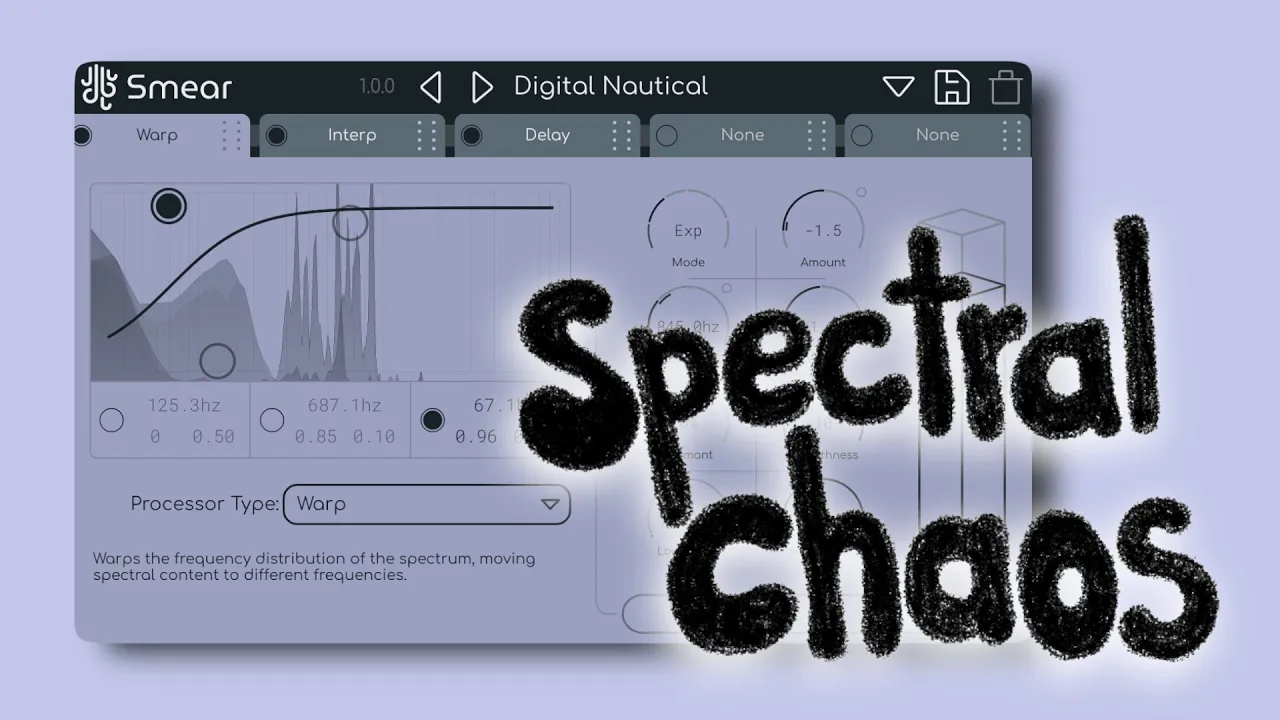
The cool part is that everything can be automated via the modulation system that you see down here. So I come across this preset called digital nautical. Let's try to understand what's going on. The first module is called warp. By modulating a few parameters on the right like the operating center and the amount, I get a constant shifting of my sound spectral content. And this is the result. >> [music] >> Next is an interpolation module which smooth the sound reducing its dynamics and making it more flat much like a compressor.
And we have a delay module that also operates spectrally applying a different delay for each frequency region. Finally, there's our pitch shifter module. Using the very handy factor bands graph, you can essentially select the frequencies the shifting will act on and then blend the process signal with the dry one. So here is what I end up with. Okay, I got this particular soundsscape and needed to make it even more dimensional.
So I applied from another plug-in by laser audio, a spatial simulator that lets you spread the sound across a vast environment. So it kind of surrounds the listener. To finish, a light touch of Iari reverb to glue everything together. All right. Now, I needed a touch of melody. I was looking for something more impactful that would contrast with the lush soundscape that I just created. So I opened this contact library called Frozen Glock and drew in a few notes on the piano roll knowing that I would then let's say overprocess the sound.
So I thought that just a few scattered notes would already do the job. Okay, so I opened another instance of Smeir and this time I made my own preset to fit the task. We got pitch shifter as the first module. I'm blending the original signal with a copy pitched up one octave. But that copy is constantly morphing because it [music] follows the mix automation. As you can see from the graph, [music] something similar happens in the next module, a resonance module.
So the generated resonances alternate creating this uh distinctive morphing effect. As the last module, we bring interpolate back in where I quickly modulate the factor bands creating this uh spectral oscillations that at times resemble a kind of echo. [music] After that comes another instance of fram and halftime at 75% a light OTT and a final filter freak where I randomly modulate the low pass filter to give the sound even more movement. >> [music] [music] >> Moving on, we got another sine wave.
I once again drew just a few notes spaced far apart. The goal was to create a pad that wraps around everything we made so far. on it. I'm using another smear preset called Goss Echo, which combines resonate, interpolation, and pitch shifter modules. [music] After that, I used Recurse, another plug-in by Lea Audio, a degradationbased plugin that makes my sound more alive and introduces artifacts. [music] Hikari reverb once again to stretch the sound into a long atmospheric pad.
Then I sent this signal to another mixer channel where I applied half time set at 1.5 essentially giving me a copy of the signal pitched down five semmitones. And here is how it sounds. [music] [music] >> [music] >> As the last element of the track, I wanted to introduce this field recording that I found on freesound.org. On it, I once again applied the preset that I created before, but this time I replaced the first delay module with a gate module.
The spectral approach to gating is very [music] interesting in my opinion because it's not the whole sound getting muted like [music] it happens in traditional gates, but only certain frequency bands. Determined once again by the factor band you see [music] moving in the graph. >> This kind of underwater effect is then amplified by a delay >> and by a final interpolation module. Once again, if you are interested in purchasing Smeir, I invite you to visit the link in the description and use this code for 30% of the plugin.
With that said, I will see you in the next one. Hey, two. [music] >> [music] [music] >> Heat. Heat. >> [music]
The words are the caption track's own and nothing is reworded or re-transcribed. Paragraph breaks are placed between sentences so the text reads as prose.
Free tools for your own script: paste a draft and see where it stands before you record it.
Paste your draft and see where viewers are likely to drop off, with a rewrite for each weak line.
Paste the first 30 seconds of your own draft for a hook score and rewrites.
Check your draft against YouTube's advertiser-friendly guidelines before you record it.
Read this channel's public videos and transcripts, and download a writing brief for it.