Getting the transcript
Reading the captions from YouTube. A video nobody has opened here before takes 10 to 30 seconds; this page fills in on its own.
Getting the transcript
Reading the captions from YouTube. A video nobody has opened here before takes 10 to 30 seconds; this page fills in on its own.
Stefan 3D AI · @stefan_3d_ai
This video has no Most replayed graph yet: YouTube shows one only once a video has enough views. These are the moments viewers replayed most in Stefan 3D AI's most watched videos.
Most replayed moment at 4:08
7.0x that video's typical replay level
and it will also have the access to full ai apis. Now let's do some serious tests. The first test will be to do an animation of a character that will be split in parts. The first test will be to create animation. Animation of a character that will be an
Said at 4:01
Most replayed moment at 9:39
5.7x that video's typical replay level
Overall I think this guy's made really amazing job, bring it it all together and I really had a lot of
Said at 9:41
Most replayed moment at 20:36
4.1x that video's typical replay level
Just also because I was playing that game when I was kid. Okay, let me see if I remember how to play that. Let's start with the road, right? Let's try to build a, oh, there are cars. There are cars. It generated nice cars and they're like, wow.
Said at 20:29
The graph counts replays. It does not show where viewers stopped watching.
Words
2,799
Runtime
15:58
Speaking pace
175wpm
Reading time
12min
175 words per minute, between the 160 25th percentile and the 181 median of 349 measured videos. That distribution comes from the 349-video hook study.
Opening (first 30 seconds)
This new 3D AI generator is by far the most realistic and the most detailed from all that I tested so far. Crazy amount of details, significantly improved PBR and 8K texture resolution. But the craziest part is that this is probably the first 2K mesh generator. And this is huge because I'm talking about Latin space. Most generators do that on 1536p and 2K requires significantly more VRAM. And guys, please don't forget to like this video and subscribe if you still not. To be the first
88 words, the words spoken in the first 30 seconds at 175 words per minute.
Free, no signup. See how the first 30 seconds hold attention, with rewrites.
Sentence shape
| Measure | This transcript |
|---|---|
| Sentences | 245 |
| Average words per sentence | 11.4 |
| Longest sentence | 76 words |
| Questions asked | 7 |
| Sentences containing a number | 34 |
Most used terms
Filler phrases
149 in total: like 112 · actually 22 · basically 6 · I mean 3 · right? 3 · sort of 2 · you know 1.
A literal whole-word count of the same phrase list the Prepublish browser extension uses, so a phrase inside another word is not counted and a phrase used in its ordinary sense still is. It is a count and not a judgement.
What this transcript is
Every word below is the caption track YouTube publishes for this video, pulled from the video itself and reproduced unchanged. It is not Prepublish's writing, not a summary, and not a re-transcription: it is the video's own published captions. English captions, published by the channel, in the video’s original language. Source: the video on YouTube. A channel that would rather this page did not exist can ask for its removal through the contact page, and it is removed.
This new 3D AI generator is by far the most realistic and the most detailed from all that I tested so far. Crazy amount of details, significantly improved PBR and 8K texture resolution. But the craziest part is that this is probably the first 2K mesh generator. And this is huge because I'm talking about Latin space. Most generators do that on 1536p and 2K requires significantly more VRAM. And guys, please don't forget to like this video and subscribe if you still not.
To be the first to make this video for you guys, it takes quite a lot of effort. So I really appreciate your support guys. Stuff here guys and this month is crazy. We have so much updates and each is better than another. And I just got access to Hi3D version 3 and this one is huge. Hi3D also known as HiTrim 3D and way before that it also was known as Spark 3D. That was a research paper and the team behind that they was first to actually solve some problems how to operate in bigger Latin space.
And basically they bring more magic right now, adding this 2K resolution, which is insane. So let's do the testing and see how good at this really. So first of all, details are insane. PBR is insane and like, I don't know, the improvements is very, very visible. The last update was about version 2 .1 and version 2. It was like seven or eight months ago, and that was not a big gap, really. That was good. Like it added some details, but not significant as this one.
And those versions was a bit lost compared to favorites at that time, like triple three, et cetera. So we're going to also check how good it performs against 3 .1 now. And it actually does. And they also revamped the UI. So they do have text to image. Just a good thing to have. If you're going to stick with the high 3D, you're going to also have access like to best image generation, then we do have 3D generation and this new version tree.
I'm actually in better access, so it costs zero. But I think it will cost a bit more than 2 .1 version because at the moment I'm testing it like delivering this high quality requires quite a lot of time, it seems. And not a joke like it can take up to 45 minutes. I've been talking like to those providing some feedback. And they said like that's temporary. So on release and this video should drop exactly on the release date.
So this should be faster. Really hope so. Other than that, the process is simple. We drop the reference image at the moment. It doesn't support multiview. So multiview is only supported by version 2 .1. That's also work in progress. And we do have some advanced settings like generating PBR or not faces. I actually appreciate the revamp on UI because they removed a lot of unneeded stuff. Other than that, we have like stylized texture.
I don't know what it's called stylized texture because like they do any texture really like not only stylized like Ben's like on the reference image. Amazing split support and multi -color printing. So overall, high 3D is about HD meshes and they put all the effort into that direction. And there's no point of doing like low poly or retopology here. But for high poly meshes, they really deliver magic. Two main use cases we figure out with my team is first, let's generate this guy.
It's exceptionally great high poly models that you can use instead of sculpting and then do, you know, like baking normal maps, bake color map. Like they really improve the texture. You can see just look at this guy like all details make sense. And every detail is sharp. Let me disable the material so you can see like what's happening exactly. Look at the legs like look here, here, here, here, here. Everything look absolutely nice.
And you can really work with that. Like you can like make a low poly on top of that big hole of that. And that's insanely great. And again, together with really decent color texture, that makes so much sense. And you actually better see that in comparison with Tripo, for example. Tripo still takes the lead, but we'll see this week if it will stance against Huyton because it's just added and still calibrating is already in top three.
So guys, don't forget to jump on top 3D and do the voting. Or you can actually compare them side by side again. Any other models that are recently released, High Term 3 .0 is already here. Let's see if it can take first place. And here you can see the same prompt. Also HD model made with Tripo. You can see the difference, basically. Well, just look at that. Both in texture, both in details, like this same two million polygons, like best settings, like possible ultra mesh quality, all that things enable it.
So maybe some stuff are more accurate in terms of like coherence to the prompt. But in terms of details, etc., like, yeah, this is like another level. Like is, as I said, like most realistic generator right now. Let's do one more prompt. This all with the clockwork inside. The reason we have this prompt is because there's plenty of details. Let's take a look. And it looks just crazy good. Like I would not expect they do such a big improvements again.
Like I'm looking on all generators like all the time. Like, I mean, this is really surprisingly good. It's like really huge improvement and especially materials. Probably most noticeable change. But I will be honest with you, it's not 100 percent accurate. There are some small issues there and there, particularly what I sports. Sometimes there are loose parts like this. I don't know, like where it comes from. Like, is it some artifact from image?
I think there was nothing like this on the image. And yeah, well, this is like easy to remove, but it's still some artifact. For comparison, here is the result from triple and just feel the difference. And by the way, this is also PBR. Here's PBR off. Here's PBR on. And yeah, that's why I'm so excited about PBR specifically. This one is a little bit off. And here is even worse example. This Mesh is seven, right? I think Mesh is seven updated their model.
But if we compare it to triple or item, like still not there. And this prompt shows the difference. And by the way, like Mesh, you just for some reason, skip this one. Right. It's really good. It's really good. And one more look at this colorful chameleon. Wow. This look really good. Right. It's an issue here with the tail. It should not be like that. Definitely. It's like a branch and a tail. So this one is a problem.
Well, to be honest, my reference image is sort of shitty because yeah, it's sort of measures. Well, triple actually figured it out. Like with this branch. But it definitely look less colorful. And actually prompting is very important. Let me show you how not to use 3D AI. So I wanted to show like very cool, difficult case for printing, because, again, item is very, very good for printing. And that's why we're going to need to test that.
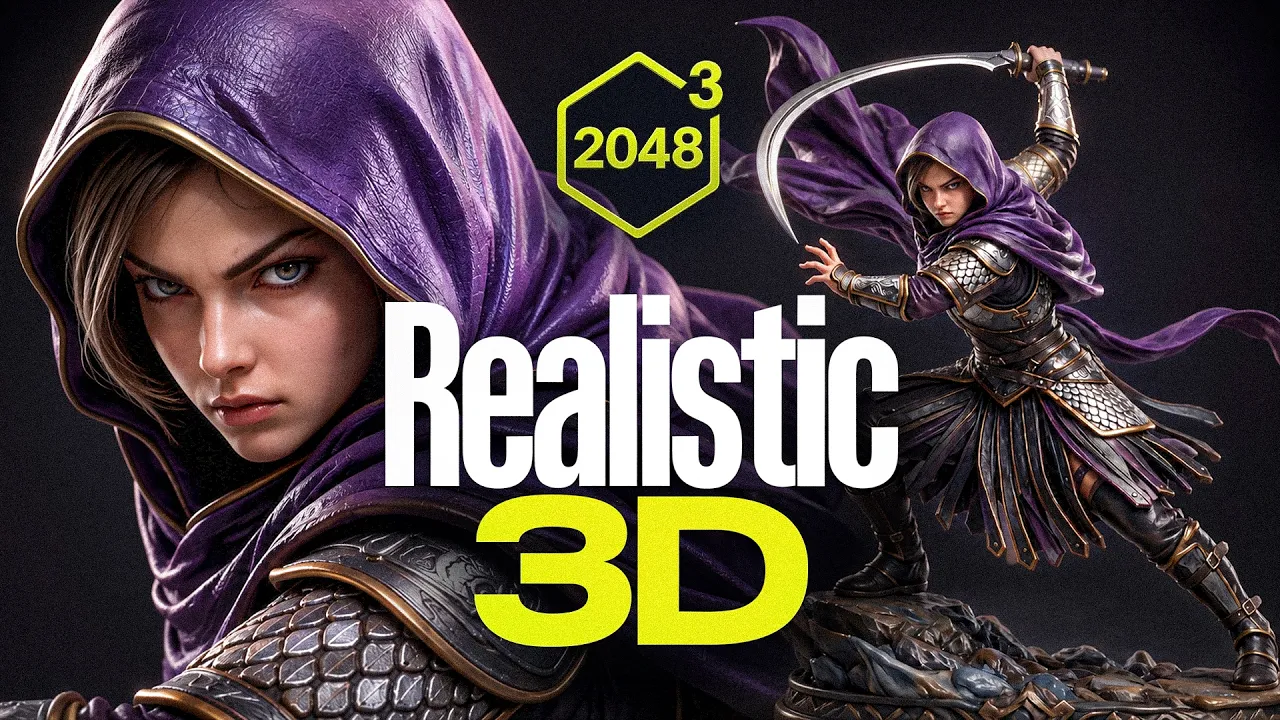
And I come up with this reference, this character again, that's generated with AI and everything like it looks cool. And they're like, OK, I'm going to generate that. But I was blind to see that it actually doesn't make sense. What's happening in the background? First of all, the ponytail goes through the cape, which is strange. And the weapon and the arm, it's very unclear what's going on there. And here's what item generated.
And I was like, oh, still not there. And I was about to blame it. But then I realized maybe it's me who is wrong. And I tried the same prompt in triple. And you can see same issue, by the way, right? It's hardly broken. Like the ponytail goes through the cape. It's like quite weird, right? Because there is not enough space to like go around it logically. And triple also failed. So I realized the issue is my prompt. I actually failed twice with bad image problems that I prepare.
Like, like you can see three legs. And I was like, why is there three legs? Like, no way is on my image, there are three legs. And then I take a look on my image and there are indeed three legs. So don't be like me, verify what they create. Otherwise, you're going to wait 30 minutes for this amazing generation with a broken leg. And that's all my fault. And by the way, triple and Meshie also generated three legs because three legs in the prompt.
You can see triple generate basically exactly the same thing. Nevertheless, I fixed my input image and generated this beautiful 3D model. And now everything actually makes sense. I removed the ponytail and yeah, you can see that hand is now visible. So it generated everything intact. OK, so let's review the details. The face is a little bit off, I think, because of the pose. But overall, I think like I really like the details, especially like if we turn off like the texture, I can see like how sharp they are face, definitely going to need some fixes.
And probably this part will also going to need some fixes. And I, of course, tested more characters and we already added this to top 3D. And they actually made a huge improvement to characters, proportion and faces. I think like if it's like a natural position, like we always have five fingers, tail, all that things like just look at this is like quite, nice. It's just beautiful again, like very, very cool. As I said, honestly, it's not 100 percent there, especially like if you're going to go with like small details like this item tends to create again, like when there's like a lot of things happening, I sports this loose parts.
For me, it's not an issue because like you can actually quickly process them in Blender, remove them and that will be still a good base. But that's only if you are printing like it as a figure. And then again, like that's like a low effort thing. However, for any game that related things, if you are about to create a character here, please use it right. I always teach that splitting into parts will get you best results.
Imagine you can generate head alone, stuff alone, dress alone, body alone. If you struggle with that, take a look on my other video. I just dropped like one hour long tutorial, like explaining all the details about characters, game developments, and you can use high -tune 3D for high poly models. They will do an amazing job. Then again, bake the color, normal map, all that stuff into low poly basically, and get crazy good results.
Bake all that details in optimized version and then combine them all together. This is how you should use 3D AI, even though it does really, really great job like doing these characters at once. That's nothing more than a testing case, particularly related to game development. For 3D printing, however, it's way easier and high 3D. They offer like a bunch of really cool tools. So here is my updated night that I generated like with updated prompts.
And this one looks just crazy good. Look, look, look, look, there's no two legs. Dang, I'm just so hyped about it. Like this is super, super, super cool. Let's take a look. Geometry. Oh, wow. Oh, wow. Nice. I still see like small things like I mean, it's actually like another real mistake, but maybe like this one I would smoothen like and make this smaller. There's like a little bit too big holes here. Well, I mean, there are holes there, but for printing, maybe.
And also really, really appreciate how watertight mesh is. And there are no relevant gaps. You can see it's everything is fused here. Right. Nice. For 3D printing, this is probably will be the best option right now. And you can actually take it to the next step, which is called split to print. General character basically doesn't matter. Here we can select the model that we generated. You can do professional approach where you're going to need to separate parts yourself on the image or beginner like a lazy approach for me.
We're going to just go like low. Also, you can use texture for segmentation, but I think that's depends on again, like how much colors you have on texture. How do you have a lot? I don't think that's going to work. And if you're particularly interested in 3D printing case, guys, I have an amazing news for you, because on my channel, there is actually a playlist with relevant videos, spoiler, by the way, in most of them, I actually used height and because of its sharp, nice geometry that is very easy to process in blender and I have a tutorial how you can do all the splitting inside high 3D and even do the connectors.
That's basically an amazing tool for beginners, especially like you generate the model right there and do segmentation and it helps you to place that dovetails or any other types of connectors to the parts and expert for you. If you use bamboo studio or any other, like you can actually expert it right away for printing, which is absolutely amazing. I cannot think about any other 3D offering that much for 3D printing.
And there's also a multicolor print option. But to be honest, like I use raisin printer. I have like Eligo 16K and maybe at some point I'm going to get filaments a printer with some different colors and try it out. So here we can control colors, amount of details, etc. I set up like some stuff for printing. If this is useful for someone of you and you want more in -depth tutorial about that, let me know. I'm going to deep dive into it.
And don't forget to like this video and subscribe because soon there will be a complete AI workflow for 3D printing. We're going to cover all you need about how to get AI generate model, prepare it, fix it, polish it and print it. One more example I want to show you is this plush dragon. And it's just amazing, like how detailed everything is and like how accurate is. And if you wonder, it's not a texture at all. That's like it's all done by mesh.
And if you do like low poly version on top of it, like you can bake all of it to a normal map, etc. And that will be like super, super cool. I think it's really, really good job. And the most important thing is, again, like it's not only amount of details, but that they are actually make sense and it follows the prompts accurately. Look at this adorable little dragon on the books. Whoops. Small issue here. OK, yeah, I think this should not be like that.
To be removed here. And this part is a little bit weird, but it seems like I completely messed up with my image input prompts. Also is broken here. So for all broken reference, I was actually playing with C dream version five and all non broken image reference was done in nano banana pro. So I learned a lesson that C dream is actually hallucinating way more than I used to with GPT image to or non banana pro. Here is one last prompt for your attention.
A bronze statue. And I think it looks crazy good, especially I don't know, like this materials like metals are looking very, very nice and high 3D. That's super cool. But let me know, guys, what you think. And don't forget to visit top 3D AI to compare high 3D version tree with other AI generators and always be up to date which 3D best generate right now. This high 3D update is really impressive. I'm definitely going to use it for next 3D printing tutorials or cases actually surprise me that was stuff like and subscribe and I see in the next video.
The words are the caption track's own and nothing is reworded or re-transcribed. Paragraph breaks are placed between sentences so the text reads as prose.
Free tools for your own script. No signup, no login.
Paste your draft and see where viewers are likely to drop off, with a rewrite for each weak line.
Paste the first 30 seconds of your own draft for a hook score and rewrites.
Check your draft against YouTube's advertiser-friendly guidelines before you record it.
Read this channel's public videos and transcripts, and download a writing brief for it.